WooCommerce Product Slider is an amazing product slider to slide your WooCommerce Products in a…
Responsive Product Slider, Carousel & Product Grid Gallery
Product Slider for WooCommerce is a responsive and easy-to-use plugin that lets you display WooCommerce products in sliders, carousels, or grid galleries. You can place product sliders or grids anywhere on your site using a shortcode—inside pages, posts, custom templates, or widget areas.
The plugin includes a built-in Shortcode Generator with a user-friendly interface, so you can quickly create and customize product sliders without coding.
VIDEO
Live Demo | Documentation | Support | Upgrade to Pro!
Why use Product Slider for WooCommerce?
Product sliders help you present more products in less space while keeping your shop organized and visually appealing. They can highlight featured or new products in key areas of your site, improving navigation and user experience.
MAIN FEATURES
Responsive and Mobile-Friendly: The Product Slider for WooCommerce plugin is fully responsive and works seamlessly on all devices and screen sizes.
Beautiful Product Templates to Start: The plugin has 3 beautiful pre-designed product templates to set up product sliders and grids quickly. You can also create your own custom template.
Create Unlimited Sliders or Grids: Add multiple product sliders or grids on the same page with unique settings. So, there is no limit on the number of product sliders or grids you can create.
Display Newest & Featured Products: Highlight the latest or featured products in your shop to attract your prospective customers.
Show Hidden Products: You can easily hide the hidden products from the settings. The plugin has an option to include hidden products in the slider or grid.
Hide Out-of-Stock Products: Automatically exclude out-of-stock items from the display, as it’s really essential that there are no products in your stock.
Hide On Sale and Free Products: Flexible controls to exclude sale or free products.
Display Product Details: Show product title, price, rating, and other details.
Customizable Add to Cart Button: Adjust the text and style of the Add to Cart button to fit your store design.
Product Image Options: Select image sizes, borders, and other visual preferences.
Powerful Slider Configurations: The plugin has options for autoplay, speed, pause on hover, slide to scroll, infinite loop, adaptive height, direction, and more.
Slider Navigation & Pagination: Multiple styles for arrows, dots, and pagination controls.
Additional Slider Options: Enable tab navigation, keyboard navigation, touch swipe, mouse wheel, draggable mode, free mode, and more.
Color and Styling Options: Customize columns, spacing, colors, and layouts to match your site design.
Import and Export Sliders or Grids: Easily back up or transfer slider and grid settings.
Support, Feature Requests, and Bug Reporting
If you need help, have a feature suggestion, or want to report a bug, please reach out to our Support . We’re happy to assist.
Product Slider for WooCommerce – Pro
Product Slider for WooCommerce – Pro is the premium version of the Product Slider for WooCommerce plugin, adding additional features and functionality. It includes a product ticker carousel, multi-row carousel, product category live filter, product list, masonry, advanced product grid gallery with AJAX load more, product table, and more.
The plugin supports 15+ additional modern layouts, offers extended customization and styling options, and includes 30+ pre-designed product templates. Learn more about Product Slider for WooCommerce Features .
Multilingual Ready
Page Builders Ready
Gutenberg
Elementor
Divi Builder
WPBakery
BeaverBuilder
SiteOrgin
Fusion Builder
Genesis Framework
AUTHOR
The Woo Product Slider plugin is developed and maintained by ShapedPlugin LLC
Screenshots
Live Demo
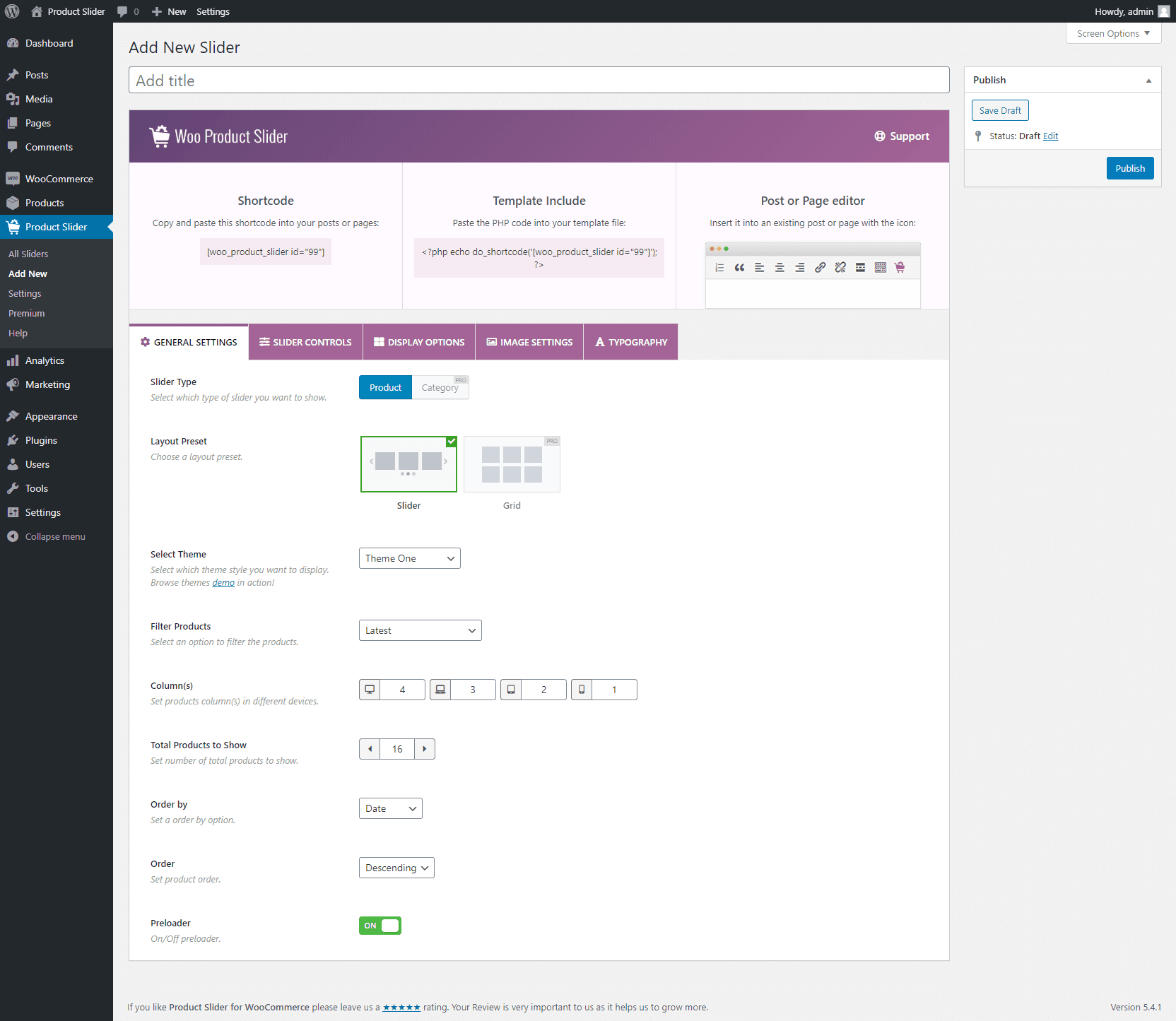
General Settings
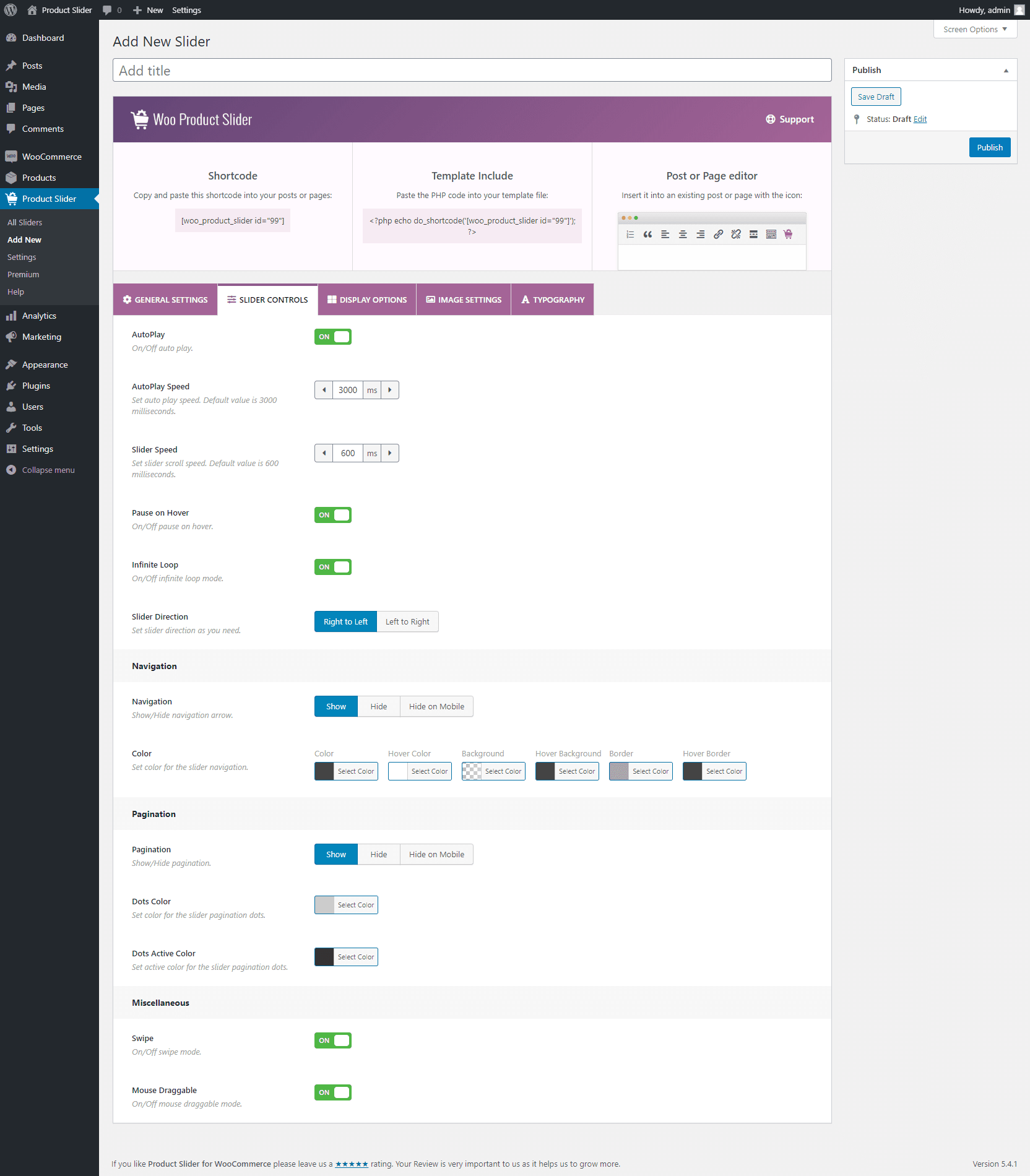
Slider Controls
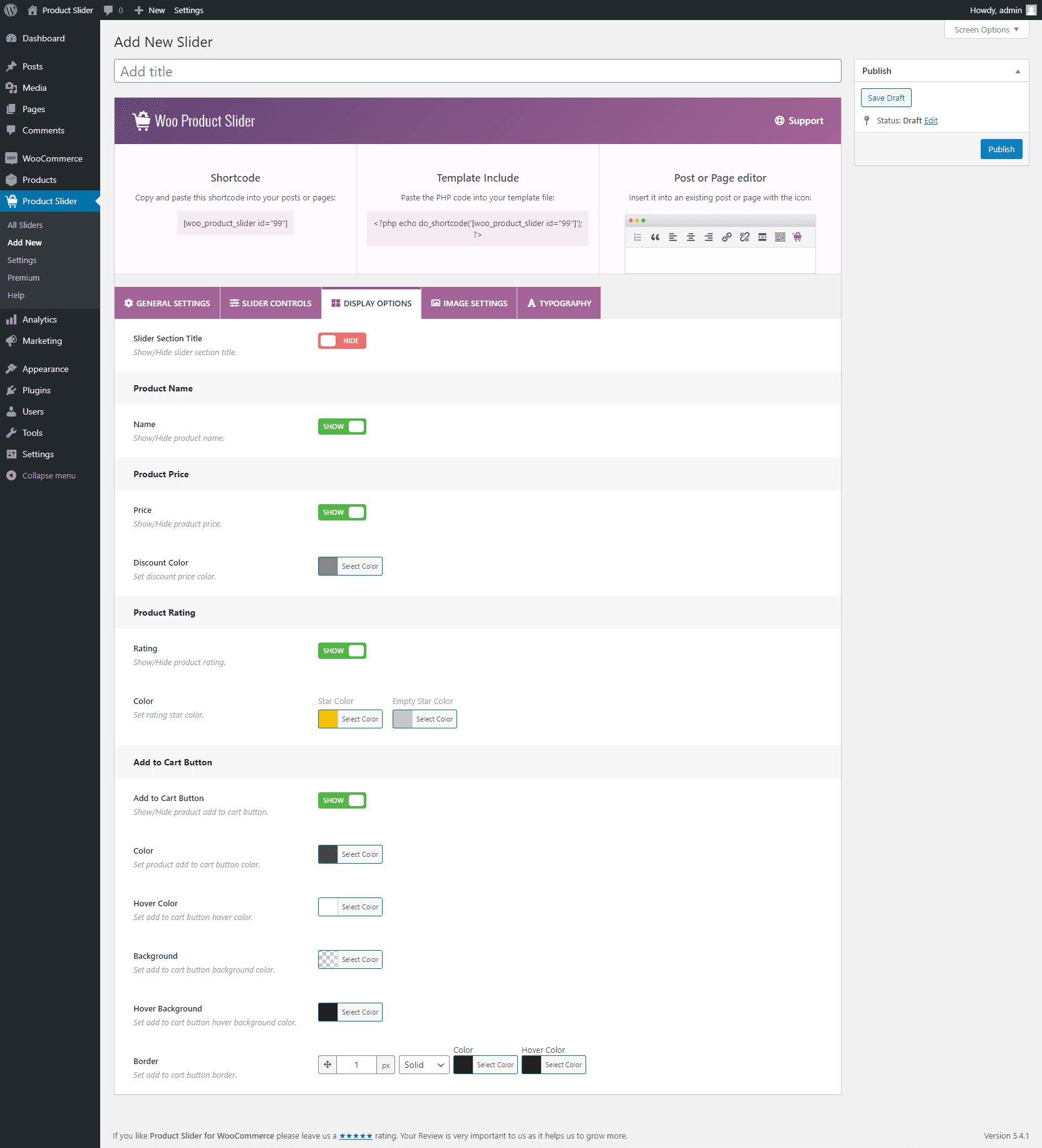
Display Options
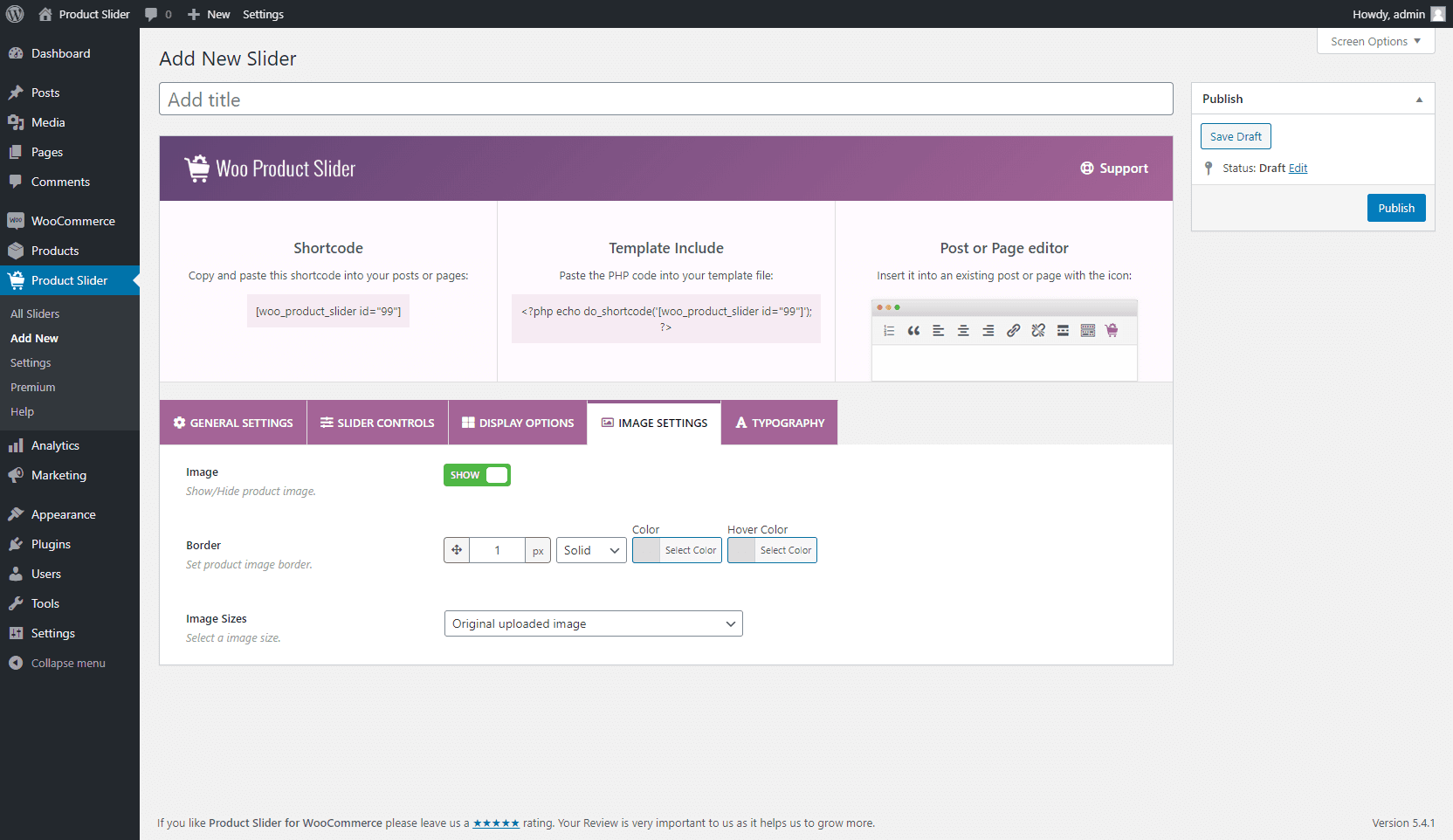
Image Settings
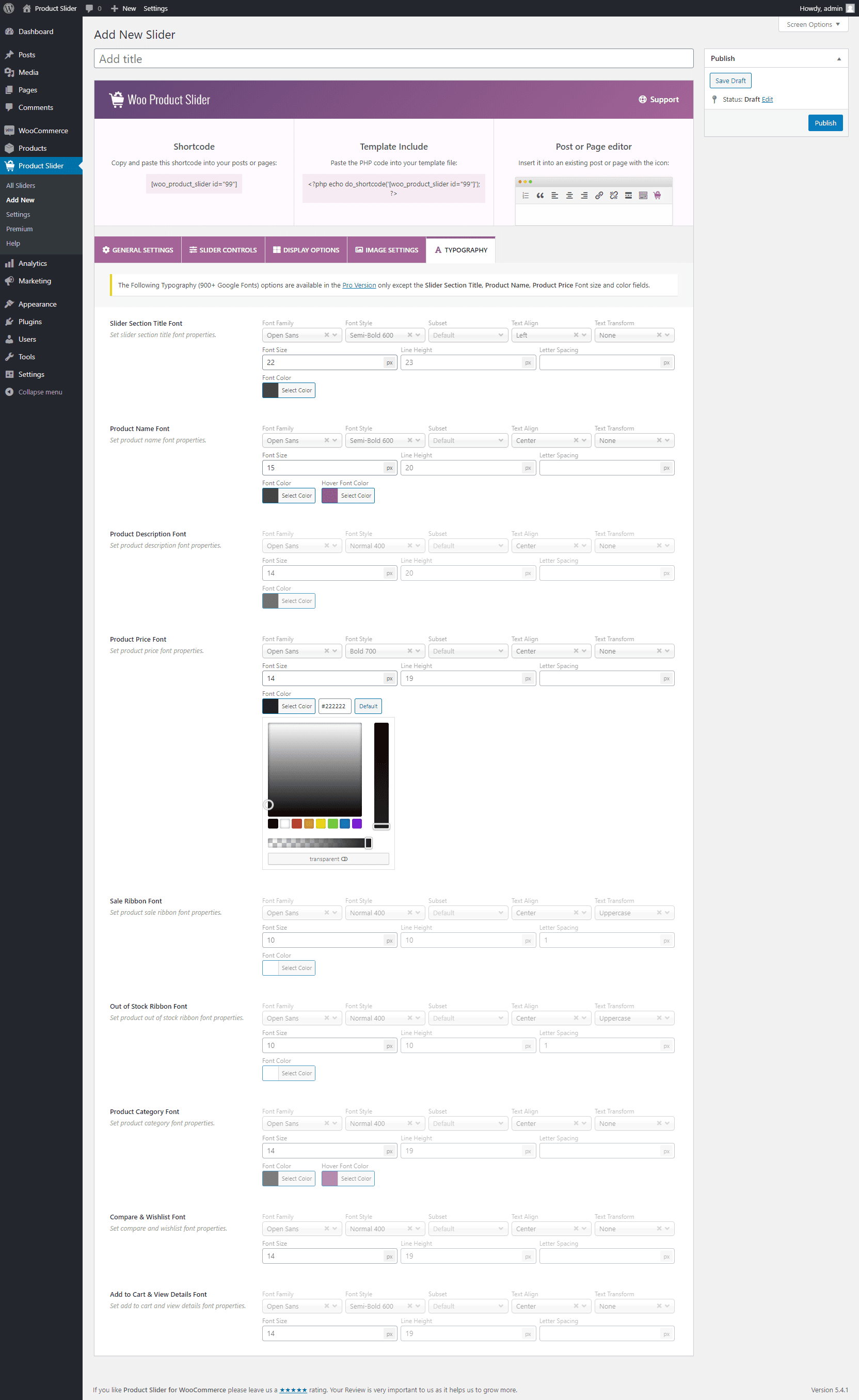
Typography(Pro)
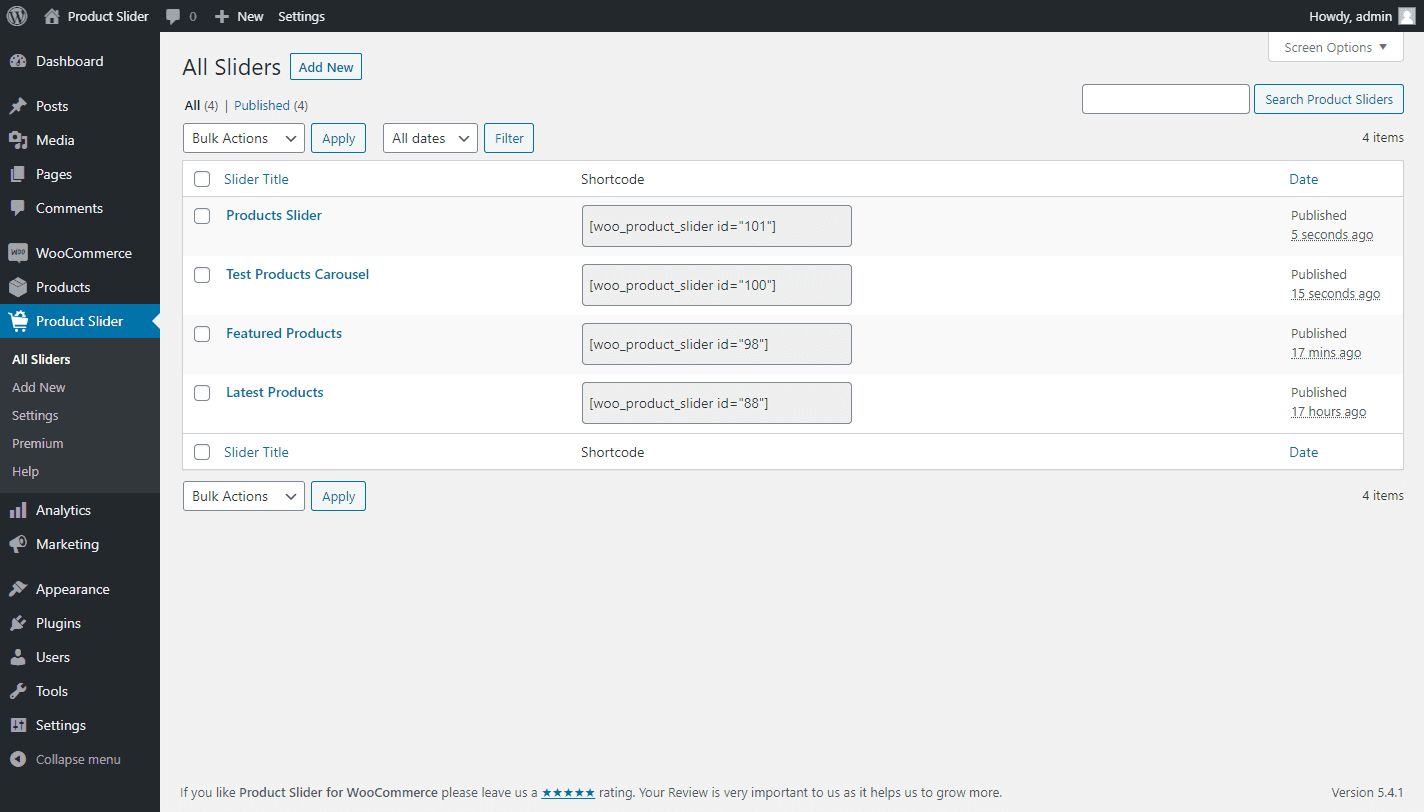
All Product Sliders
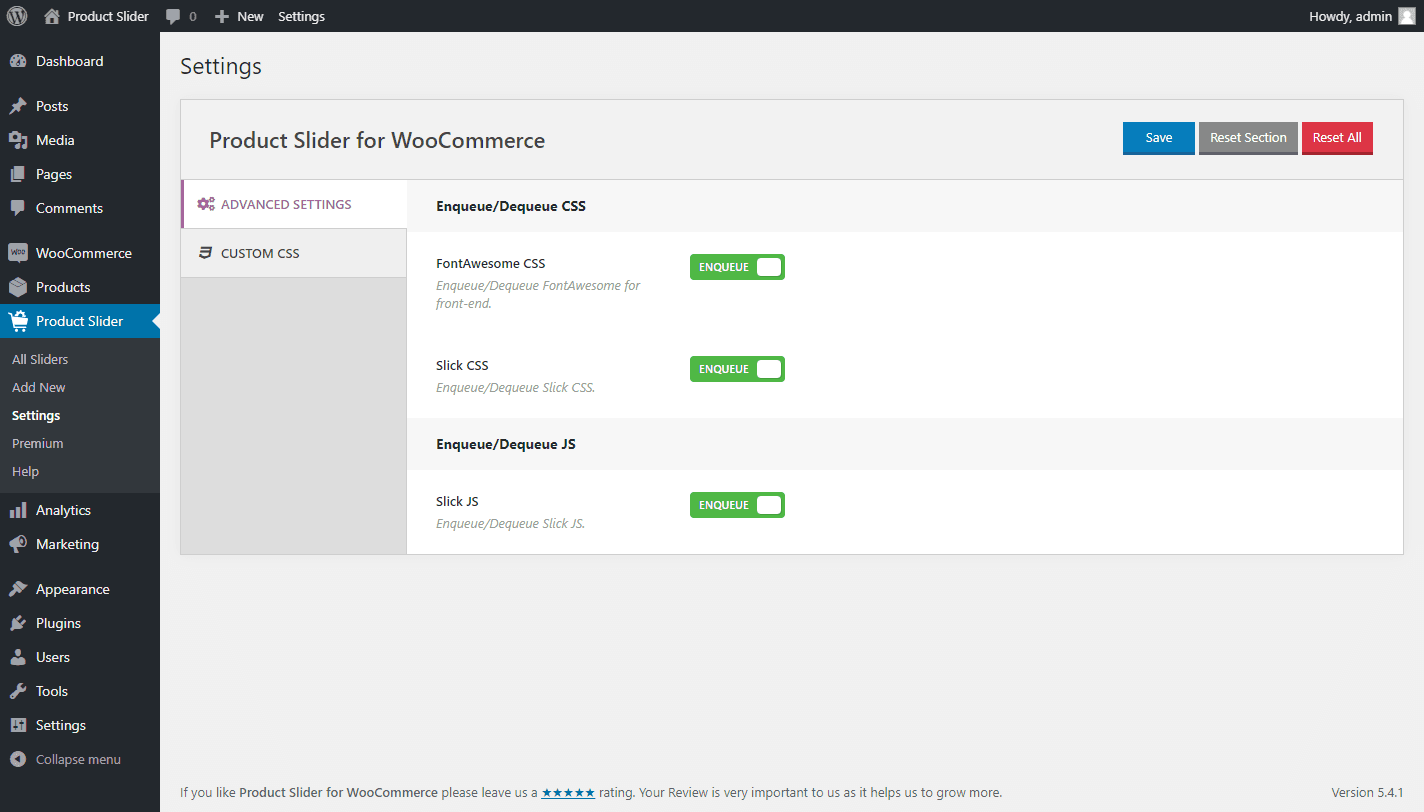
Advanced Settings
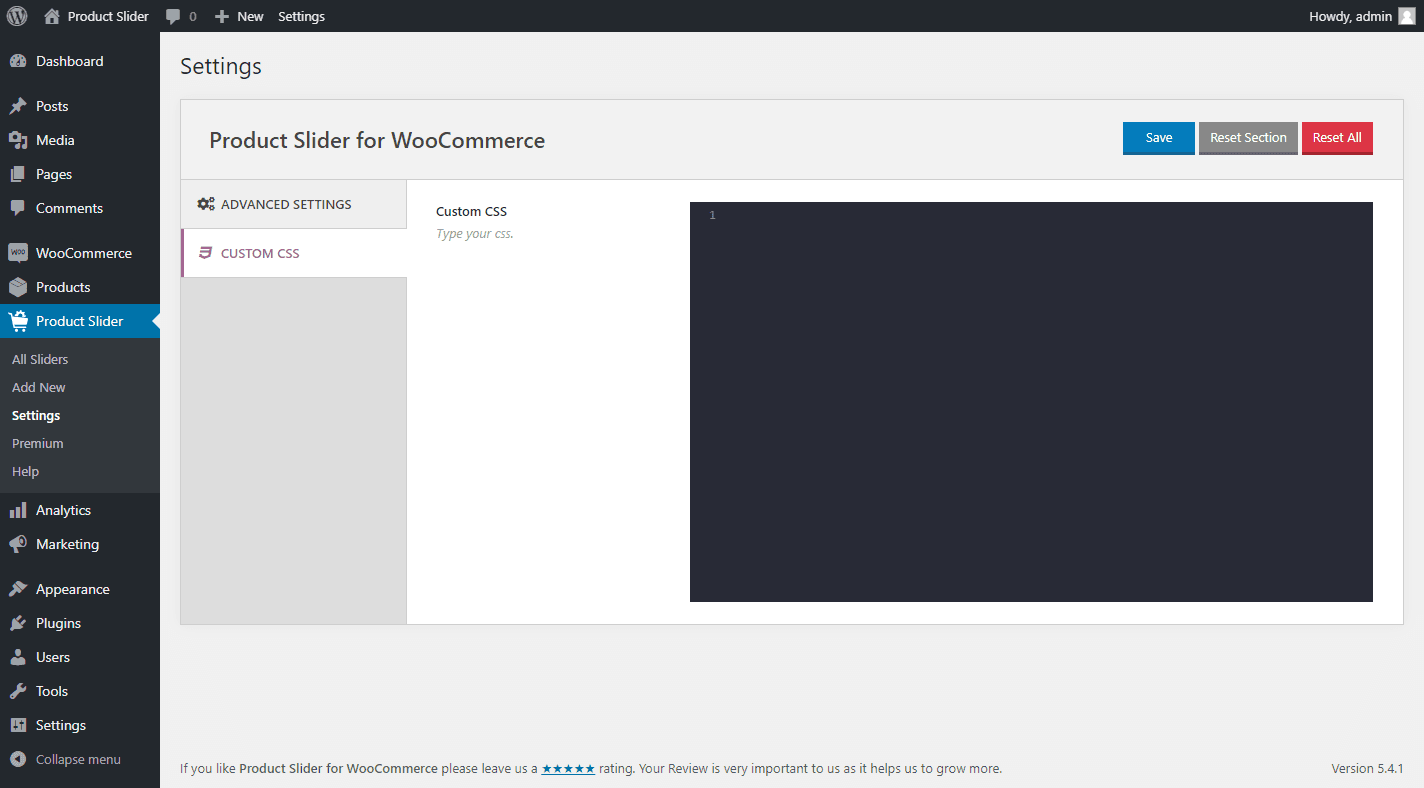
Custom CSS
FAQ
When can I use this plugin?
You can use this plugin only when you have installed the WooCommerce plugin.
How can I create Product Slider?
After activating the plugin, you will see the “Product Slider” menu on your WordPress admin panel.
Go to Product Slider > and click “Add New” menu and you will find a Shortcode Generator Settings panel.
The generator fields are highly customizable. Customize the carousel and publish. And then will see a generated Shortcode in the top section. You need to insert it into any page or post editor via TinyMCE button.
For including on the template, copy and paste the PHP code into your template file.
Is the plugin compatible with all WordPress themes?
Product Slider for WooCommerce works with any theme if themes are developed according to WordPress standard and WooCommerce guidelines.
How to Upgrade to PRO version?
Go to PRO Version page.
ChangeLog
2.8.11 – Mar 25, 2026
Improved: Ensured the product limit option cannot be less than 1.
Tested: WooCommerce 10.6.1 compatibility.
2.8.10 – Dec 26, 2025
Improved: Plugin detection logic optimized for better clarity and reliability.
Tested: WooCommerce 10.4.3 compatibility.
2.8.9 – Nov 25, 2025
Tested: WordPress 6.9 compatibility.
Tested: WooCommerce 10.3.5 compatibility.
2.8.8 – Sep 02, 2025
Improved: Enhanced plugin security and data validation.
Improved: The Additional CSS and JS options.
Tested: WooCommerce 10.1.2 compatibility.
2.8.7 – Jul 15, 2025
New: The Custom JS option.
Improved: The plugin setting page tab icons.
Tested: WooCommerce 9.9.5 compatibility.
2.8.6 – Apr 15, 2025
Fix: The mismatched text domain issue.
Fix: The help page recommended plugins logo URL not found issue.
Tested: WordPress 6.8 compatibility.
Tested: WooCommerce 9.8.1 compatibility.
2.8.5 – Feb 27, 2025
New: A hook was added to make it compatible with the Smart Swatches plugin.
Fix: The star rating style issue with the Divi theme.
Tested: WooCommerce 9.7.0 compatibility.
2.8.4 – Jan 29, 2025
New: Two hooks, ‘sp_wpspro_before_product_title’ and ‘sp_wpspro_after_product_title’, were added.
Fix: The shortcode select option gap issue was found in the gutenberg block.
Fix: The start rating alignment issue was found with the Astra theme.
Fix: The 404 issue for the recommended plugin’s logo URL.
Updated: The language (.pot) file.
Tested: WordPress 6.7.1 compatibility.
Tested: WooCommerce 9.6.0 compatibility.
2.8.3 – Nov 20, 2024
Fix: The plugin style issue for RTL sites.
Tested: WooCommerce 9.4.2 compatibility.
2.8.2 – Nov 10, 2024
Tested: WordPress 6.7 compatibility.
2.8.1 – Oct 09, 2024
Fix: A few strings were not translatable.
Updated: The language (.pot) file.
Tested: WordPress 6.6.2 compatibility.
Tested: WooCommerce 9.3.3 compatibility.
2.8.0 – Aug 08, 2024
New: The Hide On Sale Products option.
New: The Hide Free Products option.
New: The Hide Product without Thumbnail option.
New: The Show Hidden Products option.
New: The Image border option for the custom template.
Improved: The plugin-backed options have been enhanced.
Improved: The How To Use Shortcode section moved to the right side of the page.
Improved: The Layout Preset option was placed before the Filtering Tab.
Improved: The options of Display Settings were reorganized in the nested tab.
Improved: The options of the Templates Tab were moved to the Display Settings tab.
Improved: The options of Grid Pagination were moved to the Display Settings tab.
Updated: The language (.pot) file.
Tested: WordPress 6.6.1 compatibility
Tested: WooCommerce 9.1.4 compatibility.
2.7.3 – Jul 06, 2024
Fix: Some string translation issue.
Fix: The style issue found with RTL sites.
Improved: The quick view button style in the product slider on the Gutenberg edit page.
Update: The language (.pot) file.
Tested: WordPress 6.5.5 compatibility.
Tested: WooCommerce 9.0.2 compatibility.
2.7.2 – Jun 07, 2024
Tested: WooCommerce 8.9.2 compatibility.
2.7.1 – Apr 01, 2024
Fix: The warning was found when the plugin was activated via the WP-Cli command.
Tested: WordPress 6.5 compatibility.
2.7.0 – Feb 01, 2024
New: The Space between Products (Horizontal Gap, Vertical Gap) option.
New: The Adaptive Height feature.
New: The Tab & Key Navigation feature.
New: The Mouse Wheel feature.
Improved: The Plugin Backend Options Panel enhanced.
Improved: The ‘All Sliders’ menu item was renamed to ‘Manage Sliders’.
Improved: The Options of Carousel Settings were reorganized by the Nested Tab.
Improved: The Carousel Navigation and Pagination’s Hide in mobile option have been separated.
Improved: The Help Page has been redesigned to make it more user-friendly.
Updated: The Language (.pot) file.
Fix: Hidden products were displayed in a slider.
Fix: Pagination breaks when navigation is hidden.
Fix: The plugin style issues for the RTL site.
Tested: WooCommerce 8.5.1 compatibility.
Tested: WordPress 6.4.3 compatibility.
2.6.9 – Oct 31, 2023
Fix: Few PHPCS warnings with PHP 8.2.
Tested: WooCommerce 8.2.1 compatibility.
Tested: WordPress 6.4 compatibility.
2.6.8 – Aug 04, 2023
New: The Grid Layout with pagination feature.
New: The Product Brand feature.
New: The option to show/hide the Quick View button.
Improved: The plugin security.
Tested: WooCommerce High-Performance Order Storage (HPOS) feature compatibility.
Tested: WooCommerce 7.9.0 compatibility.
Tested: WordPress 6.3 compatibility.
2.6.7 – Jun 15, 2023
Fix: The Gutenberg Block preview shows only the preloader at the second reload.
Improved: The style issue of the quick view button in the product slider live preview.
Tested: WordPress 6.2.2 compatibility.
Tested: WooCommerce 7.7.1 compatibility.
2.6.6 – Apr 28, 2023
New: If add to cart is disabled, the the quick view free is not shown in product slider.
Fix: The plugin css changes the height of the Quick View Pro plugin button.
Tested: WordPress 6.2 compatibility.
Tested: WooCommerce 7.6.1 compatibility.
2.6.5 – Mar 07, 2023
Improved: The Gutenberg Block NPM packages are updated.
Fix: The conflict among plugin Fontello icons with other plugin/theme icons.
Tested: WordPress 6.1.1 compatibility.
Tested: WooCommerce 7.4.1 compatibility.
2.6.4 – Dec 28, 2022
Fix: The rating color option does not work.
Improved: Plugin security improved.
Removed: The deprecated ‘woo-product-slider’ shortcode has been removed.
Tested: WooCommerce 7.2.2 compatibility.
2.6.3 – Nov 24, 2022
New: The Free Mode feature.
Improved: Migrated Slick to Swiper.
Improved: Load Stylesheets in the header based on shortcodes on the page.
Improved: Suggestion notice of the plugin.
Fix: Invalid CSS warning due to mission of price font-size CSS unit.
Fix: Js warning of masonry is not a function on the admin page.
2.6.2 – Sept 28, 2022
Fix: Plugin assets (JS and CSS) don’t load on the plugin pages only.
Tested: WooCommerce 6.9.4 compatibility.
2.6.1 – Sept 02, 2022
2.6.0 – Aug 11, 2022
New: The Template Settings tab has been added to separate themes.
New: Custom layout feature.
New: Image zoom-in/zoom-out feature for the custom layout.
Updated: The language (.pot) file.
Fix: Slider initializing issue in the tab of WP Tabs Pro plugin.
Fix: Slider text is centered in mobile view.
Fix: Extra margin issue of add to cart with Astra theme.
2.5.7 – Jul 21, 2022
Fix: Conflict with ‘Email marketing by Sendinblue’ Plugin after plugin updating.
Fix: In network admin, WooCommerce requirement notice shows even though the WooCommerce plugin is active.
Improved: In the frontend, preloader has been replaced with a WooCommerce requirement notice if the WooCommerce plugin is not active.
2.5.6 – Jul 16, 2022
Improved: Plugin security.
2.5.5 – Jun 14, 2022
Fix: The premium page warnings.
Fix: The HTML tags are not supported at the product title of the product slider.
Fix: CLS issue
Fix: The preloader is not transparent.
2.5.4 – May 21, 2022
New: Gutenberg Block to insert Category Slider shortcode to preview.
Tested: WordPress 6.0 compatibility.
2.5.3 – Apr 25, 2022
Fix: Right to Left Mode Slider movement stops to left position in LTR site.
Fix: Image responsive issue with Twenty Twenty-Two theme.
Fix: Image margin-bottom issue with StoreFront theme.
2.5.2 – Mar 29, 2022
New: A hook ‘sp_wps_product_preloader_img’ added for changing preloader image.
New: The Template Modification feature to customise template as per need.
Improved: Plugin codes have been improved.
Improved: SVG preloading icon has been added as a pre-loader image.
Updated: The language (.pot) file.
Fix: An undefined variable warning ($review) when Review Notice has been dismissed.
Fix: Security issue related to the Duplicate Slider option fixed.
2.5.1 – Mar 29, 2022
Removed: The TinyMCE button from the classic editor.
2.5.0 – Mar 08, 2022
Improve: Security has been improved.
Fix: The rating star color option doesn’t work.
2.4.3 – Jan 27, 2022
Tested: WordPress 5.9 compatibility.
2.4.2 – Dec 25, 2021
Tested: WooCommerce 6.0.0 compatibility.
2.4.1 – Nov 28, 2021
Improved: Settings page “Save Changes” and “Reset Tab” button.
Improved: Column option improved.
Removed: “Reset All” button.
Fix: Angle right in Custom CSS option fixed.
Fix: RTL option fixed.
Fix: Several minor tweaking.
2.4.0 – Oct 20, 2021
New: Shortcode live preview option.
Fix: Several minor issues.
Update: Slick JS.
2.3.4 – Sep 15, 2021
Improved: Shortcode generator options.
Fix: Illegal string offset issue.
2.3.3 – Aug 19, 2021
Improved: Plugin security.
Tested: WooCommerce 5.6.0 compatibility.
2.3.2 – Jul 19, 2021
Tested: WooCommerce 5.5.1 compatibility.
Tested: WordPress 5.8 compatibility.
2.3.1 – Jul 08, 2021
New: Clean-up Data on Deletion.
Tested: WooCommerce 5.4.1 compatibility.
2.3.0 – Jun 15, 2021
New: Slider duplicate option.
New: Export and Import option.
Tested: Compatibility tested with WooCommerce 5.4.1 version.
2.2.13 – Jun 08, 2021
Fix: AutoPlay on hover dependency issue.
Fix: Shortcode area responsive issue.
Tested: Compatibility tested with WooCommerce 5.3.0 version.
2.2.12 – Apr 13, 2021
Tested: Compatibility tested with WooCommerce 5.2.0 version.
2.2.11 – Apr 09, 2021
Fix: Plugin menu position issue.
2.2.10 – Mar 19, 2021
Fix: Preloader image missing issue.
2.2.9 – Mar 12, 2021
New: Shortcode onClick copy option.
Improved: Dashboard Generator Settings panel.
Improved: Settings page.
Improved: Help page.
Tested: Compatibility tested with WordPress 5.7 version.
Tested: Compatibility tested with WooCommerce 5.1.0 version.
Fix: PHP backward compatibility issue.
2.2.8 – Jan 27, 2021
Tested: Compatibility tested with WooCommerce 4.9.2 version.
2.2.7 – Dec 14, 2020
2.2.6 – Dec 11, 2020
Tested: Compatibility tested with WooCommerce 4.8.0 version.
Fix: WordPress 5.6 compatible issue.
2.2.5 – Nov 25, 2020
Tested: WooCommerce 4.7.1 version.
2.2.4 – Oct 15, 2020
New: Hide out of stock products option.
Tested: WooCommerce 4.6.0 version.
2.2.3 – Aug 17, 2020
Tested: WordPress 5.5 version.
Tested: WooCommerce 4.3.3 version.
2.2.2 – Jun 14, 2020
New: Add filter hook “sp_wps_post_type_labels” for label and “sp_wps_post_type_args” for args.
Fix: Admin menu hiding issue.
Fix: Display icon field on dashboard footer issue.
Tested: WordPress 5.4.2 version.
Tested: WooCommerce 4.2.0 version.
2.2.1 – May 16, 2020
Fix: “Total Products to Show” conflict with “Posts per page setting”.
2.2.0 – May 14, 2020
New: Preloader option.
New: Featured products.
New: Product rating color option.
New: Add to Cart button border option.
New: Product image show/hide.
New: Product image border option.
New: Product image size option.
New: Product price font size option.
New: Slider infinite loop option.
New: Settings page(
FontAwesome CSS Enqueue/Dequeue option.
Slick CSS Enqueue/Dequeue option.
Slick JS Enqueue/Dequeue option.
Custom CSS option.
)
Improved: Column(s) system.
Improved: Slider direction.
Improved: Slider navigation.
Improved: Slider pagination.
2.1.16 – Nov 25, 2019
Fix: JSON error issue.
Tested: WordPress 5.3 version.
Tested: WooCommerce 3.8.0 version.
2.1.15 – Oct 21, 2019
Fix: Slider displaying at top issue.
2.1.14 – Oct 05, 2019
Fix: Theme three overlay issue.
Improved: Plugin code optimized.
2.1.13 – Aug 02, 2019
Improved: Style and Script enqueue system.
Improved: Admin dashboard UI.
New: Add FontAwesome icons.
2.1.12 – May 22, 2019
Fix: Compatible with WordPress 5.2.1
2.1.11 – Apr 09, 2019
Fix: Divi Builder css issue.
2.1.10 – Mar 07, 2019
Fix: Icon conflict issue.
2.1.9 – Mar 02, 2019
Fix: WordPress 5.1 compatible issue.
2.1.8 – Feb 11, 2019
New: Add a filter for product image size “sp_wps_product_image_size”.
2.1.7 – Dec 10, 2018
Fix: Slider script displaying issue.
2.1.6 – Dec 04, 2018
Improved: Slider script improved.
Fix: WooCommerce 3.5.2 support.
2.1.5 – Oct 25, 2018
Fix: WooCommerce 3.5.0 support.
2.1.4, Oct 01, 2018
Fix: WooCommerce 3.4.5 support.
Fix: Placeholder image issue.
2.1.3, Aug 29, 2018
Fix: WooCommerce 3.4.4 support.
2.1.2, February 16, 2018
Fix: WooCommerce 3.3.1 support.
2.1.1, January 27, 2018
Fix: Add to cart button price.
Fix: Style loding issue.
2.1, November 14, 2017
Fix: Rating star font missing.
2.0, November 10, 2017
Added shortcode generator.
Added 2 new theme styles.
Added slider title option.
Added TinyMCE button.
Product order and order by.
Product columns in different devices.
AutoPlay speed.
Slider speed.
Touch swipe on/off.
Mouse draggable on/off.
RTL mode.
Show/hide option for product name, price, add to cart button, slider title.
Custom color change option for navigation, pagination, product name, price, add to cart button, slider title.
Added a new intuitive admin dashboard.
1.4
Added star rating option.
Sume CSS tweakings.
1.3.1
Added loop option.
Added fontAwesome icon.
1.3
1.2
1.1
Add to cart button fixing.
Fatal error fixing.
1.0