
Automate your website's content creation with Autocontent.
Quality content is essential for enhancing your website’s search engine rankings. Autocontent creates blog posts tailored to your website’s preferences by transmitting your preferences to the Autocontent service to generate blog content.
Screenshots
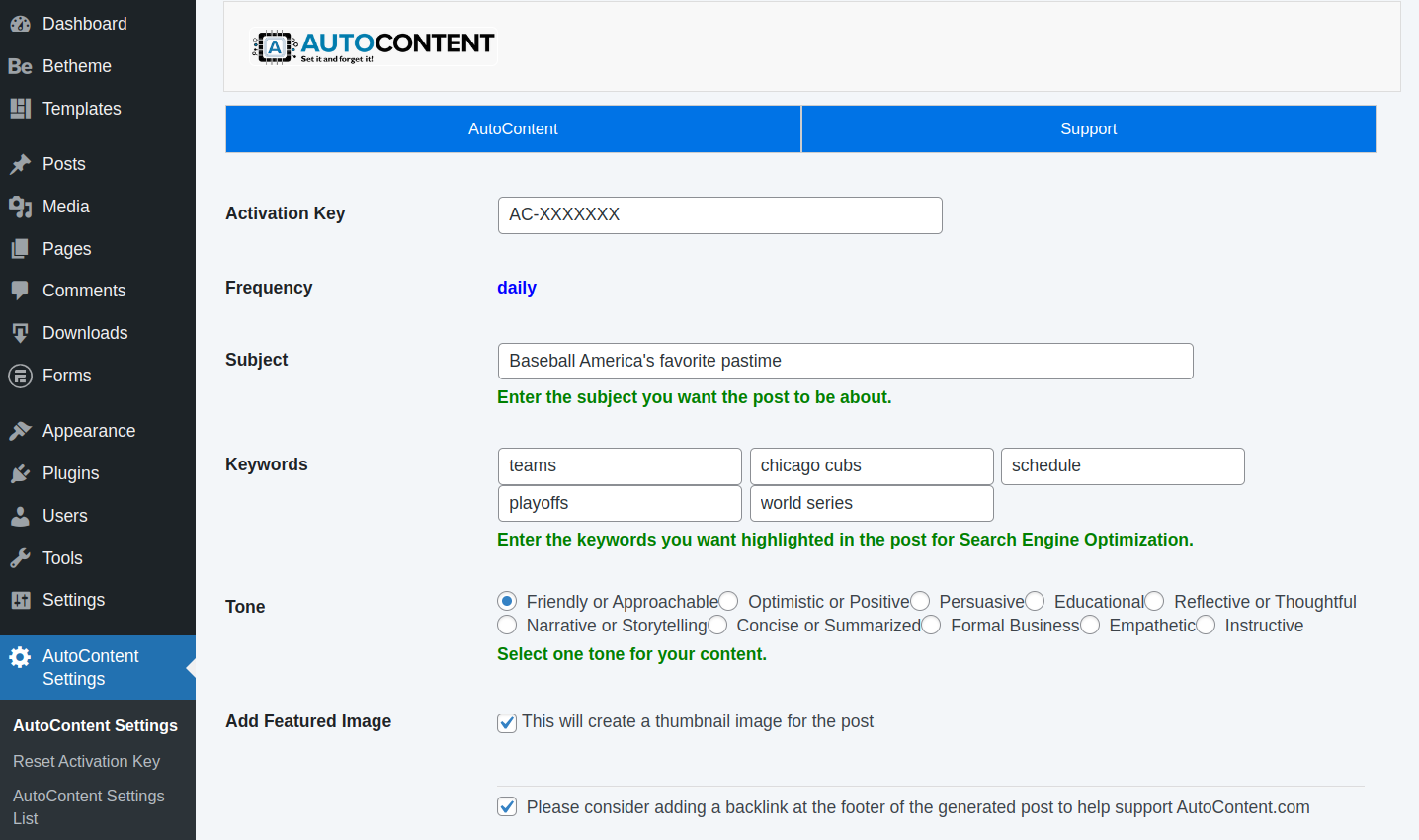
Autocontent Settings
How Do I Activate Autocontent?
Simply download, install and activate the plugin. You will be automatically assigned an activation key for the free plan.
How Do I Upgrade?
Click Upgrade on the Autocontent Settings page, or visit our Pricing page, and choose Autocontent Premium ($25/month or $225/year) for fresh content posted daily plus twenty WriteNow credits.
ChangeLog
1.39
- New “Upgrade to Premium” button on the Settings page.
- Generate Blog Post Now now explains why a post could not be created (for example missing keywords, no credits left, or a temporary service problem) instead of always reporting insufficient credits.
- Clear message when an Autocontent Premium subscription has ended, with a reminder to renew.
1.38
- Redesigned upgrade window: Monthly/Yearly toggle (save 25% yearly), clearer pricing and features, and a “Get Premium” button.
- “Already subscribed? Enter your key” is now a clear button, with a matching key screen and a way back to the plans.
- Plugin scripts and styles now update in the browser right after a plugin update (no more stale cached copies).
1.37
- Upgrade window now offers Autocontent Premium at $25/month, or $225/year, matching autocontent.com pricing.
- Settings page shows “Autocontent Premium” for the daily plan.
- Removed the retired Starter and Pro plans and their weekly/biweekly schedules. Plans are now Free (monthly) and Autocontent Premium (daily).
- Updated upgrade instructions for the new checkout flow.
- Tested up to WordPress 7.1. Requires PHP 8.2 or later.

