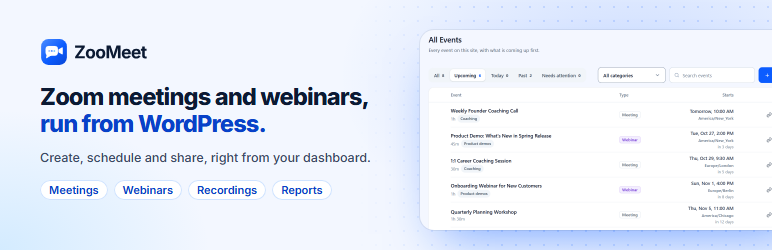
ZooMeet is a WordPress Zoom integration plugin that creates Zoom meetings and webinars from your dashboard, gives each one its own page on your site, and shows what is live on your Zoom account in wp-admin.
Connect your Zoom account once with a Server-to-Server OAuth app, and every event you create in WordPress is a real Zoom meeting or webinar. Visitors join from your site, in the Zoom app or right in the browser, and you manage the account behind it without switching tabs.
Looking for a video conference plugin for WordPress, a simple way to integrate Zoom with WordPress, or a video call plugin that keeps visitors on your own site? ZooMeet adds Zoom meetings for WordPress in a few minutes, with no code.
Why Use ZooMeet to Integrate Zoom with WordPress? ????
Real Zoom meetings and webinars, created and updated through the Zoom API, not embeds or copied links.
A join page for every event with details, a countdown and a Join button, in the Zoom app or in the browser.
The full agenda on every event page, as a PDF or a link, also added to the agenda Zoom sends to registrants.
Your Zoom account in WordPress: live meetings, live webinars, imports and API logs.
Secure by design: Zoom keys and passcodes are never sent to the browser.
Works with the block editor, Elementor and shortcodes, and on WordPress Multisite.
Zoom Meetings & Webinars From WordPress
A guided event wizard
Create a Zoom meeting or webinar in clear steps, with quick picks for the date and length, the time zone, a passcode, the host and alternative hosts.
Every Zoom setting you rely on
Waiting room, join before host, Zoom sign-in required, mute on entry, host and participant video, auto recording, and for webinars, panelist video, practice session and HD video.
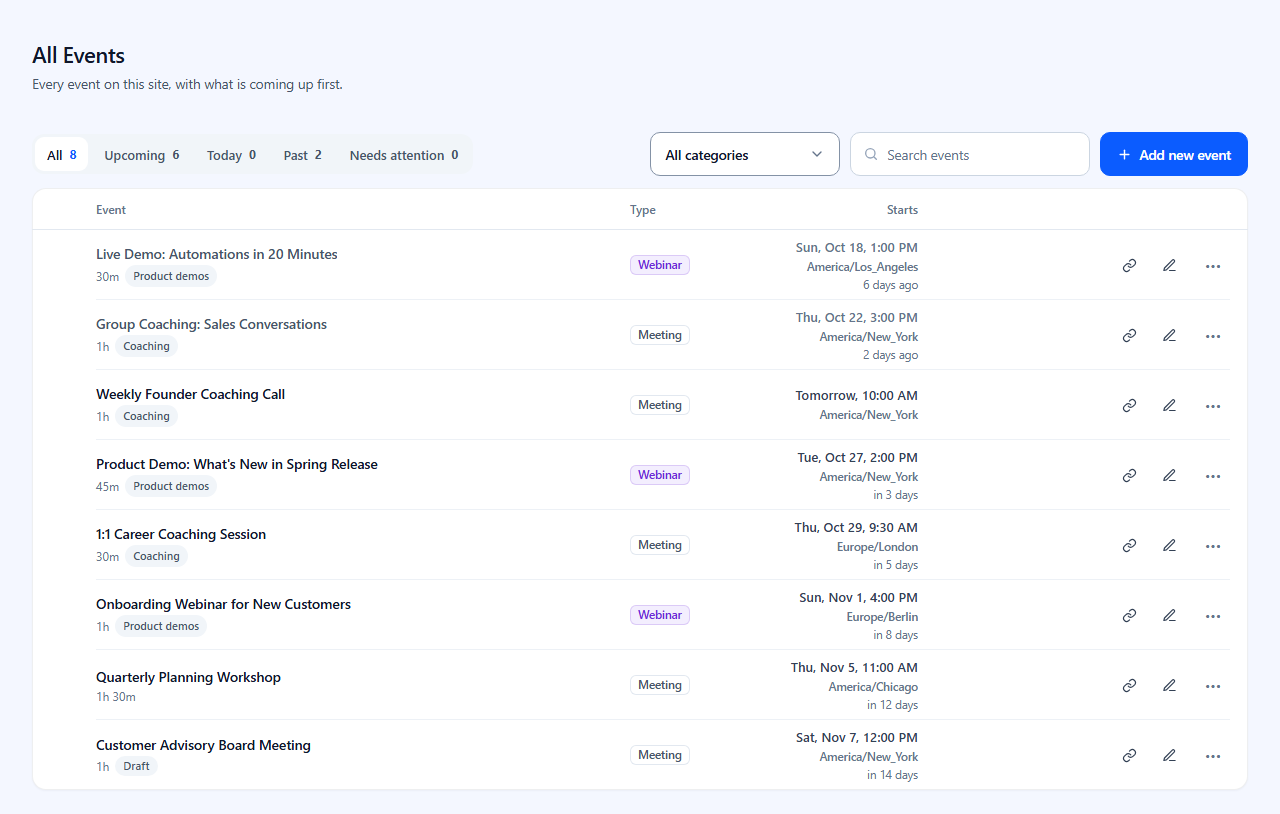
All Events in one list
View, publish drafts, copy a shortcode and delete (to the trash, never straight away). A summary panel flags clashing events and busy days.
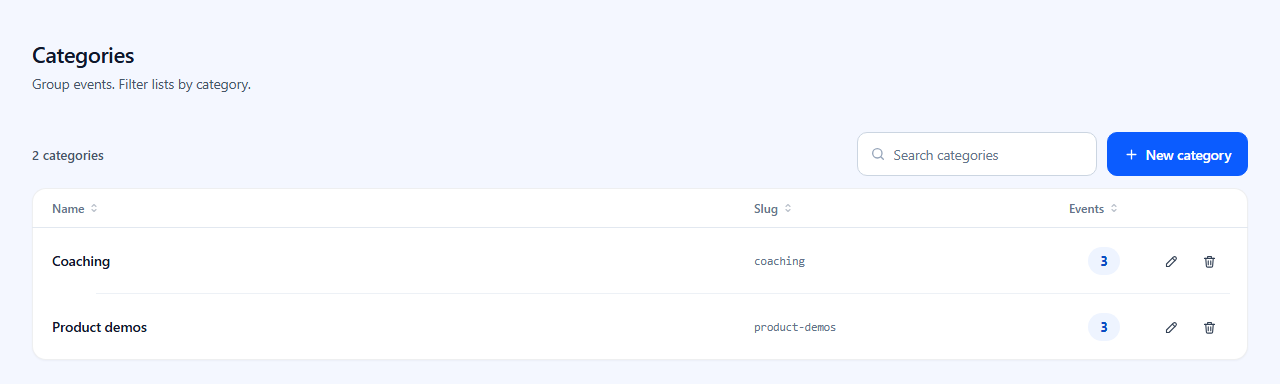
Categories
Group events by course, client or team, with category pages and a category filter on the list shortcodes.
Event Pages: Join Zoom in the App or in the Browser
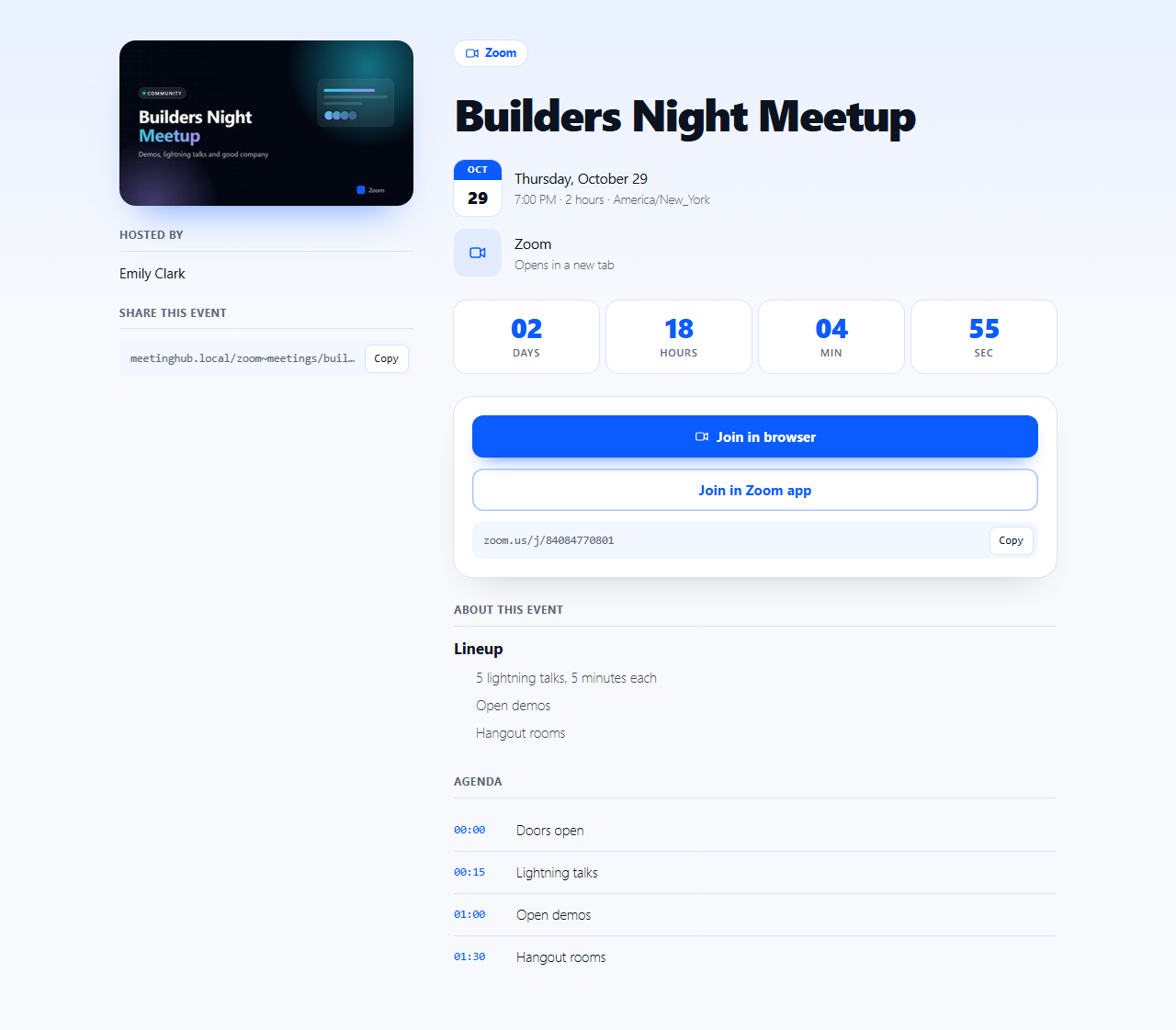
Every event gets a page on your site with the details, a countdown and a Join button.
Join in the Zoom app or in the browser
Add Meeting SDK keys and visitors can join inside your site. The signature is made on your server, so no secret reaches the browser.
Host controls on the page
The host can start the event, end it or let people join early.
Full agenda as a PDF or a link
Upload the programme as a PDF or paste a link under Agenda. The event page shows a Full agenda link, and Zoom adds it to its registration page and confirmation emails.
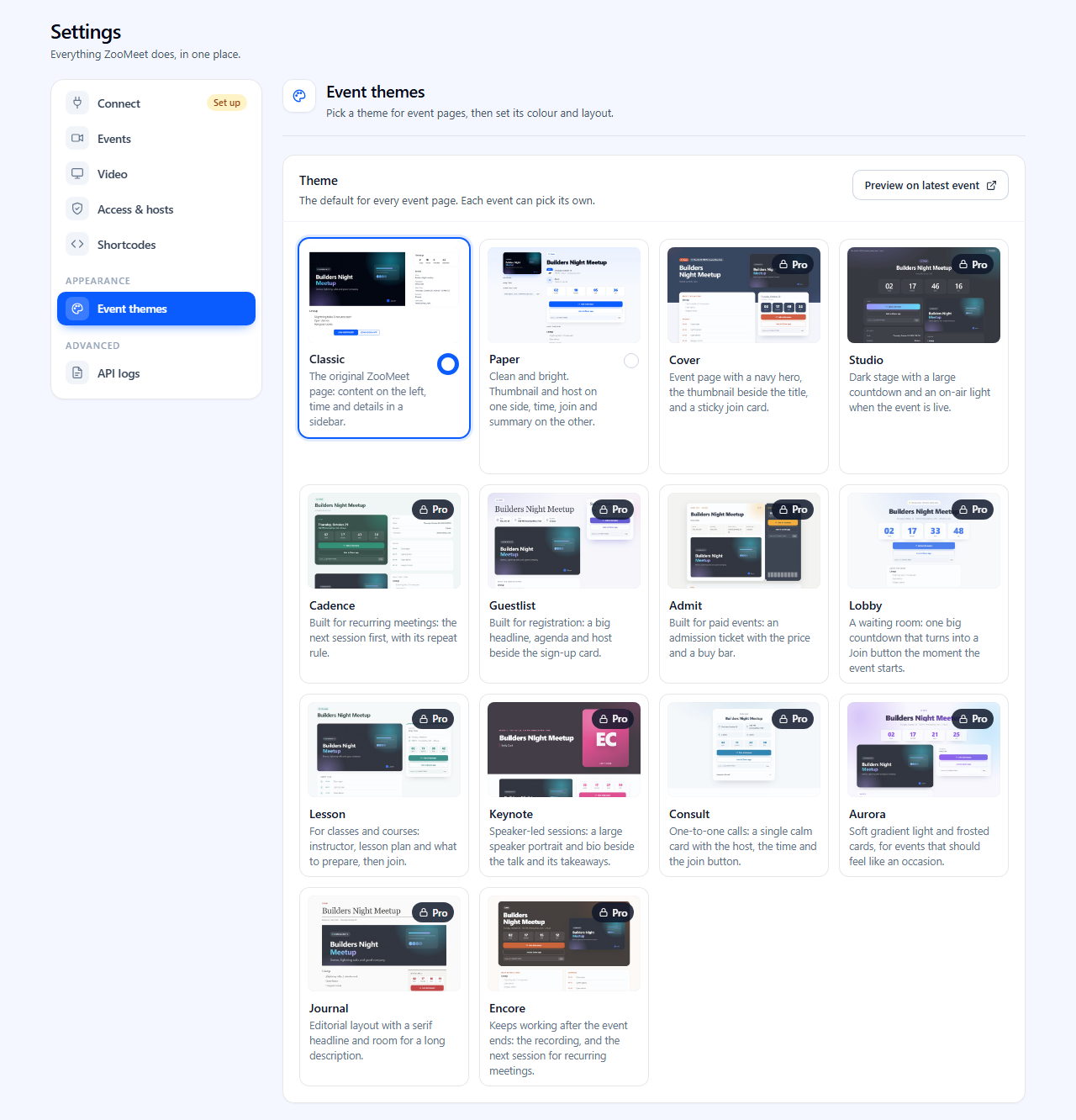
Two page designs, Classic and Paper
Choose a brand colour, button shape, sidebar side, thumbnail, and whether the site header and footer show. Pick a design for the whole site, then change it on any one event.
Times in each visitor’s own time zone
Optional, per event, with the time zone shown beside the time.
Manage Your Zoom Account Inside WordPress
Live Meetings and Live Webinars: see what is on your Zoom account right now, refresh it, and delete on Zoom.
Import: bring existing Zoom meetings into WordPress as events, with a duplicate check.
API logs: see why a Zoom API request failed, with errors only or every call, kept 14 days and never storing secrets.
This plugin connects to Zoom to create and manage meetings and webinars, and to Freemius for licensing. Each is listed with what is sent and when.
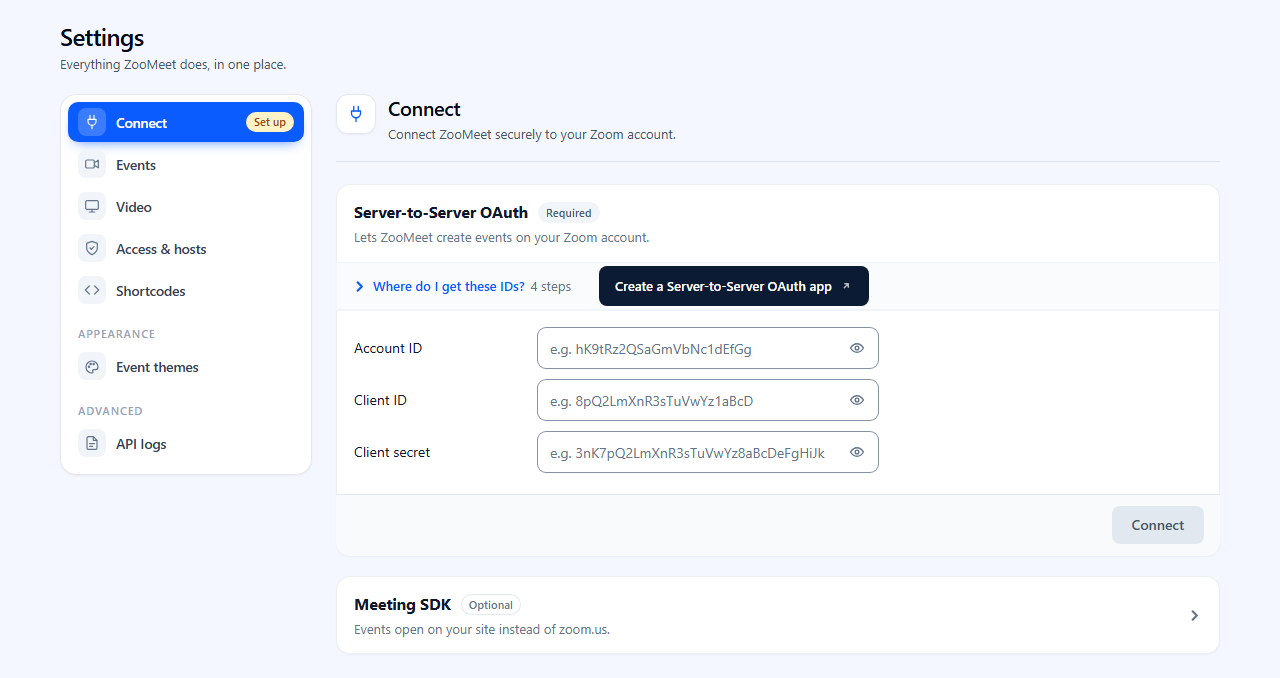
Zoom OAuth (zoom.us/oauth/token) – exchanges the Account ID, Client ID and Client Secret you enter under Settings → Connect for an access token, when you save the settings and whenever the token needs renewing.
Zoom REST API (api.zoom.us) – used to create, update, delete and import meetings and webinars, and to list the active Zoom users who can host them.
– Creating or updating an event sends its title, description, agenda (with the link to the full agenda PDF or page, if you add one), start time, time zone, duration, passcode, host, alternative hosts and the meeting settings you chose.
– Admin screens such as All Events, Live Meetings and Live Webinars read from Zoom when you open them, and event pages read the meeting’s status.
Zoom Meeting SDK (source.zoom.us) – loaded in the visitor’s browser only on the Join in browser page. The browser connects to Zoom with the meeting number, a signature made on your server, and the display name and email the visitor enters.
Freemius – used for licensing and, if you opt in on the activation screen, to receive basic site data (site URL, WordPress, PHP and plugin versions, and your admin email) that helps us support the plugin. You can skip the opt-in; the plugin works the same either way.
This service is provided by Freemius, Inc.: Terms of Service, Privacy Policy.
Source Code
The admin interface is built with React and compiled to the minified JavaScript and CSS in assets/dist/. The uncompiled source ships with the plugin in assets/src/, and package.json in the plugin root lists the build tools (webpack, Tailwind CSS, PostCSS and Babel) and the build commands, npm run build and npm run build:getstarted, run with NODE_ENV=production. The PHP libraries in vendor/ are listed in composer.json.
What is ZooMeet, and how does the WordPress Zoom integration work?
ZooMeet connects WordPress to your Zoom account through the Zoom API. You create Zoom meetings and webinars in wp-admin, and each one gets a page on your site that visitors join from.
How do I integrate Zoom with WordPress?
Install ZooMeet, create a Server-to-Server OAuth app in the Zoom App Marketplace, paste its Account ID, Client ID and Client Secret into Settings → Connect, then click Add New Event. The Connect Zoom guide walks through each step with screenshots.
Do I need a paid Zoom account?
ZooMeet works with the Zoom account you already have and charges nothing for meetings. Webinars need a Zoom plan that includes them, because Zoom provides webinars, not WordPress.
How do I connect Zoom to WordPress with the Zoom API?
Create a Server-to-Server OAuth app in the Zoom App Marketplace, copy its Account ID, Client ID and Client Secret into Settings → Connect, and save. ZooMeet checks the connection on save and shows Zoom’s own message if something is wrong.
Can people join Zoom meetings inside my WordPress website?
Yes. Add Meeting SDK keys under Settings → Connect and the event page offers Join in browser as well as Join in the Zoom app. The join signature is created on your server, so the SDK secret never reaches the browser.
Can I import meetings I already made in Zoom?
Yes. The Import screen lists the meetings on your Zoom account and adds the ones you pick as WordPress events, skipping any that are already there.
Can I add a full agenda as a PDF or a link?
Yes. Under Agenda in the event form, upload a PDF or paste a link. The event page shows a Full agenda link, and ZooMeet adds the link to the agenda it sends to Zoom, so it appears on Zoom’s registration page and in its confirmation emails.
Does it work with Zoom registration?
Yes. Events that use Zoom’s own registration show a Register on Zoom button that links to Zoom’s registration page, and people who have registered join as usual.
Does it work with Elementor and the block editor?
Yes. There is a block for the block editor, an Elementor widget, and shortcodes that work anywhere.
Can I limit who sees an event?
Yes. Under Settings → Access & hosts, event pages can be open to everyone, logged-in users or chosen roles.
What should I look for in the best Zoom integration for WordPress?
Look for a plugin that creates real Zoom meetings through the Zoom API, keeps your Zoom keys off the browser, gives each event its own join page, and lets visitors join in the browser. ZooMeet does all four, and adds categories, access control, live Zoom account screens, imports and API logs.
Is ZooMeet an alternative to eRoom and other Zoom plugins for WordPress?
If you are comparing eRoom and other Zoom plugins for WordPress, ZooMeet is a free alternative that focuses on Zoom: a guided event wizard, join pages in the app or browser, live Zoom account screens, imports, categories and access control. ZooMeet is independent and is not affiliated with eRoom or its authors, whose names belong to their owners.
Is ZooMeet made by Zoom?
No. ZooMeet is an independent plugin by Sovlix and is not affiliated with or endorsed by Zoom Video Communications, Inc. Zoom is a trademark of Zoom Video Communications, Inc.
Fix: The plugin’s own screens show the current logo.
2.4.5 – 17 Nov, 2026
Enhancement: Setup guides stay closed until you open them.
Enhancement: Small improvements to the admin screens.
2.4.4 – 13 Nov, 2026
Enhancement: A clearer plugin name.
2.4.3 – 13 Nov, 2026
Enhancement: The plugin page lists our other plugins.
2.4.2 – 13 Nov, 2026
Enhancement: Small admin interface and translation updates.
2.4.1 – 7 Nov, 2026
Enhancement: A shorter, clearer plugin description and FAQ.
2.4.0 – 6 Nov, 2026
New: Attach the full agenda to an event: upload a PDF or paste a link (Google Docs, Dropbox, your own site) under Agenda. The event page shows a “Full agenda” link, and the link is added to the agenda Zoom shows on its registration page and in its confirmation and reminder emails.
Enhancement: The Paper event page design is new: title, picture, About and a timeline agenda on one side, and a card with the status, the date, the start and end time and the join button on the other, which stays in view as visitors scroll. Phones read top to bottom in the same order.
Enhancement: An agenda typed line by line shows as a list, and a line that starts with a time, such as “00:15 Roadmap”, shows that time beside it.
Enhancement: Classic now shows the agenda and the full agenda link above the join buttons.
Enhancement: “Copy join link” replaces the long join link printed on the event page, and ended events link to all your events.
Fix: Events now end at their scheduled time in every time zone. Sites east of UTC saw events run long, sites west of UTC saw them end early, and the Classic design never ended an event on its own.
Fix: Editing a webinar with an agenda over 2,000 characters no longer fails on Zoom.
Fix: Times for events on the other side of a daylight saving change, and in half-hour time zones such as Newfoundland, are now right.
Fix: Bullet lists in the event description show their bullets again on themes that hide them.
2.3.1 – 2 Nov, 2026
Enhancement: A clearer changelog and readme.
2.3.0 – 2 Nov, 2026
Fix: The Host and Alternative hosts pickers no longer offer Zoom users who are pending or deactivated, whom Zoom will not schedule for.
Enhancement: A smaller admin script, about 6% less to download on every ZooMeet screen.
2.2.5 – 1 Nov, 2026
Fix: With the add-on installed, an add-on update could replace the free ZooMeet plugin with a second copy of the add-on, leaving neither able to activate. Updates now go to the right plugin.
Security: Updated a bundled library to fix a stored cross-site scripting issue in admin notices and two low-severity issues.
2.2.4 – 1 Nov, 2026
Fix: On multisite, activating from Network Admin no longer ends on a “not allowed” page. It opens the main site’s Get Started page.
2.2.3 – 31 Oct, 2026
Enhancement: A smaller plugin package: the build configuration files are no longer included. The JavaScript source still ships, and package.json lists the build tools.
2.2.2 – 30 Oct, 2026
Enhancement: Maintenance updates and bug fixes.
2.2.1 – 29 Oct, 2026
Fix: Join in browser and Join in Zoom app show again on webinars and meetings that use Zoom registration. In 2.2.0 visitors who were not logged in saw only Register on Zoom, even after they had registered. Zoom still asks anyone who has not registered yet to register when they click Join.
2.2.0 – 27 Oct, 2026
Fix: The Settings link on the Plugins screen shows again.
Security: Contributors no longer create events by default. An event is a live Zoom meeting on the site owner’s Zoom account and a public page, which WordPress does not let Contributors publish. Creating events now needs the publish_posts capability (Authors, Editors and administrators). To let another role create events, give it the zmeet_create_meetings capability or return true from the zmeet_can_create_meetings filter.
Change: Editors can now pick any event in the Zoom block, as they can any post. Authors manage their own events. The ZooMeet admin screens stay with administrators.
Fix: Editing someone else’s event no longer makes you its owner, and the event keeps its Zoom host unless an administrator or Editor picks another one.
Fix: Webinars and meetings that take Zoom registrants only showed Join and Join in browser, which Zoom refused without a registration. They now show Register on Zoom, linking to Zoom’s registration page, on the event page in every design, in both shortcodes, on the join-in-browser page and in the Zoom block. Events created before this update are covered. A visitor with their own Zoom registrant link joins with it, in the Zoom app or the browser.
New: The new ZooMeet logo, a blue chat-and-camera tile, on the admin menu, the block, the Get Started page and the WordPress.org listing.
Enhancement: The admin uses ZooMeet’s own blue throughout, with every text colour checked for contrast.
Enhancement: Theme previews show the sample host as initials, and person icons in the admin are now simple object icons.
Enhancement: The admin and front-end scripts are much smaller, so screens load faster.
Enhancement: A clearer plugin description, FAQ and external services disclosure.
Fix: Editing an event now sends every setting to Zoom.
Fix: Saving the Appearance settings no longer resets the chosen page design to Classic.
Fix: The Classic event page did not show the event title. It now leads the page, on block and classic themes.
Fix: On the Classic event page, the Join buttons now line up with the left edge, with space between them and the same height.
Fix: The join-in-browser page no longer loads a debug console for every visitor.
Fix: Creating an event from Add New Event failed with “No hosts found” when the Zoom users were not saved yet; the host field now picks the first Zoom user once the list loads, and the time zone defaults to the site’s.
Fix: With several event shortcodes on one page, every event showed the first one’s time, countdown and calendar link.
Fix: Cancelling the End or Start prompt on an event page no longer ends or starts the event anyway.
Fix: The Paper design now shows times in the visitor’s own time zone and no longer logs a console error.
2.1.2 – 15 Oct, 2026
Maintenance updates and bug fixes.
2.1.1 – 7 Oct, 2026
Enhancement: Clearer setup guide links on the Connect settings, with a link to the full guide for each Zoom app.
2.1.0 – 7 Oct, 2026
New: Live Meetings and Live Webinars show what is on your Zoom account, right inside WordPress.
New: Import your existing Zoom meetings in a few clicks.
New: Categories for your events, with category pages and a category option for the list shortcodes.
New: API logs to see why a Zoom request failed.
New: Choose who can open event pages, and set default alternative hosts.
New: Publish draft events from the All Events list.
Enhancement: The menu now says All Events, with a new Add New Event item.
Enhancement: Settings and the event form use the same labels Zoom uses.
Enhancement: The event description uses the familiar WordPress editor.
Enhancement: Clearer Zoom setup steps in Settings.
Fix: All Events could fail to load because of one broken event.
Fix: The waiting room setting was not sent to Zoom.
Fix: Saving a draft no longer publishes it.
Fix: Several smaller issues with older events, list shortcodes and button colors.
Security: Zoom keys and passcodes are no longer exposed in the browser.
Note: List shortcodes now hide ended events. Add show_past=”yes” to show them.
Compatibility: Tested up to WordPress 7.1.
2.0.0 – 29 Sep, 2026
New: Fully redesigned admin: All Meetings, Settings and Integrations share one modern design.
New: Step-by-step meeting and webinar wizard with quick date and duration picks.
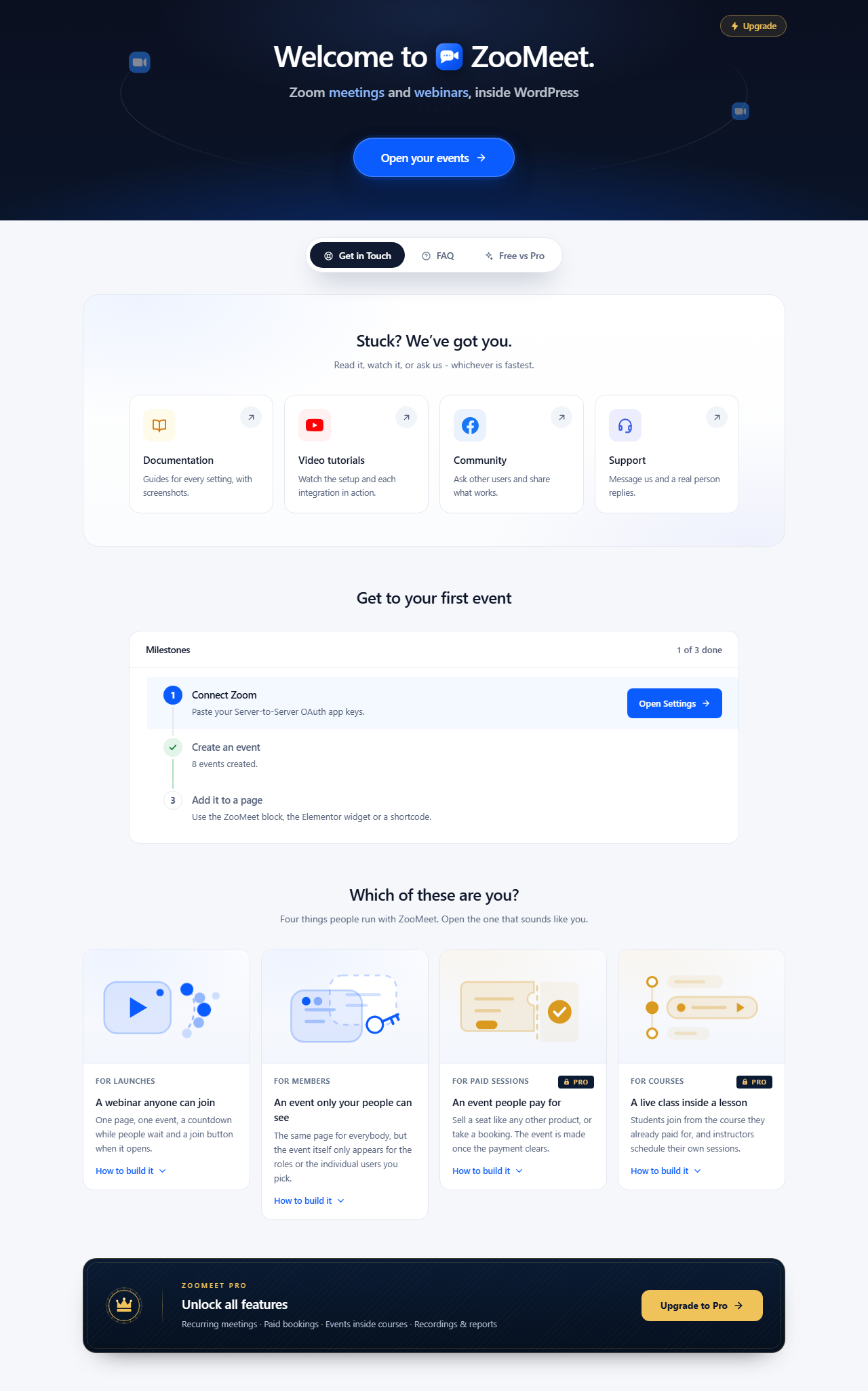
New: Get Started page with guided setup.
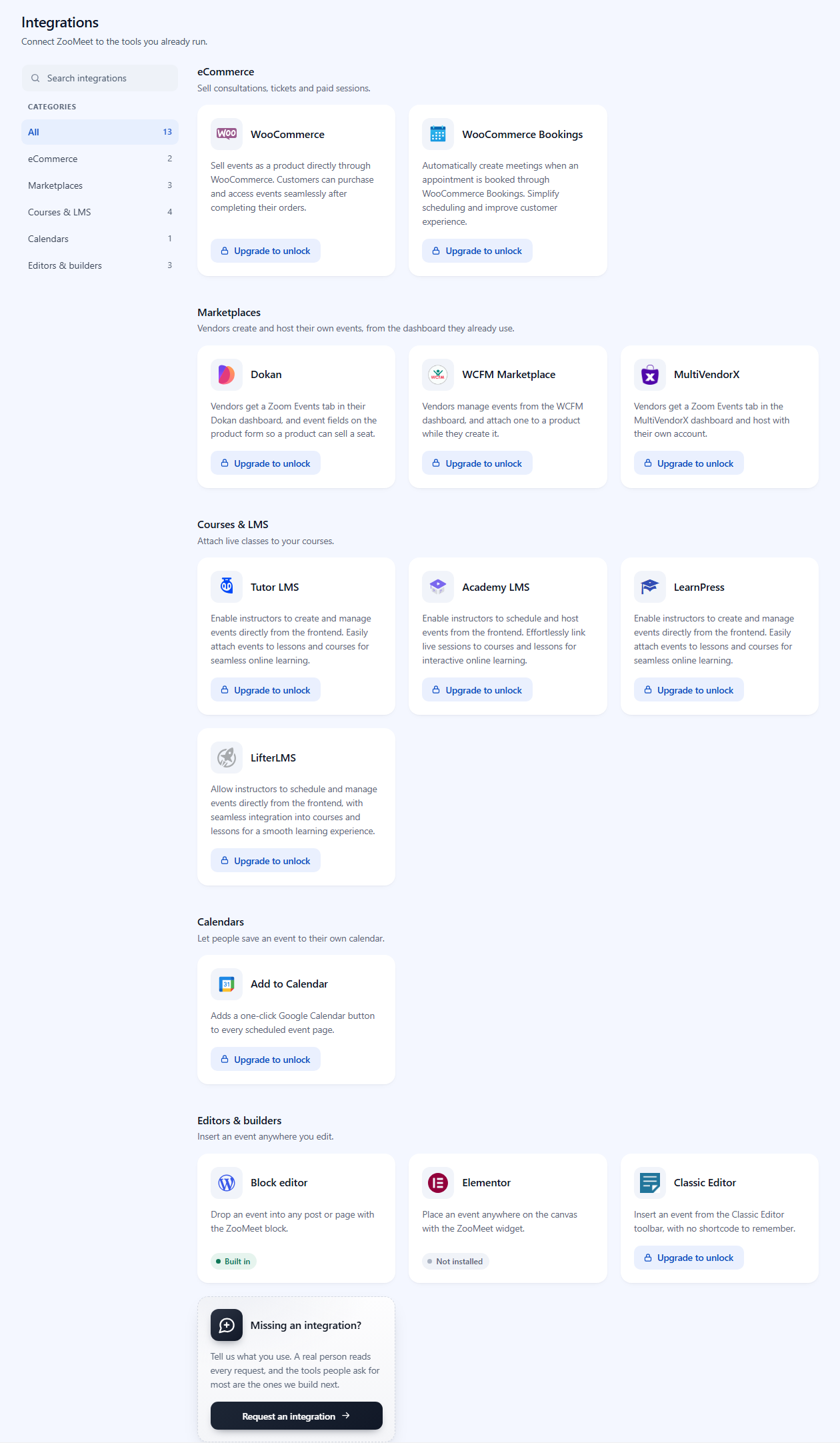
New: Integrations directory with search, categories and one-click plugin activation.
Enhancement: Zoom connection is verified on save, and Zoom’s own error is shown when it fails.
Enhancement: Clear error screens with a Try again button when meetings or settings fail to load; settings can no longer be saved over with blank values.
Enhancement: Deleted meetings go to the trash instead of being removed.
Fix: “Join in Browser” no longer shows a blank page. The Zoom Meeting SDK signature is now generated server side so the SDK secret never reaches the browser. Zoom had removed the old client-side signature helper, which silently broke the join.
Fix: Other installed Zoom plugins shipping unscoped #zmmtg-root CSS could hide this plugin’s own meeting window even though the join succeeded; the browser-join view now dequeues unrelated theme/plugin assets and forces its own meeting root visible.
Fix: Restored the meeting join screen when WordPress core’s Underscore.js overwrote the Zoom SDK’s required lodash build, which broke the SDK’s internal _.isNil calls.
Fix: Resolved PHP warnings and a broken registration/sign-in form on password-protected meetings.
Enhancement: Updated Zoom Meeting SDK from 3.1.6 to 3.10.0.
1.3.4 – 07 Jul, 2026
New: Meeting start times now display the timezone abbreviation (e.g. EDT, EST, CDT, CST, PDT, PST) so the timezone is clear at a glance. Abbreviations are DST-aware and computed for the meeting’s date.
Enhancement: When “Show Event Time in User’s Timezone” is enabled, the visitor’s local time and timezone now appear as separate “Your time” and “Your timezone” rows in the meeting details for better readability.
1.3.3 – 02 Jul, 2026
Fix: Reduced tags to 5 to comply with WordPress.org limit.
Fix: Trimmed short description to under 150 characters.
1.3.2 – 02 Jul, 2026
Enhancement: Replaced YouTube video tutorial links with documentation link on Connect tab for both Server-to-Server OAuth and Meeting SDK App Credentials sections.
1.3.1 – 16 Jun, 2026
Compatibility: Tested up to WordPress 7.0
1.3.0 – 15 March 2026
Enhancement: Maintenance updates and bug fixes.
1.2.1 – 02 March 2026
New: Added an admin notice system for ZooMeet configuration monitoring (OAuth and SDK).
New: Added persistent notice dismissal with 7-day, 14-day, 1-month, or “forever” snooze options.
Enhancement: Integrated React-based administrative notices into the Settings UI.
New: Added missing Client ID and Client Secret labels for Meeting SDK App Credentials.
Fix: Removed unplanned debug logs and improved UI consistency across Zoom forms.
Fix: Resolved JavaScript error in Zoom user retrieval by adding data validation.
Enhancement: Standardized settings links by removing unnecessary anchor fragments for better navigation.
1.2.0 – 02 March 2026
New: Now exclusively focused on Zoom for a dedicated experience.
Fix: Fixed critical Zoom host retrieval issue where “No hosts found” error appeared despite valid connection.
Enhancement: Improved Zoom Direct Meeting and Webinar block with better UI parity and missing labels.
Enhancement: Updated meeting list visibility logic to default to “Show All” for improved admin experience.
Enhancement: Rebuilt frontend and Gutenberg block assets for better performance.
New: Redesigned Settings UI with a modern dashboard and “Connected” status badge.
New: Added OAuth redirect URL copy utility for streamlined configuration.
Enhancement: Enhanced token management and automated session regeneration.