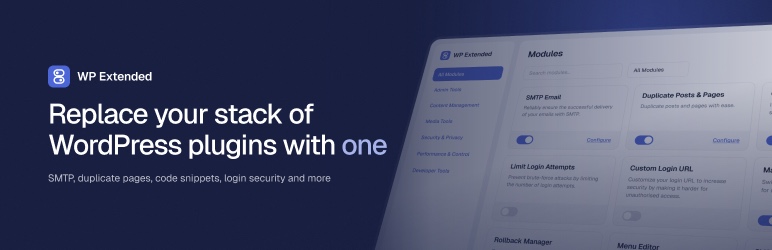
Stop installing another plugin for every small WordPress job.
WP Extended is a modular WordPress toolkit for the everyday jobs that usually send you searching for another plugin.
Need to duplicate a page?
Configure SMTP email?
Upload SVG files?
Manage code snippets?
Switch between users?
Change your WordPress login URL?
Reorder content?
Put a site into maintenance mode?
WP Extended brings these tools — and many more — into one consistent plugin. Enable what your site needs. Leave the rest off.
One toolkit. Individual modules.
WP Extended is not designed around activating everything. Each capability is managed as its own module, so you choose the tools that fit your site.
Enable a handful of modules on one WordPress site. Use a completely different combination on another. The same familiar toolkit sits underneath both.
With WP Extended you can:
Reduce reliance on small, single-purpose plugins
Enable only the modules your site actually needs
Manage everyday WordPress tools from one consistent interface
Keep familiar workflows across the sites you build and maintain
Start with useful functionality in the free plugin
Add Pro functionality later where your workflow requires it
Everyday WordPress jobs. One familiar toolkit.
Duplicate Posts & Pages – Duplicate existing posts and pages without rebuilding the content or layout from scratch. Useful for landing pages, service pages, repeatable content structures and editorial workflows.
SMTP Email – Configure WordPress email delivery through SMTP instead of adding another dedicated email plugin. Useful for site notifications, contact form delivery and transactional WordPress email.
Code Snippets – Manage PHP, HTML, CSS and JavaScript snippets without editing your theme files. Keep small site customisations easier to find and maintain.
SVG File Upload – Add SVG support to the WordPress media workflow for trusted logos, icons and scalable assets.
User Switching – Switch between WordPress user accounts more quickly when testing permissions, troubleshooting issues or supporting users.
Post Type Order – Reorder posts, pages and supported post types without writing custom code.
Export Posts & Export Users – Export WordPress content and user data for reporting, migrations, audits and other workflows.
Custom Login URL – Change the standard WordPress login path from the default URL.
Limit Login Attempts – Restrict repeated login attempts and reduce common brute-force login activity.
Maintenance Mode – Show visitors an appropriate maintenance page while work is taking place behind the scenes.
Menu Editor – Rename, reorder or hide WordPress admin menu items to create a cleaner admin experience.
Rollback Manager – Roll WordPress.org plugins or themes back to an earlier version when an update causes a problem.
A large toolkit does not mean every feature should be active. That is why WP Extended is modular.
Turn on SMTP on one site. Use Code Snippets and SVG uploads on another. Add content, admin or login tools where they make sense. Leave everything else disabled.
Turn on what you need. Leave the rest off.
A repeatable starting point for WordPress professionals.
If you build or maintain WordPress sites regularly, the same small requirements tend to appear again and again: email delivery, content duplication, code snippets, user testing, SVG support, login controls, exports and admin customisation.
Instead of finding and installing a different utility plugin every time one of those requirements appears, WP Extended gives you a familiar collection of tools you can configure around each project.
That makes WP Extended particularly useful for:
Freelancers building and maintaining client sites
Agencies managing multiple WordPress websites
Developers who want practical workflow and troubleshooting tools close at hand
Site owners who want additional WordPress functionality without accumulating unnecessary standalone plugins
Start free. Add more when your workflow needs it.
WP Extended Free is designed to be useful on its own. Many modules are available directly through the WordPress.org plugin, while some modules include additional Pro functionality or are available with WP Extended Pro.
You do not need to upgrade simply to understand how WP Extended works. Start with the tools your site needs today, and add more when your workflow requires them.
WP Extended focuses on the small but important WordPress jobs that often end up spread across numerous utility plugins. It is not intended to replace every specialist WordPress product.
For example, WP Extended is not positioned as a replacement for a complete:
Security platform
SEO platform
Ecommerce system
Backup service
Page builder
Performance or caching platform
Those products solve larger specialist problems. WP Extended gives the everyday WordPress jobs a more consistent home.
Why WP Extended?
Modular by design – Enable the individual capabilities your site needs instead of activating an entire feature set.
One familiar interface – Keep everyday WordPress tools together instead of remembering which standalone plugin controls which task.
Less plugin sprawl – Reduce reliance on multiple small utility plugins that each solve one narrow requirement.
Useful across multiple sites – Use the same familiar toolkit across different WordPress projects while configuring the modules differently for each one.
Built for everyday WordPress work – WP Extended focuses on practical tasks that site owners, developers, freelancers and agencies repeatedly encounter.
Extend WordPress. Not your plugin list.
Every small WordPress requirement should not automatically mean installing another plugin. Install WP Extended and enable the modules your site actually needs.
WP Extended is a modular WordPress toolkit that brings a collection of practical admin, content, media, email, login, workflow and developer tools into one plugin. Instead of installing a separate plugin for every small requirement, you can enable the individual WP Extended modules your site needs.
Do I need to enable every module?
No. WP Extended is deliberately modular. Enable the modules that make sense for your site and leave everything else disabled. Different WordPress sites can use completely different combinations of WP Extended modules.
What makes WP Extended different from installing separate plugins?
Many everyday WordPress requirements are relatively small but still result in another standalone plugin being installed. WP Extended brings many of those utilities into one toolkit with a consistent interface and modular controls. This can reduce plugin sprawl and make common functionality easier to manage across your sites.
Which kinds of tools are included?
WP Extended includes tools for common WordPress workflows such as:
Is WP Extended a replacement for a full security plugin?
No. WP Extended includes practical login, privacy and WordPress-hardening tools, but it is not intended to replace a specialist security platform that provides features such as malware scanning, a firewall or advanced security monitoring.
Is WP Extended suitable for freelancers, agencies and developers?
Yes. WP Extended is particularly useful when the same small WordPress requirements keep appearing across different projects. You can use the same familiar toolkit across multiple sites while enabling a different set of modules according to each project’s needs.
Is WP Extended Free useful without Pro?
Yes. WP Extended Free includes a substantial collection of useful WordPress modules and is designed to stand on its own. Pro expands the toolkit with additional modules and advanced functionality where required. See what each version includes.
Will every module run on my site automatically?
No. Modules are individually enabled. If you do not need a particular capability, leave that module disabled.
Improved: User Enumeration: Also blocks the REST API user list (/wp-json/wp/v2/users) and the users sitemap for logged-out visitors. These are the main ways usernames get harvested now; before, only ?author= links were blocked. Logged-in users keep access, so the editor’s author picker still works.
Fixed: Uninstall: Deleting the free plugin after upgrading to Pro no longer deletes your settings and licence when “Remove plugin data” is on. Data is only removed when the last copy of WP Extended is deleted.
Fixed: Debug Mode and Media Trash: Deactivating WP Extended now switches off the WP_DEBUG and MEDIA_TRASH lines it added to wp-config.php, so a deactivated plugin can’t leave PHP errors showing to visitors. Reactivating switches them back on. Lines you wrote yourself are never changed.
Fixed: Media Trash: Turning the module on no longer takes over a MEDIA_TRASH line you had already added to wp-config.php.
Fixed: Disable Blog: The Tools and Export screens no longer show PHP warnings, and Export’s category list works again. Old tag links now redirect to the home page, as category links already did [Pro].
Fixed: SMTP Email: The older email log REST endpoints no longer fail with a fatal error. The email log screen itself was not affected [Pro].
Fixed: The debug log is no longer filled with “Autoloader: File not found” messages.
Fixed: Translations: All text now uses the wpextended text domain, so every string can be translated.
3.4.3 – 7 November 2026
Security: Export Posts: Bulk export now checks each post, so users can only export posts they are allowed to edit. Previously a Contributor could export other users’ private posts and drafts. Thanks to Patchstack for the report.
3.4.2 – 4 November 2026
Fixed: Rollback Manager: The plugin and theme lists were empty, so nothing could be rolled back. WordPress.org now refuses the kind of request the module sent.
Fixed: Rollback Manager: Rolling back no longer fails with “version is not one of the permitted values”.
Improved: Rollback Manager: The plugin and theme lists load faster: answers from WordPress.org are kept for 12 hours.
Fixed: Media Trash and Debug Mode: When wp-config.php cannot be written, the error now gives the exact line to add by hand, and stays on screen so it can be copied [Pro].
3.4.1 – 4 November 2026
Fixed: Admin Columns: The settings screen no longer fails to load (“The server returned an unexpected response”) on sites where a post type’s list screen had not been opened since the module was turned on [Pro].
3.4.0 – 3 November 2026
Added: Redirect 404 to Homepage: Choose the redirect status code (301 or 302), the page to redirect to, and paths to exclude.
Added: Pixel Tag Manager: Added a “Wait for cookie consent” option. Google Analytics loads with Consent Mode v2 set to denied, and the Facebook and Pinterest pixels wait until the visitor accepts cookies in Complianz, CookieYes or Cookie Notice. It is on by default for new installs; existing sites need to turn it on.
Added: Admin: The WP Extended settings screens now work on phones, with a slide-out menu and stacked fields, and can be fully used from the keyboard.
Added: SMTP Email: Check a provider’s credentials from the settings screen, and choose which provider sends the test email.
Improved: Pixel Tag Manager: Tracking IDs are now checked when you save, with a message explaining the expected format.
Improved: Menu Visibility: Visibility is now chosen from a dropdown, spaced to match WordPress’s own menu fields.
Improved: Code Snippets: PHP is highlighted even without an opening tag, and the editor is wider.
Improved: Menu Editor: Loading and resetting the menu no longer reloads the page.
Improved: Admin: Configure appears only once a module has finished enabling, and focus returns to module search after you clear it.
Improved: Post Type Switcher: The editor panel has been rebuilt with React [Pro].
Improved: Duplicate Post: The editor toolbar button has been rebuilt with React.
Improved: Admin: Notifications now use the new admin snackbar.
Fixed: Custom Login URL: Fixed an issue where the password form on password-protected pages stopped working.
Fixed: Menu Visibility: Fixed an issue where the Move links on the Menus screen showed the visibility label instead of the menu item’s title.
Fixed: Licensing: Fixed an issue where wp wpextended license commands failed with “A valid URL was not provided” [Pro].
Fixed: Media Trash / Debug Mode: Fixed an issue where their wp-config.php constants were not written. Writing to wp-config.php is now limited to Super Admins on multisite, refuses empty writes, and no longer repeats its marker comment [Pro].
Fixed: Hide Admin Notices: Fixed an issue where hiding update notices changed the stored update data [Pro].
Fixed: Duplicate Post: Fixed an issue where Breakdance content was not copied intact.
Fixed: Folder Manager / Notices: Fixed REST requests failing on some sites by sending them through WordPress’s apiFetch.
Fixed: Settings: Fixed an issue where importing settings skipped modules that were not enabled.
Fixed: Admin: Fixed an issue where the sidebar did not show a module that had just been enabled.
Fixed: Admin Customiser: Fixed an issue where custom login page and admin bar logos did not appear [Pro].
Fixed: Admin Customiser: Fixed an issue where the login page showed a broken logo after its image was deleted [Pro].
Fixed: Maintenance Mode: Fixed an issue where the custom logo and background image did not appear.
Fixed: SMTP Email: Fixed the Download Logs and Clear Logs buttons.
Fixed: Export Posts / Export Users: Fixed a deprecation notice on PHP 8.4.
3.3.0 – 10 September 2026
Added: Admin: Every module’s settings now live under a single “WP Extended” screen, and moving between them no longer reloads the page.
Added: Translations: Now ships in German, Spanish, French, Dutch, Brazilian Portuguese and European Portuguese.
Added: Code Snippets: Added a Safe Mode switch to the editor, so you can turn every snippet off from the interface instead of by editing a URL.
Improved: Limit Login Attempts: Added an option to trust a proxy header when detecting a visitor’s IP address, for sites behind Cloudflare or a load balancer.
Improved: Global: Updated module documentation links to our new documentation URLs.
Improved: Menu Editor: A role granted a page now receives that page’s capability only while WordPress is serving that page, not for the rest of the admin session. A delegated page that saves over the REST API or AJAX renders read-only.
Improved: Global: Now requires a minimum of PHP 8.1.
Fixed: Menu Editor: Fixed an issue where granting a role access to a page handed that role the page’s capability everywhere in the admin, which could turn an Editor into a full administrator.
Fixed: Menu Editor: Fixed an issue where role restrictions had no effect on plugin pages, and where a denied page could still be reached through its object-edit URL.
Fixed: Menu Editor: Fixed an issue where saving without making a change reshuffled the admin menu.
Fixed: Media Replace: Fixed an issue where an Author could delete another user’s attachments through the REST endpoint.
Fixed: Admin Columns: Fixed an issue where a custom meta column did not escape its value.
Fixed: Rollback Manager: Fixed an issue where version lists were fetched over an insecure connection.
Fixed: SVG Upload: Fixed an issue where the sanitiser could be bypassed by certain attributes and animation elements.
Fixed: Code Snippets: Fixed an issue where a snippet description could inject PHP into the generated file.
Fixed: Code Snippets: Fixed an issue where a snippet pasted with its own opening PHP tag could take the site down, and where updating, enabling and deleting failed on hosts that block PUT and DELETE requests.
Fixed: Admin Customiser: Fixed an issue where colour settings were not escaped on the login page.
Fixed: Limit Login Attempts: Fixed an issue where a spoofed IP address could bypass the lockout, or lock out every visitor behind a proxy.
Fixed: Limit Login Attempts: Fixed an issue where diagnostic REST routes were registered in production builds.
Fixed: Limit Login Attempts: Restored the unblock action, and fixed sorting and the status column.
Fixed: Settings: Fixed an issue where imported settings were saved without being sanitised or validated.
Fixed: Export Posts / Export Users / SMTP Email: Fixed an issue where CSV exports were not escaped against spreadsheet formula injection.
Fixed: Export Posts / Export Users: Fixed an issue where meta field exports returned blank values [Pro].
Fixed: User Switching: Fixed an issue where a favourited user’s display name was not escaped in the admin bar.
Fixed: Folder Manager: Fixed an issue where a bulk move to a folder did not check permissions for each post.
Fixed: Folder Manager: Fixed an issue where a post duplicated from inside a folder was dropped out of it, and where sort links and status views kept the folder you had just left.
Fixed: User Enumeration: Fixed an issue where author requests were not blocked.
Fixed: Hide Author Slugs: Fixed an issue where author slugs were encrypted with a weak key.
Fixed: Hide Author Slugs: Fixed an issue where the Users screen crashed with a type error.
Fixed: Custom Login URL: Fixed an issue where the disabled-login message was not escaped and returned the wrong status code.
Fixed: Notices: Fixed an issue where notices could be read without logging in, and dismissed by any subscriber.
Fixed: Post ID Display: Fixed an issue where the module crashed when no post types were selected.
Fixed: Hide Admin Notices: Fixed an issue where the module crashed when nothing was selected for update notifications, and where update notices were not suppressed.
Fixed: Duplicate Posts & Pages: Fixed an issue where the module required Pro. It is free again, with its settings remaining Pro.
Fixed: Duplicate Post: Fixed an issue where duplicating an untitled post with content deselected returned an error instead of a clear message, and where editor scripts loaded on the Widgets screen.
Fixed: SMTP Email: Fixed an issue where a duplicate charset in the Content-Type header corrupted accented characters in some mail clients, and where the Download Logs button did nothing.
Fixed: WP-CLI: Fixed an issue where enabling a module that was already enabled turned it off.
Fixed: Post Type Switcher: Fixed an issue where every dropdown option was duplicated.
Fixed: Post Type Order: Fixed an issue where duplicate ordering was not always detected.
Fixed: Quick Add Post: Fixed an issue where the post-type restriction had no effect.
Fixed: Clean Profiles: Fixed an issue where the module did not hide anything.
Fixed: Disable Comments: Fixed an issue where the Comments admin bar link was always removed, and where the per-product exception was ignored in the admin.
Fixed: Disable XML-RPC: Fixed an issue where the content-type check was inconsistent.
Fixed: Translations: Updated the plugin’s text domain to wpextended so it matches the plugin header. If you installed translation files by hand, rename them from wp-extended-{locale} to wpextended-{locale}.
3.2.7 – 21 June 2026
Added: Public Preview Links (new Pro module): Generate publicly accessible preview links for draft, pending, scheduled, and private posts so reviewers can view unpublished content without logging in. Native block editor and classic editor integration, with expiring tokens, one-click copy, and revoke.
Added: Custom User Avatar (new module): Upload a custom profile picture from the WordPress profile screen, with live preview and one-click revert to Gravatar. Applies site-wide.
Added: Admin Customiser: New “Item Hover Background Colour” setting for admin bar items.
Improved: Admin Customiser: Now defers to each user’s WordPress admin colour scheme — custom colours only apply where explicitly set.
Improved: Admin Customiser: Unified colour field labels across the Admin Bar and Sidebar tabs.
Improved: Licensing: Migrated to FluentCart. Existing licences keep working with no action needed.
Fixed: Duplicate Post: “Duplicate” button disappearing in the block editor or failing to identify the post in the classic editor.
Fixed: Quick Add Post: “New” button vanishing from the block editor toolbar after editor changes.
Fixed: Admin Customiser: Sidebar menu flashing the default colour on hover.
Fixed: Maintenance Mode: Default body text mismatch between the settings screen and the live page.
3.2.6 – 21 April 2026
Added: SMTP Email: Third-party email provider integrations — Brevo, SendGrid, Postmark, SparkPost, Emailit, and ToSend as alternatives to raw SMTP credentials.
Added: SMTP Email: API key verification button with real connection test.
Added: Maintenance Mode: One-click toggle from the admin bar for users with permission.
Added: Maintenance Mode: Role-based toggle permissions — configure which roles can toggle maintenance mode from the admin bar [Pro].
Improved: SMTP Email: Improved email logs with auto-refresh, status badges, and error tooltips on failed sends.
Fixed: Debug Mode: Persistent admin notice remaining visible after disabling the module [Pro].
Fixed: User Last Login: Last Login column not rendering values in the users list table.
Fixed: Folder Manager: “Could not move to folder” error when changing folder assignment from the block editor sidebar.
Fixed: Rollback Manager: Fatal error (ArgumentCountError) crashing the Themes screen on multisite due to incorrect theme_action_links filter signature.
Fixed: Global: Uninstall cleanup flow — plugin data is now only removed on uninstall (not deactivation) when the remove_plugin_data setting is enabled.
Update: Code Snippets Module – Added validation for the Snippet title.
Update: Tested with latest version of WordPress 6.5.5.
Fixed: Activate/Deactivate module warning is showing (PHP Warning: touch(): Unable to create file).
3.0.1 – 21 Jun 2024
Update: PHP Notice Offset on Value of Type Null Fixed – This update addresses and resolves the PHP notice related to offset on a null value type, ensuring smoother operation and fewer error messages during
Update: Design enhancements have been implemented on the plugin dashboard, enhancing usability and aesthetics for a better user experience.
Fixed: Maintenance Mode – Undefined Index Fixed – The maintenance module has been improved by fixing the undefined index issue, leading to more stable and error-free maintenance mode management.
Fixed: WP Extended SMTP Email – Removed Required Fields – The SMTP Email settings have been streamlined by removing previously mandatory fields, allowing for a more flexible and user-friendly configuration process.
Fixed: LearnDash LMS – Fixed the course menu disappearing when using the WP Extended plugin.
3.0.0 – 7 Jun 2024
Big Update: Entire UI & UX overhaul
New: Modules: Realtime Module search filter
New: Modules: Layout switcher [List/Grid]
New: Settings: Option to hide or show sub option module pages
New: Settings: Option to delete all plugin data when removed
New: Indexing Notice
New: Disable Video Uploads
Update: Rename: Menu Editor => Menu Editor
Update: Rename: Insert Snippets => Code Snippets
Update: Settings: Added links to ‘Docs’, ‘Changelog’ and ‘Blog’
Update: Maintenance Mode: New options for Headline,Body Text and Footer text color options.