

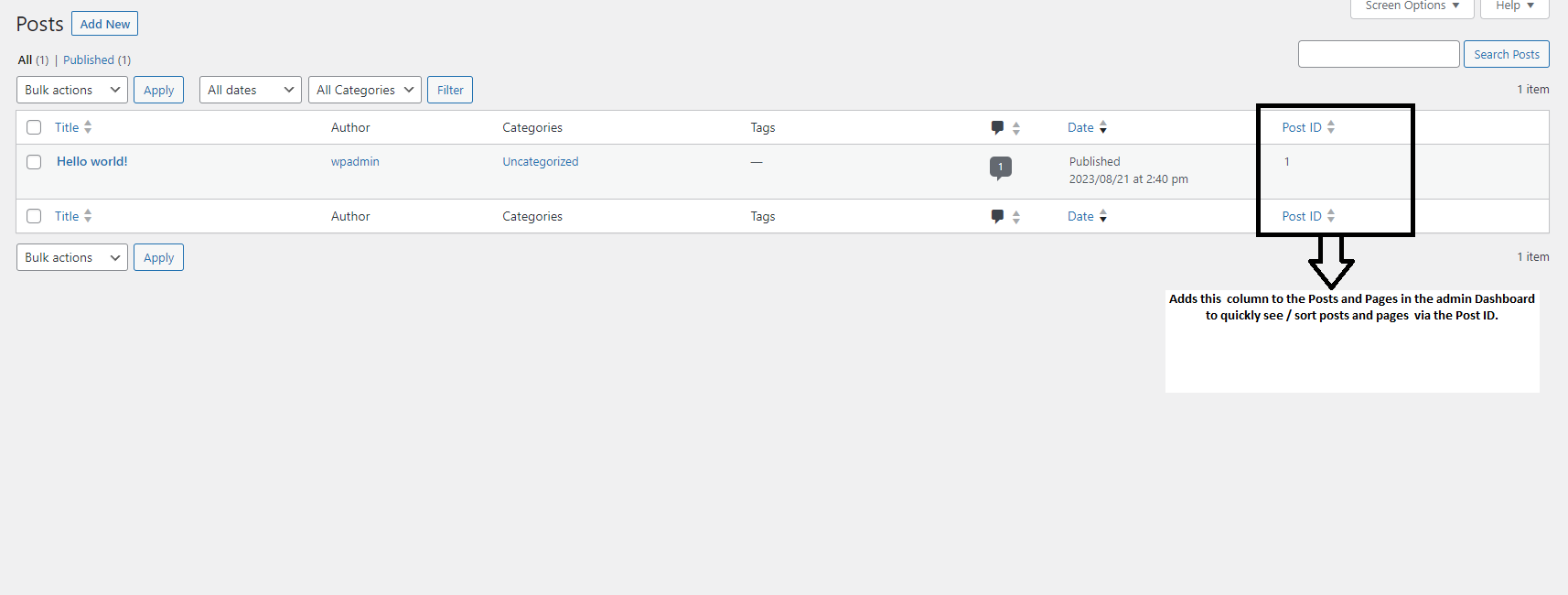
This plugin shows the Post ID in the Post and Pages List in the Dashboard for both Posts, Pages, and Custom Post Types. It also allows sorting by Post …
| Author: | WPApps (profile at wordpress.org) |
| WordPress version required: | 4.0 |
| WordPress version tested: | 6.6.2 |
| Plugin version: | 2.0.0 |
| Added to WordPress repository: | 21-08-2023 |
| Last updated: | 22-10-2024
Warning! This plugin has not been updated in over 2 years. It may no longer be maintained or supported and may have compatibility issues when used with more recent versions of WordPress.
|
| Rating, %: | 100 |
| Rated by: | 1 |
| Plugin URI: | https://wpapps.net |
| Total downloads: | 2 366 |
| Active installs: | 200+ |
 Click to start download |
|
Show Post ID with Sorting introduces a helpful new column in your WordPress admin dashboard, displaying the unique Post ID for all posts, pages, and custom post types. It enables you to sort your content by Post ID, bulk copy multiple IDs, and view the Post ID while editing or even directly from the frontend.
This is ideal for users who need quick access to Post IDs for custom queries, shortcodes, or troubleshooting.
Key Features:
- Adds a sortable Post ID column to the Dashboard for Posts, Pages, and Custom Post Types
- Bulk copy Post IDs with a simple action
- Displays the Post ID next to the Edit Page/Post title
- Shows the Post ID in the WordPress admin bar on the frontend while viewing content
This plugin is perfect for developers, content managers, or anyone needing an easy way to view and use Post IDs without diving into the code.
Screenshots
FAQ


ChangeLog