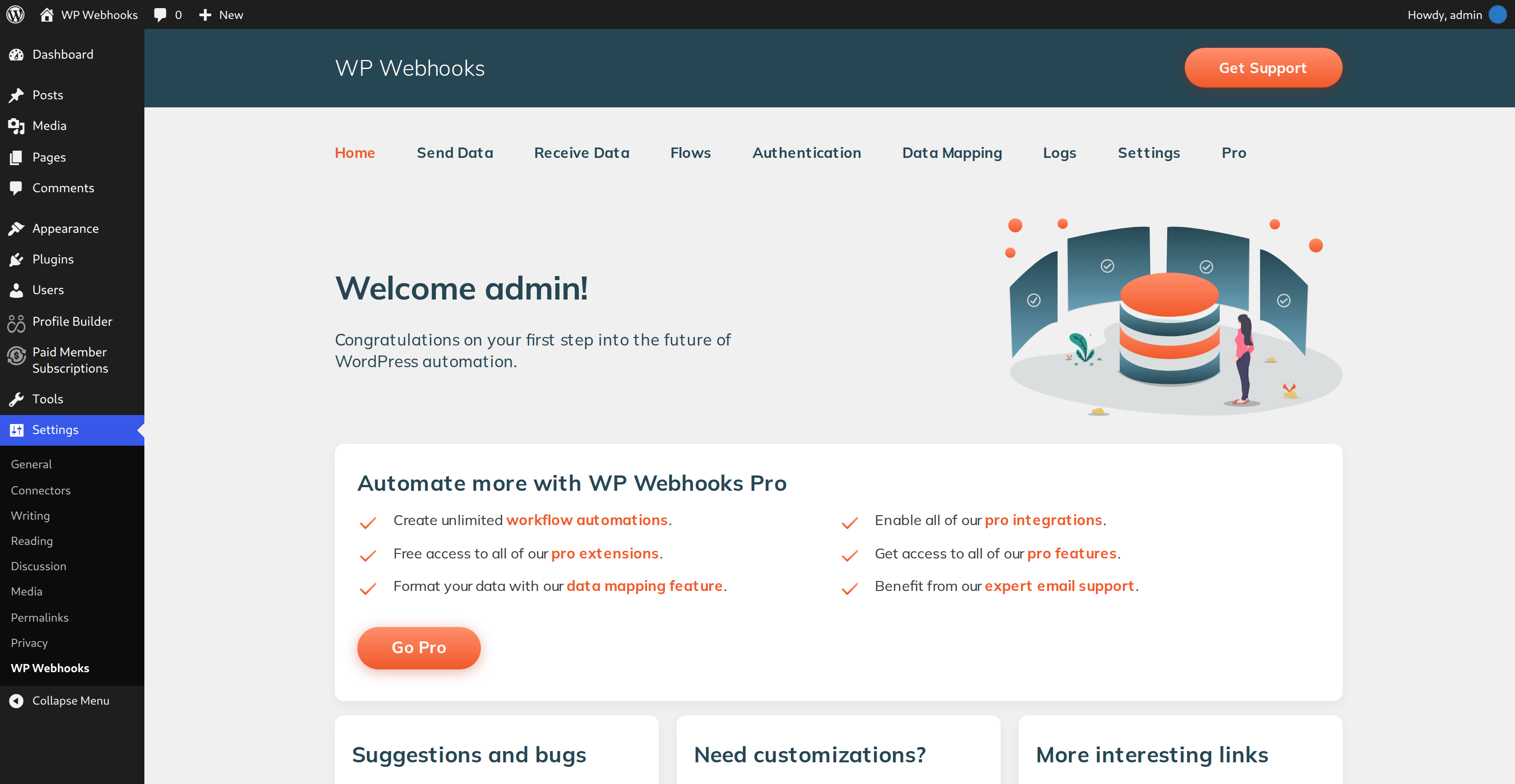
Put your website on autopilot by automating manual tasks to leverage your time and resources for what’s really important to your project or business.
WP Webhooks lets you connect your website, plugins and apps together using powerful no-code automations.
WP Webhooks Automations can be used in the following ways:
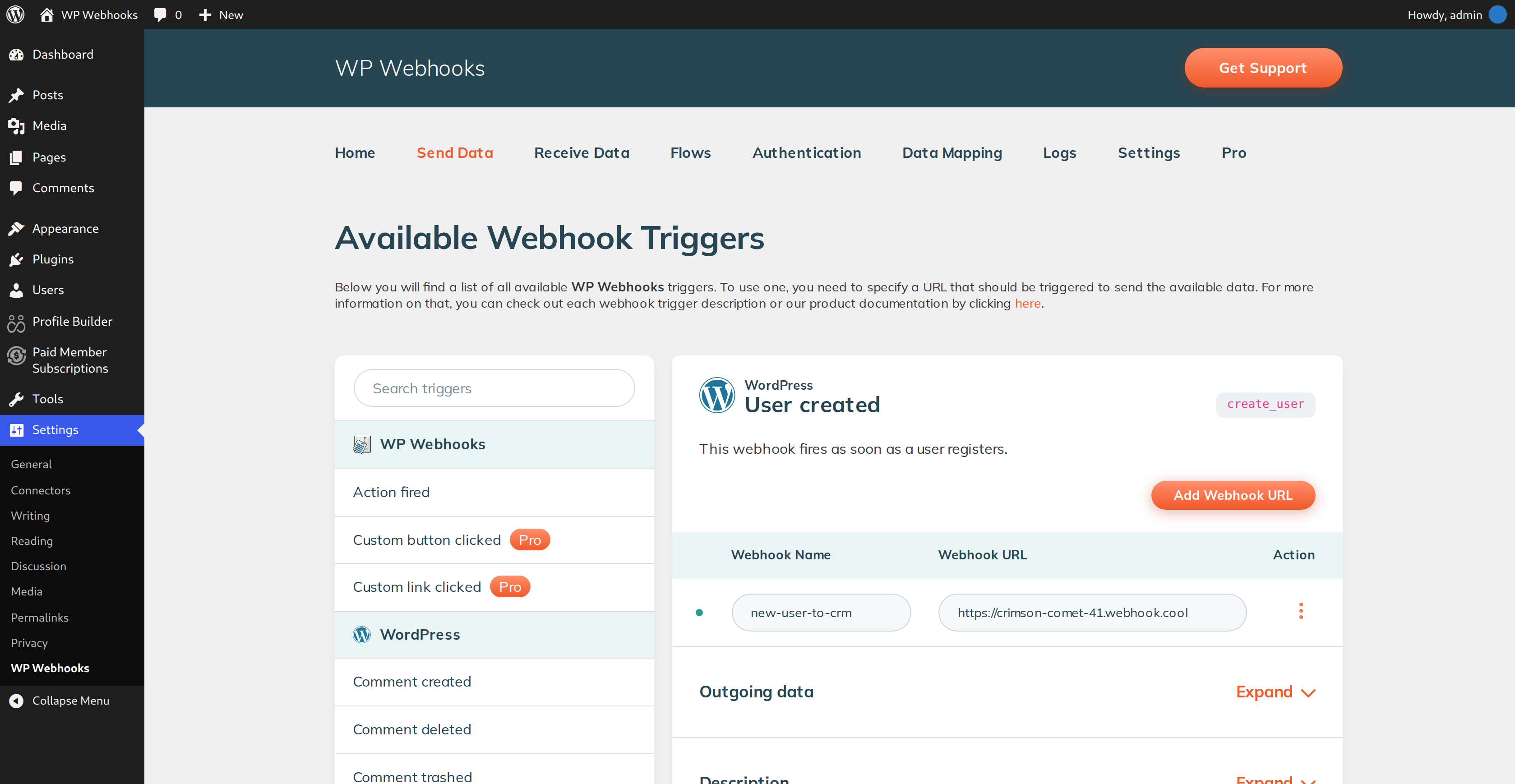
Trigger (Send Data):
A trigger sends information from your WordPress website on a specific event (e.g. when a user logs in), to any API or external service of your choice (e.g. Zapier, Make, Pabbly, …).
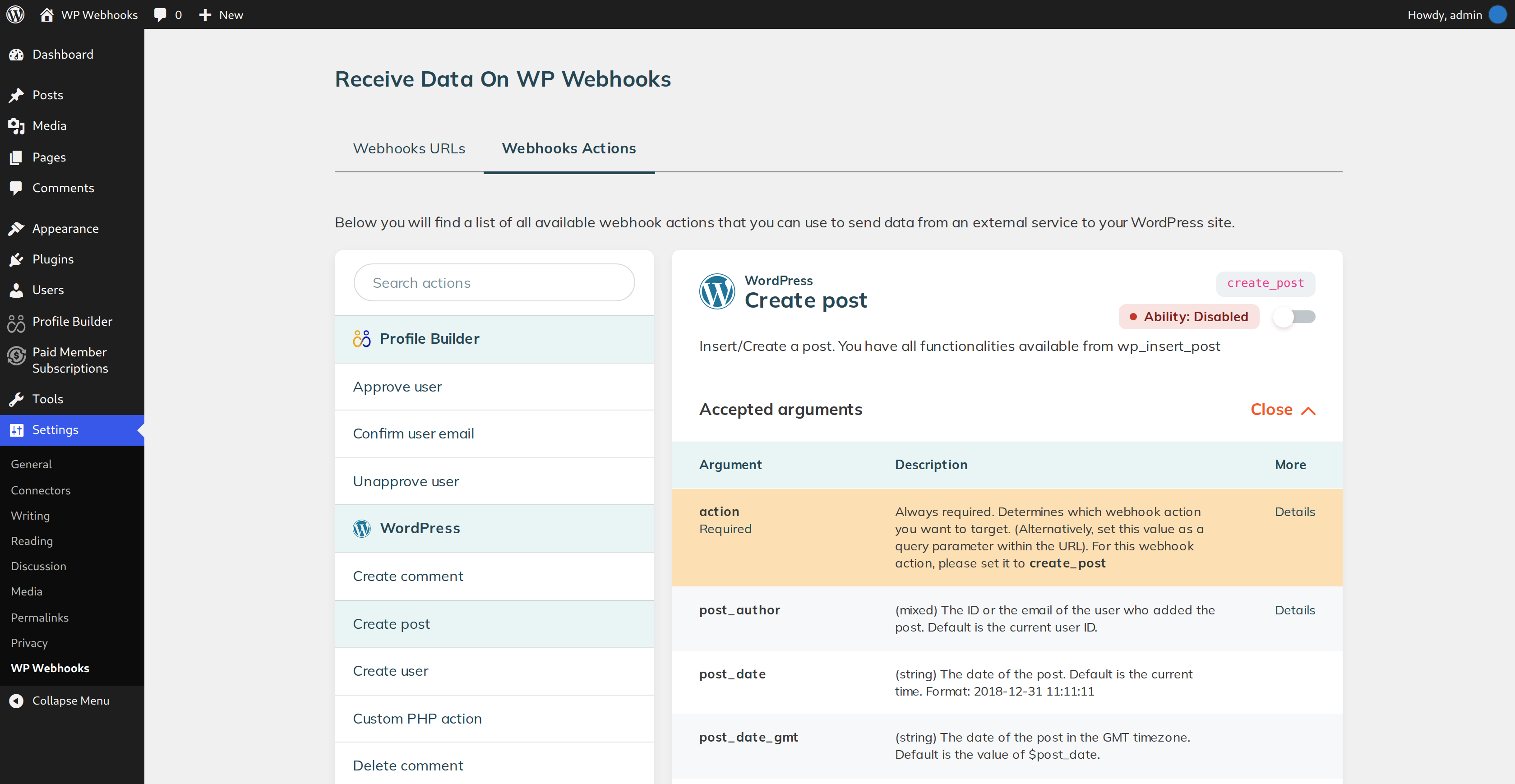
Action (Receive Data):
An action is the reversed way of the trigger. It allows you to receive data on your website from any API or external service (e.g. Zapier, Make, Pabbly) which then executes a specific functionality on your WordPress website (e.g. creating a user or post).
Flows (Pro)
A Flow allows you to connect both the triggers and actions together and create tasks that are executed in a consecutive order. E.g. When a new user is created (trigger), send an email to the user.
Abilities (AI agents & MCP):
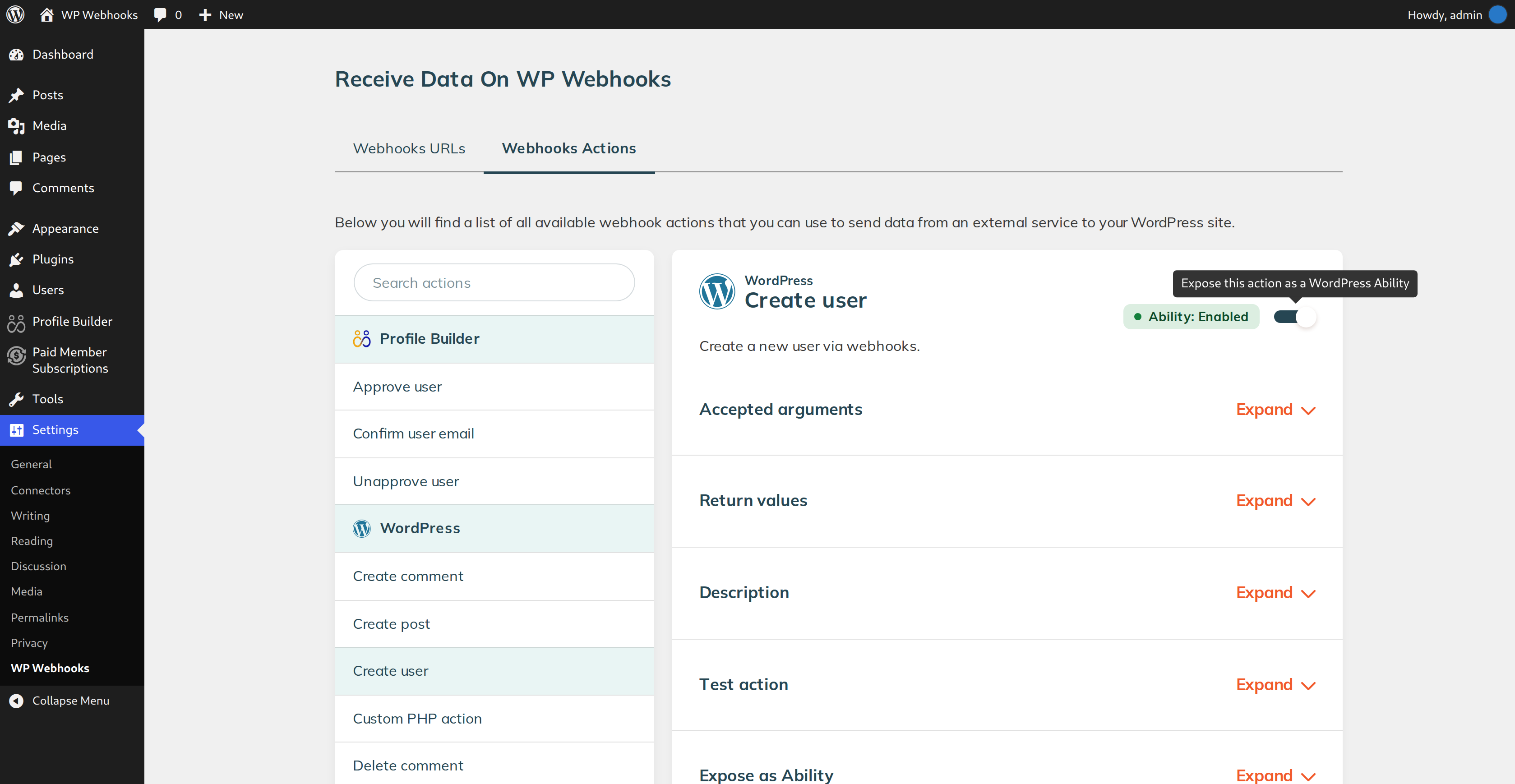
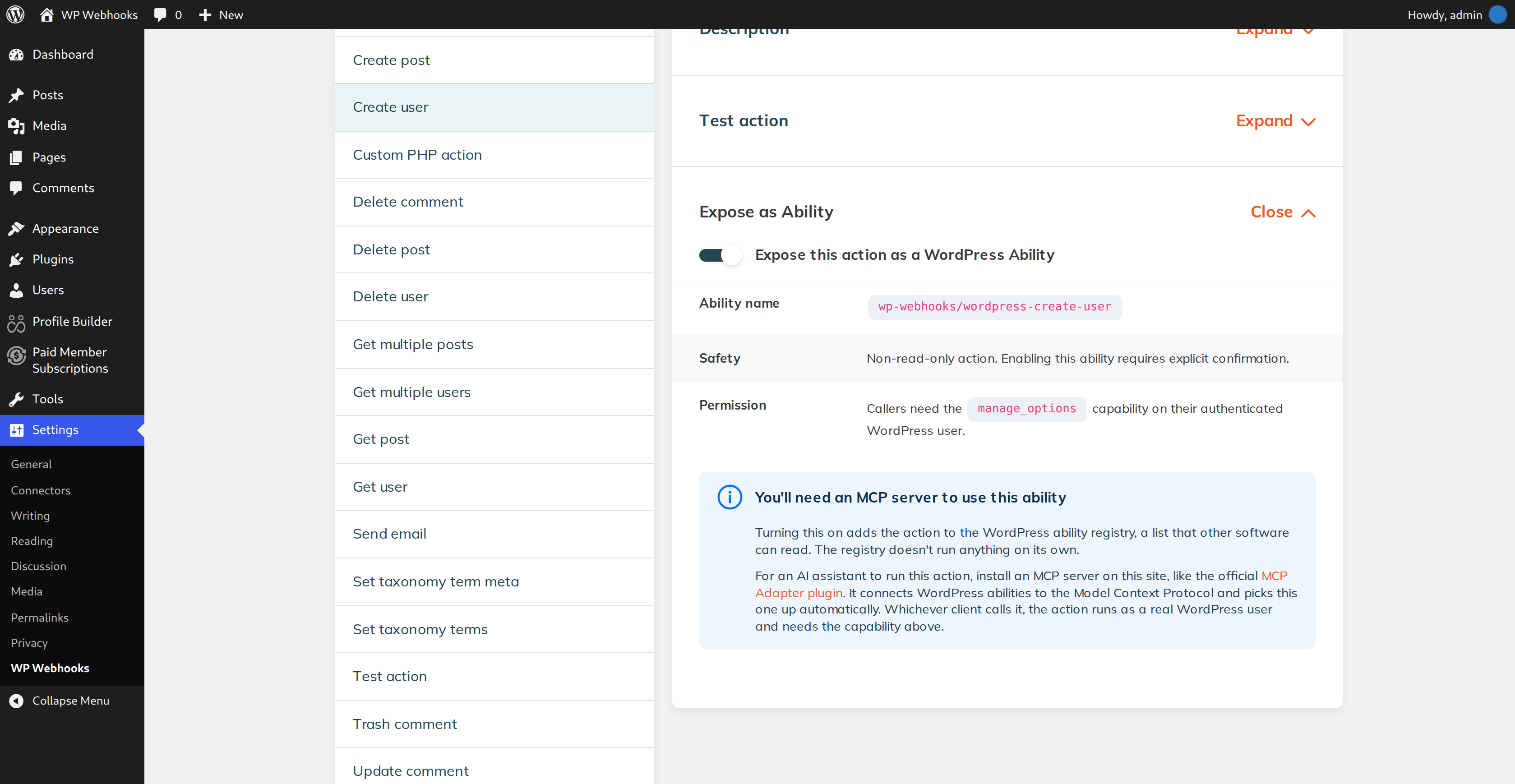
Expose any WP Webhooks action as a WordPress Ability that AI assistants and agents can run. Turn an action on from the Receive Data screen and it is registered as an ability (for example wp-webhooks/wordpress-create-post) with an input schema, an output schema and a permission check. Exposed abilities are available over the WordPress REST API, and with an MCP server such as the MCP Adapter they become tools for MCP clients like Claude and Cursor. You can also go the other way and run any ability registered on your site through a webhook. Requires WordPress 6.9 or newer.
To give you some practical automation examples, here are a few things you can do via our plugin:
Usage examples
Create a WordPress user as soon as a new signup happens on Teachable
Create a WordPress post using Alexa (Voice Control)
Use Make, Pabbly, Zapier, etc. to update a user and its meta values
Create a Woocommerce order from some Airtable data
Send data once a Gravity Form submission was received
Send data after a user filled out a WPForms form
Send data to intercom when a user logs into your WordPress website
Fire your own PHP code based on incoming data
Automation Features & Integrations
Plugin related
Create unlimited webhook action URLs and add unlimited triggers
All of our integrations are available within a single plugin file. No need for any extra plugins.
Test all triggers and actions within a single click
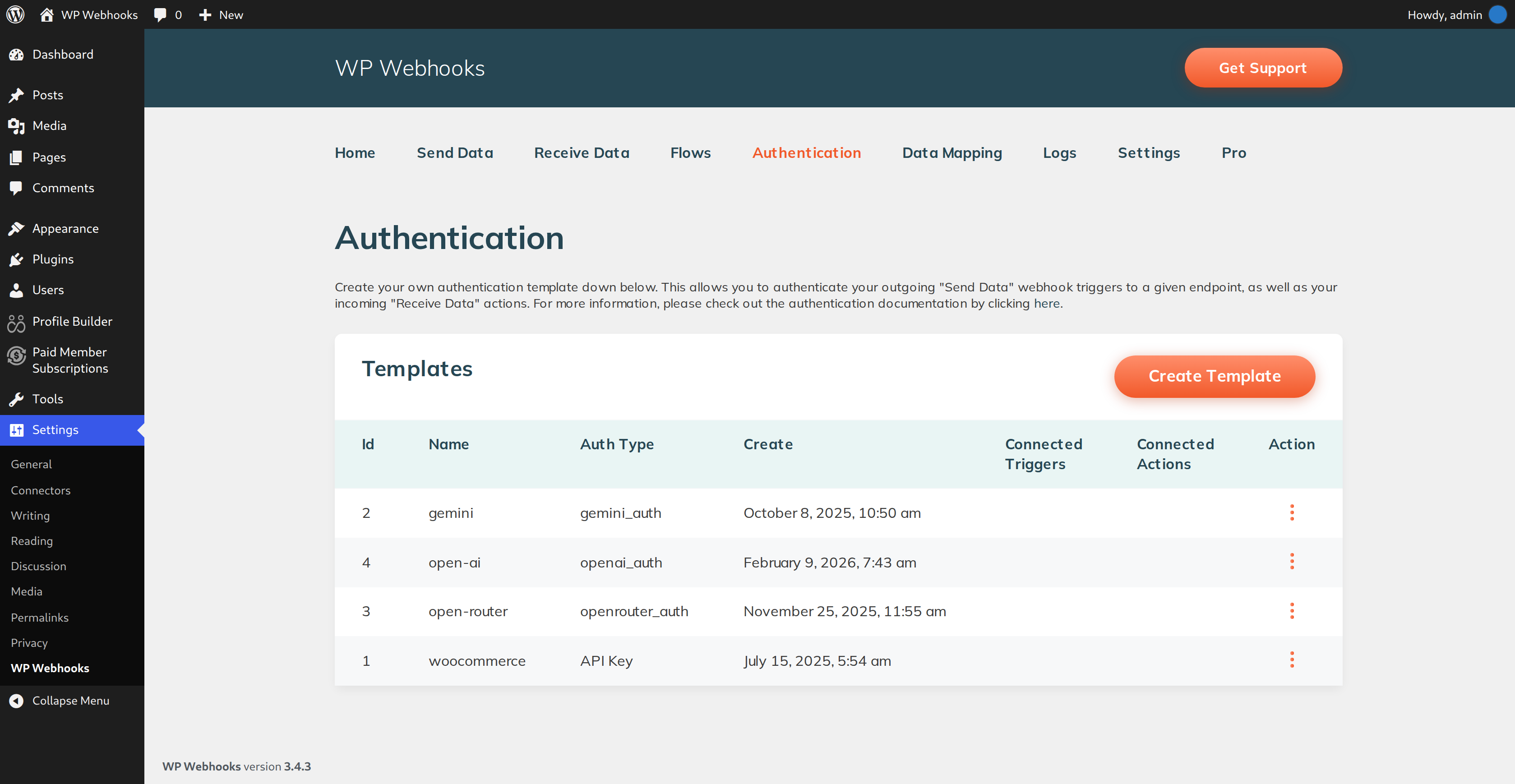
Authenticate every trigger and action. Supported are: API Key, Bearer Token and Basic Auth
In-plugin extension management
Advanced settings for each webhook trigger url
Fully translatable and ready for multilingual sites
Fully WPML compatible
Advanced Developer Hooks
Optimized settings page for more control
Supports XML, JSON, plain text/HTML, forms, and form urlencode
Supports the following request methods: POST (Default), GET, HEAD, PUT, DELETE, TRACE, OPTIONS, PATCH
Supports Zapier, Pabbly, Make, Integrately and many more
Expose any action as a WordPress Ability so AI agents and MCP clients can run it, with a per-action on/off toggle
Run, list and describe WordPress Abilities from an external service through a webhook
Execute PHP Code: It is as massive as it sounds. It allows you to run php scripts through webhooks on your WordPress site
Code Trigger: This is a next-level extension. You can run code through a webhook everytime WordPress get’s called.
Questions?
In case you have questions, feel free to reach out to us at any time.
For devs
We offer you a very awesome hook system to customize everything based on your needs! Feel free to message us in case you want special features – We love to help!
Can I request an integration or new automation feature?
Yes, you can! Please visit our Request an integration page and add your request there in case you cannot find it already.
What is the difference between your free and pro version?
If you are looking for a full list of differences between our free and pro version, we suggest taking a look at our comparison table.
Can AI assistants use my WP Webhooks actions?
Yes. You can expose any WP Webhooks action as a WordPress Ability from the Receive Data screen. Each exposed action is registered with an input schema, an output schema and a permission check, so it can be discovered and run over the WordPress REST API or by an AI agent. To let an external assistant such as Claude or Cursor call your abilities, you also need an MCP server on your site, for example the free MCP Adapter. The REST API works without it.
Which actions are exposed to AI, and is it safe?
Nothing is exposed until you turn it on. Exposure is set per action and is off by default, so you publish only the operations you choose. Read-only actions (such as “Get post”) are marked as read-only; exposing an action that changes or deletes data asks you to confirm first. Every ability runs behind a permission check, and premium actions require an active license before they can be exposed.
Can I run abilities from other plugins through a webhook?
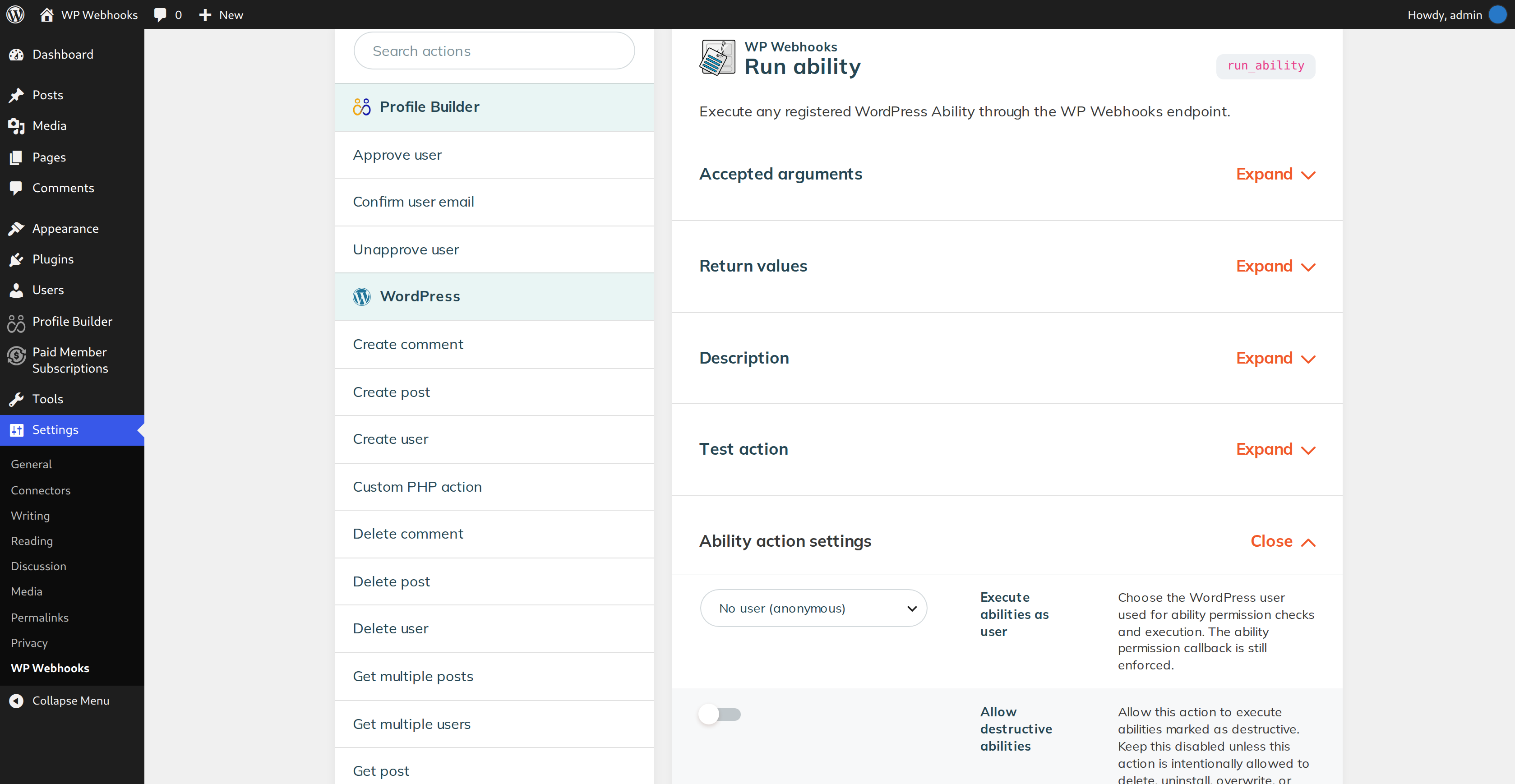
Yes. WP Webhooks includes three actions for this: Run ability, List abilities and Describe ability. They let an external service discover and execute any ability registered on your site, including abilities from WordPress core or other plugins, through a standard webhook URL. You can choose which user these actions run as, and running abilities that change data is kept behind a separate setting.
Where do I report security bugs found in this plugin?
Please report security bugs found in the source code of the WP Webhooks plugin through the Patchstack Vulnerability Disclosure Program. The Patchstack team will assist you with verification, CVE assignment, and notify the developers of this plugin.
Security: the Contact Form 7 trigger now preserves only files that Contact Form 7 received, so a crafted form field can no longer copy other files from the server. Reported by Nathan Cross (CyberBadger)
Security: dismissing an admin notice now accepts only the plugin’s own notice IDs, so a logged-in user can no longer write other user meta on their account. Reported by Nathan Cross (CyberBadger)
Security: the WordPress file actions keep every local path inside wp-content, including encoded traversal paths and the move_folder action. copy_file and move_file now accept only http and https remote sources
Contact Form 7: preserved files are now deleted when their preserve duration expires
3.5.0: October 07, 2026
New:
WordPress Abilities API integration. Expose any WP Webhooks action as a WordPress Ability (WordPress 6.9+) with a per-action toggle on the Receive Data screen. Exposed actions are registered with input and output schemas and a permission check, and are available over the REST API and to MCP clients through an MCP server such as the MCP Adapter.
New actions to consume abilities: Run ability, List abilities and Describe ability. Discover and run any ability registered on your site from an external service through a webhook, with a configurable run-as user.
Enhancements:
Exposing an action that is not read-only now asks for confirmation first, and read-only, destructive and idempotent annotations are added to each ability for AI clients.
3.4.3: July 15, 2026
Enhancements:
Trigger payload policy: choose which user fields are stripped from outgoing trigger data before it leaves your site. Configure per webhook on Send Data. New webhooks remove sensitive fields by default; existing webhooks are unchanged until you review them.
Fix:
Callback name for the EDD Subscription payment trigger
Undismissable admin notice
3.4.2: May 05, 2026
Fix:
A security issue. Thanks to Artyom and the Cleantalk team
3.4.1: Apr 28, 2026
Enhancements:
Added a filter over the payload data that is sent from the Paid Member Subscriptions integration triggers so custom data can be added
3.4.0: Jan 12, 2026
New Features:
New actions for the “Profile Builder” integration: Approve User, Unapprove User, Confirm User Email
3.3.9: Nov 17, 2025
Fixed issues:
Further fixes regarding unauthenticated arbitrary file copy issue coming from the Contact Form 7 integration when a certain setting was activated. Thanks to Phat RiO – BlueRock and the Patchstack team
Fix security issue regarding PHP Object Injection in some cases. Thanks to Phat RiO – BlueRock and the Patchstack team
Added allowed file extensions setting for the Contact Form 7 preserve uploaded files functionality. If you have this feature configured, you should edit the trigger and update the allowed extensions. By default only jpg, jpeg and png are allowed
Fix installation of custom extensions
Fix a PHP 8 deprecation notice
3.3.8: Oct 29, 2025
Fixed issues:
Fixed issue with the WordPress get_post action returning success even when a post was not actually retrieved
Fixed descriptions for the WordPress Create Comment and Update Comment actions, now the interface correctly mentions the meta_input key that is used to populate comment meta
Fixed a deprecation error that started appearing with PHP 8.1
Fix notice that could be triggered sometimes on the Receive Data tab
3.3.7: Sep 02, 2025
Fixed issues:
Fixed exception handling issue when loading integrations
Fixed descriptions for the WP Update User and WP Custom PHP actions
Updated example payload for the create woocommerce order action
3.3.6: Aug 20, 2025
New Features:
New integration “Paid Member Subscriptions”
Fixed issues:
Fixed security issue regarding unauthenticated arbitrary file copy coming from the Contact Form 7 integration when a certain setting was activated. Thanks to Phat RiO – BlueRock and the Wordfence team
Fixed a deprecation notice coming from the Contact Form 7 integration
Added missing integration for the Booking Approved trigger from the Events Manager plugin
Fix payload data generation for the Events Manager – Booking Approved trigger
3.3.5: July 14, 2025
New Features:
New integration “Profile Builder”
Fixed issues:
Fixed some WooCommerce issues
3.3.4: April 15, 2025
Fixed issues:
Fixed edd_create_license action error
3.3.3: February 26, 2025
Fixed issues:
Fixed more PHP 8 notices regarding dynamic properties
3.3.2: December 06, 2023
Fixed issues:
Fix PHP 8 notices regarding dynamic properties
3.3.1: February 07, 2022
New Features:
New integration “Woocommerce”
New webhook trigger “Order created” for the “Woocommerce” integration
Added new “Fluent Support” integration
New webhook trigger “Ticket created” for the “Fluent Support” integration
Added new “WP Fusion” integration
New webhook trigger “Tag added” for the “WP Fusion” integration
Added new “GiveWP” integration
New webhook trigger “Donation completed” for the “GiveWP” integration
You can now use the get_post action to fetch an attachment (media) id from an URL
Little tweaks:
Optimize integration items on single endpoint view for “Send Data” and “Receive Data”
Optimized webhook descriptions and other text
Fixed issues:
In case the wpwhpro/webhooks/validate_webhook_action was set to false, the function threw a notice and used the echo_action_data instead of echo_response_data
For developers:
Added new filter wpwhpro/webhooks/validate_webhook_action to prevent webhook actions from firing
3.3.0: January 12, 2022
New Features:
New integration “WP Webhooks”
New integration “LearnDash”
New integration “FluentCRM”
New integration “Broken Link Checker”
New integration “Amelia”
New integration “AffiliateWP”
New webhook action “Fire trigger” for the “WP Webhooks” integration
New webhook action “Complete courses” for the “LearnDash” integration
New webhook action “Add contact to list” for the “FluentCRM” integration
New webhook action “Add contact to tag” for the “FluentCRM” integration
New webhook trigger “Action fired” for the “WP Webhooks” integration
New webhook trigger “Course completed” for the “LearnDash” integration
New webhook trigger “Lesson completed” for the “LearnDash” integration
New webhook trigger “Quiz completed” for the “LearnDash” integration
New webhook trigger “Topic completed” for the “LearnDash” integration
New webhook trigger “Contact added to list” for the “FluentCRM” integration
New webhook trigger “Contact added to tag” for the “FluentCRM” integration
New webhook trigger “Broken links detected” for the “Broken Link Checker” integration
New webhook trigger “Booking added” for the “Amelia” integration
New webhook trigger “Affiliate status changed” for the “AffiliateWP” integration
New webhook trigger “New affiliate” for the “AffiliateWP” integration
New trigger setting to prevent a trigger firing multiple times within the same WordPress instance
Little tweaks:
* Added permalink to the “Create post” webhook action response
* Added the permalink to “Delete post” webhok action response
* Added force_delete key to “Delete post” webhok action response
* Optimize sorting for custom trigger filter settings
* Optimized the overall layout and usability
* Optimized feature awareness
* Make sure we initialize the settings key for action webhook endpoints by default
* Added new dynamic action description
* Optimized webhook naming for trigger and actions
* Optimized output of response codes for triggers and demo data for actions
* Make sure the “Paid Memberships Pro” triggers return the most recent data
* Optimized various trigger responses to show more real data
Fixed issues:
The get_curret_url() helper returned a wrong host part in some cases, causing creating triggers and actions to not work properly
A custom content type check prevented actions from shortening the logic
Make sure we also correctly enqueue triggers
The trigger callbacks did not return a value in case a filter or shortcode callback was given
The Shop URL on the plugin overview page was broken
Prevent undefined variable notice on the “Send Data” & “Receive Data” tab if default values are used
The “User updated” and “User created” webhook triggers returned a wrongly formatted variable key if a multisite was used
Prevent the file helpers to add absolute path on top of each other
Optimize file helpers and fix issues for the file actions of the WordPress integration
For developers:
Added new function WPWHPRO()->auth->execute(); to execute the authentication hooks
Added new function WPWHPRO()->extensions->execute(); to execute the extension hooks
Added new function WPWHPRO()->integrations->get_integrations(); to to get a list of all available integrations
Added new function WPWHPRO()->sql->column_exists(); to check if a table column exists
Added new function WPWHPRO()->sql->prepare(); as an equivalent to WPDB’s prepare
Added new function WPWHPRO()->webhooks->reload_webhooks(); to reload all webhooks
Added new function WPWHPRO()->webhooks->get_processed_triggers(); to get an array of all processed triggers within this instance
Added new function WPWHPRO()->webhooks->get_processed_triggers(); to get an array of all processed triggers within this instance
Added new function WPWHPRO()->webhooks->set_processed_trigger(); to register a processed trigger for this instance
Added new argument for function WPWHPRO()->webhooks->built_url( $webhook, $api_key, $additional_args = array() ); to register custom query parameter
The function WPWHPRO()->sql->run( $sql, $type = OBJECT, $args = array() ); accepts the $args for extra values (e.g. return_id)
Return single triggers using the WPWHPRO()->integrations->get_triggers( $slug ); function
New scheduled event “wpwh_maintenance” that runs once daily for various checks
Introduce new filter wpwhpro/integrations/integration/is_active
Introduce new filter wpwhpro/integrations/dependency/is_active
Introduce new filter wpwhpro/integrations/get_integrations
Introduce new filter wpwhpro/admin/webhooks/get_processed_triggers
Introduce new filter wpwhpro/admin/webhooks/set_processed_trigger
Prefilled action arguments with default values on return of get_actions
Feature: New trigger “Form submitted” for “Fluent Forms”
Feature: New trigger “Form submitted” for “Formidable Forms”
Feature: New trigger “Form submitted” for “Forminator”
Feature: New trigger “Form submitted” for “HappyForms”
Feature: New trigger “Form submitted” for “Newsletter”
Feature: New trigger “Form submitted” for “Ninja Forms”
Feature: New trigger “Membership canceled” for “Paid Memberships Pro”
Feature: New trigger “Membership expired” for “Paid Memberships Pro”
Feature: New trigger “Order created” for “Paid Memberships Pro”
Feature: New trigger “Purchase completed” for “WP Simple Pay”
Feature: New action “Add user to membership” for “Paid Memberships Pro”
Feature: New action “Remove user from membership” for “Paid Memberships Pro”
Feature: New action “” for “”
Feature: New action “” for “”
Feature: New optimized and reworked webhook descriptions
Tweak: Display integration icon next to trigger and action title
Tweak: Add the plugin version within the footer of WP Webhooks
Tweak: Remove unnecessary headlines within the “Send Data” tab
Tweak: Apply single array filter for incoming values only to strings
Fix: Remove duplicated ids notices
Fix: Prevent EDD Purchase Receipt email from being sent even though “send_receipt” was set to “no”
Fix: The triggers edd_new_customer and edd_update_customer did not work properly due to a wrong check for a non-existent function
Fix: Using the manage_term_meta action in combination with a numeric slug caused the slug to be the id instead
Dev: New helper function WPWHPRO()->helpers->get_nonce_field( $nonce ) to fetch a nonce with a random id
Dev: Add two new sql query tags: {posts} and {postmeta}
Dev: New function WPWHPRO()->webhook->get_endpoint_description( $type = ‘trigger’, $data = array() ) to dynamically load descriptions
3.2.0: June 23, 2020
Feature: New webhook action create_term to create taxonomy terms
Feature: Add “Gravity Form” integration
Feature: Add “WP Reset” integration to core
Feature: Add “Manage Plugins” integration to core
Feature: Add “Email integration” integration to core
Feature: Add “Woocommerce” integration to core
Feature: Add “Comments” integration to core
Feature: Add “Manage Taxonomy Terms” integration to core
Feature: Add “Remote File Control” integration to core
Feature: Add “Manage Media Files” integration to core
Feature: Add “Easy Ditigal Downloads” integration to core
Feature: Switch triggers and actions to an integration-based setup
Feature: Allow integration-based grouping for actions and triggers
Feature: Add beautified namings to webhook actions
Feature: Setting to toggle WP Webhooks between a sub menu item or a menu item in the main admin menu
Tweak: Show the status of a webhook trigger or action next to the table item (green/red dot)
Tweak: Display JSON constructs for webhook triggers instead of array notations
Tweak: Add support for post trigger delay to wpwhh_shortcode trigger
Tweak: Allow pretty-printing for Receive Data responses
Tweak: Sort triggers and actions by name
Tweak: Optimize performance for authentication feature (duplicated “if exists” statement)
Tweak: Optimize performance of settings tab
Tweak: Optimize performance of authentication feature
Fix: If a custom URL port is used, the get_current_url() helper function returned the URL without the port
Dev: Support centralized support for post-delayed triggers
Dev: Make callback argument for triggers optional to support the integration based notation
Dev: Make post delay filter wpwhpro/post_delay/post_delay_triggers more accessible – we added the webhook_group name and the webhook object
Dev: New, public function WPWHPRO()->auth->maybe_setup_authentication_table()
Dev: New helper function WPWHPRO()->helpers->get_folders( $path ) to retrieve a list of folders from a given path
Dev: New helper function WPWHPRO()->helpers->get_files( $path, $ignore = array() ) to retrieve a list of files from a given path
Dev: New action wpwhpro/integrations/callbacks_registered which fires after all integration callbacks have been registered
3.1.0: May 01, 2020
Feature: Allow the “Send Data on Post Update” to only trigger on specific post statuses
Feature: Allow a custom bearer token scheme for auth templates
Tweak: Better handling for webhook action responses (centralized through a new filter)
Tweak: Correct response data for successful delete_post webhook
Tweak: Add internal slug to triggers for better usability
Fix: $response_data for trigger overwrote response if multiple webhooks have been used within webhook trigger groups
Fix: Wrong logo was shown
Fix: When no plugin updates have been available, the extension page threw a fatal error
Dev: Switch webhooks to separate classes for a better and more constrolled handling
3.0.0: April 06, 2020
Feature: Fully reworked and optimized design
Feature: “Send Data On Post Update” can now be triggered only on specific post statuses
Feature: Full ACF integration for the “Send Data On Register” trigger
Feature: Full ACF integration for the “Send Data On Login” trigger
Feature: Full ACF integration for the “Send Data On User Update” trigger
Feature: Full ACF integration for the “Send Data On User Deletion” trigger
Feature: Full ACF integration for the “Send Data On New Post” trigger
Feature: Full ACF integration for the “Send Data On Post Update” trigger
Feature: Full ACF integration for the “Send Data On Post Deletion” trigger
Feature: Full ACF integration for the “Send Data On Post Trash” trigger
Feature: Full ACF integration for the “get_users” action
Feature: Full ACF integration for the “get_user” action
Feature: Full ACF integration for the “get_posts” action
Feature: Full ACF integration for the “get_post” action
Feature: Add filter for webhook URL on webhook triggers
Feature: Secure webhook actions with Basic Auth and API Keys
Feature: New argument load_taxonomies for the get_posts action to also return the assigned taxonomies of your choice
Feature: Add support for multipart/form-data
Feature: Integrated details to each action argument (Popup)
Feature: Add new webhook property called “webhook_url_name” to webhook trigger and action calls and logs
Feature: Add new key to trigger response data called body_validated, which shows the original body filtered and validated for further use
Tweak: Authentication is integrated into the core and always active
Tweak: Optimize menu setup and group related menu items
Tweak: Integrate Authentication into core, always active, and remove activate/deactivate possibility
Tweak: All actions and triggers are active by default
Tweak: Make trigger response connectable by using the trigger name as an array key
Tweak: Optimize performance for previously available active_webhooks feature
Tweak: Optimize webhook action return values
Tweak: Optimize webhok action return value description
Fix: Authentication for API tokens did not work properly if the API token was added only to the header
Fix: Issue with same id namings within the “Receive Data” tab
Fix: Optimize backwards compatibility for post status changes to also fire on multiple webhooks
Fix: Notice with undefined identkey variable
Fix: Not all data of WP Webhooks has been reset on the reset feature
Dev: New helper function get_current_request_method()
Dev: New function WPWHPRO()->webhook->get_current__webhook_action() to fetch the webhook action in case the current instance runs on an incoming webhook call
Dev: New filter wpwhpro/webhooks/get_current_webhook_action
Dev: Deprecated WPWHPRO()->settings->get_active_webhooks() and WPWHPRO()->settings->setup_active_webhooks()
Dev: Add new webhook property called $webhook_url_name to default webhook trigger data
Dev: Extend wpwhpro/helpers/validate_response_body filter by another variable called $custom_data
Dev: New helper function to fetch server header: WPWHPRO()->helpers->validate_server_header( ‘key’ )
Dev: Place the authentication response on the right position (after the webhook authentication)
Dev: Trigger settings required the default_value to not be prefilled with a 1, now not anymore