
This plugin will block an Internet address (IP) or username from making further attempts after a specified limit on retries has been reached.
| Author: | wp-buy (profile at wordpress.org) |
| WordPress version required: | 4.6 |
| WordPress version tested: | 7.2 |
| Plugin version: | 5.8 |
| Added to WordPress repository: | 20-02-2020 |
| Last updated: | 15-06-2025 |
| Rating, %: | 78 |
| Rated by: | 7 |
| Plugin URI: | |
| Total downloads: | 15 143 |
| Active installs: | 200+ |

Click to start download
|
Limit the number of login attempts possible both through normal login as well as using auth cookies.
By default WordPress allows unlimited login attempts either through the login page or by sending special cookies. This allows passwords (or hashes) to be brute-force cracked with relative ease.
Limit Login Attempts blocks an Internet address from making further attempts after a specified limit on retries is reached, making a brute-force attack difficult or impossible.
Basic Features
- Limit the number of retry attempts when logging in.
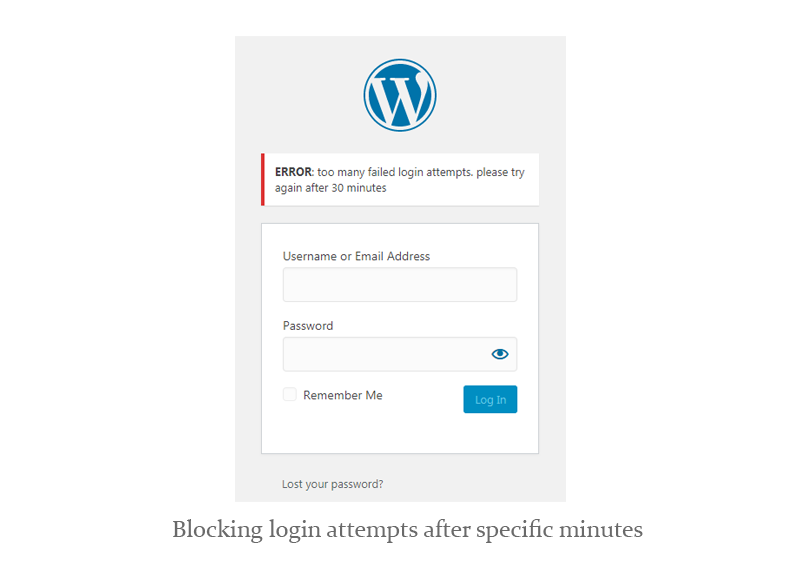
- Configurable lockout timings.
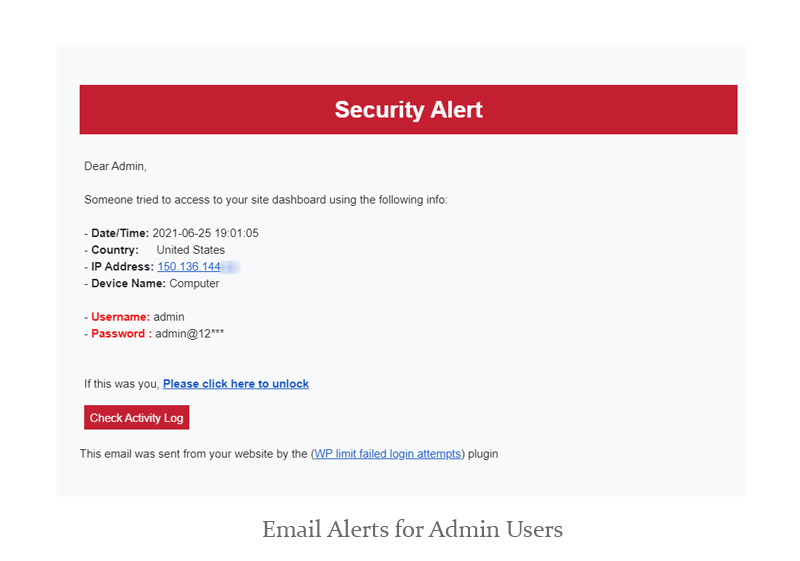
- Email notification of blocked attempts (Detailed email containing all necessary information).
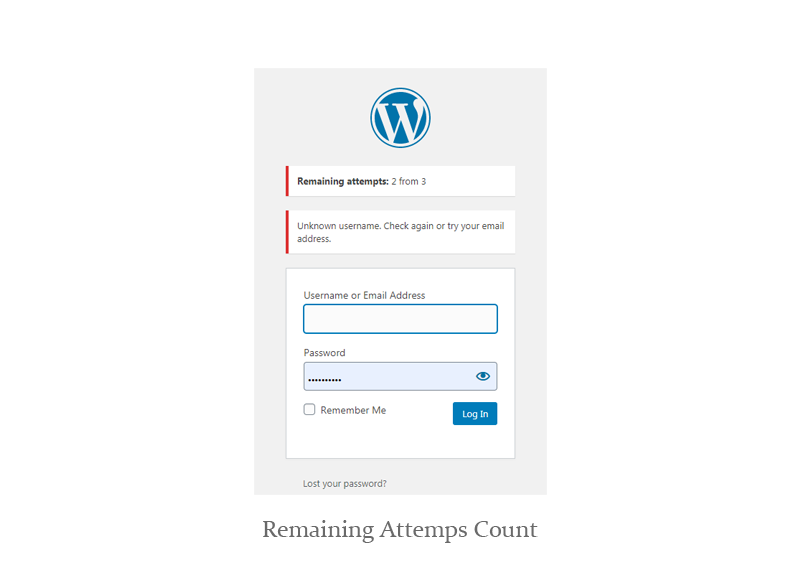
- Notify the user of remaining attempts.
- Report containing all blocked attempts.
- Whitelist/Blocklist of IPs (Support IP ranges).
- Allow/Block Countries.
- Automatically block IP addresses that exceed limit login attempts
- Automatically add IP addresses that exceed blocks limit to the deny list
- Send notifications about blocked retry (Email sent to admins)
- Inform the user about the remaining retries or lockout time on the login page.
- Unlock The Locked users – Easily unlock the locked admin through the email or dashboard.
- Limit the number of retry attempts when logging in per IP.
- Limit the number of attempts to log in using cookies.
- Optional logging and optional email notification.
- Compatible with Google captcha, Captcha Plus & reCaptcha.
- Dashboard gives you an overview of your site’s security.
- Enable or disable the plugin functionality
- Enable to disable email notifications
- Compatible with latest WordPress version
- Woocommerce login page protection.
- Wordfence & Sucuri compatibility.
- GDPR compliant.
Advanced Features (PRO)
- All Basic features included.
- Save the password that was used by the hacker (Save part of the password and hide the last three digits).
- Advanced dashboard gives you an overview of your site’s security (Charts for the most important reports).
- Block attackers by IP, Country, IP range.
- Mobile Application for the admins to follow up the site security (Download APK).
Video Description
Plugin Settings and Reports
Screenshots
📊 Executive Statistics Dashboard with real-time KPI summary cards and 4 Top-10 security intelligence reports.
📋 Failed Attempts Log with instant server-side search, user role badges, local country flags, and relative timestamps.
🔒 Lockout Log featuring live lockout countdown badges (Locked · X mins left / Expired) and one-click AJAX IP unlock.
🌐 IP Blocking & Allowlist manager with IPv4/IPv6 range support, "Use my IP" shortcut, and self-lockout protection.

🌍 Statistics
⚙️ Modern card-based Settings screen with Protection Status, Lockout Rules, Email Alerts, and collapsible Notifications Tray.

📈 WordPress Dashboard Security Widgets for at-a-glance monitoring right upon login.

🛡️ Failed login attempts log

🔒 Lockout log
🛡️ Does this plugin stop XML-RPC and direct POST brute-force attacks?
Yes. Lockouts and IP rules are enforced server-side inside WordPress’s authenticate filter — not just via client-side form scripts. Direct POST floods, XML-RPC brute-force attempts, REST API requests, and WooCommerce login submissions are all blocked before authentication can succeed.
🛑 Why do brute-force bots keep returning from different IP addresses?
Automated botnets rarely rely on a single IP — once one address is locked out, they immediately cycle to another proxy IP or wait out the lockout timer and try again. While retry limits stop rapid guessing per address, eliminating distributed attack waves at the source requires blocking high-risk countries altogether (or restricting login strictly to the countries your team operates from), which is built directly into Limit Login Attempts PRO.
🧯 What if I accidentally block my own IP address?
Multiple safeguards protect you from locking yourself out:
1. Pre-Save Self-Lockout Guard: Before saving a Deny List IP range that includes your current IP, the plugin pauses and asks for explicit confirmation.
2. One-Click Allowlisting: Use “Use my IP” on the IP Blocking screen to add your IP to the Allowlist so it always bypasses lockouts.
3. Cryptographic Email Unlock Link: Lockout and IP-block alerts include a secure, 24-hour expiring unlock/bypass link sent to your admin email address.
☁️ Does it work behind Cloudflare, CDNs, or reverse proxies?
Yes. To prevent attackers from spoofing X-Forwarded-For headers to evade lockouts, the plugin reads REMOTE_ADDR by default. If your site runs behind Cloudflare, Nginx, or a trusted load balancer, you can hook into the wpb_get_ip filter to pass your verified client IP safely.
🌐 Are IPv6 addresses and modern MySQL 8+ servers supported?
Yes. All database IP columns use IPv6-ready VARCHAR(45) fields with composite indexes, IP range checks use binary inet_pton() comparison for exact IPv4 and IPv6 matching, and all reporting queries are fully compatible with MySQL ONLY_FULL_GROUP_BY strict mode.
🔒 How are unlock links and admin actions secured?
Unlock and emergency bypass links are generated using cryptographically secure random bytes (random_bytes()), stored strictly as SHA-256 hashes (never plain text), and verified with timing-safe hash_equals(). Every admin AJAX endpoint, log clear action, and rule deletion enforces manage_options capability checks, CSRF nonces, and prepared SQL queries.
🌍 Is the plugin privacy-friendly and GDPR-compliant?
Yes. It loads no third-party tracking scripts, serves all country flags locally from your server, restricts all logs and dashboard widgets to site administrators (manage_options), and never stores failed login passwords in the free edition.
🔄 Are my settings and logs preserved if I later move to the PRO edition?
Yes. You never have to rebuild your rules or worry about plugin conflicts when your site outgrows IP-only protection. Both editions share the same database schema and handle mutual deactivation automatically, carrying every existing setting, IP rule, and historical log straight into Limit Login Attempts (Spam Protection) PRO with zero downtime.
ChangeLog
5.8
- 🛡️ Security: Upgraded unlock and emergency bypass tokens to store SHA-256 hashes exclusively (in
WPLFLA_log_block_ip and 24-hour expiring transients) with timing-safe hash_equals() verification, plus an automatic one-time migration (WPLFLA_migrate_unlock_tokens) that purges legacy plain-text tokens.
- 🛡️ Security: Restricted all 4 WordPress Dashboard security widgets to administrators (
manage_options) so attacker IPs and targeted usernames are never exposed to non-admin roles.
- 🛡️ Security: Ensured explicit IP and country deny lists remain strictly enforced at both
login_init and the authenticate filter even when retry lockouts are paused, while allowlisted IPs cleanly bypass attempt counting and lockouts.
- 🛡️ Security: Added automatic skipping of private/reserved IP ranges during GeoIP lookups and avoided external lookups whenever no country rules exist.
- ✨ New Feature: Completely redesigned the admin experience with a modern, native, RTL-ready WordPress card UI — featuring a branded header with live Protection Active / Lockouts Paused badge, unified tabbed navigation, card-based Settings with unit suffixes, and a collapsible third-party Notifications Tray.
- ✨ New Feature: Added real-time At-a-Glance Security KPI Cards (Failed Attempts, Lockouts, Attacking IPs, Last Attempt) above the Statistics reports, plus proportional magnitude bars, user role badges, and relative timestamps with full-date tooltips.
- ✨ New Feature: Added One-Click AJAX IP Unlock, live lockout countdown badges (
Locked · X mins left / Expired), and pre-filtered ?ip= deep-linking directly in the Lockout Log.
- ✨ New Feature: Added Self-Lockout Prevention Guard when adding a Deny List IP range covering your current IP, one-click “Use my IP” allowlist button with live
Allowlisted badge, and optional “End IP” for effortless single-IP entry.
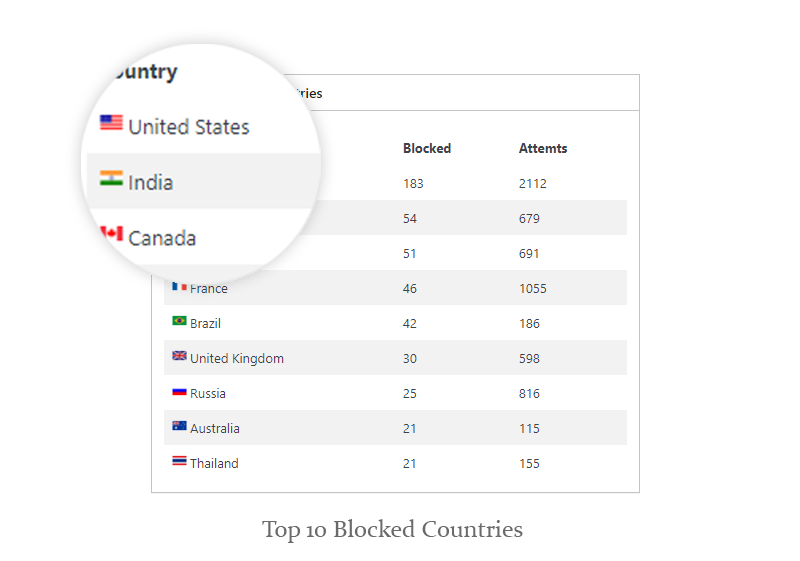
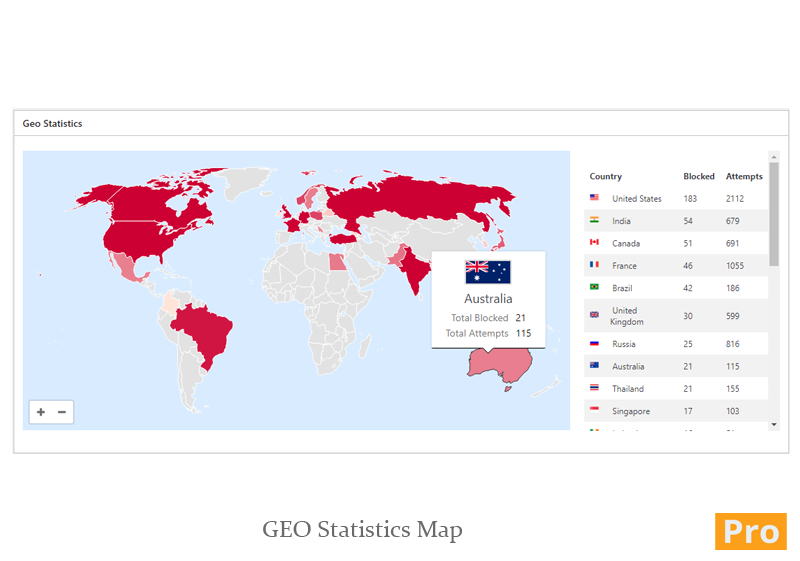
- ✨ New Feature: Added “Where attacks on your site come from” live country breakdown and transparent management/removal for any active PRO country rules.
- ✨ New Feature: Added accessible native
<dialog> confirmation modals, live button progress states (Saving…, Unlocking…, Clearing…), smart DataTables empty states, and automatic removable_query_args URL cleanup to prevent repeat actions on page refresh.
- ✨ New Feature: Added automatic Free/PRO mutual deactivation with an informative admin notice (including WordPress Multisite support) to ensure conflict-free edition switching.
- ⚡ Enhancement: Replaced login-page jQuery dependency with lightweight vanilla JavaScript and clean RTL-ready notices using logical CSS properties and ARIA alert/status roles.
- 🔧 Bug Fix: Fixed partial settings save feedback when individual fields fail validation, preserved case-sensitive active tab slug detection, and improved error messages for expired AJAX sessions and network failures.
5.7
- Security: Enforced server-side login lockout via the
authenticate filter (prevents direct POST, XML-RPC, and REST API bypasses).
- Security: Replaced predictable
md5(id) unlock links with cryptographically random 64-character unlock_token values and hash_equals() verification.
- Security: Removed unauthenticated
wp_ajax_nopriv_* handlers from admin endpoints and enforced capability (manage_options) and nonce (check_ajax_referer / check_admin_referer) checks across logs, IP range management, and clear/delete actions.
- Security: Migrated remaining SQL queries to
$wpdb->prepare(), whitelisted sortable columns, escaped dynamic HTML/email outputs, and added exit; after wp_redirect().
- Security: Prevented IP spoofing via untrusted proxy headers in GeoIP lookups and stopped storing masked passwords in the free lockout log.
- Bug Fix: Fixed self-deactivation bug during plugin activation in
failed.php, fixed plugin_row_meta and Settings action link URLs, and fixed wrong table count query in Lockout Log.
- Bug Fix: Fixed immediate lockout and email notification on reaching max allowed retries, fixed remaining attempts calculation, and resolved undefined variables/methods in
menu.php and login.php.
- Bug Fix: Fixed DataTables default sorting across translated sites, fixed settings sanitization/validation in
setting.php, fixed admin CSS enqueueing on all plugin pages, and closed unclosed HTML container in countries.php.
- Enhancement: Added full IPv6 support (
varchar(45) columns and inet_pton() range matching), database indexes for faster lookups, GeoIP transient caching, and MySQL ONLY_FULL_GROUP_BY compatibility in dashboard widgets.
5.6
Security Bug fixing – part 2
5.5
Security Bug fixing
5.4
Security Bug fixing
5.3
Bug fixing in log report
5.2
Checking with wordpress version 6.2
5.1
- Bug fixing in lockout (locked accounts) report (security issiu reported by WPScan)
4.9.1
- Bug fixing in log report (security issiu reported by WPScan) – part 3
4.9
- Bug fixing in log report (security issiu reported by WPScan) – part 2
4.8
- Bug fixing in log report (security issiu reported by WPScan)
4.7
- Bug fixing in dashboard & email reports
4.6
- Bug fixing – Use local flags instead of using third party website
4.5
- Bug fixing – Remote get issue
4.4
- Bug fixing – PHP notice message
4.3
- Bug fixing in login attempts counter
4.2
- Bug fixing in email alerts
4.1
- Bug fixing in email alerts
4.1
- Adding statistics page & new statistics widgets
- Adding a new feature: Block by IP and Range IP
- Bug fixing and enhancements
2.8
2.7
- Compatibility with SMPT plugins
2.6
- bug fixing in attempts count
- bug fixing in email alerts
2.5
- Bug fixing in a timezone
- Bug fixing in the lockout timer
2.4
- Bug fixing in recording attempts
2.3
- Bug fixing in the email alerts
2.2
- improvements in reports
- improvements in dashboard widgets
2.1
- hot fixes in the wp-buy cp page
1.9
1.8
- Add one starting page for all of our plugins
- Add links to dismiss the new start page links
1.7
- Adding new feature (IP blocking)
- Adding new feature (search by IP, country, username)
- Adding new feature (show username and password in the log reports)
1.6
- Bug fixing – PHP Notice -> Undefined index
1.5
- Adding username and user role to the log
- Adding search by username, IP, role, country
1.4
- Email template improvements
1.3
- Display GEO location in detail for any blocked IP address
1.2
- Bug fixing in the user permissions
- adding “Vote” message
1.1
1.0
