

Create great looking documentation for your products.
| Author: | weDevs (profile at wordpress.org) |
| WordPress version required: | 5.6 |
| WordPress version tested: | 6.5 |
| Plugin version: | 2.1.5 |
| Added to WordPress repository: | 03-03-2016 |
| Last updated: | 05-04-2024 |
| Rating, %: | 94 |
| Rated by: | 64 |
| Plugin URI: | https://wedocs.co/ |
| Total downloads: | 120 809 |
| Active installs: | 6 000+ |
 Click to start download |
|
The best WordPress documentation plugin, weDocs, lets you manage a product’s knowledgebase, documentation, and wiki in a few minutes. Check out now!
Struggling to manage your product’s knowledge base? Or are you looking to produce elegant and resourceful documentation for your WordPress plugins and themes?
It is difficult to manually maintain and create wikis, guidelines, documentation, and product knowledge bases. Having an aligned knowledge base is crucial, especially for online service-based products and WordPress plugins and themes. It facilitates users’ exploration, education, and product knowledge.
???? ???? ✨ ???? ???? ???? ⭐ Upgrade to weDocs Pro now and supercharge your documentation experience! ???? ???? ✨ ???? ???? ???? ⭐
Well, weDocs got you covered. You can now do all of these tasks smartly and efficiently in minutes. It’s the best knowledge base and documentation plugin for WordPress. Create great-looking documentation and organize it beautifully on your website.
Why is weDocs the best in business?
Apart from creating a knowledgebase for your products, weDocs gives you role-based permission management options, a central dashboard to manage documents, migration options to transfer data, pre-built design templates for your documentation page, and more.
????Introducing the Next Gen of weDocs – The Ultimate WordPress Documentation Plugin
What users say about weDocs
Let’s check out what Mr. Web shared about weDocs
???? “Really love the system for adding posts. Wish all of WP had this kind of editor. The doc features are just enough, and it’s a good starting point to develop with.” – jdh1178
???? “I have tried different Docs plugins for WordPress. This is simply the best. Pros: 1. Easy to use 2. Light-weight. This is extremely important. Some search engines will put limit on the page size. I used other Docs plugins, which add heavy codes to each page. The result is a huge penalty on the website ranking. 3. Multiple docs support.” – dhunter2023
???? “We are very happy with the plugin so far. Here, many corners and edges were thought of as extensible. That is super.” – Pixelbart
???? “The plugin is very easy to use. It makes creating the documentation quite easy. It also displays them with a reasonable appearance. The documentation is also very straightforward. It also does not bother you with rate us notifications. I highly recommend it.” – turzifer
???? “This documentation system is just perfect for my needs. It can be understood quickly (by the developer), it is for multiple products, and for each, I can write articles and sub-articles. All is correctly placed into the URL by Slugs. I’d just desire a bit more configuration—some visual design. But I can do this with CSS, and out-of-the-box this plugin is doing its task perfectly. I can even write articles using Elementor, and it displays fine. Also, a search box would be nice to have. Thank you!” – mice777
???? “In one word: amazing. This plugin does what it says. I encountered no problems and found it extremely easy to work with. I recommend this to anyone who wants to set up solid product documentation.” – Drazen Bebic
???? ???? ✨ ???? ???? ???? ⭐ Upgrade to weDocs Pro now and supercharge your documentation experience! ???? ???? ✨ ???? ???? ???? ⭐
????weDocs top features at a glance
???? Top Free Features:
-
User-friendly design for easy knowledge base creation and management.
-
Simplified document creation and organization with drag-and-drop functionality.
-
Three-level nested document structure for better organization of sections and articles.
-
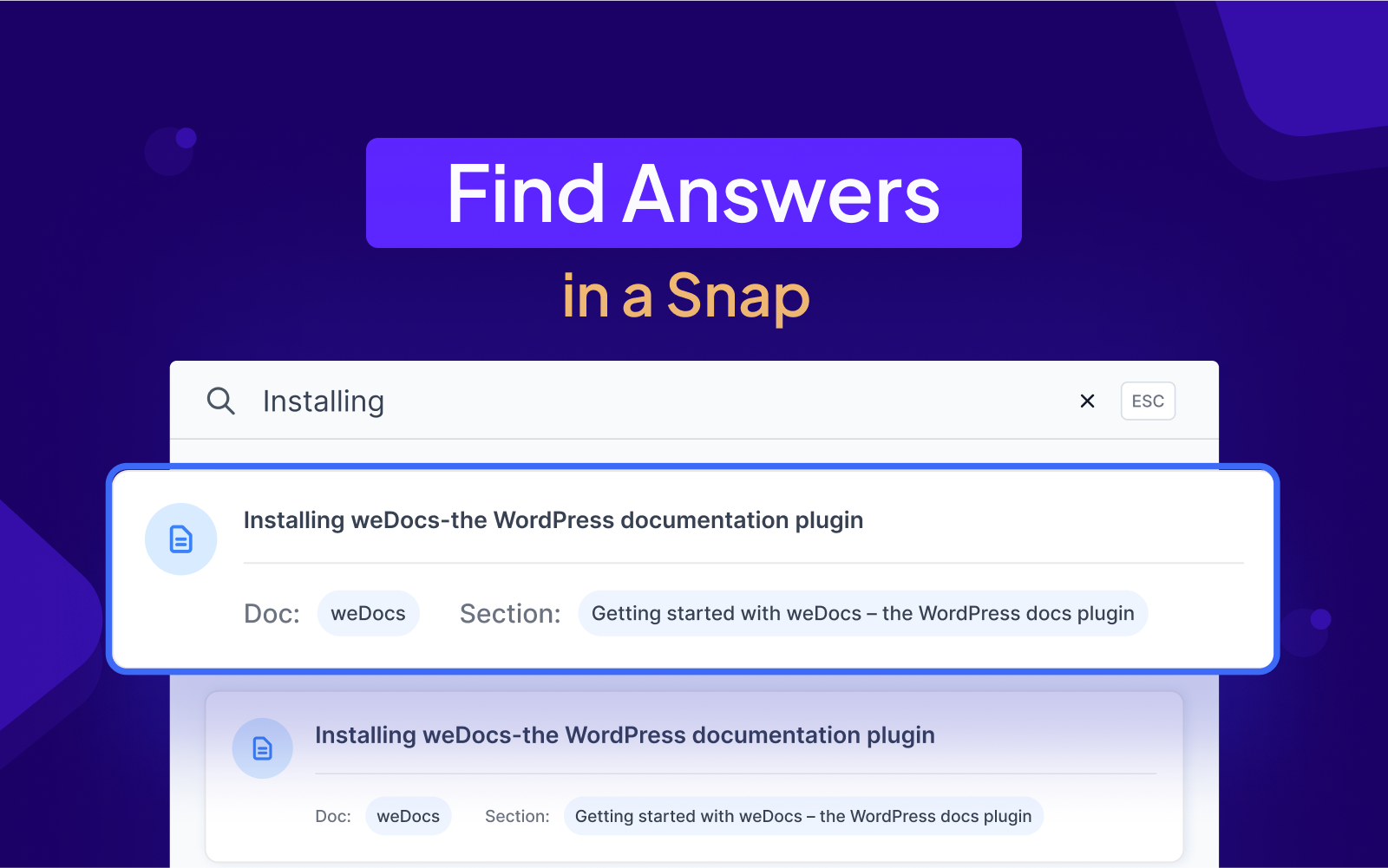
Instant access to relevant information through a robust search feature.
-
Each document includes a feedback form, and articles can be voted on for helpfulness.
-
Seamless migration of data from the BetterDocs knowledge base plugin.
-
Multilingual support using the Weglot plugin for documentation in multiple languages.
-
Optimized search features, ensuring better visibility and reach.
-
Adaptable responsive design for a great UX across devices.
???? Top Premium Features:
-
Role-based permission management.
-
Define privacy settings for each document.
-
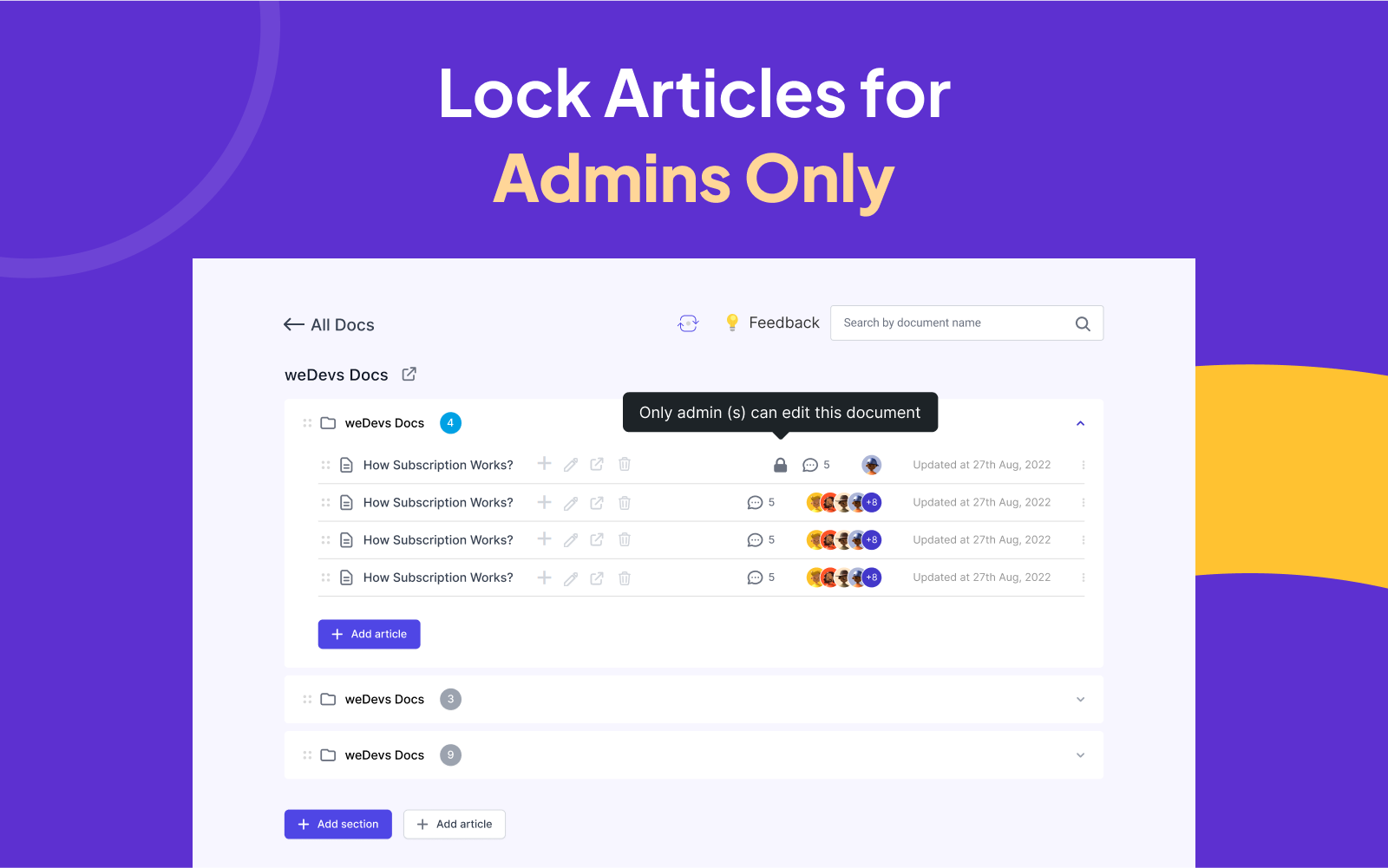
Locked articles editing for admins.
-
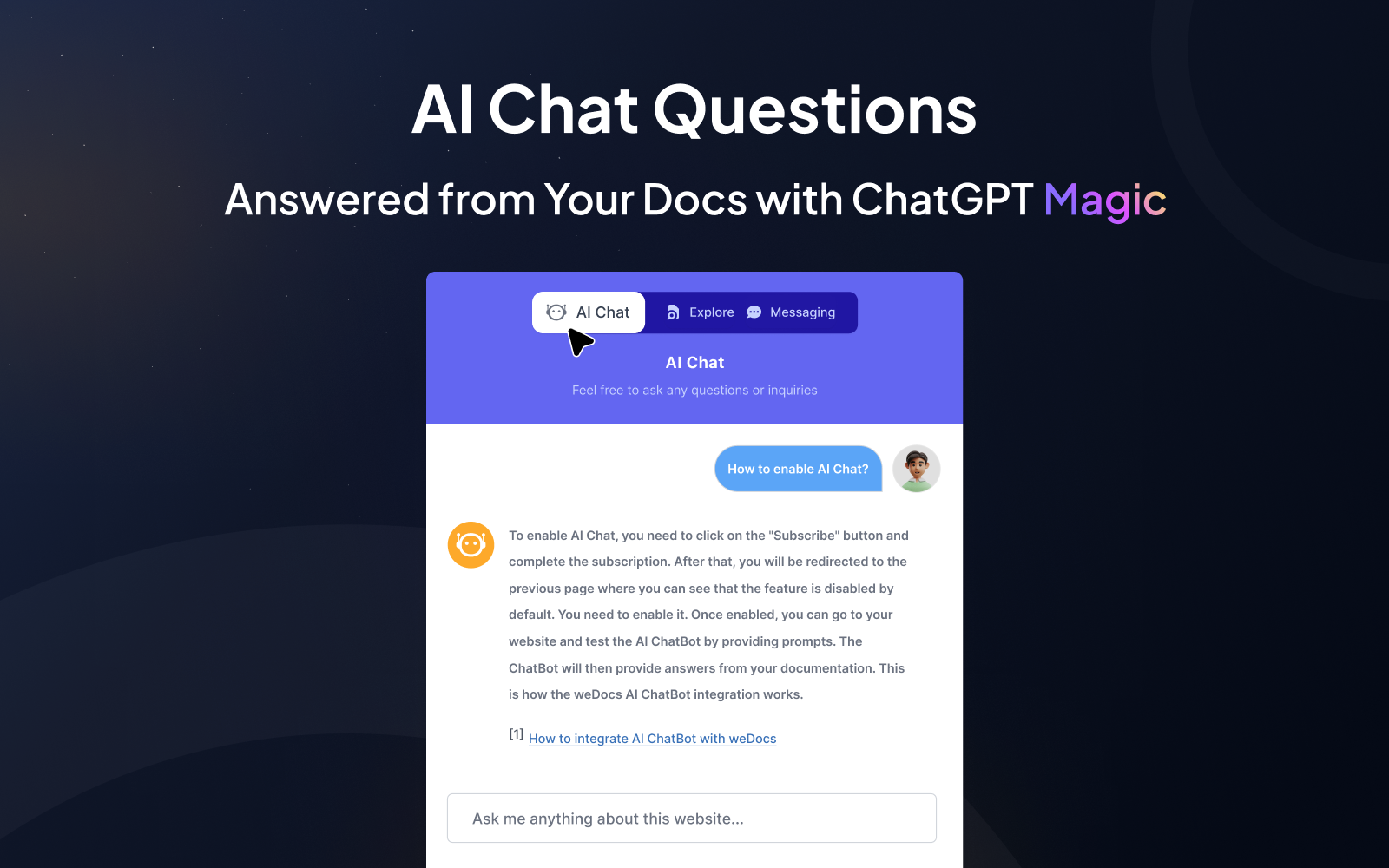
AI-assisted chat response powered with ChatGPT.
-
Smart article suggestions.
-
Instant search with Assistant Widget.
-
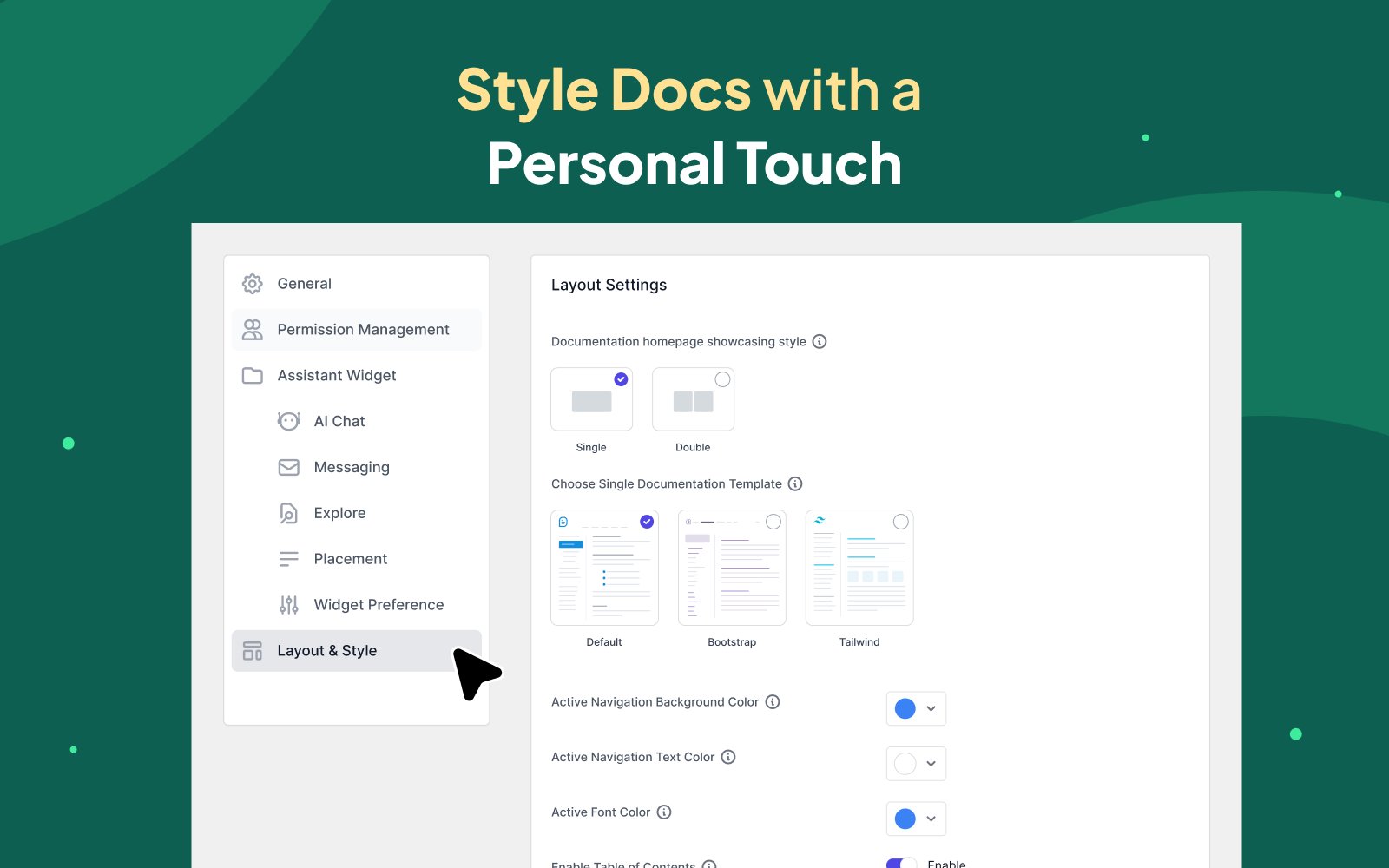
Pre-built layouts and styles.
-
Floating contact form in the Assistant Widget.
???? ???? ✨ ???? ???? ???? ⭐ Upgrade to weDocs Pro now and supercharge your documentation experience! ???? ???? ✨ ???? ???? ???? ⭐
???? Top Free Features
???? User-friendly interface
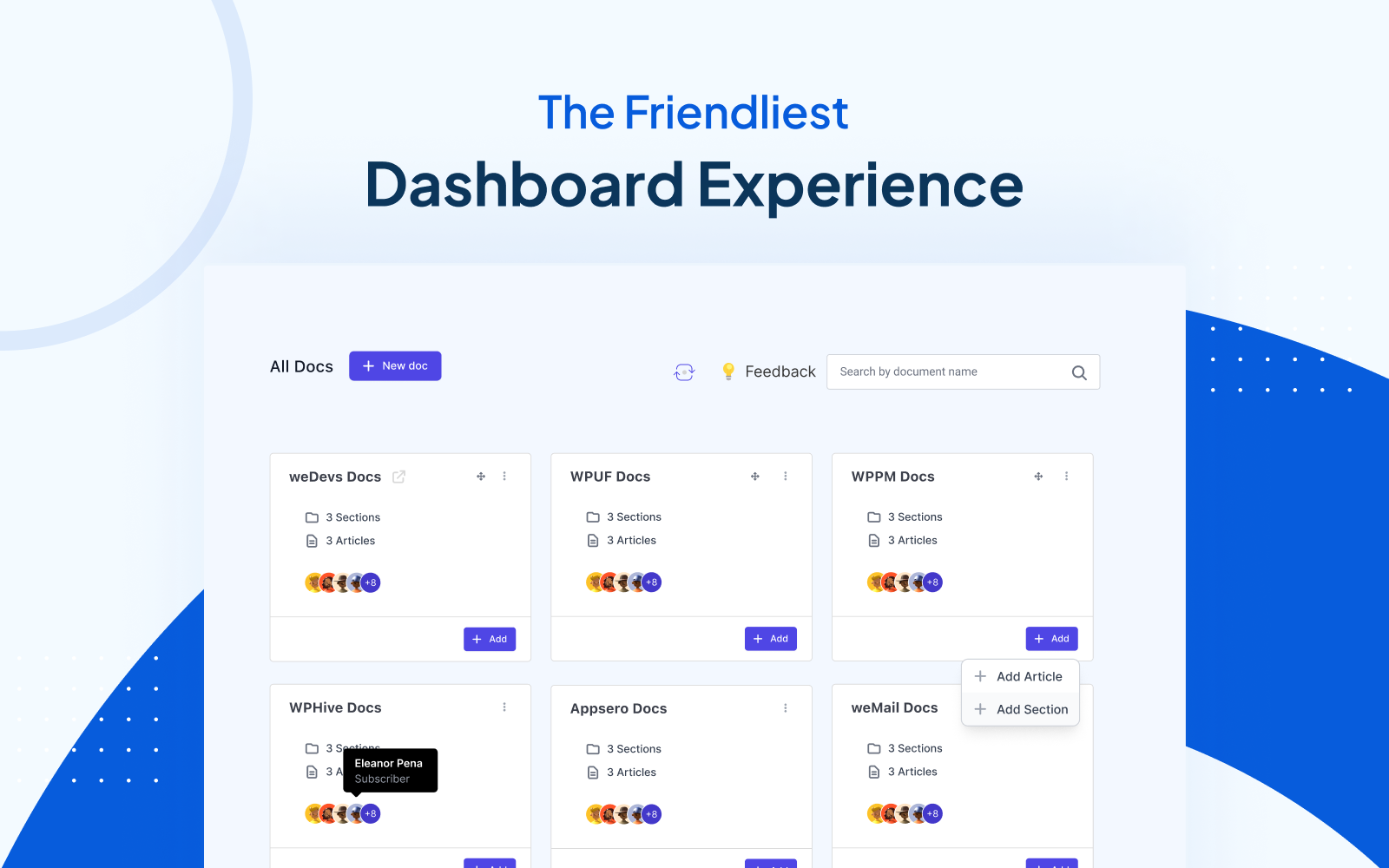
weDocs has an intuitive and user-friendly interface to let you create and manage your knowledge base, even if you’re not tech-savvy. Also, you can re-arrange your preferred documentation depending on the importance of the content. Just use the simple drag-and-drop method and get your job done.
???? Easy documentation creation and organization
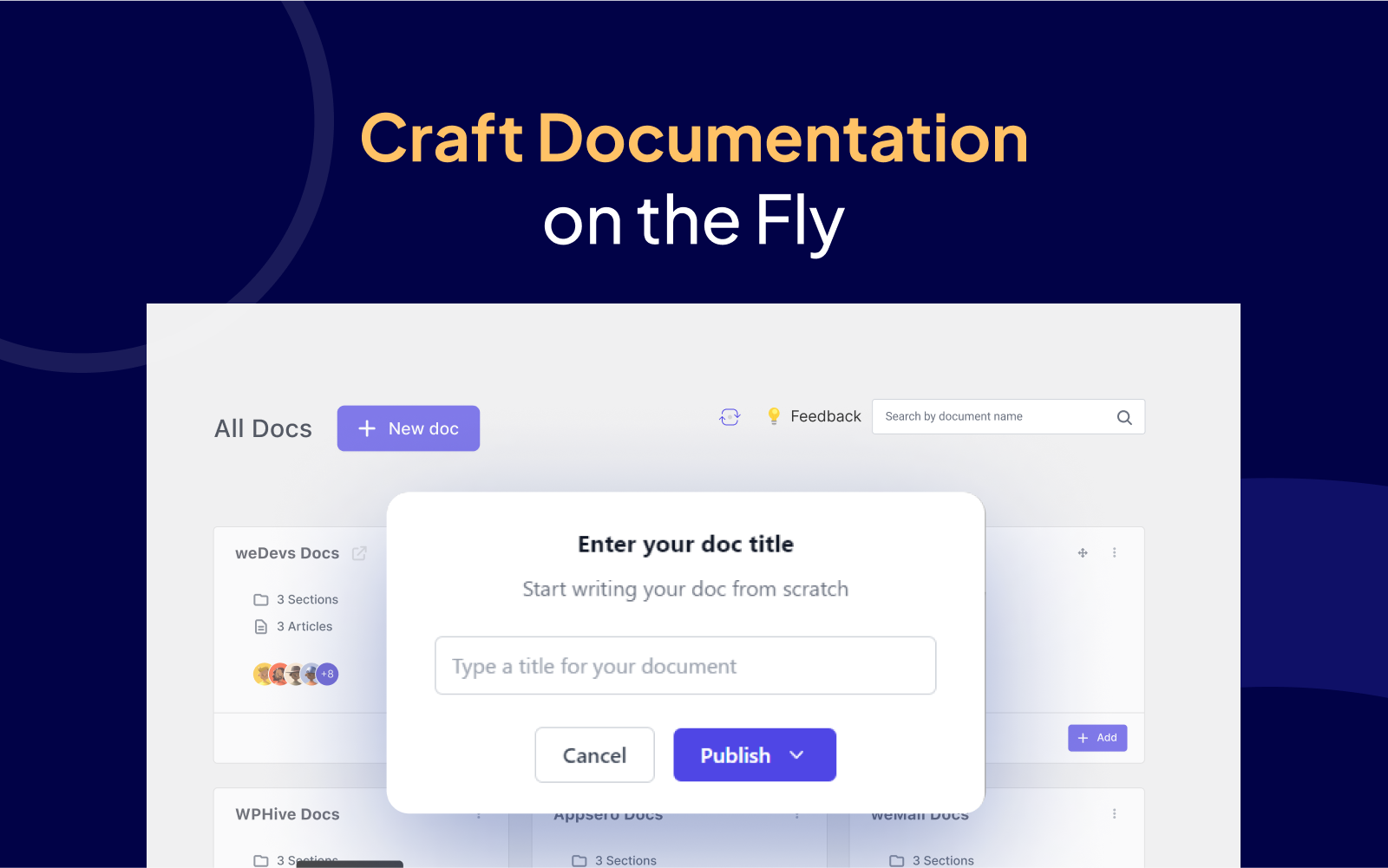
Create and organize unlimited docs with ease using weDocs. Easily convert a published doc to a drafted one and vice versa from the dashboard. weDocs user-friendly drag-and-drop feature allows you to sort and organize documents without any hassle.
???? Nested documentation structure
To better organize your documents, use the three-level nested documentation structure. Categorize your documentation into sections and articles, ensuring your users can swiftly locate the answers they seek.
???? Powerful search option
weDocs provides powerful search functionality for instant access to relevant information. Users can easily search for the required document using the search bar on the website. Alongwith this there is quick search on single documentation pages to find specific sections or articles within a doc.
????️ Feedback form and helpful voting
Each document includes a feedback form, allowing users to provide valuable insights, suggestions, or report issues directly. Enhance user engagement further with the “Helpful” voting system on articles. Users can vote on the helpfulness of an article, providing instant feedback to guide others to valuable content and helping the article to rank in Assistant Widget’s explore tab.
⚧️ Betterdocs migration feature
If you’re using BetterDocs knowledge base plugin for your WordPress site, you can easily migrate all your data from there to weDocs. You just need to follow some easy steps to complete the entire migration.
???? Compatible with WordPress language plugins
weDocs supports multilingual documentation using the Weglot plugin. You can create documentation in multiple languages to cater to a diverse audience. It supports almost 100+ different languages.
???????? SEO Optimization
weDocs is optimized for search engines to ensure better visibility and reach. Users can easily find the documentation using search engines, improving the overall SERP result.
???? Responsive design with a great UX and UI experience
weDocs ensures your knowledgebase adapts flawlessly to all screen sizes, ensuring a compatible and satisfying experience across devices.
????Premium Features
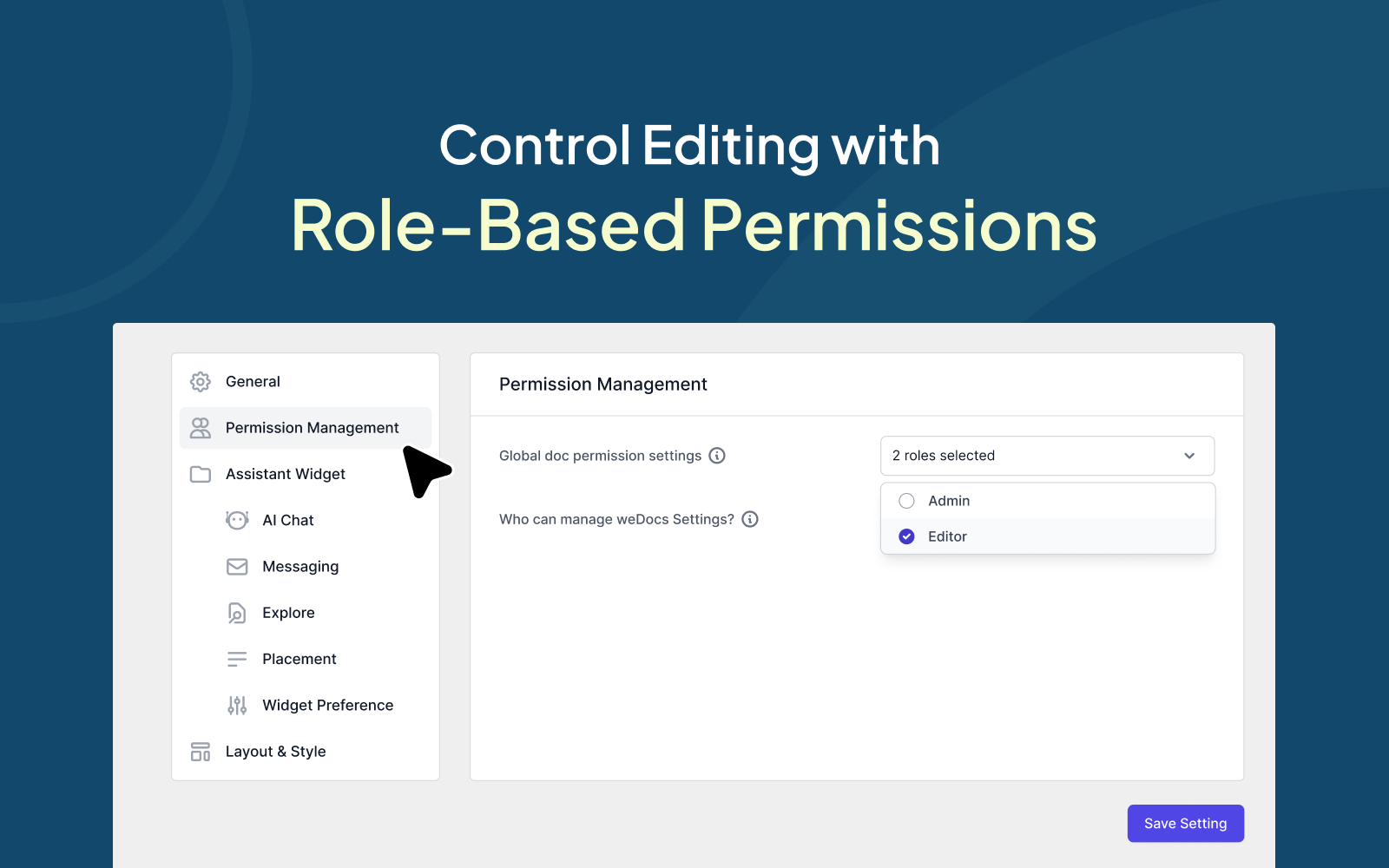
???? Role-based permission management
Tailor access control with precision. Grant edit & view permissions based on user roles, defining who can modify docs for a finely tuned collaborative environment. Contributors in each document is displayed by showing their user icons, enabling seamless tracking and identification of document editors. Through global permission management define default editing access for the users.
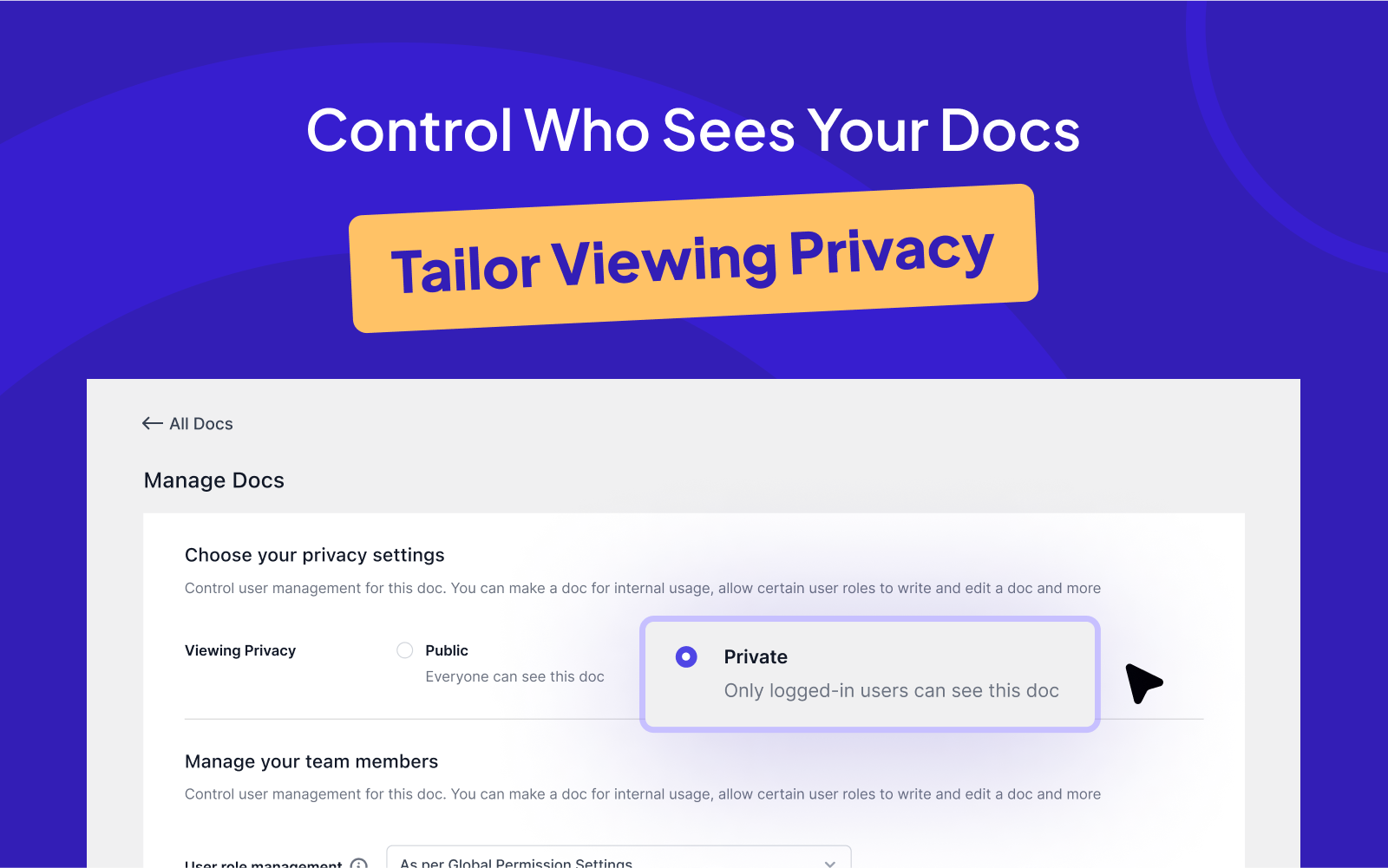
????️ Viewing privacy
Tailor view accessibility by defining privacy settings for each document. Choose between limiting document visibility to logged-in users or enabling it to everyone.
???? Locked articles editing
Admins can secure specific articles, ensuring exclusive editing access for themselves.
???? An AI-assisted chatbot with ChatGPT
Experience the magic of weDocs AI Chat, powered by ChatGPT. This feature unlocks a smarter, more intuitive ChatBot, leveraging ChatGPT’s advanced AI with document-backed responses, quick understanding of queries, and fast, accurate answers. Enhance customer support with 24/7 availability, reduced workload on routine queries, and continuous learning for improved responses over time.
???? ???? ✨ ???? ???? ???? ⭐ Upgrade to weDocs Pro now and supercharge your documentation experience! ???? ???? ✨ ???? ???? ???? ⭐
???? Smart articlee suggestions
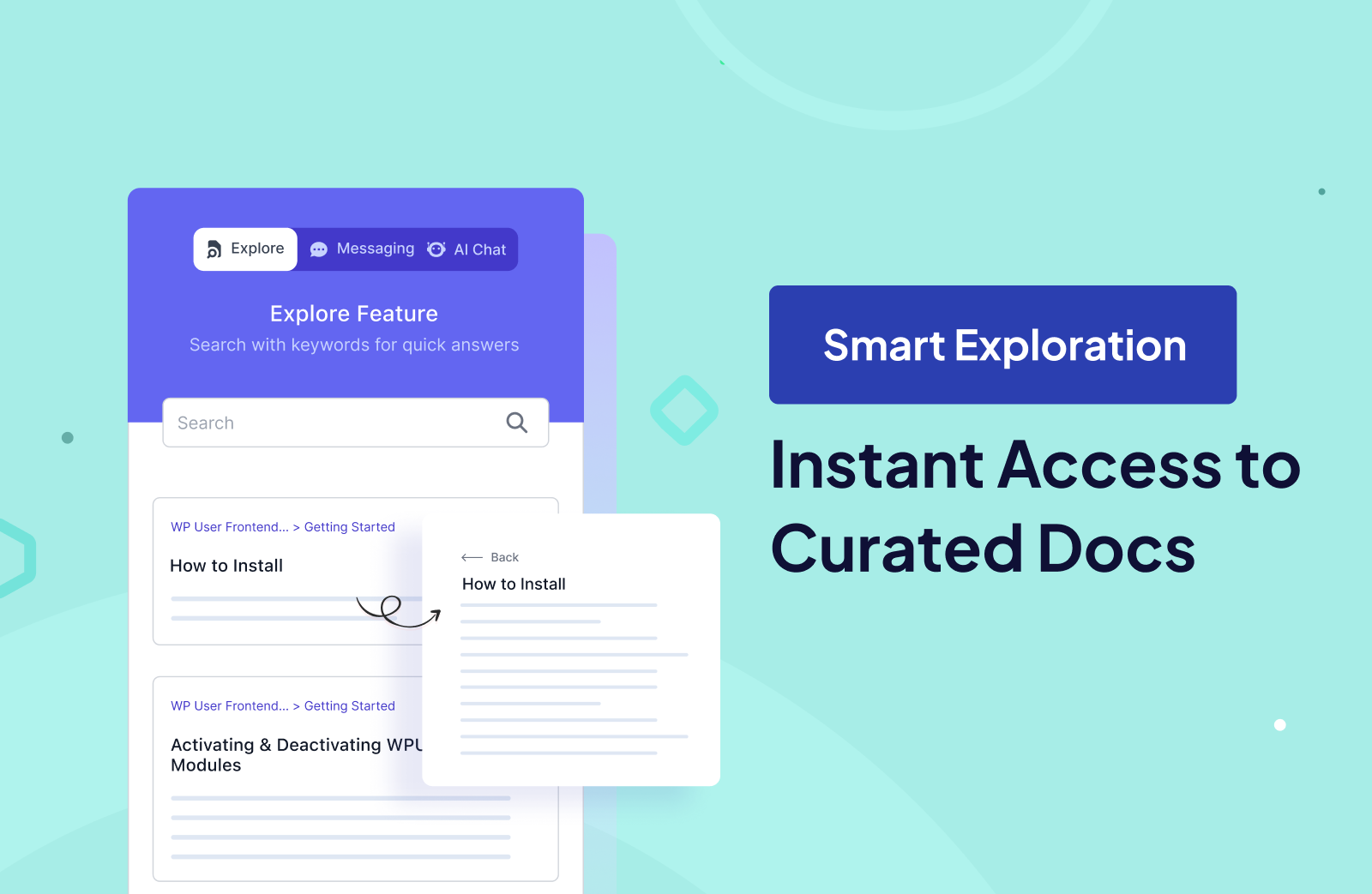
Give instant access to the most relevant articles on the Assistant Widget’s Explore Tab. weDocs combines manual curation and analytics to bring you the most helpful content, making your experience seamless and efficient.
???? Instant search with the assistant widget
Assist users in finding solutions promptly with our robust search feature, which promptly delivers relevant articles based on their inquiries.
????️ Pre-built layouts and styles
Tailor the appearance of your knowledge base to your website’s identity through customizable themes and styling options.
✍️ Floating contact form
weDocs provides a floating contact form as a part of the Assistant Widget to provide a convenient way for users to reach out to you. Users can easily contact you via email without navigating away from the documentation.
Screenshots
FAQ
ChangeLog