Comprehensive WordPress access control for dashboard, admin bar, pages, and post types with role-based permissions.
WD Restrictions provides fine-grained control over who can access different areas of your WordPress site. Perfect for membership sites, client portals, and any site requiring access restrictions.
Will this affect administrators?
By default, administrators have full access to everything. You can customize this in the settings.
Can I restrict multiple pages at once?
Yes! Select multiple pages in the Pages tab.
What happens if a user tries to access a restricted area?
They will be redirected to the URL you specify (defaults to homepage). You can also redirect to the login page or any custom URL.
Can I use different redirect URLs for different restrictions?
Yes! Each restriction type (dashboard, pages, post types) can have its own redirect URL.
Does this work with custom post types?
Absolutely! Any public post type will appear in the Post Types tab.
Is this compatible with caching plugins?
The plugin sends no-store/private headers and cache-prevention signals for WP Rocket, W3 Total Cache, WP Super Cache, and LiteSpeed Cache. While content restrictions are active, these signals cover frontend and REST responses because listings and widgets can vary by role. WP Rocket receives a site-wide cache exclusion. This favors access safety over full-page cache performance.
An upstream cache can serve a response before WordPress runs. Configure server/CDN exclusions for protected content, REST endpoints, feeds, search, and other dynamic listings; when in doubt, exclude the whole site. Purge all existing page/server/CDN caches whenever rules, roles, or the login page change. These signals do not establish compatibility with every cache configuration.
What do the access modes mean?
Everyone allows public access. Any logged-in user requires authentication without a role restriction. Selected roles requires authentication and at least one matching role; an empty selection denies everyone. Administrators have no automatic read-access bypass. When both a page rule and a post-type rule apply, both must allow access. Core editing capabilities still govern administrative editing and authorized REST edit context.
Older rules with selected roles now consistently require login, even if Require Login was previously unchecked. Older rules without selected roles use the previous login requirement. Review the displayed access mode before saving.
Are child pages included automatically?
Enable Include child pages to protect all descendants of each selected page, including pages created or moved underneath it later. Existing installations keep this option off until enabled. The configured valid custom login page remains public, including when it is a descendant of a restricted page.
Which content delivery paths are protected?
Direct page/post views use the configured redirect. Public WordPress post queries, search results, archives, feeds, and core REST collections omit content the visitor cannot read before pagination and totals are calculated. Core REST single-item requests return an access error. Related comments and core oEmbed responses are also checked. Public listings show permitted content rather than redirecting based on their first result.
Direct uploads/download URLs, third-party endpoints that bypass standard WordPress queries/controllers, and custom code reading the database directly need their own protection. Administrative screens, cron, and WP-CLI retain their normal behavior. This plugin does not turn public uploads into private file storage.
How do I set up a custom login page?
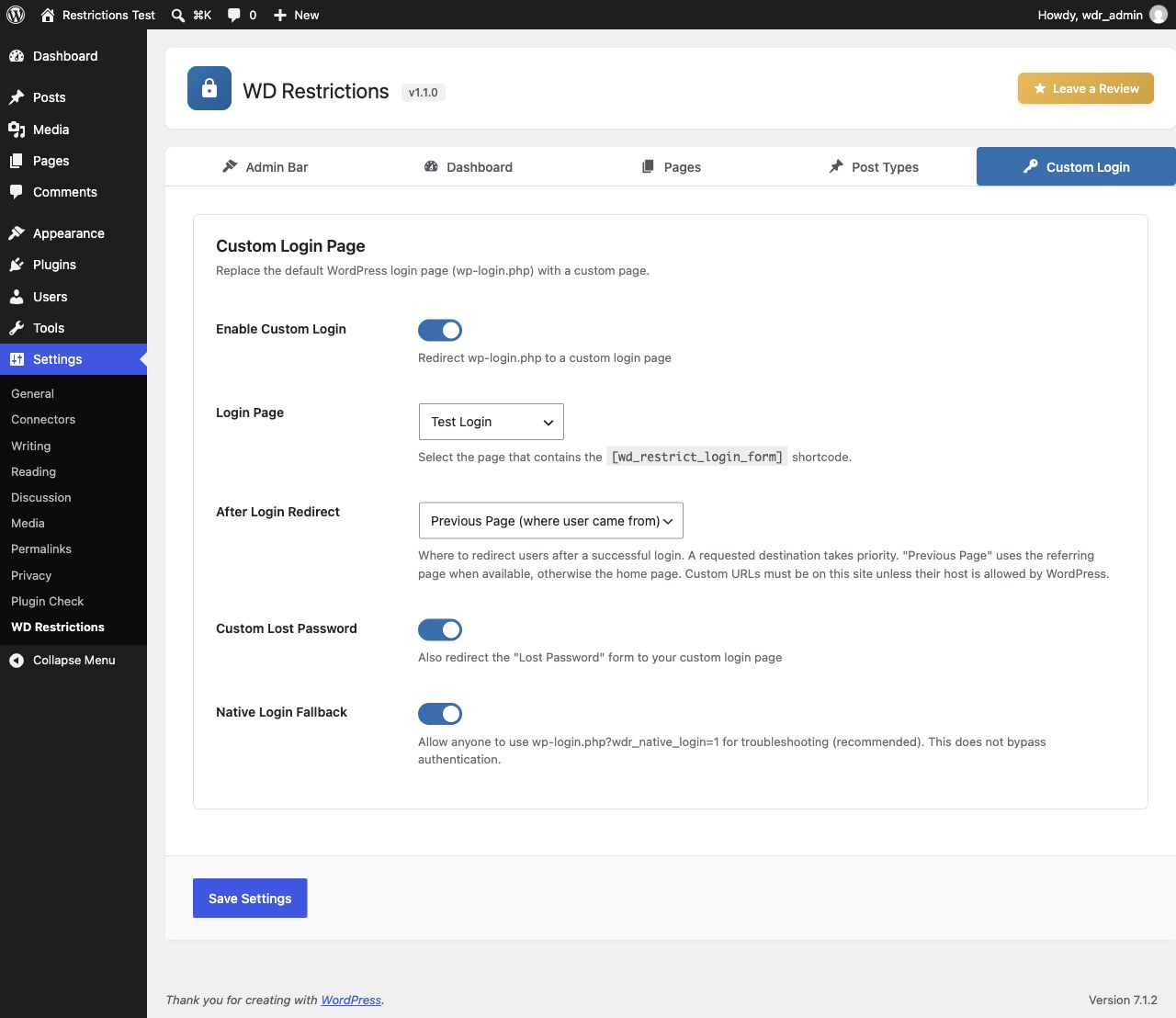
Create and publish a page containing [wd_restrict_login_form]. In Settings > WD Restrictions > Custom Login, select that page and enable custom login. Existing installations keep this feature disabled until configured. The page must not be password protected.
What happens after submitting a custom form?
Forms submit to WordPress’s native login endpoint. Errors, password-reset confirmation, reset links, recovery mode, and reauthentication use the native WordPress screens. The custom page exposes login_form and lostpassword_form hooks. Some security plugins require scripts or additional UI from the native screen; use the native fallback when needed. Compatibility with every CAPTCHA or two-factor plugin is not guaranteed.
How can I recover access?
Keep Native Login Fallback enabled and visit wp-login.php?wdr_native_login=1. This is available while logged out and still requires valid credentials. If necessary, add define( ‘WD_RESTRICT_DISABLE_LOGIN’, true ); to wp-config.php to disable all custom login behavior. This does not disable other access restrictions.
How does Previous Page work?
An explicit redirect_to destination takes priority. Otherwise Previous Page uses a local referring page when available, falling back to home. Login screens are excluded. Custom redirect URLs must be local unless their host is allowed by WordPress’s allowed_redirect_hosts filter.
Can the login page be cached?
Exclude it from full-page caches and CDN caches. The plugin sends no-cache headers and signals supported cache plugins, but a cache serving an existing response before WordPress runs must be configured separately. Purge caches after changing the login page.