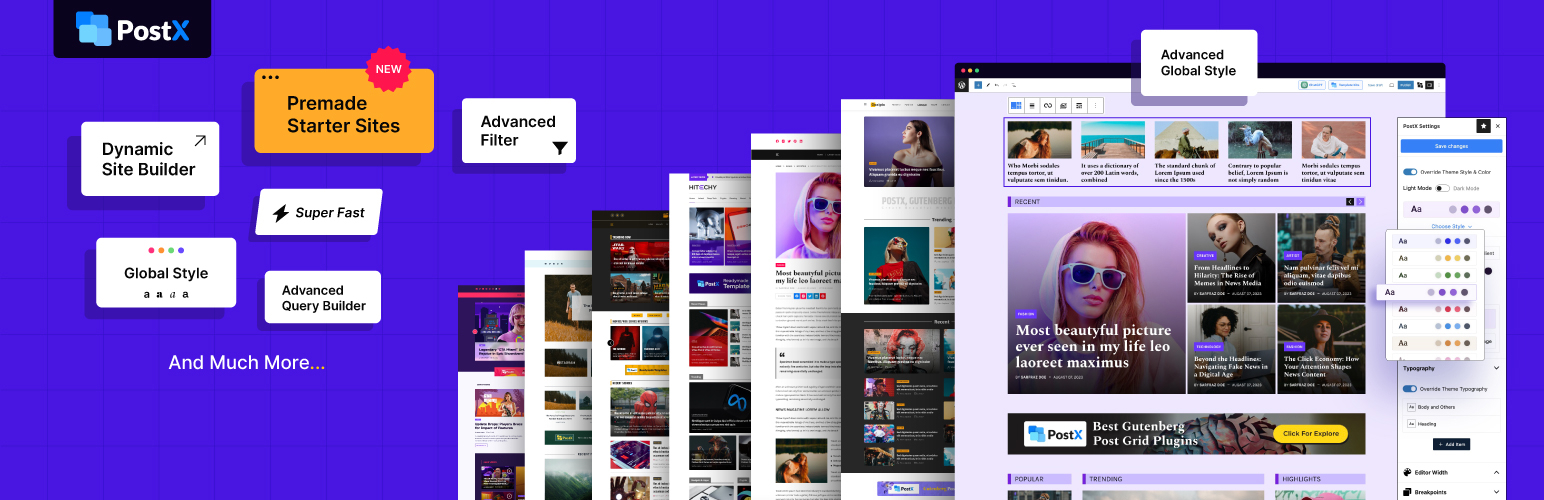
???? The #1 WordPress news, magazine, and blogging solution
???? Highest post grid layout variations with enhanced customization
???? A plugin by WPXPO, that empowers 65K+ businesses!
???? Dedicated support team with 4.9/5 customer satisfaction on Trustpilot
Create modern news, magazine, and blog websites with advanced Gutenberg blocks, ready-made site templates, dynamic grid layouts, and advanced post filtering – all without coding.
Key Features of PostX
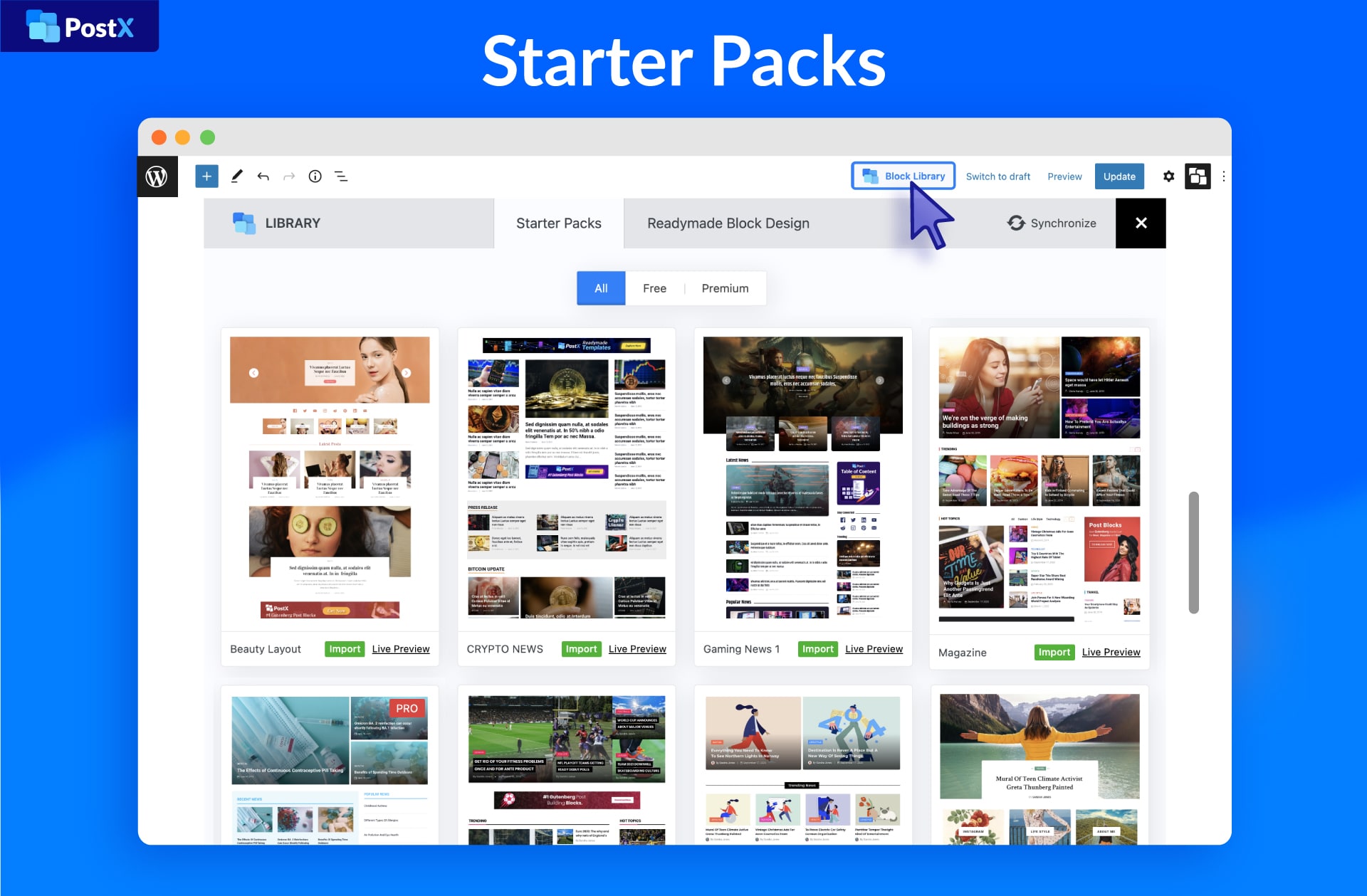
Ready-to-import starter sites to launch full blog websites in minutes.
45+ advanced Gutenberg blocks for creating dynamic, content-rich layouts.
250+ ready-made pattern designs to speed up page creation.
Site builder to create custom templates for posts, categories, tags, authors, etc.
Query builder to display posts by category, tag, author, custom taxonomy, or custom logic.
Advanced post filtering, search, and pagination with Ajax for seamless browsing.
Dynamic content support to pull data from custom fields, post meta, and custom post types.
Global style settings to control colors, typography, and more across the entire site.
Multi-column layouts and templates to create custom headers, footers, and mega menus.
Advanced blogging tools such as table of contents, frontend post submission, and more.
Built-in AI (ChatGPT) and SEO plugins integration for content creation
Seamless integration with popular page builders such as Elementor, Divi, etc.
Use custom fonts, dark mode, and more design options
Mobile device responsive design & multi-language support
Performance optimized codebase
Starter Sites – Build Any Blog Website in 3 Steps!
Launch a fully designed blog website in minutes. With PostX starter sites, you can select a premade site template, customize it to match your brand, and go live – no need to spend hours manually creating every page!
✅ News Websites
✅ Magazine Websites
✅ Sports News Websites
✅ Tech News Websites
✅ Gaming News Websites
✅ Crypto News Websites
✅ Movie News Websites
✅ Travel Blog Websites
✅ Personal Blog Websites
✅ Food Blog Websites
✅ And More!
???? Step-by-step guide on creating a news blog website in WordPress using PostX:
Gutenberg Blocks for Professional Blog Layouts
Get all the essential blocks to build a professional blog website. PostX blocks help you organize and design blog pages that are unique and visually engaging.
✔ Post Grid: Showcase posts with 7+ cool grid layouts – View Demo
✔ Post List: Present content in structured list formats – View Demo
✔ Post Slider & Carousel: Highlight featured posts with interactive sliders – View Demo
✔ Post Module: Display posts in structured, magazine-style layouts – View Demo
✔ Mega Menu: Create advanced navigation menus – View Demo
✔ Row/Column Block: Build structured layouts easily – View Demo
✔ Image Block: Style images with advanced controls – View Demo
✔ News Ticker: Display trending posts dynamically – View Demo
✔ Search Block: Ajax search for better navigation – View Demo
✔ Star Rating: Add rating systems to highlight content – View Demo
✔ Accordion Block: Display expandable content sections – View Demo
✔ Button Group: Stylish CTA buttons for more engagement – View Demo
✔ Taxonomy Block: Categories and tags in engaging designs – View Demo
✔ Image Gallery Block: Create visually rich image sections – View Demo
✔ Tabs Block: Organize blocks under tabs for improved visual – View Demo
✔ YouTube Gallery Block: Show video content in organized layouts – View Demo
✔ More 20+ Dynamic builder block
Dynamic Gutenberg Site Builder
Design every part of your website exactly the way you want with PostX’s dynamic site builder. Create unique templates for specific pages to make them stand out – or maintain consistency with the same template.
✔ Diverse layouts for category and tag pages
✔ Cool designs for archive Pages
✔ Custom blog post templates
✔ Custom Search & date pages
✔ Custom 404 Not Found Pages
✔ Custom home page designs
✔ Custom author pages
Choose exactly what content to show inside a section. Using the Quick Query feature, you can utilize advanced sorting options and customization options for maximum control over content display.
Here is the list of essential post-displaying options:
✔ Display Posts Based on Category
✔ Display Posts Based on Tags
✔ Display Specific Posts/Pages
✔ Display Posts from Specific Authors
✔ Display Custom Post Types
✔ Popular Posts
✔ Random Posts
✔ Oldest Posts
✔ Most Commented Posts
✔ Top Posts of the Month
✔ All-time Favorites
✔ Alphabetical ASC
✔ Alphabetical DESC
✔ Reorder Posts
✔ Exclude Posts
And a lot of other options! ???? Learn about Query Builder
Advanced Post Filter
Let users easily filter and find the posts they are looking for – without reloading the whole page. You have all essential post-filtering options, including:
✔ Filter By Ascending and Descending
✔ Filter By Custom Taxonomy
✔ Post Filter By Category
✔ Post Filter By Author
✔ Advanced Sort Filter
✔ Post Filter Tags
✔ Order By Filter
✔ Search Filter
Keep users engaged with seamless Ajax-powered pagination that loads content instantly without refreshing the page. PostX offers multiple pagination styles so you can choose what fits your website.
✔ Load More pagination
✔ Numeric pagination
✔ Next/previous pagination
Take your blog to the next level with advanced features designed to improve engagement, usability, and content management.
Front End Post Submission
Allow writers to submit content directly from the front end without giving them access to the WordPress dashboard. Perfect for managing guest and freelance writers.
Dynamic Content
Pull data dynamically from any post type and display information such as post meta, custom fields, and more.
Table of Contents
Add a structured table of contents to posts that improves readability and navigation – which also helps in SEO.
Reading Progress Bar
Show a visual progress bar on posts to highlight how much the visitor has read or scrolled. You can also add the progress bar to any page of your WordPress site.
Taxonomy Image & Color
Add featured images and desired colors to categories, tags, and custom post types – making the taxonomies more visually appealing.
Header, Footer & Mega Menu Builder
Improve your site’s navigation and direct visitors to highlighted sections of your site using fully customizable headers, footers, and mega menus.
✔ A wide library of premade header and footer templates
✔ Option to create different headers/footers for different pages
✔ Build advanced mega menus with rich layouts, images, and content
Control the aesthetics of your entire blog effortlessly. Create a unique and consistent brand identity with global settings while having block-level control over designs.
Block-level Settings
Fine-tune every part of your blog layout with powerful styling controls built directly into each block. Easily switch between different layout variations, customize individual elements like title, image, meta, taxonomy, excerpt, and more.
Global Styles
Choose the colors and typography that you prefer and apply them globally across your website for a consistent look and feel.
Custom Fonts
Upload and use custom fonts that align with your brand guidelines. Use them with single or multiple variations – and use them inside PostX’s blocks with full typography customization options.
Dark Mode & RTL Support
Give your readers a modern, eye-friendly experience with a built-in Light/Dark mode toggle. Also, we provide RTL support, which ensures a seamless reading experience for users who prefer right-to-left languages.
Integrations & Compatibility
PostX works seamlessly with your favorite tools and enhances your blog management workflow.
AI Integration
Integrate with your ChatGPT account to easily create and optimize content directly inside WordPress.
Gutenberg Blocks in Page Builders
Love the comfort of your favorite page builders? Easily use Gutenberg blocks and any PostX-created designs directly inside popular page builders such as:
Design and reuse any set of designs with the help of the Saved Template feature of PostX.
SEO Plugins Support
Fully compatible with major SEO plugins like Rank Math, Yoast, All-in-One SEO, Squirrly, SEOPress and others to display custom meta descriptions easily inside content.
PostX Recommended Themes
PostX should work properly with all popular WordPress themes. We have personally tested with various themes. Here is a list of themes that are fully compatible with PostX.
Check out what Paul C (WPTuts) had to say about PostX.
Check out the video of Jack Cao and learn how to create a News Magazine Website for free.
Check out how Alyssa creates a complete news website in minutes using PostX.
Translations
PostX plugin is compatible with WPML Plugin and also it works perfectly with loco translate plugin.
You can Translate PostX on translate.wordpress.org.
We are glad that you are considering PostX. We have more amazing plugins that you can check out:
???? WowInvoice ????: A comprehensive PDF invoices & packing slips plugin for WooCommerce that automates documents like invoices, packing slips, and picklists.
???? WowShipping ????: The complete table rate shipping plugin for WooCommerce, featuring 30+ flexible conditions and integrations with popular carriers like UPS, USPS, DHL, Sendle, and more.
➕ WowAddons ???? : The ultimate product addons plugin with 25+ extra product options, custom fields, allowing you to sell customizable products and increase average order value.
???? WowOptin: The next-gen optin and popup builder plugin with Canva-like design flexibility and detailed audience targeting.
???? WowStore: An all-in-one WooCommerce solution to create professional and conversion-focused eCommerce stores.
???? WowRevenue: Collections of various WooCommerce discount campaigns to boost revenue by increasing the average order value.
???? WholesaleX: A complete WooCommerce Wholesale solution with additional features like a bulk order form, dynamic pricing & discount rules.
Find answers about the block editor, free designs, Pro features, and support.
Is PostX a Gutenberg blocks plugin?
Yes. PostX adds blocks and design tools to the WordPress block editor for building news, magazine, and blog layouts.
Do I need coding knowledge to use PostX?
No. You can add blocks, import available designs, and customize layouts through the editor settings.
Are all templates and patterns free?
No. The free plugin includes a selection of starter sites, templates, and patterns. Premium designs require PostX Pro.
Do I need PostX Pro to use the free plugin?
No. Everything in the free plugin works without PostX Pro. PostX Pro is a separate plugin that adds the features and designs listed under PostX Pro above.
Where can I request new features?
We are available on the WordPress support forum.
Where can I report bugs and contribute to the project?
Bugs can be reported on the WordPress support forum.
Does PostX support WordPress 5.x?
No. PostX requires WordPress 6.0 or greater and PHP 7.4 or greater.
Update: New plugin name, tags and short description in the readme and plugin header
Fix: The noscript fallback of lazy-loaded images is kept in rendered content
5.1.7 – 12 November 2026
Update: The PostX dashboard Home screen no longer contacts the PostX template service or loads remote preview images. The service is contacted only when you open Starter Sites, Site Builder, the editor’s Template Kits / Builder Library button or a block’s Ready-made Design button
Update: The readme scopes the activation and dashboard Home statement to the WPXPO template catalogue and preview images, while retaining the external-service and remote-media disclosures
5.1.6 – 09 November 2026
Update: Post List #4 draws Load More and its navigation itself. They no longer depend on an add-on
Update: Remote Google Fonts is off until “Enable Remote Google Fonts” is turned on in PostX settings. It was on by default before
Update: Responsive hide rules, Title Hover Effects and Animation Color, the date formats of Post Date Meta and Advance Post Meta, and the News Ticker time badge format are provided by PostX Pro. Free keeps its default output and shows upgrade cards for the rest. Requires PostX Pro 1.11.0 or later
Update: The readme has a Privacy section, and External services lists what each service receives and when
Fix: The first-image output of Post List #1 is filtered before it is printed
Fix: The Archive Title background URL in layout 2 is encoded, so it cannot add CSS declarations
Fix: Core upgrader files are no longer included directly
5.1.5 – 04 November 2026
Fix: CSS printed or saved by the plugin is checked with a CSS sanitizer that keeps only declarations WordPress allows, so it cannot close its style tag or load scripts
Update: PostX Pro now draws the filter bar of Post Grid #5, #6, #7, Post List #4 and Post Module #1, #2, the Post Grid #5 navigation, the navigation below the posts in Post Grid #6, #7 and Post Module #1, and the Load More and navigation of Post List #4. If you use PostX Pro, update it as well to keep them
Update: A saved Mega Menu block is shown like any other block
Fix: The Builder screen shows the Condition button again
Fix: The YouTube Gallery Inline layout thumbnail loads on case-sensitive servers
5.1.4 – 01 November 2026
Fix: The Search block’s live results require a valid front-end nonce and list only published posts of public post types
Fix: Admin requests check the security nonce and the user’s permission as two separate steps
Fix: Custom font uploads check the media uploader’s nonce and the user’s permission
Fix: Site Builder templates, the template shortcode, page-builder modules and inline CSS are escaped with WordPress’s own wp_kses() and wp_strip_all_tags()
Fix: The video popup works in Site Builder templates, AJAX pagination and the template shortcode
Fix: Advanced Filter keeps the block’s Taxonomy Relation
Fix: Shape Divider previews show in the Row block’s Type dropdown
Update: In Site Builder templates and the template shortcode, posts embedded from X, Instagram and TikTok show as a quote with a link, because their loader script is no longer printed
5.1.3 – 28 October 2026
Fix: Site Builder templates, the template shortcode and AJAX pagination no longer print inline scripts from the rendered content; embeds from X, Instagram and TikTok keep working
Fix: Escaping for the CSS printed by the Oxygen, Bricks, Elementor and Divi modules, and for the dark logo and custom font URLs
Fix: Block and preset CSS is escaped so it cannot close its style tag
Fix: Bricks wrapper attributes are filtered before they are printed
Fix: Social Share buttons in Site Builder templates open the share window and count shares again
5.1.2 – 27 October 2026
Fix: Saved Templates actions check the permission for each template; changing the template wishlist, dark logo and global settings requires an administrator
Fix: Escaping in every block’s output, the template shortcode and the page-builder modules
Fix: Sanitizing and security checks for request data across the plugin
Update: Plugin-prefixed names for two internal actions and for some stored settings; existing data is moved automatically
Fix: The builder template’s widget area list shows only sidebars the theme provides
Fix: Starter site import skipped every page when a builder template was published
Fix: Starter site import sets the dark logo when none is saved, and replacing a starter site no longer leaves a broken dark logo
Fix: AJAX pagination after a category filter click now stays filtered
Fix: Breadcrumb on child pages shows Home and every parent page
Fix: Advance Post Meta tag links point to the right archive
Fix: Featured video caption is kept when the post is saved without it
Fix: Template favourites show in the editor’s design library
Fix: Regenerate CSS keeps custom fonts when Google Fonts are disabled
Fix: Bricks builder shows the template placeholder for an empty PostX element
5.1.1 – 22 October 2026
Update: Shorter, clearer External services section in the readme
Update: Readme lists the blocks and features included in the free plugin, and describes PostX Pro only as additions
5.1.0 – 04 October 2026
Update: Now requires WordPress 6.0 and PHP 7.4
Update: Readme now lists every external service PostX connects to, and Pro features are labelled
Update: Third-party licence notices now ship with the plugin
Fix: ChatGPT requests are sent from your server, so the OpenAI key is no longer exposed in the browser
Fix: SVG font uploads are sanitized and allowed only for custom fonts
Fix: Builder premade import accepts only the PostX template service
Fix: Escaping in the post filter, Archive Title, Dark/Light and Advanced Filter output
Fix: Expired security tokens now recover instead of failing requests
Fix: Accessible names for icon-only social links
5.0.41 – 16 September 2026
Fix: Pattern library filter navigation showing incorrectly on homepage
5.0.40 – 13 September 2026
Fix: Unauthenticated custom fields disclosure issue in Dynamic Content addon (reported by Pedro Pinho via WPScan)
5.0.39 – 09 September 2026
Fix: Minor bug fixes and performance improved.
5.0.38 – 30 August 2026
Fix: Advanced Filter block current post ID detection issue causing incorrect filtering inside Query Loop and Builder templates
5.0.37 – 27 August 2026
Fix: Undefined data type error in block editor when saving widget blocks
5.0.36 – 25 August 2026
Update: WordPress 7.0 compatibility updated.
5.0.35 – 12 August 2026
Fix: Search block optimized with debounced input, cancelled stale requests, output escaping, and input validation
Fix: Search popup now opens on the first search and resets pagination when the search term changes
Fix: Builder panel now scrolls to top on navigation
Fix: Range field issue in the dashboard settings
Fix: Add-ons toggle menu visibility
Fix: Plugin page broken design fix
5.0.34 – 22 July 2026
Fix: Infinite loop issue fixed for Post List 2 block
Fix: Infinite loop issue fixed for Post List 3 block
Fix: Infinite loop issue fixed for Post List 4 block
5.0.33 – 19 July 2026
Fix: Improved HTML attribute escaping in the PostX Search block for enhanced security and WordPress coding standards compliance.
5.0.32 – 07 July 2026
Fix: Post grid 7 Css issue
5.0.31 – 01 July 2026
Fix: Dashboard responsive issue
Fix: WordPress submenu license routing issue
5.0.30 – 01 July 2026
Fix: Block validation error issue
5.0.29 – 30 June 2026
Fix: Infinite scroll support added to Post Grid 1, 2, 3 and Post List 1, 2, 3, 4 (this feature is now provided by PostX Pro)
5.0.28 – 22 June 2026
Fix: Dashboard user experience updated
5.0.27 – 18 June 2026
Fix: Dashboard banner updated
5.0.26 – 11 June 2026
Fix: Dashboard Notice issue
5.0.25 – 10 June 2026
Fix: Setup wizard improved
Fix: Advanced list padding issue
5.0.24 – 04 June 2026
Fix: WordPress 7.0 compatibility updated
5.0.23 – 04 June 2026
Fix: Tab block caret issue
Fix: Row block sticky issue
Fix: Post block title EM unit issue
Fix: WordPress 7 compatibility issue
Fix: Advanced Filter translation issue
Fix: Button block layout 4 gradient issue
Fix: Post Slider title link issue (Layouts 1 & 2)
Fix: Taxonomy block layout 3 background color issue