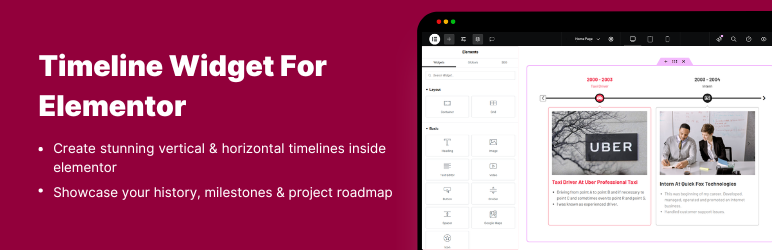
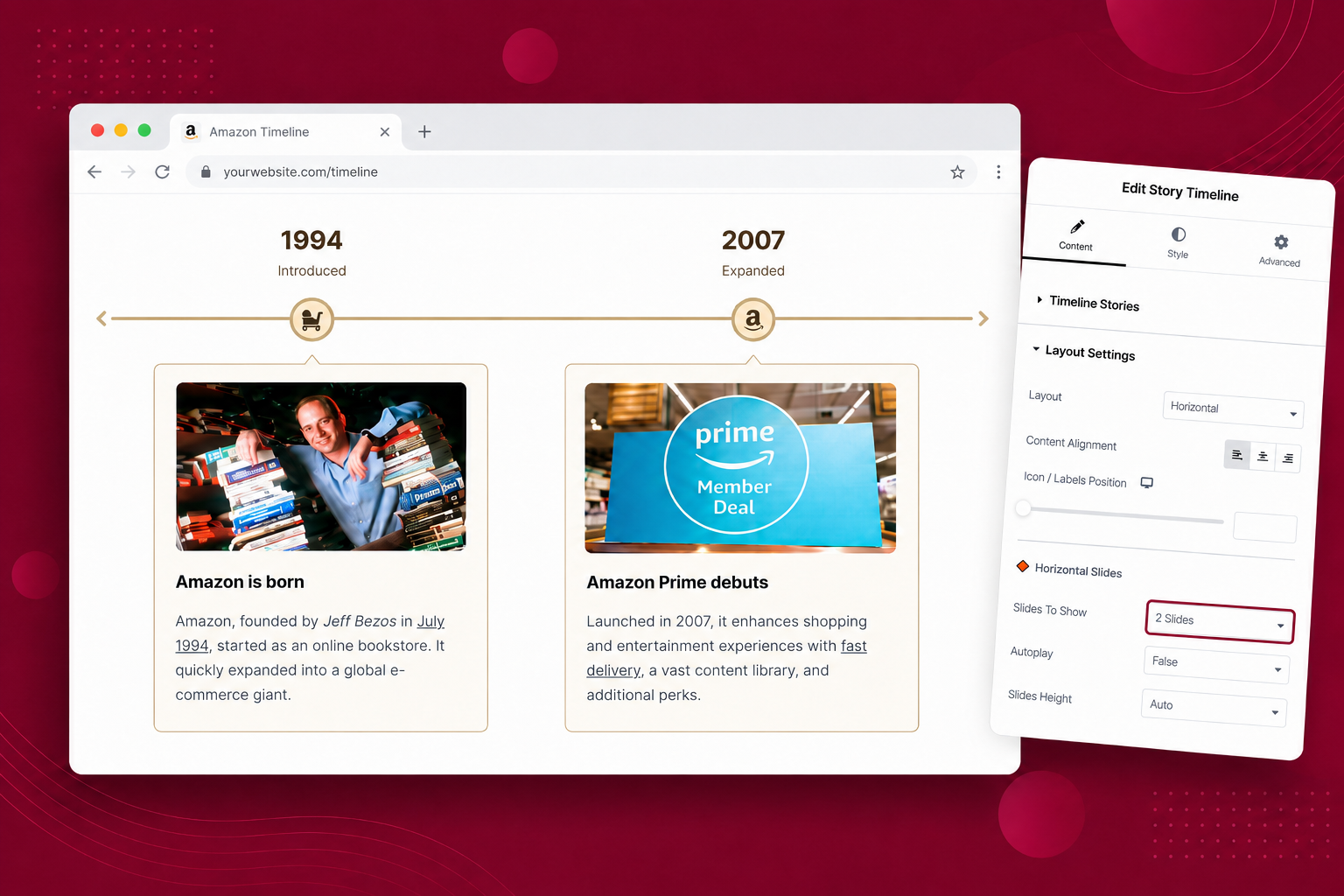
Elementor timeline widget addon will showcase your company history or life story in a vertical…
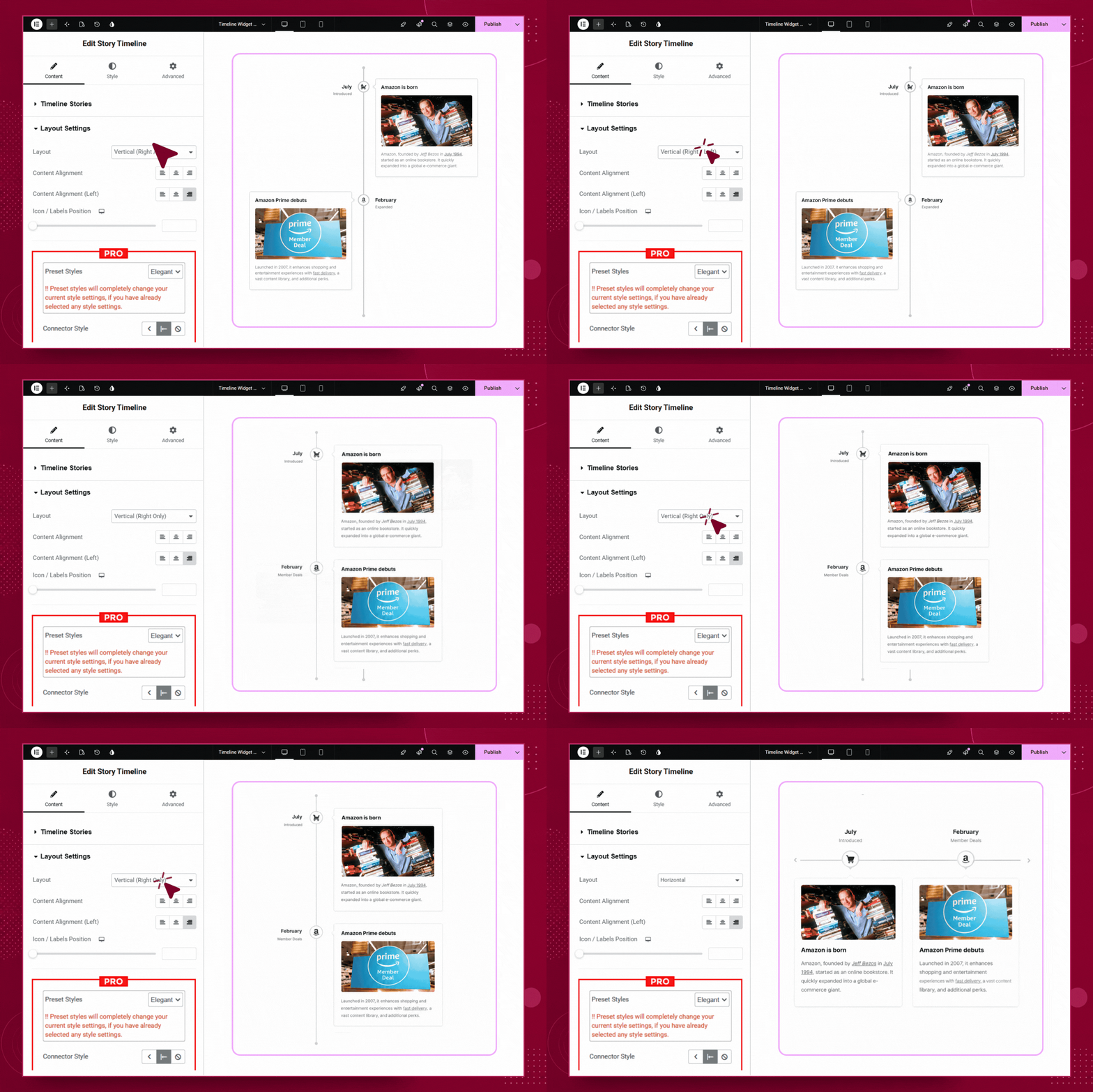
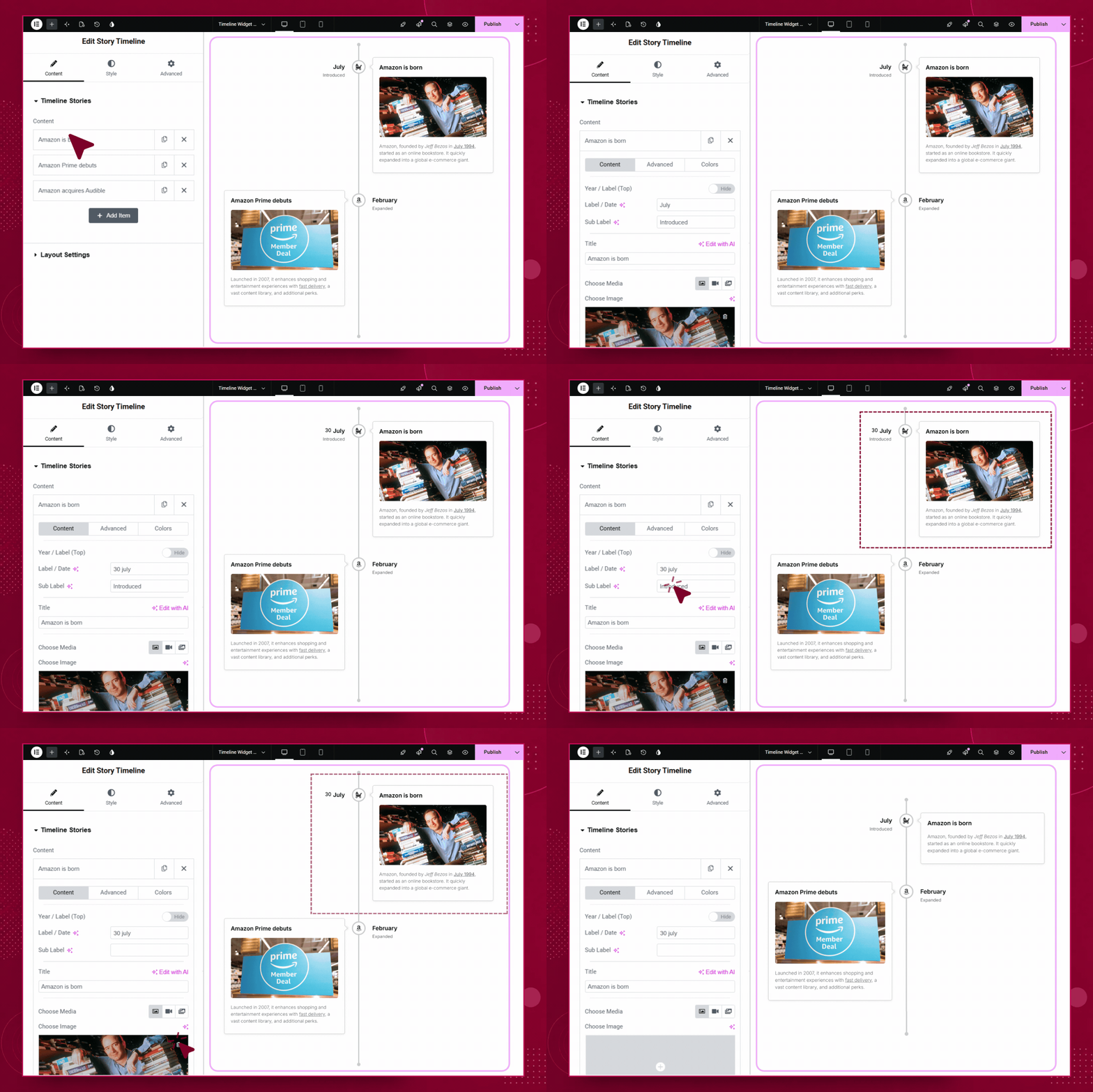
Whether you’re showcasing a company history, project roadmap, personal journey, or blog timeline. With multiple designs and customization options for colors, fonts, and icons, you can easily design your Elementor timelines according to your brand.
How do I install the Timeline Widget for the Elementor plugin?
Installing the Timeline Widget for the Elementor plugin is simple:
* Go to your WordPress admin dashboard.
* Navigate to Plugins > Add New.
* Search for “Timeline Widget for Elementor.”
* Click on “Install Now” and then activate the plugin.
Can I use this plugin without Elementor?
No, the Timeline Widget for Elementor plugin is an addon for the Elementor Website Builder. Ensure that you have installed and activated Elementor to use this plugin.
Is this plugin compatible with my theme?
The Timeline Widget for Elementor plugin is compatible with most WordPress themes. However, for the best experience, we recommend using it with a theme that is also compatible with Elementor.
Can I customize the appearance of the timelines created with this plugin?
Yes, you can customize the appearance of your timelines using the advanced style settings provided by the plugin. You can adjust colors, fonts, animations, and more to match your website’s design.
Is technical support available for this plugin?
Yes, we offer technical support for the Timeline Widget for the Elementor plugin. If you encounter any issues or have questions about the plugin, you can reach out to our support team for assistance.
Can I use this plugin on multiple websites?
Yes, you can use the Timeline Widget for Elementor plugin on multiple websites. Once you’ve purchased and installed the plugin, you can activate it on any WordPress site where you have Elementor installed.
What is the Elementor Timeline Widget?
The Elementor Timeline Widget is a plugin that lets you create and display stunning timelines on your Elementor website.
How can I use the Elementor Timeline Widget?
You can use it to highlight various types of content such as company achievements, historical events, step-by-step guides, program schedules, event timelines, job stories, work experience, product roadmaps, and brand stories.
Can I customize the timeline to match my website’s design?
Yes, the widget provides advanced style settings for complete customization to fit your website’s design.
What types of content can I include in my timeline?
You can include text, images, videos, slideshows, icons, and custom text.
Is it possible to add images and videos to the timeline slider?
Yes, using Timeline Widget Plugin, you can enhance your timeline slider with images, icons, or even videos to make your story more engaging and visually appealing.
How can I report security bugs?
You can report security bugs through the Patchstack Vulnerability Disclosure Program. The Patchstack team help validate, triage and handle any security vulnerabilities. Report a security vulnerability.
Version 1.7.4 | 17 November 2026
– Fixed: Improved WPML compatibility check to support custom directory paths.
Version 1.7.3 | 26 October 2026
– New: Added Keyboard Navigation (Tab key support) with WCAG 2.2 accessibility compliance and visible focus indicators.
– New: Added “Icons / Dots” visibility option in Layout Settings to hide all timeline icons and dots.
– New: Added a “Box Shadow” Show/Hide toggle in Content Box style settings with connector arrow shadow sync.
– New: Added Elementor Dynamic Tags support for the Story Title field.
Version 1.7.2 | 25 September 2026
– Fixed: Remove translation function from plugin name strings.
Version 1.7.1 | 08 September 2026
– Improved: Review notice and feedback form design for a better user experience.
Version 1.7.0 | 27 July 2026
– New: Introduced a“Get Started”onboarding page for a smoother setup experience.
– New:Added a guided sample timeline demo creation flow to help users get started quickly.
– Removed: Removed the legacy dashboard and replaced it with the new onboarding experience.
– Improved: Simplified the initial setup process with a quick-start demo.
Version 1.6.28 | 14 July 2026
– Fixed: Plugin optimization and code improvement.
Version 1.6.27 | 07 July 2026
– Fixed: Resolved an issue that could occur during plugin deactivation.
Version 1.6.26 | 16 June 2026
– Improved : Cleaned up the notice registration logic for better readability.
– Tested up to: Elementor 4.1.3.
– Tested up to: Elementor Pro 4.1.1.
Version 1.6.25 | 2 June 2026
– Improved : Code Improvements & Optimization.
Version 1.6.24 | 1 April 2026
– Tested up to: Elementor 4.0.0.
– Tested up to: Elementor Pro 4.0.0.
Version 1.6.23 | 19 Feb 2026
– Fixed: Issues reported by “Plugin Check” plugin.
Version 1.6.22 | 18 Feb 2026
– Improved : Standardized text domain across plugins.
– Tested up to: Elementor 3.35.5
Version 1.6.21 | 12 Feb 2026
– Tested up to: Elementor 3.35.4.
– Tested up to: Elementor Pro 3.35.1.
Version 1.6.20 | 06 Feb 2026
– Fixed : Incorrect plugin slug that could prevent proper installation.
Version 1.6.19 | 02 Feb 2026
– Improved : Code Improvements.
Version 1.6.18 | 22 Jan 2026
– Fixed: Fixed issues reported by “Plugin Check” plugin.
Version 1.6.17 | 19 Dec 2025
– Added: Integrated migration for one sided layout of Vertical Timeline Widget for Elementor.
Version 1.6.16 | 12 Dec 2025
– Fixed: Cannot Redeclare a control with tab or section arguments.
Version 1.6.15 | 10 Dec 2025
– Added: Integrated migration of Vertical Timeline Widget for Elementor.
– Tested up to: Elementor 3.33.4.
– Tested up to: Elementor Pro 3.33.2.
Version 1.6.14 | 18 Nov 2025
– Improvement: Enhanced CSS styling for the timeline sidebar menu.
– Tested up to: Elementor 3.33.1.
– Tested up to: Elementor Pro 3.33.1.
Version 1.6.13 | 18 September 2025
– Fixed: Minor bug.
– Improved: Rating div styling.
– Improved: Other plugin recommendations for Elementor users.
Version 1.6.12 | 21 August 2025
– Improved: UTM link updates.
Version 1.6.11 | 20 August 2025
– Fixed: Addressed security vulnerabilities.
– Improved: Enhanced overall code quality.
Version 1.6.10 | 11 August 2025
– Fixed: Fatal error related to is_plugin_active() when using PHP 7.4 and WordPress 6.7.2. mentioned by @kinvorb
– Improved: Redirection check after plugin activation
– Tested up to: Elementor 3.31.2.
Version 1.6.9.1 | 08 August 2025
– Fixed: CSS issue.
Version 1.6.9 | 08 August 2025
– Added: User opt-in option in plugin.
– Added: Added other plugin recommendations for Elementor users.
Version 1.6.8 | 05 May 2025
– Tested up to: WordPress 6.8.1.
Version 1.6.7 | 18 March 2025
– Tested up to: Elementor 3.28.0.
– Tested up to: Elementor Pro 3.28.0.
– Tested up to: WordPress 6.7.2.
Version 1.6.6 | 17 December 2024
– Fixed: Swiper styling issue with Elementor 3.26.0.
– Tested up to: Elementor 3.26.0.
Version 1.6.5 | 11 December 2024
– Fixed: JS errors.
– Tweaks: Minor textual changes.
Version 1.6.4 | 04 December 2024
– Added: Form widget plugin notice.
– Fixed: Horizontal timeline JS error for logged in users.
– Tested up to: Elementor 3.25.10
Version 1.6.3 | 27 November 2024
– Fixed: JS assets loading issue for logged in users.
– Fixed: Resolved an issue with the load_plugin_textdomain() function, ensuring correct localization.
– Tested up to: Elementor 3.25.7 and WordPress 6.7.1
Version 1.6.2 | 27 September 2024
– Removed: Elementor caching system to fix assests loading issue.
Version 1.6.1 | 25 September 2024
– Added: Elementor caching system to improve performance.
– Fixed: Elementor js error in admin preview page.
– Improved: Security Improvements.
Version 1.6.0 | 23 July 2024
– Added: Get Started page.
– Fixed: Horizontal slides auto height issue.
– Tested up to: Tested with Elementor 3.23.1 and WordPress 6.6
Version 1.5.8 | 11 June 2024
– Tested up to: Tested with Elementor 3.21.8 and WordPress 6.5.4
Version 1.5.7 | 27 March 2024
– Tested up to: Tested with Elementor 3.20.2 and WordPress 6.5
Version 1.5.6 | 19 February 2024
– Fixed: Timeline settings translation issue
Version 1.5.5 | 16 February 2024
– Added: Code Improvement
– Fixed: Minor bug fixes
Version 1.5.4 | 31 January 2024
– Fixed: Minor vulnerability fixes
– Added: Escaping function on attributes
– Fixed: Horizontal slides hidden issue
– Fixed: PHP error if slideshow option selected in media
– Fixed: PHP deprecated function issue
– Tested up to: Elementor v3.19.1 and WordPress 6.4.3
Version 1.5.3 | 08 January 2024
– Fixed: Assets loading issue on frontend
– Fixed: SVG icon styling issue
Version 1.5.2 | 08 November 2023
– Tested up to: WordPress version 6.4, Elementor version 3.17.2
– Tweaks: Minor textual changes
Version 1.5.1 | 21 September 2023
– Fixed: Fixed Elementor deprecated notice
Version 1.5 | 19 August 2023
– Added: Integrated WPML translation support
– Improved: Minor code improvements
Version 1.4.4 | 09 August 2023
– Tested up to: WordPress version 6.3, Elementor v3.15.1
Version 1.4.3 | 31 March 2023
– Tested up to: WordPress version 6.2, Elementor v3.12.0 (free & pro)
Version 1.4.2 | 18 March 2023
– Fixed: The horizontal Timeline navigation button not working with the latest version
– Improved: Textual changes
– Updated: Links
– Tested up to: Elementor v3.11.6 (free & pro)
Version 1.4.1 | 20 DEC 2022
– Improved: Minor textual changes
– Tested up to: Elementor v3.9.1 (free & pro)
Version 1.4 | 18 AUG 2022
– Major Update: Major update with overall code and style improvements
– Added: Story content alignment setting
– Added: Icon and label position setting
– Added: Icon text color setting
– Added: Border width and color settings
– Added: Title and description bottom margin setting
– Improved: Premium features visibility inside the free plugin
– Tested up to: Elementor v3.7.1 (free) & v3.7.3 (pro)
Version 1.3.4 | 11 JAN 2022
– Fixed: Swiper issues
– Fixed: Compatibility issues with Elementor 3.5.2
– Improvements: Minor code fixes
Version 1.3.3 | 15 DEC 2021
– Fixed: Compatibility issues with Elementor Latest version (3.5.2)
– Improved: Minor fixes
Version 1.3.2 | 21 OCT 2021
– New: Released PRO version
– Tweaks: Textual changes
– Improved: Minor fixes
Version 1.3.1 | 20 OCT 2021
– Improved: Tested up to Elementor version 3.4.6
– Improved: Minor textual changes
Version 1.3 | 23 APR 2021
– New: Added Hide/Show option for Border
– Fixed: PHP Deprecated: Elementor\Scheme_Typography & Elementor\Scheme_Color
– Improved: Settings panel, code flow, JS code
– Improved: Horizontal Timeline Responsive
– Improved: Tested up to 5.7
Version 1.2.2 | 10 DEC 2020
– Fixed: Fixed RTL support issues in horizontal layout
– Fixed: Tested up to 5.6
Version 1.2.1 | 19 SEP 2020
– Fixed: Fixed compatibility issues with Elementor 2.9 or lower version
Version 1.2 | 11 SEP 2020
– New: Integrated Inline editing in Vertical timeline
– New: Integrated deactivation feedback form
– Fixed: Horizontal timeline breaking page layout issue
– Fixed: Icon Background Color issue
Version 1.1.3 | 26 AUG 2020
– Fixed: Compatibility issue with Elementor version 3.0.1
– Fixed: Style issues
Version 1.1.2 | 21 AUG 2020
– Fixed: Conflict with Image Carousel widget
– Improved: Layout based load assets
Version 1.1.1 | 17 AUG 2020
– Fixed: Minor bug fixes
– Fixed: Compatibility issues with WordPress 5.5
– Improved: Assets loading conditions
– Improved: JS improvements
Version 1.1 | 07 JUL 2020
– New: Added horizontal timeline layout
– Improved: Default styles & CSS
Version 1.0 | 14 FEB 2020
– New: Initial plugin release