ThriveDesk is complete support ticketing, live chat, chatbot and knowledge base solution for WordPress powered website.
Help Desk Plugin For WordPress
ThriveDesk is the ultimate helpdesk and ticketing software for WordPress, offering a lightweight and fast assistant that attracts customers without slowing down your site. With personalized interactions, automated messages, and detailed analytics, it’s the perfect solution for enhancing customer support.
We designed ThriveDesk helpdesk to protect users’ privacy and align with the GDPR rules.
WHY USE THRIVEDESK – THE BEST LIVE CHAT PLUGIN?
Win your customers over by using this incredibly fast and lightweight customer support tool.
Avoid slow page loading times and lag in message delivery and reception.
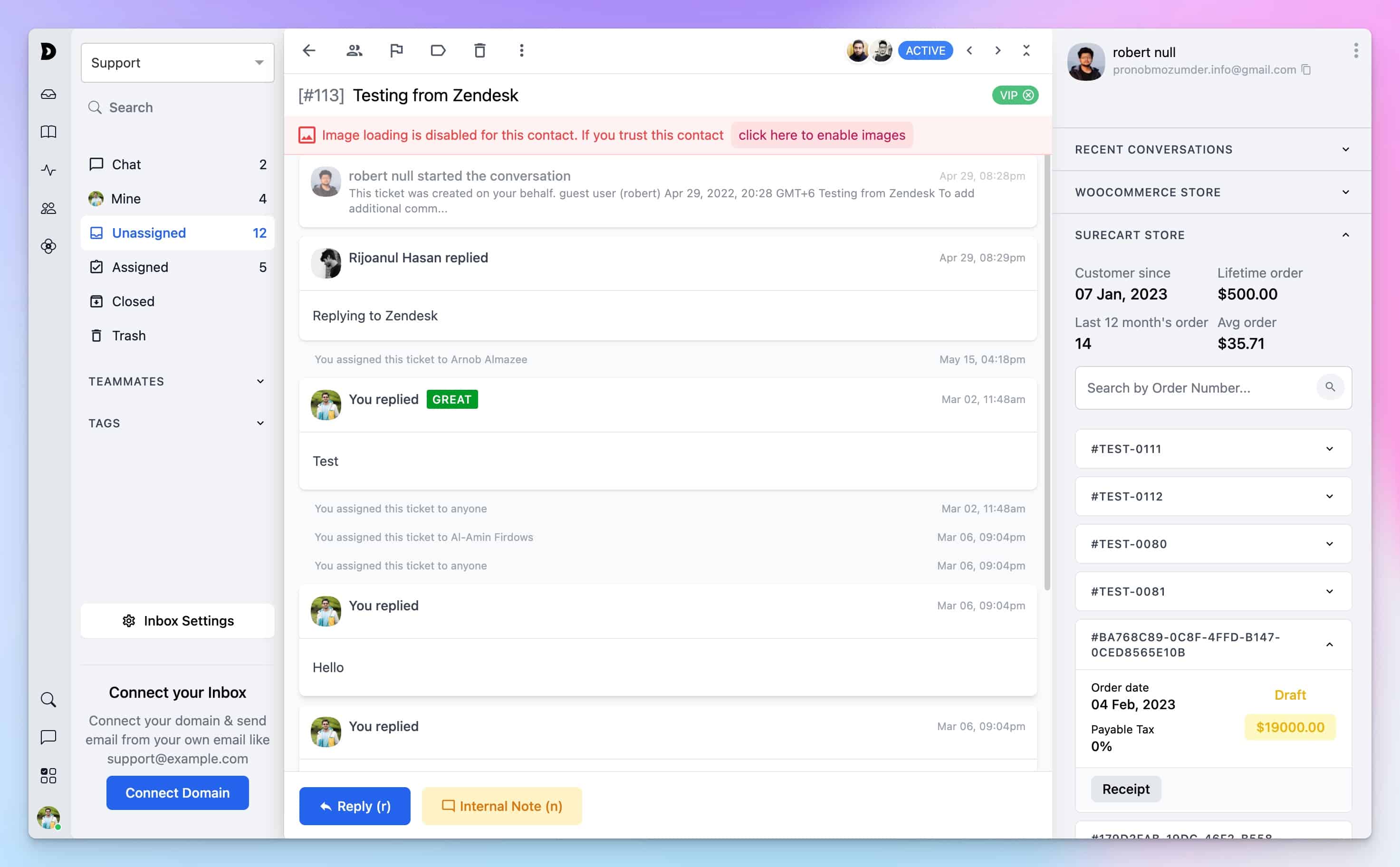
Check customer information, page browsing history, previous purchase history right from the agent dashboard. Manage refunds and serve customers on the go.
Now, ThriveDesk allows customers to communicate with support staff in their native language, making it an ideal multilingual customer service solution.
HelpDesk for WooCommerce
Your customers will love you for using ThriveDesk live chat with WooCommerce. Engage customers at the right time, prevent cart abandonment & manage WooCommerce store right inside ThriveDesk — No more switching between multiple tabs.
Introducing ChatGPT Integration within Helpdesk System
Now ThriveDesk is more powerful with ChatGPT integration directly with our helpdesk system. Now you can provide faster and more accurate responses to customer inquiries.
ChatGPT can assist support agents by providing suggested responses or templates for common inquiries. It can enhance the quality of support ticket responses to identify areas for improvement.
How can live chat increase your sales and conversion?
Live chat is a great tool for businesses to use because it can increase the conversion rate and search ranking. It doesn’t matter how big or small you are, live chat is an inexpensive customer service tool that can make you feel more like a trusted provider of goods to the customer.
With ThriveDesk live chat plugin provides one-on-one conversations with your customers, which means that you can address their concerns efficiently and start closing more sales.
This will in turn increase your conversion rate and search ranking by reducing the number of people who are unhappy with their experience on your website.
???? Live Chat Features
Real Time visitor tracking
Chatbots
Proactive messaging
Offline messaging
Lead collection
Automated replies from the knowledge base
Contact forms
Links
File sharing
Zoom and Google Meet integration
Analytics & Insight
Seamless integration with other CRM
And much more…
Available on:
IOS App
Android App
Helpdesk & Support Ticket Plugin for WordPress
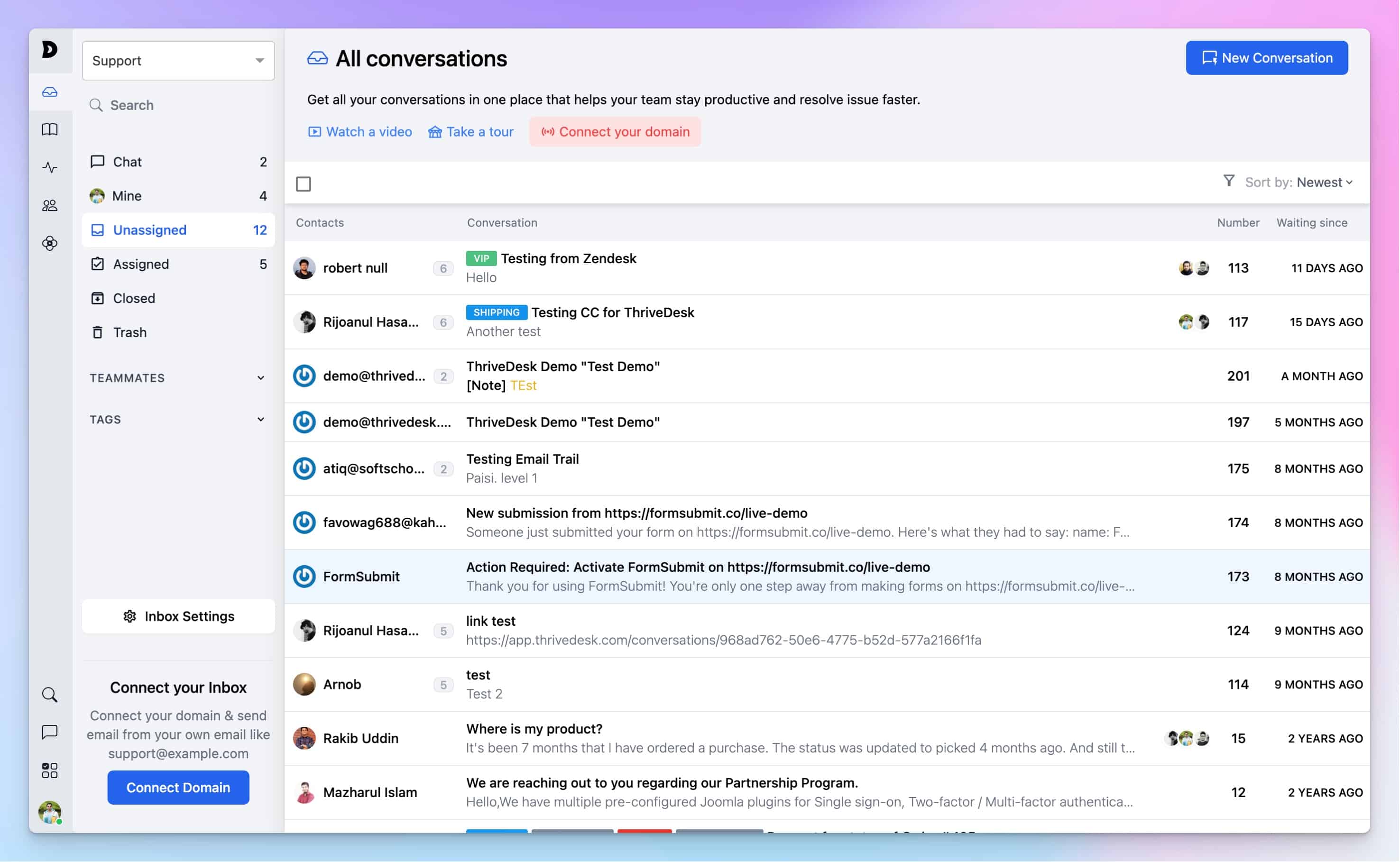
Manage all customer conversations through ThriveDesk’s Shared Inbox (aka Ticket System). Shared Inbox is where all your tickets, live chat, and queries are directed, and the team collaborates to provide a better customer support experience.
ThriveDesk makes it easy for your team to manage emails through a single shared inbox.
???? Helpdesk Features
Shared Inbox
Workflow automation
Team collaboration
Merge conversation
Assignments
Collision Detection
Tagging
Canned replies
Spam filtering
Auto-responders
Auto BCC
Default Status Update
Private notes
Reply Undo
Powerful Search
Notifications
Contact history
Previous conversations
Satisfaction survey
Reporting
And much more…
???? Why Shared Inbox?
A shared inbox enables you to manage customer support requests with a smaller team, providing a more efficient use of resources and reducing the cost of maintaining a larger support team.
Which means all customer interactions are in one place, making it easier for agents to manage, prioritize, and respond to requests. This helps reduce the risk of missing requests or duplicating efforts.
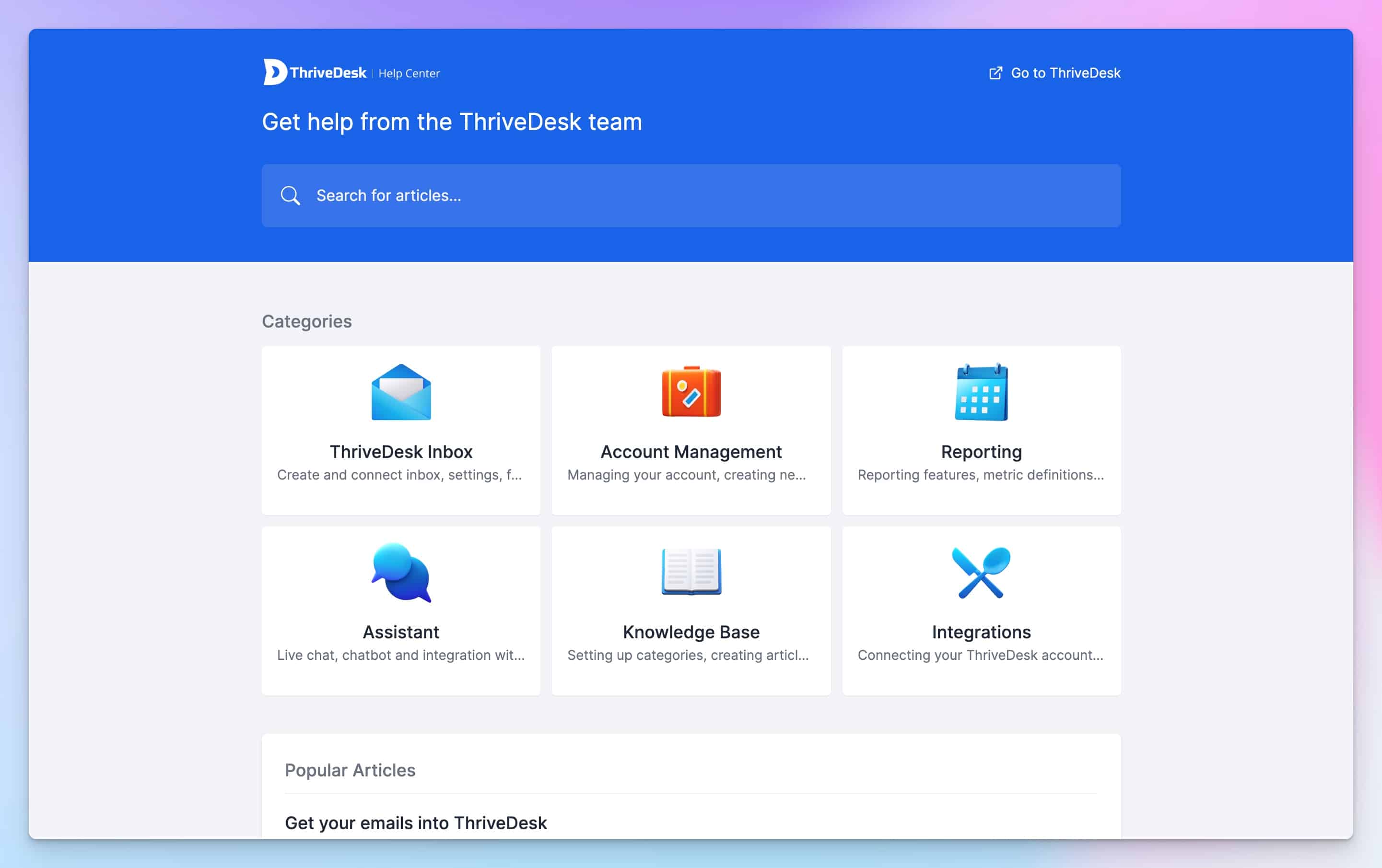
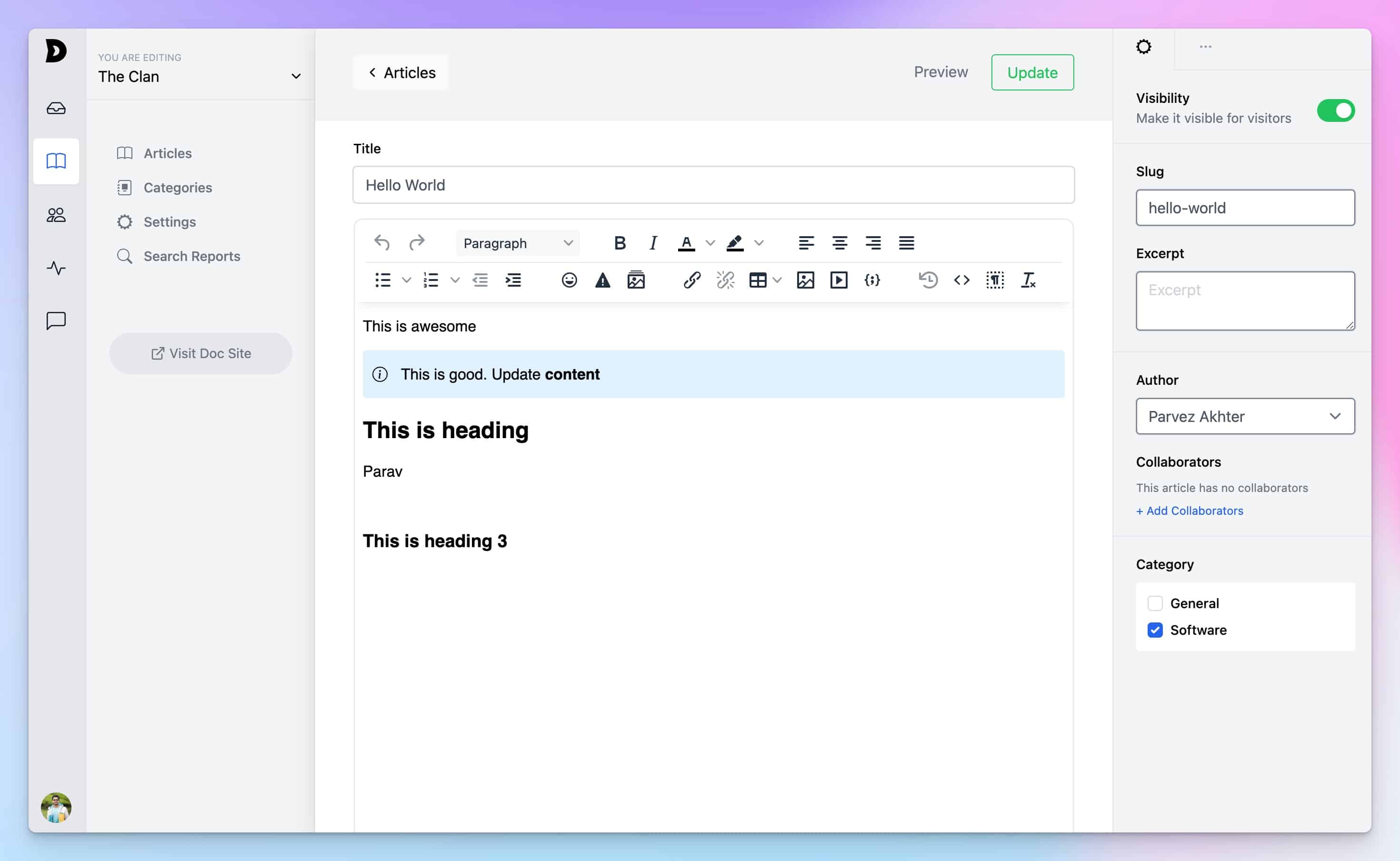
CREATE STUNNING KNOWLEDGE BASE TO SCALE CUSTOMER SUPPORT
Reduce ticket inflow, avoid repetitive incident logs, facilitate self-service on the portal, and improve resolution times with a repository of articles that can help the customers find answers to their problems.
Knowledge Base is a self-service system that works perfectly with the Live Chat and Ticket system.
WooCommerce Integration
If you sell your products through WooCommerce, there is no better way to handle all your customer tickets seamlessly than with a ThriveDesk.
You can check the total number of orders, order details, shipping information right inside the ThriveDesk conversation page.
SureCart
SureCart is an e-commerce platform that allows businesses to easily sell their products online. By integrating SureCart with ThriveDesk we give SureCart business owners the ability to streamline their customer service and support processes by managing their orders and customer information all in one place.
Now, As a SureCart business owner can access important customer information such as order history, shipping information, and payment details right within the ThriveDesk platform. By leveraging the power of both platforms, you can access important customer information, manage orders, and provide personalized support all in one place.
Freemius
Freemius is a powerful platform that provides developers and businesses with a comprehensive set of tools for selling premium and freemium software, plugins, themes, templates, and SaaS. By Integrating Freemius with ThriveDesk, businesses can provide a better customer experience.
Now, you have all the necessary customer information readily available without switching between different systems or applications. Your support representatives can quickly respond to inquiries and provide personalized support. This saves time and reduces the likelihood of errors.
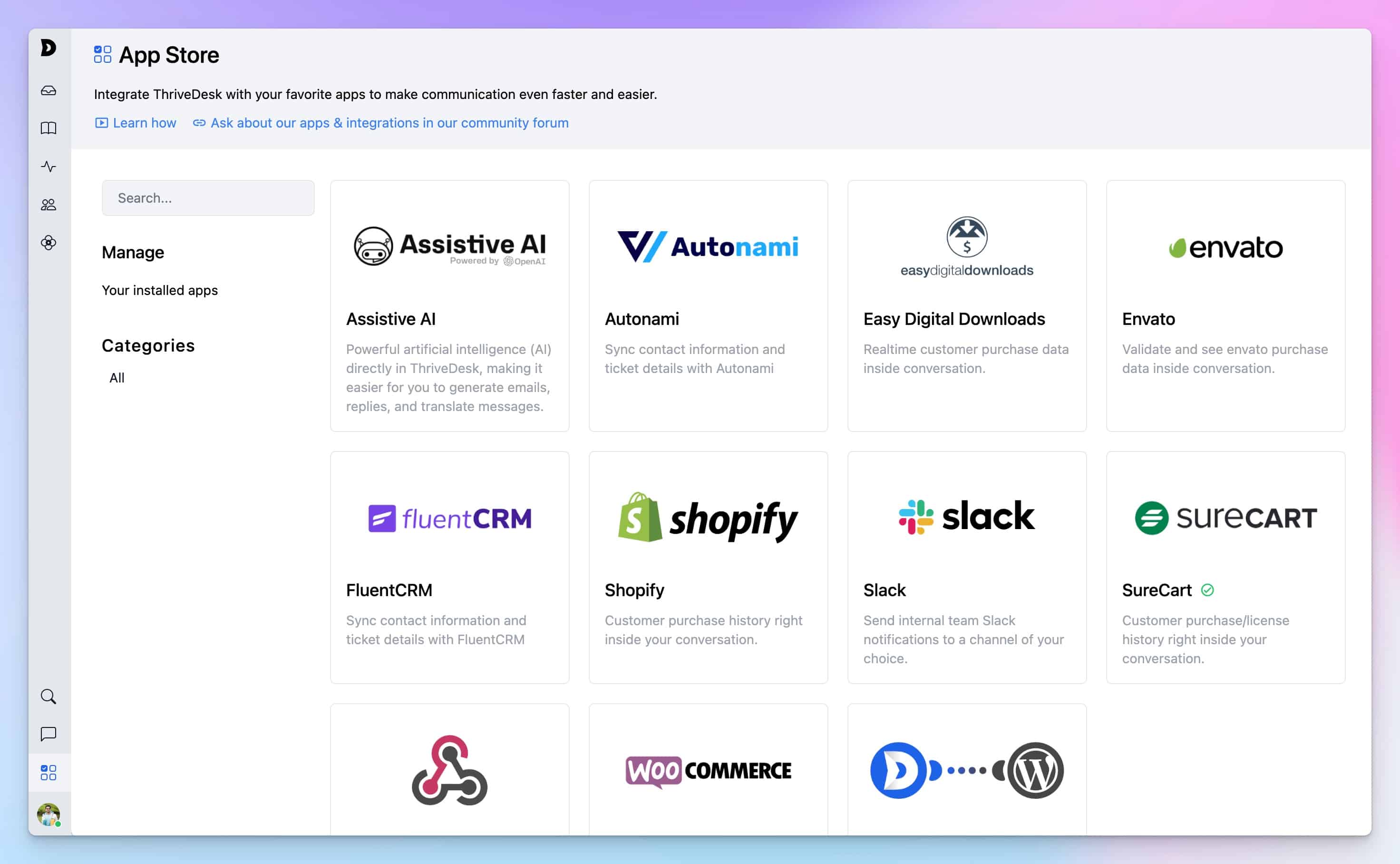
???? More Integrations
WooCommerce
Easy Digital Downloads
Gravity Form
Fluent CRM
Fluent Form
WPForms
Contact Form 7
Appsero
Slack
SureCart
Freemius
Custom Apps
???? Advanced reporting
ThriveDesk is designed to be a simple-to-use, powerful reporting tool. Thrivedesk’s Reporting tool offers a variety of metrics and reports that can help you make data-driven decisions to make sure you are serving your customers to the best of your abilities. It is a great tool for those who want to understand their progress and make changes accordingly.
???? Reporting Features
Conversations reporting
Company reporting
Happiness score
Leaderboard
Agent performance
Much more…
External services
This plugin connects to ThriveDesk’s external services to provide live chat, helpdesk, and knowledge base functionality. Here are the details of the external services used:
ThriveDesk API Service:
– Service: ThriveDesk API (https://api.thrivedesk.com)
– Vendor: ThriveDesk Inc.
– Purpose: Used for managing conversations, tickets, knowledge base content, and live chat functionality
– Required/Optional: Required for core plugin functionality
– Data sent:
– PII: Customer names, email addresses, conversation content, support ticket details
– Telemetry: Plugin settings, API usage statistics, response times
– When: Data is sent when users interact with the live chat widget, create support tickets, or when administrators manage helpdesk settings
– Terms of Service: https://www.thrivedesk.com/terms/
– Privacy Policy: https://www.thrivedesk.com/privacy/
ThriveDesk Application Service:
– Service: ThriveDesk App (https://app.thrivedesk.com)
– Vendor: ThriveDesk Inc.
– Purpose: Used for plugin configuration, assistant management, and accessing the main ThriveDesk dashboard
– Required/Optional: Required for plugin setup and configuration
– Data sent:
– PII: Administrator email addresses, organization details
– Telemetry: Plugin authentication tokens, configuration settings, usage analytics
– When: Data is sent during plugin setup and when accessing ThriveDesk dashboard features
– Terms of Service: https://www.thrivedesk.com/terms/
– Privacy Policy: https://www.thrivedesk.com/privacy/
ThriveDesk Documentation Service:
– Service: ThriveDesk Knowledge Base (https://thrivedeskdocs.com)
– Vendor: ThriveDesk Inc.
– Purpose: Used to fetch and display knowledge base articles and documentation
– Required/Optional: Optional – used only when knowledge base features are enabled
– Data sent:
– PII: None
– Telemetry: Search queries, article requests, page views
– When: Data is sent when users search for help articles or access the knowledge base
– Disable: Can be disabled by turning off knowledge base integration in plugin settings
– Terms of Service: https://www.thrivedesk.com/terms/
– Privacy Policy: https://www.thrivedesk.com/privacy/
Bunny Stream Video Service:
– Service: Bunny Stream (https://iframe.mediadelivery.net)
– Vendor: BunnyWay d.o.o.
– Purpose: Used to embed promotional and tutorial videos in the plugin interface
– Required/Optional: Optional – used only for displaying help videos in admin interface
– Data sent:
– PII: None
– Telemetry: IP address, User-Agent, Referrer URL, Video viewing timestamps, Playback analytics
– When: Data is sent when the plugin admin interface loads embedded videos
– Disable: Videos can be disabled by administrators and do not affect core functionality
– Terms of Service: https://bunny.net/tos/
– Privacy Policy: https://bunny.net/privacy/
– Verified: January 2025
Yes. The plugin is free and open source. It connects to a ThriveDesk account, which starts with a 7-day free trial and no credit card.
Does ThriveDesk slow down my site?
No. The plugin loads its scripts only on the pages that need them, adds no extra database queries to normal page loads, and caches everything it fetches from ThriveDesk.
Can I use ThriveDesk without WooCommerce?
Yes. ThriveDesk is a complete help desk for any WordPress site: SaaS, digital products, memberships, agencies. WooCommerce is an integration, not a requirement.
Can agents refund orders and cancel subscriptions from a ticket?
Yes. With WooCommerce connected, agents can view order history, check shipping, refund or cancel orders, edit line items and cancel subscriptions from inside the ticket. Each of those actions can be restricted to the agents you choose.
Does ThriveDesk store my WooCommerce customer data?
No. Store data is read from your site when an agent opens a ticket and cached locally. It is not copied to ThriveDesk servers.
How does the AI chatbot work?
NEO is trained on your knowledge base, documents and website. It can auto-reply to customers, draft answers for agents and classify tickets. New content takes effect immediately, and you can test replies in the AI Playground before turning auto-reply on.
Can customers open tickets from my site instead of by email?
Yes. Put the [thrivedesk_portal] shortcode on a page, or turn on the Support tab in WooCommerce My Account. Any contact form plugin can create tickets too: point the form at your ThriveDesk inbox address, which the Portal tab shows with a copy button.
Is ThriveDesk a Zendesk or Help Scout alternative?
Yes. It covers the shared inbox, ticketing, live chat, AI and knowledge base, adds native WooCommerce support that those tools need add-ons for, and costs less. Migration from either is free.
Is ThriveDesk GDPR compliant?
The plugin uses nonce verification and capability checks on every form and request, and sends data to ThriveDesk only after you connect it. ThriveDesk’s own privacy policy covers the service.
Does it work with my theme?
Yes. The portal and the chat widget work with any theme that follows WordPress standards. No page builder is required.
Is there a mobile app?
Yes. iOS and Android apps let agents reply to tickets, chat with customers and assign work from anywhere.
Where do I get help?
Post in the support forum for anything about the plugin, or read the help center for the ThriveDesk service.
2026-11-15 – version 2.7.2
* feat: The plugin screen, the API key screen and the support portal footer carry ThriveDesk’s new logo, and the admin menu icon and the wordpress.org listing icon have been refreshed to match.
* dev: The build toolchain’s dependencies and the release workflow’s GitHub Actions have been updated. Neither changes how the plugin behaves.
2.7.1
2026-09-07 – version 2.7.1
* fix: The support portal lists tickets from the inbox this site is set to use, instead of from every inbox on the account.
* fix: The plugin says so when ThriveDesk stops accepting the API key saved on this site. A revoked or expired key used to keep reading as connected while tickets, the support portal and the assistant quietly stopped loading, with the reason left in the error log. A warning now appears on every admin screen, with a button that goes straight to re-verifying the key.
* fix: A key ThriveDesk still accepts, but will not let into one particular feature, no longer counts as a broken connection. A site whose plan does not cover something stays connected instead of looking like it has failed altogether.
* fix: Store requests carrying a true or false setting, such as whether to show shipping details, are no longer rejected as unauthorized. Turning shipping details off now actually leaves them out, where before any value at all switched them on.
* dev: The wordpress.org listing has been rewritten around the terms people search for, and the build toolchain’s development dependencies have been updated. Neither changes how the plugin behaves.
2.7.0
2026-08-30 – version 2.7.0
* feat: The plugin screen has been rebuilt around four tabs – Overview, Integrations, Live Chat and Portal – so each part of the setup has a place of its own instead of one long page.
* feat: Settings save as you change them. The Save button is gone, and a change on the Portal tab clears the portal cache for you rather than leaving you to find the button.
* feat: The plugin screen works before there is an account. Connecting happens on the Overview tab, and everything that needs a connection is shown locked rather than hidden, so you can see what you are about to get.
* feat: Overview shows your workspace, your plan, and which parts of the ThriveDesk API your key can actually reach – so a feature your plan does not cover is visible here instead of turning out to be missing later.
* feat: You can disconnect this site from the plugin screen.
* feat: Business hours from your ThriveDesk workspace can be shown on the portal: a live countdown beside the ticket filters saying whether support is online and how long until that changes, and an announcement when a holiday is on. Both say you can still open a ticket, so nobody is turned away outside hours.
* feat: Searching can be made compulsory before a ticket is opened. With a ThriveDesk Help Center and some WordPress post types selected, anyone opening a ticket is asked to search first, and the new ticket button stays hidden until they have. The ones who find their answer never open the ticket.
* feat: The Portal tab names the form plugins already installed on this site and links straight into each one’s builder, so building the ticket form does not start with a hunt for the right screen.
* feat: Your ThriveDesk inbox addresses are shown on the Portal tab with a copy button, beside the field that needs them – that address is what a ticket form has to submit to.
* feat: The Support tab on the WooCommerce My Account page is set from the Portal tab now, and is only offered once WooCommerce is connected to ThriveDesk. With it on, the portal shortcode is not needed anywhere.
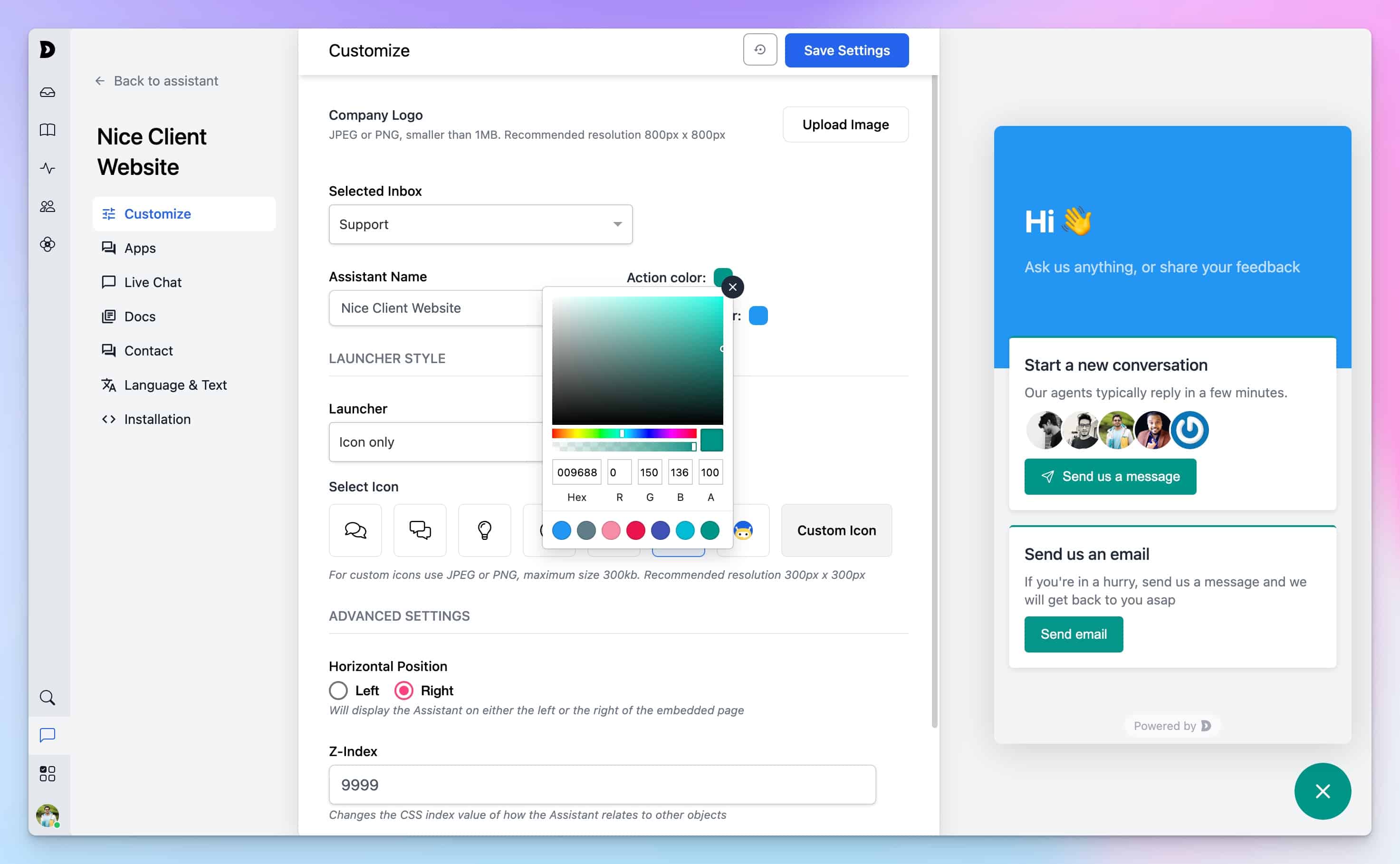
* feat: The Live Chat tab previews the assistant beside its settings, and switching assistant takes effect without a save.
* feat: “Hide on these pages” and the portal’s content sources are dropdowns that list pages by title rather than by URL.
* feat: The setup screen has been redesigned, and the IP addresses to allowlist can be copied rather than retyped.
* fix: Integration categories on the Integrations tab were shipping as untranslated slugs.
* fix: The plugin can now actually be translated. It pointed at a translations folder that has never existed, never loaded the bundled translations at all, and gave WordPress no path for the JavaScript ones – so every string was marked up correctly and not one of them could have been translated. Translations now live in /languages, where WordPress looks for them.
* feat: Ships with translations for French, German, Spanish (Spain, Mexico, Argentina, Chile, Colombia and Venezuela), and British and Canadian English. Translations installed from WordPress.org still take precedence over these, so a language pack always wins.
* dev: A local WordPress bench (scripts/dev.sh) that boots a real site and runs both test suites in Docker, dependency updates across the build toolchain, translation sniffs enforced across the whole plugin rather than the fraction of it the formatting ruleset reaches, and the test suite grown to 429 tests covering every change above. None of it ships in the plugin.
2.6.0
2026-08-06 – version 2.6.0
* fix: Connecting a store, and loading customer and order details inside a conversation, keep working when another plugin on the site adds its own parameters to the page URL. Product filter plugins such as HUSKY/WOOF, along with caching, analytics, or multilingual plugins, previously made the store reject these requests as unauthorized.
* fix: The customer portal’s ticket list is scoped to the customer viewing it. A crafted page link could previously make the site ask ThriveDesk for someone else’s tickets and show them to whoever was logged in.
* fix: Replying from the portal checks the ticket id before contacting ThriveDesk, so a crafted id can no longer point that request somewhere else.
* fix: A ticket’s messages are cached per customer, so a ticket someone else just opened is no longer shown to whoever asks for it by id. Sending a reply clears only your own cached copy instead of every customer’s.
* fix: The portal’s reload button refreshes the page of your own ticket list you are looking at, instead of clearing every customer’s cached view, and now actually returns fresh tickets rather than the cached ones.
* fix: Order actions taken from a ThriveDesk ticket (status change, subscription cancel, quantity change, coupon, add or remove item) now verify the order belongs to the customer on that ticket before changing anything.
* fix: Store requests are rejected when the integration has no API token or has not finished connecting, so a half-connected or disconnected store can no longer be driven.
* fix: The connect token is generated from a cryptographic random source instead of a hashed timestamp.
* fix: The settings screen’s background requests (system info, inbox list, assistant list, portal check, connect, disconnect, API key verify) require an administrator instead of any logged-in user.
* fix: The conversation sync writes only the fields it owns. Anything else in the payload is dropped instead of reaching the database.
* fix: Deactivating the plugin keeps your settings. Only deleting it removes the conversations table and the plugin’s options.
* fix: Activating with WP-CLI creates the conversations table. Before this, activation only completed from the dashboard.
* fix: Schema changes shipped in an update apply on load, so stores that never re-activate are no longer left on an old schema.
* fix: Doc search on the customer portal returns published content only and caps its result set.
* fix: The API key, the connect nonce, and full API responses are no longer written to the PHP error log.
* fix: The assistant snippet escapes the logged-in user’s display name and email before writing them into the page.
* fix: Knowledge base requests use the API key they are given instead of falling back to the stored one.
* fix: Setting an order line to a quantity of zero or less returns a clear error instead of silently doing nothing.
* fix: The FluentCRM ticket list shows each conversation’s stored submission time.
* fix: A saved API key keeps working after the site moves to a new domain. The plugin re-checks the key it already has instead of sending you back through the connect screen, and a network or server hiccup no longer marks a working key as invalid.
* fix: An unexpected reply from the API (an error page from a proxy, an empty body) no longer breaks the settings screen.
* dev: Removed the unused SmartPay integration and the confetti animation dependency. Hooks/ and database/ are linted under the full WordPress coding standard, and the suite covers every change above.
2.5.0
2026-07-05 – version 2.5.0
* feat: Cancelling or fully refunding an order from a ThriveDesk ticket now cancels the related subscription, so recurring billing actually stops. Works with both WooCommerce Subscriptions and WPSubscription (the “Subscription for WooCommerce” plugin).
* feat: Fully refunding a renewal order cancels the subscription it belongs to. Cancelling a single renewal order leaves the subscription running, so one skipped invoice never kills a customer’s plan.
* fix: Order status updates from ThriveDesk resolve custom order numbers now (WebToffee, SkyVerge, Tyche and friends). Before this the update reported success while changing nothing on stores with custom numbering, and a miss now returns a proper 404 instead of a blind success.
* fix: ThriveDesk API requests are processed on wp_loaded instead of init. Running inside init could fatal mid-request on stores where another plugin (WooCommerce Subscriptions among them) had not finished its own setup yet.
* dev: CI provisions WooCommerce and WPSubscription so the integration tests for both run on every build instead of skipping. WooCommerce Subscriptions is exercised through a lightweight test double since the extension can’t be redistributed.
Older releases are listed in changelog.txt inside the plugin.