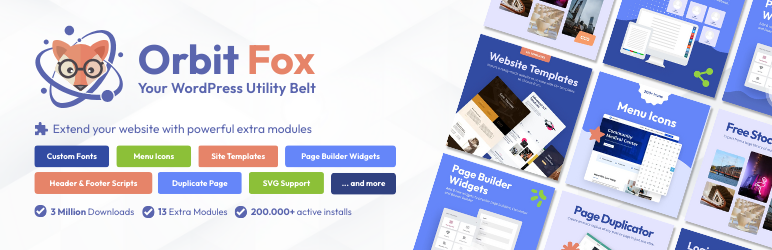
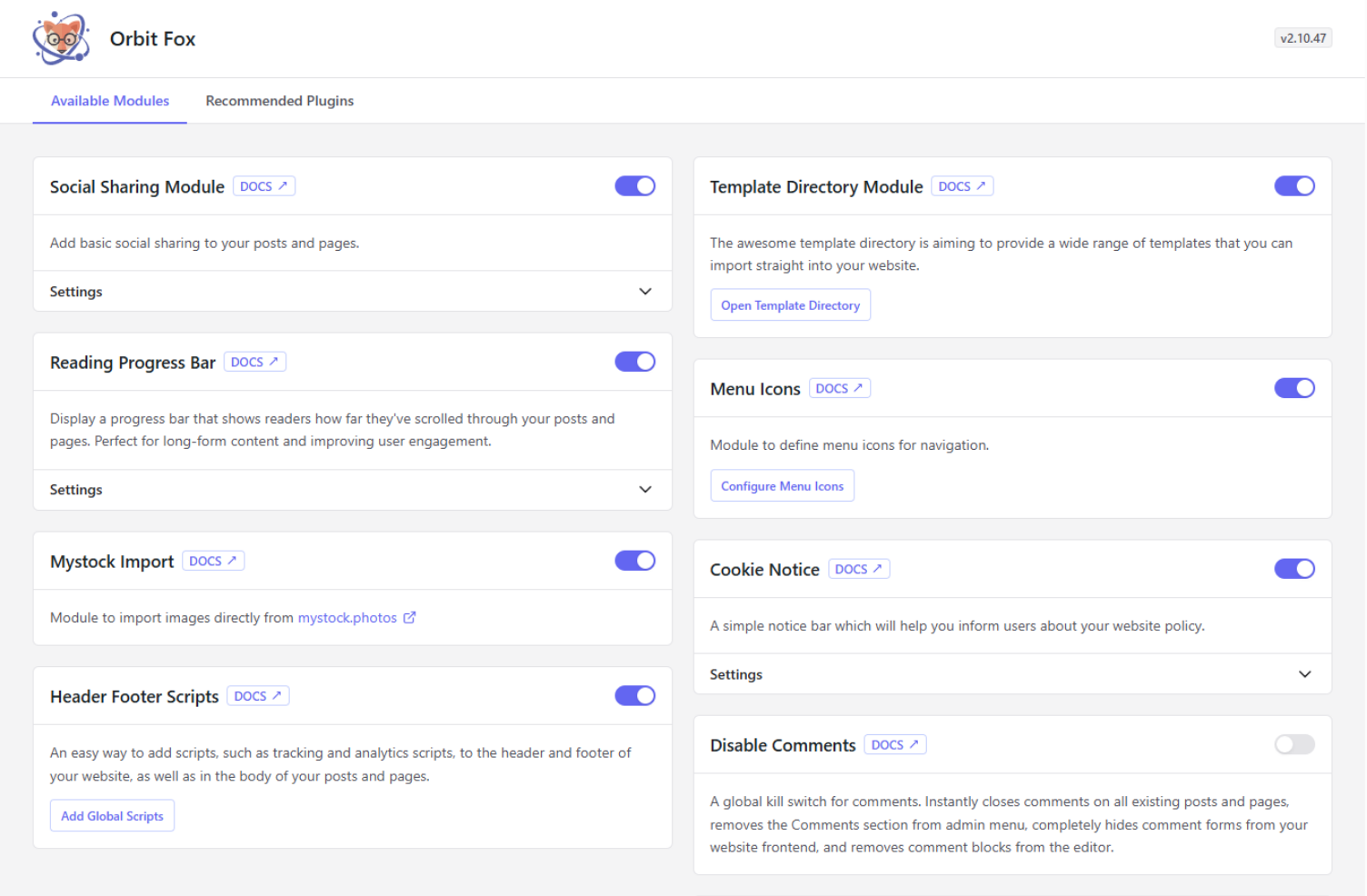
Orbit Fox includes all the popular functionality most site owners need: SVG support, social sharing, website templates, custom fonts, stock photos, page builder widgets, menu icons, and site customization tools.
Eliminate Plugin Bloat
Replace over a dozen individual utility plugins with just one solution. Reduce plugin management complexity, minimize potential conflicts, and keep your WordPress dashboard organized.
Smart Performance Optimization
Modules only load when enabled and are compatible with your existing theme and plugins, ensuring optimal site performance and preventing conflicts.
Save Time on Setup and Maintenance
Skip installing a dozen separate plugins when building new sites. Get fully functional websites in minutes, not hours. Plus, maintain just one plugin instead of managing multiple updates, settings, and compatibility issues.
Orbit Fox Modules
Content & Design:
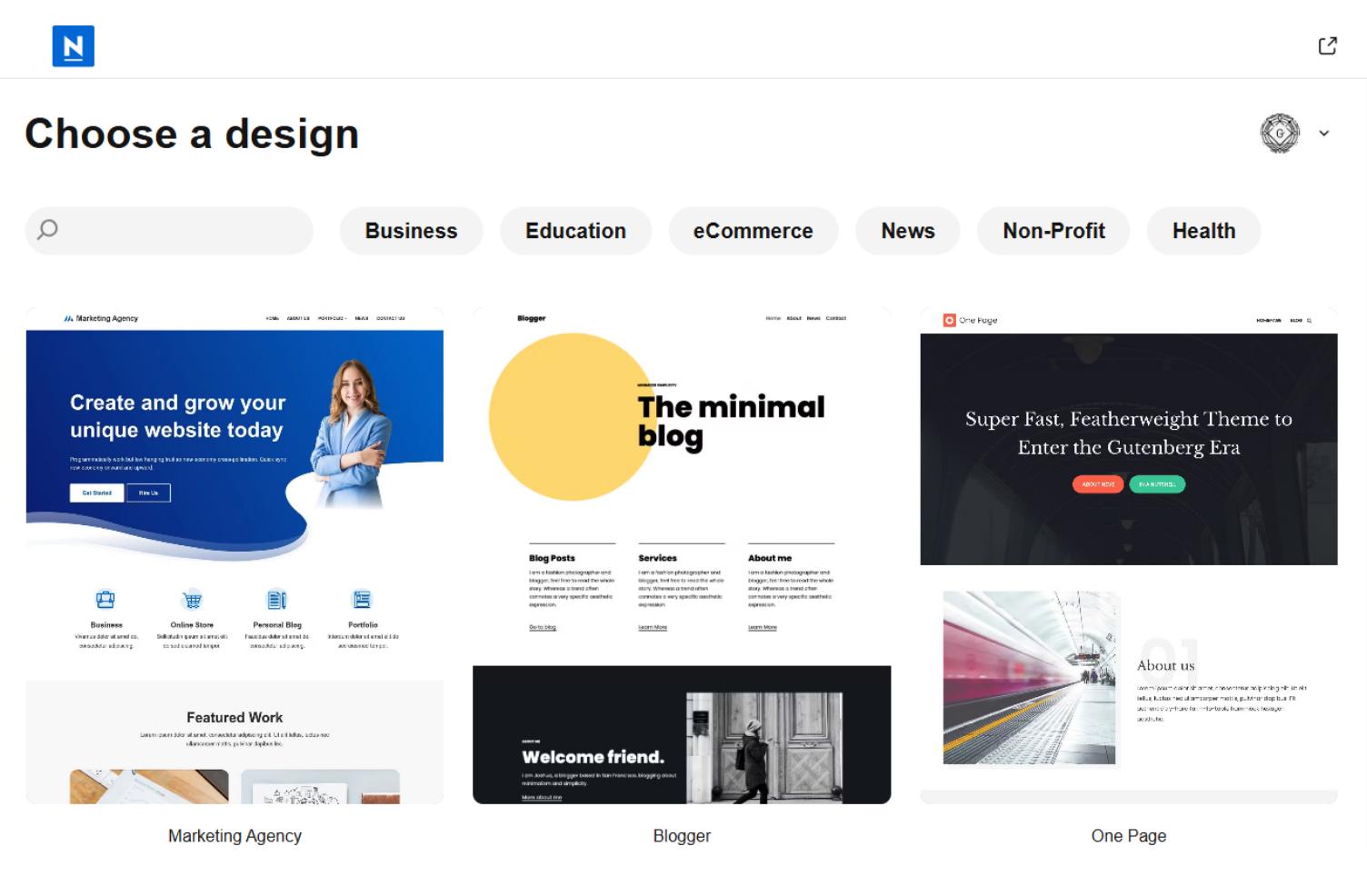
Website Templates – 45+ professional starter website templates to choose from
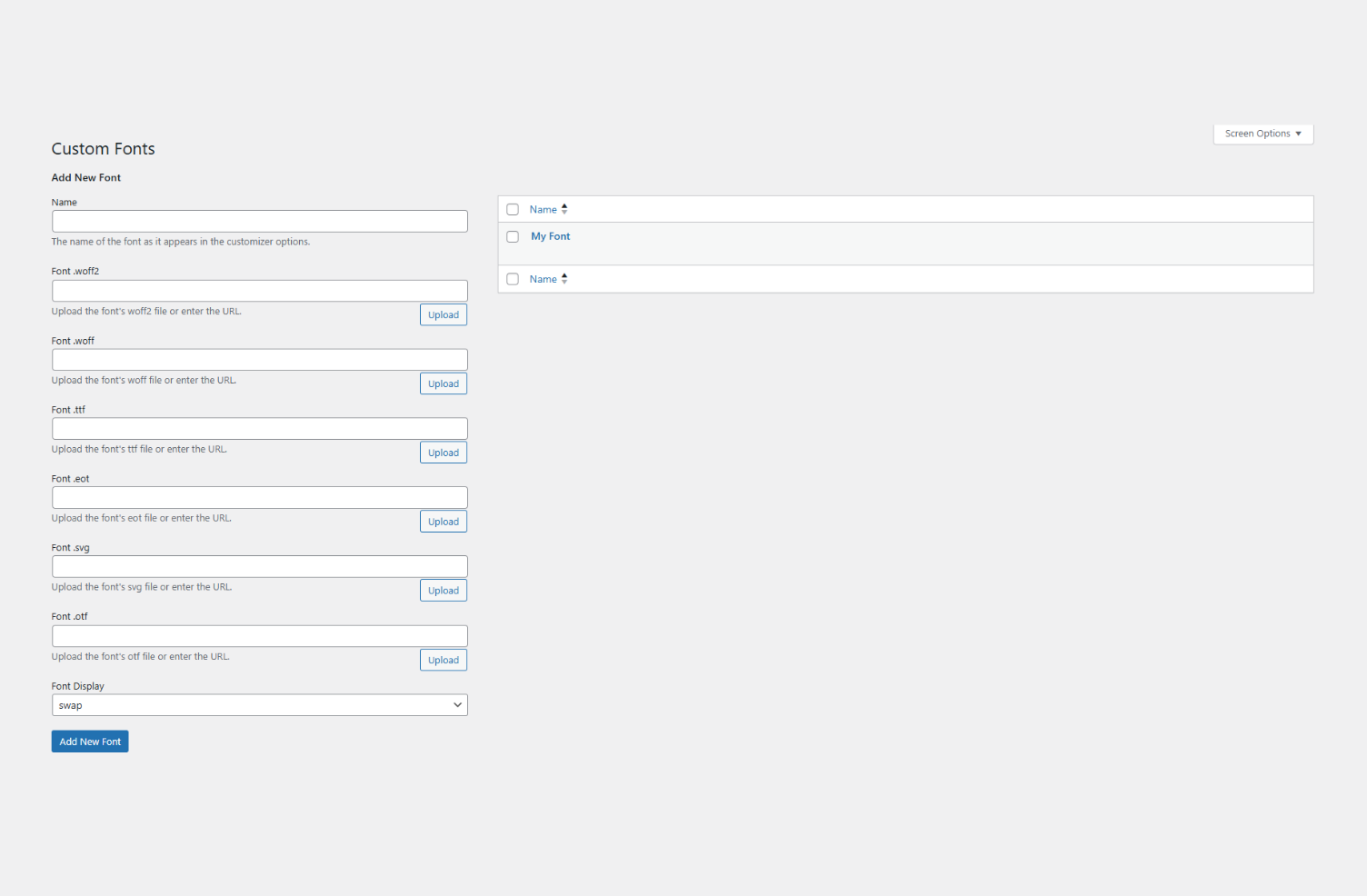
Custom Fonts – Upload and use any custom font on your website
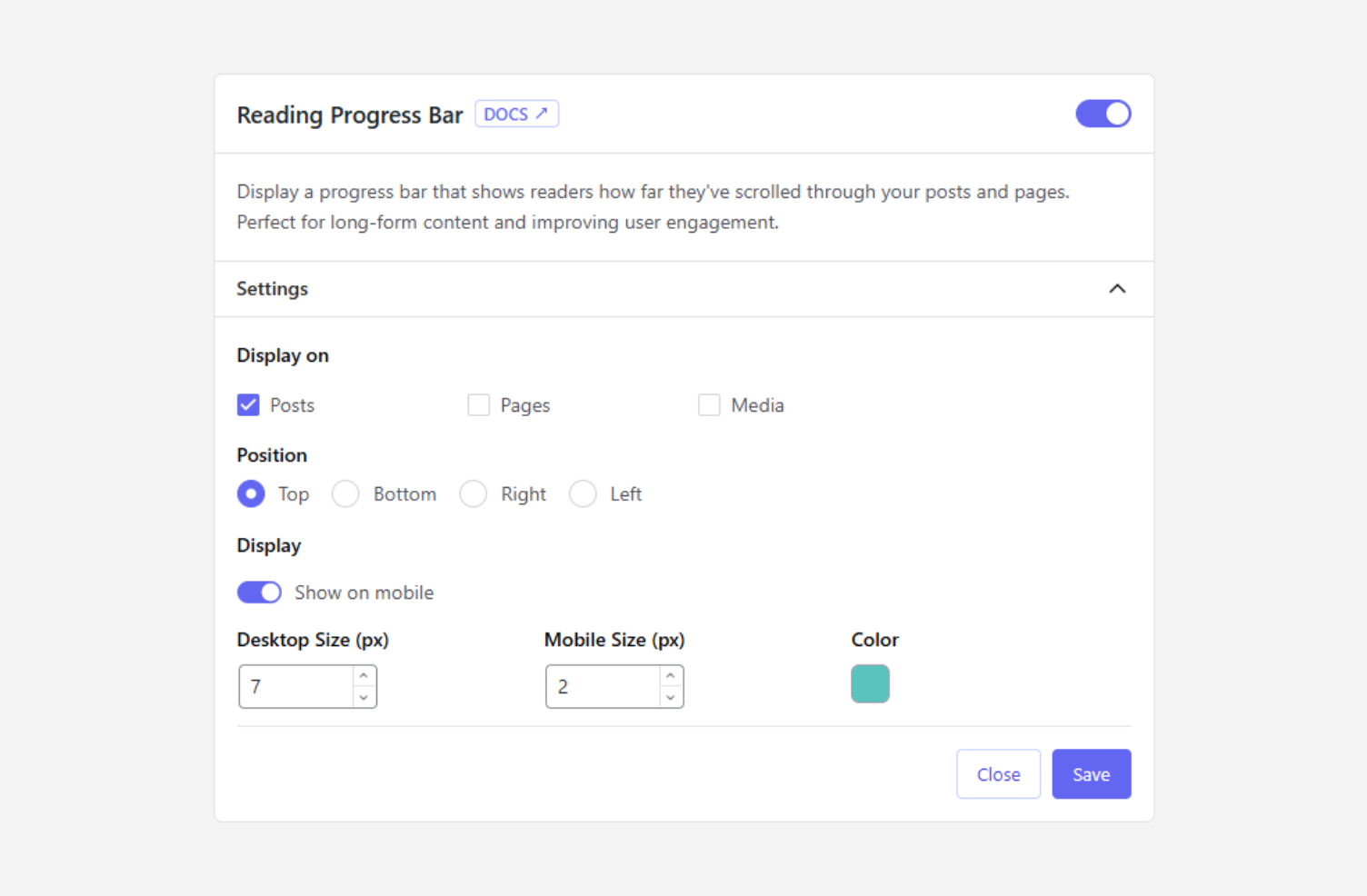
Reading Progress Bar – Increase engagement with a visual reading progress indicator
SVG Support – Enable safe SVG file uploads
Free Stock Photos – 1,300+ free images to use for personal and commercial purposes
Page Building & Widgets:
Elementor Widgets – Add 6 popular widgets to Elementor
Beaver Builder Modules – Add 6 popular modules to Beaver Builder
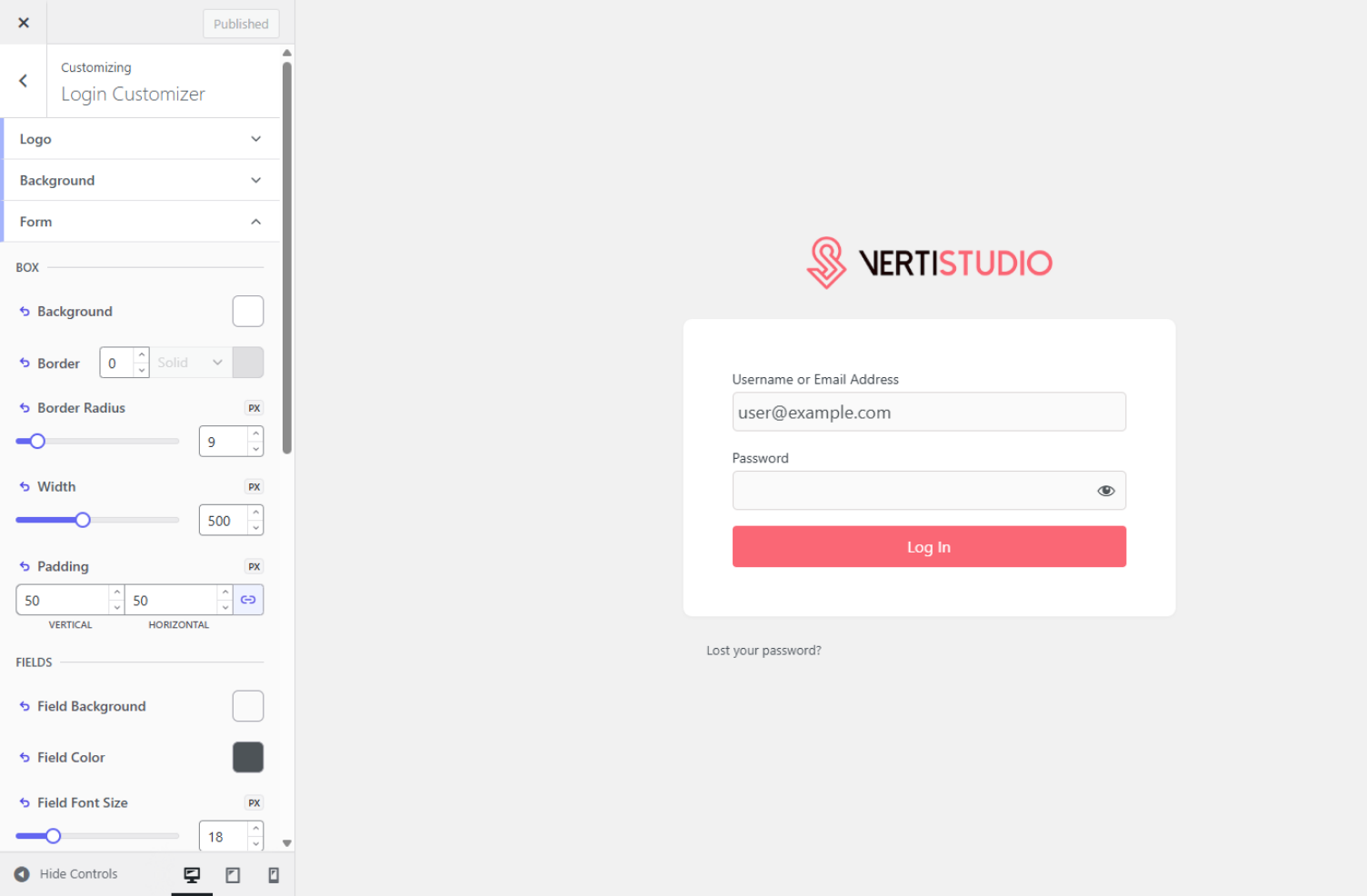
Customize Login Page – Change the design of your site’s login page and customize your login form
Duplicate Page or Post – Duplicate any post or page on your website with one click
User Experience:
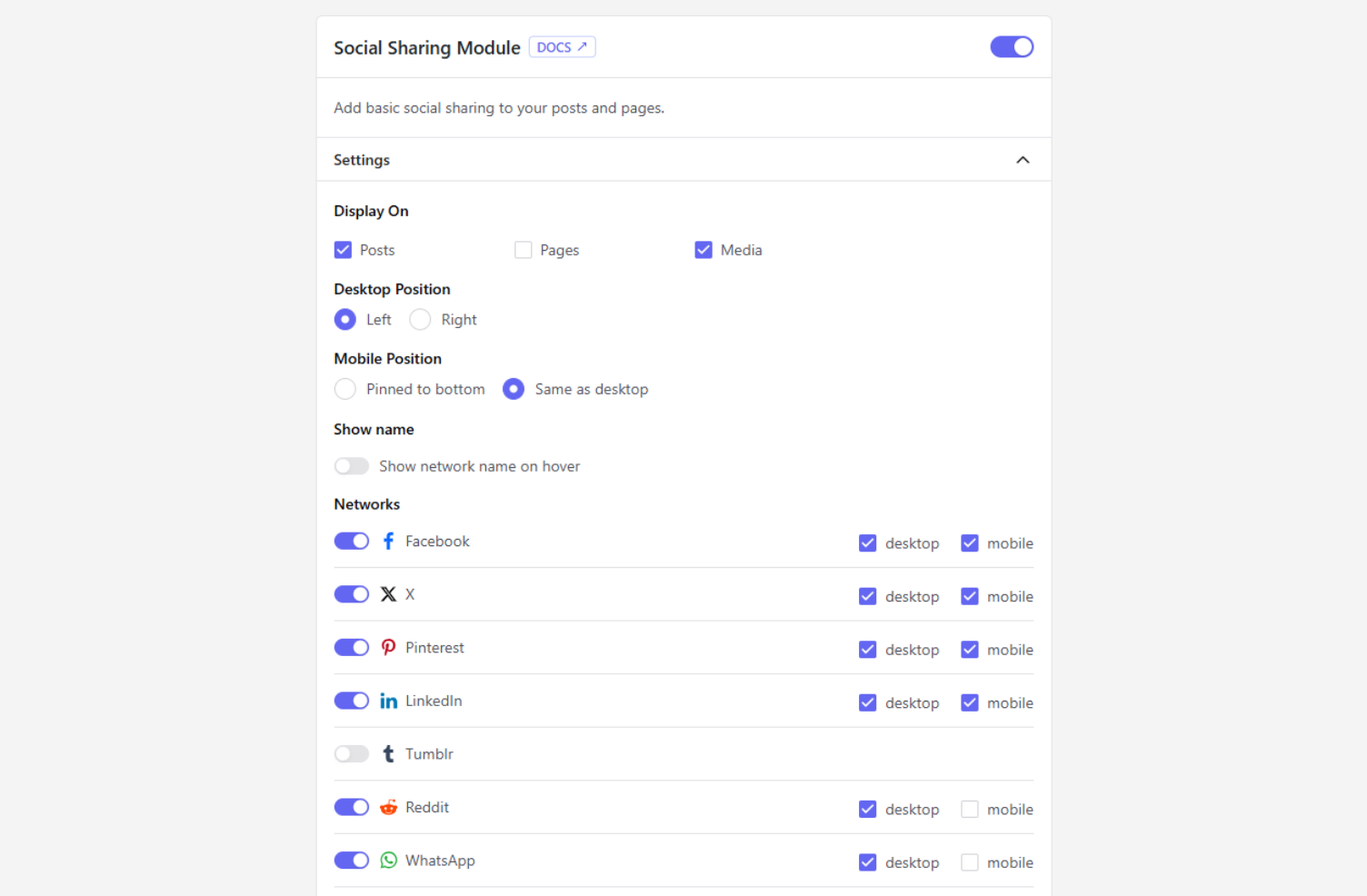
Social Share Buttons – Add social sharing buttons to your website with mobile/desktop optimization
Menu Icons – Add icons to any menu
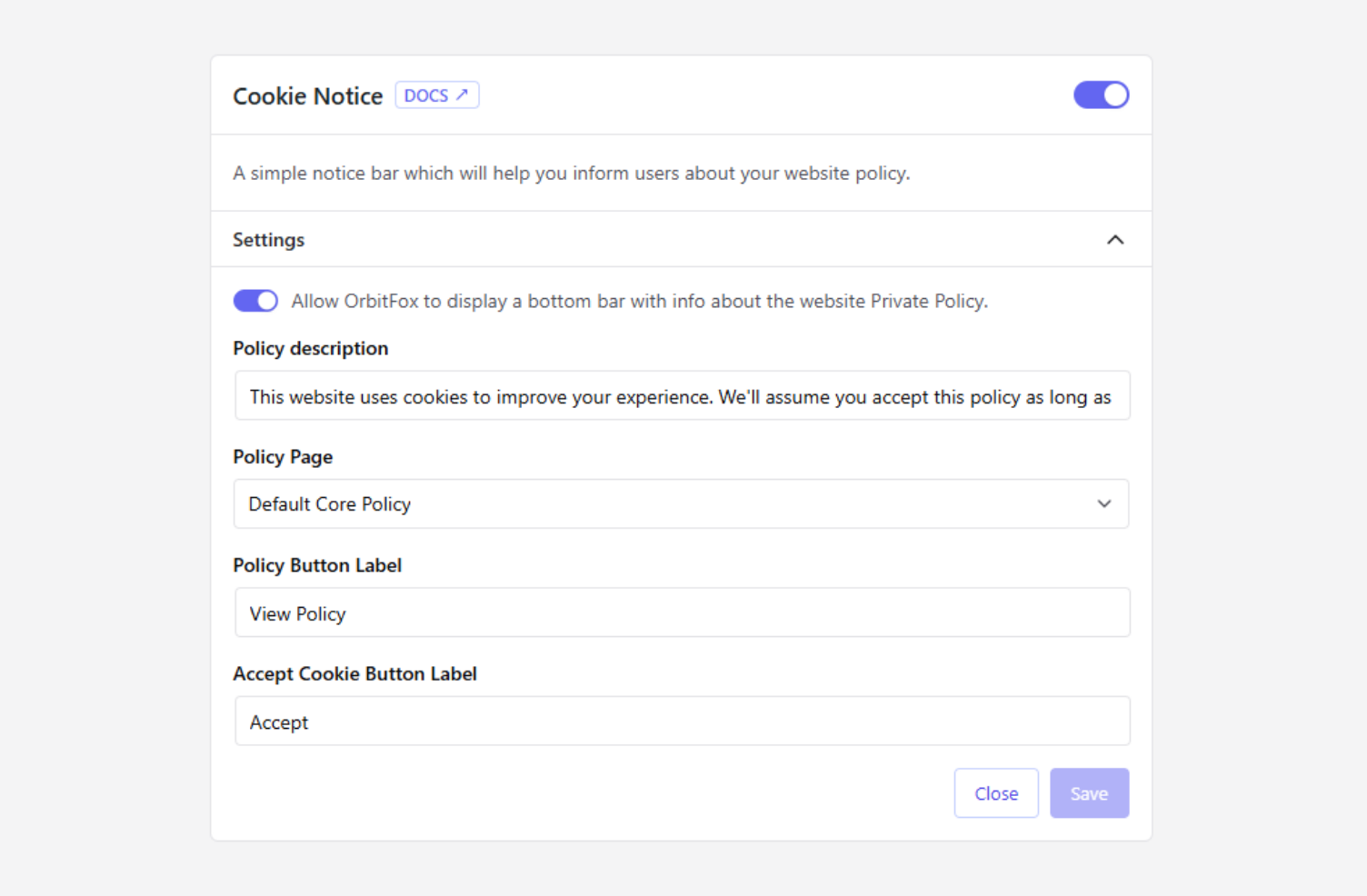
GDPR/CCPA Cookie Notice – Show GDPR/CCPA-compliant cookie notifications
Site Management:
Header and Footer Scripts – Add tracking codes and custom CSS/JS
Disable Comments – Site-wide comment control
Works With Any Theme
Orbit Fox is designed to work seamlessly with all WordPress themes. For the best experience, pair it with our professional themes like Neve and Hestia – built by the same team for perfect integration.
Who Should Use Orbit Fox
WordPress Beginners – Get professional features without the learning curve
Yes, Orbit Fox is completely free with no premium upsells or feature limitations.
Will Orbit Fox slow down my website?
No. Orbit Fox only loads the modules you’ve enabled, and only when they’re compatible with your setup. This smart loading actually improves performance compared to installing multiple separate plugins.
Can I use Orbit Fox with any WordPress theme?
Yes, Orbit Fox works with all WordPress themes.
What happens to my existing plugins when I install Orbit Fox?
Orbit Fox doesn’t interfere with your existing plugins. You can gradually replace individual utility plugins as you enable Orbit Fox modules, or run them alongside each other during transition.
Which page builders does Orbit Fox support?
Orbit Fox includes dedicated widgets for Elementor and Beaver Builder, plus it works with any page builder since most features are theme-independent.
How many modules can I enable at once?
You can enable as many or as few as you need. Each module is independently optimized for performance.
Can I customize the imported templates?
Absolutely. Templates are fully customizable – they’re starting points that you can freely modify.
Do I need an account to use the free stock photos?
No external accounts required. All images are CC0 licensed and ready to use directly from your WordPress dashboard.
What font formats does the Custom Fonts module support?
Supports all major formats: TTF, OTF, WOFF, and WOFF2. Upload any font family and use it throughout your site.
Can I add Google Analytics with the Header/Footer Scripts module?
Yes, easily add any tracking codes, Google Analytics, custom CSS, or JavaScript without editing theme files.
Is it safe to upload SVG files?
Yes, our SVG module includes security sanitization to prevent malicious code while allowing safe SVG uploads.
How to report a security issue?
Plugin security is a core priority for us. If you identify a potential vulnerability, we ask that you disclose it responsibly.
Please follow the reporting protocols outlined on our Security Page.
Login Customizer Module to customize your WordPress login, password reset and register pages with an easy, live-preview interface
Post Duplicator Module which adds a Clone button to posts and pages in the WordPress admin list. It creates a new draft that copies the original’s content and settings
SVG Uploads Module which safely enables SVG file uploads and media library support with proper sanitization.
Disable Comments Module – a one‑click global kill switch for comments across your site.
Reading Progress Bar Module to display a progress indicator as readers scroll your content – great for long posts and guides.
Social sharing module improvements with new networks, design updates and support for all custom post types
Enabled static content caching for Elementor widgets to improve performance
Redesigned Dashboard for better user experience
Fixes
Fixed issue with Template Directory redirection
Fixed Builder widgets module being duplicated
Fixed scroll to view for Contact form notifications
[Fix] Widgets with repeater fields are generating errors
[Fix] Gutenberg Blocks compatibility with WP 5.8
[Fix] Fix Elementor deprecated functions
– Retire the Uptime Monitor module.
– Announce the retirement of the Gutenberg Blocks module and remove it if the module is not used.
– Retire the Analytics module if the user is not using it.
Various improvements for Beaver and Elementor form widgets.
Improvements to the post grid Elementor module.
Compatibility with WordPress 5.3
2.8.10 – 2019-09-13
Development
2.8.8 – 2019-09-11
Fixes Constant Warning for Beaver Widgets Module
2.8.7 – 2019-08-13
Fix error notice in menu icons
2.8.6 – 2019-08-12
Improve script loading performance
Fix issue with mystock import
2.8.5 – 2019-07-26
Update Elementor content forms widgets compatiblity with the latest version.
Various fixes for the gutenberg blocks module.
2.8.4 – 2019-05-23
minor adjustments to the dashboard UI
various updates to the Gutenberg blocks available
adds compatibility with WordPress 5.2
2.8.3 – 2019-04-20
Fixed issue with constant not being checked in Otter
Added error handling in Backbone functions
2.8.2 – 2019-04-18
Fix PHP notice
2.8.1 – 2019-04-18
Fix issues with newsletter form
2.8.0 – 2019-04-02
Fix font awesome menu icons issue in the menu builder
Fix issue on dismiss nag info for OrbitFox post install
Fix menu icon possible conflicts report info
FIx undefined error on new installs for image module
Fix issues with mystock import on certain use cases
Remove image CDN module for new users, service will be migrated to optimole plugin
Adds recommended plugins tab into Orbitfox settings page.
2.7.5 – 2019-02-02
Improve compatibility with Image CDN module by disabling the feature if Optimole exits already
2.7.4 – 2019-02-01
update Gutenberg blocks library to the latest version
fix dashicons issue with Neve theme
load fontawesome locally if is not already loaded
2.7.3 – 2018-12-12
Revert Font Awesome 5 integration
2.7.2 – 2018-12-10
Tested with WP 5.0
2.7.1 – 2018-12-07
Fix for Gutenberg blocks module loading
2.7.0 – 2018-11-26
Fix small typo on the module activation button.
Improves compatibility with Hestia Theme.
Adds compatibility for Neve theme.
Fix translation text for Agree button in Cookie notice.
2.6.4 – 2018-11-12
Fix issue with elementor content forms php notice
Add alignment options to content forms
Security enhancements
Performance enhancements
2.6.3 – 2018-10-29
Minor bug fix in Gutenberg Blocks
2.6.2 – 2018-10-29
Adds Image Optimization and CDN module available for everyone.
Small improvements to the Gutenberg module.
2.6.1 – 2018-10-10
Added backward compatibility for Font Awesome 4
Fixed issue with Elementor dequeuing Font Awesome
Fixed issue with Gutenberg Module crashing Orbit Fox dashboard
Fixed issue with Pie Chart causing REST API error
Fixed z-index issue in Accordion block.
2.6.0 – 2018-10-08
Adds Gutenberg integration with various blocks.
Adds Font Awesome, Google maps, Notice, Sharing icons, Pie charts, Plugin Card, Pricing, Testimonial and Click to Tweet Gutenberg block and Post grid block.
2.5.8 – 2018-09-12
Extend image optimization module for 50% of users.
Enable safe updates for all users.
Adds image optimization integration with Optimole.
2.5.7 – 2018-08-13
-fixed fatal error with Elementor extra widgets
2.5.6 – 2018-07-26
Release
2.5.5 – 2018-07-23
Add new controls for Elementor content forms.
2.5.4 – 2018-07-11
Fixed undefined method for old elementor versions.
2.5.3 – 2018-07-11
Small alignment fix for menu icons module
Added styling options for Elementor content forms
2.5.2 – 2018-07-06
Fixes post grid pagination issue
Fixes post grid colors not applying correctly
Fixes Templates directory import issue
New templates in the templates directory
Fixes content forms placeholder not used
Fixes for Hestia Theme enhancements module
Fixes issue where url’s were replaced with CDN url for beta users
2.5.1 – 2018-07-02
Fix social icons saving bug.
Fix z-index issue on policy notice.
2.5.0 – 2018-06-22
Adds privacy policy module, allows users to set a notice for their visitors.
Adds Image CDN and Optimization module in private BETA .
Adds Themes Safe Updates module in private BETA.
Adds more Elementor templates into the library.
Improvements for Hestia enhancements module.
2.4.7 – 2018-05-03
Add content forms for Beaver Builder
Bug fixes and performance enhancements for Hestia
Fix issue with plugin activation and deactivation
2.4.6 – 2018-04-12
Add video to readme file
Added notification about conflict with navwalker overrides
Added safeguard for navwalker overrides
Remove unused animation functions from Legacy Module
Added Azera Shop, Llorix One Lite, Shop Isle themes functionality to Legacy Module
2.4.5 – 2018-03-29
Fixed issue with duplicated widgets in Hestia theme
Fix undefined errors in Analytics Module
Unset monitor email field on deactivation
2.4.4 – 2018-03-08
Fixed Analytics module error.
UX Improvements.
2.4.3 – 2018-03-04
Fixed Analytics module issues.
Better UX on module activation.
2.4.2 – 2018-03-02
Added a new Google Analytics Integration module
Small UX improvements
2.4.1 – 2018-02-20
Added intent confirmation for uptime monitor.
Register site to endpoint only if we have a valid email address.
UX improvements for module activation.
2.4.0 – 2018-02-16
Adds a new module for uptime monitor of your website.
Adds 4 more hooks for modules related actions.
2.3.1 – 2018-01-17
Disabled automatic display for sharing button on pages and added an option to toggle it.
2.3.0 – 2018-01-15
Adds 3 forms widgets for Elementor (Contact form, Newsletter, and Registration form).
Improve menu icons copyright.
Allows social icons on pages.
Adds beaver widgets module active by default.
2.2.7 – 2017-12-21
Fix for Hestia clients section default content
Beaver Builder Widgets show only if you have beaver builder installed
Better user experience for the template directory.
More native design for the template directory.
Added three free new templates to the template directory – Path, Mocha and Ascend.
Fixed bug with the Elementor Pricing Table widget button link.
Fixed php notice given by the Elementor Posts Grid widget.
Removed the useless Stats module.
2.2.5 – 2017-12-11
Better UX for CC0 images import module.
Improved Elementor Services Widget.
Added new templates to the template directory.
2.2.4 – 2017-12-04
Fixed issue with menu icons module loading.
2.2.3 – 2017-11-27
[Hestia] Fixed issue with Team member section not opening external links in a new tab
[Hestia] Fixed alignment issues with the front page sections
2.2.2 – 2017-11-24
Renamed flickr api util file.
Fixed issue with template directory preview plugin install modal.
2.2.1 – 2017-11-24
Fixed module loading for Elementor widgets module.
2.2.0 – 2017-11-23
Added new Elementor Widgets module;
Added new Template Directory module;
Bug fixes for the Photos Import Module;
Bug fixes for the Social Sharing module backend interface;
Moved Orbit Fox Companion out of Tools Menu;
2.1.1 – 2017-11-16
Adds compatibility with WordPress 4.9.
2.1.0 – 2017-11-08
Adds custom icons menu module.
Adds free stock images integration with mystock.photos .
2.0.11 – 2017-10-19
Fixed alignment issue for titles in Hestia
2.0.10 – 2017-10-18
Added selective refresh options for the Show/Hide frontpage controls in Hestia
Make external links open in new tab for the frontpage sections in Hestia
Added some new filters to control the number of items per row appear in the Features and Testimonials Frontpage section – http://docs.themeisle.com/article/669-how-to-add-4-feature-items-on-a-line-in-hestia
2.0.9 – 2017-10-17
Enhanced layout for Hestia sections.
2.0.8 – 2017-10-11
Fixed bug with URL protocols filter priority.
Fixed bug with icons background styled by URL address.
2.0.7 – 2017-10-02
New improved options for frontpage sections ordering/disabling in Hestia
2.0.6 – 2017-09-19
Added selective refresh for titles options in the frontpage sections in Hestia
2.0.5 – 2017-09-12
Added new Ribbon and Clients Bar sections in Hestia
2.0.4 – 2017-09-11
Adds PHP minimum requirement.
Fix for admin styles loading screen.
2.0.3 – 2017-08-24
Improved compatibility with the new Hestia version.
2.0.2 – 2017-08-16
Fix accordion not opening to display save buttons for modules
2.0.1 – 2017-08-14
Fixed issues with grey icons in Hestia.
Fixed Recommended Actions flags in customizer.
1.0.3
New widgets for Rhea child theme
Improved front page selection mechanism for Hestia