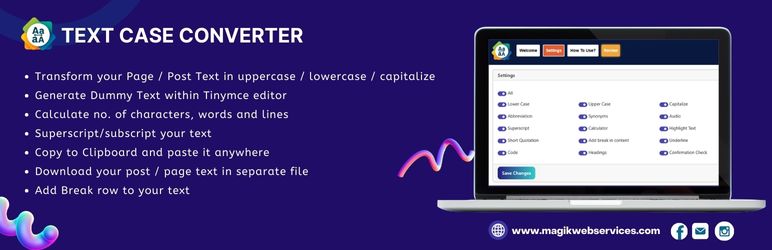
Text Case Converter is an open source WordPress plugin using which you can change your page or post text into uppercase or lowercase or capitalize or sentence case or invert case etc.. Besides this, you can also generate dummy text in your post and can count the no. of characters, words and lines in post text.
Watch this video to see how the plugin works:
Key features of this plugin include
Transform your Page / Post Text in uppercase / lowercase / capitalize.
Generate Dummy Text within TinyMCE editor.
Calculate no. of characters, words and paragraphs.
Superscript / subscript your text.
Copy to Clipboard and paste it anywhere.
Download your post / page text in separate file.
Add Break row to your text.
Clean all text.
Highlight text.
Quotation marks around the text.
HTML5 tag for addresses.
Abbreviation tag with title attribute for text.
Tooltip and synonyms features for text.
New buttons for audio and video insert.
Use code tag to define some text as computer code.
Underline text with colors
Use tel tag for any phone number for SEO
Use email tag for any email you have on page
Modern SweetAlert notifications for better user experience
NEW: Professional mce-ico icons for all buttons
NEW: Enhanced Elementor compatibility with dynamic icon injection
NEW: Improved visual design with consistent icon styling
NEW: Better performance and caching optimization
Multiple Languages
This plugin is translated into multiple languages which includes:
Arabic
Bengali
Chinese Simplified
Chinese Traditional
English
French
German
Hindi
Italian
Japanese
Portuguese (Brazil)
Russian
Spanish
Activate the plugin through the ‘Plugins’ menu in WordPress.
Then go to new post or page and enable classic editor, you will see extra buttons to use new features.
You can also access plugin settings from Settings > Text Case Converter in your WordPress admin.
How to use with different editors?
Classic Editor:
– Create or edit a post with Classic Editor enabled
– All Text Case Converter buttons will appear in the toolbar with professional icons
– Select text and use any conversion feature (Uppercase, Lowercase, SMS, Email, etc.)
Gutenberg Block Editor:
– Add a “Classic” block to your post/page
– The Text Case Converter buttons will appear in the Classic block toolbar
– Select text and use any conversion feature
– Note: Buttons only appear in Classic blocks, not native Gutenberg blocks
Elementor Builder:
– Add a “Text Editor” widget to your page
– The plugin buttons will appear in the Text Editor widget toolbar with enhanced compatibility
– All features work as expected with dynamic icon injection
– Settings accessible via WordPress Admin → Settings → Text Case Converter
What new features are available in version 2.0?
Visual Improvements:
– Professional Icons: All buttons now use consistent mce-ico icons instead of text labels
– Enhanced Design: Better visual consistency across all editor types
– Improved UX: Cleaner, more professional appearance
Technical Improvements:
– Elementor Compatibility: Enhanced support with dynamic CSS injection
– Performance: Optimized loading and caching
– Code Quality: Improved JavaScript and CSS structure
Existing Features:
– SMS Links: Create clickable SMS links with phone numbers
– Email Links: Create clickable email links
– Telephone Links: Create clickable phone number links
– Text Case Conversion: Uppercase, Lowercase, Capitalize, Sentence case, Alternate case
– Formatting Tools: Headings, Subscript, Superscript, Underline, Code
– Interactive Features: Tooltips, Audio/Video tags, Calculator, Synonyms
– Utility Tools: Clean editor, Copy to clipboard, Download text
What is the benefit of using this plugin?
User can easily change page or post text into uppercase or lowercase or capitalize or sentence case or invert case etc.. The plugin also provides modern UI improvements, professional icon design, and better caching for optimal performance. Version 2.0 brings enhanced compatibility with Elementor and improved visual design.
Is this plugin compatible with the latest WordPress version?
Yes, this plugin is regularly updated and tested with the latest WordPress versions for maximum compatibility. Version 2.0 includes enhanced compatibility with Elementor and improved performance.