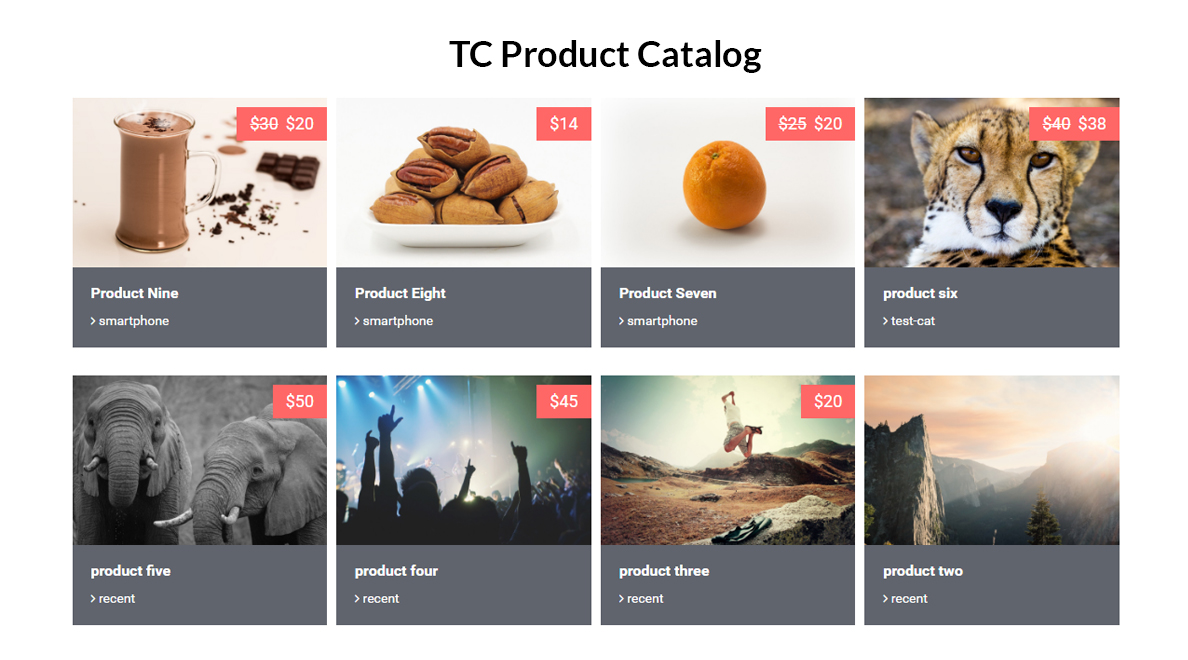
TC Product Catalog helps to nicely present your company products in your WordPress Website.
| Author: | themesCode (profile at wordpress.org) |
| WordPress version required: | |
| WordPress version tested: | 5.6.8 |
| Plugin version: | 1.2 |
| Added to WordPress repository: | 21-09-2016 |
| Last updated: | 13-12-2024 |
| Rating, %: | 52 |
| Rated by: | 5 |
| Plugin URI: | https://www.themescode.com/items/tc-product-c... |
| Total downloads: | 28 086 |
| Active installs: | 800+ |
 Click to start download |
|
TC Product Catalog helps to nicely present your company products in your WordPress Website.
- Upgrade to PRO »
- View live Demos »
- Documentation »
- Support »
- Send Message On Facebook »
- How To Create A Website »
How to Use the shortcode ?
Show all products.
[tcproduct-catalog]
Show Products of a specific Catalog. just put the catalog slug in the catalog Attribute
[tcproduct-catalog catalog="catalog-slug"]
TC Portfolio Plugin Features:
- Easy installable
- Fully Responsive.
- Supported all Modern browsers
- Custom post type – add Product like any post.
- Hide/Show filter Menu .
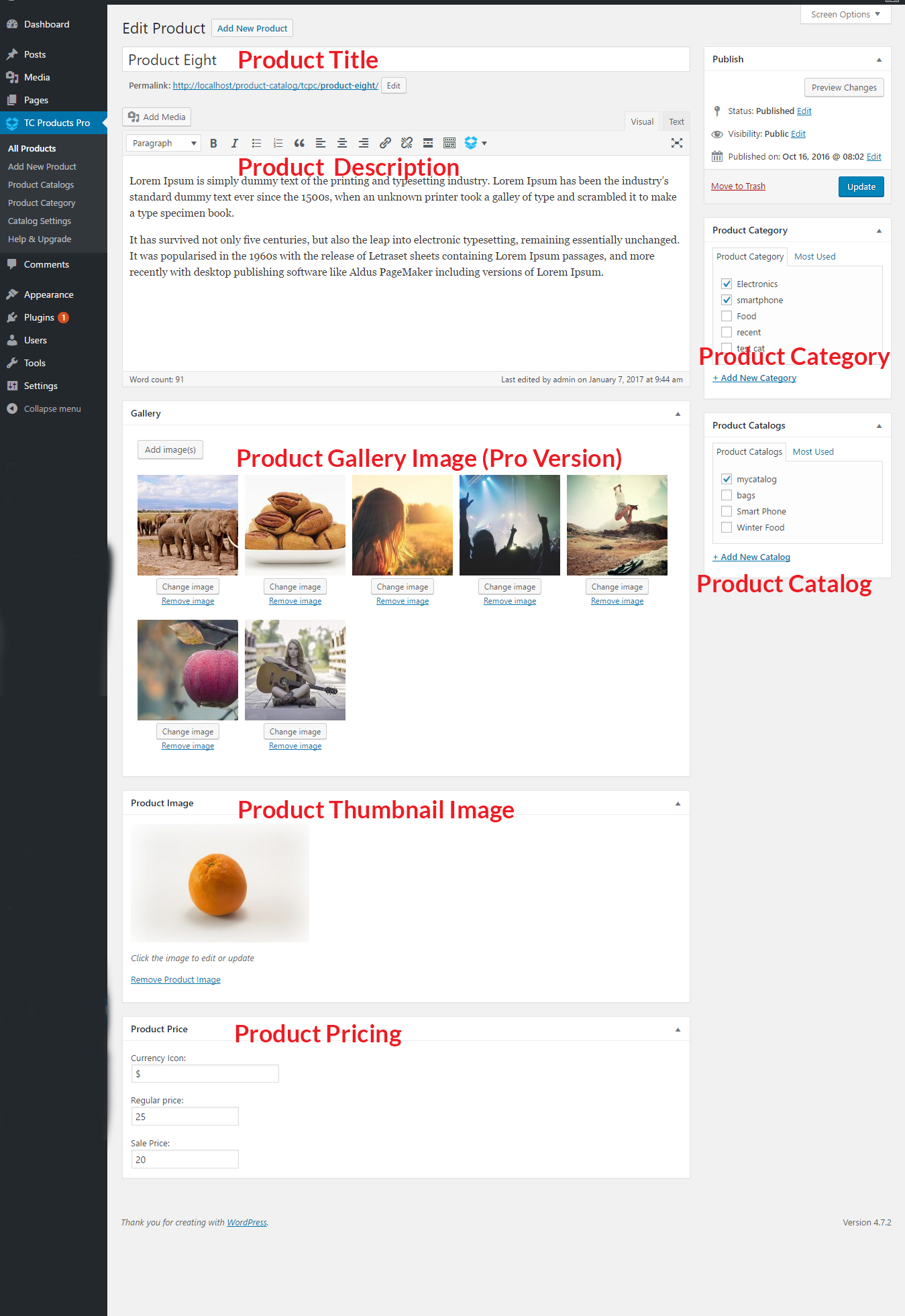
- You can Add Product Nmae/Title , Product Description,Product Image,Product Regular Price , Sale price , Currency Icon
Pro Version Features:
- Besides, free version fields , You can Add multiple images to create Gallery
- Multiple column 2,3,4,5.
- Short-code Generator.
- Transparent Hover Overly color
- Single Product Page Template
- Related/same category Product item in single Page Template
- Latest Product item in single Page Template
- Setting Options to manage Latest Product item in single Page Template – hide/show related/Latest Products
- Advanced Setting Panel to manage color,font size
- tcpc slug has been removed from url
Watch the Video tutorial to work with the plugin
Screenshots
ChangeLog