Sunshine Photo Cart is the #1 WordPress plugin for creating client photo galleries and photo proofing galleries that help photographers sell more photos and grow their business. Join thousands of professional photographers who trust Sunshine to deliver proof galleries, sell prints and digital downloads, and manage client orders—all from their own WordPress website with no monthly fees or commissions. With 100+ 5-star ratings and proven results, Sunshine Photo Cart is the trusted choice for photographers worldwide. ????
“I would say my sales went up at least 300% since installing Sunshine Photo Cart.”
– Edward Amos
“Sunshine elevated my small photography business and I know it can elevate yours as well.”
– Kendra Heller
“Sunshine Photo Cart has allowed me to deliver proof galleries quickly, efficiently, and effortlessly. This plugin has really taken out the aggravation of setting up galleries, allowed me to work more efficiently, and gives my clients such an easy-to-use interface for viewing. I am grateful I found it and highly recommend it to other photographers!”
– Drew Johnston
“AUS$1500 worth of sales within 3 days of installing Sunshine Photo Cart. Need I say more? This system is simple to use, easy to customize, and doesn’t force you to dive into the depth of your server to run.”
– William Debois
“The biggest benefit for me was the stand alone style, do your own stuff, sell as much as you can without a commission.”
– Dan Spineanu
“I have seen a huge increase in sales compared to other photo websites.”
– Nadia Hall
Why Choose Sunshine Photo Cart for Your Client Photo Gallery?
Whether you’re a wedding photographer, portrait photographer, school/sports photographer, or fine art photographer, Sunshine Photo Cart gives you everything you need to create beautiful client photo galleries and streamline your photo proofing workflow.
✨ Deliver proof galleries that convert – Share password-protected galleries with expiration dates that create urgency and encourage clients to purchase before time runs out. Your clients can easily browse, select favorites, and share with family and friends to increase your sales.
???? Sell photos with zero commissions – Keep 100% of your profits. Unlike other platforms that take 15-30% of every sale, Sunshine Photo Cart charges no commissions, no monthly fees, and no hidden costs. You own your client galleries and your revenue.
???? Set up in minutes, not hours – Create your first client photo gallery in under 5 minutes. Upload images via FTP or drag-and-drop, set your products and pricing, and start sharing galleries with clients immediately.
???? Professional security built-in – Protect your images with automatic watermarking, password protection, and private gallery access. Your photos stay secure while clients enjoy a seamless viewing experience.
???? Works beautifully on any device – Your clients can browse galleries, select favorites, and purchase photos from their phone, tablet, or computer. Responsive design means your client photo galleries look perfect everywhere.
???? Sell to clients worldwide – Support for all currencies and translations in German, French, Spanish, Dutch, Finnish, Portuguese, British English, Norwegian, and more. Learn more about translations
???? Works with any WordPress theme – Sunshine Photo Cart seamlessly integrates with all WordPress themes and popular page builders. Your client photo galleries automatically match your website’s design, or choose from our custom design layouts for a dedicated gallery experience.
What You Get with Your Free Client Photo Gallery Plugin
This free version is fully functional and includes everything you need to start selling photos to clients:
Photo Proofing & Client Gallery Features
Unlimited client photo galleries – Create as many galleries as you need for weddings, portraits, events, or any photography project
Photo proofing workflow – Let clients browse proof galleries, select favorites, and share with family members to increase engagement. Create proofing-only galleries (no products) for client approval workflows
Multiple display formats – Choose from various layout formats for your galleries and images to match your style and client preferences
Password-protected galleries – Keep your client photo galleries private with password protection, email requirements, or user account access
Gallery expiration dates – Create urgency and encourage faster purchases with automatic expiration notices
Sub galleries – Organize large events like weddings into hierarchical galleries (ceremony, reception, portraits, etc.)
Favorites system – Clients can mark their favorite photos, and you can view all favorites in the admin to understand client preferences
Comments on images – Enable clients to leave comments on photos during the proofing process for better communication
Social sharing – Enable clients to share galleries and images on social media to increase exposure and drive more sales
Automatic watermarking – Protect your images with watermarks automatically applied when images are uploaded to galleries
E-commerce & Sales Features
Shopping cart system – Professional cart that lets clients select photos, choose products (prints, digital downloads, etc.), and add multiple items
Multiple payment options – Accept offline payments (check) or online payments. PayPal is included free with the core plugin. Stripe and Square are also available in the free version (with 5% platform fees) or upgrade to remove fees.
Registered or guest checkout – Choose whether to require user accounts or allow guest checkout for faster purchases
Optimized checkout page – One-page checkout optimized for conversions with optional distraction-free experience to maximize sales
Advanced tax settings – Set specific tax rules down to the zip or postal code level for precise tax calculations in your area
Flexible shipping – Offer flat rate shipping, local delivery, or pickup options to meet your business needs
Order management – Easy-to-use admin dashboard to track orders, manage customers, change order status, and notify clients of updates
Printable invoices – Generate professional invoices for every order automatically
Theme integration – Automatically integrates with your WordPress theme or choose from our beautiful design layouts
FTP upload support – Upload hundreds of images quickly via FTP or use the convenient browser upload
Mobile-responsive – Your client photo galleries look perfect on phones, tablets, and desktops
Payment Gateway Note:PayPal is included free with the core plugin—no fees, no add-on required! Stripe and Square are also available in the free version but are subject to 5% platform fees. Upgrade to remove these fees and unlock additional payment gateways.
Take Your Client Photo Galleries to the Next Level
The free core plugin offers everything you need to get started, but you can unlock even more powerful features with our add-ons. View all pricing plans
Essential Add-ons for Photo Sales
Digital Downloads ???? – Sell digital files at any size with instant, secure download access for your clients
Discount Codes ????️ – Boost sales with flexible discount codes that encourage larger purchases
Lightbox ????️ – Deliver a premium browsing experience with beautiful lightboxes and slideshows for your client photo galleries
Price Levels ???? – Set unique prices per gallery for complete pricing control and maximum profits
Packages ???? – Bundle products together to encourage larger orders and increase average order value
Product Options ⚙️ – Offer customizable options like frames, paper types, and finishes to increase sales
Advanced Analytics ???? – Understand what sells best with detailed gallery analytics, best sellers, and profit insights
Multi Image Products ????️ – Sell products like photo boxes or albums where clients select multiple photos
Automated Emails ???? – Send automated emails based on client gallery interactions to nurture relationships and drive sales
Client Messaging ???? – Simplify gallery invitations with professional message templates
Session Fees ???? – Offer bookable time slots with online payments and include products with your session fees
Volume Galleries ???? – Build hundreds of galleries in a quick, easy workflow perfect for school photographers and high-volume events
Cloud Storage ☁️ – Offload images to Amazon S3, Google Cloud, or DigitalOcean Spaces for unlimited storage and faster delivery
Gift Cards ???? – Sell gift cards that clients can redeem for prints and products in any gallery
Minimum Order ???? – Set minimum order amounts to ensure every sale is worth your time
Price List ???? – Display your product pricing anywhere on your site with a simple shortcode
Quantity Discounts ???? – Reward bulk purchases with automatic volume discounts to increase order sizes
Sell Anything ????️ – Sell products that don’t require a photo selection, like gift prints or studio merchandise
Video Sales ???? – Sell video clips and slideshows alongside your photo galleries
Exports ???? – Simplify financial reporting and order fulfillment with effortless CSV exports of order data
Payment Gateways
Included Free:
* PayPal ???? – Fully included in the free core plugin with no platform fees or add-on required!
Available with Add-ons (Pro/Plus plans):
* Authorize.net – Enterprise payment processing for businesses
* Mollie – European payment gateway with iDEAL support
* Mercado Pago – Popular payment gateway for Latin America
* Payfast – South African payment gateway
* Paystack – African payment gateway
* Quickpay – Danish payment gateway
Sunshine Photo Cart is trusted by thousands of wedding photographers, portrait photographers, school/sports photographers, and fine art photographers around the world. Read testimonials, view case studies, and see example sites to see how Sunshine has helped photographers just like you grow their business.
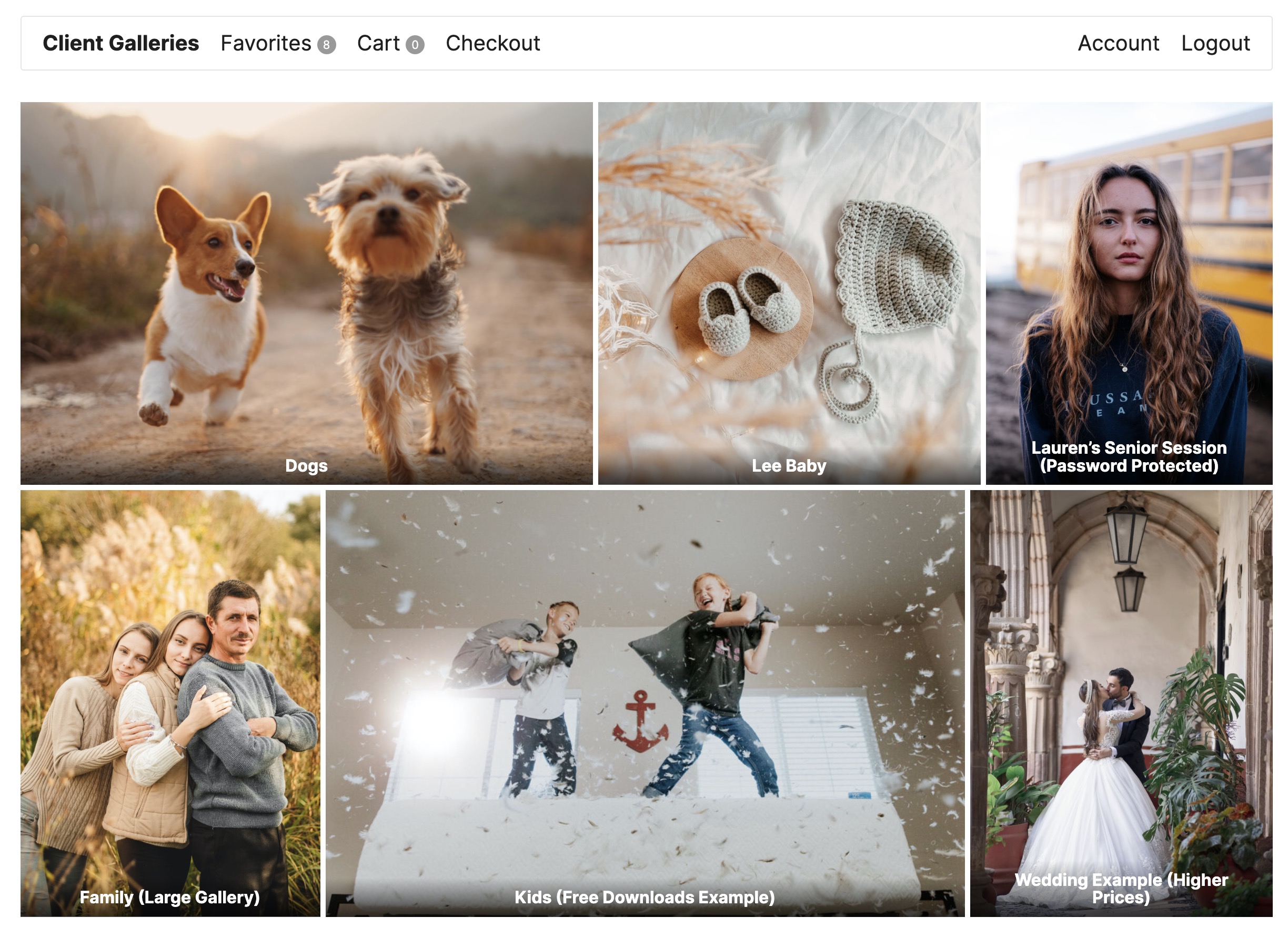
Client photo gallery main view - Browse all your client photo galleries in a beautiful, organized layout. Private galleries are only visible to assigned users or admins.
Photo proofing gallery view - Clients can browse proof galleries with expiration notices and watermarked images. Notice the favorites button and social sharing options!
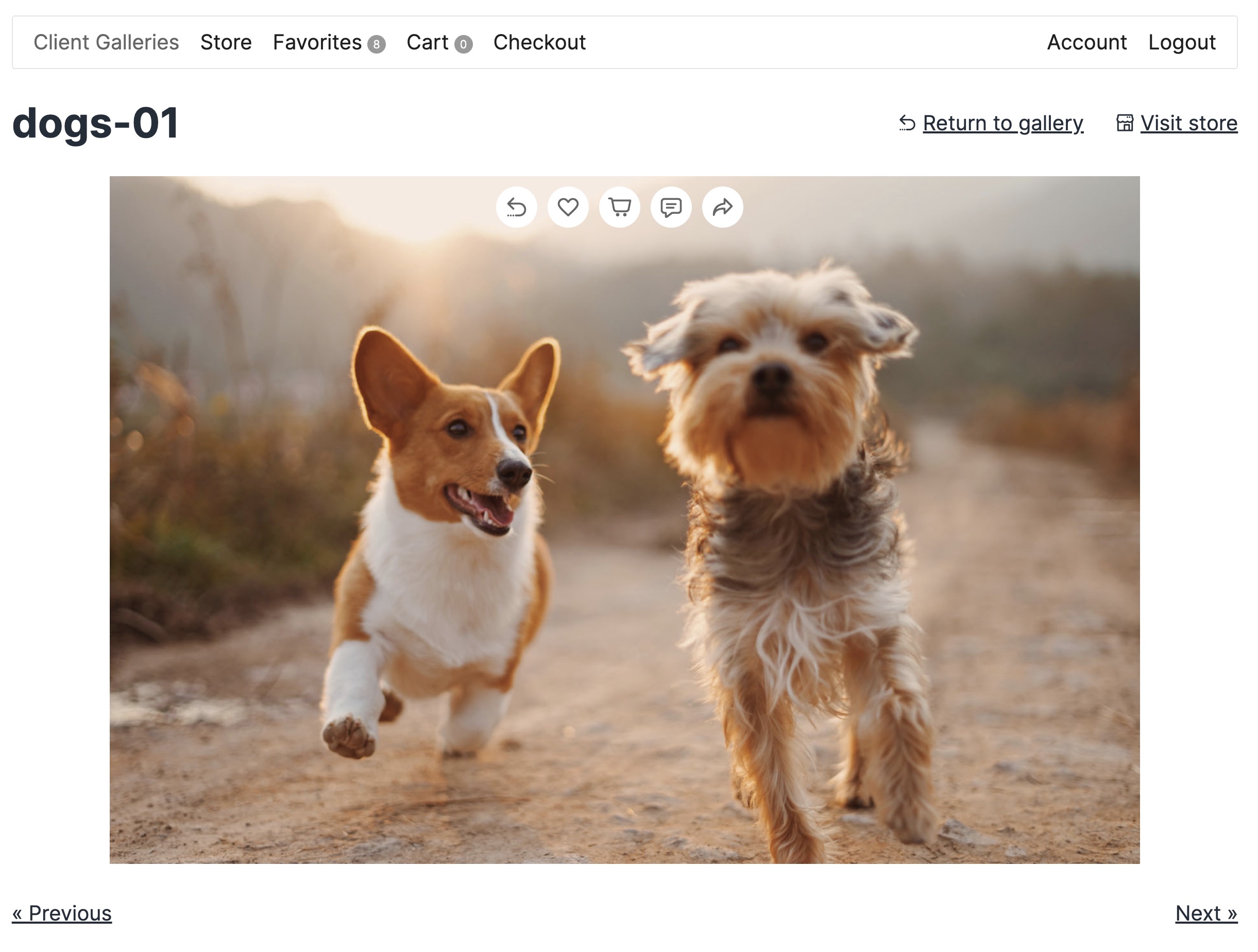
Single image view in client photo gallery - Clients can view full-size images, select products, and add photos to cart for purchase.
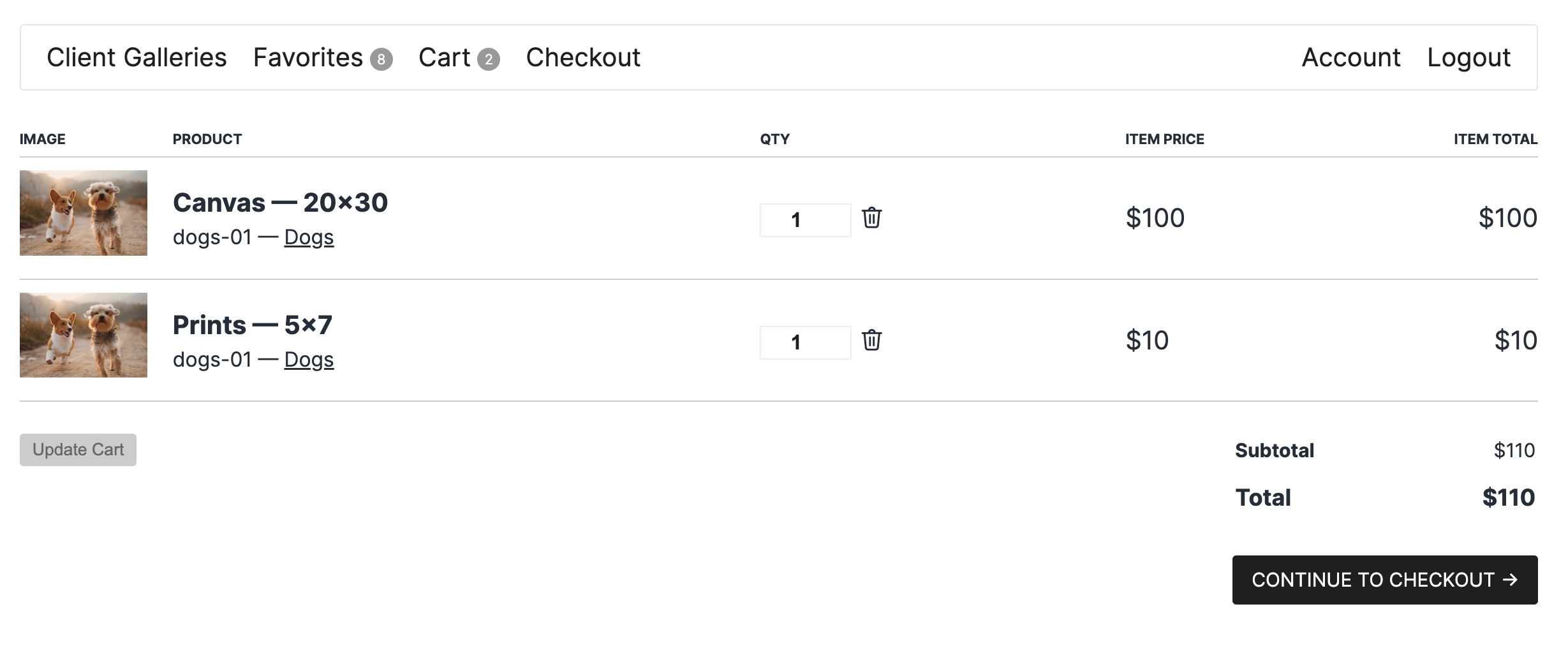
Shopping cart - Professional cart interface where clients manage selected photos and products before checkout.
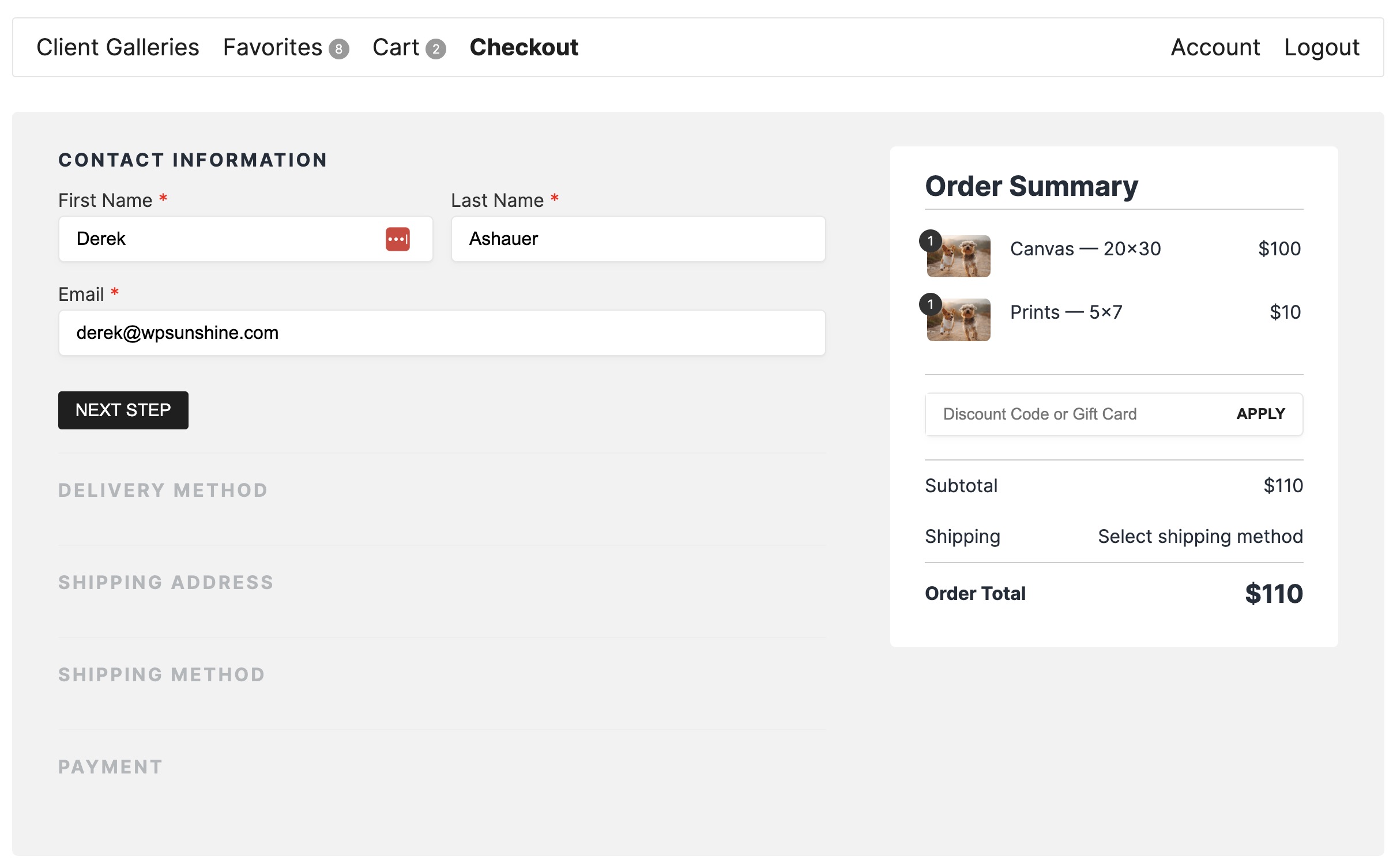
One-page checkout - Streamlined checkout process makes it easy for clients to complete their photo purchases quickly.
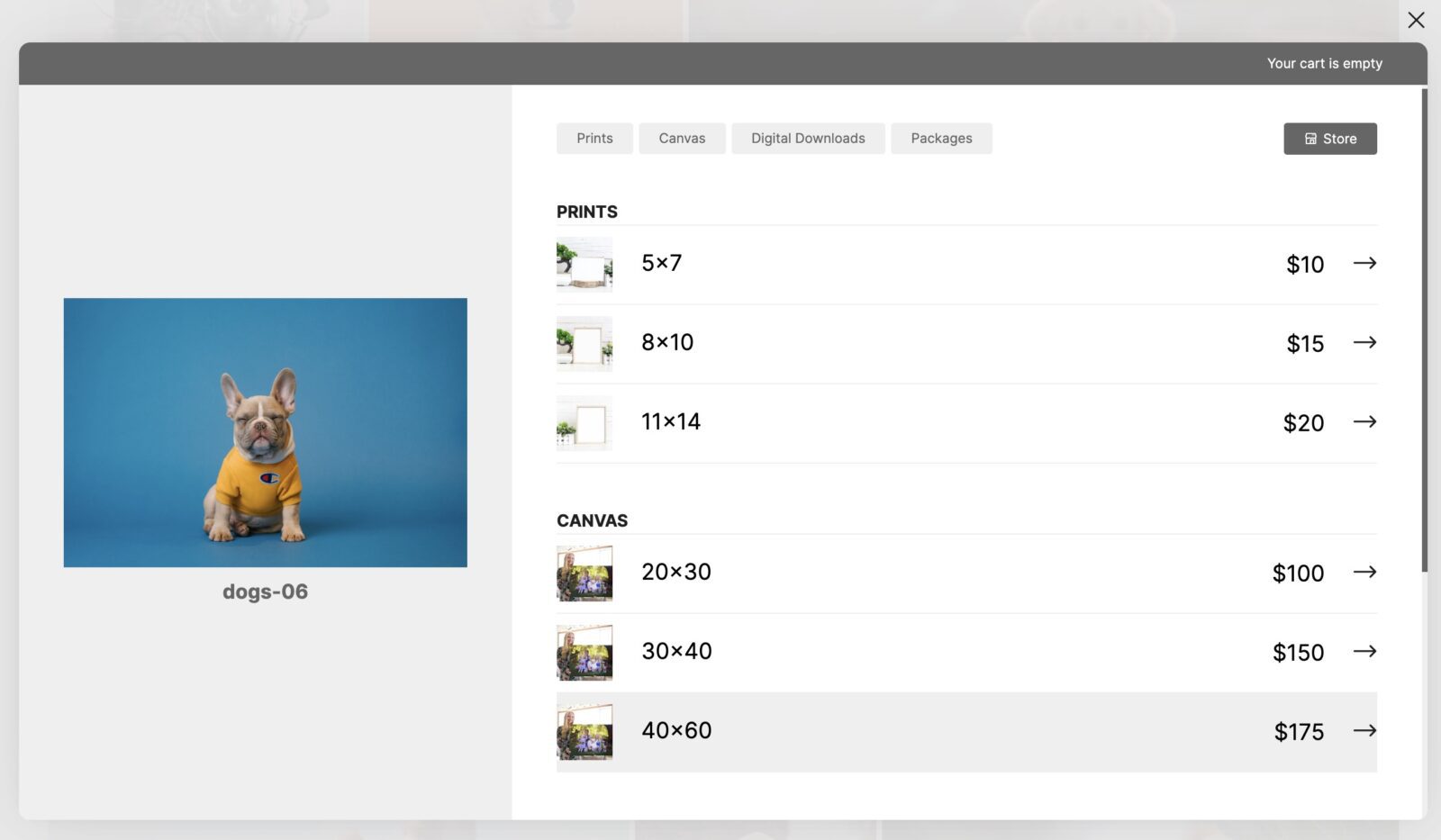
Add to cart screen - Clients select products (prints, digital downloads, etc.) and quantities for each photo they want to purchase.
Store view - Alternative shopping experience showing products first, allowing clients to add multiple images to cart at once from your client photo galleries.
Favorites selection - Clients can mark favorite photos during photo proofing, making it easy to identify which images they want to purchase.
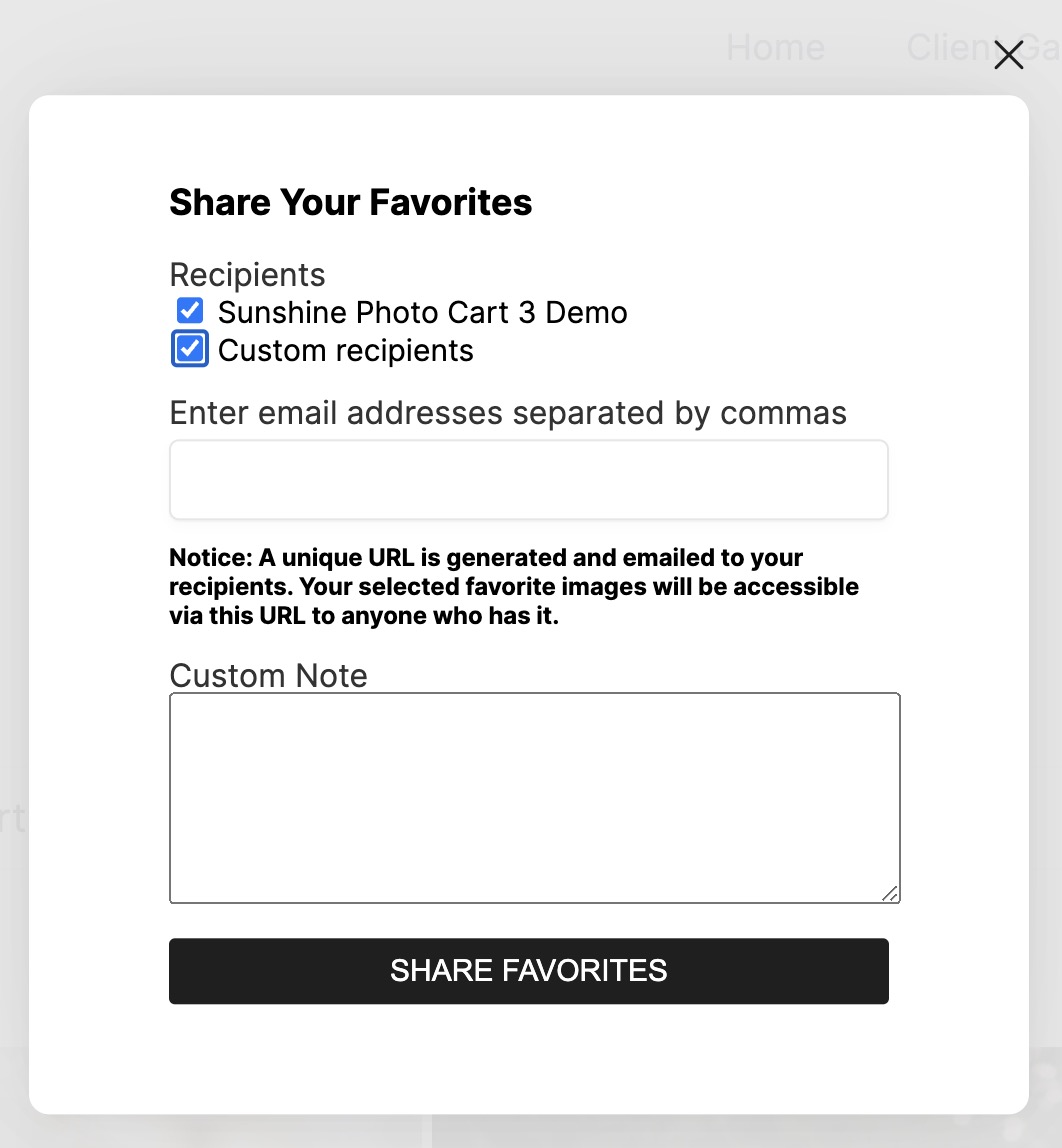
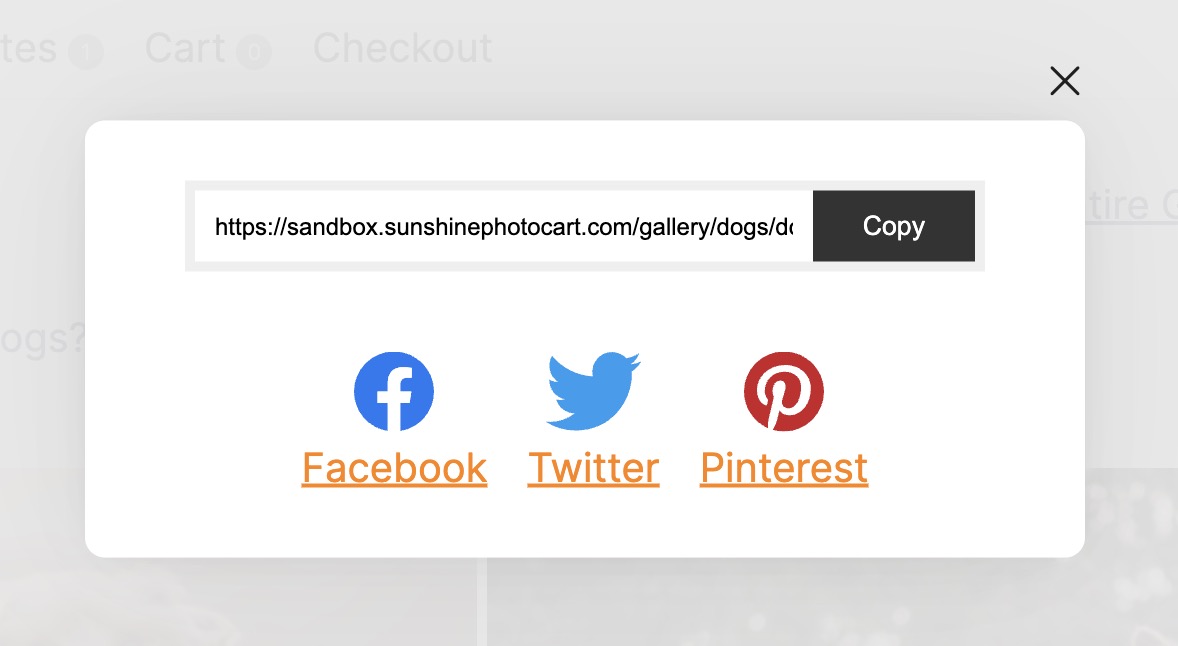
Social sharing - Enable clients to share galleries and images on social media to increase exposure and drive more sales from your client photo galleries.
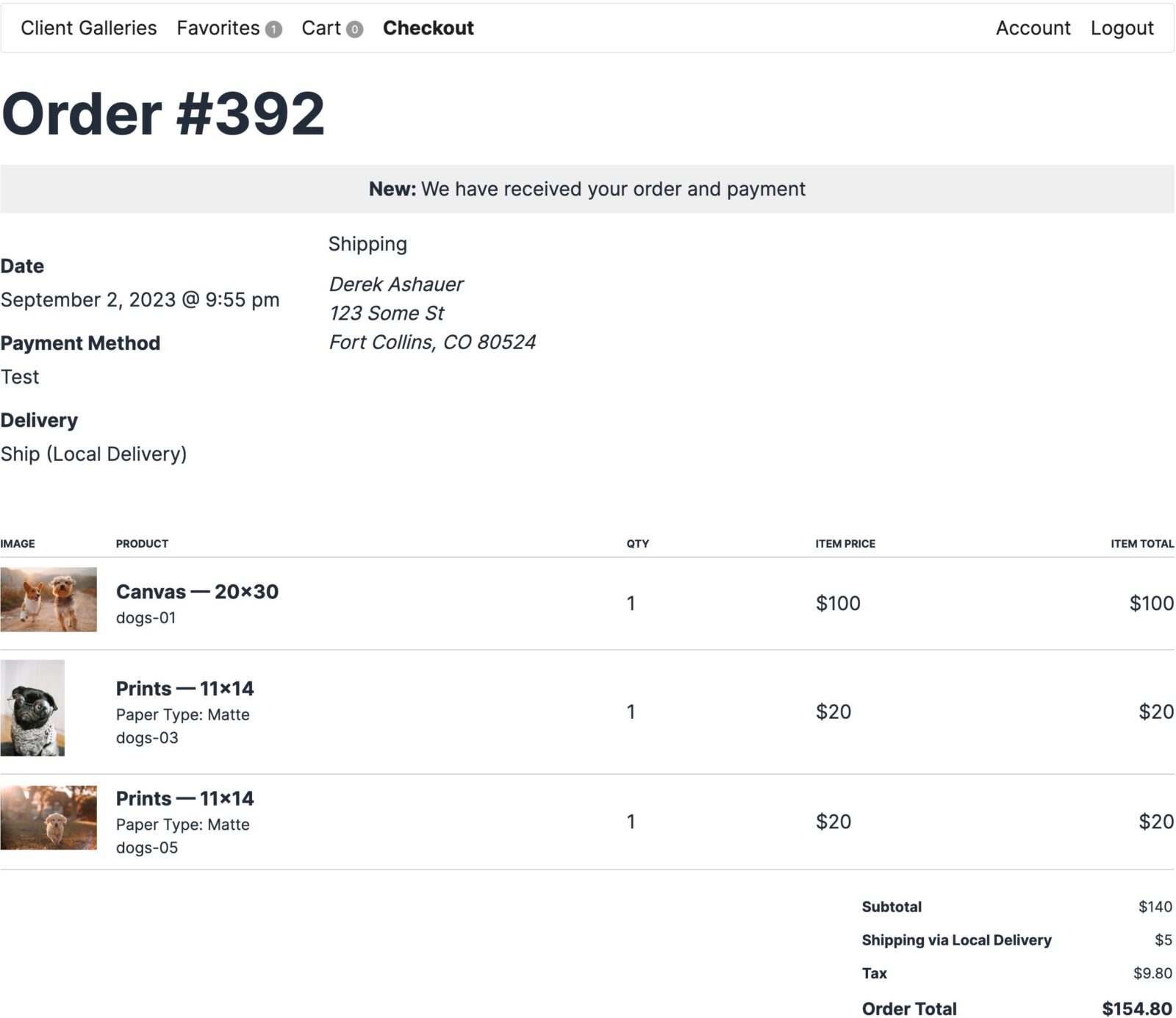
Order confirmation - Professional order confirmation page and email receipt for every purchase from your client photo galleries.
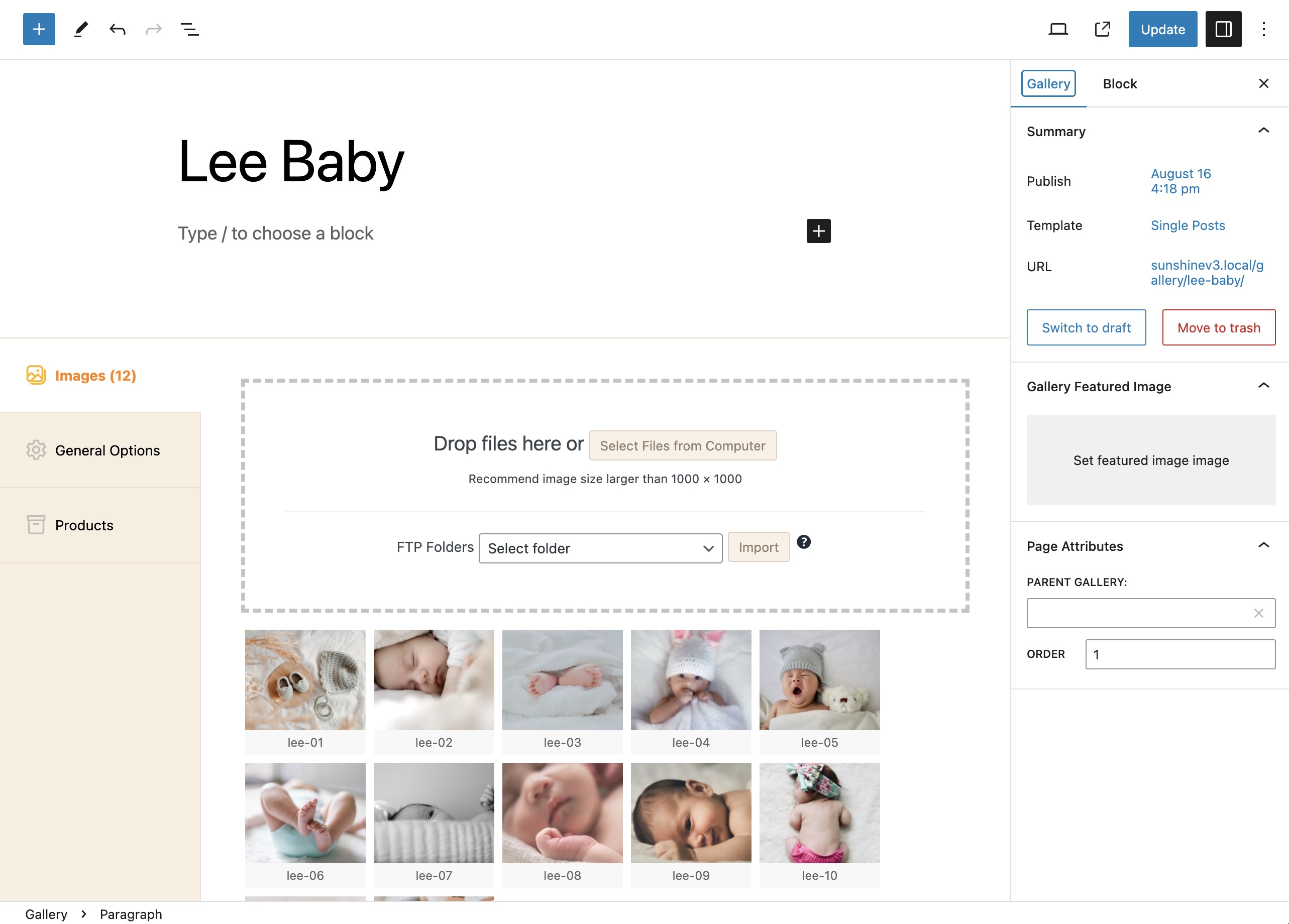
Admin gallery management - Easy-to-use admin interface to create galleries, upload images, and manage your client photo galleries and photo proofing workflow.
How do I create a client photo gallery for my photography business?
Sunshine Photo Cart makes it easy to create professional client photo galleries. After installing the plugin, go to Sunshine > Galleries and click “Add New Gallery.” Upload your images via drag-and-drop or FTP, set gallery access (password, email, or private), and share the gallery link with your clients. Your clients can browse photos, select favorites, and purchase prints or digital downloads directly from the gallery.
What is photo proofing and how does Sunshine Photo Cart help with photo proofing?
Photo proofing is the process of sharing photos with clients so they can review, select favorites, and approve images before final delivery or purchase. Sunshine Photo Cart streamlines photo proofing by letting you create password-protected proof galleries where clients can browse images, mark favorites, share with family, and purchase photos. Features like gallery expiration dates and favorites selection make the proofing process efficient and help convert more sales.
Can I sell photos to clients with this plugin?
Yes! Sunshine Photo Cart is built specifically for photographers who want to sell photos to clients. The plugin includes a full shopping cart system, multiple payment gateways (PayPal, Stripe, Square), product management, and order fulfillment tools. You can sell prints, digital downloads, and custom products with zero commissions or monthly fees.
How do I accept payments for photo sales?
Sunshine Photo Cart supports multiple payment methods. PayPal is included free with the core plugin—no fees, no add-on required! The free version also includes Stripe and Square, but these have a 5% platform fee (upgrade to remove fees). You can also accept offline payments like checks. Upgrade to unlock additional payment gateways including Authorize.net, Mollie, Mercado Pago, Payfast, Paystack, and Quickpay. See all payment gateways
Are there any limits on galleries, images, or products?
No! Sunshine Photo Cart has no limits on galleries, images, products, or orders. You can create unlimited client photo galleries, upload unlimited images, and sell unlimited products. The only limitation is your web hosting storage space. If you need more storage, Sunshine integrates with Amazon S3 via the WP Offload S3 plugin for unlimited cloud storage.
Can I password protect my client photo galleries?
Absolutely! Sunshine Photo Cart offers multiple ways to protect your client photo galleries. You can require a password, require an email address, require a user account, or make galleries completely private for specific users only. This ensures only your clients can access their photos.
Does this work for wedding photographers?
Yes! Sunshine Photo Cart is perfect for wedding photographers. Features like sub galleries let you organize large wedding shoots into categories (ceremony, reception, portraits, etc.), favorites help couples select their must-have photos, and social sharing lets them share galleries with family and friends. Many wedding photographers use Sunshine to deliver proof galleries and sell prints and albums to couples and their families.
Can clients download digital photos?
Yes, with the Digital Downloads add-on. This add-on lets you sell digital files at any size with instant, secure download access. Clients can purchase high-resolution digital files and download them immediately after payment.
What types of photographers use Sunshine Photo Cart?
Sunshine Photo Cart is used by wedding photographers, portrait photographers, school/sports photographers, event photographers, and fine art photographers. Any photographer who needs to share client photo galleries, deliver photo proofing galleries, or sell photos to clients can benefit from Sunshine.
Does Sunshine Photo Cart work with my WordPress theme?
Yes! Sunshine Photo Cart works with any WordPress theme and popular page builders. The plugin automatically integrates with your existing WordPress theme, using your theme’s styling and layout so your client photo galleries seamlessly match your website’s design. You can also choose from our custom design layouts if you prefer a dedicated gallery look. No technical expertise required—it just works!
Can I use this for client proofing without selling photos?
Yes! While Sunshine Photo Cart includes powerful e-commerce features, you can also use it purely for photo proofing. Create password-protected proofing-only galleries (with products disabled), let clients browse and select favorites, leave comments on images, and use the favorites system to understand which photos clients prefer—all without requiring purchases.
Where can I get help or support?
We offer comprehensive support through our support documentation and support forums. Our team is here to help you succeed with your client photo galleries.
Does this work with any currency?
Yes! Sunshine Photo Cart supports all currencies worldwide. Set your currency in Settings, and all prices, cart totals, and invoices will display in your chosen currency.
Can I help translate Sunshine Photo Cart?
Yes! We welcome translation contributions. Visit our translation site to see active translations, help refine existing translations, or start a new translation.
How do I report security vulnerabilities?
Security is important to us. Please report security bugs through the Patchstack Vulnerability Disclosure Program. The Patchstack team helps validate, triage, and handle security vulnerabilities responsibly.
New: Gallery terms. Visitors can be asked to agree to your terms before they see a gallery’s photos, such as not saving them or removing watermarks (Settings > Galleries > Gallery Terms, and a Terms option on each gallery). Sunshine keeps a record of who agreed, when, and to which wording, on the gallery and the customer’s screen. Guests also give their email when they agree, unless you turn that off. This discourages copying, but it can’t stop a screenshot
New: A cropped copy made in Lightroom for a customer’s print order is never added to a gallery, even if it lands in a folder Sunshine checks for new photos or is uploaded by hand
Fix: On sites where WP-CLI runs scheduled tasks, such as SiteGround with its Security plugin, a folder check no longer stops the next one from running for 10 minutes
Change: Add-ons covered by your Pro, Plus or Basic plan now use the plan’s license key, and the Licenses screen lists them under the plan instead of asking for a key for each one. Older sites that still had a separate, expired key for each add-on switch over by themselves. Add-ons bought on their own keep their own key
Fix: The license bar no longer says an add-on expired when the real problem is a wrong key or a different site. It names the problem and links to the Licenses screen
Fix: Turning off one add-on no longer takes your site off your Pro, Plus or Basic license, which made every add-on show as unlicensed
Fix: An expired license shows the date it really expired, not today’s date
Fix: Turning an add-on back on keeps the key you bought it with, instead of always switching it to your plan’s key
Fix: Pressing Activate on the Licenses screen only activates that one license, and a server error or firewall page no longer shows as a successful activation
Fix: On sites with thousands of galleries, the Media Library could show “No media files found” on hosts that limit how long a database query can be, such as WP Engine
Fix: Images added to a page, post or shop product no longer get extra copies at Sunshine’s gallery sizes, which nothing shows and which used up server space. Pick one as a gallery’s featured image and Sunshine makes its sizes then
Change: With a Basic or Plus license, the Licenses screen still shows the Plus and Pro fields, so you can enter an upgraded key
Dev: New filter sunshine_add_to_cart_meta and JavaScript event sunshine_add_to_cart_data let an add-on save its own data on a cart line from the product window. The data is in place before the cart looks for a matching line, so lines that only differ in it stay separate
Fix: On phones, details add-ons show on a cart line, like the photos in a package, line up under the product name instead of slipping to the left edge
3.8.1 – November 5, 2026
Security: Add-on updates are refused unless they’re signed by Sunshine Photo Cart, so a hacked update server can’t push a bad add-on to your site
Change: Sunshine now needs WordPress 5.9 or newer. Image uploads did not work on older WordPress versions running PHP 7
Change: Import from FTP folder also finds .jpeg and .png photos, the same as browser uploads, and works with folder names that have brackets
New: Sunshine can check the folders your galleries were imported from for new photos, every hour, twice a day or once a day (Settings > Galleries > Check folders for new photos). Photos added later to a gallery’s FTP folder, or its cloud folder with the Cloud Storage add-on, are brought in by themselves. Photos are only ever added: one removed from the folder stays in the gallery, and one you delete from the gallery is not brought back
New: Regenerating images for a gallery with sub-galleries asks whether to do the sub-galleries too
New: Regenerate Images in the Bulk actions menu on the Galleries list, to regenerate several galleries at once
Fix: Orders saved without their items on older databases (MySQL or MariaDB 5.5), which left the order screen, invoice and packing list empty
Fix: Regenerate Images made full-size copies instead of the thumbnail and large sizes when Delay image processing was on, which made the watermark look small and centered
Fix: A missing thumbnail or large size is made at its real size now instead of as a full-size copy of the original
Fix: The watermark could land on a photo’s original file when its large size was missing. The original is never watermarked now
Fix: Regenerate Images uses the original from cloud storage when the local copy was changed, such as by a watermark, so photos aren’t stamped twice
Fix: A gallery photo with no large size shows its thumbnail or a placeholder to visitors, never its unwatermarked original
Fix: Files saved by other scheduled tasks could land in a gallery’s folder after background image processing
Fix: Regenerate Images run through the API makes only Sunshine’s watermarked sizes and keeps large photos at full size
Fix: A whole-gallery purchase can be added to the cart from a main gallery whose photos are all in its sub-galleries
Fix: With Polylang’s media translation on, galleries showed only the photos set to the visitor’s language and Load more stopped working. Galleries now show all their photos in every language
3.8 – October 21, 2026
Security: Every payment method now confirms with the payment company that an order was really paid, in full, before the order is marked paid
Security: Gallery photos, comments and sub-galleries follow the gallery’s access settings in more places, including feeds, sitemaps, sharing, favorites and the REST API
Security: Visitors never get a photo’s original file, whatever image size a theme or plugin asks for
Security: More checks on admin actions, settings and account changes, and limits on repeated login, gallery password, sharing and signup attempts
Security: Connecting Stripe or Square no longer passes your keys through the browser. Square stores now keep and renew their own connection, and stores connected to Square the old way see a notice asking them to reconnect
New: Admin Payment Problem email that tells you when a payment is declined, fails, or doesn’t match the order, or when an order is marked Failed. It’s off by default. Turn it on in the email settings, add who should get it, and pick which of those events send it
New: Checkout tells the customer when an order is below the smallest amount a payment method accepts, like Stripe’s per-currency minimums, instead of failing at payment
New: When a customer cancels or fails a payment on the payment company’s site, they come back to checkout to try again instead of a receipt page. Trying again reuses the same order
New: Marking an unpaid order paid by hand now finishes it the same way checkout does: store credit, discount code uses, gift cards, stock and the receipt email
New: Importing from an FTP folder now brings in as many photos as it can in each request instead of one at a time, which makes large imports several times faster
New: While photos are being imported, Sunshine loads only itself, its add-ons and the plugins an import needs (cloud storage and code snippet plugins), so other plugins don’t slow down every photo. The rest of your site loads normally. This is done by a small file Sunshine adds to your must-use plugins, which is removed if Sunshine is deactivated. If an import ever stops because it needed one of the plugins it left out, imports go back to loading every plugin until your plugins or theme change
Change: Cart, checkout and saved orders now work out every total in one place, so discounts, tax, fees, gift cards, store credit and shipping add up the same everywhere
Change: Saved orders keep exactly what was charged for each line, even if prices or tax rates change later
Fix: Orders paid on another site (Mollie, PayFast, Paystack, QuickPay, Systempay, Mercado Pago, PayPal Standard, Stripe’s hosted page) now finish fully, including gift card balances, bought gift cards, session bookings and stock
Fix: Paying another way while a payment on another site is still open makes a new order, so the first payment can’t pay twice for the same order
Fix: A discount code no longer lowers the tax twice when shipping is taxed, so the right tax is charged
Fix: With discounts applied after tax, the discount no longer also lowers the tax when the order is placed
Fix: A fixed amount discount can’t be worth more than the order, and lowers the tax only by its share on taxed items
Fix: A discount that includes shipping no longer lowers the tax when shipping isn’t taxed
Fix: A percent discount on the order and shipping still comes off shipping when the items cost nothing
Fix: A discount code limited to a number of each product no longer takes off more than that number
Fix: Discount codes no longer take money off gift card purchases, and gift cards are never taxed
Fix: A discount code’s minimum order amount counts the tax inside prices that include tax
Fix: A tax of exactly one cent is now charged instead of dropped
Fix: Tax rates set by ZIP or postcode now match with any state, a ZIP+4 code matches a ZIP range, 0% rates are kept, and the billing address is used once nothing is being shipped
Fix: Store credit keeps its cents, is given back once when an order is refunded or cancelled, and shows as money off on invoices and emails
Fix: A percent payment method fee is now worked out on what’s left to pay after a gift card
Fix: Shipping prices and Extra Shipping Cost read decimal commas correctly (4,95 no longer charges 4.00), the Price Type setting works for Local Delivery and Pickup, and items that don’t ship add no Extra Shipping Cost
Fix: Product prices saved with a decimal comma no longer turn into a much larger price when the product is saved again, and Bulk Edit only changes the price levels you typed in
Fix: Negative amounts put the minus before the currency sign
Fix: Stripe’s hosted checkout page now charges exactly the order total, including with gift cards, store credit, discounts after tax and taxed shipping, and works after switching Stripe accounts or between test and live mode
Fix: Returning from Stripe’s hosted checkout page with the cancel link now cancels the payment
Fix: Square and PayPal now charge and refund the exact order total, including currencies without cents, and show gift cards as a discount
Fix: Refunds and refund notes use the order’s own currency, and a failed PayPal refund shows PayPal’s reason
Fix: A partial refund through Stripe, Square or PayPal no longer marks the order Refunded, and no longer puts back gift cards, store credit or stock
Fix: The Dashboard, Reports, summary email and customer “total spent” count refunds and partly refunded orders the same way
Fix: Report date buttons use the store’s time zone, and the All time chart shows every month
Fix: An order that needs an account can’t be placed as a guest
Fix: The guest cart now carries over on every login form, not only the login popup
Fix: A text product option left empty is no longer saved or charged
Fix: Saving an order no longer stops on a photo that was deleted while it sat in the cart
Fix: Changing the quantity of one cart item no longer changes a matching item added at the same moment
Fix: Order status emails show each line’s full tax
Fix: The default price level is the one marked default, not the first by name
Fix: Updating Sunshine adds back any order status your store is missing that checkout and payments need
Fix: Order lines can have quantities over 255, and loading an order’s items is faster on large stores
Fix: Account-only galleries and galleries inside protected galleries are left out of Rank Math and SEOPress sitemaps
Fix: Add-on downloads and license checks work on sites with “localhost” in the address
Fix: Emails no longer show a PHP 8.2 deprecation notice
Fix: Importing into a gallery that already has thousands of photos no longer gets slower with every photo added
Fix: A gallery whose cover photo has no recorded size now shows a normal tile in the justified layout instead of a broken one
Fix: Regenerating images now gives each new thumbnail and large image its own new file name, the same as an upload. Browsers could keep showing the old copy because the address never changed
Fix: Regenerating images now removes the old thumbnail and large image files instead of leaving them behind on the server
Fix: Regenerating images now uses your Image Quality setting for every size, not just the watermarked large image
Fix: Tools > Install process no longer turns your emails back on or resets who receives the admin emails
Fix: The Sunshine log now notes when an order status can’t be set, like when that status has been deleted
3.7.5 – October 13, 2026
Security: Visitors can no longer see photos from a gallery they don’t have access to, like a password-protected or private gallery, through the share, add to cart, or product options windows
3.7.4 – October 9, 2026
New: Each tax rate can have a name, like GST or VAT, that shows in place of “Tax” on the cart, checkout, order pages, emails and invoices. Picking a country on a tax rate fills in the usual name for that country, and rates without a name keep showing “Tax”
New: Packages can be added from “Add all to cart” on the Favorites page. One package goes in the cart, and the customer then picks a photo for each item in it, starting from their favorites
Fix: Invoices no longer list tax on its own line when prices are displayed with tax included, so the totals add up. The order total now says how much tax it includes, the same as the order page and emails
Security: Visitors can no longer use the favorites share link to send harmful data to the site
Security: Visitors can no longer post image comments in a gallery they don’t have access to, like a password-protected or private gallery. Thanks to Raphael P. Cigana for reporting this
Fix: Downloading a very large Sunshine log or PHP error log could crash the site with a memory error
Fix: Gallery cover photos smaller than 1800px no longer cause PHP warnings in the Media Library list view
Fix: A free shipping method set to “Via Discount” now stays selected at checkout instead of the shipping step reopening with nothing chosen
Fix: Stripe orders now move to New as soon as checkout confirms the payment, even with a webhook signing secret filled in. Before, they stayed on Pending until Stripe’s webhook arrived, and stayed there for good if it never did
Fix: An order can no longer be completed twice when checkout and a payment webhook both finish it, which could send the receipt emails twice and count a discount code twice
Fix: Customers who take more than 15 seconds to approve a Stripe payment with their bank no longer see an error while they’re still approving, and the order is no longer marked Failed in the meantime. Checkout now shows a note that it’s still waiting on the bank
3.7.3 – October 1, 2026
New: A “Refresh photo details” button on the gallery edit screen reads the keywords, title, caption and photo date from your original files for photos already in that gallery and its sub-galleries, so galleries imported before this update can be searched by keyword
Fix: Viewing a gallery no longer gives a guest a session cookie, so galleries can be served from a page cache until the visitor adds to their cart, saves a favorite, or enters a gallery password. The cart’s “Return to gallery” link still points to the gallery the item came from
Fix: The “Set your password” link in new account emails, including accounts created during bulk gallery creation, and password reset links showed the login/register screen instead of the new password form on sites where the account URL settings had never been saved
New: sunshine_cart_item_tax_rate filter to charge a different tax rate on individual cart items, such as a reduced VAT rate on some products
Tweak: Renamed the Privacy settings tab to Privacy & Data, and the Data tab to Usage Tracking
Fix: When the watermark image file is missing from the server (for example after it was moved to cloud storage), an admin notice now says new images aren’t being watermarked, and the Sunshine log records each image that was skipped. Before, images were processed without a watermark and nothing said so
Fix: A license check that got back a page that wasn’t license data, such as a firewall or maintenance page, no longer wipes the saved license status and expiration for every addon, and no longer logs PHP warnings
Fix: Pickup no longer adds products’ Extra Shipping Cost to its price. Since 3.6.10, a Pickup set to 0 could charge the extra cost for each large item in the cart
3.7.2 – September 24, 2026
Fix: The “Check your system information” link in the images-waiting warning opened a page that no longer exists. It now opens Tools > Site Health > Info, where the image queue details (images waiting, queue running, next run) have been added to the Sunshine section
Fix: A background image queue that lost its scheduled task is now rescheduled automatically on the next admin page load, instead of waiting for another upload. The warning now only shows when WordPress cron genuinely has not run, and says how long it has been
Change: The old Sunshine System Info page, unreachable since its menu entry was removed, is now deleted. Site Health is the one place for system information
Fix: Photos saved to favorites from a gallery that asks for an email address showed no add to cart option when the visitor came back in a new browser session
Security: Stored meta and option values were unserialized a second time after WordPress had already done so. A user with permission to edit orders or galleries could store a specially crafted value that would then be turned into a PHP object when the order or gallery was viewed. Values are now read only once, so a stored string stays a string
Change: An order now builds the customer it belongs to once instead of rebuilding it for every piece of customer information read from the order, which speeds up any screen or export that lists a lot of orders
Change: Added sunshine_get_order_ids() for developers, which takes the same arguments as sunshine_get_orders() but returns only order IDs, for code that needs to count or list orders without loading each one
Fix: The cart, checkout, account and favorites pages now send a header telling caches to skip them. Sunshine already set the flag that caching plugins look for, but a cache running on the server in front of WordPress never saw it, and could save one visitor’s checkout page and hand it to the next person. Galleries keep their caching benefit until a visitor has a cart, a favorite, or a gallery password they entered
Fix: Choosing a photo for a print or download from the store page could fail with an error on sites with a large number of galleries
3.7.1 – September 10, 2026
New: Automated Emails can now be sent when a gallery is published. The email waits until the gallery has photos and they have all finished processing, so it never goes out on a half-built gallery. Also available to developers as the sunshine_gallery_ready action
New: Warning in the admin when images are waiting to be processed but nothing is scheduled to process them, which usually means WordPress cron has stopped running
New: System Information now reports how many images are waiting to be processed, whether the queue is running, and when it next runs
Performance: Background image processing now runs continuously instead of 20 seconds out of every minute. Large uploads finish in roughly a third of the time
Performance: Saving a visitor’s session no longer runs an extra database query on every request
Performance: Working out which galleries a discount or product source covers no longer refetches every gallery on the site once per selected gallery
Change: Images are no longer shown until they have finished processing. An image with no thumbnails yet used to fall back to the full-resolution original, so a customer opening a gallery mid-upload was served untouched, unwatermarked files. A placeholder is shown instead, and the gallery admin marks those images as processing
Change: Expired galleries are now listed in the customer’s account area instead of quietly disappearing, and opening one explains that the gallery expired and when
Change: Every screen now records allowed customers on a gallery the same way. Galleries saved before this update keep working
Fix: Image processing no longer runs during a visitor’s page load, where it could add up to 20 seconds to an unrelated page view and, on a timeout, lose the rest of that request’s database writes including scheduled tasks
Fix: Background image processing could stop partway through and never restart on its own. A recurring check now picks the queue back up
Fix: Thumbnails no longer land in the wrong gallery’s folder when one background run handles images from more than one gallery
Fix: A gallery that has had every one of its images deleted no longer leaves a check running every minute for good
Fix: An image whose processing failed now says so in the gallery admin instead of sitting there marked as still processing
Fix: Regenerating images now applies the new watermark and sends the rebuilt sizes to cloud storage when the rebuilt files end up named differently from the originals
Fix: Regenerating every image now works through them in a fixed order, so an image can no longer be done twice while another is never reached
Fix: Regenerating images no longer ends in a server error when the number of images changes mid-run. The missing position is reported and the run continues
Fix: Private galleries assigned to a customer through quick edit, bulk edit, bulk gallery creation or the API now appear in that customer’s account area
Fix: Sessions were being deleted early on sites not set to UTC, by the site’s timezone offset, clearing carts, favorites and gallery passwords too soon
Fix: Order pages no longer log a warning when opened without an order key, and an order with no key stored can no longer be opened by anyone
Fix: Gallery, product and customer selection boxes no longer show a blank entry when something that was selected has since been deleted
Fix: Payment methods your Stripe account cannot process can no longer be switched on, and card can no longer be switched off. Those toggles were meant to be locked and were not
Fix: The fee warning in the admin can now be dismissed
3.7 – August 27, 2026
New: Billing address is now its own step at checkout, so you can record the address of the person paying even when the order is being shipped somewhere else. Invoices need the buyer’s address, and the buyer is not always who the parcel goes to. On orders that ship, the customer gets a “use shipping address as billing address” box that is already ticked, so nothing extra to fill in unless the two differ
New: Warning in the admin when the added fee is being charged but your license already includes the add-on that removes it
Security: The session cookie is now flagged HttpOnly, and Secure on sites served over HTTPS, so it can no longer be read by scripts in the browser
Performance: The session cookie is now only set once a visitor has something to remember (items in the cart, a favorite, a gallery password), instead of on every request. Pages with no Sunshine content no longer send a cookie, so hosts and caching plugins can serve them from cache again
Performance: Visitors who already have a session are no longer sent a replacement cookie on every page view, only when the existing one is close to expiring
Performance: The session cookie is now removed once there is nothing left to remember, such as after a cart is emptied, so returning visitors can be served cached pages again instead of waiting for the cookie to expire
Performance: With an empty cart, the shipping, delivery, payment, tax and checkout form setup no longer runs on every page load, cutting around 11 database queries from every request across the whole site
Performance: Gallery listings, in-gallery search, and anywhere Sunshine needs a gallery’s sub-galleries now use a single database query instead of one per gallery. On a site with 14,000 galleries this replaces thousands of queries per page load with one
Performance: The galleries page now loads galleries a page at a time instead of all at once, significantly reducing memory usage on sites with a large number of galleries
Change: The “Always collect an address” setting is now “Always collect a billing address” and applies to every order, not only orders with nothing to ship
Change: Payment methods that require a billing address, such as Square, now collect it at its own step rather than partway through the payment step
Change: Tax is now worked out from where the order actually changes hands. Shipped orders use the shipping address, orders collected in person use your store’s address because the goods never move, and downloads use the customer’s billing address. Previously anything without a shipping address fell back to the store address whether that was right or not
Change: Square card verification now happens as part of tokenizing the card, which is the method Square currently recommends. The older separate verification step has been deprecated by Square
Change: The added fee now shows with the order totals, not just in the payment method tab
Change: The fee note on an order now links to the Add-ons page instead of telling you to upgrade when you already have
Fix: Tax shown on the first view of the cart or checkout could be based on a different address than the order total used, because items worked out their own tax before the delivery method was known
Fix: Choosing a pickup location and continuing no longer leaves the order thinking it still needs shipping. The pickup location was being saved in a form the checkout could not read back, so the order was treated as being shipped, which could apply the wrong tax and ask for a shipping address that was not needed
Fix: Changing the address at checkout to one that no tax rate covers now correctly removes the tax. Previously the rate found for the earlier address stayed applied, so a customer could be charged tax that does not apply where they are, at an amount that shrank each time the checkout refreshed
Fix: Square was being sent the buyer’s name and country under field names it does not recognise, so it ignored them and verified cards without knowing where the buyer was. Card verification is required for European cards, and missing details there are a common cause of declines
Fix: Square now receives the billing address the customer actually gave. It was read from the checkout form as the payment was taken, which no longer works now the billing address is collected at an earlier step, and the copied address was only being saved to the order rather than passed on. Both the card verification and the payment record now get the right address whether the buyer typed one or reused their shipping address
Fix: Orders no longer store a meaningless billing_method value alongside the real billing address
Fix: Gallery, product and order names containing an ampersand could show as “&” in admin dropdowns, breadcrumbs, order screens and on the gallery page. The name was being escaped twice on sites where WordPress had already stored the ampersand encoded
Fix: The parent gallery path in the orders list gallery filter now shows a real “>” between gallery names instead of the raw code for it
Fix: Orders can no longer be submitted with a required section left unfilled, which could produce an order with no address on it at all. Checkout now re-checks every required field before the order is created and sends the customer back to whatever still needs completing
Fix: The Delivery Method step no longer appears or disappears partway through checkout, which could walk customers through the steps out of order (shipping address …