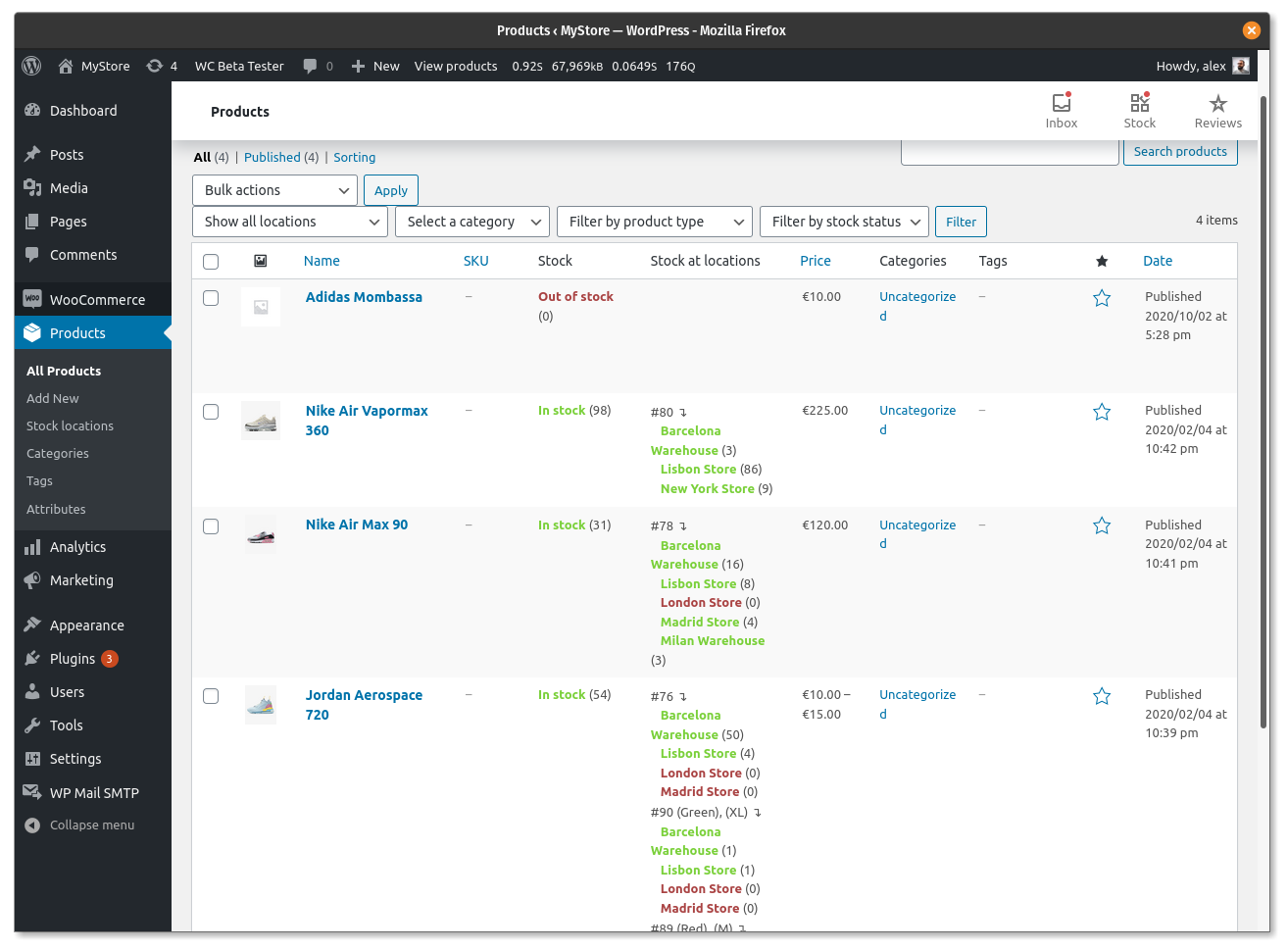
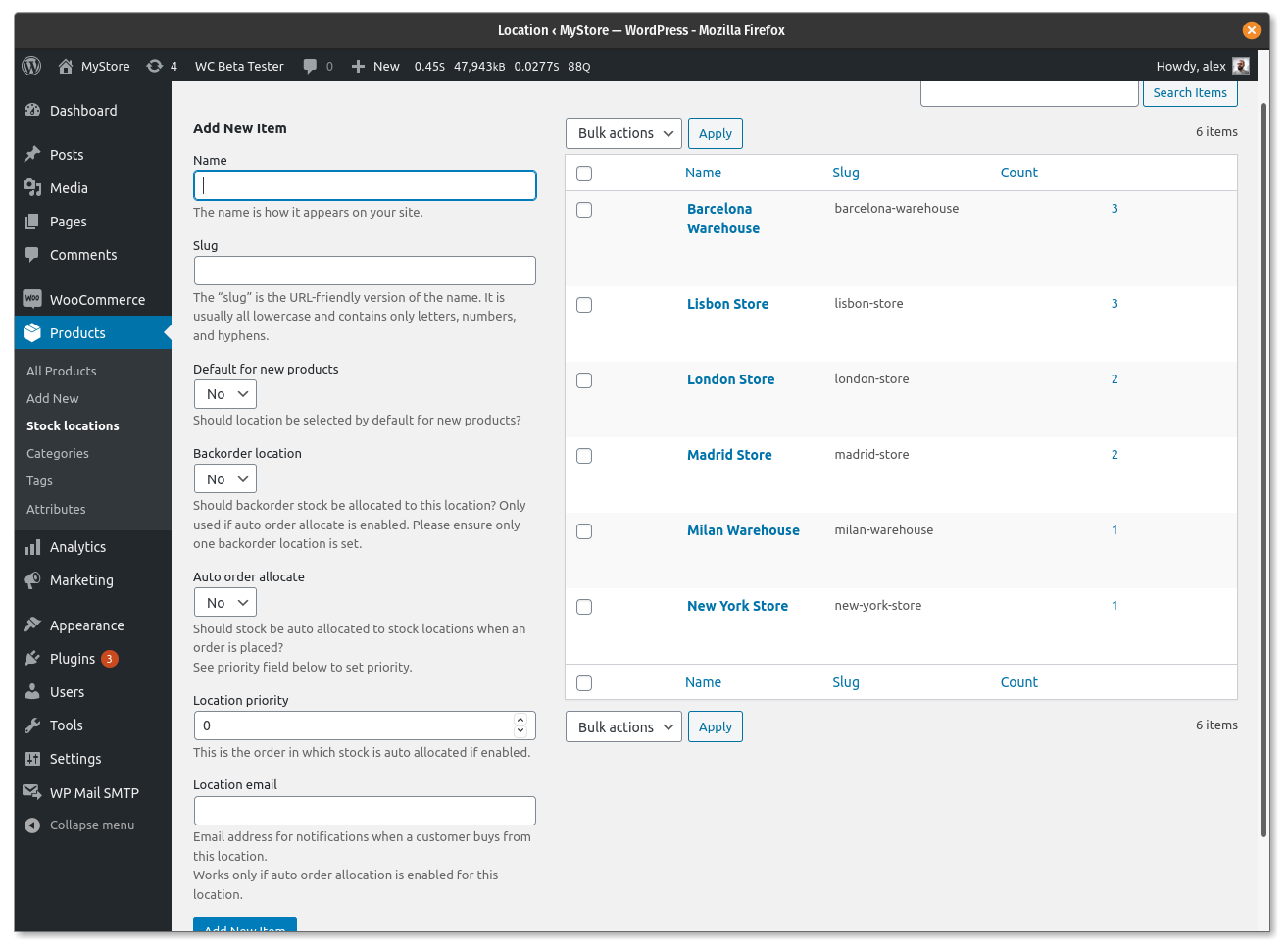
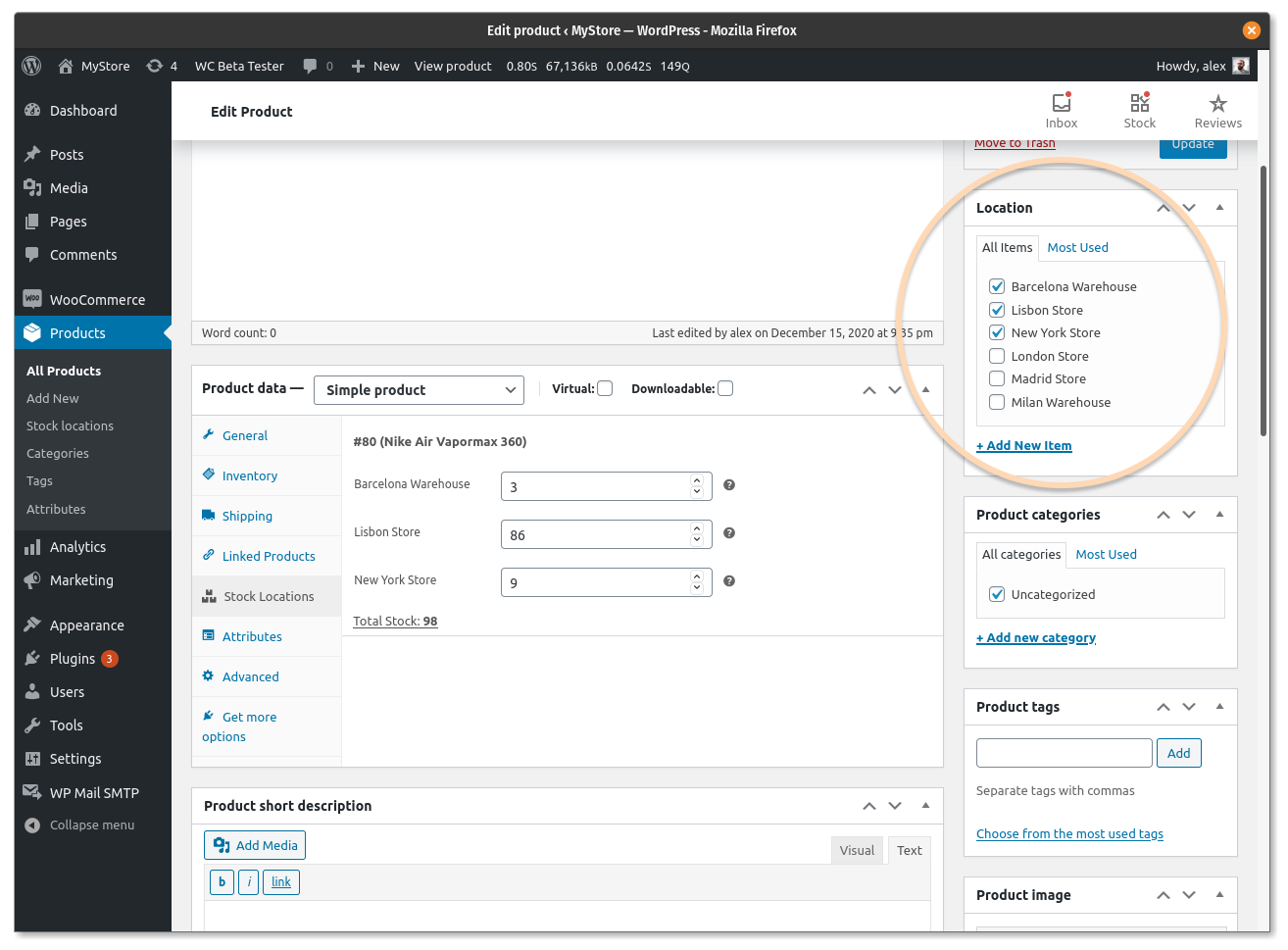
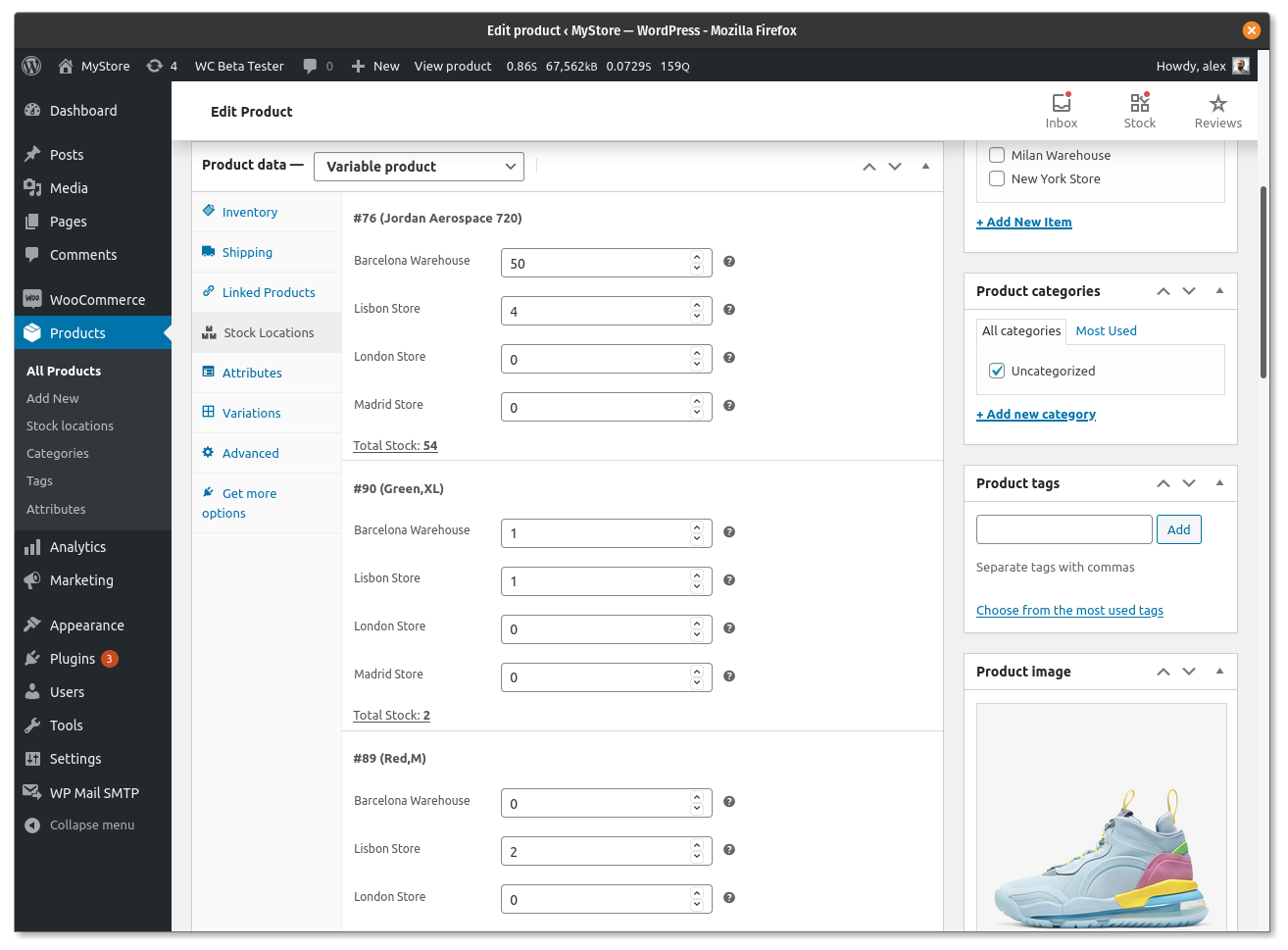
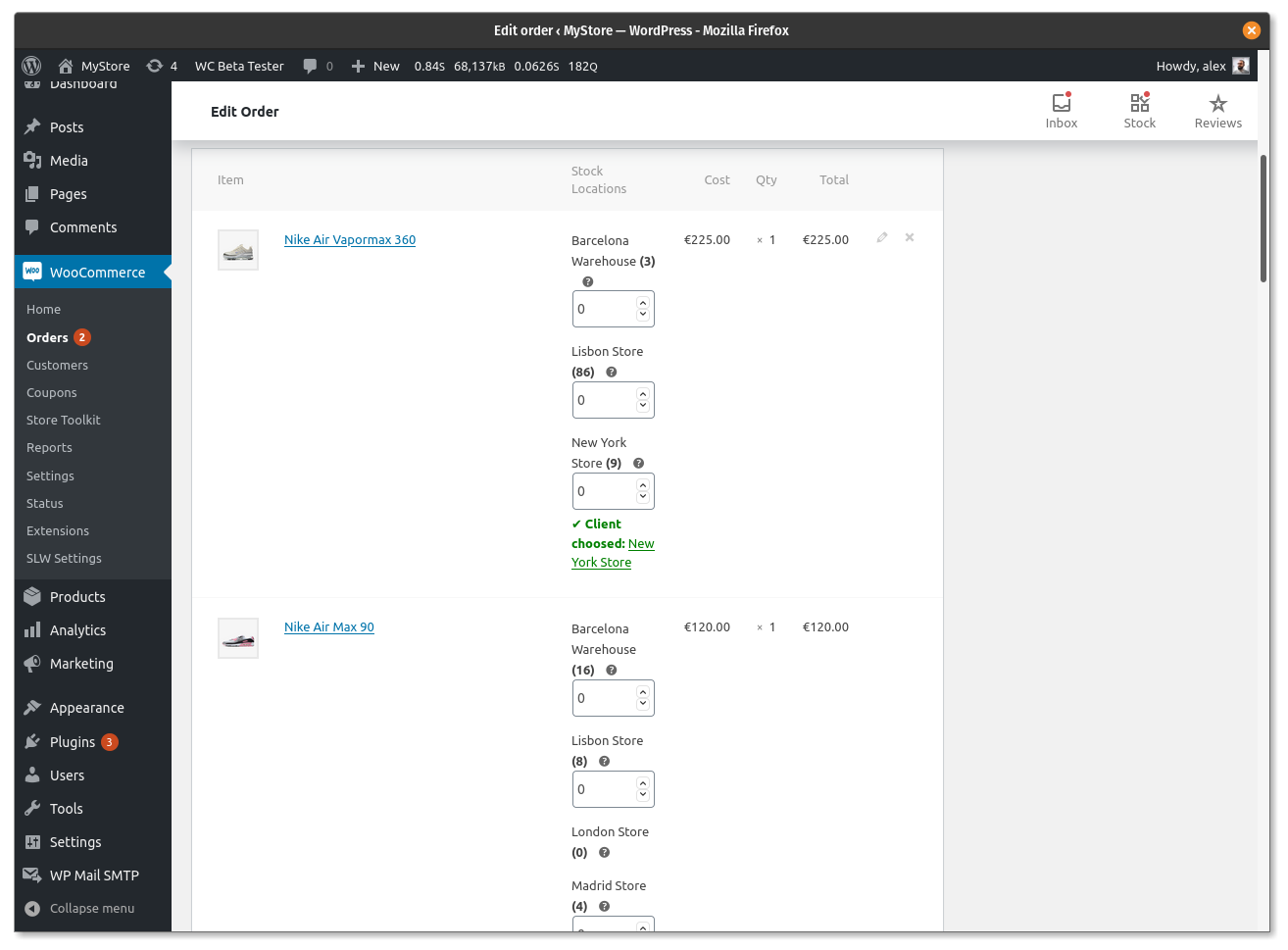
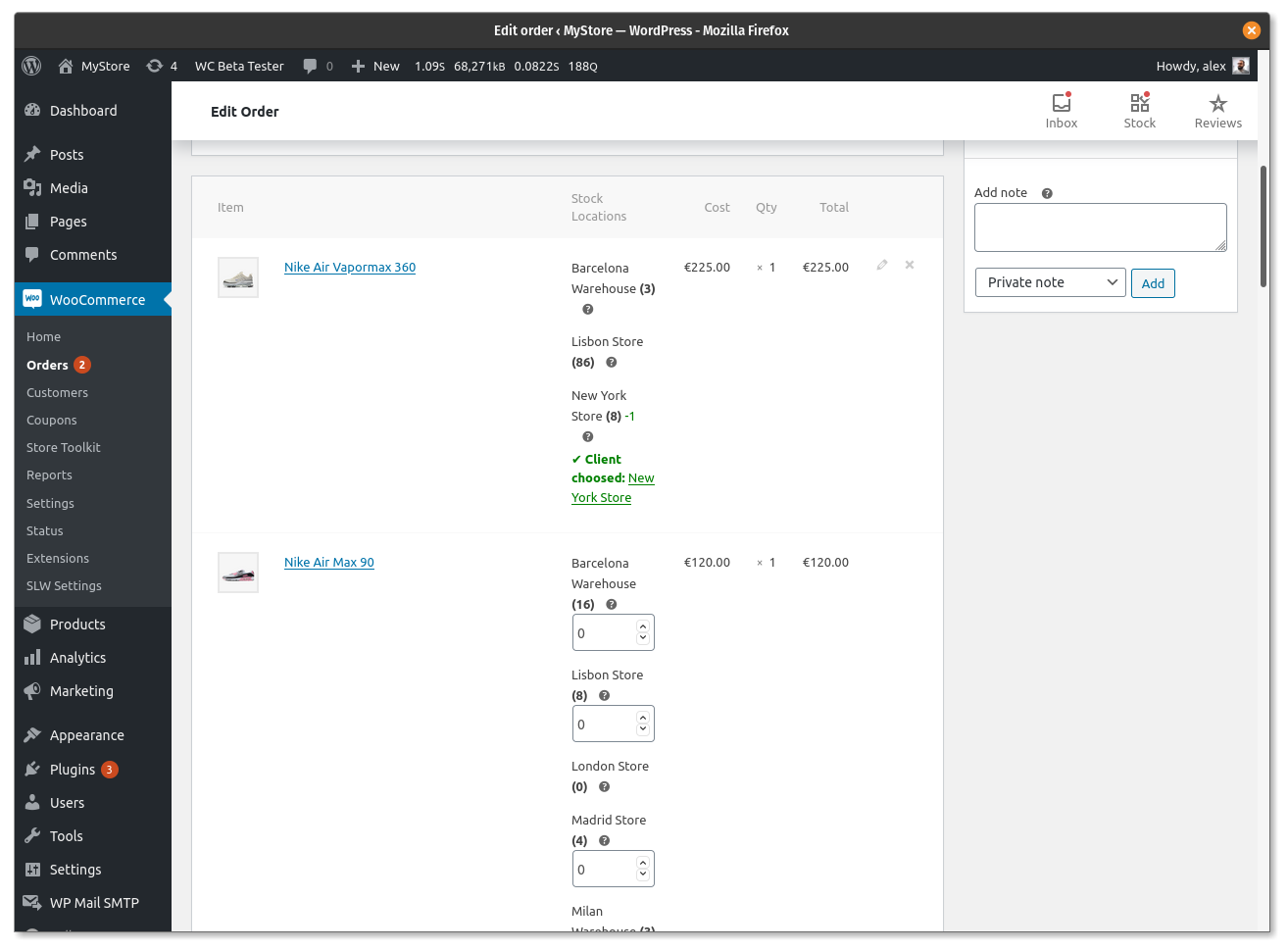
Stock Locations for WooCommerce will help you manage your products stock across multiple locations easily. If you have multiple physical stores or storage locations, like warehouses, this plugin may help you.
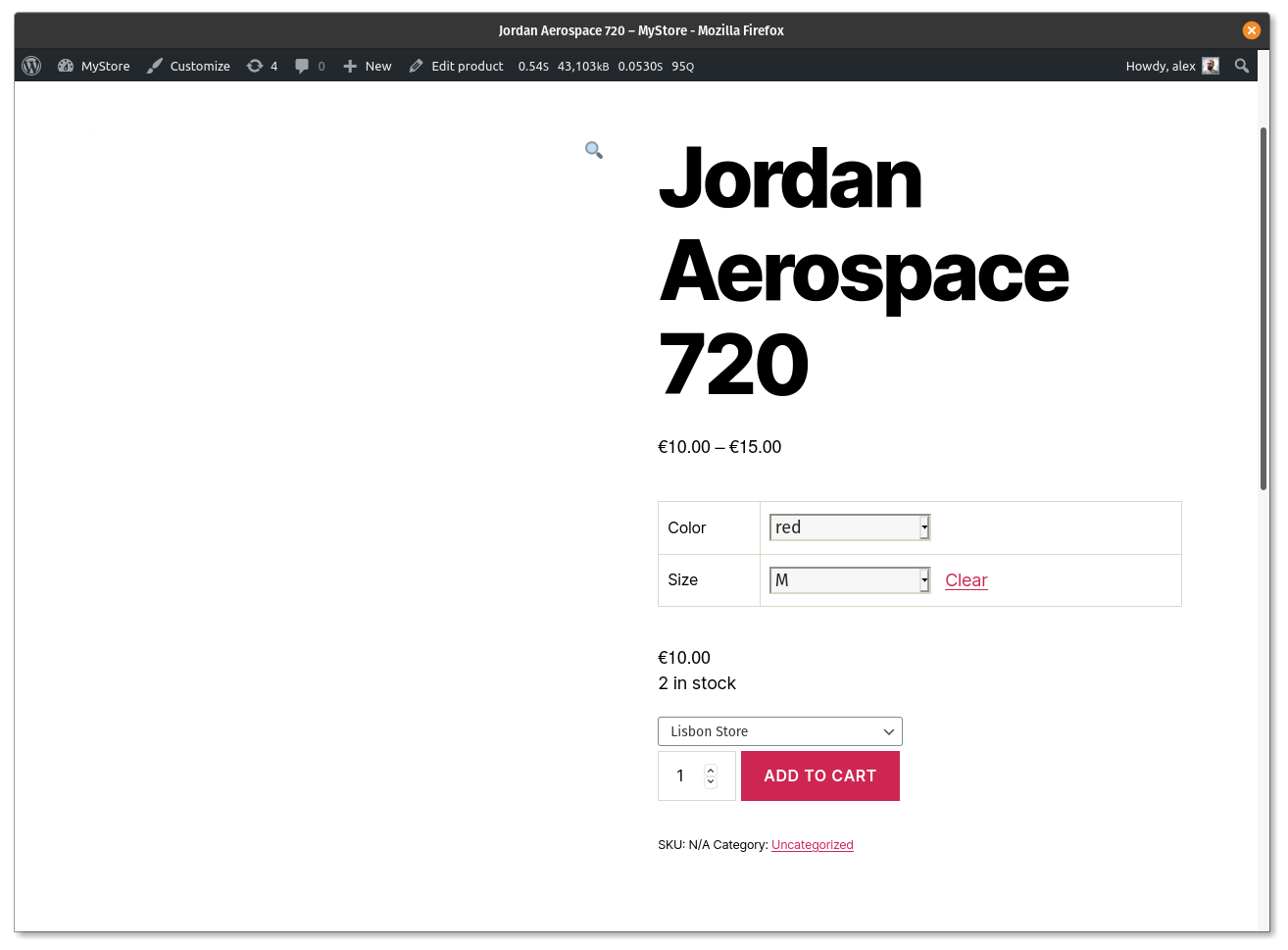
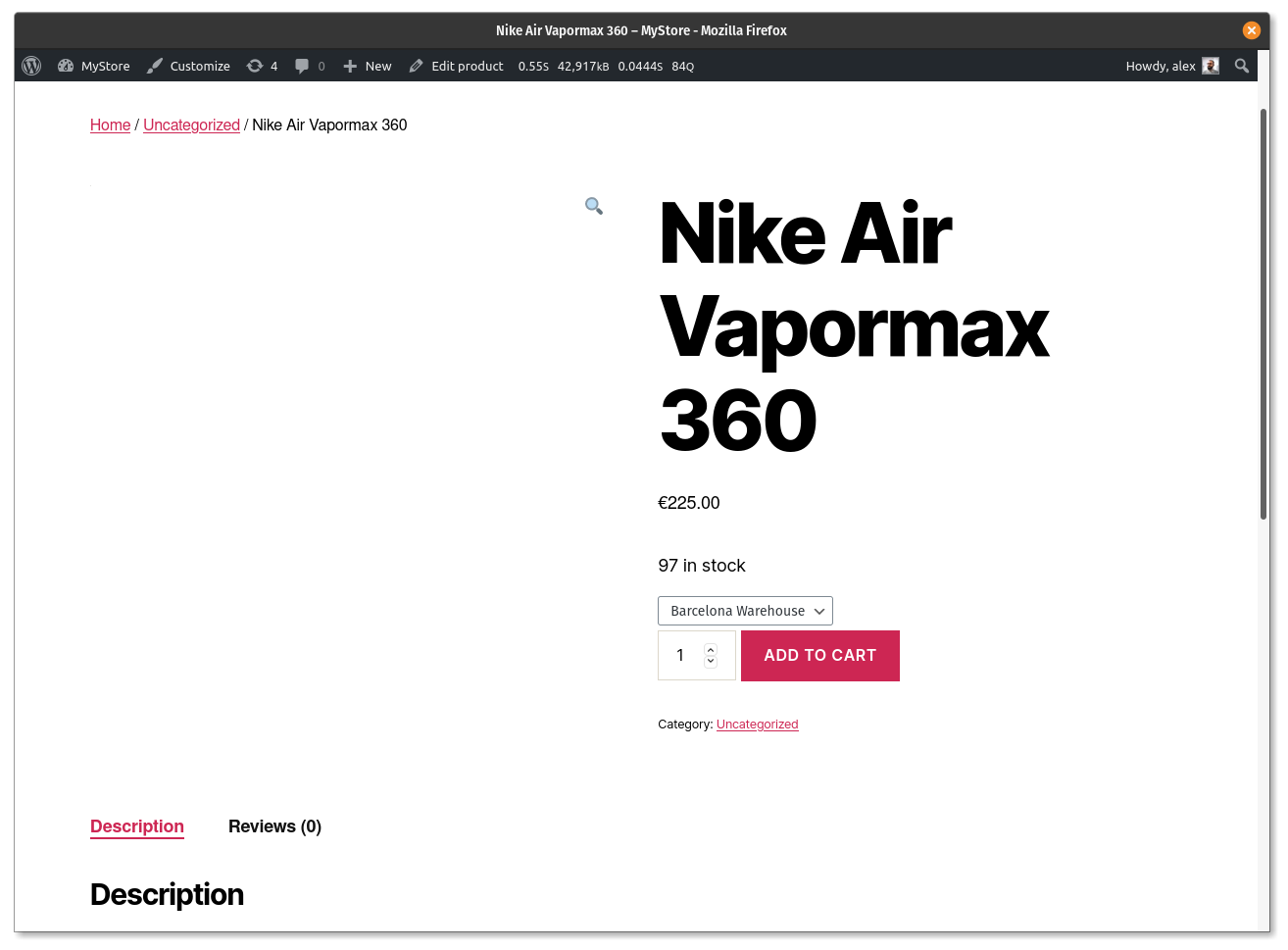
You can print the locations inside a product page on the frontend, with this shortcodes:
REST API endpoints (both accept GET and PUT requests):
/wp-json/wc/v3/products/id
/wp-json/wc/v3/products/id/variations/id (first ID is for parent product, the second one for the variation ID)
/wp-json/wp/v2/location/
/wp-json/wp/v2/location/id
This plugin requires at least WooCommerce 3.4.
Features
New taxonomy for stock locations
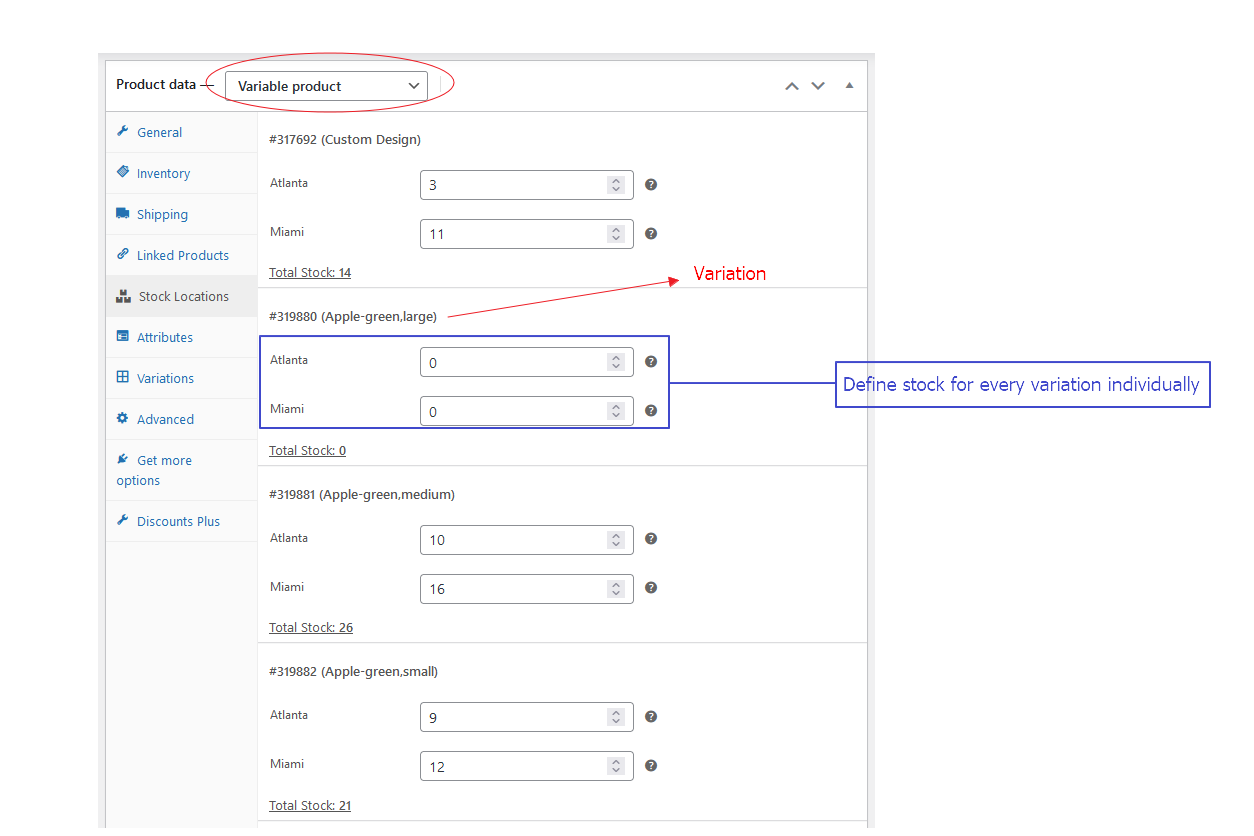
Works on both, simple and variable products
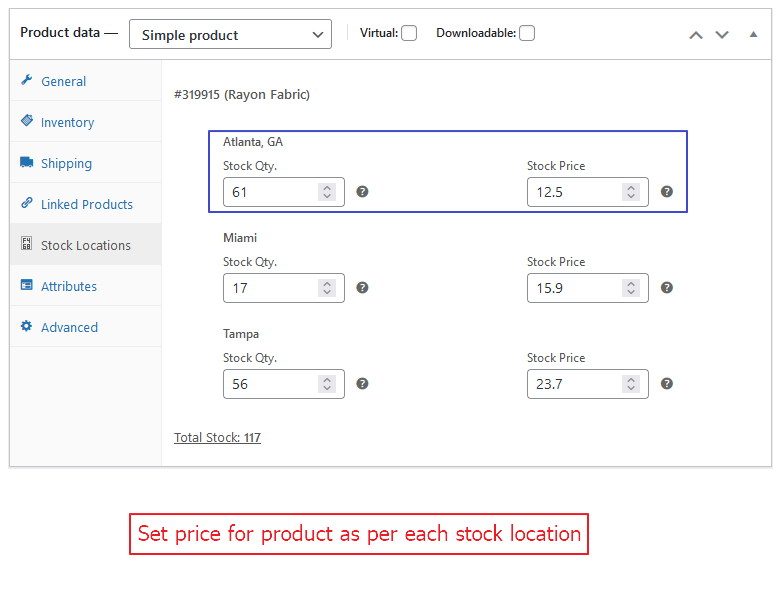
Easy management of stock with multiple locations, both in product and orders
Get and update product stock locations from the REST API
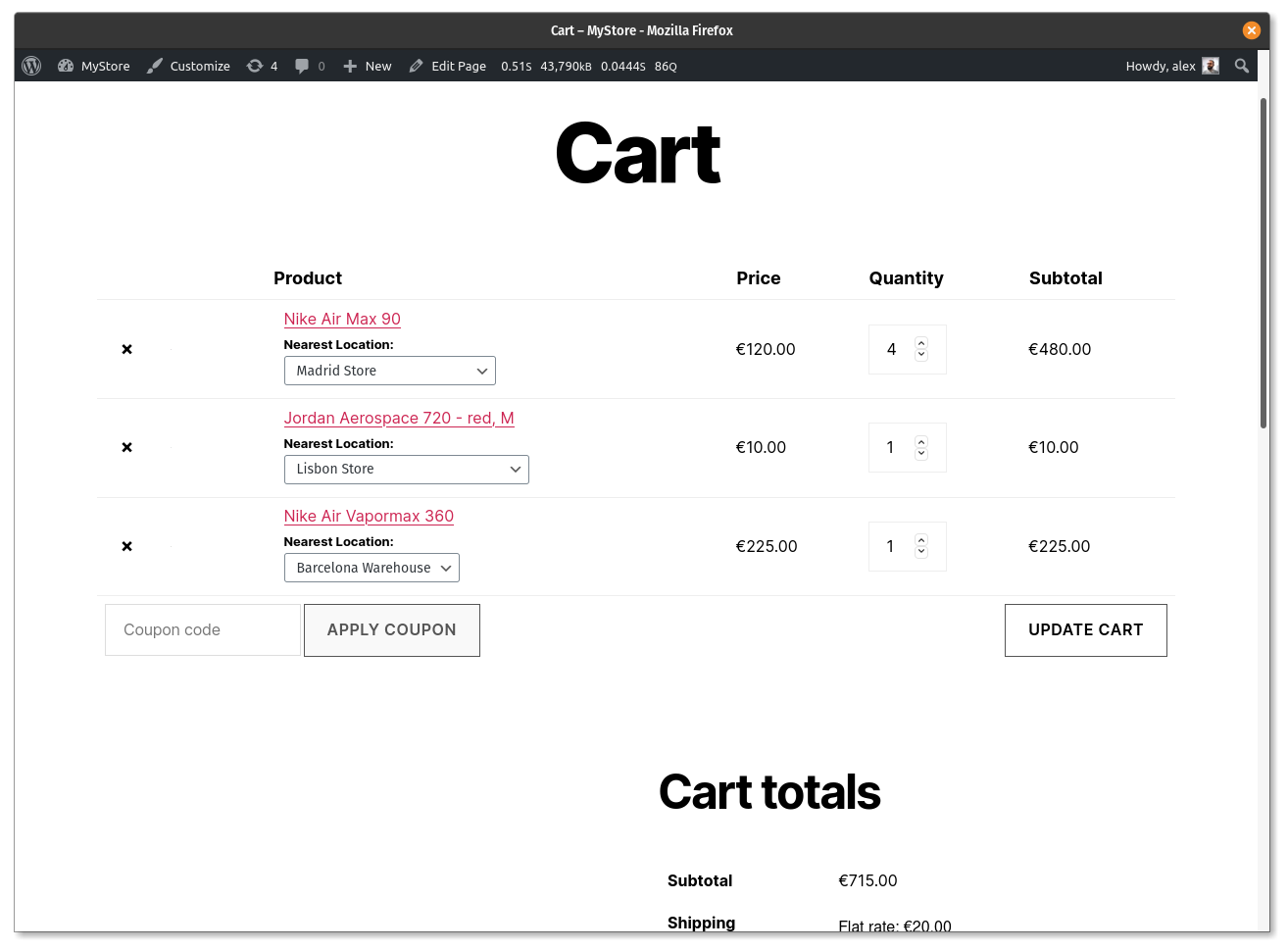
Allow customers to select locations when purchasing
Auto order allocation for locations stock reduction
Send email notifications when stock is allocated for a product in a location
Send WooCommerce New Order email copy to item location
👉 1. How can we make them activate automatically during the import process?
If you want to make them active, in Import settings check “Taxonomies (incl. Categories and Tags)”,
under this chose “Update only these taxonomies, leave the rest alone” and type “location”
Use this with “custom fields: _stock_at_xxx” as warehouse number and import works perfectly.
Stock Locations | Stock Deductions | Settings and Results
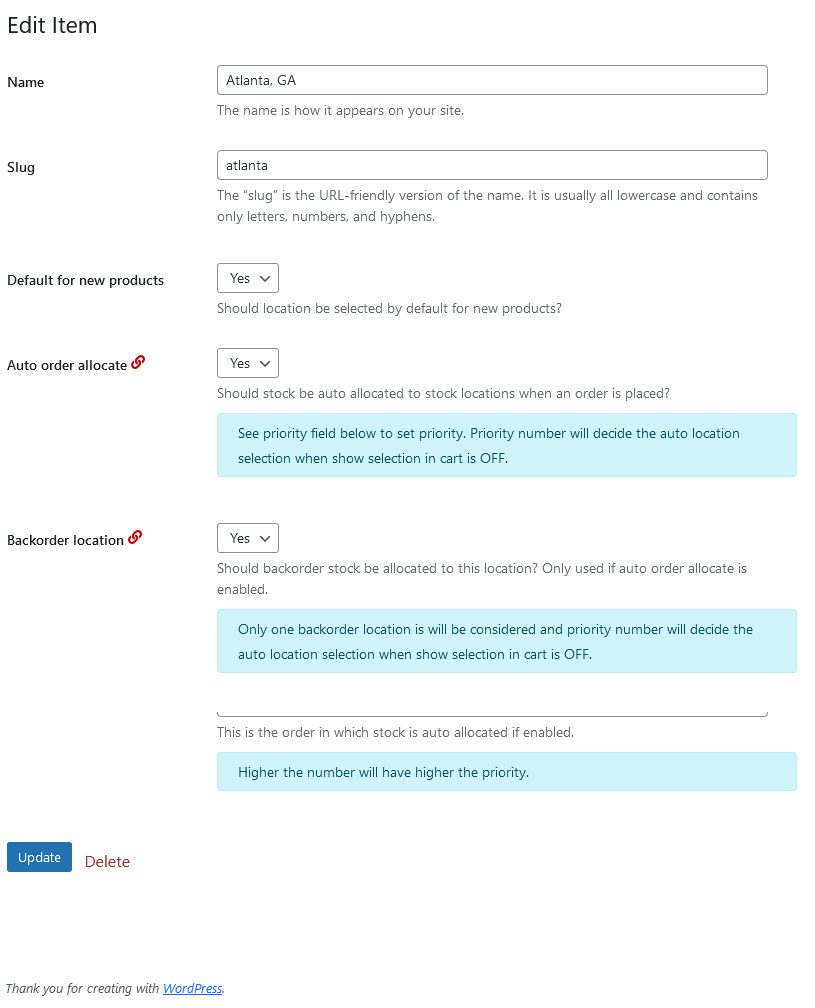
👉 1. How auto order allocation work with multiple stock locations?
👉 2. How location priority work with auto order stock allocation?
👉 3. What if all of my locations don’t have the sufficient stock ordered?
If order quantity is within the summation of all stock locations available stock quantity, it will be simply served. If not, auto allocation will not work so admin can decide if he want to deliver the order partially or wait for stock comes in.
👉 4. How location email works?
👉 5. Do you want to sell products from only one stock location?
👉 6. How to make location selection required on cart page?
👉 7. How does it manage the maximum qty. to order according to the stock in a location?
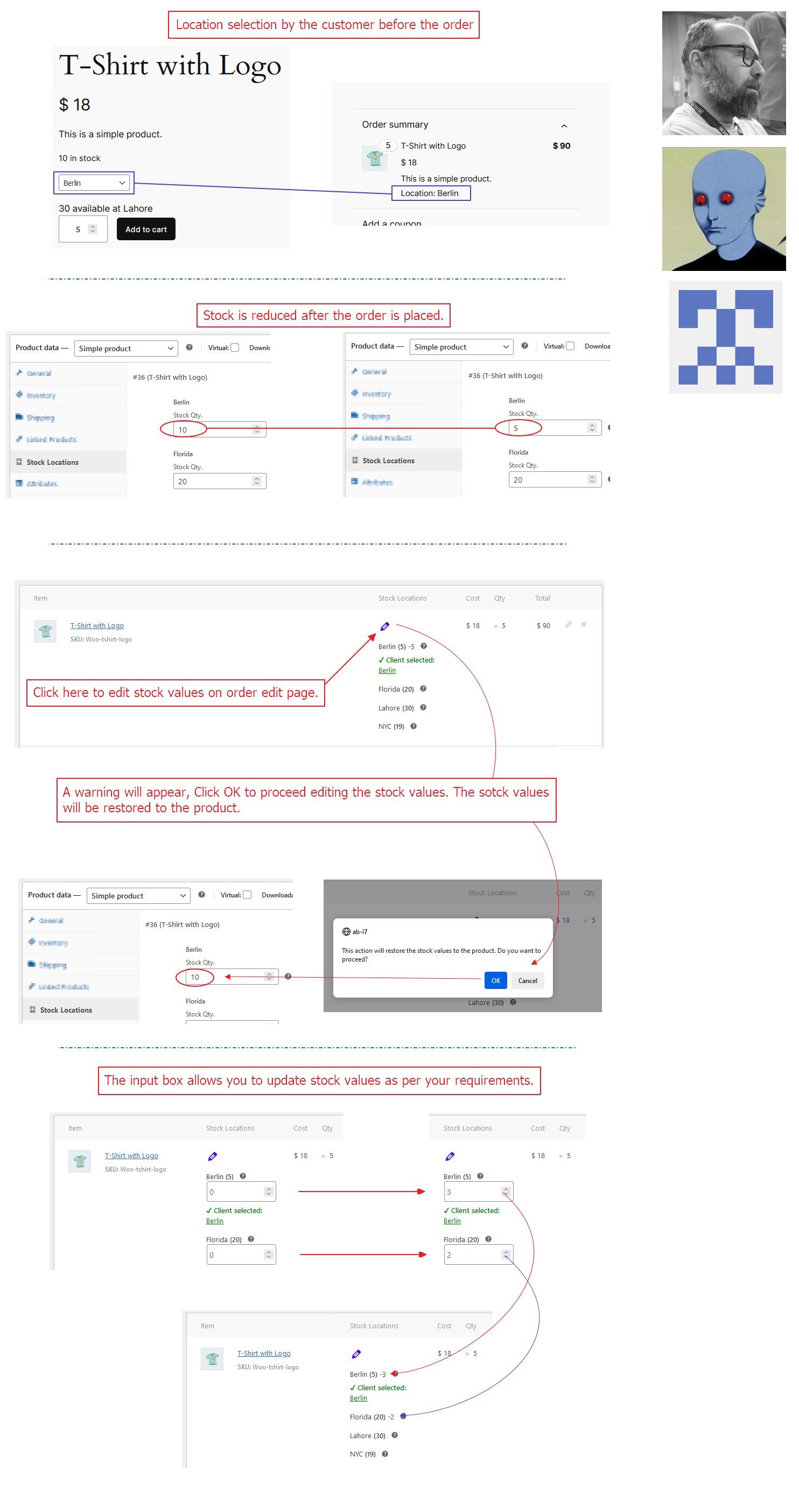
👉 8. How to allow editing location values on orders after being reduced?
https://github.com/fahadmahmood8/stock-locations-for-woocommerce/issues/90
How Import/Export work with CSV files?
How to use Cron Job?
How to use REST API?
How Google Map and Location Archives work in Premium Version?
How to lock pre-selected location on frontend?
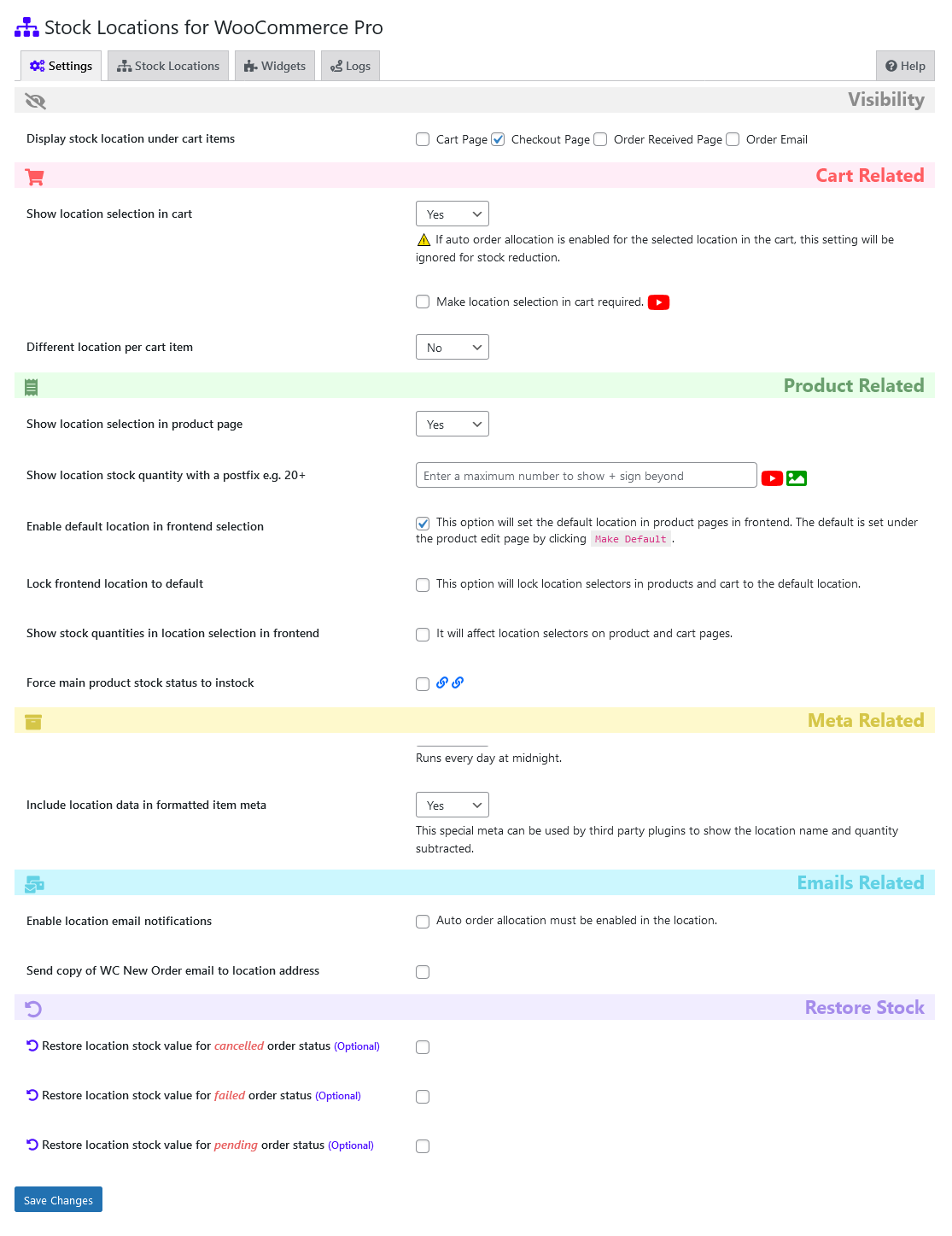
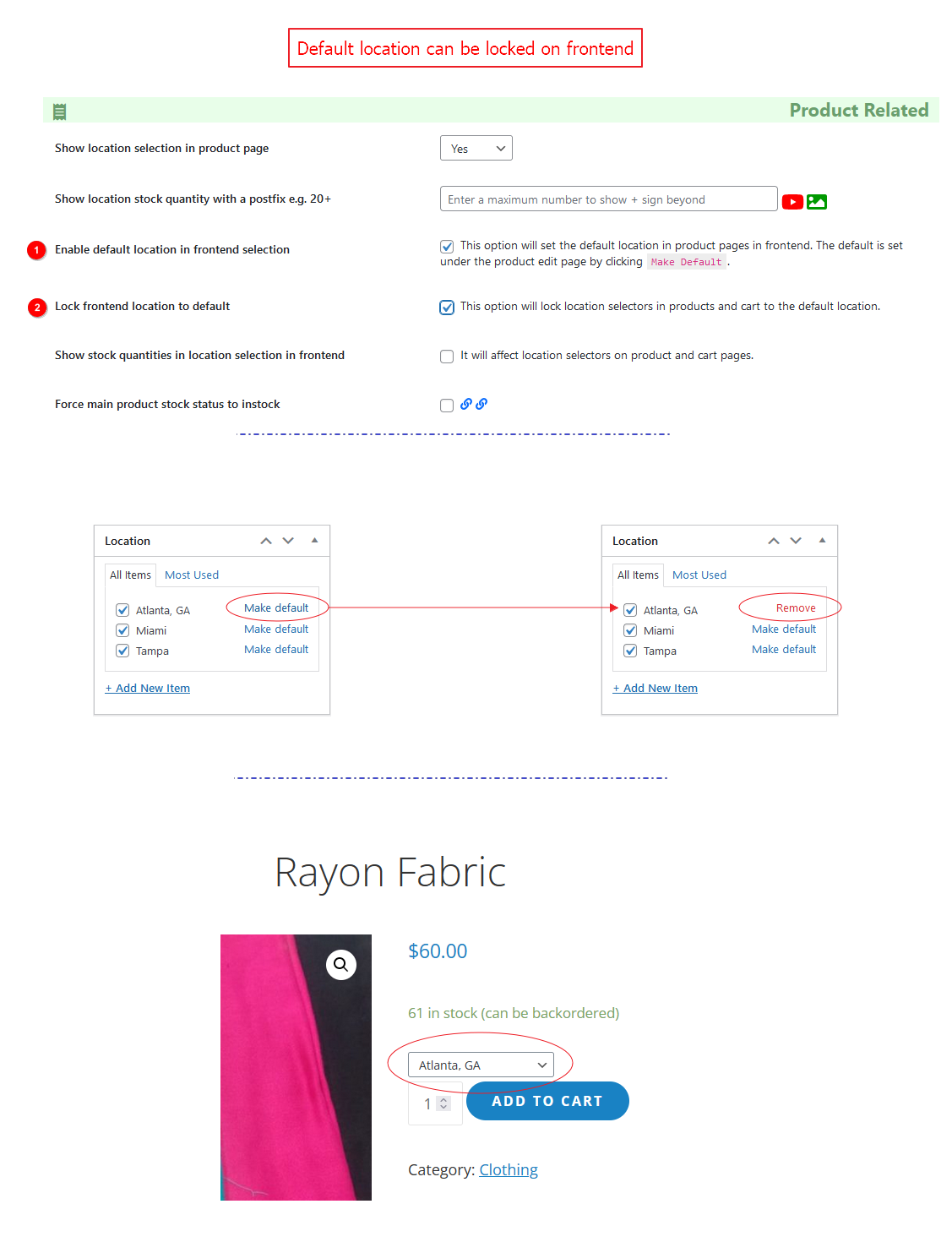
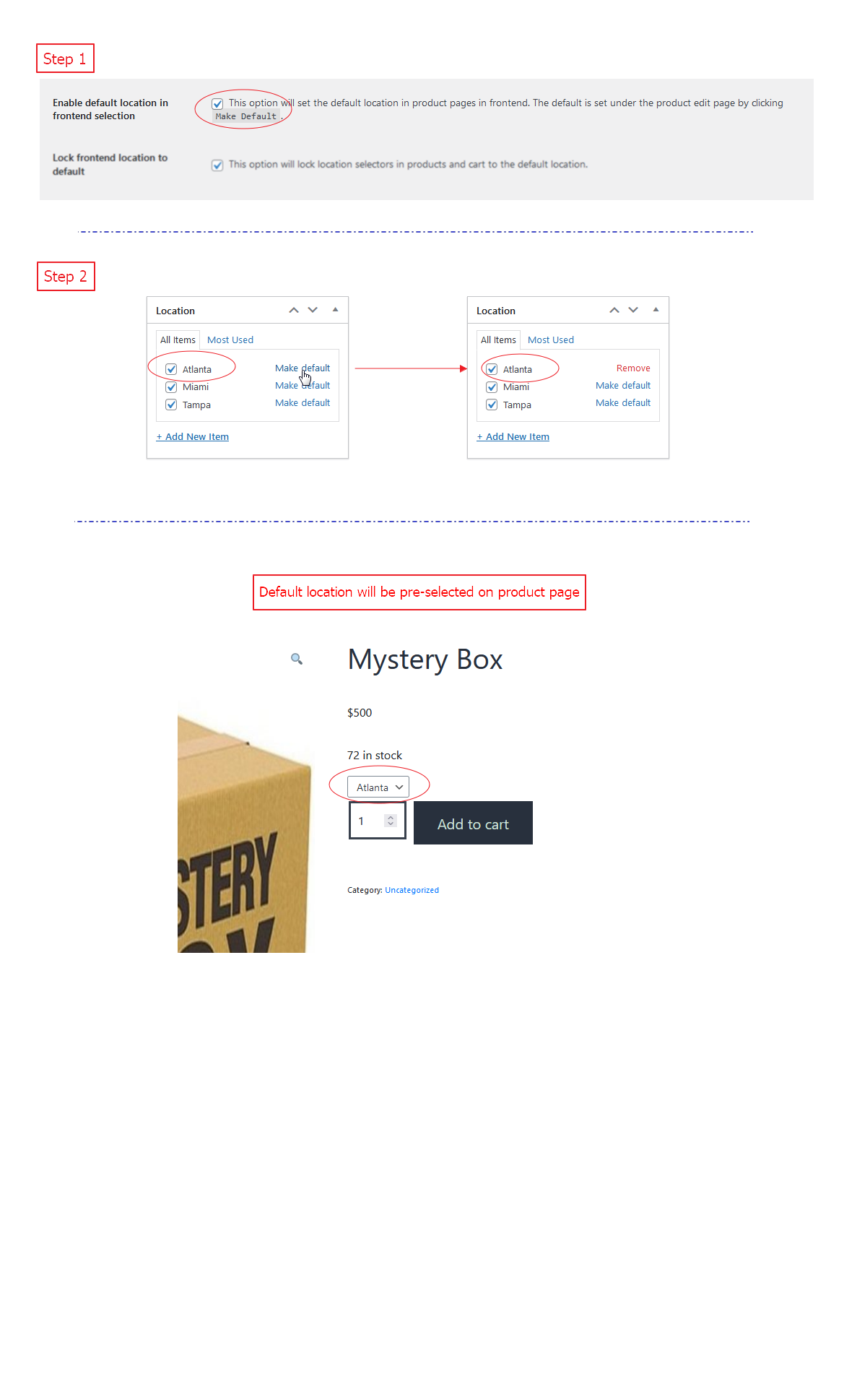
Turn ON “Enable default location in frontend selection” from WooCommerce > Stock Locations for WC. This option will allow you to select default location for a product on Product Edit page. Now turn ON “Lock frontend location to default” and it will lock frontend location which is selected as default.
I found a bug, where I can report it?
I prefer you to use the Github issues. You can submit a new one here GitHub
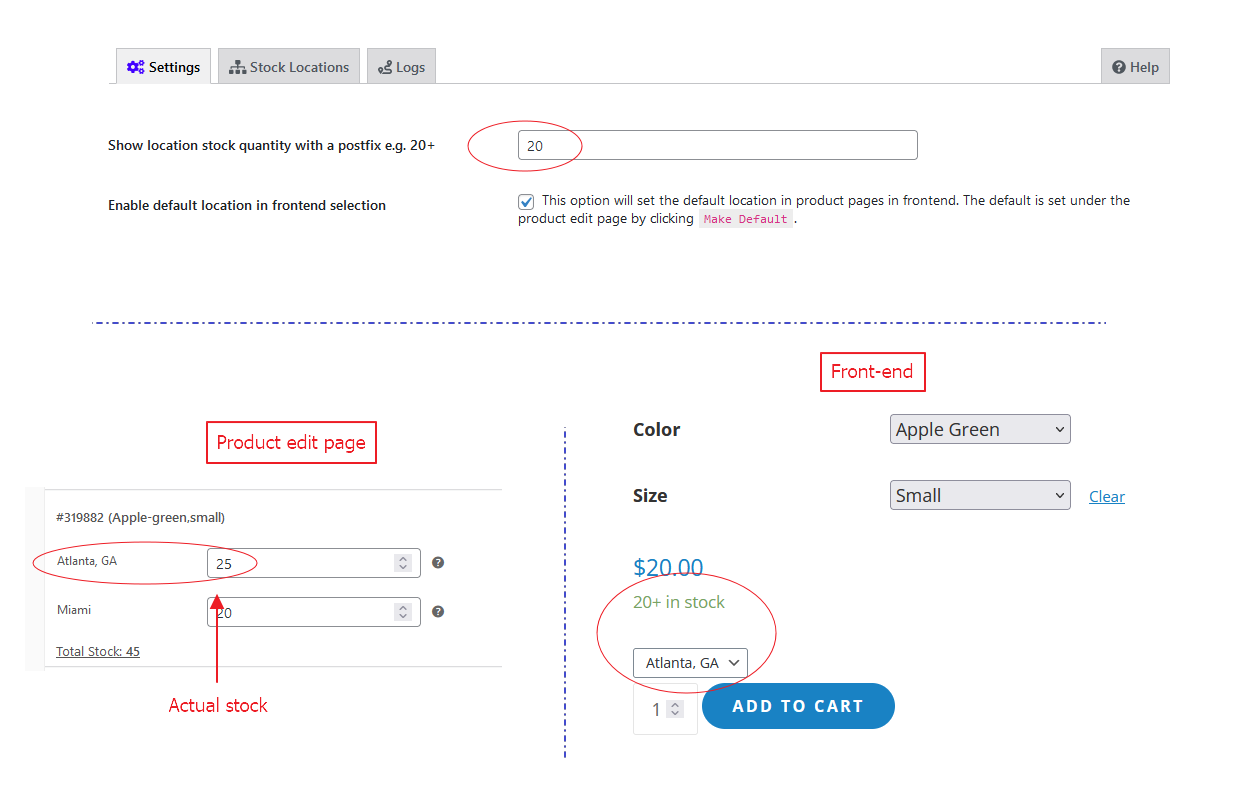
How to show location stock quantity with a postfix e.g. 20+?
On settings page you can define a number. If location stock value will be less than the given number, it will display the stock value else will not show the exact number but a plus sign “+” just after the maximum number given.
Security: hardened AJAX and order stock-edit handlers (prepared SQL queries, strict integer validation of IDs, safer cart updates).
Security: debug output (?debug, ?sql-query) is now limited to administrators.
Security: escaped location fields and settings output in admin screens.
Fix: HTML mail content type no longer leaks into other plugins’ emails after a stock allocation notification.
New (Premium): Low stock alerts per location. Set a threshold on each location and get a digest email when product stock at that location runs low.
3.1.7
Fix: Variable products showing out of stock even when inventory exists – resolved stock status handling for variations without manual location stock entry [Thanks to Ben Croft][28/05/2026]
3.1.4
Fix: Bug with variation stock status querying (PR #171). Variations were getting their is_in_stock queried, and reporting incorrectly they were out of stock. [Thanks to kennydude / Joe Simpson][30/04/2026]
3.1.1
Fix: Corrected stock status calculation when all locations have zero stock to prevent false “in stock” state. [Thanks to @armanuniverse][06/04/2026]
Fix: Ensured proper handling and saving of _stock_status (instock/outofstock) in database.
Improvement: Replaced unreliable stock status checks with aggregated per-location stock calculation.
Improvement: Standardized return values to boolean for accurate WooCommerce compatibility.
Props: Thanks to armanuniverse for identifying and sharing the fix.
3.1.0
Resolved ‘get_variation_default_attribute’ fatal error and out-of-stock display issue caused by Stock Locations plugin update, ensuring variable and simple products now show correct stock status. [Thanks to Renzo Westenbroek | Webreturn][12/03/2026]
3.0.9
Fixed: Including API response and optimized approach to DB writes, backorder related status and a few more improvements suggested in support threads since October 2025. [07/03/2026]
3.0.8
Fixed: Compatibility issue with Woodmart theme where early returns in slw_wp_head() prevented closing of
3.0.7
Added: JSON payload-based API for bulk updating stock and price per location for products and variations. [Thanks to Mark Boorman][12/01/2026]
3.0.6
Added: WooCommerce variation availability now respects location stock for swatch-based themes like Woodmart. [Thanks to Renzo Westenbroek][05/01/2026]
3.0.4
Tested: WooCommerce variation availability now respects location stock for swatch-based themes like Woodmart. [Thanks to Renzo Westenbroek][05/01/2026]
3.0.2
Fixed: Only enabled/active stock locations will contribute in total stock value but it would still be editable. [Thanks to @josephkallinit][21/10/2025]
Fixed: Prevented potential PHP error when $slw_api_valid_keys is null during API validation. [Thanks to Tushar Tajane][21/10/2025]
New: Order notes can be turned off from the settings. [Thanks to Rob Wood][21/10/2025]
Fixed: Incorrect price range display for variable products when location-based stock prices are higher than variation base prices. The location price now overrides confusing WooCommerce default range formatting.
Improved: Sale price logic now fully respects location-based pricing — ensuring both range and sale indicators are hidden when local price is higher. [21/10/2025]
3.0.1
Added: Conditional CSS injection for WooCommerce Blocks to hide sale and del elements when location price exceeds the base or sale price.
Improved: Price hiding logic refactored for better compatibility across all product types (simple, variable, grouped). [20/10/2025]