
Discord OAuth for your Website. Hide your website content with Discord SSO and make it…
| Author: | path digital (profile at wordpress.org) |
| WordPress version required: | 4.0 |
| WordPress version tested: | 6.3.2 |
| Plugin version: | 3.1.3 |
| Added to WordPress repository: | 26-08-2021 |
| Last updated: | 05-11-2023
Warning! This plugin has not been updated in over 2 years. It may no longer be maintained or supported and may have compatibility issues when used with more recent versions of WordPress.
|
| Rating, %: | 96 |
| Rated by: | 9 |
| Plugin URI: | |
| Total downloads: | 4 500 |
| Active installs: | 10+ |

Click to start download
|
SSO OAuth for Discord by path digital allows you to hide your website content with Discord SSO and make it only available for your server members.
Screenshots

OAuth2 settings
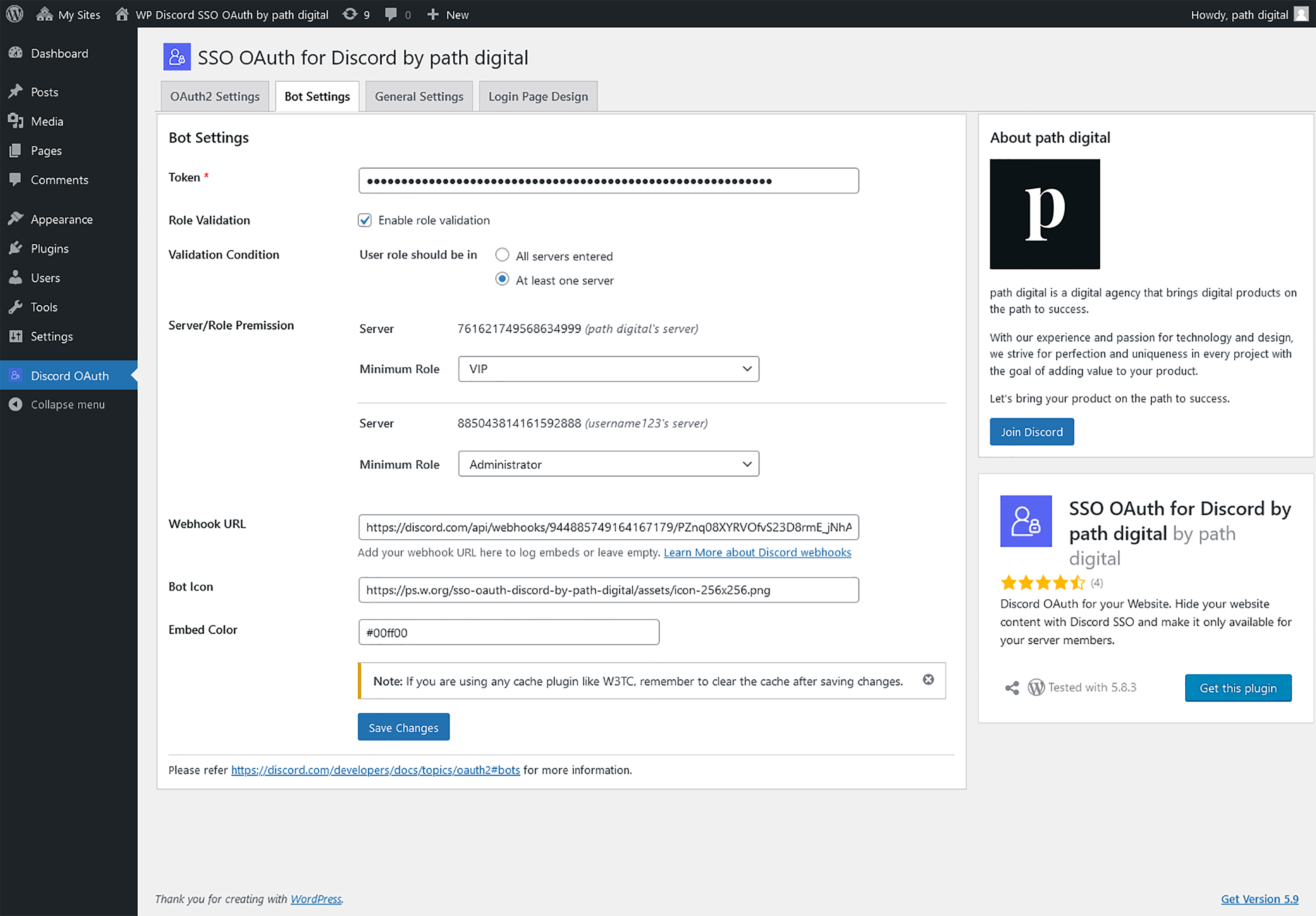
Bot settings
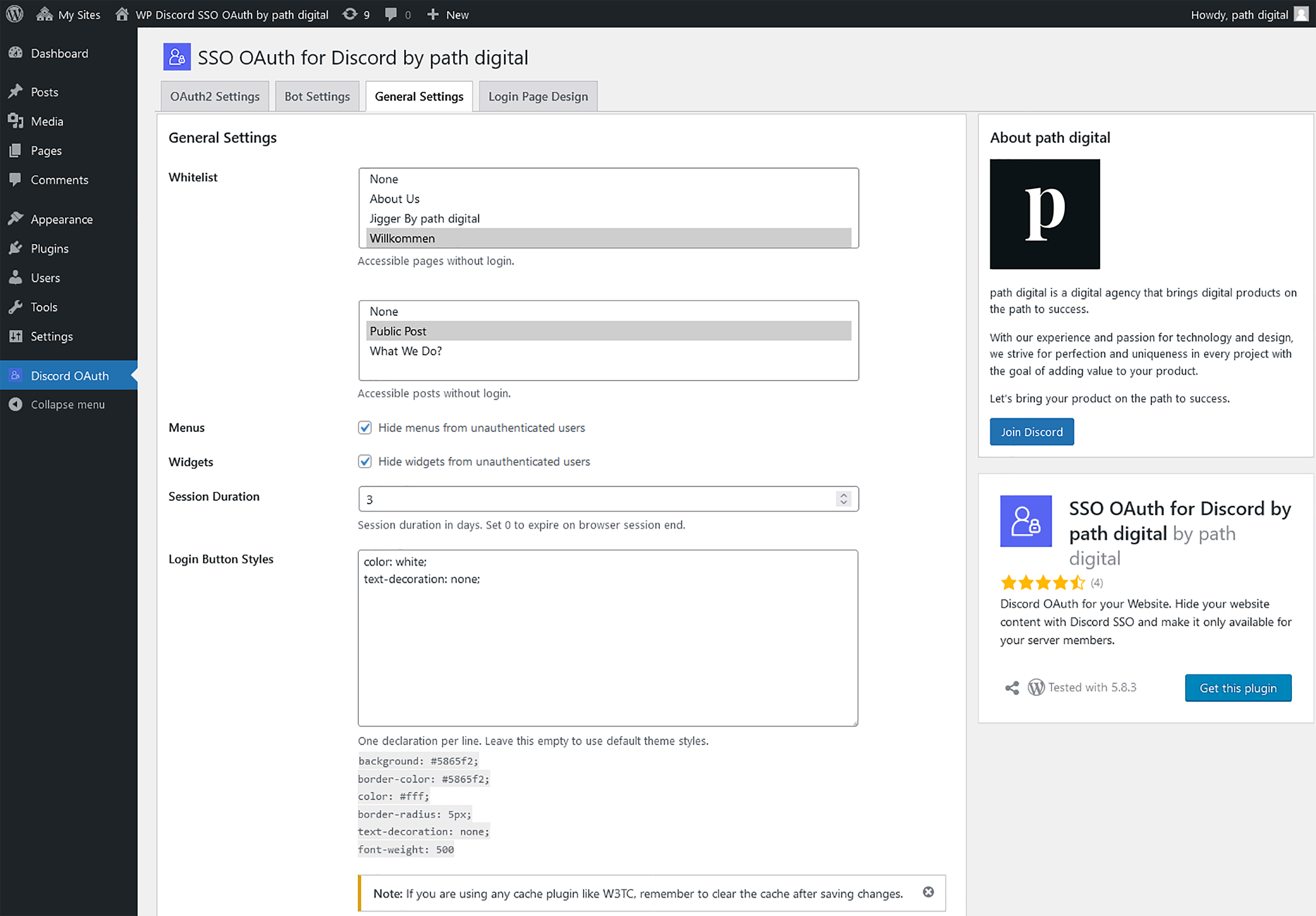
General settings

Custom login page settings

Embed on any page

Custom login page

Login button on a page

Channel embeds via webhook

Maintenance mode settings

Maintenance page

Tools

Manage members
How can I setup a Discord application?
Visit https://discord.com/developers/applications/ and add a New Application.
From where I can get the Client ID and Client Secret?
Go to your applications and click on the newly created application. Click the OAuth2 tab in the navigation panel, where you can copy both the Client ID and Client Secret.
From where I can get the Token for the Bot?
Click on the newly created application for OAuth2 from applications. Click the Bot tab in the navigation panel and Add Bot to get the Token.
How to get the server ID from Discord
Login to your Discord account, Go to User Settings by clicking on the gear icon next to your username. Go to Advanced Settings in App Settings section and turn ON the Developer Mode. Close the settings page and go to your Discord Dashboard, right click on any server name and Copy ID.
ChangeLog
3.1.3
3.1.2
3.1.1
- Fixed typo, “maintenance” to “maintainance” in UI.
3.1.0
3.0.5
3.0.4
3.0.3
3.0.2
3.0.1
3.0.0
- Added maintenance mode page
- Added option to view active user sessions and manage users
- Removed menu items of pages with minimum user role for people that don’t have the minimum role
- Added shortcode to display a logout button
2.5.4
2.5.3
2.5.2
2.5.1
2.5.0
- Added option to whitelist pages for specific user role(s)
2.4.0
- Added option to whitelist user roles independant from minimum role
- Minor code enhancements
2.3.1
2.3.0
- Added option to clear all the active login sessions
- Updated Discord embeds to post whitelisted logins
2.2.0
- Added option to set login errors
- Added option to post failed login attempts embeds on a Discord channel via a Webhook
- Added option to set the redirect page after a successful login
2.1.1
2.1.0
- Updated option to hide menus from unauthenticated users
- Updated option to hide widgets from unauthenticated users
2.0.0
- Added option to block users by Discord ID
- Added option to allow user to view specific pages and posts
- Added option to add a custom login page
- Added option to post successful login embeds on a Discord channel via a Webhook
- Disabled admin ajax for non-logged users
- Minor code enhancements
1.5.1
1.5.0
- Added option to blacklist servers
1.4.2
1.4.1
1.4.0
- Added option to set the session duration
- Moved the login error message to the login page
- Security enhancements
1.3.1
1.3.0
- Added custom login button styles support
- Added option to show/hide menus in login page
- Added option to show/hide widgets in login page
- Added functionality to auto create and assign the login page
1.2.1
- Added server name next to the Server ID in Bot Settings page
- Added settings link to plugin action links
- Minor visual improvements to admin pages
1.2.0
- Added user role validation support
- Added the ability to enable / disable server validation even if the server list is not empty
1.1.0
- Bug fixes
- Skiped server validation for 5 minutes to limit Discord API calls
1.0.2
1.0.1
