

Disables sending verification emails when reCAPTCHA is enabled. A simple plugin for Wordfence that uses the filter wordfence_ls_require_captcha.
| Author: | Roice (profile at wordpress.org) |
| WordPress version required: | 6.8 |
| WordPress version tested: | 7.1 |
| Plugin version: | 1.2.2 |
| Added to WordPress repository: | 23-04-2025 |
| Last updated: | 05-09-2026 |
| Rating, %: | 100 |
| Rated by: | 1 |
| Plugin URI: | |
| Total downloads: | 1 803 |
| Active installs: | 200+ |
 Click to start download |
|
An extremely simple plugin that disables login verification emails sent by Wordfence when Google reCAPTCHA is enabled. No settings, no bloat — just activate and it works.
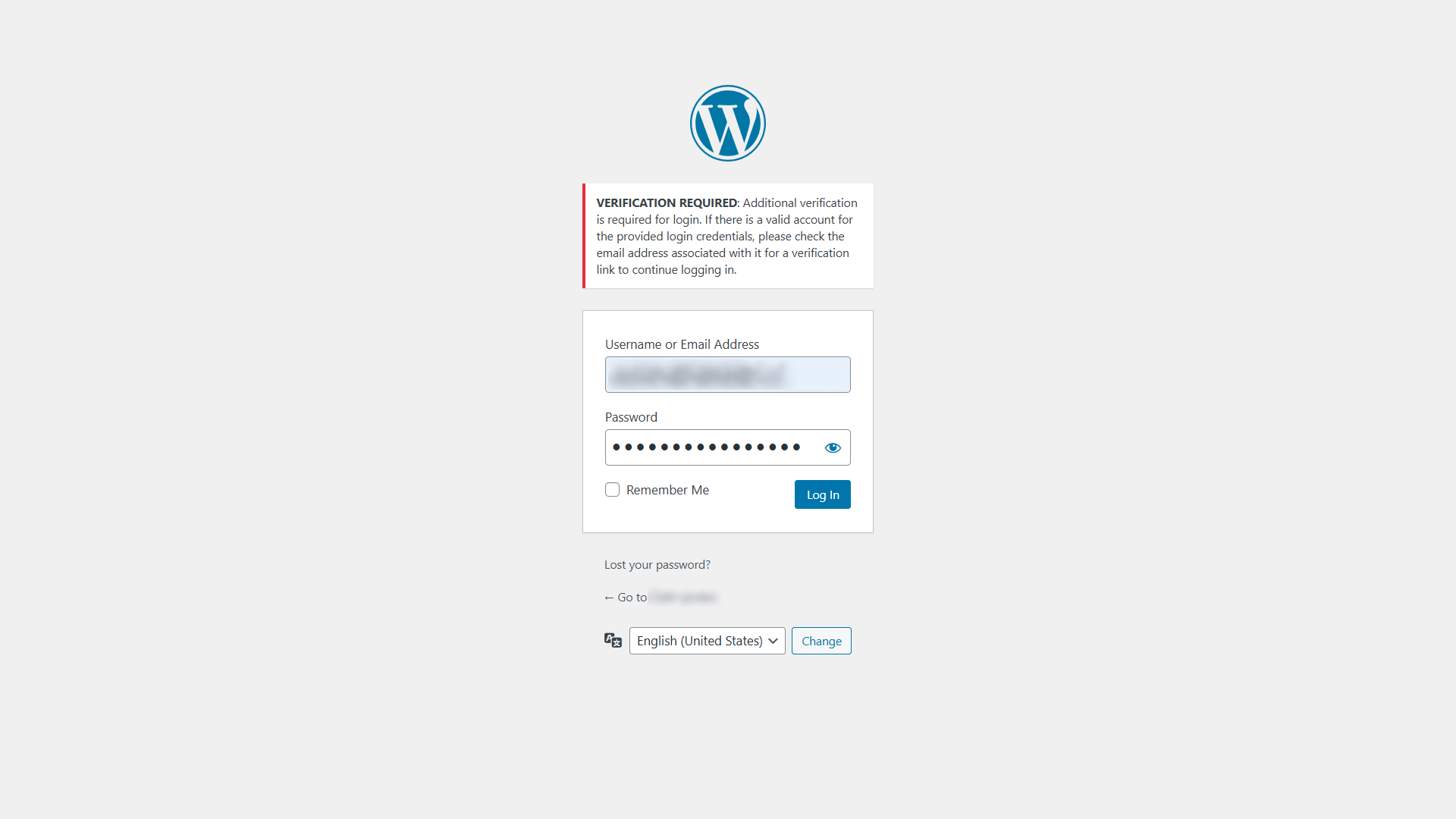
This plugin disables the “Login Verification Required” email notifications that Wordfence sends when using Google reCAPTCHA on the login page.
If you’re using Wordfence with reCAPTCHA (v2, v3, or Enterprise), Wordfence may still send verification emails that require manual approval for login — even if reCAPTCHA validation is passed. This plugin turns that off entirely.
There are no settings and no configuration needed. Just install, activate, and it works immediately.
Perfect for managed hosting environments where modifying the functions.php file is not feasible or safe.
Features
- Disables Wordfence’s login verification emails when using reCAPTCHA
- Works with all versions of Google reCAPTCHA (v2, v3, and Enterprise)
- Zero configuration — just install and activate
- Lightweight — one line of code
- No impact on other Wordfence features
Screenshots
FAQ
ChangeLog