
SnapWidget WP Instagram Widget is an easy way to embed your SnapWidget Instagram widget on…
SnapWidget shows your latest Instagram posts on your WordPress site, in a page, a post, a sidebar or a footer. The feed updates by itself when you post. Used by more than 200,000 websites.
You make the widget on SnapWidget: connect your account, then pick a layout and its settings. This plugin then puts the widget on your site with a shortcode or a sidebar widget.
Free plan
- Instagram and Facebook widgets
- Grid, board, slideshow and scrolling layouts
- Unlimited views
- No logo on the widget
- New posts every 15 minutes
- Works on HTTPS websites
Paid plans
- TikTok, YouTube and X widgets
- Feed layout
- Photos open in a lightbox or link to the original post
- Shoppable Images: link each photo to a product in your store
- Instagram hashtag widgets (Pro and Developer plans)
- Review widgets for Google, G2 and your own testimonials
- Widget analytics: views and clicks
- Your own custom CSS
- New posts every 5 minutes
- 14-day free trial
See the plans on the pricing page.
Screenshots

An Instagram grid widget on a WordPress page.
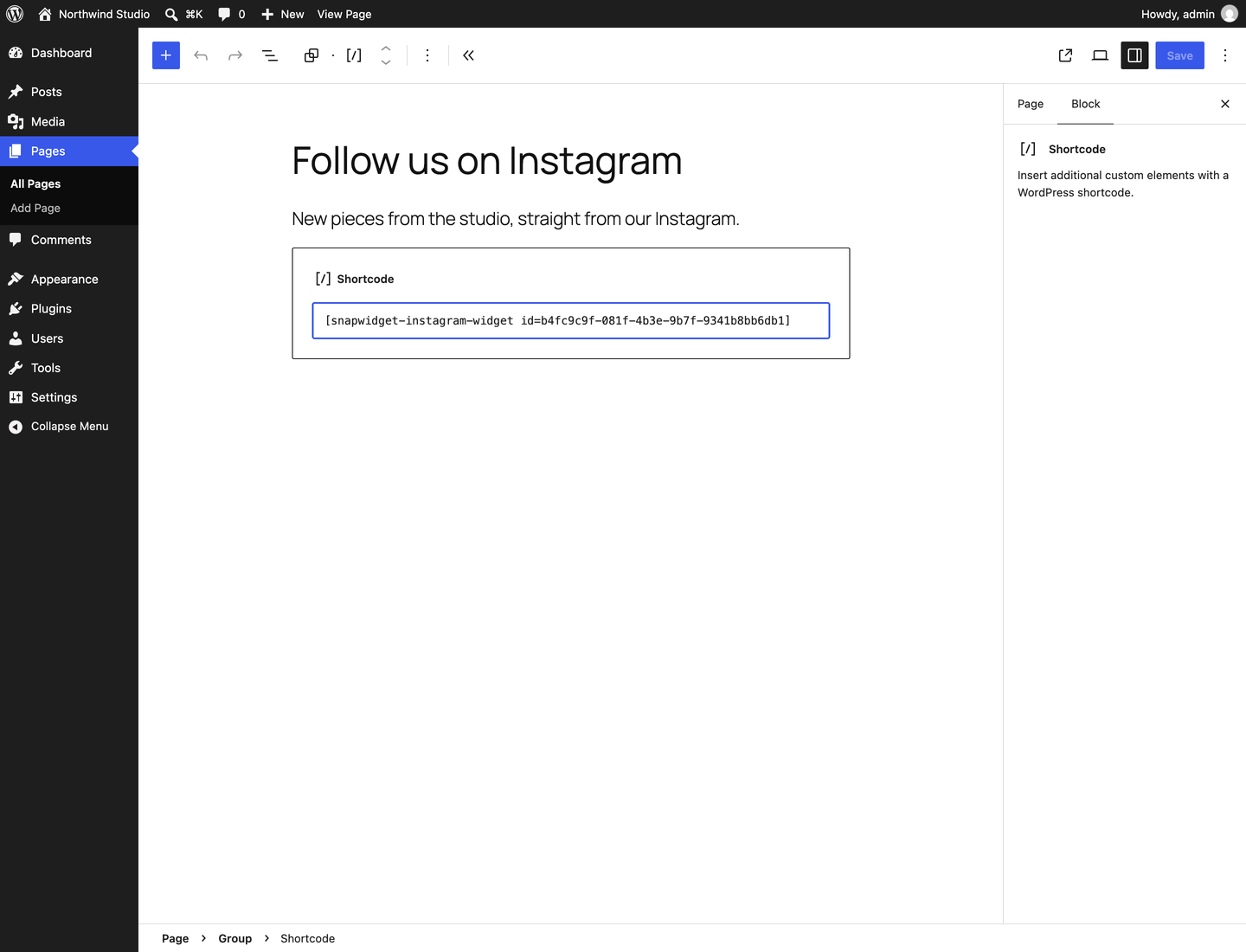
The shortcode with the widget ID, in a Shortcode block.

The same widget on a phone.
How do I add an Instagram feed to my WordPress site?
Create an Instagram widget on SnapWidget, copy its widget ID from the Install Widget code, and add the shortcode [snapwidget-instagram-widget id=WIDGET_ID] to a page or post. The feed then updates by itself when you post on Instagram.
Is SnapWidget free?
Yes. The free plan has Instagram and Facebook widgets with unlimited views. Paid plans add TikTok, YouTube and X widgets, a lightbox, shoppable photos and more.
Which Instagram accounts can I connect?
The account must be a creator or business account. Personal accounts no longer work. You can switch to a creator account for free in the Instagram app.
Does the widget show a SnapWidget logo?
No. The widget shows your posts only, on every plan.
How often does the feed update?
Free widgets get new posts every 15 minutes. Paid widgets get new posts every 5 minutes.
Can I show TikTok, YouTube, Facebook or X posts?
Yes. Facebook widgets are free. TikTok, YouTube and X widgets need a paid plan. The shortcode works for all of them.
Can I add the widget without this plugin?
Yes. Paste the widget code into a Custom HTML block. See How do I add an Instagram widget to my WordPress website?
ChangeLog
1.3.1
- Fix: the widget now lines up with the page content, in block themes and in classic themes such as Twenty Twenty-One.
1.3.0
- Security: the shortcode now accepts only a widget ID and sizes in px or %, and escapes them in the page.
- Tested with WordPress 7.1.
- New description, install steps and FAQ for the current SnapWidget.
1.2.0
- Test and confirm working with new version of WordPress 5.6.2
1.1.0
- Update to support the new Instagram Basic Display API and Instagram Graph API.
1.0.4
- Update readme and plugin name as per requirement from Facebook.
1.0.3
- Fix issue with responsive widgets not resizing correctly.
1.0

