
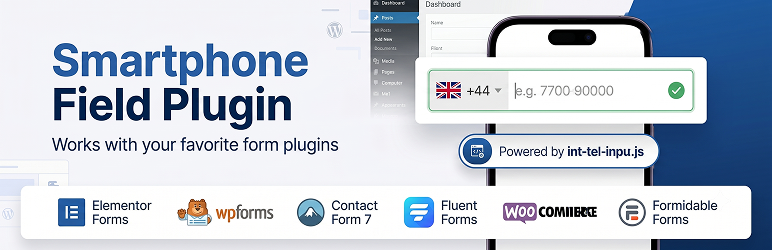
Instruct your visitors to choose their country code when entering their mobile number to ensure accurate and correctly formatted data submissions.
| Author: | PluginsCafe (profile at wordpress.org) |
| WordPress version required: | 6.0 |
| WordPress version tested: | 7.1 |
| Plugin version: | 1.0.8 |
| Added to WordPress repository: | 14-10-2024 |
| Last updated: | 03-09-2026 |
| Rating, %: | 100 |
| Rated by: | 4 |
| Plugin URI: | https://pluginscafe.com/plugin/smart-phone-fi... |
| Total downloads: | 10 023 |
| Active installs: | 1 000+ |
 Click to start download |
|
The Smart Phone field plugin enables you to create a country drop-down list with country flags. The tag field automatically populates country names in the standard drop-down field in the phone field.
Features
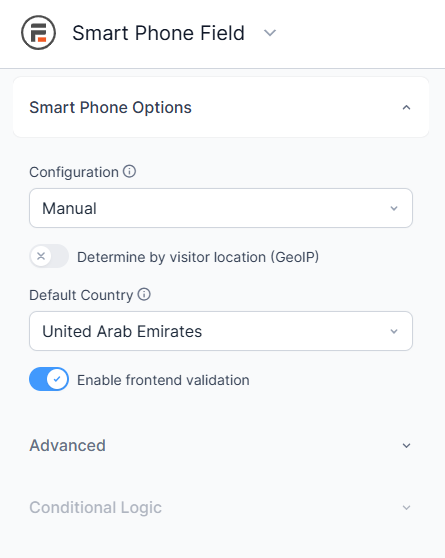
- Live/Frontend validation.
- Automatic country select with IP address (GeoIP).
- Default country selection.
- Exclude countries.
- Only include countries.
- Multiple phone field.
- Country search
- Token Field for GeoIP (optional)
- Add Formidable Forms
- Add Ninja Forms (new)
Premium Features
- Prevent submit form with wrong validation.
- Multiple form in single page (different form).
- Custom validation message.
- Phone number format with typing.
- Add country code automatically.
- Phone number format in 4 different types. Ex: E.164 and more.
- Three flag option and more.
- Available in WPForms, Elementor form, Fluent forms, Contact form 7, Formidable Forms, Ninja Forms
- More are coming soon…
Requirements
- PHP 7.4
- WPForms 1.8.0 or higher
- WooCommerce
- Contact Form 7
- Fluent Forms
- Elementor Forms
- Formidable Forms
- Ninja Forms
Screenshots
FAQ


ChangeLog