
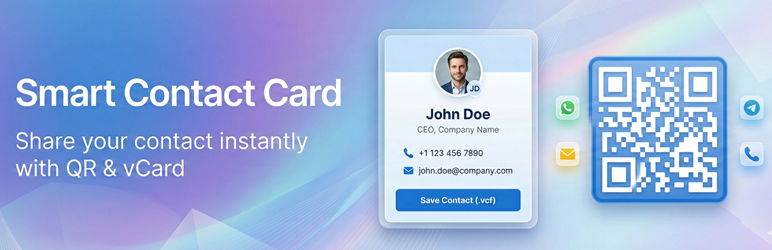
Shareable contact cards with QR codes and vCard via shortcode, Gutenberg block, and Elementor widget.
| Author: | Md Abul Bashar (profile at wordpress.org) |
| WordPress version required: | 5.8 |
| WordPress version tested: | 7.1.3 |
| Plugin version: | 1.1.3 |
| Added to WordPress repository: | 26-12-2025 |
| Last updated: | 10-10-2026 |
| Rating, %: | 0 |
| Rated by: | 0 |
| Plugin URI: | |
| Total downloads: | 1 833 |
| Active installs: | 100+ |
 Click to start download |
|
Smart Contact Card allows you to create professional, shareable contact cards on your WordPress site. Display contact information beautifully with QR codes and downloadable vCard files.
Features:
- ???? Professional contact card display
- ???? QR code generation for easy sharing
- ???? Downloadable vCard (.vcf) files
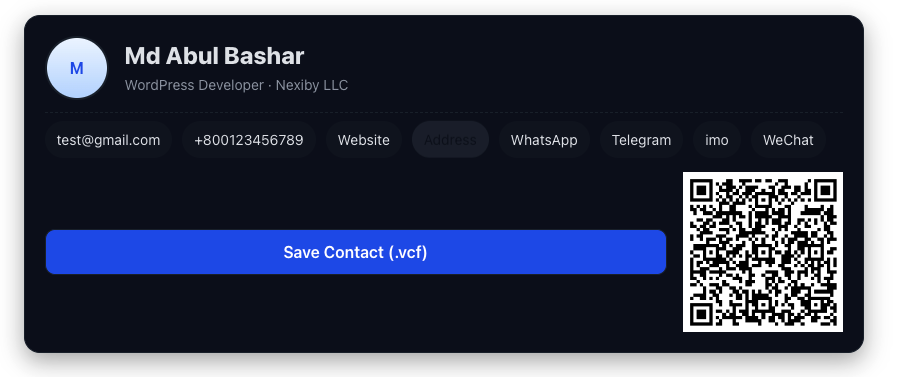
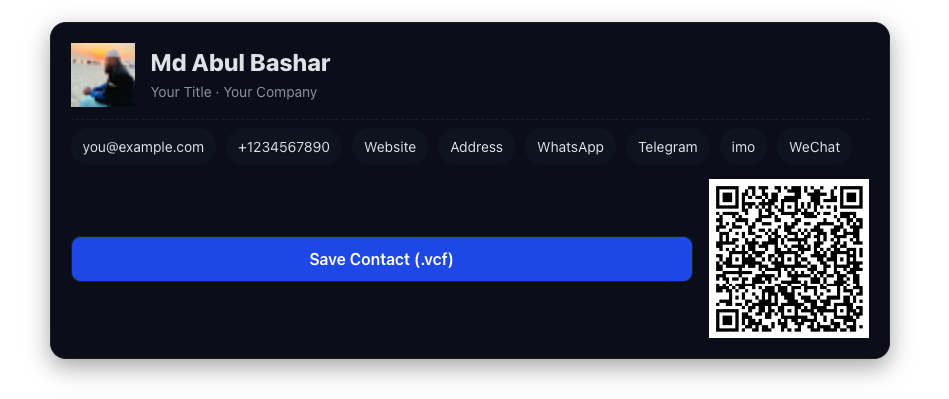
- ???? Multiple design options (default and minimal)
- ???? Easy implementation via shortcode
- ????️ Elementor widget support
- ???? Support for multiple contact methods (Phone, Email, WhatsApp, Telegram, IMO, Skype, WeChat)
- ???? Schema.org markup for better SEO
- ???? Fully responsive design
How to Use
Shortcode Usage:
Add a contact card anywhere using the shortcode:
[smartcc_contact name="John Doe" title="CEO" org="Company Name" phone="+1234567890" email="john@example.com" website="https://example.com"]
Available Shortcode Parameters:
- Identity: name, title, org, avatar
- Contacts: phone, email, website, address
- Messaging Apps: whatsapp, telegram, imo, skype, wechat
- Display: button, design (default/minimal_qr)
- QR Options: qr_for (vcard/mecard/whatsapp/telegram/imo/skype/wechat/url), qr_url, qr_text
Elementor Widget Usage:
- Edit your page with Elementor.
- Search for “Smart Contact Card” in the widget panel.
- Drag the widget into your layout.
- Fill in the contact details and customize the design using the widget controls.
Design Options:
design="default"(full card with all details)design="minimal_qr"(minimal card with avatar, name, phone, email, and custom QR)
QR Code Options:
You can customize what the QR code encodes:
* vCard (default) – Full contact QR with name, title, company, phone, email, website (best for iPhone)
* MeCard – Compact legacy payload for older Android scanners
* WhatsApp – Direct WhatsApp chat link
* Telegram – Telegram profile link
* IMO – IMO messaging link
* Skype – Skype profile link
* WeChat – WeChat contact link
* URL – Custom URL or website
Developer Friendly:
The plugin uses modern PHP practices with PSR-4 autoloading and is built with extensibility in mind. Developers can easily customize and extend functionality.
Third-Party Services
This plugin uses QuickChart.io (https://quickchart.io) for QR code generation. When a QR code is displayed, the contact information is sent to QuickChart.io to generate the QR code image. By using this plugin, you acknowledge:
- QuickChart.io Terms of Service: https://quickchart.io/documentation/
- QuickChart.io Privacy: https://quickchart.io/privacy/
No data is stored on external servers, and QR codes are generated on-the-fly when pages are viewed.
Screenshots
FAQ
ChangeLog