
Simple Feed Stats makes it easy to track your feeds, add custom content, and display your feed statistics on your site.
Simple Statistics for Feeds (SFS) tracks your feeds automatically using a variety of methods, and provides a wealth of tools and options for further configuration and management. Also displays your subscriber count via template tag or shortcode. Fully configurable. Visit the “Simple Statistics for Feeds” settings page for stats, tools, and more info.
???? Check out a feed-count demo in the sidebar @ WP-Mix.com
Fast & Free
- Stop paying 3rd-party fees, track your own stats for free!
- Display a “feed count” badge like the once-awesome Feedburner
- Built with the WP API for optimal performance & security
- Fully compatible with WordPress Multisite
- Regularly updated and “future proof”
Core Features
- Daily & Total – collect daily stats and total stats for each feed
- Beautiful Stats – view all your feed stats via the plugin settings
- Dashboard Widget – get a quick overview of your feed statistics
- Custom Feed Count – display any number for your feed count
- Custom Content – embellish your feed with graphics and markup
- Custom CSS – use your own styles to customize your feed stats
More Features
- Shortcodes & Template Tags to display your feed count anywhere
- Display your daily feed counts for post feeds and comments feeds
- Options to clear cache, reset stats, and restore default settings
- Automatically track custom feeds generated via the WordPress API
- Enable “Strict Mode” reporting for more accurate feed counts
- Track feeds using custom key/value tracking parameters
- Works with or without Gutenberg Block Editor
Tracking Methods
Simple Statistics for Feeds provides four ways to track your feeds:
- Default Tracking – tracks feeds directly via URI request
- Custom Tracking – tracks feeds via embedded post image
- Alternate Tracking – tracks feeds via embedded feed image
- Open Tracking – tracks feeds via your own custom image
Collected Data
Simple Statistics for Feeds tracks the following data for each feed request:
- Feed type
- Tracking type
- Requested URL
- User-agent
- IP address
- Referrer
- Date
- ID
You can view these data at any time by visiting the plugin settings. All feed data are displayed via beautiful, easy-to-use interface. View screenshots »
Privacy
This plugin records the user agent, referrer, and IP address for each feed request. IP collection may be disabled via the plugin settings. All collected data may be deleted at any time via the plugin settings. This plugin does not set any cookies, and it does not connect to any third-party locations.
Simple Statistics for Feeds (formerly Simple Feed Stats) is developed and maintained by Jeff Starr, 15-year WordPress developer and book author.
Support development
I develop and maintain this free plugin with love for the WordPress community. To show support, you can make a donation or purchase one of my books:
And/or purchase one of my premium WordPress plugins:
Links, tweets and likes also appreciated. Thank you! ????
Screenshots

Simple Statistics for Feeds: Plugin options
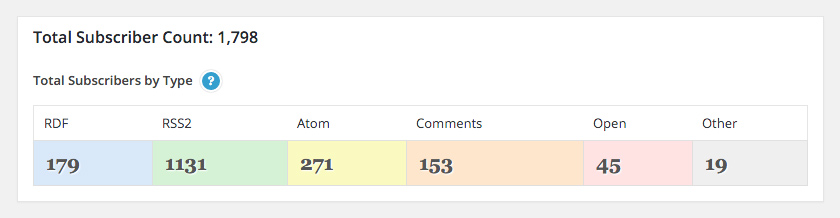
Simple Statistics for Feeds: Feed Count Table
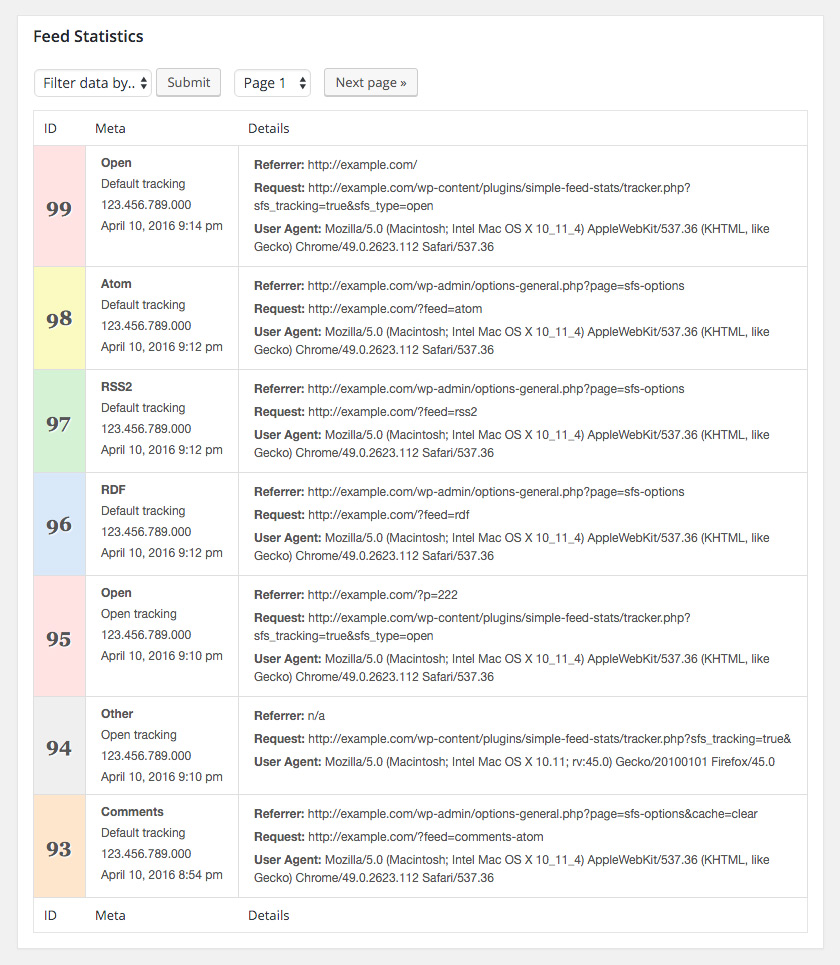
Simple Statistics for Feeds: Feed Stats Table
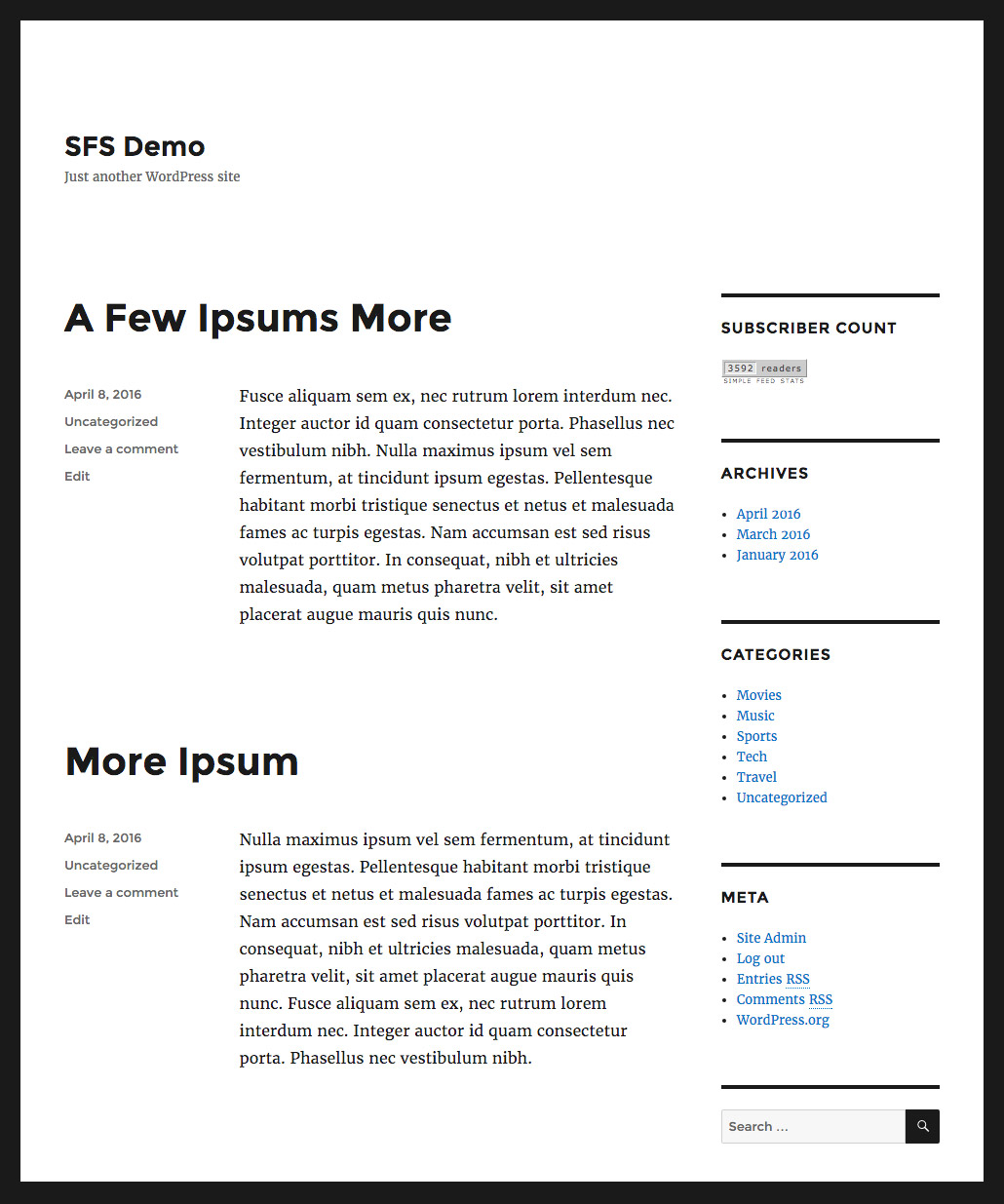
Simple Statistics for Feeds: FeedBurner-style count badge
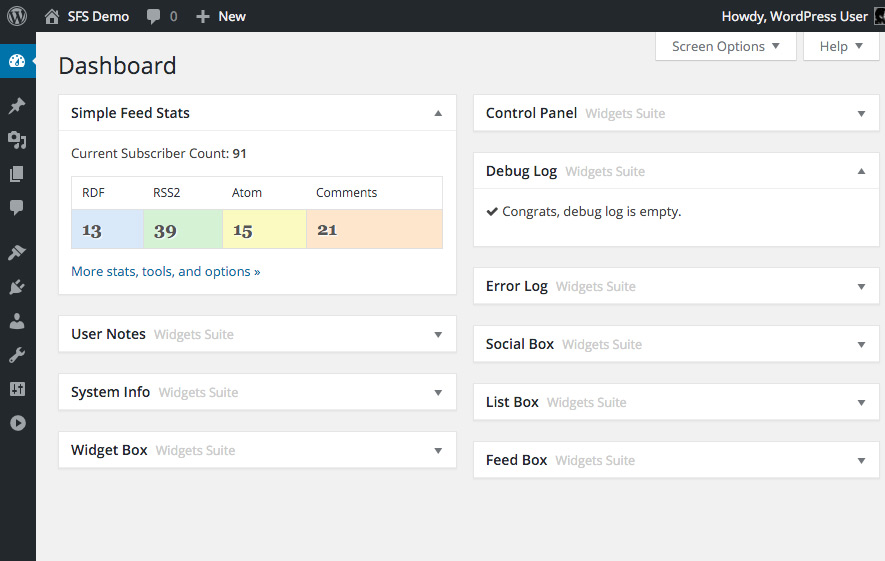
Simple Statistics for Feeds: Dashboard Widget
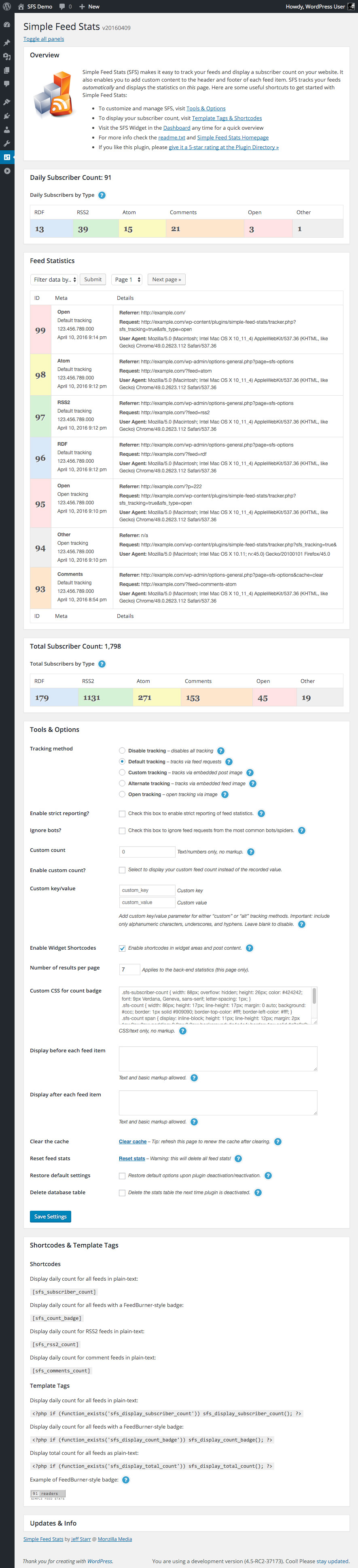
Simple Statistics for Feeds: Full plugin settings page (panels toggle open/closed)
Why did you change the name of the plugin?
Before January 2022, the name of this plugin was “Simple Feed Stats”. That name was used since the plugin was first born back in 2012. Went almost 10 years with that name. Then in 2021, I was asked to change the name because it conflicted with another product (not a WP plugin) that has been using a similar name since before 2012. So it was agreed to change the name of the plugin to “Simple Statistics for Feeds” to avoid any confusion.
How can link the Feedburner badge to my RSS feed?
By default, the Feedburner count badge is not linked to any URL. So to wrap the badge in a link, you can do this for the shortcode:
<a href="https://example.com/feed/">[sfs_count_badge]</a>
Or do this for the template tag:
<a href="https://example.com/feed/"><?php sfs_display_total_count(); ?></a>
You can change the URL to match the URL of your feed, or anything else. Also check out the other count badge shortcodes and template tags.
How can I monitor a custom feed?
If you use WordPress API for the custom feed template, and include the usual template tags for feeds, the SFS plugin will automatically track the custom feed.
Hits are recorded, but feed counts are not updating?
Could be several things involved here..
First, as explained in the documentation, feed statistics are updated every 12 hours. So you may see new hits recorded without any change to the displayed feed count. At any time you can click the “Clear cache” link to clear the plugin cache and display the current counts.
Another thing to check, is the plugin setting “Enable custom count” enabled? If so, only the specified number will be displayed. So disable/uncheck the option to display current stats.
Also check if any cache plugins are in use on your site. If your feeds are cached it may affect the stats results.
Lastly, verify that your site’s Cron functionality is working properly. SFS relies on WP Cron functionality to handle the updating of feed counts. Unfortunately, WP Cron does not always work on all servers/hosting environments. Please check out the “Notes” section on the plugin’s Installation page for a list of solutions and more information.
The plugin settings page is getting slow to load?
Simple Statistics for Feeds logs requests in the database. So after awhile, the number of logged items can add up. To keep database size down, and resolve slow loading settings page, you can click the “Reset stats” link anytime. Doing so will remove all logged items from the database.
Tip: after clearing the database, your feed stats will show zero “0” until the plugin logs more feed requests. So instead of displaying “0” or other low numbers, you can enable the following settings:
- Custom count
- Enable custom count
Just remember to disable the Custom count setting after a day or so, after the plugin has logged more feed requests.
What’s up with “strict mode” reporting?
It has to do with how SFS reports your feed stats. For example, in normal reporting mode (strict mode = off), each feed request is reported as unique. With strict mode enabled, feed requests are filtered by IP address, so that if “Pat” requests your comments feed five times per day, it’s counted as “1” subscriber rather than “5”.
So strict mode is more accurate, but feed counts are usually lower with strict mode enabled. Note also that SFS still records all requests, so if you’re reporting in strict mode the individual request data is still recorded and available in the Feed Stats table. In other words, strict mode determines how recorded data is reported, not collected.
How can I use the the custom key/value parameters?
If you don’t already know, you probably don’t need it. Basically it’s a requested feature that enables the inclusion of a custom URL parameter (key/value) in either “custom” or “alt” tracking methods. You know, for stuff like Google Analytics.
The stats are showing zero?
During the first 12 hours, data is collected. Then the cache is refreshed to show the latest stats for the previous 12 hours. If your stats are showing zero or you would just like to update the count, visit the “Tools and Options” panel and click the “Clear cache” link.
Also: to test that the plugin is recording hits, visit the “Your Feed Info” panel. There you will find a list of links for your site’s feeds. Click on a few of those links as a test. If the plugin is working correctly, you will see your own feed requests recorded in the “Subscriber Info” panel.
Got a question?
Send any questions or feedback via my contact form. Thanks! 🙂
ChangeLog
If you like Simple Statistics for Feeds, please take a moment to give a 5-star rating. It helps to keep development and support going strong. Thank you!
20261105
- Checks plugin with Plugin Check
- Improves security of core functions
- Improves security of plugin settings
- Improves security of internal redirects
- Improves security of plugin files
- Tests on WordPress 7.2
Full changelog @ https://plugin-planet.com/wp/changelog/simple-feed-stats.txt

