Choose right WordPress plugin from thousands others in a moment
Shutterpress Gallery
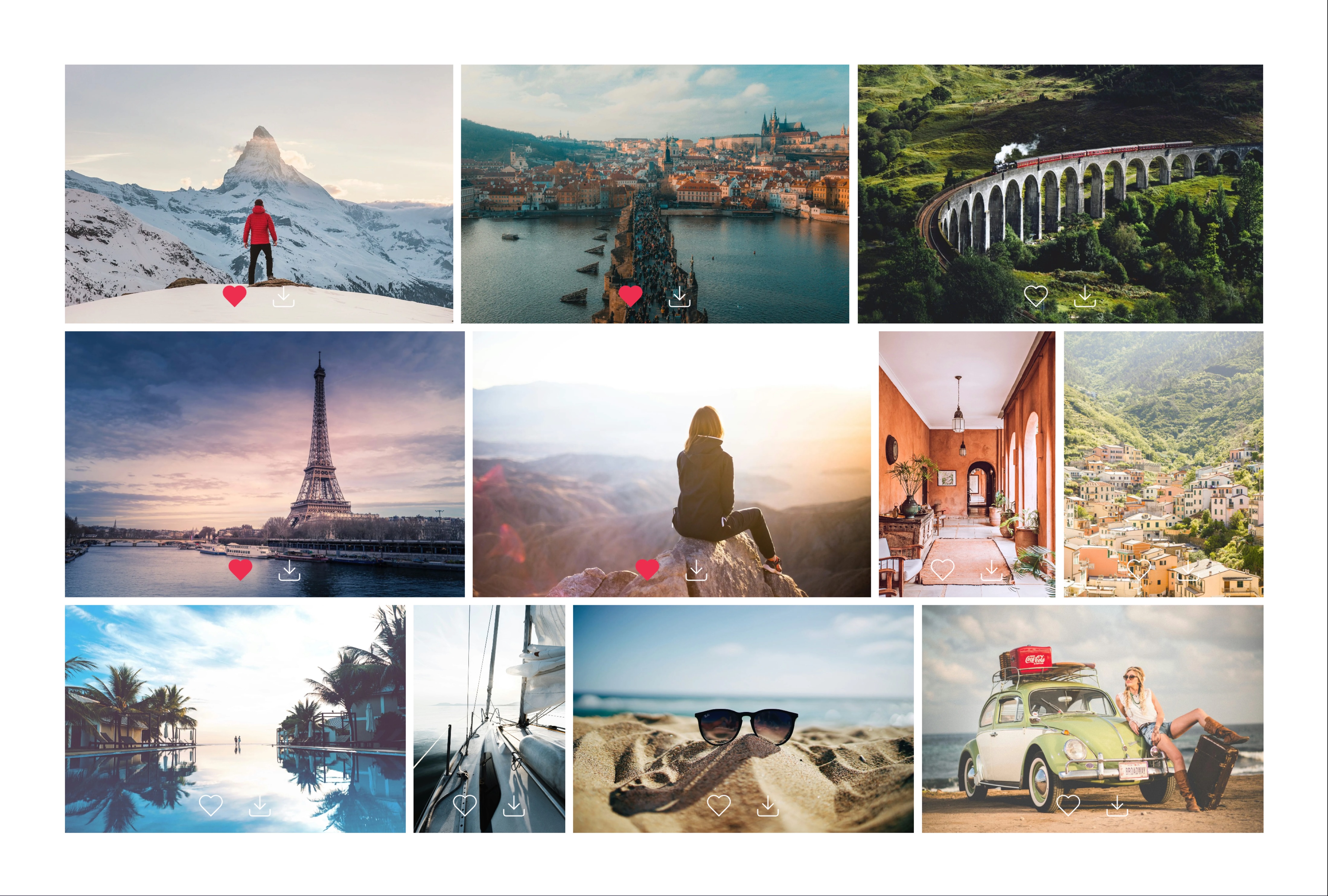
ShutterPress Gallery is designed specifically for photographers and visual artists who want to share their work online and also share their work with …
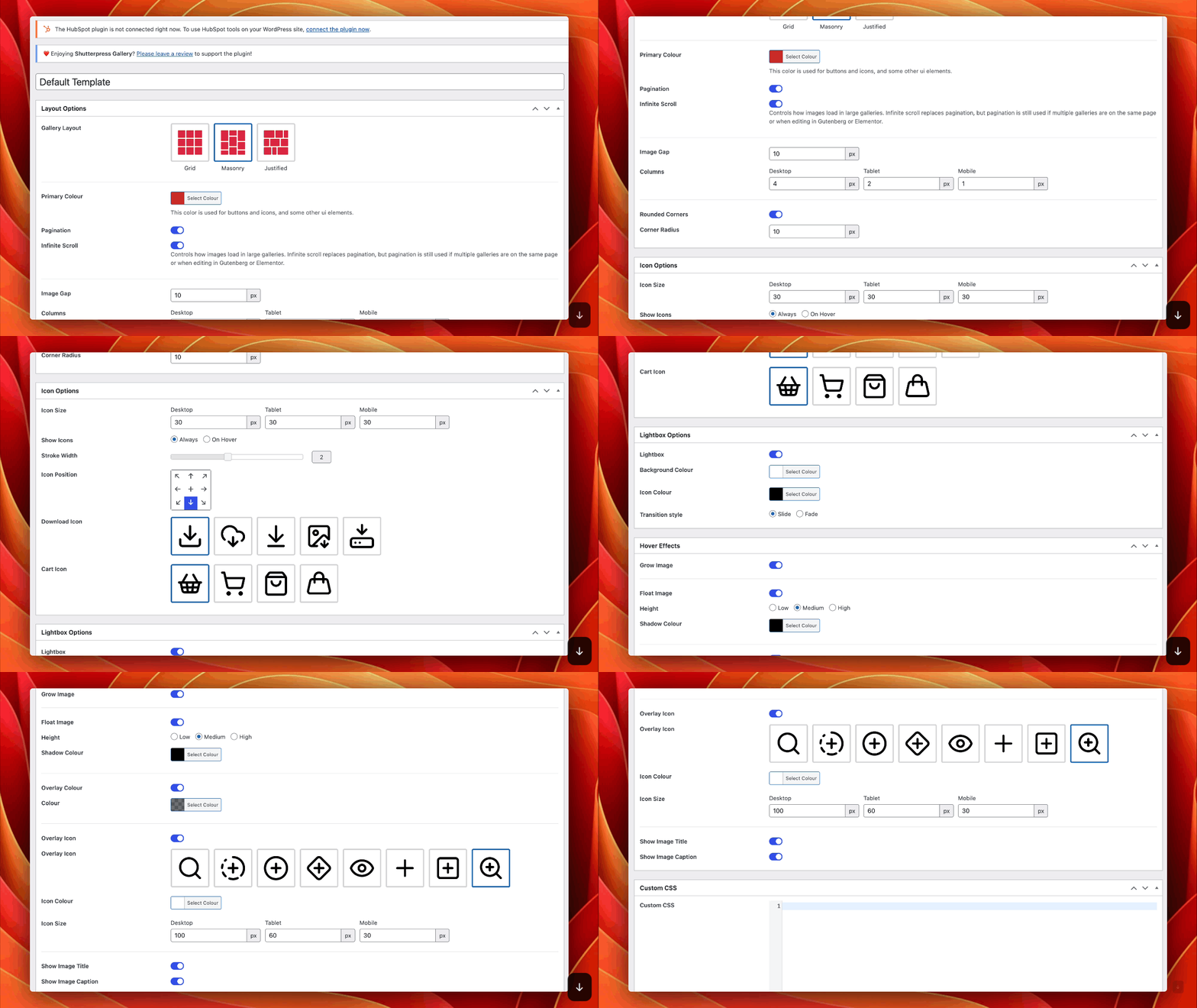
ShutterPress Gallery is a flexible, WordPress gallery plugin designed for photgraphers or artisits who need to share and deliver images online. Build stunning, responsive galleries with reusable Gallery Templates and fine-grained styling options that let you control colors, icons, and hover effects — all from an easy-to-use admin panel.
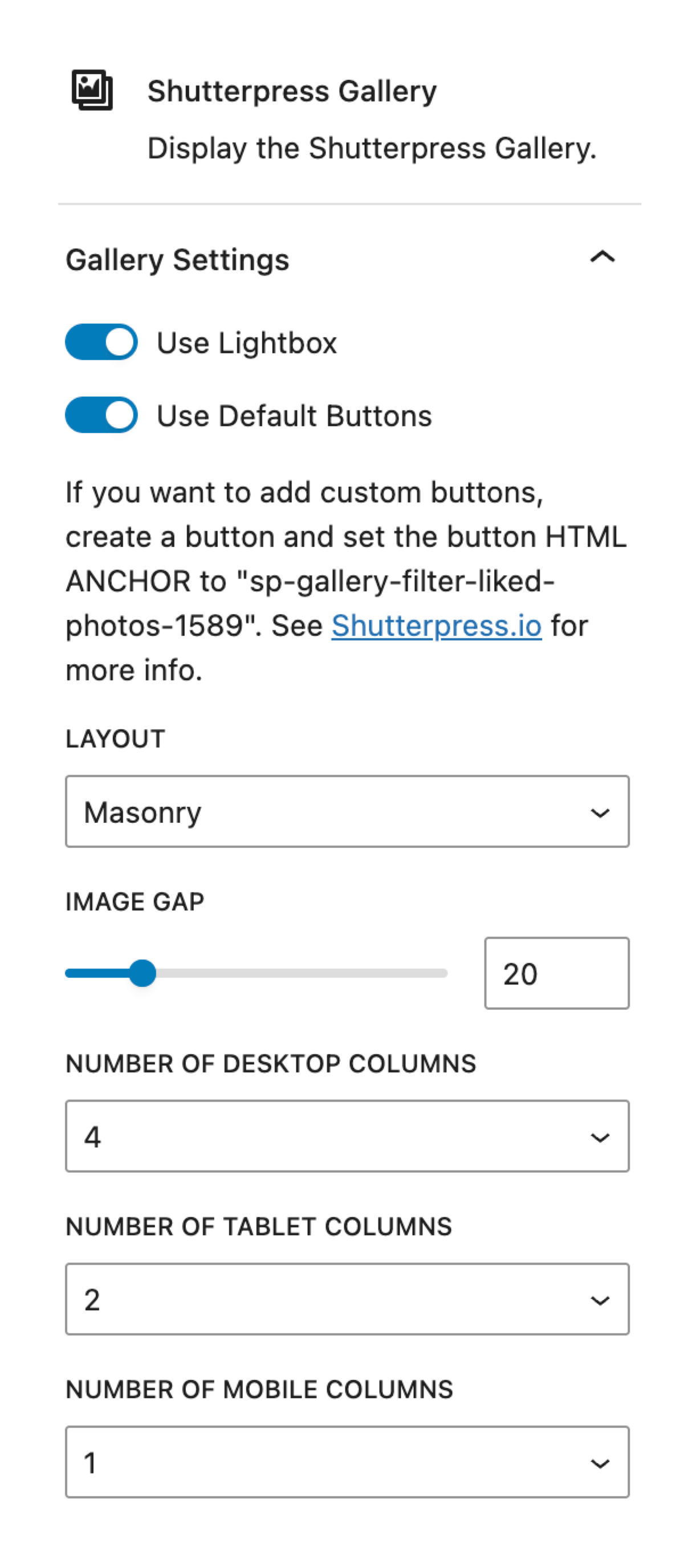
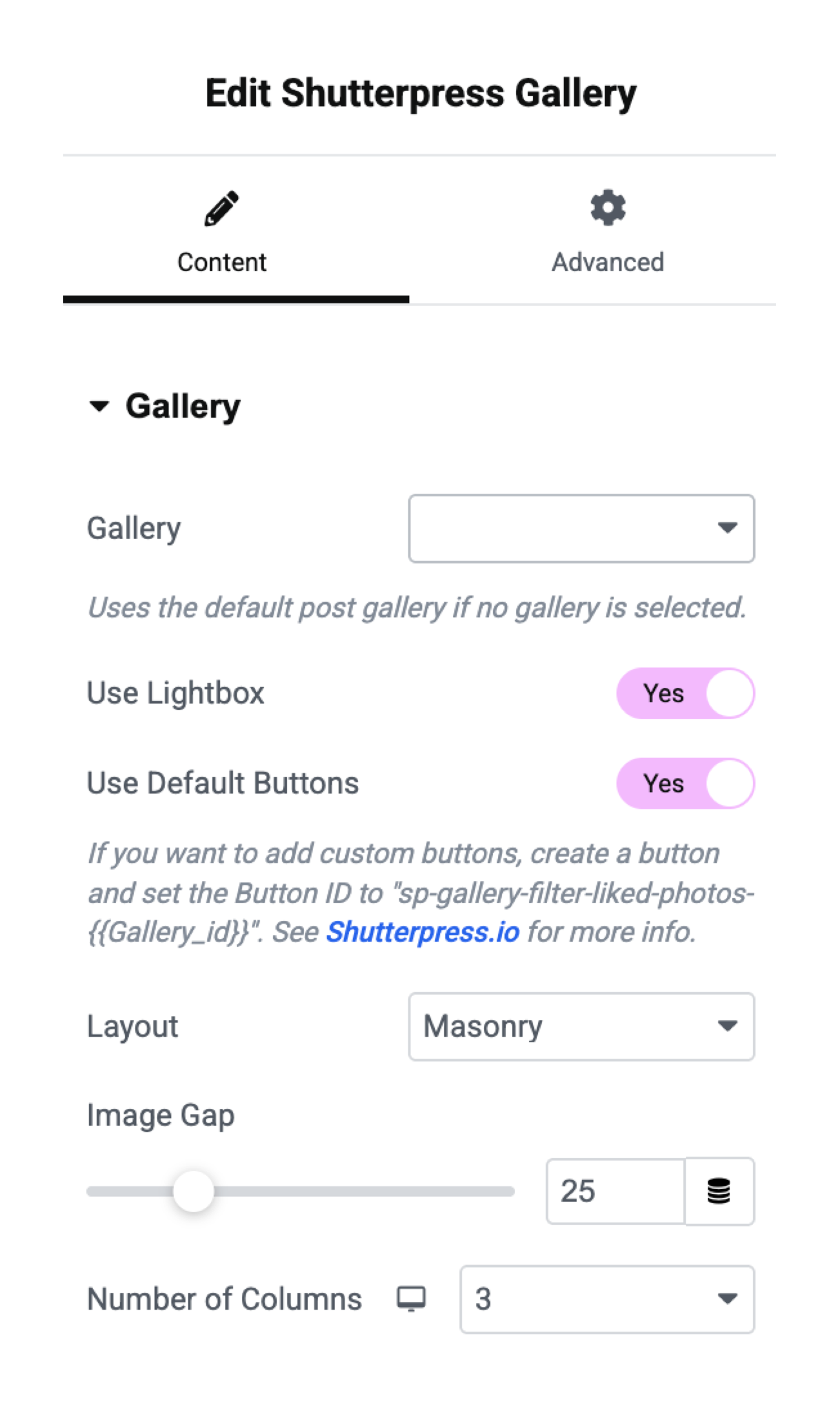
With built-in support for Gutenberg and Elementor, you can display each gallery on its own dedicated page, or embed it anywhere on your site using Gutenberg blocks, Elementor widgets, or shortcodes. Each gallery can be customized with templates, layout settings, and feature toggles, including optional favorites, downloads, and lightbox.
Key Features:
* Create unlimited photo galleries.
* Save time with reusable Gallery Templates.
* Choose from Grid, Masonry, or Justified layouts.
* Customize colors, icons, and hover effects with styling options.
* Enable Infinite Scroll for seamless browsing.
* Let users mark favorite images.
* Optional image download support.
* Display galleries via shortcode, Gutenberg block, or Elementor widget.
* Mobile-friendly and fully responsive.
* Lightweight and fast.
Perfect for:
* Wedding & event photographers.
* Studio galleries.
* Client delivery and proofing.
* Portfolio presentations.
Take your galleries to the next level with ShutterPress Gallery Pro, a powerful extension of the ShutterPress Gallery plugin. Designed for professional photographers and advanced users, the Pro version unlocks a suite of features that enhance security, customisation, and client workflows. Whether you’re showcasing work for clients or managing large-scale projects, ShutterPress Pro offers tools to streamline your process and deliver a premium experience.
Pro Features:
WooCommerce Integration: Sell your photos or prints directly from your gallery using WooCommerce integration.
Watermarking: Automatically add customisable text or image watermarks to your photos to protect your intellectual property.
Password Protection: Secure galleries with passwords, ensuring only authorised clients or viewers can access them.
User Access Controls: Restrict access to galleries based on user roles or individual user permissions.
Download Management: Enable clients to download the full gallery as a ZIP file.
PDF Licensing: Include a downloadable PDF license agreement in gallery ZIP files for professional projects.
Client Interaction Stats: Gain insights into gallery views, downloads, and client preferences with advanced statistics.
Email Notifications: Notify clients automatically when their gallery is ready to view.
Email Clients from Gallery: Quickly send emails to clients using reusable email templates linked to each gallery.
Why Upgrade to Pro?
ShutterPress Gallery Pro provides the tools you need to protect, manage, and monetize your galleries with ease. It’s the perfect solution for photographers looking to offer a seamless, professional experience to their clients while maintaining full control over their images.
Upgrade now and start leveraging these powerful features to enhance your workflow and client satisfaction.
Whether you’re a professional photographer or an enthusiast, ShutterPress Gallery is the perfect tool for transforming your WordPress site into a visual gallery that showcases your unique creative vision.
Liking images and filtering in action
Usage
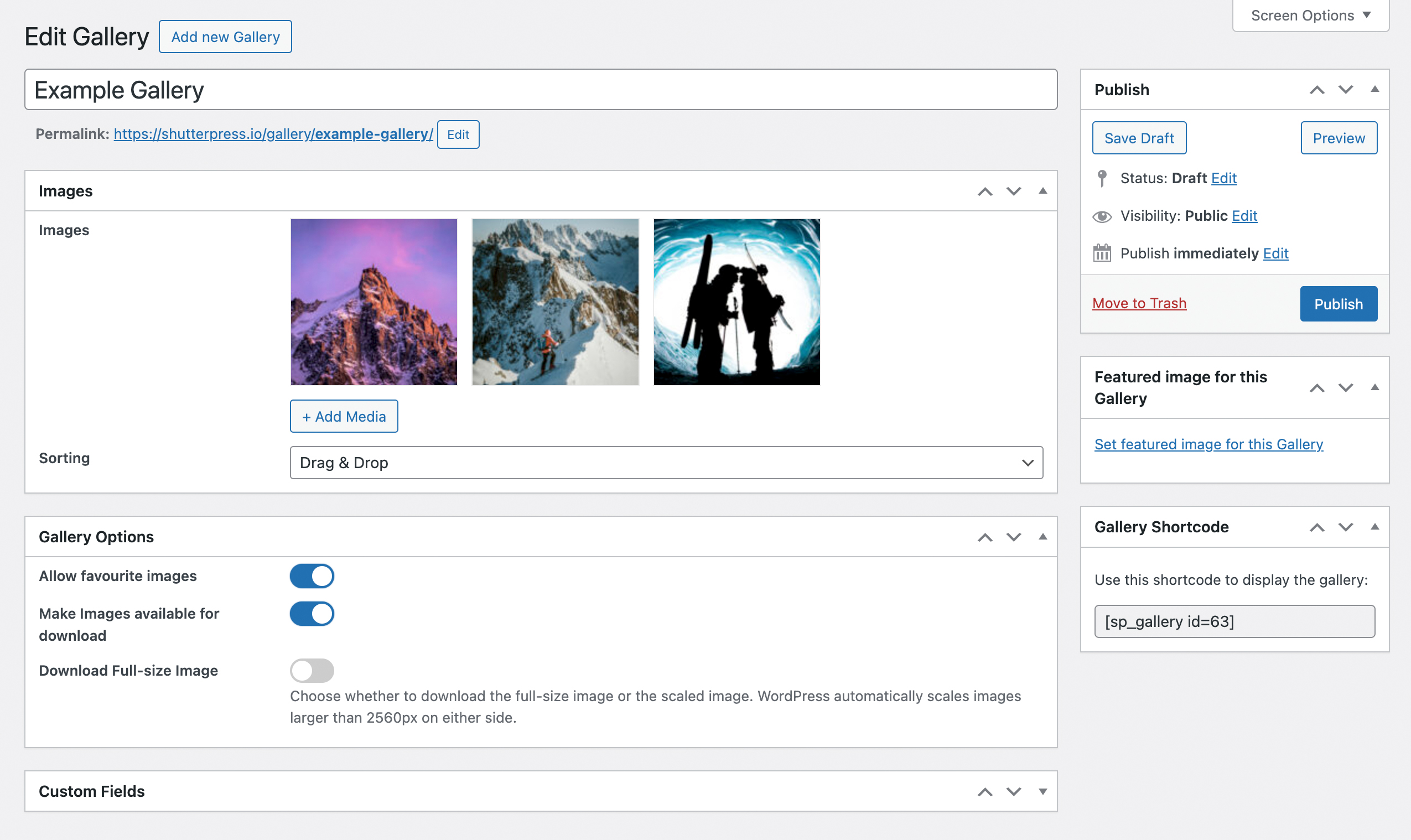
Manage your galleries through the ShutterPress menu option. Create a new gallery, upload your photos, and customize the layout.
View the gallery on your site at it’s own URL, your-website.com/gallery/your-gallery-name.
Shortcode: Use the shortcode [shutterpress_gallery id="your-gallery-id"] to display a gallery on any page or post.
Gutenberg Block: Alternatively, use the ShutterPress Gallery block in the Gutenberg editor to add a gallery directly to your post or page.
Elementor Widget: If you’re using Elementor, you can add a gallery widget to any page or post.
License
This plugin is licensed under the GPLv2 or later. You can modify and redistribute it under the terms of the GNU General Public License.
Both the original and modified versions are free software. You may redistribute them and/or modify them under the terms of the GNU General Public License as published by the Free Software Foundation, either version 3 of the License, or (at your option) any later version.
You can create galleries through the SP Galleries menu option in the WordPress admin dashboard. Once created, you can display them directly at their own URL or by using a shortcode or the Gutenberg block.
Can I choose different layouts for my galleries?
Yes, you can select between a masonry layout for a more artistic and free-flowing feel or a grid layout for a more structured display.
Can users download the images?
Yes, viewers can download images making it easy to access high-quality versions of your photos.
How do I display a gallery on a page or post?
Use the shortcode [shutterpress_gallery id="your-gallery-id"] or the ShutterPress Gallery Gutenberg block to embed your gallery anywhere.
What does the “favorite image” feature do?
The favorite image feature allows users to select and store their favorite image. Logged-in users’ preferences are saved in the database, while guests’ preferences are stored in cookies.
Can I password protect client galleries?
This can be done with the upcoming Shutterpress Pro Plugin or by using other wordpress plugins.
Improvement – Unified filters for defaults and schema, making developer extensions safer and more consistent
Improvement – General code clean-up and compliance with WordPress coding standards
1.6.7
Update – Add href to Lightbox Links for SEO
Fix – Prevent elementor lightbox from running if ShutterPress lightbox is initialized
Fix – Set infinite scroll loaded to constant height to prevent visual flicker
Fix – Change guest download link from nonce to origin check to prevent caching issues
Fix – Fix issue where images on last page of infinite scroll may not load
1.6.6
Fix – Only showing 10 most recent galleries in Gutenberg block drop down – Now show all and search.
Fix – Only showing 10 most recent galleries in Elementor Widget drop down – Now show all and search.
Fix – Defult icon size set on first load of plugin
1.6.5
Update – Unbundle shutterpress-gallery-isotope.js from shutterpress-gallery-public.js
Fix – Prevent inifinite scrolling loading when just one page
Fix – Add scroll to top icon on infinite scroll
1.6.4
New – Add live view in gutenberg block
New – Add virtualization to large galleries for improved performance
Update – Gutenberg block now shows current post gallery if no gallery is selected
Update – Load infinite scroll via REST endpoint
Update – Improve masonry gallery rendering to prevent image overlaps
Update – Move sp_gallery_get_site_color() sp_gallery_darken_color() get_inline_styles() sp_gallery_is_elementor_in_edit_mode() to Shutterpress_Gallery_Utils class
Update – Split shutterpress-gallery-public.js into smaller files and compile with webpack
Update – Combine shutterpress-gallery-isotope.js into shutterpress-gallery-public.js
1.6.3
New – Allow setting the image icon size to a custom px value
Update – Rename metabox to meta_box for consistency
Update – Change icons to Lucide icons for consistency
1.6.2
Fix – Remove loading=lazy from gallery images to prevent rendering issues in some situations
1.6.1
Fix – Issue where grid gallery may not display correctly on some mobile devices
1.6.0
New – Justified Gallery Layout
New – Gallery Pagination
New – Gallery Infinite Scroll
Update – Move gallery rendering to Gallery and Image classes
Update – Collapses gallery images on admin page and makes it expandable
Update – Rename custom post type from Galleries to ShutterPress Galleries
Update – Add Sass css compiler
1.5.0
Update – Changes class structure to be psr4 compatible
Update – Change menu title to ShutterPress
Update – Elementor widget now recognises dafault gallery