Show Certificates Anywhere for LearnDash makes it easy to display earned LearnDash certificates — from both courses and quizzes — on any page, post, sidebar, or widget area of your WordPress site.
If you use LearnDash LMS and want to showcase student achievements, display course completion certificates on a profile page, or build a certificate wall — this plugin does it in seconds with zero coding.
Why Use This Plugin?
By default, LearnDash only shows certificates on the course/quiz page itself. This plugin lets you display certificates anywhere — a student dashboard, a profile page, a sidebar widget, or even a dedicated achievements page.
???? Key Features
Course, Quiz & Group Certificates — Show certificates earned from LearnDash courses, quizzes, and groups in one unified list
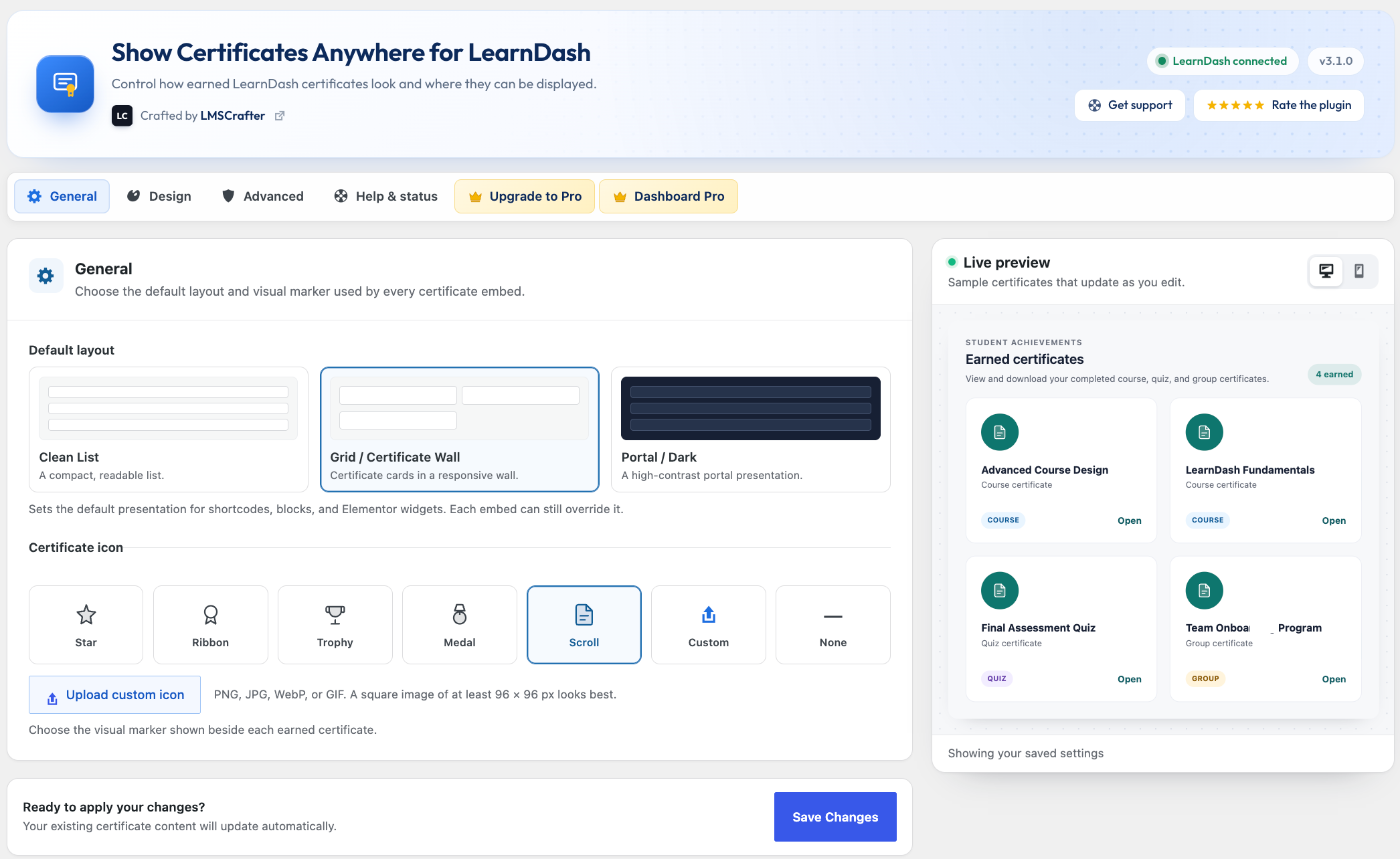
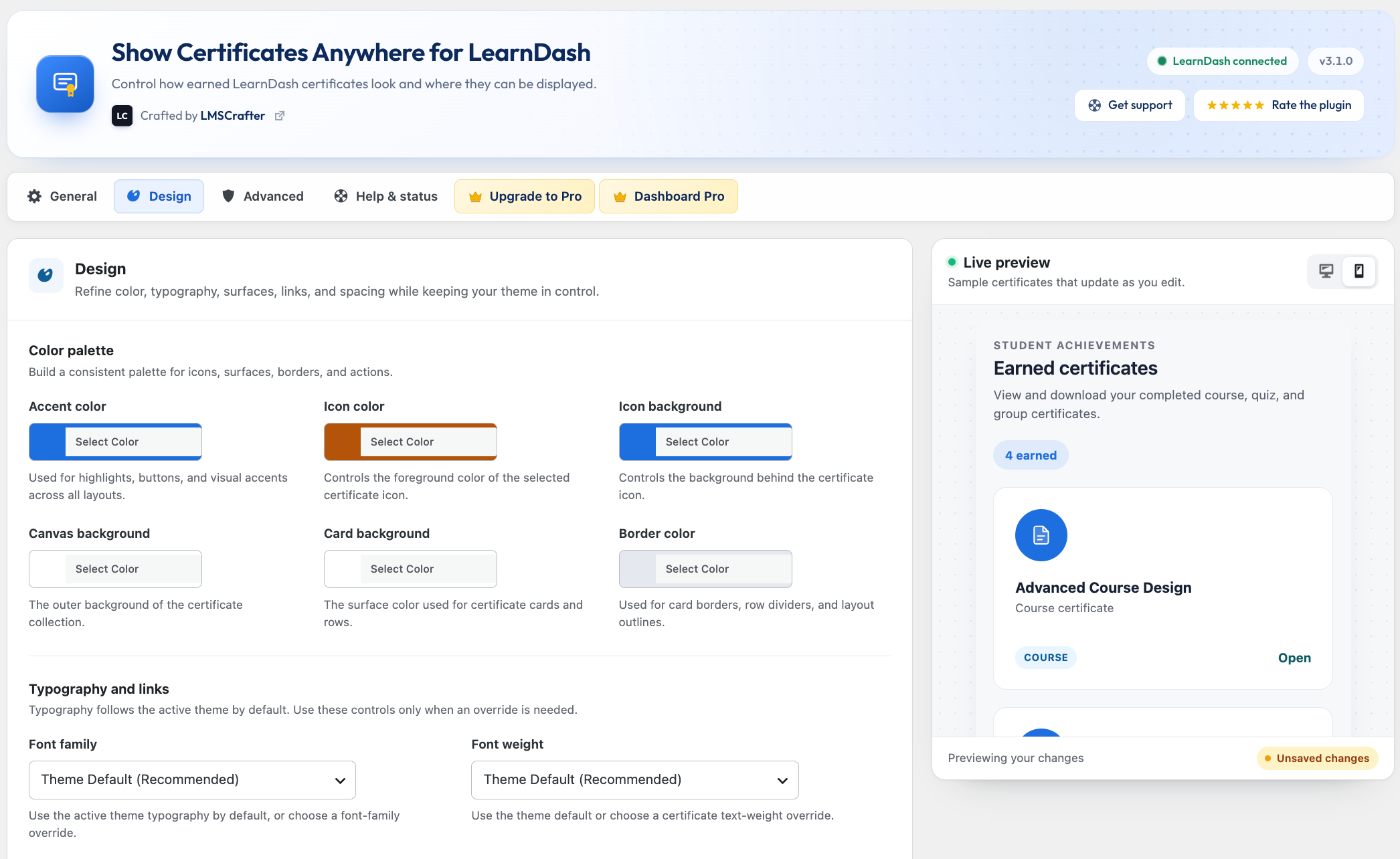
Live Preview — See your certificate display update instantly while you change layout, icons, colors, and typography, on desktop and mobile widths
Simple Shortcode — Use [ld_earned_certificates] to display certificates anywhere on your site
Gutenberg Block — Drag-and-drop the “LearnDash Certificates” block in the WordPress block editor with live preview
Elementor Widget — Native Elementor widget with visual controls for LearnDash certificates
Certificate Type Filter — Display all certificates, or only course, quiz, or group certificates
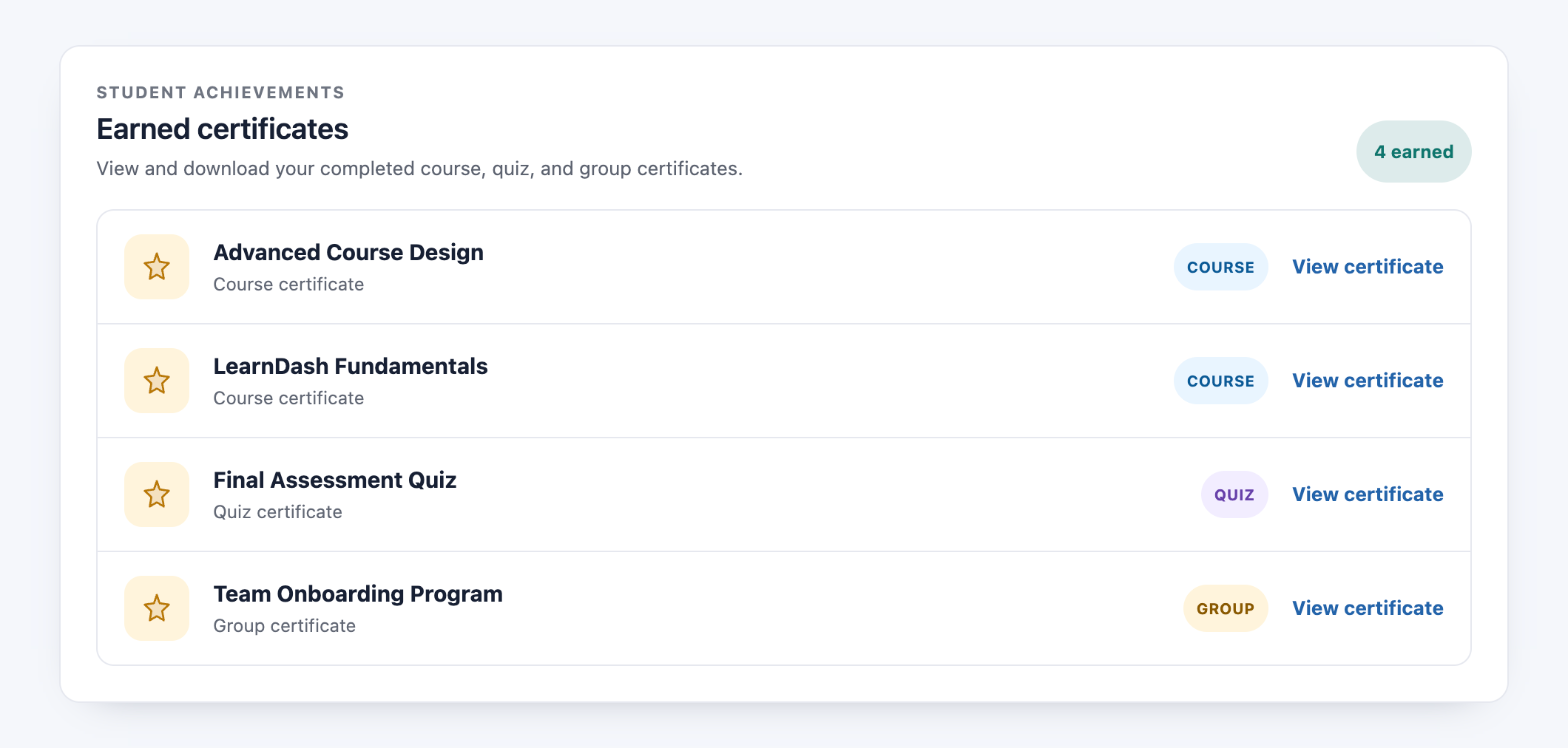
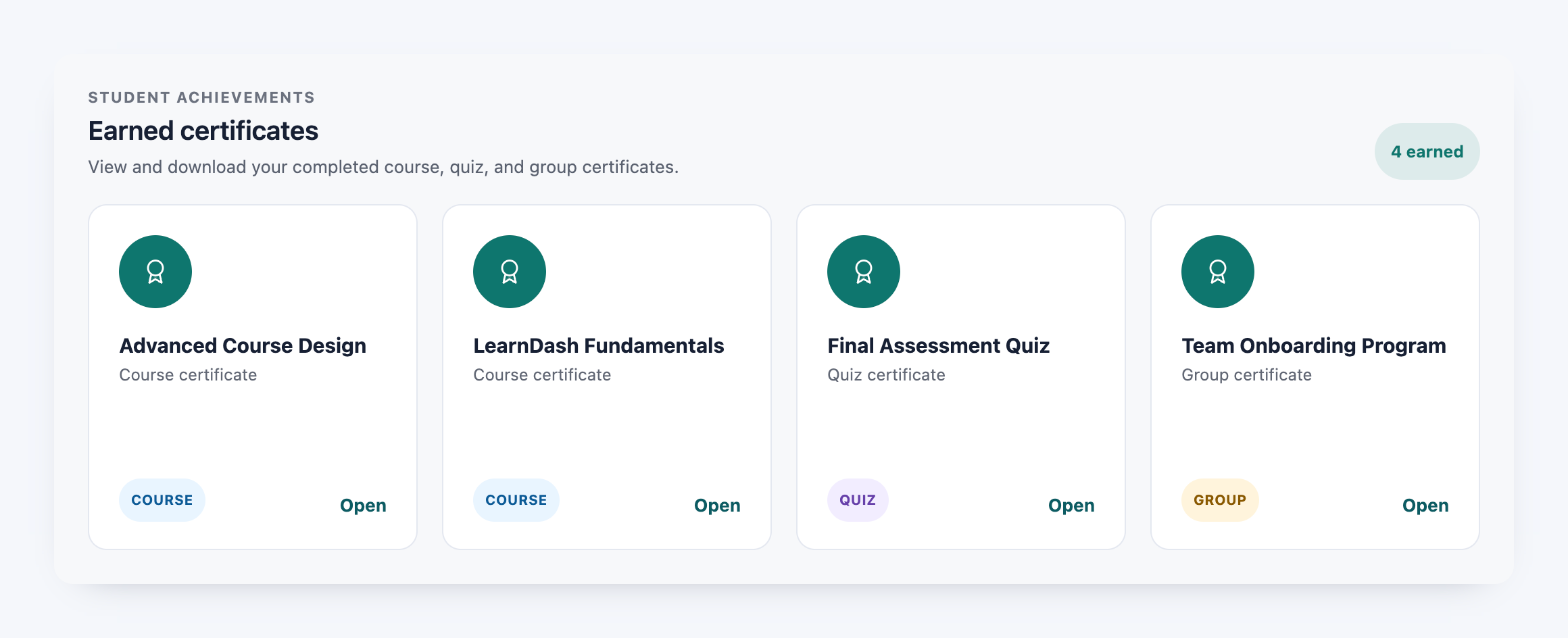
Three Display Templates — Choose Clean List, Grid / Certificate Wall, or Portal / Dark layouts, with Clean List as the default
Beautiful Icons — Choose from 5 icon styles (Star, Ribbon, Trophy, Medal, Scroll), upload your own custom icon, or disable icons
Course & Quiz Badges — Color-coded badges to distinguish between course and quiz certificates
Fully Customizable Design — Control fonts, colors, backgrounds, borders, accent color, icon styling, padding, spacing, and links
User-Specific Certificates — Show certificates for the current user or permitted specific users by ID
No Coding Required — All settings managed through an intuitive admin panel with live color pickers
Icon Color Customization — Change the certificate icon color and its background color from the settings panel
Theme-Aware Typography — Inherits the active theme font family, base size, weight, and line height by default, with optional overrides
Lightweight & Fast — Cached certificate lookups, no jQuery dependencies on the frontend, no build tools, minimal footprint
Optional Diagnostics — Admin-controlled diagnostics toggle with clear disclosure for site/contact and technical data
Translation Ready — Internationalized PHP, block, and Elementor interfaces with an included POT translation catalog
???? Shortcode Usage
Basic usage — show all certificates for the logged-in user:
LearnDash LMS — Fully compatible with LearnDash 3.x and 4.x
Gutenberg Block Editor — Native block with server-side rendering
Elementor Page Builder — Native widget (auto-detected, no setup needed)
Kadence Blocks & Kadence Theme — The LearnDash Certificates block works inside Kadence rows, columns, and Kadence Elements
Any WordPress Theme — Customizable styling adapts to your theme
Translation Plugins — WPML, Polylang, Loco Translate compatible
More free LearnDash tools
Need more than certificates? Vital Addons for LearnDash is our free toolkit of 36 LearnDash modules: lesson and topic autocomplete, front-end login, resume learning, breadcrumbs, Focus Mode controls and more. It installs alongside this plugin, and every Vital Addons module starts switched off.
???? Pro Version: Certificate Verify & Share for LearnDash
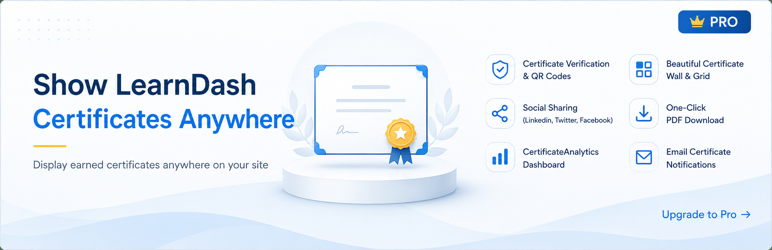
Turn the certificates you display into proof that employers and clients can trust:
???? Public verification portal — anyone can confirm a certificate is genuine
???? Automatic QR codes printed on every certificate
???? One-click sharing to LinkedIn, Facebook, and X
???? Verification analytics dashboard — see which certificates get checked and shared
???? Email alerts when a certificate is verified
???? Custom certificate layouts, plus shortcodes and Gutenberg blocks
When an administrator enables the “Diagnostics & Reporting” toggle in Certificate Customizer settings, the plugin sends:
Error reports for PHP errors related to this plugin
A daily heartbeat with environment info (WordPress version, PHP version, LearnDash version, active theme/plugins)
Site URL and admin email for identification, support follow-up, compatibility checks, and product improvement
Passwords, course content, quiz answers, and student records are not intentionally transmitted by this diagnostics module. All diagnostics data is sent via HTTPS to lmscrafter.com.
Use [ld_earned_certificates] in any page, post, or text widget to display certificates earned by the currently logged-in user.
How do I show only quiz certificates?
Use the type attribute: [ld_earned_certificates type="quiz"]. You can also use type="course" for only course certificates.
Can I change the certificate layout?
Yes. Use the template attribute: [ld_earned_certificates template="list"], [ld_earned_certificates template="grid"], or [ld_earned_certificates template="portal"]. You can also set the default template in Certificate Customizer.
Can I display certificates for a specific user?
Yes. Use the user_id attribute: [ld_earned_certificates user_id="5"]. For privacy, public visitors can only use this when “Public User ID Display” is enabled in the Certificate Customizer settings. Admins can still use it for dashboards.
Does this work with the Gutenberg block editor?
Yes! Search for “LearnDash Certificates” in the block inserter. The block includes a settings panel where you can configure the user ID, certificate type filter, template, and empty state behavior — all with a live server-side preview.
Does this work with Elementor?
Yes! When Elementor is installed and active, a “LearnDash Certificates” widget is automatically available in the Elementor editor. It supports user ID, certificate type, template, and empty-state controls.
Can I change the certificate icon?
Yes, go to Certificate Customizer in your WordPress admin. The first setting is “Certificate Icon” where you can choose from Star, Ribbon, Trophy, Medal, Scroll, or None.
Can I customize the colors and fonts?
Absolutely! The Certificate Customizer admin page lets you control font family, font color, font size, font weight, background color, card background, border color, accent color, icon colors, line height, margins, padding, link color, and link hover color — all with simple settings and color pickers.
Can I hide the message when no certificates are found?
Yes, use [ld_earned_certificates show_empty="no"] and the shortcode will output nothing if the user has no certificates.
What happens if LearnDash is not installed?
The plugin shows a helpful admin notice asking you to install LearnDash. On the frontend, the shortcode displays a friendly message indicating LearnDash is required.
What happens if Elementor is not installed?
Nothing — the plugin works perfectly fine without Elementor. The Elementor widget is only loaded when Elementor is active. The shortcode and Gutenberg block work independently.
Is this plugin compatible with LearnDash groups?
Yes. Since version 3.1.0 the plugin also shows LearnDash group certificates — the certificate LearnDash awards when a learner completes every course in a group. Use type="group" to show only group certificates. Course and quiz certificates earned through group enrollment are shown as well.
Does it work with Kadence?
Yes. Kadence Blocks and the Kadence theme use the WordPress block editor, so the “LearnDash Certificates” block can be added to any Kadence row, column, or Kadence Element. You can also use the shortcode in a Kadence shortcode or text block.
Does this plugin work with multisite?
Yes, the plugin works on WordPress multisite installations. Activate it on each site where you want to display certificates.
Is the plugin translation-ready?
Yes! The plugin is fully internationalized with the text domain show-certificates-anywhere-for-learndash. You can translate it using WPML, Polylang, Loco Translate, or standard WordPress .po/.mo files.
New: Completely redesigned settings screen with a clean, modern look
New: LearnDash group certificates — shown with “all”, or on their own with type=”group” in the shortcode, block, and Elementor widget
New: Upload your own certificate icon from the Media Library (“Custom” icon option)
New: Live preview on the settings screen — see sample certificates update instantly as you change layout, icon, colors, typography, and spacing, with desktop and mobile widths
New: Redesigned settings header with plugin status, support, and review links
New: A weekly offer for other LMSCrafter LearnDash products, shown only to administrators on the Dashboard, Plugins, and settings screens and dismissible until the following week
New: Settings are now organised in tabs (General, Design, Advanced, Help & status) with a System status panel
New: “Upgrade to Pro” and “Dashboard Pro” pages presenting Certificate Verify & Share and LearnDash Dashboard Pro, plus an “Upgrade to Pro” link on the Plugins screen
Improved: Settings layout keeps the preview in view while you edit
3.0.3
Fixed: Quiz certificates now use their own certificate threshold instead of the separate quiz passing threshold
Fixed: Repeat quiz attempts now open the latest certificate-qualifying attempt using its exact timestamp
Fixed: Cached certificate records no longer store viewer/session-bound nonces or localized presentation data
Fixed: Quiz completion now clears certificate caches immediately using LearnDash’s user argument
Fixed: Duplicate old and new plugin folders no longer trigger PHP symbol redeclaration errors in either WordPress load order
Fixed: Gutenberg previews load certificate styles correctly and wide/full alignment works in the editor and frontend
Fixed: Block metadata now matches the advertised WordPress 5.8 minimum requirement
Fixed: Uninstall now removes plugin settings, scheduled hooks, diagnostics data, and certificate caches from every multisite site
Improved: Redesigned the settings screen with clear General, Design, and Advanced sections, responsive cards, accessible labels, and keyboard navigation
Improved: Certificate typography now follows the active theme by default while retaining optional font, size, weight, and spacing overrides
Improved: Grid certificate cards remain fully visible when page editors wrap shortcode output in code formatting
Improved: Added an up-to-date translator template covering the frontend, block editor, Elementor widget, settings screen, and accessibility text
3.0.2
Tested up to WordPress 7.0
3.0.1
Fixed: Fatal error when both old and new plugin folder slugs are active on the same site
Improved: Added function_exists and defined guards to prevent redeclaration conflicts
3.0.0
New: Added three certificate display templates: Clean List, Grid / Certificate Wall, and Portal / Dark
New: Added default template setting and shortcode template attribute
New: Added template controls for the Gutenberg block and Elementor widget
New: Added card background, border color, and accent color customization