
The ultimate WordPress plugin for finding, fixing broken links and managing Alt Text quickly.
The plugin is available in English language.
Looking for an easy, user-friendly SEO plugin?
SEO Repair Kit by TorontoDigits stands out as a light weight, secure and fast plugin designed to seamlessly address various SEO-related tasks. This lightweight tool has a diverse array of functionalities, including efficient link scanning, adept handling of missing alt text for images, URL redirection management, and customizable settings. Users of SEO Repair Kit can anticipate a robust set of tools at their disposal, empowering them to enhance the SEO performance of their websites effortlessly. This comprehensive solution efficiently tackles common issues such as broken links, missing alt text, and the strategic management of URL redirections, ensuring a well-optimized and streamlined online presence.
Configurations & Use
Follow the following steps for a fully functional SEO Repair Kit:
- After installation, go to “SEO Repair Kit” menu in the admin panel, select post type from dropdown to scan.
- Go to Settings menu of “SEO Repair Kit” and select/unselect post types and save them for dashboard dropdown.
- Go to Alt Image Missing menu of “SEO Repair Kit” and add alt text of Media images.
- Go to Redirection menu of “SEO Repair Kit” and add complete old and new url and save redirection.
Screenshots
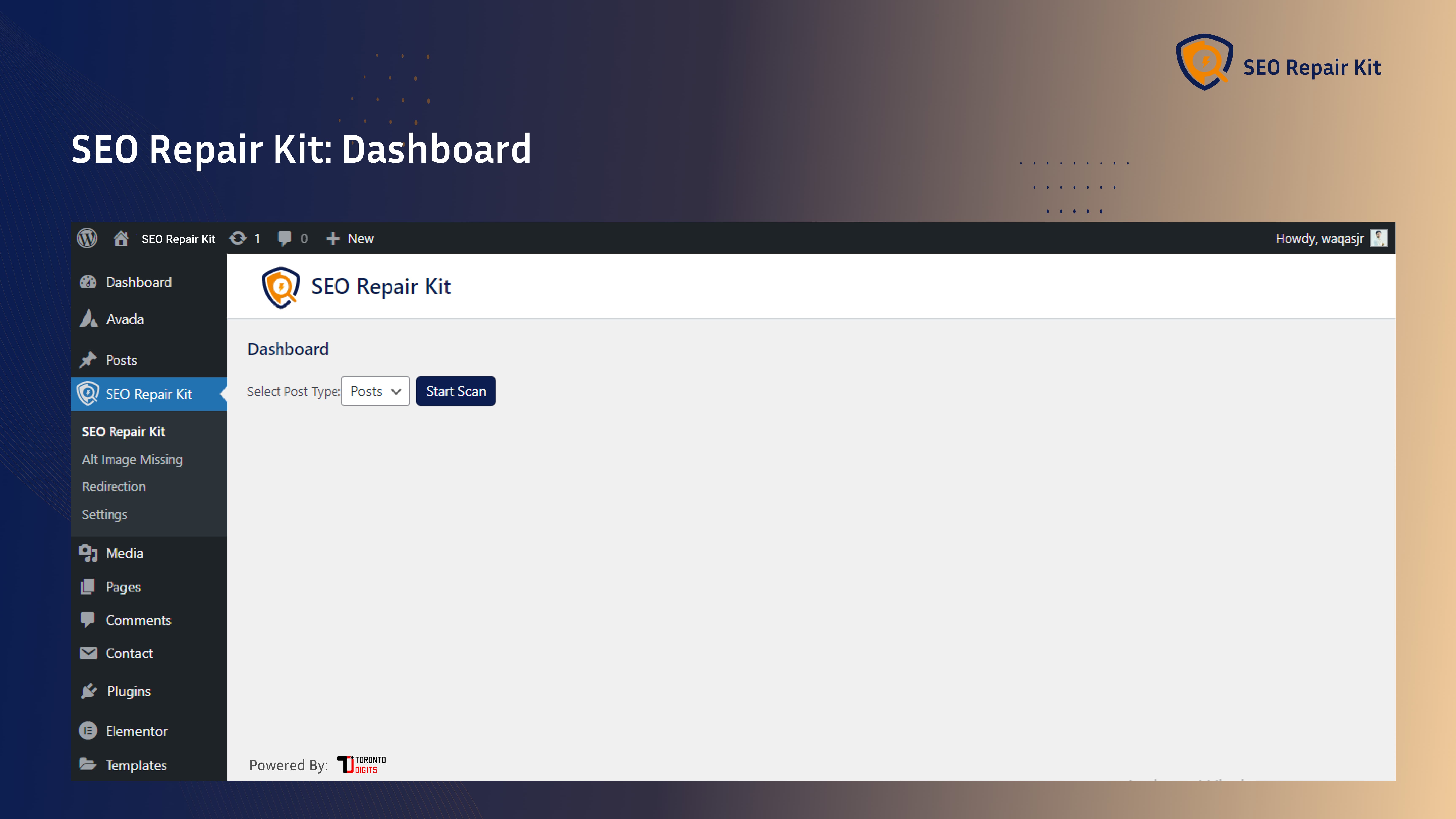
Those screenshots are stored in the /assets directory.

SEO Repair Kit dashboard.

SEO Repair Kit scanning links.

SEO Repair Kit after completing scanning & no broken links found.

SEO Repair Kit alt text missing scanning.

SEO Repair Kit redirection.
What is an SEO Repair Kit, and how does it work?
SEO Repair Kit is a powerful plugin designed to fix broken links and add alt text to images on your website. It works by scanning your site for broken links and providing solutions in the form of Redirection and Edit. Additionally, it simplifies the process of adding descriptive alt text to images, enhancing SEO and accessibility.
Is the SEO Repair Kit compatible with my WordPress theme?
Absolutely! SEO Repair Kit is designed to be compatible with a wide range of WordPress themes. Whether you’re using a popular or custom theme, our plugin seamlessly integrates to provide optimal performance.
Will SEO Repair Kit affect my website speed?
No, the SEO Repair Kit is designed with performance in mind. It operates efficiently in the background without causing any noticeable slowdowns. Our team has optimized the plugin to ensure it enhances your website’s functionality without compromising speed.
What kind of support is available for SEO Repair Kit?
We provide dedicated customer support to assist you with any questions or issues you may encounter. Feel free to reach out to our support team through the contact form on our website, and we’ll be happy to help you.
Is the SEO Repair Kit compatible with other plugins?
In most cases, SEO Repair Kit is compatible with other plugins. However, it’s always a good practice to test compatibility in a staging environment before installing major updates. Our support team can guide you through any potential compatibility concerns.
Does it check internal and external links?
Yes, it scans both internal links pointing to site pages and external links.
My website has 10K+ pages, will it scan all the pages?
Yes, It can scan all the pages but it will take some time. To save you time, we have divided pages into different post types.
What happens to broken pages without redirects?
Without redirects, broken pages will show 404 errors, causing visitors and search engines to leave quickly.
What permissions does the plugin require?
It requires administrator permissions in your WordPress site to scan, detect issues, and fix SEO problems.
How does the plugin address missing alt text?
The alt text fix plugin identifies images without alt text and provides options to generate or input appropriate descriptions. This helps you to easily manage and add missing alt text to improve your website ranking.
Can the plugin handle bulk updates for alt text?
Absolutely. Our plugin includes a bulk update feature, allowing users to efficiently update alt text across multiple images simultaneously. This saves time and ensures consistent alt text throughout the website.
Who can use the SEO Repair Kit?
SEO Repair Kit is an ideal solution for a diverse range of users, including business owners, bloggers, designers, developers, etc.
Do I need coding skills to use the SEO Repair Kit?
No, the SEO Repair Kit is designed to be beginner-friendly, and you can optimize your WordPress SEO without any coding knowledge. The plugin provides a user-friendly interface for easy configuration and management.
Where can I find more information about SEO Repair Kit?
You can visit SEO Repair Kit
ChangeLog
1.0.1
- Removed direct manipulation of PHP memory limit and max-execution time.
- Fix prefixes issues.
- Fix CSS enqueuing for public.
- FIX scanning whole content links of all post types of a website.
- FIX retriving HTTP status codes of scanned links.
- FIX alt text missing of media images.
- FIX redirection from old URLs to new URLs.
- FIX downloading CSV list of broken links.

