
Auto resize and compress all your future uploads. Automate all your media resolutions and sizes for you and your wp accounts to save time, site speed, …
Try the plugin in sandbox mode.
Auto resize and compress all your future uploads. Automate all your media resolutions and sizes for you and your wp accounts to save time, site speed, SEO score, disk space and bandwidth. This is a free and easy-to-use plugin that updates frequently. Created by the team behind Running Wombat.
Features
- Automatically optimize all future uploads.
- Set maximum image dimensions.
- Convert PNGs to JPGs.
- Set compression level from 0 to 10 (also for PNG).
- Ignore roles for all set resize settings.
- Don’t leave unnecessary files on the server.
- No change in the upload process at all.
- Easy setup.
Try our PRO version
The Pro version of Resize Control offers advanced features such as:
- Customize resize control per post type, allowing for different settings for products, blogs, etc.
- Convert any image automatically to JPG or WEBP, not just PNG to JPG.
- Choose between different resize methods: cover, contain, fill, and scale down.
- Set default background colors for resizing.
Find it here Resize control PRO
Do you have a question or suggestion
Contact support https://tuningwp.com/support/
Sources
Screenshots
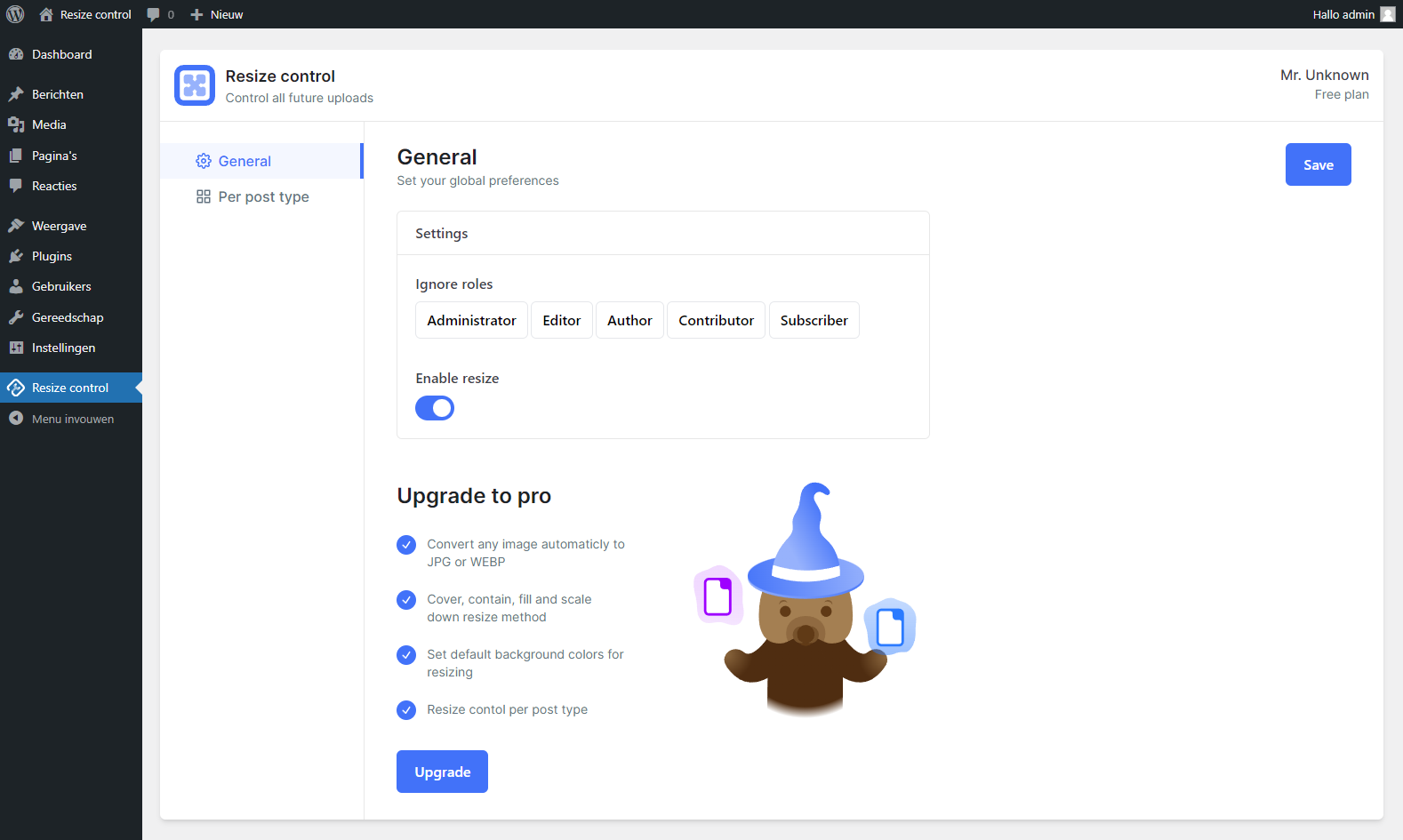
General settings panel

Settings page for all media like compress, resize etc.
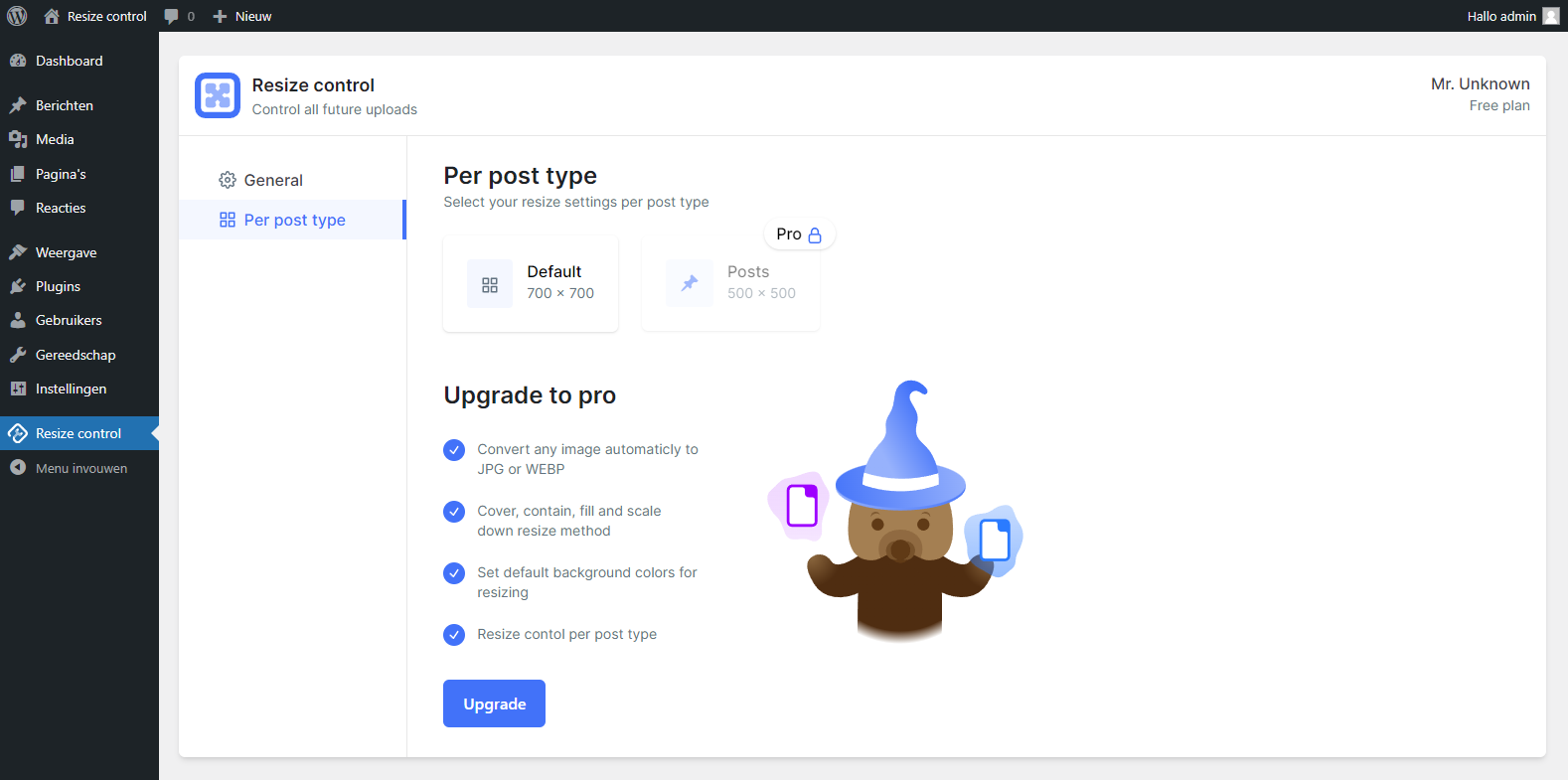
Per post type overview
What file types does Resize Control support?
Resize Control supports all common image file types like JPEG, WEBP and PNG.
Does it compress the images ?
Absolutely, this plugin squishes the original images, and you get to pick the quality.
How do I disable resizing for specific roles?
In the ‘General’ screen of the plugin, you can select which roles should not be affected by resizing.
Does it leave any extra files or EXIF data on the server?
No, all media are optimized before upload, so there are no extra files or data left.
Does it resize previously uploaded images
Images uploaded before installing this plugin won’t get resized.
ChangeLog
1.1.0 [November 28, 2026]
- Add: All features of the former Pro version are now included for free: settings per post type, resize methods (scale, contain, cover), background color and conversion to JPG, PNG or WEBP.
- Add: New “Only PNG to JPG” conversion option. Existing “Convert PNG to JPG” settings are kept.
- Add: Compression and file format now also apply to the image sizes WordPress generates (thumbnail, medium, large and so on) and to uploads that skip the browser step, such as uploads in the block editor and the REST API. Per post type settings are used when the upload belongs to a post.
- Add: Notice that the Resize control premium addon is no longer needed and can be removed.
- Add: Tooltip that explains “Ignore roles”.
- Add: Tooltip that explains the resize methods.
- Tweak: Pro badges, “Upgrade to pro” blocks and the license screen are switched off.
- Tweak: Settings are validated when saved (dimensions, compression level, format, method, background color and roles).
- Tweak: The upload script only gets the settings that apply to the current screen and user.
- Tweak: Scripts and styles are versioned, so browsers load the new files after an update.
- Tweak: Updated the translation template with all new texts.
- Fix: The upload script no longer exposes the full user object, including the password hash, in the page source.
- Fix: The “Enable resize” switch now shows the saved state after it was turned off.
- Fix: File extensions in capitals (for example .PNG) are now converted correctly.
- Fix: Removed a request for a script file that did not exist.
- Fix: Duplicate element IDs on the settings page.
- Fix: Tested for WordPress 7.2.
1.0.91 [May 13, 2025]
- Fix: Tested for WordPress 6.8.1
1.0.7 – 1.0.9 [October 16, 2024]
- Add: Integration with TasteWP
- Tweak: Removed coming soon from PRO version.
- Fix: Minor warnings on dashboard
- Tweak: Changed titles for clarity
- Tweak: Resizing is now enabled by default
1.0.6 [July 17, 2024]
- Fix: Tested for WordPress 6.6.
- Fix: Added translation to all tooltips
- Fix: PRO color picker bug
1.0.5 [July 5, 2024]
- Fix: Not loading media library.
1.0.4 [June 26, 2024]
- Add: Background color shadow.
- Fix: Premium posttype sizing.
- Fix: Posttype hitbox size.
1.0.3 [June 21, 2024]
- Added: Premium styles and features.
- Fix: Added all tooltips to translations.
- Fix: Minor styling tweaks.
- Fix: Minor js optimisations.
- Change: plugin title.
1.0.2 [Apr 14, 2024]
- Added: Extra install, features and FAQ documentation.
- Added: Preview plugin support.
- Fix: Background color placeholder change.
- Fix: Minor styling tweaks.
1.0.1 [Apr 3, 2024]
- Added: Translations pot file, to allow community to translate.
- Added: Compatibility for future pro version.
- Fix: Ignore role buttons did not work correctly.
- Fix: Minor styling tweaks.
- Fix: Tested for WordPress 6.5.
1.0.0 [Apr 3, 2024]
- Initial release, no changes.

