Custom User Registration Experience for WooCommerce
Registration Form for WooCommerce – Quickly add custom registration form fields to the WooCommerce registration form for a streamlined ordering experience.
Easily collect additional customer information by inserting custom form fields to the default WooCommerce registration form. And if the default form is not for you, you can even create a custom registration form from scratch within moments!
Create Custom WooCommerce Registration Forms with Our Feature-rich Plugin
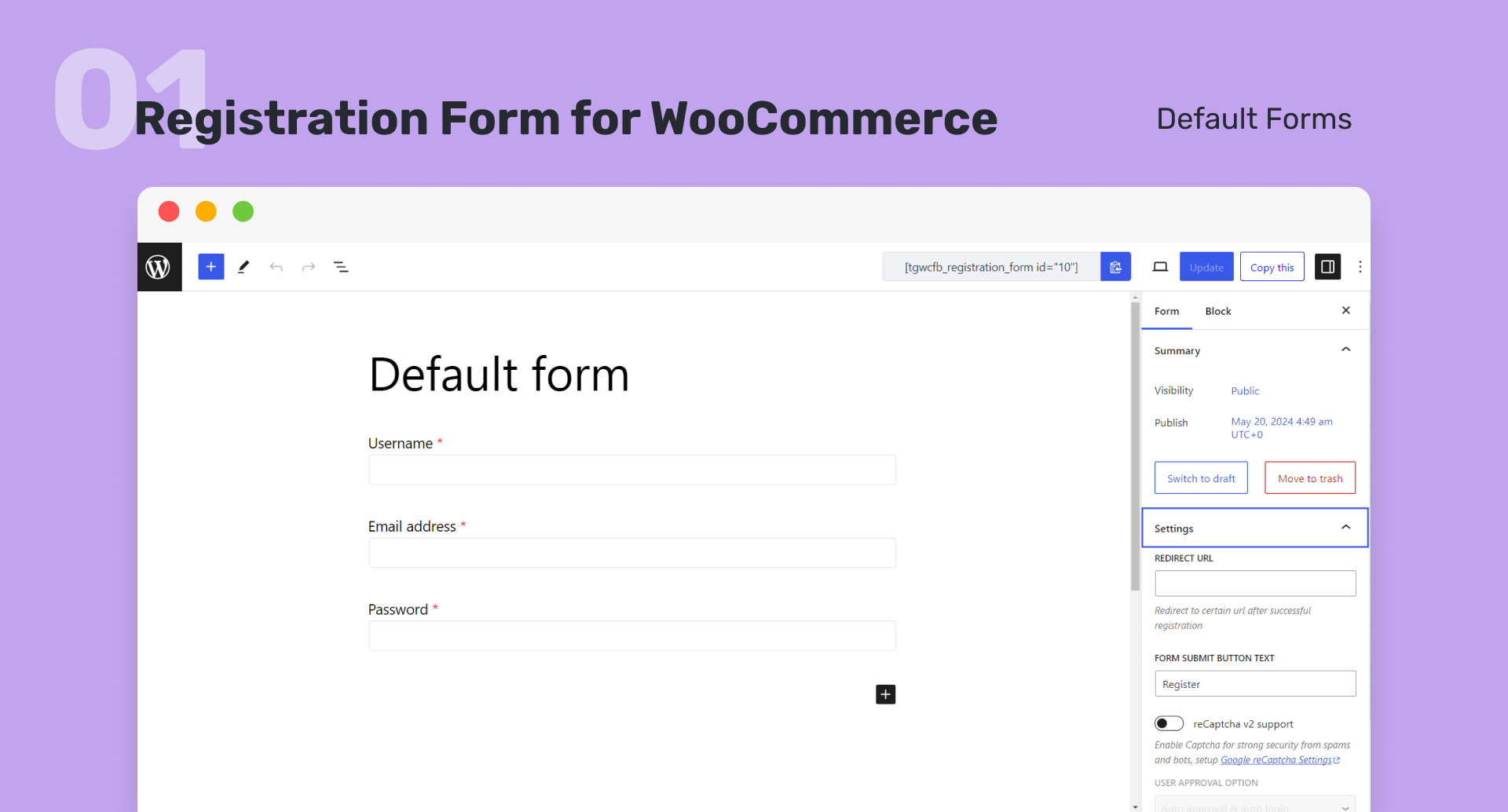
Easy Drag and Drop Builder: With the Gutenberg form builder, simply drag and drop the form fields and create a custom registration form in no time.
WordPress Defaults Fields: All WordPress default fields like username, password, email, website, user bio, and many more are available for free.
WooCommerce Shipping and Billing Address Fields (Free): Add separate billing and shipping fields as per the requirement of the custom registration form.
Custom Fields: Add fields like Secondary Email, Input Field, Text Area, Number, Checkbox, Radio and Select on your form for completely free.
URL Redirection: Redirect users to a desired URL upon successful form submission.
Easy Customization: Customize the ‘Submit’ button for enhanced user experience.
Security: Easily integrate Google reCAPTCHA for spam protection and website security across the web.
Field Customization: Easily customize label, place holder, description, field width, and add custom CSS classes on your WooCommerce form via individual form field settings.
Replace My Account Registration Form: Replace the default form in My Account Page with your custom form for non-registered users.
Shortcode Support: Easily add your WooCommerce forms to any page on your website with the help of shortcodes.
[Premium] Fields Insert fields like Multi Select, Phone, Range, Date Picker, Time Picker, User Roles, Profile Picture, File Upload, and Confirm Password to your form.
[Premium] Form Settings: Set user approval settings as Auto approval, Admin approval or Email confirmation. Also, set user roles after registration according to the needs.
[Premium] Field Settings Fields can be made Read only when you don’t need user input. You can also make it so that a custom field is shown in the Order section of WooCommerce checkout.
[Premium] Custom Checkout Form: Assign selected form fields from custom registration form to WooCommerce checkout registration when Allow registration in checkout is enabled.
Can I try Registration Form for WooCommerce before installing it?
Yes. Click Try Live Demo at the top of this page. It opens a WooCommerce store with a ready-made registration form in WordPress Playground, right in your browser. You can edit the form in the builder, then sign up as a new customer to see it in action, without installing anything.
How do I add custom fields to the WooCommerce registration form?
Install and activate the plugin, open the default registration form and drag in the fields you need, such as phone, company name or a dropdown. Save the form, and the new fields appear on your WooCommerce registration form right away.
How do I enable the WooCommerce registration page?
In WooCommerce, go to WooCommerce > Settings > Accounts & Privacy and enable “Allow customers to create an account on the My Account page”. With this plugin, you can then replace that default form with your custom form, or put the form on its own registration page with a shortcode.
Can I create a separate signup page instead of using the My Account page?
Yes. Create a new page, add your form’s shortcode and publish it. You can link to that page from your menu, header or anywhere in your store.
Where can I see the information customers enter?
Custom field values are saved to each customer’s user profile. Customers can also see their details in the account details section of the WooCommerce My Account page.
Can I add billing and shipping address fields to the registration form?
Yes, for free. Add billing and shipping address fields so customers don’t have to type them again at checkout.
Can I manually approve new customers?
Yes, with Pro. Choose admin approval or email confirmation for new registrations. This is popular with wholesale and B2B stores that verify customers before giving them access.
Can I add registration fields to the WooCommerce checkout?
Yes, with Pro. When “Allow registration in checkout” is enabled in WooCommerce, you can add selected fields from your custom registration form to checkout registration.
How do I stop spam registrations?
Enable Google reCAPTCHA v2 (checkbox or invisible), reCAPTCHA v3 or hCaptcha in the plugin settings. All of these are free.
Is the registration form GDPR friendly?
Yes. Add the GDPR Agreement field so customers must give consent before creating an account.
Will it work with my theme?
Yes. The plugin works with any theme that supports WooCommerce, because it uses the standard WooCommerce account forms and shortcodes.