
Visual radio buttons with images and labels for Contact Form 7 and Elementor. Supports RTL/LTR. Includes basic Elementor Pro Forms integration (Lite).
| Author: | guysoroka (profile at wordpress.org) |
| WordPress version required: | 5.8 |
| WordPress version tested: | 7.1.3 |
| Plugin version: | 1.7.0 |
| Added to WordPress repository: | 11-10-2025 |
| Last updated: | 12-10-2026 |
| Rating, %: | 0 |
| Rated by: | 0 |
| Plugin URI: | |
| Total downloads: | 748 |
| Active installs: | 10+ |

Click to start download
|
Help visitors choose a service, room, package or other option using a picture and a label instead of a plain radio list.
Radio Image Buttons for Elementor & CF7 Lite lets you create reusable option sets and display them in Contact Form 7 or the Elementor Pro Form widget. Each option can have a display label, an optional value to send with the form, and images and labels for RTL and LTR layouts.
New in 1.7.0: a simpler editing experience
- Collapsible option cards keep the set editor easy to scan.
- Persistent field labels explain the difference between an internal title, a visible label and the value sent with the form.
- Live previews let you check RTL, LTR and mobile layouts while editing a set, before saving.
- Copy buttons help you move the shortcode and hidden field into Contact Form 7.
- Move-up and move-down buttons provide an alternative to drag-and-drop reordering.
- One compact Lite usage message replaces repeated upgrade notices.
Better behavior inside forms
- Contact Form 7 now renders the image-radio shortcode inside the form template.
- The selected value is synchronized with the hidden field in the same form, avoiding interference between separate forms.
- Adding, deleting and reordering options preserves consistent input indexes.
- Elementor Pro Forms collects the Lite radio choice using the correct field name.
- Cards fit narrow screens, respect the field’s RTL/LTR direction, show a visible keyboard focus indicator and honor reduced-motion preferences.
- If a direction-specific label or image is missing, the other available version is used as a fallback.
What Lite includes
Lite supports up to 2 sets, with up to 2 options per set. It includes the option editor, set previews, basic frontend styling, Contact Form 7 integration and a Set selector for Elementor Pro Forms.
Elementor Pro is required only for the Elementor Form widget integration. Contact Form 7 can be used without Elementor or Elementor Pro.
Optional upgrade to Pro
The separate Pro edition adds unlimited sets and options, option duplication, direction and column controls in the Elementor Form field, and advanced Elementor styling for colors, dimensions, spacing, corners and the selected state.
The set-editor live preview is included in Lite. Advanced Elementor design controls are available in the plugin’s Pro edition.
Learn about Radio Image Buttons Pro.
Screenshots
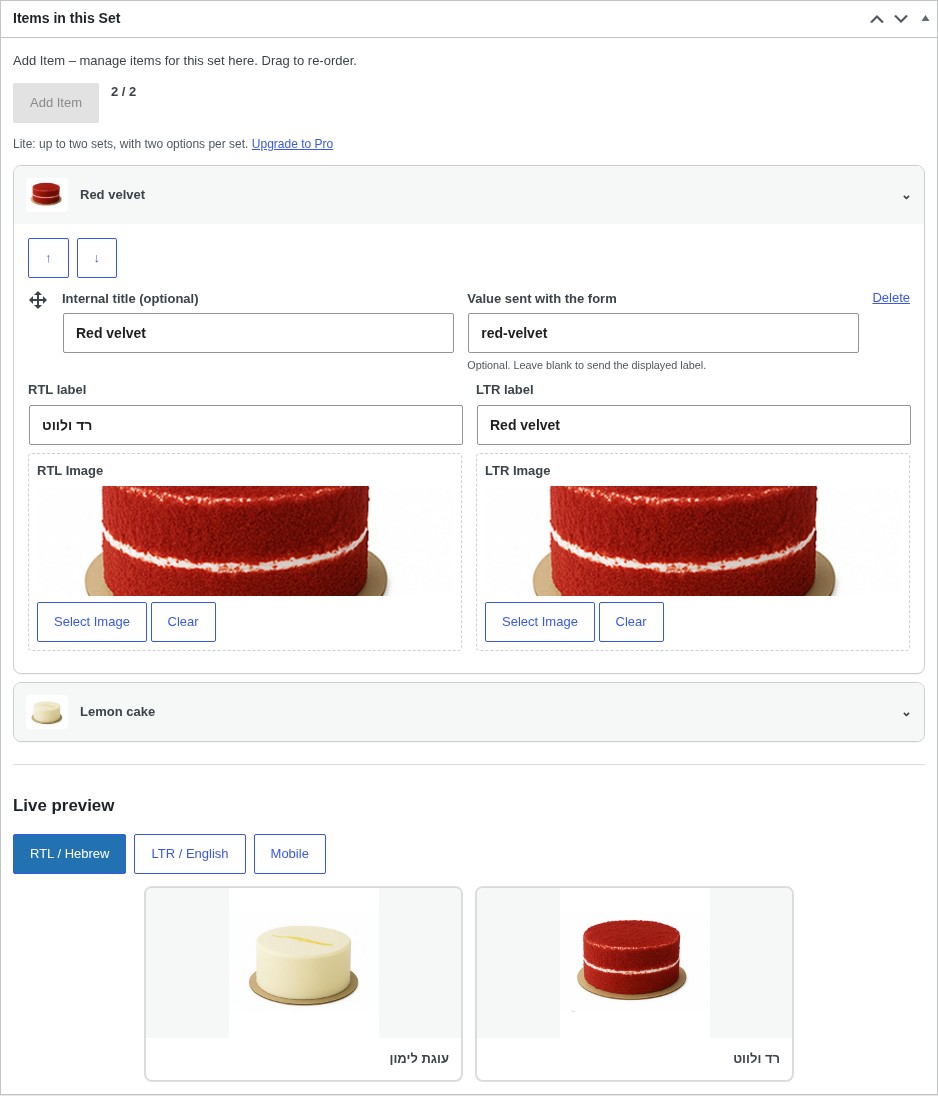
The new option editor: collapsible cards, persistent field labels, images and keyboard reordering.
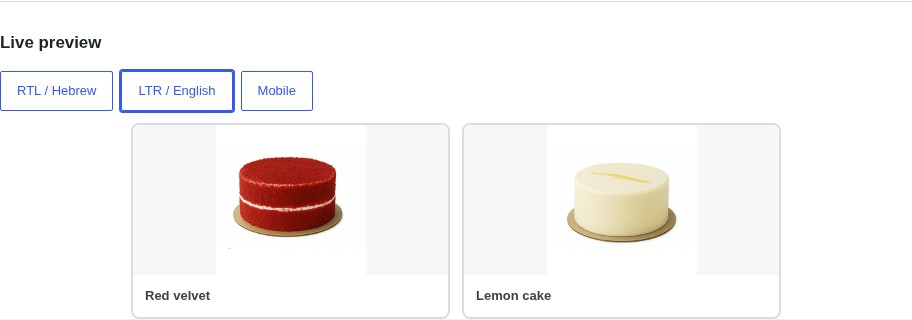
Live set preview with RTL/LTR and mobile layout controls, included in Lite.
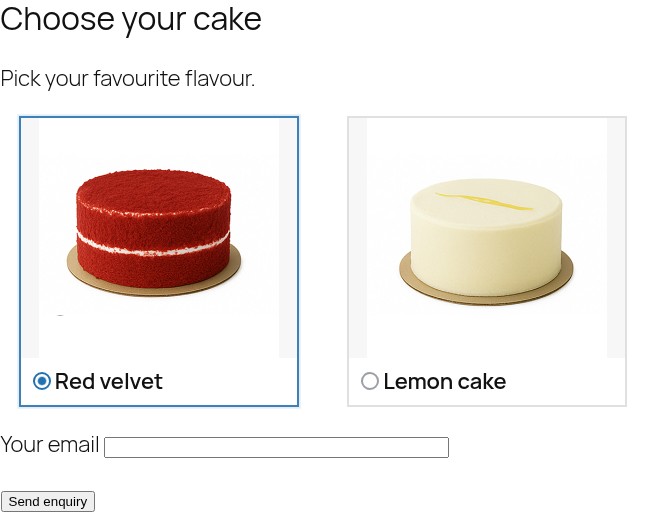
Image choices inside a Contact Form 7 form, with a clearly selected option.
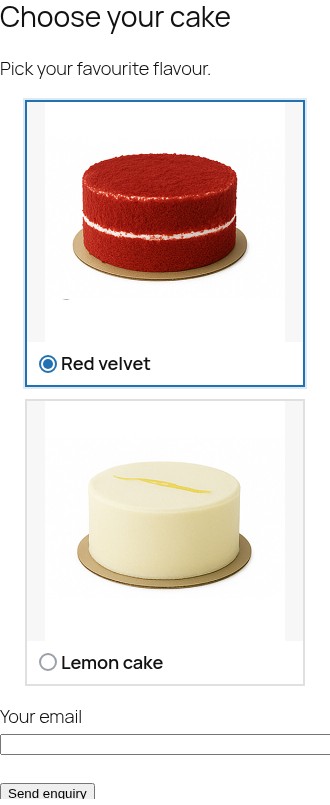
Mobile layout: full-width choices that fit a narrow screen.
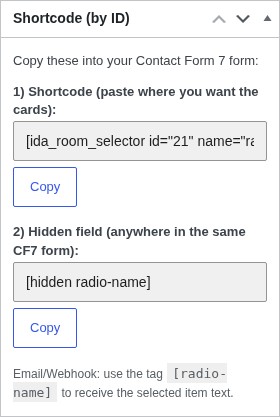
Copy the set shortcode and hidden-field tag directly from the set editor.
Is Elementor Pro required?
Only for the Elementor Form widget integration. Contact Form 7 works without Elementor or Elementor Pro. Elementor Free by itself does not provide the Pro Form widget.
What are the Lite limits?
You can create up to two sets with up to two options in each set. The set editor displays the current option count. Pro removes these limits.
Does Lite include a live preview?
Yes. The set editor includes live RTL/LTR and mobile previews. Advanced Elementor styling is part of the separate Pro edition.
What value is sent with the form?
The optional “Value sent with the form” field is used when filled in. Otherwise, the displayed option label is used. In Contact Form 7, read it from the configured hidden-field mail tag. In Elementor Pro Forms, use the field ID.
Can I use more than one image-choice group?
Yes. Use different radio and hidden-field names for groups inside the same Contact Form 7 form. Use different field IDs for Elementor Form fields.
Are existing sets preserved when updating?
Version 1.7.0 keeps the existing set post type and stored option fields. Back up your site before updating and check your existing forms afterwards.
Does this plugin send emails itself?
No. It provides the selected value to the form builder. Email delivery depends on your Contact Form 7 or Elementor form configuration and your site’s mail setup.
ChangeLog
1.7.0
- Added: Collapsible option cards and persistent field labels.
- Added: Live RTL/LTR and mobile set previews in Lite.
- Added: Copy buttons for the Contact Form 7 shortcode and hidden field.
- Added: Keyboard-accessible move-up and move-down controls.
- Improved: A compact Lite usage message and option counter.
- Fixed: Contact Form 7 shortcode rendering within the form template.
- Fixed: Hidden-value synchronization scoped to the current form.
- Fixed: Input indexes after adding, deleting and reordering options.
- Fixed: Elementor Lite radio names for form submission.
- Improved: Responsive card widths, per-field text direction, visible keyboard focus and reduced-motion support.
- Improved: Label and image fallbacks when the alternate direction is not filled in.
- Tested with WordPress 7.1.3.
1.6.0
- Fix: Ensure first item is not overwritten on initial save.
- Fix: Proper escaping and sanitization (per WP.org review).
- Fix: wp_enqueue usage for scripts/styles.
- Tweak: all inline comments in English only.
- Tested up to WordPress 6.8.
1.5.4
- Fix: item template indices and saving logic for labels and images when adding multiple items.
- Fix: removed inline admin/shortcode JS; moved to enqueued files.
- Fix: stricter nonce/capability checks and sanitization/escaping.
- Fix: Elementor Forms (Lite) – safe registration with guards to avoid duplicate control injection.
- Tweak: admin UI copy and i18n strings.
- Tested up to WordPress 6.8.
1.4.0
- Added: Minimal Elementor Pro Forms integration (Lite) with basic “Set” selector field.
- Added: notice in Elementor editor about Pro-only live preview and Style tab.
- Updated: unified frontend rendering (via shortcode).
- Docs: readme updated with Elementor section.
1.2.9
- Added:
dir="rtl|ltr" attribute (replaces legacy “lang”; backward compatible).
- Updated: admin help text under the shortcode box.
1.2.7
- Fix: i18n text domain alignment and file naming.
- Fix: PHPCS-level escaping and sanitization.
1.2.0
