

QuickTools for WooCommerce adds a "Total Sold" column, offering insights into sales and simplifying inventory management for better store performance
| Author: | Md Abul Bashar (profile at wordpress.org) |
| WordPress version required: | 5.0 |
| WordPress version tested: | 7.1.5 |
| Plugin version: | 1.6.0 |
| Added to WordPress repository: | 18-10-2024 |
| Last updated: | 17-11-2026 |
| Rating, %: | 0 |
| Rated by: | 0 |
| Plugin URI: | https://github.com/hmbashar/QuickTools-for-Wo... |
| Total downloads: | 1 388 |
 Click to start download |
|
QuickTools for WooCommerce enhances your WooCommerce admin and storefront with lightweight sales tools. Use the Control Center under WooCommerce QuickTools to enable or disable each feature independently.
Key Features
- Control Center: Modern admin panel to toggle every feature on or off.
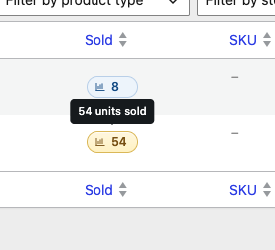
- Sold column (Products): Sortable units-sold badge column on the Products list.
- Stock Qty column (Products): Sortable color-coded stock quantity badge on the Products list.
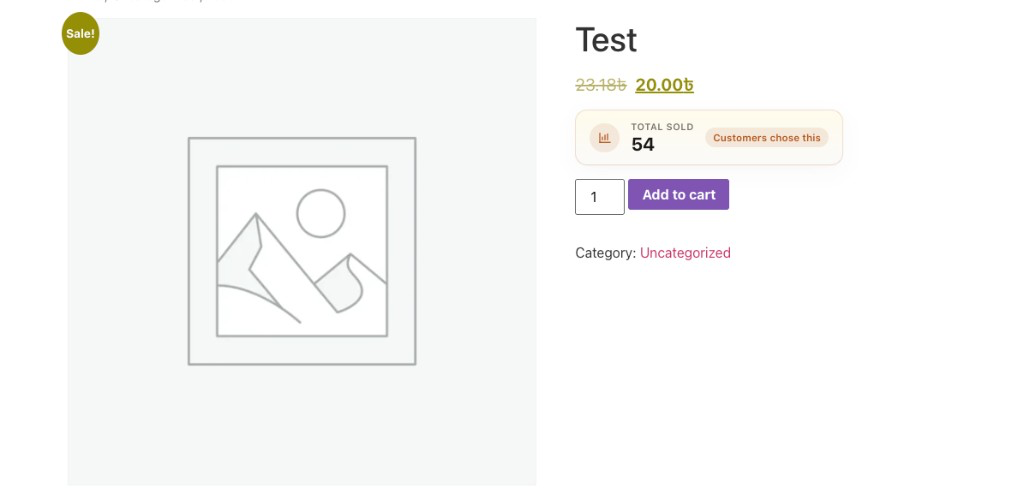
- Total Sold (Storefront): Premium Total Sold UI on shop/archive loops and single product pages (separately toggleable).
- Recently Sold label (Storefront): “12 sold in the last 24 hours” label on shop loops and single product pages, cached for performance.
- Only X Left badge (Storefront): “Only 3 left in stock” urgency badge when stock runs low (threshold filterable via
qtfw_only_left_threshold). - Low Stock email alert: Emails the store admin once when a product reaches its low-stock threshold.
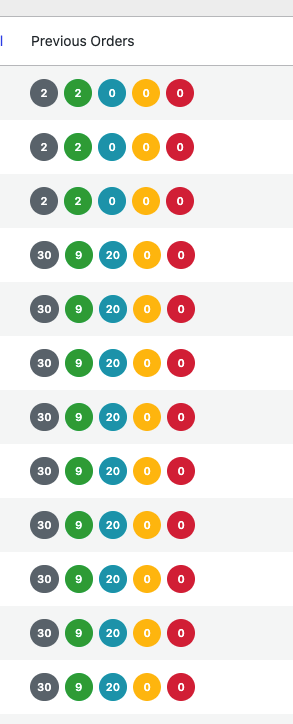
- Previous Orders column (Orders): Previous-order status badges matched by billing phone (with/without country code). Works with classic orders and HPOS.
- Performance-minded: Disabled features are not loaded; CSS/JS enqueue only on relevant screens.
Screenshots
FAQ

ChangeLog