This plugin inserts a panoramic player into a WordPress article to view a 360 panoramic picture in QTVR format (.mov)
This plugin inserts a panoramic player into a WordPress article to view a 360 panoramic picture in QTVR format (.mov)
To view a QTVR file (.mov) it's required a browser plugin that supports this type of files,
this WordPress plugin uses QuickTime http://www.apple.com/quicktime/ or DevalVR http://www.devalvr.com
This WordPress plugin is based in the Javascript code "detectvr.js", this workaround is used to autodetect
the browser plugin present in the user computer. If QuickTime is present, then QuickTime is used (this
plugin is present in all Mac computers and 65% of Windows computers).
If QuickTime is not present, then a message is shown to allow the user to install DevalVR plugin, this is a very
small plugin for Windows (about 0.3 MB) of high quality and performance.
It's possible to define an option in the viewer to allow the user to choose the preferred browser plugin.
Screenshots
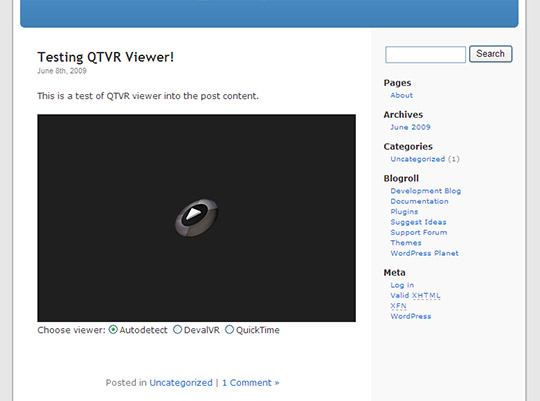
Default preview screen with a play button to start the viewer (added in 1.4 version).

This is the screenshot using this code into the post:
{qtvr http://www.devalvr.com/panos/mansion1.mov 460 300 selection(Choose viewer:, detect, devalvr, qt)} . This code uses an
absolute URL for the QTVR sample, so you can use it to test QTVR Viewer in your blog. In this screenshot, DevalVR is choosen.

The same example, but in this screenshot the QuickTime player is choosen.
What type of files supports the player? What is a QTVR?
This player supports QTVR files, QTVR means QuickTime VR. These files are panoramic pictures, of usually 360 degrees,
that are encapsulate into a .mov extension.
How can I create a panoramic picture in QTVR format?
There are several programs to create panoramic pictures, but maybe one of the most used is PTGui http://www.ptgui.com/
I want to test the plugin, but I don’t have QTVR files, where can I get some samples?
You can use these files to test http://www.devalvr.com/panos/QTVRsamples.zip
What is DevalVR?
DevalVR is a browser plugin to view panoramic pictures. It’s available for all Windows browsers and it’s under
development a version for MacOSX and Linux. More info at http://www.devalvr.com
The main advantage of DevalVR is the small size of the download for the installation, this is very good for casual users
that want to see the contents of the page fastly (DevalVR has a size of 0.3MB).
The quality of the image reproduced in DevalVR is superior to QuickTime, because DevalVR uses hardware accelerated graphics
for a very smooth movement of the image.
ChangeLog
1.5.3
- Write “preview()” to remobe the initial black screen
1.5.2
- Now all text into CODE block is not codified. This is useful to post source code examples.
1.5.1
- Fixed bug with WordPress 2.9
1.5
- Fixed bug with url of play button image to start the viewer
1.4
- Added play button to start the viewer only after user click
- Added “preview()” function to define a preview image
- Updated Javascript detection code to the latest version
1.2
- The viewer is not shown in category pages
- Updated Javascript detection code to the latest version
1.1
- Fixed a problem with path of Javascript file
1.0
- Support for DevalVR + QuickTime plugins
- Functions for additional parameters and plugin selection

