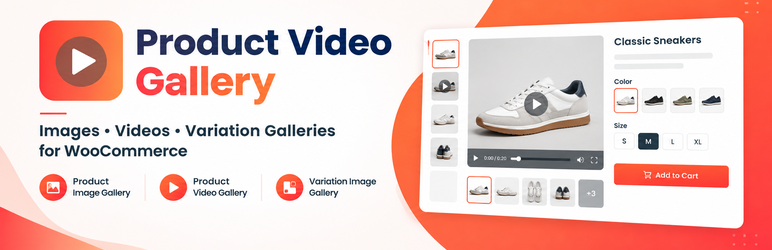
Product Video & Variation Image Gallery for WooCommerce is a powerful plugin that lets you add WooCommerce product video (YouTube, YouTube Shorts, HTML5, and embed videos) to your product pages. You can also add multiple variation images to each product variation. Boost customer engagement and increase conversions by showcasing your products with professional video content and variation-specific images.
Perfect for WooCommerce store owners who want to display product demonstration videos, unboxing videos, tutorials, promotional content, or showcase product variations with multiple images directly in their product galleries.
Supported Video Types
YouTube Videos & YouTube Shorts – Embed YouTube videos, Shorts and Live streams directly with optimized performance
HTML5 Videos – Upload and display MP4, WebM, and OGG video files
Embed Videos – Support for YouTube, Vimeo, PeerTube, and other embed formats
Video Gallery Features
WooCommerce Video in the Gallery – Videos sit inside the native WooCommerce gallery slider
Variable Product Support – Add unique videos to each product variation
Thumbnail Gallery – Display video thumbnails in bottom, left, right, or top positions
Customizable Thumbnails – Round corners, numbering, navigation arrows, and color options
Responsive Design – Works perfectly on desktop, tablet, and mobile devices
Variation Image Gallery
Multiple Images Per Variation – Add unlimited gallery images to each product variation
Drag & Drop Ordering – Easily reorder variation images with drag and drop
Dynamic Gallery Switching – Gallery automatically updates when customers select a variation
Zoom & Lightbox Support – Variation images support hover zoom and PhotoSwipe lightbox
Seamless Integration – Works with WooCommerce default gallery and popular themes
Video Player Controls
Autoplay & Muted playback options
Loop video continuously
Playback speed control
Fullscreen toggle
Volume control
Progress bar with remaining time display
Big play button for easy interaction
Smooth seeking navigation
Playsinline for mobile optimization
Theme Compatibility
Fully compatible with popular WooCommerce themes:
Astra
OceanWP
Storefront
Kadence
Neve
Hello Elementor
Avada
Hestia
eStore
Sydney
And many more…
Why Choose Product Video Gallery?
Lightweight & Fast – Uses WooCommerce default slider, no extra JavaScript libraries loaded
Easy Setup – Simple configuration with intuitive settings panel
SEO Friendly – Optimized video embedding for better search visibility
Regular Updates – Actively maintained with WordPress and WooCommerce compatibility
Yes! You can add unique videos to each product variation. When customers select a variation, the corresponding video will display in the product gallery.
Can I add multiple images to each variation?
Yes! The plugin includes a Variation Image Gallery feature that lets you add multiple images to each product variation. Simply edit your variable product, expand a variation, and use the “Add Variation Gallery Image” button to upload images. You can drag and drop to reorder them.
What video formats are supported?
The plugin supports YouTube videos, HTML5 videos (MP4, WebM, OGG), and embed videos from platforms like Vimeo and PeerTube.
Does it support YouTube Shorts?
Yes. YouTube Shorts links (youtube.com/shorts/…), Live links and mobile links (m.youtube.com) all play in the WooCommerce product gallery.
Will this plugin slow down my website?
No. The plugin is optimized for performance and uses the WooCommerce default slider. Videos are loaded efficiently to ensure fast page loading times.
Is the plugin compatible with my theme?
Yes, the plugin is compatible with most popular WooCommerce themes including Astra, OceanWP, Storefront, Kadence, Elementor themes, Avada, and many more.
Can I customize the video player controls?
Yes! You can enable/disable various player controls including autoplay, loop, fullscreen, volume control, progress bar, playback speed, and more.
Where do video thumbnails appear?
You can position video thumbnails at the bottom, left, right, or top of the main product image. You can also customize thumbnail styling with rounded corners, numbering, and custom navigation colors.
Does the plugin work with page builders?
The Pro version includes a shortcode [pvg_product_video] that works with Elementor and other page builders.
How do I add a video to a product?
Simply edit your WooCommerce product, scroll to the Product Video Gallery section, enter your video URL (YouTube, embed, or upload HTML5), and save. The video will automatically appear in your product gallery.
= 2.0.3 (2026-11-26)=
* Improved: Black Friday / Cyber Monday “Claim” button now opens the Upgrade to Pro page and the coupon is applied automatically at checkout.
2.0.2 (2026-11-19)
Added: Black Friday & Cyber Monday sale notice for Pro upgrade
Fixed: YouTube Shorts and Live videos not playing
Fixed: Product videos sometimes not loading when another plugin also loads Video.js
Tweak: Mobile YouTube links (m.youtube.com) are now recognized as YouTube videos
2.0.1 (2026-10-14)
Added: Redirect to the plugin’s settings page on activation
Added: Deactivation feedback modal to collect a reason when the plugin is deactivated