Give shoppers more than a star rating. Let customers show their experience with video and photos.
ReviQuo extends the standard WooCommerce review form with webcam recording, video-file uploads, and product-photo uploads. Customers can add visual proof without leaving the product page.
The storefront experience helps visitors explore that feedback with a rating summary, star and media filters, verified-customer badges, and a lightbox for uploaded media. Automated reminder emails help bring customers back after an order to share their experience.
The plugin uses native WooCommerce reviews, so review moderation and familiar store workflows remain intact.
???? Main Features
Record customer video directly from the WooCommerce review form
Upload pre-recorded video files and up to five product photos
Preview recorded media before submitting a review
Set a maximum webcam recording length from 1 to 10 minutes
Show a rating summary and filter reviews by rating or attached media
Identify reviews from confirmed purchasers with a verified-customer badge
Open review photos and videos in a responsive lightbox
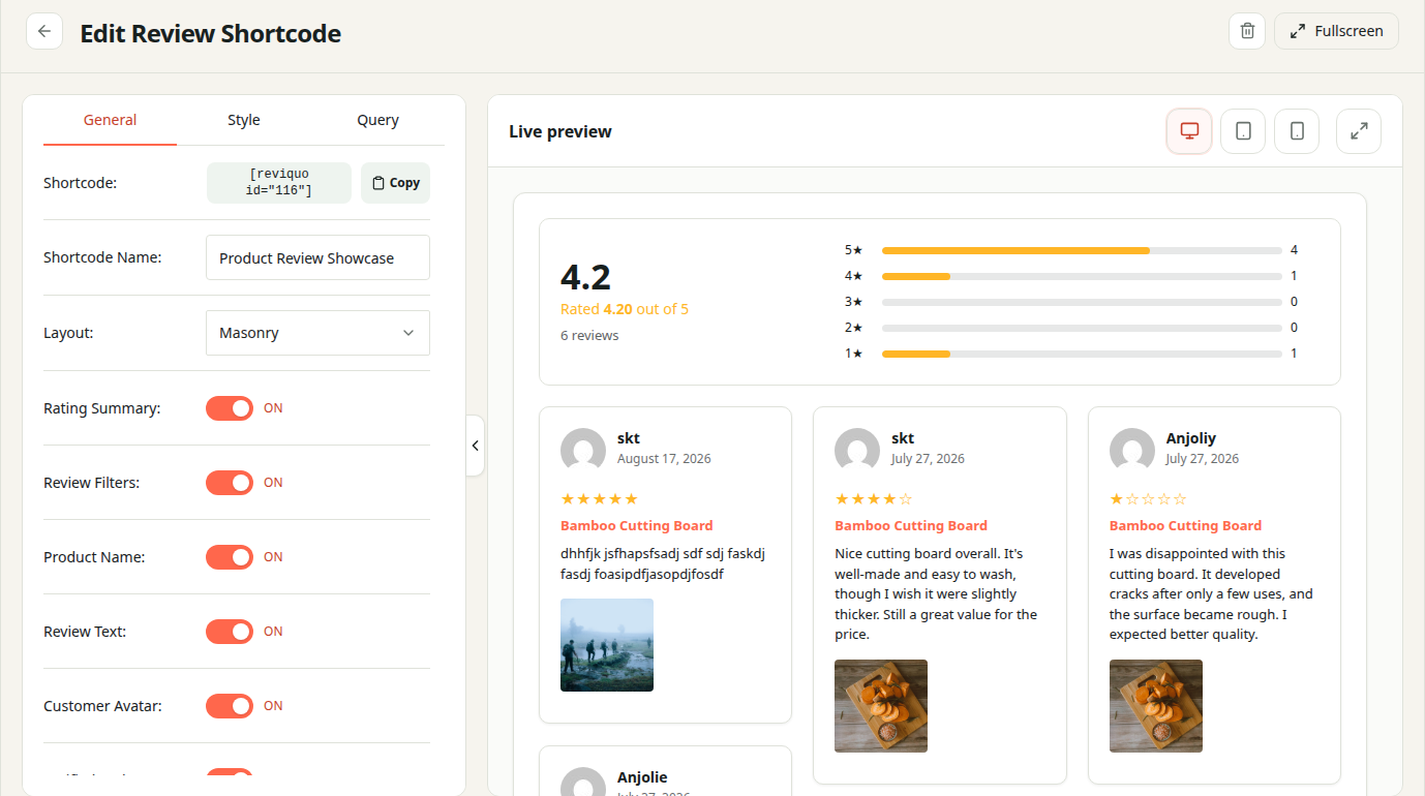
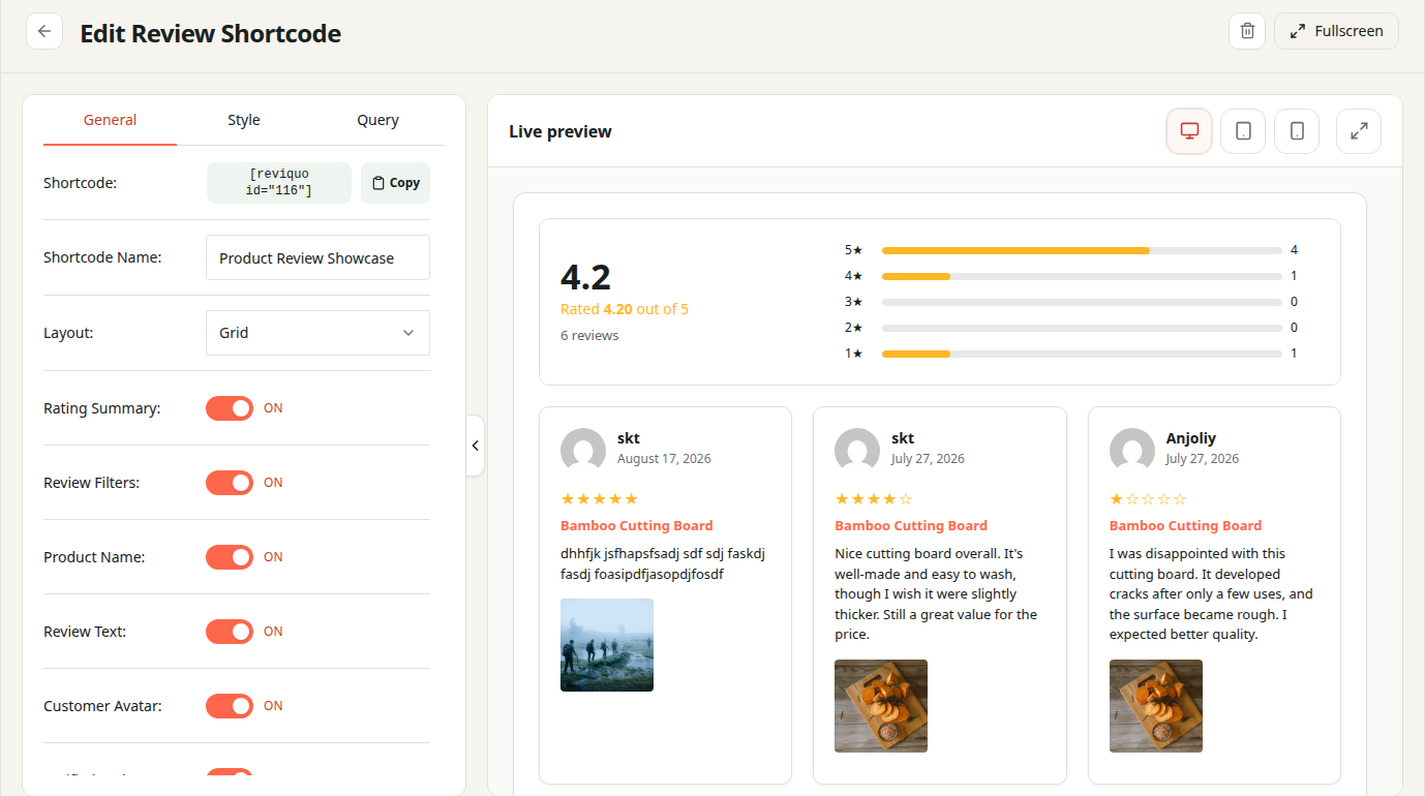
Build reusable list, grid, masonry, slider, media gallery, testimonial, spotlight, compact list, reels, marquee, timeline, accordion, or chat bubbles review shortcodes with product targeting and a live preview
Insert saved review displays with a native Gutenberg block and live editor preview
Add saved review displays with a dedicated Elementor widget and searchable dropdown
Add saved review displays with native Divi 4 and Divi 5 modules and live Visual Builder previews
Use approved reviews and saved displays from headless storefronts through a public read-only REST API
Send multiple status-based review reminders with independent timing and messages
Add aggregate-rating and review data to product structured data
Require video recording, video upload, or photo upload before review submission
Request consent with editable privacy text
Moderate media reviews from a dedicated WordPress admin screen
Free and Pro Features
Free includes:
Webcam recording and video-file uploads
Up to five photo attachments per review
Recording previews and recording lengths up to 2 minutes
Responsive photo and video lightbox
Editable privacy-consent checkbox
Manual media-review moderation in WordPress admin
Required video, file-upload, and photo-upload rules
Automatic approval for media reviews
Rating summaries and review filters
Advanced review-button and verified-badge appearance controls
Recording-modal appearance controls
Reusable review shortcodes in every layout: list, grid, masonry, slider, media gallery, testimonial, spotlight, compact list, reels, marquee, timeline, accordion, and chat bubbles
Native Gutenberg block, Elementor widget, and Divi 4/5 modules for saved review displays
One status-based automated email reminder rule
Pro adds:
Recording lengths from 3 to 10 minutes
Verified-buyer badges and review-media structured data
Get ReviQuo Pro to unlock longer recordings, verified-buyer badges, review-media structured data, and unlimited reminder rules.
???? Collect Video and Photo Reviews
Customers can choose the capture method that suits them:
Write and rate the product using the standard WooCommerce review form.
Record a video in the browser, upload an existing video, or attach product photos.
Preview the media and submit the review.
The store owner moderates the review through the familiar WordPress workflow.
Approved media appears with the review and opens in a lightbox.
Store owners can enable each capture method independently. Video recording, video-file upload, and photo upload can also be made mandatory when a workflow requires media with every submitted review.
⭐ Help Shoppers Evaluate Reviews
Make review content easier to scan and understand:
Display the average rating and a star-by-star distribution
Filter reviews by star rating or the presence of photos and videos
Place a configurable verified-customer badge beside confirmed buyers
Browse attached media without navigating away from the product page
Include review media in supported product structured data
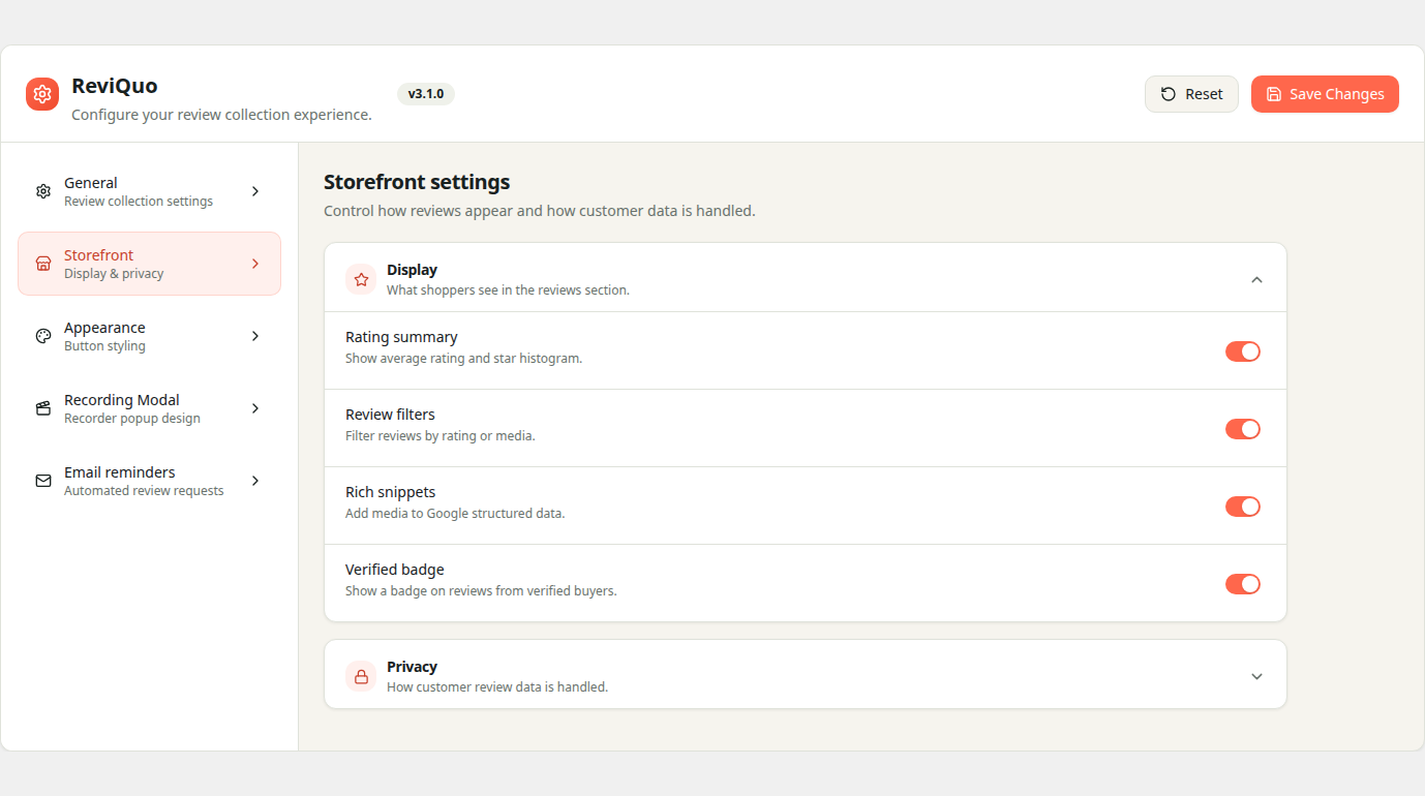
Each storefront feature can be enabled or disabled from the plugin dashboard.
???? Build Reusable Review Displays
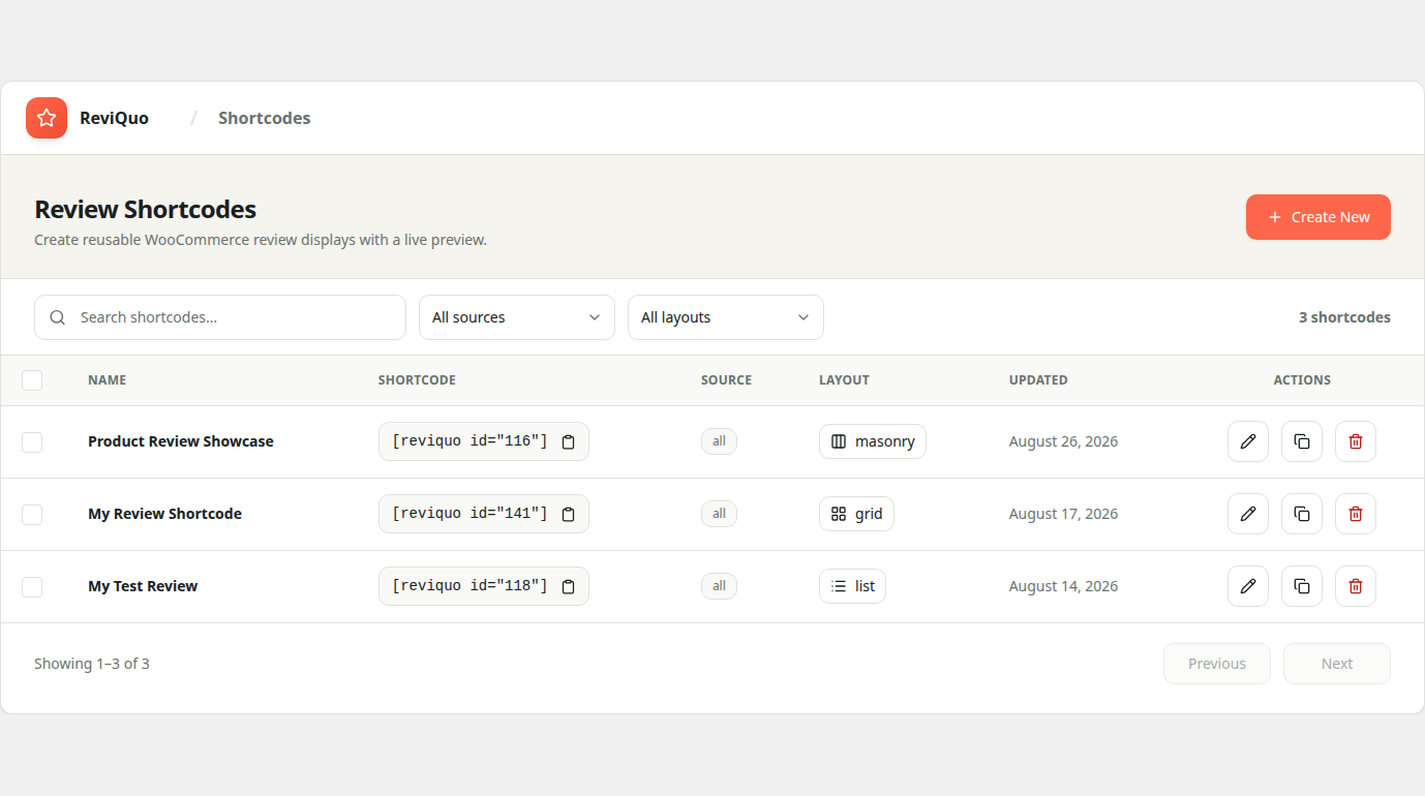
Open ReviQuo > Review Shortcode to create named review displays with a live preview. Each shortcode can show reviews for the current product, selected products, or all products in a responsive list, grid, masonry, slider, media gallery, testimonial, spotlight, compact list, reels, marquee, timeline, accordion, or chat bubbles layout.
Copy the generated shortcode into any page, post, or shortcode-compatible builder:
[reviquo id="123"]
In the block editor, insert the Product Reviews block instead. Choose a saved shortcode setting from the dropdown, preview it without leaving the editor, and use the block toolbar to refresh or edit its settings. Existing shortcode blocks can be converted to the Product Reviews block without changing the saved display.
In Elementor, drag the Product Reviews widget onto the page and choose a saved display from its Shortcode setting dropdown. The widget uses the same responsive storefront output, filters, and Load More behavior as the shortcode and Gutenberg block.
In Divi, add the Product Reviews module and choose a saved display from its Shortcode setting dropdown (under Content > Review Display in Divi 5). Both the native Divi 5 module and the legacy Divi 4 module load a live server-rendered Visual Builder preview, while the frontend uses the same shortcode renderer, responsive layouts, filters, lightbox, and Load More behavior. Pages built with the Divi 4 module are recognized by Divi 5 when its builder is enabled.
Shortcode settings include review order, reviews per load, rating and media filters, summary and card visibility, desktop/tablet/mobile columns, spacing, radius, and core colours. All thirteen layouts are included in the free version. Longer result sets use an accessible Load More control without reloading the page.
The slider layout shows a full page of cards at a time using your column settings, with optional autoplay (1–20 second delay, paused on hover), previous/next arrows, pagination dots, touch swiping, and keyboard navigation. When the last card is reached it loads the next set of reviews automatically, then rewinds to the start once every review has been shown. Autoplay is disabled for visitors who prefer reduced motion, and the slider previews live in the shortcode builder, the block editor, Elementor, and Divi.
???? Headless REST API
Developers can consume approved WooCommerce reviews as structured JSON from headless storefronts. The public API never returns pending reviews, customer email addresses, IP addresses, or user-agent data.
Available endpoints:
GET /wp-json/sktpr/v1/reviews — paginated reviews across published products
GET /wp-json/sktpr/v1/reviews/{id} — one approved review
GET /wp-json/sktpr/v1/products/{product_id}/review-summary — totals, average rating, star counts, and media count
GET /wp-json/sktpr/v1/review-displays — published saved review displays
GET /wp-json/sktpr/v1/review-displays/{id} — one saved display and its public settings
GET /wp-json/sktpr/v1/review-displays/{id}/reviews — reviews using the display’s source, ordering, and page size
The review collection accepts product_id, comma-separated product_ids, page, per_page, rating, media, and order (newest, oldest, highest, or lowest). For example:
Responses include review media URLs, product and author display data, aggregate statistics, pagination metadata, and the standard X-WP-Total and X-WP-TotalPages headers. A saved display whose source is Current product requires context_product_id on its reviews endpoint.
✉️ Automate Review Reminders
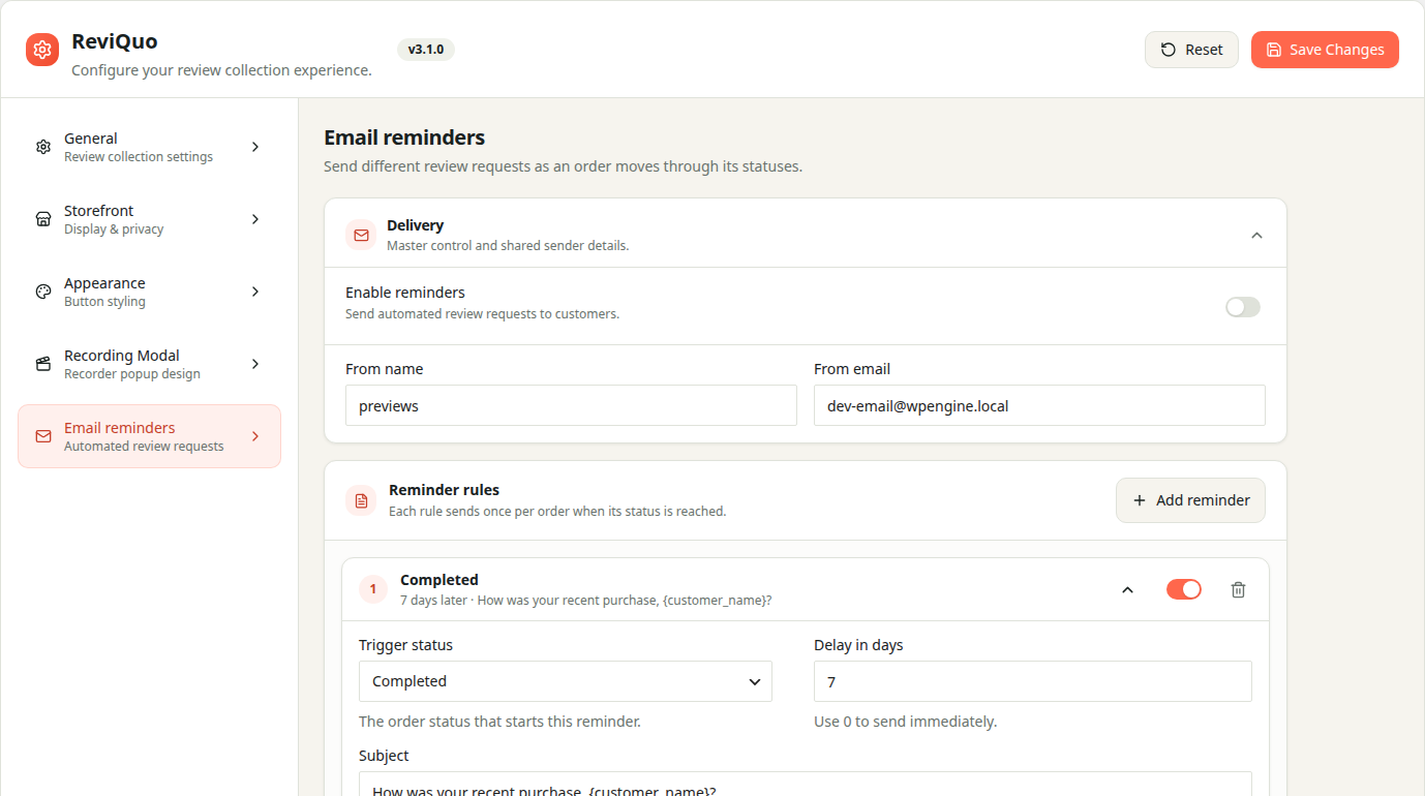
Create one or more reminder rules, each with its own WooCommerce order-status trigger, delay, subject, and message. A delay of zero sends immediately, while longer delays are queued through WordPress cron. The sender is shared across rules, and templates support placeholders for customer, order, store, product, and unsubscribe information.
Reminder records can be reviewed from WordPress admin, and customers can unsubscribe from future requests.
???? Match Your Storefront
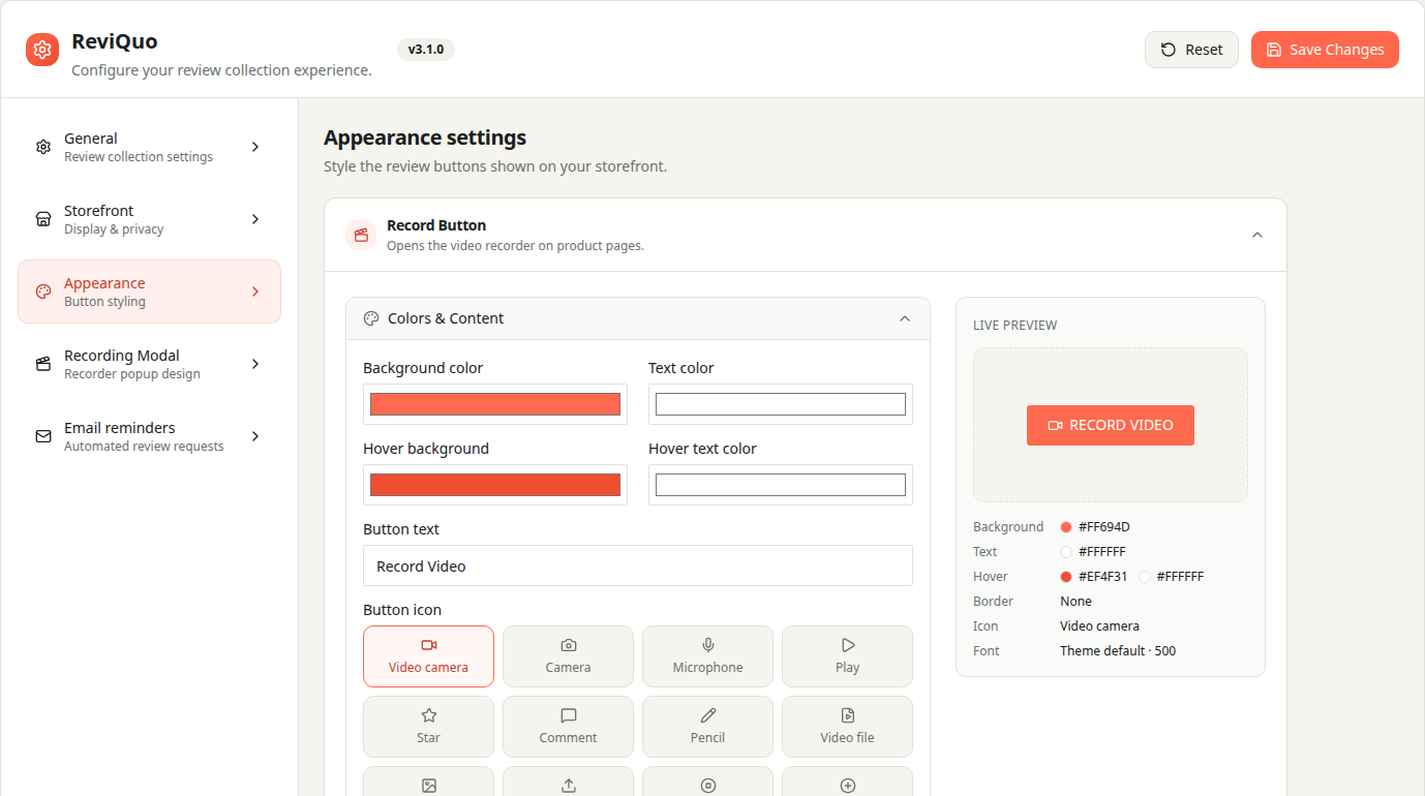
The Appearance settings include live previews and controls for:
Button background, text, hover, and border colours
Padding, border width, radius, font size, and icon size
Font family, weight, style, and text case
Button labels and icons
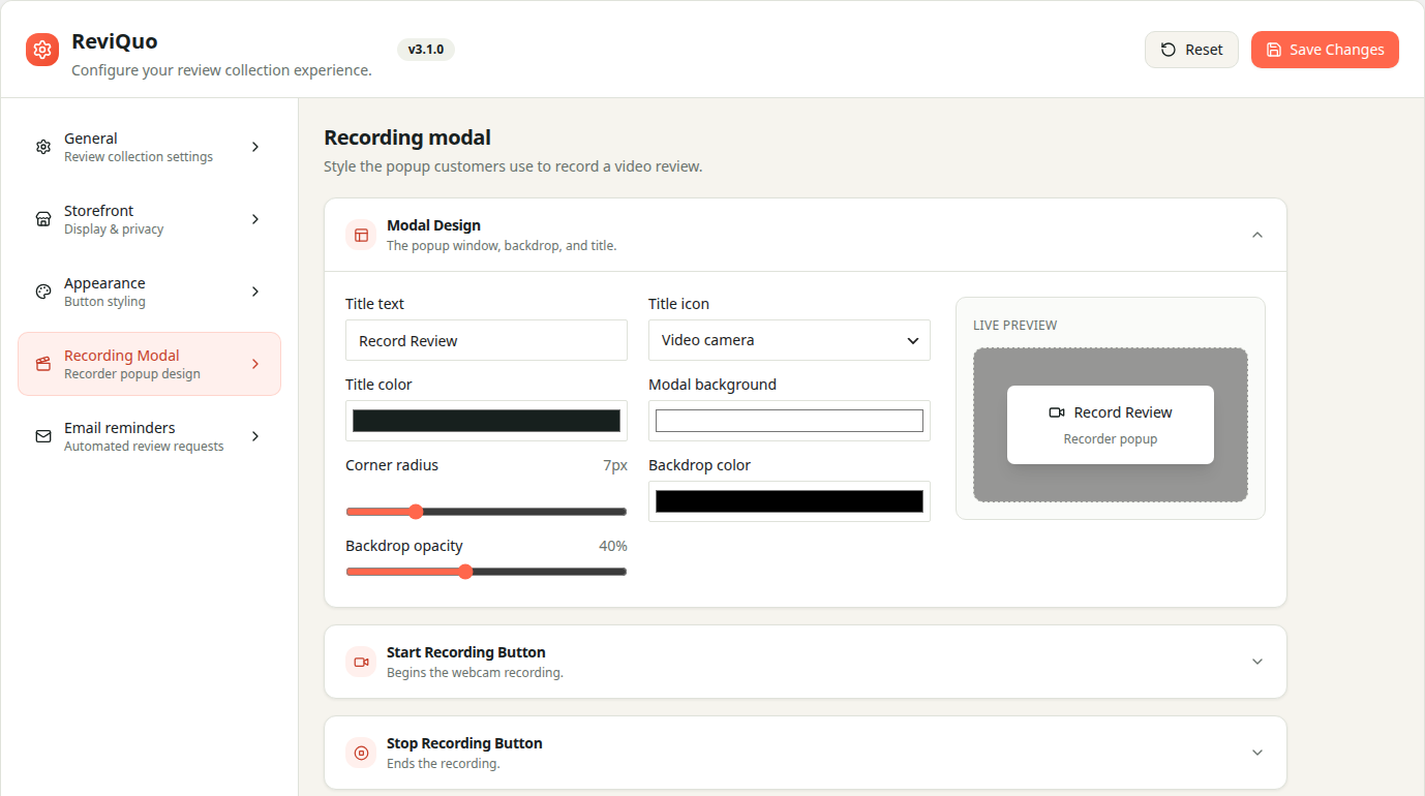
Recording-modal title and action buttons
Verified-customer badge size and colours
Settings can be restored to their defaults from the dashboard.
???? Privacy and Review Integrity
An optional consent checkbox can be required before a review is submitted, and its text can be adapted to the store’s policy. Verified-customer labels rely on WooCommerce purchase verification and are shown only for confirmed owners.
No. It enhances the standard WooCommerce product-review system, and reviews continue to use WordPress comments and WooCommerce moderation.
Do customers need an app to record video?
No. On supported browsers, customers can grant camera and microphone access and record from the product page. They can use the upload option when browser recording is unavailable.
Which video files can customers upload?
The upload field accepts MP4, WebM, and MKV video files. Browser-recorded video uses the format supported by the customer’s browser.
Can video or photo uploads be optional?
Yes. Webcam recording, video upload, and photo upload can be enabled independently. Any of these capture methods can also be required before submission.
How long can a webcam recording be?
The maximum recording duration can be set from 1 to 10 minutes.
How are verified customers identified?
The badge uses WooCommerce’s verified-owner check for the review and associated purchase.
Can I change the review buttons and verified badge?
Yes. The Appearance tab provides controls and live previews for the review buttons. It also controls the verified badge’s size, background colour, and text/icon colour.
How do automated reminders work?
Add a rule for each email you want to send. When an eligible order reaches a rule’s status, the plugin sends immediately or waits for that rule’s configured delay. Each rule sends at most once per order, so Processing and Delivered can use different messages without creating duplicates when a status is re-entered.
Where can I manage reviews with media?
Use the Video Reviews screen in WordPress admin to search, filter, moderate, or remove reviews containing uploaded media.
How do I display reviews on another page?
Open ReviQuo > Review Shortcode and create a saved review display. In the block editor, insert the Product Reviews block; in Elementor, add the Product Reviews widget; or in Divi (4 or 5), add the Product Reviews module. Choose the display from the Shortcode setting dropdown. For other builders, copy its generated [reviquo id="123"] shortcode.
Where can I get ReviQuo Pro?
Pro licenses, including trials, are available at wcreviews.org. After purchase, activate your license from the plugin’s dashboard to unlock Pro features without losing your existing settings.
Where can I request help?
Please open a topic in the WordPress.org support forum and include the relevant settings, browser details, and steps to reproduce the issue.
Added: Media Gallery layout for saved review displays: media-first tiles for reviews with photos or videos that open in the lightbox
Added: Testimonial layout: centered quote cards with the customer’s avatar, name, and product below
Added: Spotlight layout: the first review featured large beside a column of compact cards
Added: Compact List layout: dense rows with a one-line meta row, a two-line excerpt, and small media thumbnails
Added: Reels layout: vertical video tiles in a horizontally scrolling row, with muted preview playback on hover
Added: Marquee layout: an endlessly scrolling strip of review cards that pauses on hover and stays still for reduced-motion visitors
Added: Timeline layout: reviews alternating either side of a dated vertical line
Added: Accordion layout: collapsible review rows that expand to the full review and media, one open at a time
Added: Chat Bubbles layout: reviews as alternating speech bubbles beside each customer’s avatar
Added: Link to get ReviQuo Pro from wcreviews.org
3.2.1 – 2026-10-17
Added: Slider layout for saved review displays, with responsive columns, optional autoplay, arrows, pagination dots, swipe and keyboard navigation, and automatic loading of more reviews
Added: Slider previews in the shortcode builder, block editor, Elementor, and Divi 4/5 Visual Builders
Changed: Grid and masonry layouts for review shortcodes are now available in the free version
Removed: The redundant fullscreen button in the shortcode builder’s live preview (use the builder’s main Fullscreen button)
Fixed: The Load More button never appeared for saved review displays with more reviews than one page
Fixed: Rating and media filters were hidden in saved review displays
Fixed: The rating summary overflowed the shortcode builder’s mobile preview
3.2.0 – 2026-10-13
Added: Review Rewards (Pro) – send reviewers a single-use WooCommerce coupon when their review is approved, with reward tiers, coupon rules, eligibility settings and a customizable reward email
Added: Review reward coupons are included in the WordPress personal data exporter and eraser
Changed: The plugin is now named ReviQuo
Changed: The review display shortcode is now [reviquo]; the old [sktpr_reviews] shortcode has been removed, so update any pages that still use it
Changed: New admin page address; update any bookmarks to the old settings page
3.1.0 – 2026-09-11
Added: WooCommerce High-Performance Order Storage (HPOS) compatibility
Added: Option to hide the review text in saved review displays
Added: Separate photo and video visibility controls for saved review displays
Added: Suggested privacy-policy text in the WordPress Privacy Policy Guide
Added: Deleting a review permanently now also deletes the media uploaded with it
Added: Divi 4 module icon
Improved: Legacy reminder migration now uses WooCommerce order APIs and works on HPOS stores
Improved: Redesigned Video Reviews admin list with a combined Media column, lightbox thumbnails and status badges
Improved: ReviewFlow admin styling and notice suppression on the Email Reminders screen
Improved: Review uploads are limited to MP4, WebM, MKV, JPEG, PNG, GIF and WebP files within the site’s upload size limit
Improved: Security hardening with a plugin-specific review form nonce, prepared database queries, sanitized nonce checks, safe redirects and escaped output
Improved: Store admins are now notified about photo-only reviews awaiting approval, not just video reviews
Improved: Storefront messages, default button labels, the default reminder email, rating labels and admin notices are now translatable, and a translation template is included
Improved: Clearer corner-radius and backdrop-opacity controls in Recording Modal settings
Fixed: The WooCommerce-required notice no longer appears on plugin install and update screens
Fixed: A required video, file or photo rule no longer blocks submission while its uploader is turned off
Fixed: A JavaScript error in required-media checks when the field is not on the page
Fixed: Review reminder emails skip order items that are not products
Fixed: Review media is now attached to the reviewed product in the Media Library
Changed: Admin menu, headings and builder help text use the ReviewFlow name
Changed: New review displays default to All products
3.0.6 – 2026-08-22
Added: A WooCommerce dependency notice with install and activation actions
Improved: Styled the dependency notice with ReviewFlow brand colours and responsive alignment
Improved: Prevented ReviewFlow from initializing until WooCommerce is active
Changed: Set the default Start Recording and Record Video button text and hover colours to white
3.0.5 – 2026-08-21
Added: Required photo-upload rules for review submissions
Added: Multiple status-based review reminder rules with independent timing, subjects, and messages
Added: Live email reminder preview with representative customer, order, store, and product data
Added: Freemius Free, Pro, and trial licensing with license, upgrade, and feature states in the dashboard
Added: Responsive masonry layout for Pro review shortcodes
Added: Native Gutenberg Product Reviews block with a persistent saved-shortcode dropdown and live editor preview
Added: Block toolbar actions, shortcode conversion, copy controls, and direct links for managing saved review displays
Added: Dedicated Elementor Product Reviews widget with a searchable saved-shortcode dropdown and live builder output
Added: Native Divi 5 Product Reviews module with a saved-shortcode dropdown and live Visual Builder preview
Added: Legacy Divi 4 Product Reviews module with the same saved-shortcode dropdown and Visual Builder preview
Added: Public read-only REST API endpoints for approved reviews and saved review displays
Improved: Applied license limits on the server for Pro settings, shortcode layouts, verified badges, and reminder-rule counts
Improved: Refreshed the dashboard, reminder editor, and storefront review displays with the updated brand palette
Improved: Made license-management links more reliable across supported Freemius account states
Improved: Loaded storefront assets for pages containing the Product Reviews block and matched its iframe preview to the frontend display
Improved: Updated the WordPress.org banner and plugin icons
Changed: Renamed the plugin display name to ReviewFlow
3.0.4 – 2026-08-03
Improved: Load storefront JavaScript and CSS only on product pages and pages using the reviews shortcode
Improved: Removed the unused WordPress media-library assets from storefront requests
Improved: Suppressed unrelated WordPress and third-party notices on ReviewFlow admin pages
Fixed: Namespaced the review modal text-alignment class to prevent theme layout conflicts
3.0.3 – 2026-07-29
Added: Changed Icon and Screenshots
3.0.1 – 2026-07-27
Added: Appearance controls for the verified-customer badge size, background colour and text/icon colour
Improved: Placed the verified-customer badge beside the review author and date so uploaded media remains in the review content
Improved: Added collapsible sections to General, Storefront and Email Reminder settings
Fixed: Prevented themes from stretching the verified-customer badge
3.0.0 – 2026-07-26
Major release — new storefront review experience and a rebuilt admin.
Added: Photo uploads — customers can attach images to a review alongside video
Added: Rating summary block with average score and star-by-star breakdown
Added: Review filters — filter reviews by star rating or by reviews with media
Added: Verified buyer badge on reviews from confirmed purchasers
Added: Lightbox gallery for customer videos and photos
Added: Rich snippets (schema.org) for aggregate rating and individual reviews
Added: GDPR consent checkbox with editable consent text
Added: Media requirement options — require a video or an upload before a review can be submitted
Added: Storefront settings page for the review display options
Added: Recording modal settings — custom title, title icon and button labels/icons