The Premmerce Product Filter for WooCommerce plugin is a convenient and flexible tool for managing filters for WooCommerce products. Among the main features of this plugin there is a single widget that manages the display of all available filters, perfect Ajax, working with all popular themes and unique SEO features.
Also, comparing to the standard WooCommerce filters, the Premmerce Product Filter for WooCommerce has a well-thought-out caching system for the load speed improvement.
The only plugin you need to manage your WooCommerce Filter
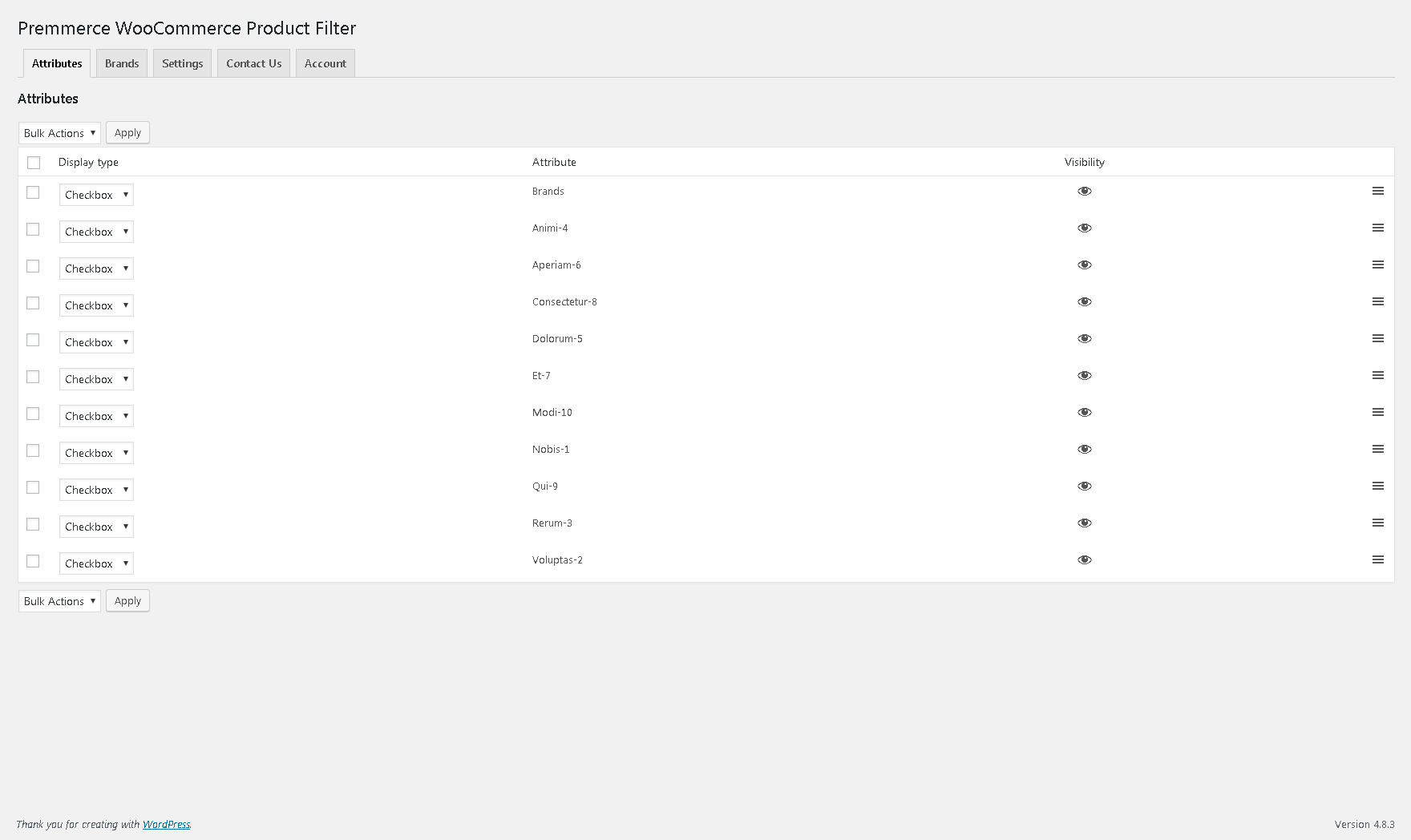
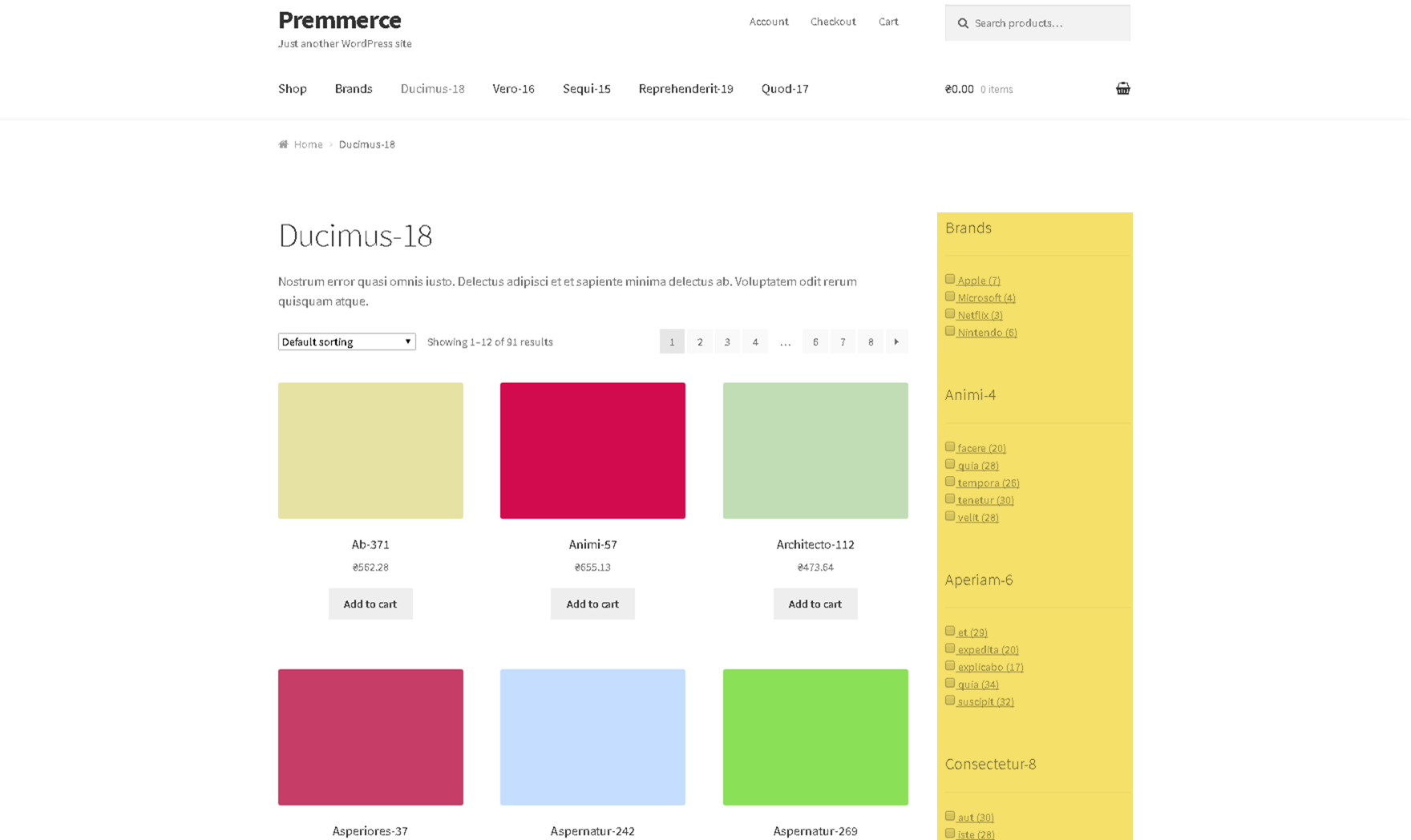
Single widget for all filters
Displaying all available filters using a single widget
Filter the search results
An option to filter the search results
Displaying only available attributes
Displaying only available attributes depending on the category
All you need filters in one solution
Filter by price, active filters widget, filters widget included
Deferred loading
Optimize page load speed by loading filter deferred
Ajax filtering
Possibility to load filtering results with Ajax
Colors and Labels (Premium)
Possibility to show filter like colors and labels
Custom taxonomies (Premium)
You can use any custom taxonomy for filtering your products
The only Filter Plugin that have all you need SEO Settings
Generating pages with the Clean URL
Generating pages with the Clean URL based on the selected category + brand + attribute (you can specify an unlimited number of attributes)
Creating landing pages based on filters (Premium) Premmerce Product Filter for WooCommerce Premium allows you to create landing pages based on the choice of filter configuration. The rule that generates these pages consists of the following elements:
Category (you can choose any category in the store for which the attributes are assigned) + Brand (if our Premmerce WooCommerce Brands plugin is activated) + Product Attribute / Attributes (you can choose any number of attributes and their terms).
This way you’ll create landing pages for already filtered pages of products with a specified category, brand, and attributes. For example, the following pages can be created:
And for this page you can specify a unique h1, title, meta description and SEO-text.
Bulk generation of landing pages (Premium)
If you have many categories, brands, and product attributes in the store, it’s quite challenging to create unique descriptions of all possible options of categories + brands + attributes.
However, in order to get as many pages of your store as possible available in the search result, you can still generate a number of pages with Clean URL and unique titles.
Automatic adding of pages to the Sitemap (Premium)
After the category filters optimization, it is important to let the search crawlers know that now you have many more landing pages than before. So, when you create a page based on filters either manually or automatically, the plugin automatically adds new pages to the Sitemap, which is generated by the Yoast SEO plugin.
Themes’ Support
The plugin supports all most popular WooCommerce themes as we’ve optimized styles to fit the most popular solutions, provided a filter style “turn off” option in order to enable the styles of the chosen theme.
We’ve tested The Premmerce WooCommerce product filter with the following themes:
SalesZone
GoodLook
GrandStore
OceanWP
Avada
Flatsome
Divi
Neto
Astra
Mesmerize
Shop Isle
Hestia
Mins
Primer
Storefront
Plus, this plugin has really flexible settings, which ensures its smooth performance with any another theme, that hasn’t been mentioned in the list above.
Plus, you can create your personal demo store and test this plugin together with Premmerce Premium and all other Premmerce plugins and themes developed by our team here: Premmerce WooCommerce Demo.
Go to Plugins -> Add New section from your admin account and search for Premmerce Product Filter for WooCommerce.
You can also install this plugin manually:
Download the plugin’s ZIP archive and unzip it.
Copy the unzipped premmerce-woocommerce-product-filter folder to the /wp-content/plugins/ directory.
Activate the plugin through the ‘Plugins’ menu in WordPress
Where do I report security bugs found in this plugin?
Please report security bugs found in the source code of this plugin through the Patchstack Vulnerability Disclosure Program. The Patchstack team will assist you with verification, CVE assignment, and notify the developers of this plugin.
Security Fix: The filter shortcode, block and widget now clean their style settings before adding them to the page
Fix: SEO rules bulk delete, enable and disable now return to the rules list after running
Fix: The [premmerce_filter] shortcode keeps its custom styles when it has content between its tags
Fix: No PHP 8.1 deprecation notice when saving the filter widget, and no PHP 8.4 deprecation from the admin tabs
Fix: Dragging an attribute onto an unknown item in the Attributes tab no longer raises PHP warnings
Improvement: WooCommerce 11.2 compatibility
3.8.4 (7th October 2026)
Fix: The SEO Settings tab (premium) is back, so the default SEO settings for filter pages can be changed again
Fix: Deleting the plugin now removes its settings, and keeps them while another edition (free or premium) is still installed
Fix: Scripts and styles carry the plugin’s version, so browsers load the new files after an update
Fix: The SEO rules sitemap works on sites using SQLite
Fix: “WooCommerce” is spelled correctly in the Settings tab and the filter block’s description
Update: Updated Freemius SDK to the latest version
3.8.3 (6th October 2026)
Security Fix: Creating, editing, generating and updating SEO rules now checks that the user can manage the plugin and that the request carries a valid security token
Fix: Links on the SEO Rules tab no longer cause a fatal error in the free version
Fix: With AJAX on, variation forms in the filtered products work, such as a swatches plugin’s add to cart in the product list
Fix: With AJAX on, an SEO rule’s H1, page title and description update when filtering to or from its page
Fix: With AJAX on, the [premmerce_active_filters] shortcode updates when the filters change
Fix: The canonical URL that Yoast SEO, All in One SEO or Rank Math gives a filter page no longer ends in two slashes
Fix: With the default SEO settings on, “Discourage search engines” now noindexes filter pages that have no SEO rule
Fix: All in One SEO’s sitemap no longer breaks when no SEO rules can be indexed
Fix: SEO rule pages no longer have two meta descriptions with All in One SEO, and a rule with no meta description keeps the SEO plugin’s own
3.8.2 (2nd October 2026)
Fix: The price slider’s range follows attribute filters on stores using WooCommerce’s attribute lookup table
Fix: Filter URLs, SEO rules and active filter links work on categories and attribute values with non-Latin slugs, such as Cyrillic
Fix: SEO rules save on sites whose SEO table was out of date, and a failed save now says why instead of “Rule does not contains products”
Fix: The SEO Rules table lists rules when Polylang is active
Fix: The Yoast and Rank Math sitemap index links each SEO rules sitemap page once
Fix: YITH Brands can be chosen under “Use taxonomies” in the free version
Fix: Empty parent categories no longer show with category hierarchy on, and parent counts include products in every subcategory level
Fix: Saving or generating SEO rules for a large category no longer runs out of memory
3.8.1 (1st October 2026)
Fix: Attribute filter URLs no longer 404 when a taxonomy prefix, such as a brand prefix, is set
3.8.0 (1st October 2026)
New: “Don’t use an attribute prefix” option builds filter URLs without the “attribute-” prefix. Old prefixed URLs redirect to the new ones; turn that off with the premmerce_filter_redirect_prefixed_urls filter
New: SEO rules can be translated with WPML String Translation
Fix: The “Show in stock” filter can be displayed as a dropdown
Fix: With “Use AJAX” on, the filter button no longer reloads the page
Fix: Filtering with AJAX on no longer returns a fatal error
Fix: YITH Brands render correctly in SEO rule variables
Fix: WooCommerce brands whose slug starts with a digit can be filtered
Fix: Filter counts are right when a price range is set
Fix: The price filter keeps the site’s port and non-Latin category paths
Fix: Child categories follow the sort order when “Enable Category Hierarchy” is on
Fix: Categories can be chosen under “Use taxonomies” with WooCommerce Product Add-ons active
Fix: The filter works when the home page is the shop page, including on later pages
Fix: Premium filter types can no longer be picked in the Attributes tab without a licence
Fix: PHP 8.1 and 8.2 deprecation notices on the admin tabs, from the filter widget, and from the stock, rating and on-sale filters
Update: Freemius SDK updated to 2.13.4
Improvement: WooCommerce 11.1 compatibility
3.7.5 (24th September 2026)
Security Fix: XSS on the pricing page via an outdated Freemius pricing script
Improvement: WordPress 7.1 compatibility
3.7.3 (8th April 2024)
Security Fix: Broken Access Control on Cache clear action (Thanks to Patchstack for the report)
3.7.2 (20th July 2023)
Security: Freemius SDK updated to 2.5.10
3.7.1
Release Date: Apr 11, 2023
New: Compatibility with PHP 8.1
New: Compatibility with WordPress 6.2
New: Compatibility with WooCommerce 7.5.1
Fix: Price filter scroll now working on mobile devices
Fix: Category tags for the SEO rule attributes now rendering correctly
Fix: PHP notice now not thrown when saving SEO rule without any terms selected
Fix: Scripts now not loaded on every page
Fix: Updating SEO rule now not adding whitespace to the description
Fix: Uncaught ArgumentCountError: array_merge() does not accept unknown named parameters
3.7
Release Date: Jul 19, 2022
New: Compatibility with the YITH WooCommerce Brands plugin
New: ‘Disable nofollow on active filter links’ setting to turn off nofollow on active filter links
Improvement: Reset Filter URL now has trailing slash
Improvement: Enable permalink notice now with more clarity and link to turn them on
Improvement: Clearing cache now shows success message
Fix: Filter button now working on all installs
Fix: AJAX filtering now working on all installs
Fix: ‘Hide empty terms’ setting now working correctly for taxonomies
Fix: SEO filter rules sitemap no longer 404s
Fix: Upsell banner appearing even if premium version installed
Fix: WordPress database error now not showing if no products are on sale
Fix: WordPress database error now not showing when saving SEO rules
3.6.2
Release Date: Mar 3, 2022
Update – Freemius to 2.4.3 version
3.6.1
Release Date: Jun 20, 2022
Update – WooCommerce compatibility version to 6.1.0
Update – WordPress compatibility version to 5.8.3
3.6
Release Date: Nov 18, 2021
Add – Gutenberg block for filter
Fix – Small bugs
3.5.7
Release Date: Sep 2, 2021
Add – New Languages: Add new languages: German, French
Fix – Bug in widget
3.5.6
Release Date: Jul 29, 2021
Add – Affiliate Program
3.5.5
Release Date: Jul 1, 2021
Add – Bundles and Save
Add – Canonical generation for Seo Rules regarding Permalinks settings
Fix – Bugs in Seo Rules and another small bugs
3.5.4
Release Date: Jun 24, 2021
Add – Spanish Translation
3.5.1 – 3.5.3
Fix – Small bugs
3.5
Release Date: May 27, 2021
Add – Support for All In One Seo Plugin (Premium only)
Add – Support for Rank Math Seo Plugin (Premium only)
Add – Customization Fields for Premmerce Filter Widget (Premium only)
Add – Customization Attributes for Shortcodes (Premium only)
Add – New “Display as”: Hoverable Dropdown (Premium only)
Add – Custom CSS field
Add – Preloader for Filter when option “Load deferred” is turn on
3.4
Release Date: Mar 20, 2021
Add – On Sale Filter (Premium only)
Add – In Stock Filter (Premium only)
Add – Rating Filter (Premium only)
Add – Image Field Type for Attributes (Premium only)
Add – functionality “Discourage Search Engines” for all filter pages or for each Seo Rule (Premium only)
Add – Shortcode [premmerce_filter] – for showing main Premmerce Filter (Product attributes filter)
Add – Shortcode [premmerce_active_filters] – for showing main Premmerce active filters (Product attributes active filters)
Add – Show Premium features in Free version
Fix – pagination in Premmerce filter setting page for Taxonomies tabs