Post grid – a responsive blog grid with the columns you choose for desktop, laptop, tablet and phone
Post slider / carousel – a horizontal thumbnail carousel of your latest posts, with autoplay and pause on hover
Related posts – posts from the same category as the post being read, shown under your content
Filterable grid – category tabs above the grid so visitors filter without reloading the page
Category filter tabs
Let readers narrow the grid to the category they care about. Click a tab, the grid updates instantly – no page reload.
The tabs are built from the categories your grid is already set to show, so a tab can never come up empty. Turn it on with one checkbox.
Related posts, without another plugin
Keep readers on your site by showing related posts under each article. Match by category, choose how many to show, and display them as a grid or a slider. The post being read is excluded automatically.
Add related="1" to the shortcode, or flip the toggle in the block:
[psc_print_post_grid related="1"]
Post grid features
Responsive grid with independent column counts for desktop, 1024px, 800px and 640px
Two layouts: Default and List
Category filter tabs with instant AJAX filtering
Include or exclude categories, post types, and individual posts
Choose what each card shows: excerpt, date, author, comment count, Read More
Set your own excerpt length
Colour pickers for heading, meta, content and Read More link
Sort by date, title, author, name, random or comment count
Live preview before you publish
Gutenberg block and shortcode
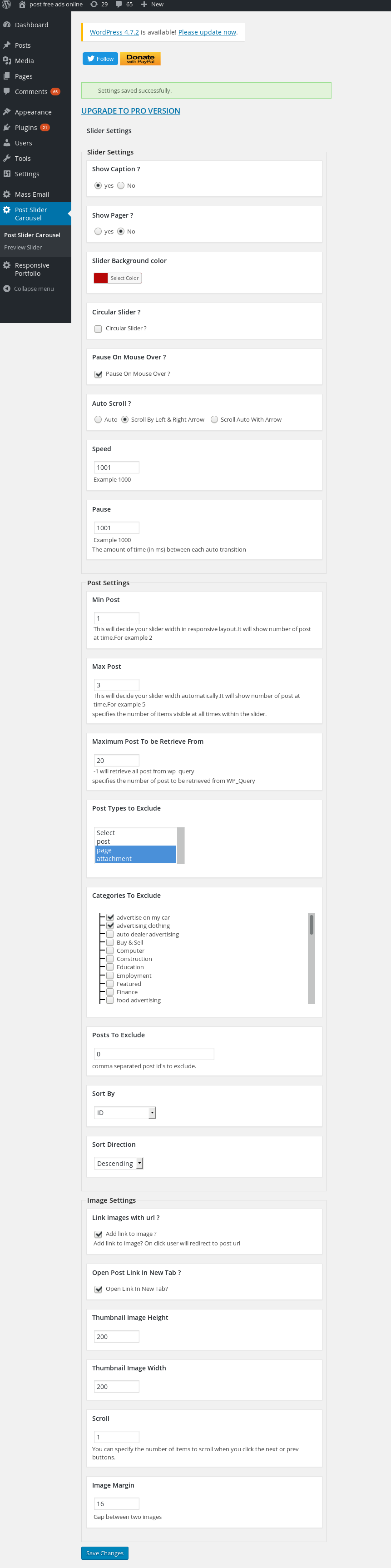
Post slider features
Responsive thumbnail slider / carousel
Autoplay with pause on mouse over
Captions and pager, both optional
Set thumbnail width and height
Custom link support per post
Include or exclude categories, post types, and individual posts
Sort by date, title, author, name, random or comment count
Live preview before you publish
Gutenberg block and shortcode
Works with your setup
Any theme – the grid and slider inherit your fonts
Any custom post type, including WooCommerce products
Block editor, Classic editor, or a PHP template call
Multisite
Translation ready
WordPress capabilities, so you control which roles can manage sliders and grids
Everything above is in the free plugin. One slider and one grid, both fully working – not a trial, not time limited, no feature nagging inside the settings.
That is enough for most sites: a grid on your blog page, filter tabs so readers can narrow it down, and related posts under each article.
When you would want Pro
Pro exists for people who outgrow one grid. You would know if that is you:
You need more than one. Different grids on different pages, each with its own categories, columns and colours. Free saves one configuration; Pro saves as many as you like.
You want a layout with more character. Pro adds Masonry, Overlay and Magazine to the Default and List layouts you already have.
Your related posts should be smarter. Match on tags or any custom taxonomy instead of categories, sort so the closest matches come first, and insert them under every article automatically without editing a template.
You want to know what works. Pro records clicks per grid and per post, so you can see which placement earns attention and which quietly does nothing. No visitor data is stored – just daily counters.
Your filter tabs need to do more. Any taxonomy, a dropdown instead of buttons, multi select, post counts, and a preselected term.
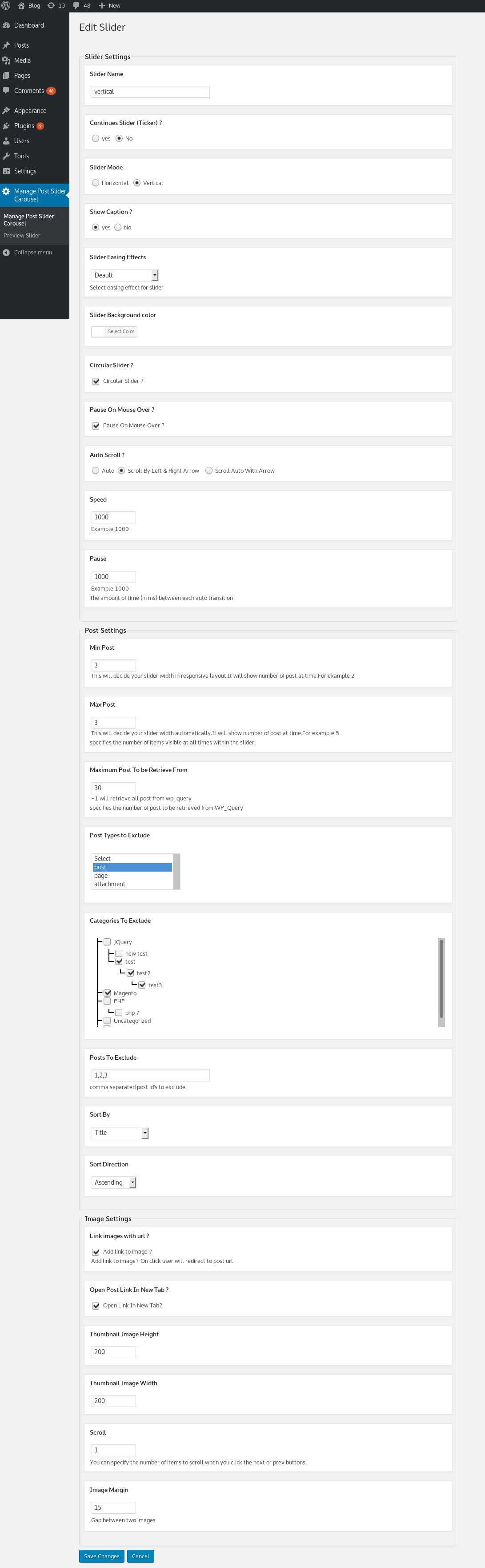
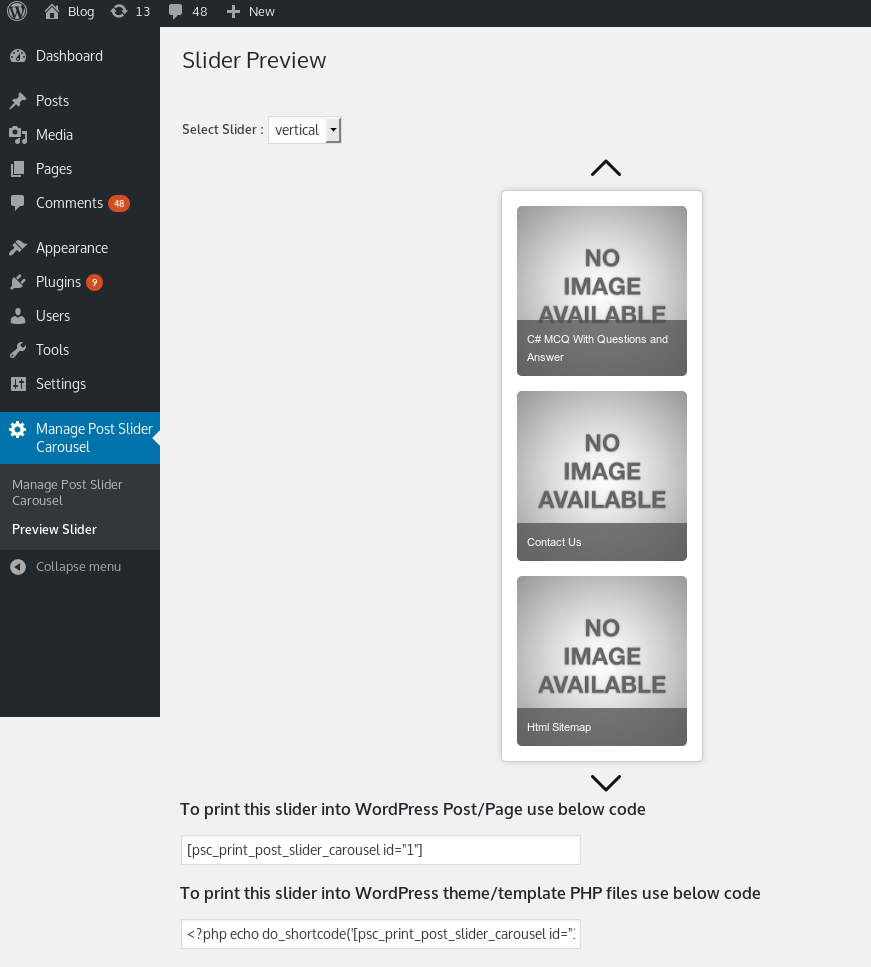
You want the slider to do more. Vertical sliding, continuous ticker mode, 16 easing effects, AJAX pagination and social sharing buttons.
Turn on Related Posts in the grid settings, then place [psc_print_post_grid related="1"] where you want them – usually in your theme’s single.php, below the content. The plugin matches posts by category and leaves out the post being read.
Related mode only renders on a single post. On an archive or a page it shows nothing, which is intentional.
Pro can insert them automatically under every post, so you never touch a template file.
Can visitors filter the grid by category?
Yes. Switch on “Category filter tabs” in the grid settings and buttons appear above the grid. Clicking one filters without reloading the page.
The tabs only list categories your grid is allowed to show, so a visitor can never land on an empty result.
Does it work with custom post types?
Yes. Any registered public post type, including WooCommerce products. Choose it under “Post types to include or exclude”.
Will it work with my theme?
Yes. The grid and slider inherit your theme’s fonts, and you can set your own colours for headings, meta text, content and the Read More link.
Does it work in the block editor?
Yes, there is a native “Post Slider & Grid” block. Add it, choose Slider or Grid, and pick your settings in the sidebar. Shortcodes work too, in the Classic editor or a Shortcode block.
Can I put more than one grid on the same page?
The free version has one saved configuration, which you can place more than once. If you need several grids with different settings on one page, that is what the Pro version’s unlimited grids are for.
Why is my masonry grid not staggering?
Masonry is a Pro layout, and it needs two things to look different from a normal grid: image cropping switched off, and featured images with different heights. If every image is the same shape, every card is the same height, and masonry looks like the default grid.
Are private or password protected posts shown?
No. Only published posts your visitors are allowed to see.
Does the plugin slow my site down?
It loads its CSS and JavaScript only on pages where a slider or grid is actually present. There is no tracking, no external requests and no fonts loaded from third parties.
Is my data sent anywhere?
No. The plugin makes no external requests and sets no cookies.
Security fix: Resolved unauthenticated Stored Cross-Site Scripting (XSS) via the render_block / content cleanup filters for both the post slider and the post grid (reported via Patchstack). The filters now only process the plugin’s own output (signed with a per-request random marker), never touch comment blocks, and no longer decode HTML entities inside already-escaped markup. All users should update immediately.
1.0.23
New: category filter tabs for grids. Visitors filter the grid without a page reload
New: related posts. Show posts from the same category as the post being read, as a grid or a slider
New: choose what each card shows – excerpt, date, author, comment count, Read More link – and set your own excerpt length
New: List layout for grids
New: Gutenberg block for both the slider and the grid
Fixed: private and password protected posts are no longer shown to visitors
Fixed: tapping a post on a mobile device now opens it correctly
Fixed: two grids on the same page no longer interfere with each other
Fixed: “Maximum posts to retrieve” set to -1 no longer exhausts memory on large sites
Improved: settings screen tidied up, with clearer help text
1.0.22
Fixed issue Undefined variable $imageheight_
1.0.21
Cross Site Scripting (XSS) vulnerability fixes
1.0.20
Make plugin compatible with block editor
Tested with WordPress 6.3
1.0.18
Fixed responsive not working in post grid
Tested with WordPress 5.9
1.0.17
Fixed category tree in settings have warning in PHP 8
1.0.16
Fixed touch and slide issue for post slider
1.0.15
Improve slider for lazy loading
1.0.14
Fixed lazy loading not working
Improve post grid loading
Tested with WordPress 5.5
1.0.13
Removed jQuery.noConflict() as it cause problem with direct $ usage
Fixed vertical scroll not working on slider image
1.0.12
Improve slider loading & post grid loading
Fixed css conflict with twentynineteen
1.0.11
Fixed undefined error found in debug log
Tested with WordPress 5.3
1.0.10
Improve category exclution or inclution.
Support custom post type categories.
1.0.9
It appears again that chrome latest version click event call touch event so fixed chrome windows touch event.
1.0.8
fixed issue of double page open on slider click in latest Edge Browser.
Fixed touch can’t open link on smart phones
1.0.7
fixed issue of double page open on slider click in latest firefox.
Improve code so that plugin continue work when jquery included in footer.
Tested with WordPress 5.2
1.0.6
fixed chome windows touch event not working properly.
1.0.5
Added wordpress capebilities feature. So that admin can set permissions
Tested upto wordpress 5.1
1.0.4
Currently you can only exclude post types, Now added option to exclude or include post types.
Currently you can only exclude post categories, Now added option to exclude or include categories.
1.0.3
Improve admin UI.
plgin tested with WordPress 5.0.
1.0.2
Added new feature post grid, You can now create post grid easly.
plgin is now translatable.
1.0
Fixed for shorcode not working in wordpress 4.8 widgets