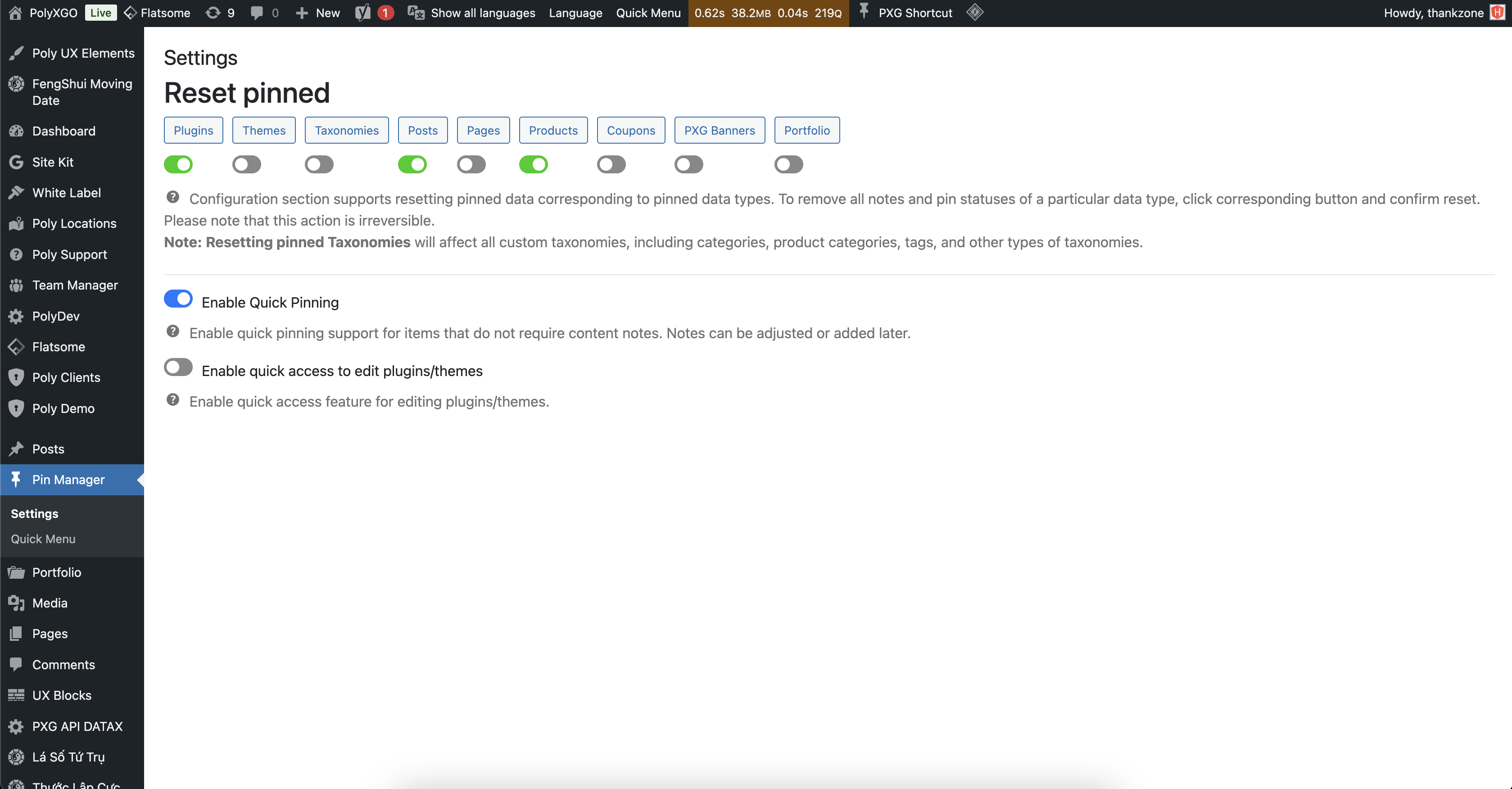
Pin Manager provides a feature that supports pinning plugins, themes, categories, posts, pages, and tags to the top of the list for easy handling. Additionally, the note feature corresponding to each pinned element will make it easier for you to manage them on the site.
First-time users should read https://headrandom.com/products/poly-pin-manager-for-wordpress, which explains the basics and includes a lot of screenshots and shortcodes.
Can I pin WooCommerce product categories and tags?
Yes, you can pin any product category to the top of the list. Additionally, post categories and other custom taxonomies are also supported.
Will the categories displayed on the frontend be affected?
No, the pin feature only works on the admin side. The display of categories, products, and posts on your site will not be affected.
Will the notes be lost when unpinning?
No, since this feature supports developers, the notes will not be deleted when you unpin a plugin. However, if you delete or reset the Pin Manager data beforehand, the note information will be lost.
Can I request new features?
Yes, as a developer aiming to support customer work, integrating new features is always considered. For useful and suitable features, we will definitely integrate them.
Fixed WooCommerce admin product search (title and SKU search) breaking when Poly Pin Manager is active by removing the post__in override in pre_get_posts and ordering pinned posts purely via scoped posts_orderby.
Fixed posts_orderby filter leakage to secondary WP_Query calls and prevented SQL syntax errors on empty ORDER BY clauses.
Fixed pin_posts_to_top running on unrelated admin screens (such as Media Library upload.php) and removed the redundant while (true)get_posts() loop.
Fixed taxonomy get_terms filter corrupting non-object term queries (such as fields => 'id=>name', ids, and count).
Fixed ppmadmin stylesheet being enqueued prematurely during init and leaking admin utility styles to the frontend.
Fixed clicking the note icon on pinned items with empty notes opening an empty preview modal: now displays a muted note indicator and opens the Add Note editor directly across Plugins, Themes, Posts/Products/CPTs, and Taxonomies.
Fixed blank modal titles and missing localized attributes on plugins.php, Edit Note modal missing titles across all pinning screens, polyTranslations JS ReferenceError, theme pin datetime sorting ($a['id']), pinned plugins not moving to top on plugins.php (re-ordered after WordPress core uasort), quick-menu.js delete title mismatch, duplicate Quick Pinning change handler, and CPT edit capability check.
IMPROVED
Added per-request static option caching in PolyPinManagerHelper to eliminate repeated get_option() calls inside admin table row and term loops.
Scoped ppmcommon script loading, nonce generation, and #codeEditorPopup initialization strictly to Poly Pin Manager admin screens, fixed tooltip mousemove listener leaks, and standardized asset cache-busting with POLY_PIN_VERSION.
Eliminated N+1 database queries in Notes Workspace via batch post/term cache priming and batched option writes during bulk note clearing.
Upgraded note hover tooltip to a clean elevated card popover with header badge, directional arrow, smart viewport-aware placement, multiline preservation, overflow fade, and zero mousemove listener overhead.
Consolidated shared SweetAlert2 modal and XSS-safe HTML/tooltip rendering helpers into common.js, preserved multiline notes via sanitize_textarea_field(), and removed legacy dead code and external tracking image from Settings.
SECURITY
Enforced capability checks (manage_options), nonce verification, and allowlist validation across all Settings and Deactivation AJAX endpoints.
Added strict input sanitization and output escaping for Quick Access Menu nodes and Export/Import backup restoration.
Version 2.5.0 (August 26, 2026)
NEW
Added Admin Notes Search & Filter Management Workspace (Dedicated screen under Pin Manager > Notes Workspace to search, filter, and bulk edit all developer notes).
Added Export & Import Configuration feature (Export all pinning options and notes into JSON/ZIP and restore seamlessly across sites).
Version 2.4.1 (May 22, 2025)
FIXED
Fixed issue where CSS and JS assets were not updating with new plugin versions.
Fixed issue where pinned plugins list did not display action links, update buttons, and status notices.
Version 2.4.0 (May 19, 2025)
NEW
Enable quick access feature for editing plugins/themes.
Support enabling/disabling pin feature per post type, category, taxonomy.
CHANGED
Convert setting features from checkbox to toggle button.
Version 2.3.2 (March 04, 2025)
FIXED
Fix issue where posts, pages, categories, etc., do not display when in Trash status.
Version 2.3.1 (February 12, 2025)
FIXED
Fixed the issue where the Quick Access Menu list was not being saved.
Version 2.3.0 (February 5, 2025)
NEW
Integrate tooltips for quick preview of note content when hovering over note icon.
Integrate scroll bar when note content is too long on popup.
CHANGED
Adjust pinning tool for Theme to appear before Theme name, avoiding conflicts with WordPress styles.
FIXED
Fixed note issue for Pages format.
Version 2.2.1 (February 1, 2025)
UPDATED
– Added and adjusted translations.
– Modified the logic for handling notes on plugins and themes.
CHANGED
– Adjusted issues based on the recommendations from the WordPress.org Team Guidelines.
FIXED
– Fixed missing nonce errors in POST data operations.
– Fixed the issue in WooCommerce product category lists where pinned categories caused subcategories to be hidden.