Add or change the default payment gateway icons that appear on the WooCommerce checkout page…
Customize the payment gateway icons that appear on the WooCommerce checkout page to anything you like or brand that suits your business. You can sizes for desktop and mobile view.
Screenshots

This is how the icons appear on checkout

This is plugin's logo

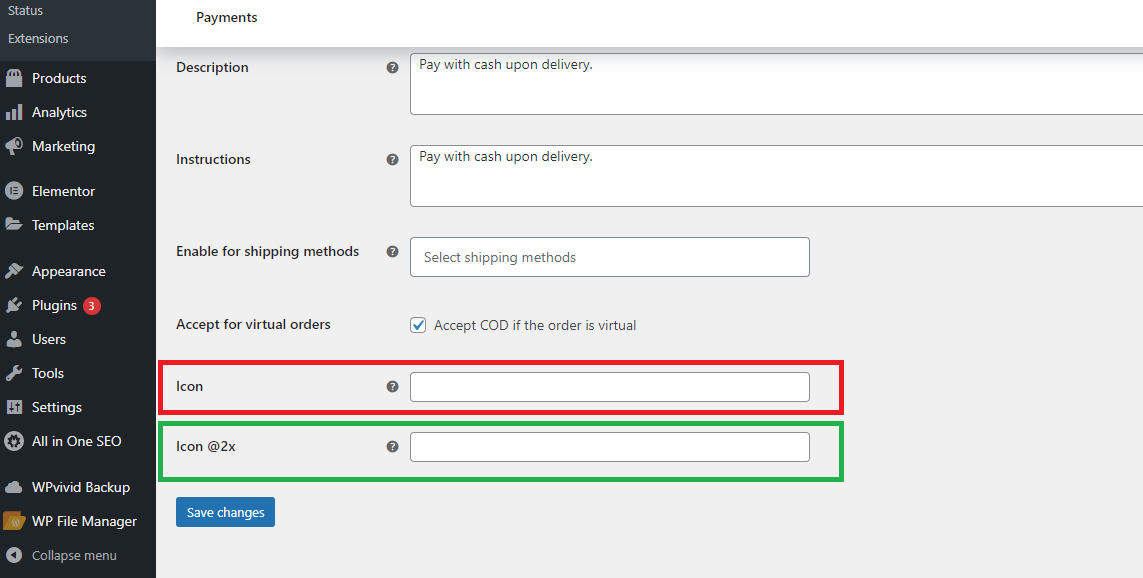
This is the plugin's settings view in WooCommerce
ChangeLog
2.2.0
- Added support for shipping method icons on Cart and Checkout pages.
- Added a new “Shipping Methods” section in the admin panel to assign icons.
- Refactored icon storage structure to support both payment and shipping icons.
- Ensured backward compatibility with existing installations using the legacy icon format.
- Improved sanitization and saving logic for icon URLs.
- Fixed potential undefined index issues when retrieving icons.
2.1.0
- Major architectural refactor of the plugin
- Replaced gateway-dependent settings system with centralized icon storage
- Introduced global icon override using
woocommerce_gateway_icon filter
- Improved compatibility with all payment gateways including Stripe
- Removed dynamic per-gateway form field injection system
- Eliminated loader-based hook registry for simpler WordPress-native initialization
- Improved code structure with separation of concerns (Admin / Public / Core)
- Added support for retina (@2x) icon handling
- Improved security with proper sanitization of icon URLs
- Increased stability and compatibility with WooCommerce 8+ and WordPress 6.8
1.2.3
- Plugin tested successfully with WordPress 6.7.1
- Minor bug fixes and spelling corrections
1.2.2
- Plugin tested successfully with WordPress 6.5
- Minor bug fixes and corrections
1.2.1
- Plugin tested successfully with WordPress 6.3
1.2.0
- Plugin tested successfully with WordPress 6.2
1.1.1
- Minor bug fixes and corrections
1.1.0
- Initial stable release
- Clean up of core functionality