Password Protect WordPress (PPWP) plugin offers a powerful and all-in-one solution to secure your website with passwords.
Whether you want to password protect WordPress categories, WooCommerce products, a few posts, or your entire website, PPWP plugin will help you do so with ease.
This plugin does not protect images or uploaded files so if you attach the media files to the protected pages or posts, they are still accessible to anyone with the link. Use Prevent Direct Access (PDA) Gold to block their direct file URL access.
Please note that the passwords will be stored in the post meta and this plugin will set a cookie to allow access to the protected pages or posts.
An Inside Look at Password Protect WordPress – PPWP Pro
Password Protected Features
The Lite version of Password Protect WordPress (PPWP) plugin offers the following features:
Protect WordPress Pages & Posts with Unlimited Passwords
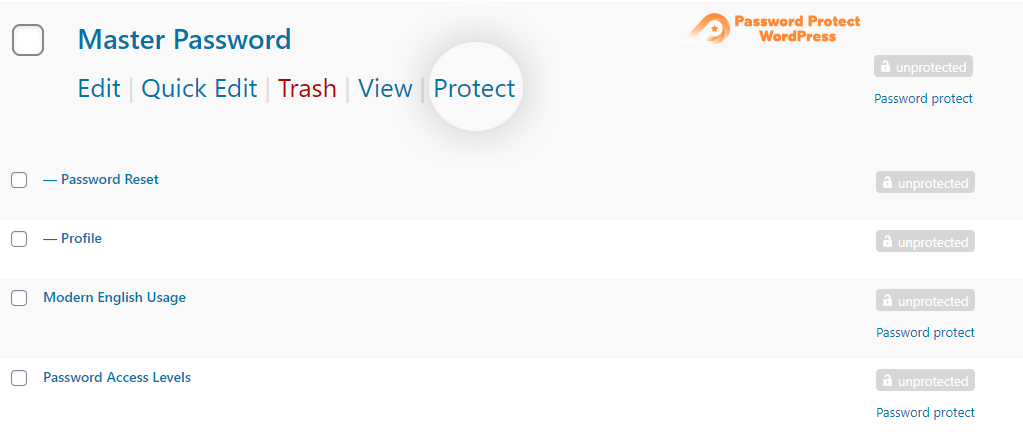
The plugin extends WordPress built-in password protection feature and allows you to set multiple passwords per Page and Post. What’s more, you can protect the content with just a single click. Once protected, a random password will be automatically generated for you.
Password Protect WordPress Pages & Posts by User Roles
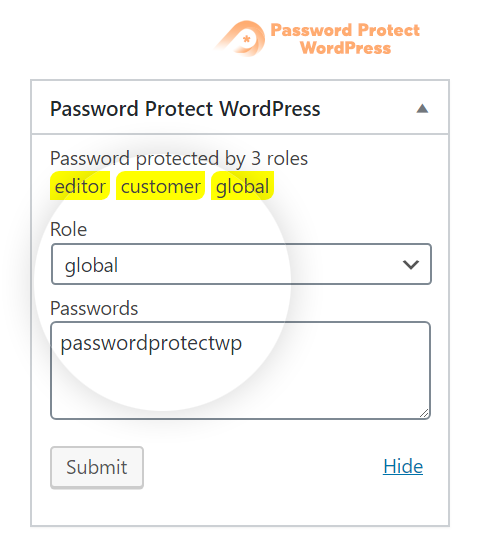
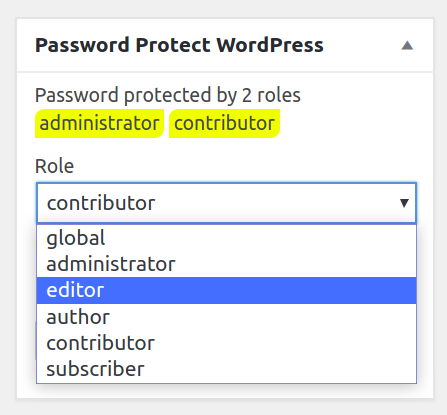
There is an option allowing you to password protect your WordPress Pages & Posts by user roles. In other words, you can set different passwords for different user roles, e.g. one for subscribers and one for editors.
Prevent Password Abuse with reCAPTCHA
Stop password abuse and spam by bots and automated software with Google reCAPTCHA v2 or v3. Real users will be able to access protected content with ease as usual.
Unlock Password Protected Content without Page Refresh
Use Ajax to display protected content without having to reload the entire page. It will help improve user experience and avoid server caching after users enter their password.
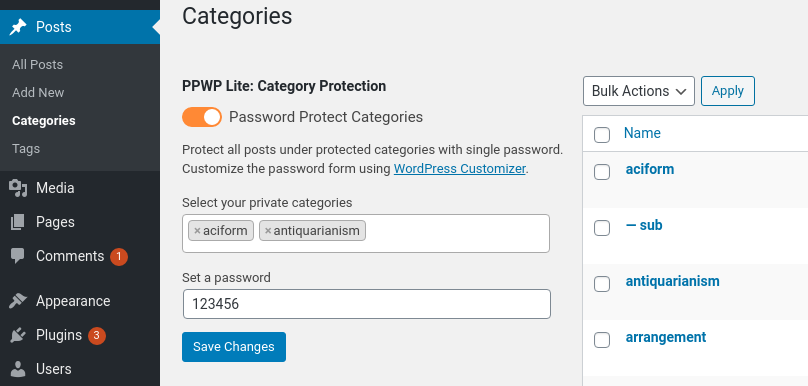
Password Protect WordPress Categories
Instead of creating an individual password for each post, you can protect all posts under one or multiple categories at once. Once users unlock a post successfully, they will be able to access the rest of the content automatically.
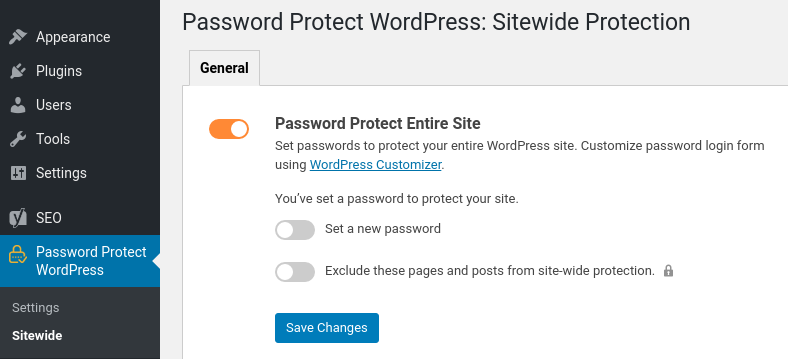
Password Protect Entire WordPress Site
You can password protect the whole WordPress site with a single password. All your website content including pages, posts, and other custom post types (but not media files) are locked as well.
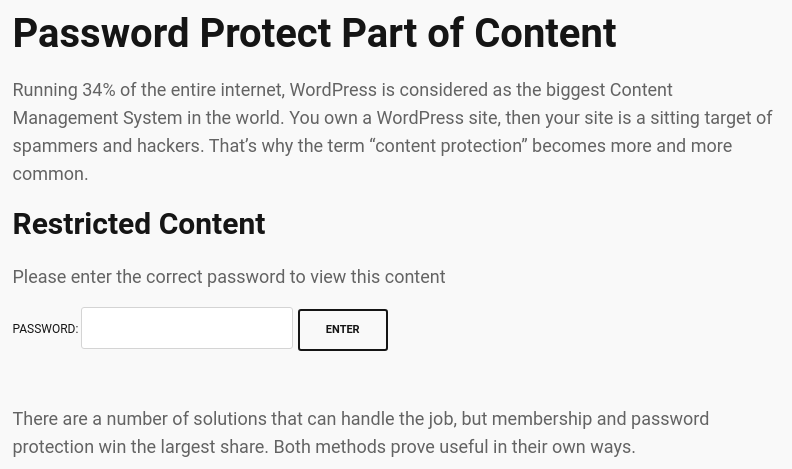
Partial Content Protection
Partial Content Protection feature allows you to password protect certain sections of a page or post instead of hiding the entire content under a password form. This is useful when you want to create a teaser of premium content that encourages visitors to register/sign up to unlock the entire post.
Section Protection
Section Protection takes PCP to the next level. The feature enables you to add password-protected sections even on custom post types & templates created by top page builders such as Elementor and Divi.
Show/Hide Premium Content at a Specific Time
You can also choose when to publish the secure content to users. For example, they’re allowed to see the content without having to enter passwords from XXX to XXX using the following shortcode attributes.
[ppwp passwords=123 on="2020/10/20 14:00:00" off="2020/10/30 14:00:00"] Your protected section will be shown automatically from 2 pm October 20, 2020 to 2 pm October 30, 2020[/ppwp]
Integrate with Page Builders
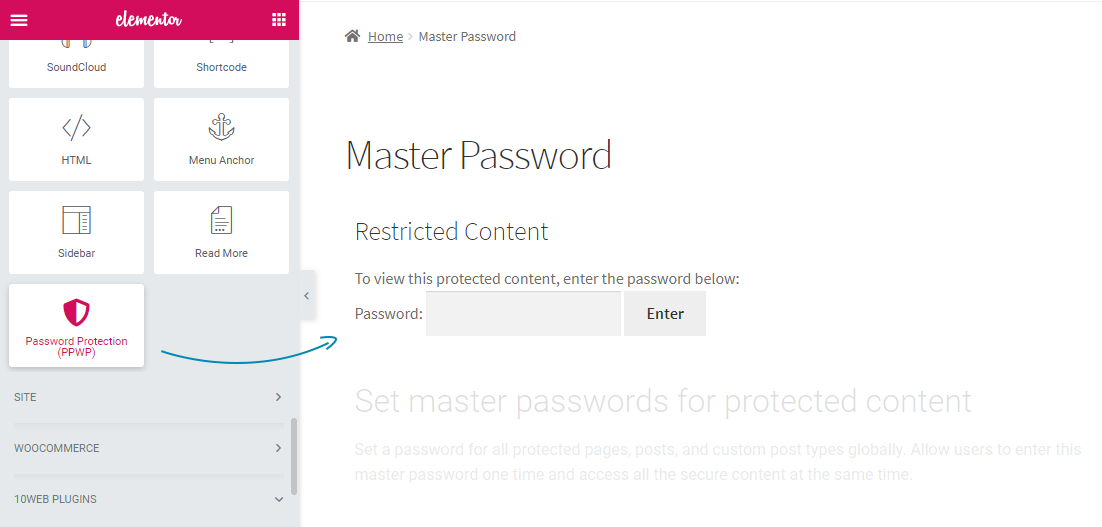
Instead of using our shortcode to protect part of content, you can use our built-in module for the top page builders including:
Elementor
Beaver Builder
WPBakery Page Builder*
Divi Builder*
*Supported; built-in UI block to be released soon.
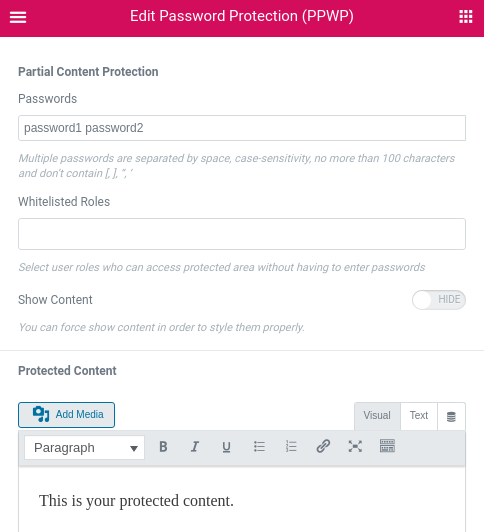
These built-in modules allow you to set passwords, whitelisted roles, customize password forms, and so on via our friendly User Interface. You no longer have to deal with the complex shortcode attributes.
What’s more, with PPWP Pro, you can even protect the entire Elementor’s templates, Beaver Builder’s rows, columns, and page templates as well as limiting and tracking password usage.
Master Passwords
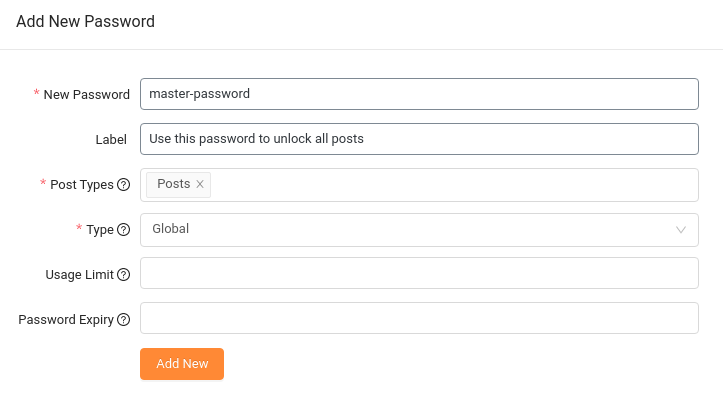
When there are many password protected posts on your website, it becomes difficult and time-consuming to create or manage passwords for each content. That’s when master passwords come in handy.
Please note that this feature does not password protect all posts automatically. It simply allows you to use master passwords to unlock those that you’ve already password protected. Original passwords attached to each post will still be working, together with these master passwords.
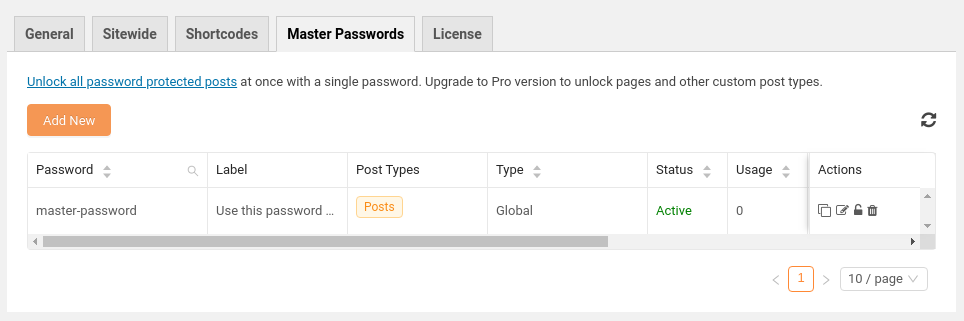
The master passwords feature also comes with an easy-to-use interface allowing you to create unlimited master passwords simultaneously and manage all of them in one place. You will have full control to (de)activate, delete passwords as well as restrict usage passwords by usage, time, and user role.
Customize Password Form & Messages with WordPress Customizer
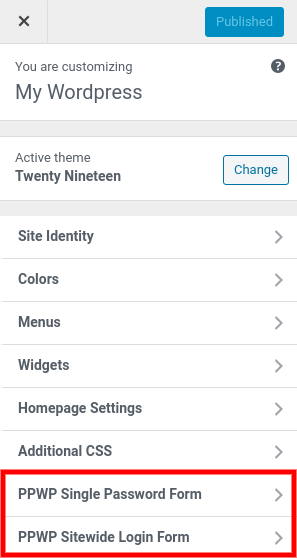
Customize all your password forms, i.e. the sitewide login form, single and partial content protection (PCP) password form, via WordPress Customizer.
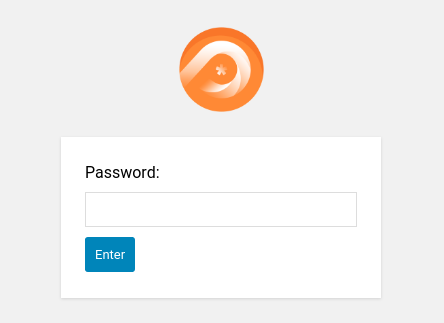
You’re allowed to remove or change our default logo to your own in the sitewide login form. You can also change the color, background and design of the form to match your theme’s color scheme.
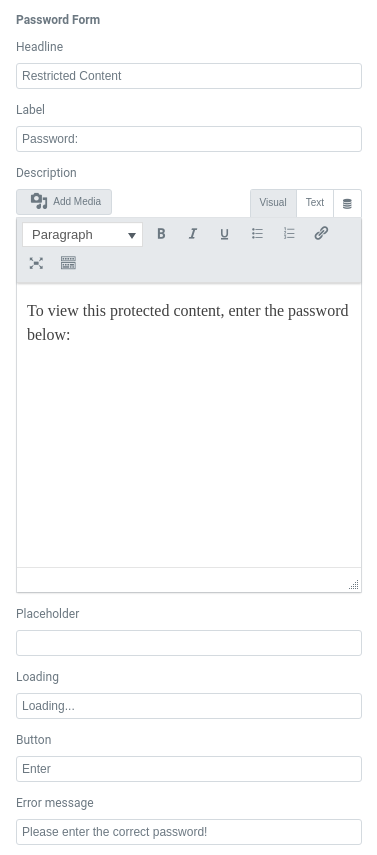
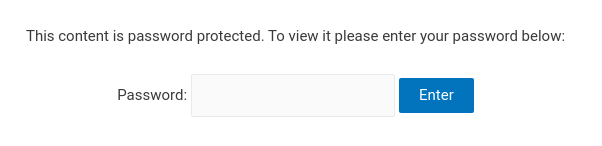
As for single password form, you’re able to change the WordPress default error message as well as password form instructions, namely headline, descriptions, password input placeholder, and button text.
The button and text’s font-size, color, and background can also be customized through a friendly WYSIWYG HTML Editor.
Hide Password Protected Content
By default, your password protected content will still show up on various pages such as home and category page once published.
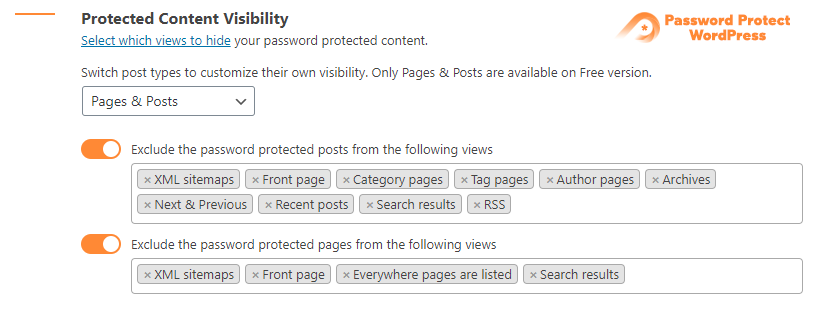
This feature allows you to control the visibility of your protected post types in different views:
Hide posts from Recent Posts widgets
Hide posts from Next & Previous link on the single post
Hide posts on search results
Hide posts from Yoast SEO Google XML Sitemaps, and RSS
Hide posts on Frontpage, Author, and Archive pages including tag and category page
Protected pages hidden from search results, home page & everywhere they’re listed
Even though the posts are hidden, those who know the URL will still have access to the pages (but not the protected content).
Show Password Protected Content in RSS Feeds
Even though you choose to show password protected content in RSS, a password form will display instead of its actual content by default. With PPWP plugin, you’re able to show all protected content in RSS feeds. There is also an option to make your RSS feeds public even if your site is hidden.
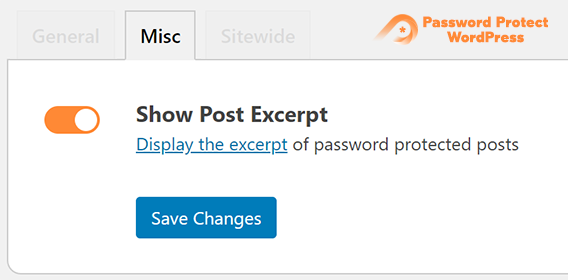
Show Password Protected Post Excerpts
Many WordPress themes hide the post excerpt and featured image of password protected content by default. Enable this option to show excerpts of your password protect posts.
Password’s Cookies Expiration
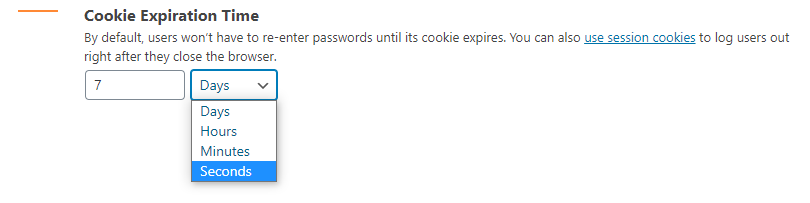
By default, users won’t have to re-enter passwords to access a protected page or post until its cookies expire. You can change the default cookie expiration time on the plugin settings page to whatever suits your use case. Or else, choose session cookies which will be removed automatically whenever users close their browser. As a result, users have to re-enter password when opening the browser again.
Protect the entire shop page, including individual products and category pages with the same passwords.
Import and export passwords as well as requiring users to provide both password and username or email to unlock protected content with Password Suite extension.
Restrict password usage based on WordPress users or IP addresses as well as setting password expiration time after first use with Smart Restriction extension.
Get access to all extensions and priority support with any of our PPWP Pro membership plans.
Multilingual supported
Our plugin works out of the box with the top leading multilingual WordPress plugins such as WPML, Polylang, and Loco Translate. In other words, you can translate the password forms, including its headline, description, error message as well as placeholder and button text into the different languages.
Documentation and support
For documentation and tutorials go to our Documentation
PPWP is designed to fully respect and protect personal information of its users. It does not collect any user information without your consent.
We’re using GetResponse to communicate with our users in case they would like to opt in and receive future updates from us.
User’s emails will be first sent to an external API on our secure server before getting managed by GetResponse.
Protect your private pages and posts with multiple passwords.
Click on "Protect" button link for a new random password to be generated automatically.
Protect your private pages and posts by user roles. You can create one password per role with our Free version but unlimited passwords with our Pro version.
Users don't need to re-enter password when accessing your private content until its cookies expire. Simply change the default value under our plugin's Settings page.
It's easy to password protect your whole site with our plugin. Users are required to enter a password when accessing any pages or posts including the homepage.
Select which categories you want to protect and set a password. All posts under these categories will be unlocked at the same time.
Wrap your private content section with our [ppwp] shortcode.
This is what your post will look like after it is published. Visitors have to enter "password1" or "password2" to access the protected content.
Type "Password Protection (PPWP)" in the search field to find our built-in element in Elementor.
Type "Password Protect WordPress (PPWP)" in the search field to find our built-in module in Beaver Builder.
These built-in modules allow you to set passwords and whitelisted roles.
Customize password forms via our friendly User Interface.
Create master passwords to unlock all protected content at once.
You have full control over password tracking and restriction, i.e. by time, usage or user roles.
Customize password form text and design with WordPress Customizer.
This is our default PPWP sitewide login form.
This is our default PPWP single password form.
Control the visibility of your password protected content.
Enable this option to show excerpts of password protected content.
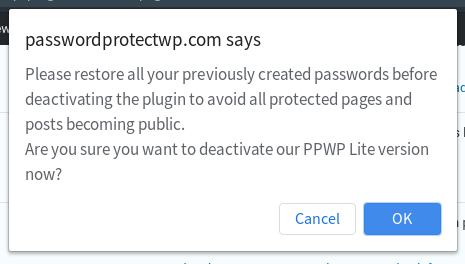
Restore default WordPress passwords before deactivating our plugin.
Could I create and manage all shortcode passwords at one place?
Yes, you will be able to generate passwords under our plugin’s settings page and then add them to [ppwp] shortcode in order to protect your content sections with Pro version. All these passwords will be tracked and controlled in one place.
[BugFix] Fixed a security vulnerability that allowed password-protected Partial Content Protection section content to be accessed through the WordPress REST API without providing the required password.
[BugFix] Fixed the sitewide cookie expiration time accepting invalid values such as zero or negative numbers.
[Improvement] Restricted REST API access to Partial Content Protection sections to users with the appropriate permissions to edit them.
1.9.28
[Improvement] Added WPML compatibility. Protecting or unprotecting a page now applies the same passwords and role protection to all of its translations, including pages written in a language other than the site default.
[Improvement] The password form texts set in the WordPress Customizer are now available for translation in WPML String Translation.
1.9.27
[BugFix] Fixed a Stored Cross-Site Scripting (XSS) vulnerability in the [ppwp] shortcode password form. Thanks to the Wordfence team for reporting this issue.
[Improvement] Updated password form field processing to prevent shortcode attribute values from interfering with other form fields.
1.9.26
[BugFix] Auto-generated passwords now use a cryptographically secure random generator instead of a predictable time-based value.
[Improvement] Significantly faster page loads for protected pages with many passwords by verifying returning visitors with a single password check.
1.9.25
[BugFix] Fixed an issue where changes to certain text fields in the WordPress Customizer were not saved when clicking Publish.
1.9.24
[BugFix] Fixed authorization issues where several settings-update actions and the sitewide redirect and password-migration processes could be triggered without properly verifying the user’s permission level.
[Improvement] Strengthened capability checks and access validation across the plugin following a full security review.
1.9.23
[Compatibility] Confirmed compatibility with WordPress 7.1 and tested the plugin with the latest WordPress version to ensure continued compatibility and stability.
1.9.22
[BugFix] Escaped placeholder and button label attributes in the [ppwp] shortcode’s password form to prevent HTML/attribute breakout.
1.9.21
[BugFix] Resolve security bypass by disabling standalone direct URL querying for Section Protection templates.
[BugFix] Escape attributes in Elementor and Beaver Builder shortcode layouts to prevent HTML/attribute breakout.
[Improvement] Sanitize and escape theme customizer output settings to prevent CSS rule injections.
1.9.20
[BugFix] Fixed an authorization issue related to password protection settings for posts and pages.
[BugFix] Improved capability checks and access validation when managing protected content.
1.9.19
[BugFix] Fixed a potential PHP Object Injection vulnerability in protected post metadata handling.
[Improvement] Improved data validation and serialization processing to enhance overall plugin security and reliability.
1.9.18
[BugFix] Resolved an issue where the plugin name was not displaying correctly in the deactivation modal.
1.9.17
[Feature] Added a plugin deactivation feedback modal. Users are now prompted with a popup upon deactivation to select a reason, helping us collect valuable insights for further improvements.
1.9.16
[BugFix] Fixed REST API vulnerability related to master password.
[Improvement] Enhanced overall code quality and security.
1.9.15
[BugFix] Fixed a PHP notice triggered by undefined request data.
1.9.14
[Improvement] Updated and refined CSS styling for improved UI/UX.
1.9.13
[Feature] Added an onboarding Opt-In/Opt-Out screen on first plugin activation, allowing users to grant or deny analytics consent.
[Feature] Introduced GreyLayout for locked premium features, displaying all Gold features in the Free version as disabled/locked with clear labels.
[Improvement] Improved the initial setup flow to provide a clearer and more compliant user experience.
[Improvement] Refined the UI/UX to better distinguish between Free and Gold features.
1.9.12
[BugFix] PHP warning related to undefined array key during shortcode rendering.
1.9.11
Added necessary hooks to improve compatibility with third-party page builders.
Optimized backend settings page for better performance.
Improved REST API protection when Sitewide Password is enabled.
1.9.10
Improved REST API protection when sitewide password is enabled.
1.9.9
Fixed compatibility issue with WP 6.8 password cookies.
1.9.8
[Bug Fix] API PUT request bug fix.
1.9.7
[Improvement] Added synchronization between free and pro protection features in category settings.
[Improvement] Enhancement made in Meta Query for faster response.
1.9.6
[Bug Fix] Fixed an API issue to ensure seamless functionality and improved site security.
1.9.5
[Security Enhancement] Improved password encryption to further safeguard user credentials and enhance overall security.
1.9.4
[Feature] Added support for Show/Hide Password functionality in the master password listing, enhancing security and ease of use for managing master passwords.
1.9.3
[Feature] Added support for password protection based on WordPress tags.
[Improvement] Enhanced password listing with pagination functionality.
1.9.2
[Improvement] Implemented differentiated cookie expiration times for individual and site-wide forms to enhance user experience and session management.
[Improvement] Optimized codebase for improved performance and ensured compliance with WordPress standards.
[Bug Fix] Resolved deprecated function and warning errors to maintain compatibility and stability.
1.9.1.1
[BugFix] Improvements have been implemented in API security measures to guarantee comprehensive sitewide protection.
[BugFix] Enhancements have also been implemented, transitioning from the $wp_hasher variable to the wp_check_password function.
1.9.1
[Improvement] Enhancements have been made to API protection to ensure sitewide security
1.9.0
[Feature] Delete All Expired Passwords feature added
[BugFix] API Protection with Sitewide Protection
1.8.9
[Improvement] Comprehensive code comment documentation has been added
[Improvement] Added text domains for strings in places where they were previously missing
[Improvement] Removed unnecessary commented-out code, ensuring a cleaner and more efficient codebase
[Improvement] The settings page sidebar has been revised to provide users with updated information and a helpful guide
1.8.8
[Refactoring] Validate data to prevent potential security issues
1.8.7
[Refactoring] Update SQL calls to avoid SQL injection vulnerabilities
1.8.6.2
[BugFix] Remove broken scripts in integrated page builders
1.8.6.1
[BugFix] Remove broken scripts in single password forms
1.8.6
[Refactoring] Validate and escape shortcode attributes
[Refactoring] Secure input and output data
1.8.5
[Improvement] Provide a code snippet to show PCP passwords by default
[Integration] Support reCAPTCHA for PCP forms
[Improvement] Provide a hook to handle Central Login Forms without page refresh
[Improvement] Support protecting multilingual categories
1.8.4
[Improvement] Allow customizing error messages when entering wrong passwords for Section Protection
1.8.3
[Improvement] Not allow spaces at the beginning and ending of category passwords
[Improvement] Provide hooks to add settings options to Advanced tab in Pro version.
1.8.2
[Feature] Display countdown timer in sitewide password form
[Improvement] Provide an option to hide sitewide password form
[Improvement] Secure input data
1.8.1
[Improvement] Update PPWP settings UI
[UI Improvement] Display correct sidebar on PPWP settings page when deactivating Pro version
1.8.0
[Improvement] Allow customizing description below PCP password form
[Improvement] Provide a shortcode attribute to add description above PCP password form submit button
[Improvement] Provide a hook to add a custom checkbox to single password form
[Improvement] Remove “Use Custom Form Action” option under Settings > Advanced
[Improvement] Update WordPress Customizer UI
[BugFix] Add <html> tags to display sitewide password form
1.7.10
[Improvement] Update GetResponse API to 3.0
[Improvement] Change the PCP password form headline from <h3> to the <div> tag
[Improvement] Update PPWP settings UI
1.7.9.1
[BugFix] Function “Use Shortcode within Page Builder” is not compatible with Divi
1.7.9
[Feature] Protect content sections
[BugFix] Couldn’t save changes when customizing password forms via WordPress Customizer
[Improvement] Remove option “Use Custom Form Action” in the Advanced tab
1.7.8
[Feature] Support unlocking Partial Content Protection without a page refresh
[Improvement] Refactor password form structure to allow changing additional field positions on single password form