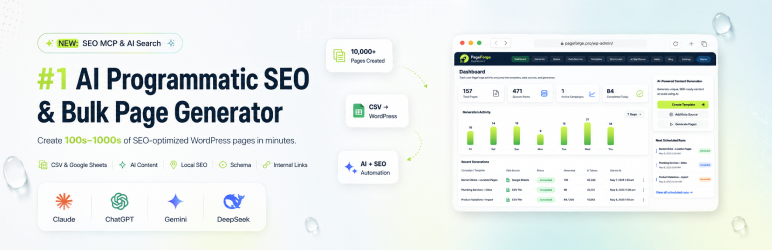
???? Turn one WordPress template into hundreds of targeted SEO pages — without building every page by hand.
PageForge is an AI-powered programmatic SEO and bulk page generator for WordPress built for businesses, agencies, marketers, publishers, SaaS teams, ecommerce stores, directories, franchises and local service companies that want to target more searches without multiplying the workload.
Connect structured CSV data to one reusable WordPress template, add dynamic variables such as {City}, {Service}, {Product}, {Industry}, {Price}, {Benefit} or any column you create, and PageForge turns each row into a real WordPress page, post or supported custom post type.
Each generated page can have its own title, URL, content values, SEO title, meta description, schema data and supported builder content. Your design stays consistent while the information changes for the search intent you want to target.
Build once. Personalize at scale. Optimize every page.
???? Create pages for the searches your customers already make
People rarely search using one broad keyword. They search for specific combinations:
{Service} in {City}
{Service} near {Area}
{Product} for {Industry}
{Software} for {Use Case}
{Category} in {Location}
{Solution} for {Audience}
{Product} in {City}
{Business Type} in {Location}
PageForge turns those repeatable search patterns into dedicated WordPress landing pages.
Instead of cloning one page 100 times and changing the city, service, title, URL and metadata manually, keep the changing information in your dataset and let the template control the structure.
A plumbing company can create pages for every service area. An agency can launch location campaigns for clients. A SaaS company can build industry and use-case pages. A directory can generate category and location combinations. An ecommerce store can create landing pages around products, audiences, markets or use cases.
The goal is not simply “more pages.” It is more relevant entry points into your website.
✨ Make every generated page feel like its own page
PageForge is built around dynamic data, not basic copy-and-paste duplication.
Every CSV header can become a PageForge variable.
Example CSV:
City,State,Service,Phone,Benefit,CTA
Template title:
{Service} in {City}, {State}
URL pattern:
{service}-{city}-{state}
Content:
Looking for {Service} in {City}? Get {Benefit}. {CTA}
SEO title:
{Service} in {City}, {State} | {Business}
The next CSV row receives different values again.
Use variables across supported:
Page titles
URL slugs
Headings
Body content
Excerpts
SEO titles
Meta descriptions
Schema fields
Gutenberg content
Elementor layouts
Divi layouts
Supported WordPress templates
Add the fields that make your pages useful: location details, service benefits, pricing, phone numbers, addresses, audiences, proof points, offers, features, opening hours and calls to action.
Supported generated content can also resolve:
[pageforge var="City"]
Compatible legacy [pf ...] variable forms remain supported where applicable.
⚡ From spreadsheet to WordPress in one repeatable workflow
1. Add your data
Upload a CSV containing the values that change from page to page.
2. Build one strong template
Use the WordPress layout you already want visitors to see. Add PageForge variables wherever information should change.
3. Preview
Review titles, slugs, content values, metadata, schema and supported builder output before scaling.
4. Generate
Each CSV row becomes a real WordPress content item using your chosen structure.
5. Scale
Add more data, improve the template, run another batch, or move to PageForge Pro when you need larger automation, scheduling, Google Sheets and advanced workflows.
Generated pages stay inside WordPress, so you can review, edit, redesign or update them later.
???? More than a bulk page creator
PageForge brings the surrounding programmatic SEO workflow together.
Bulk generation
Generate up to 100 pages per run in PageForge Free
Run additional controlled batches
Create Pages, Posts and PageForge content
Use reusable templates
Choose Publish, Private, Draft or Pending Review
Skip duplicate slugs automatically
Check every run first: a preflight shows what will be created, updated or skipped, and blocks titles or URLs that would keep a literal {Placeholder}
Update pages PageForge already generated when your CSV or template changes, while pages edited by hand stay protected
Vary wording with spintax such as {Fast|Quick|Reliable}, and each page keeps its wording on every re-run
Generate in small batches with live progress, automatic retry and resume, so slow hosting does not lose rows
Use CSV files with multi-line cells, quoted delimiters and repeated headers
Dynamic SEO
Dynamic page titles
Dynamic URLs
Dynamic SEO titles
Dynamic meta descriptions
Canonical metadata
Open Graph metadata
X/Twitter metadata
Robots metadata
Schema markup
Internal discovery hubs
WordPress compatibility
Gutenberg / Block Editor
Elementor
Divi
Avada
Reusable blocks
WordPress page templates
WooCommerce workflows
Advanced Custom Fields workflows
Standard WordPress themes
SEO integrations
Yoast SEO
Rank Math
SEOPress
All in One SEO
PageForge native SEO output
PageForge 1.2.4 supports current All in One SEO workflows for titles, descriptions, keyphrases, canonicals, social metadata and robots settings alongside the other supported SEO integrations.
???? Built for local SEO — and much more
Local SEO is a natural fit because location searches follow repeatable patterns.
A company offering five services across twenty cities can create structured service-and-location campaigns without manually rebuilding every landing page.
Examples:
Emergency Plumbing in Austin
Drain Cleaning in Dallas
Roofing Company in Miami
Dental Implants in Chicago
Property Management in Melbourne
Web Design in Singapore
The same system can power:
City and suburb pages
Service-area pages
Franchise locations
Multi-location business pages
Product + location pages
Directory listings
Real estate area pages
Ecommerce category pages
Ecommerce use-case pages
SaaS industry pages
SaaS audience pages
Integration pages
Comparison pages
Alternative pages
Affiliate landing pages
Long-tail keyword pages
Lead-generation pages
Events, courses, venues and destinations
Topic clusters
If a useful page type follows a repeatable structure and the data changes meaningfully, PageForge can help turn it into a scalable WordPress campaign.
???? SEO metadata that changes with every page
A page targeting a different city, service, product or audience should not use the same search snippet.
PageForge lets supported SEO metadata use the same variables as the page.
For example:
{Service} in {City} | {Business}
can become a unique SEO title for every row.
A meta-description pattern can pull in {Service}, {City}, {Benefit}, {Price}, {CTA} or other campaign fields.
This keeps the visible page, URL and search metadata aligned around the same intent.
PageForge works with supported Yoast SEO, Rank Math, SEOPress, All in One SEO and native PageForge metadata. Schema can also be configured as part of the generated-page workflow.
???? Turn large page sets into discoverable page networks
PageForge includes a native Sitemap block and [pageforge_sitemap] shortcode for surfacing generated pages inside your website.
This gives visitors and search crawlers a clearer path through larger PageForge campaigns.
???? Use AI when it adds value
The core CSV + template workflow works without an AI provider.
When you want AI assistance, connect your own supported API key.
Supported providers include:
OpenAI
Anthropic / Claude
Google Gemini
DeepSeek
Use AI tools for:
Site planning
Page-pattern ideas
Keyword directions
SEO title ideas
Meta-description ideas
Supporting blog content
Campaign expansion
PageForge Free keeps bulk generation template-driven. PageForge Pro can add deeper AI workflows including AI content for individual generated pages, dynamic AI metadata and bulk AI metadata optimisation.
That gives you structured-data control when you want precision and AI assistance when you want additional variation.
???? Connect PageForge with ChatGPT, Claude and MCP-compatible tools
** Watch it Live: **
PageForge includes Model Context Protocol (MCP) connectivity for compatible AI clients.
PageForge Free includes MCP Lite, focused on reading, analysing, validating, previewing and dry-run workflows.
Depending on the available data and connection permissions, compatible clients can inspect supported information such as:
Site status
Templates
Generated pages
Dynamic variables
Builder compatibility
Generation previews
Campaign validation
SEO information
PageForge diagnostics
Free MCP does not expose live-write tools.
PageForge supports OAuth-based connection workflows intended for compatible ChatGPT and Claude environments.
Personal Access Tokens are also available for compatible clients such as VS Code, Cursor, Claude Code, Roo Code, Codex, GitHub Copilot and other MCP-compatible tools.
For a business owner or marketer, the benefit is straightforward: PageForge can make your programmatic SEO setup easier for supported AI tools to inspect and understand while keeping the workflow controlled.
???? Keep the WordPress design you already use
You do not need another hosted website builder.
Start from a WordPress layout you already like and turn it into a reusable PageForge template.
Use supported Gutenberg, Elementor, Divi, Avada, reusable blocks, WordPress templates and standard content workflows.
Your template controls the presentation. Your data controls the variation. PageForge connects the two.
That means agencies can reuse proven structures, local businesses can expand service-area coverage, SaaS teams can create industry pages, ecommerce stores can build targeted landing-page families and directories can generate structured listing pages.
???? Start free. Scale when the campaign works.
PageForge Free gives you the core workflow:
CSV data sources
Reusable templates
Up to 100 pages per run
Additional controlled batches
Dynamic variables, with no limit on CSV columns
Spintax variations
Updates to previously generated pages
Preflight checks with live progress
Supported page builders
Dynamic SEO metadata
Schema
Sitemap and discovery tools
Optional AI tools
MCP Lite
PageForge Pro is designed for larger campaigns and deeper automation, with workflows that can include:
Unlimited generation
Google Sheets sync
Queue processing
Scheduled generation
Scheduled publishing
Drip publishing
AI content for individual pages
Dynamic AI metadata
Bulk AI metadata optimisation
Larger AI workflows
Reporting
Multi-site and agency-scale campaigns
Advanced licensed MCP operations
Start with the structure. Prove the page pattern. Then scale.
???? One template. Your data. More search opportunities.
PageForge is for WordPress teams that have outgrown one-page-at-a-time SEO production.
Instead of duplicating a page, changing the title, replacing the city, updating the URL, rewriting metadata and repeating the process again, turn the repeatable work into one system.
Your template controls the experience. Your data controls what changes. PageForge connects them.
Create local SEO pages, service pages, product landing pages, directory pages, industry pages, comparison pages and long-tail campaigns while keeping the workflow inside WordPress.
Stop building the same page again and again. Build the system once — then scale it.
The third-party AI/MCP client you connect may separately process information returned by PageForge according to that client’s own terms and privacy policy.
Privacy
PageForge does not send data to PageForge or Codefreex servers during normal Free CSV generation.
External requests are only made to services or clients you explicitly configure and use.
If you configure an AI provider, relevant prompts and context may be sent to that provider.
If you configure Pexels, search terms may be sent to Pexels.
If you configure Google Analytics, event information may be sent to your GA4 property.
If you enable and authorize MCP, PageForge can return permitted WordPress/PageForge information to the MCP client you explicitly connect.
MCP is disabled by default.
PageForge Free MCP does not register live-write tools.
License
PageForge is licensed under the GPLv2 or later.
This program is free software; you can redistribute it and/or modify it under the terms of the GNU General Public License as published by the Free Software Foundation.
How do I remove /pageforge/ from newly generated Page URLs?
Edit the template and set Target Post Type to Page, or choose Use global default and set Settings > Default Post Type to Page. Native Pages appear under Pages > All Pages and use WordPress Page permalinks. Existing template-specific choices override the global default; changing a default does not convert existing content.
What does Generated CPT Slug Base change?
This existing setting changes the nonempty prefix for PageForge custom content, for example /pageforge/the-magnolias/ to /locations/the-magnolias/. It does not select the output post type or provide a root-level custom post type. Save the setting to refresh rewrite rules. Native Pages use WordPress Page permalinks independently of this setting. Changing an established base affects published links; arrange redirects from old URLs separately. PageForge does not create redirects automatically.
Can Free generate child Pages under a parent?
Yes. Set the template target to Page and select one existing Parent Page, or None for a root Page. For example, a maths-tuition-gurgaon parent and dlf-phase-iv child use /maths-tuition-gurgaon/dlf-phase-iv/ with pretty permalinks enabled. Base Layout to Clone only supplies layout/content; it is separate from Parent Page. Invalid or inaccessible parents stop generation. Existing Pages are not moved automatically.
Can a different parent be selected for every CSV row?
Automatic Parent ID or Parent Path column mapping requires licensed PageForge Premium (Starter or higher). Free includes one static parent per template. Google Sheets remains available on Premium Professional and Enterprise. All referenced parents must exist before the run; forward references and automatic tree creation are not supported.
What is PageForge?
PageForge is a WordPress programmatic SEO and bulk page generator.
It combines structured CSV data with reusable WordPress templates to create real WordPress pages, posts, or custom post types with dynamic content, URLs, metadata, schema, and supported builder layouts.
What is programmatic SEO?
Programmatic SEO is a structured approach to creating search-focused pages at scale from repeatable templates and data.
Examples include:
Service-and-city pages
Product-and-location pages
Directory listings
Comparison pages
Industry-specific landing pages
Audience-specific pages
How many pages can PageForge Free generate?
PageForge Free processes up to 100 pages in one generation run.
You can run additional controlled batches when you need to create more pages.
Can PageForge update pages it already generated?
Yes. Choose Update it from the CSV and current template under When a page already exists. PageForge only updates pages that the same template generated. Status, URL, parent page, author and featured image stay as they are.
If someone edited a generated page after PageForge wrote it, that page is skipped and listed in the preflight. You can choose to overwrite edited pages as well.
Does PageForge support spintax?
Yes. Write alternatives in braces separated by a pipe, for example {Fast|Quick|Reliable}. Groups can be nested. Each page picks one option and keeps it whenever you re-run or update the page, as long as the template text is unchanged. Spintax is not applied inside scripts, styles or block settings.
Does PageForge Free limit the number of CSV tokens?
No fixed token list is required.
Any CSV column can become a PageForge token.
How do dynamic tokens work?
If your CSV contains:
City,Service,Phone
you can use:
{City}

{Service}

{Phone}
inside supported PageForge template fields.
Each generated page receives values from the corresponding CSV row.
Can I use PageForge variables as shortcodes?
Supported PageForge-generated content can also resolve PageForge variable shortcodes such as:
[pageforge var="City"]
Legacy PageForge content using compatible [pf ...] variable forms remains supported where applicable.
Are token names case-sensitive?
Use token names that match your CSV headers and the format shown inside PageForge.
Avoid unnecessary spaces and duplicate CSV headers.
Can I use PageForge for local SEO?
Yes.
Local SEO and service-area pages are core PageForge use cases.
Examples include:
{Service} in {City}

{Service} in {Area}

{Product} in {Location}
Can PageForge create product, directory, affiliate, or SaaS pages?
Yes.
PageForge is data-driven.
Any repeatable page type that can be represented by structured data and a reusable template can be considered for a PageForge campaign.
Does PageForge create real WordPress content?
Yes.
Generated items are stored as normal WordPress content entries and can be reviewed and edited through WordPress.
Which post statuses are supported?
PageForge supports:
Publish
Private
Draft
Pending Review
Final availability depends on the permissions of the WordPress user performing the operation.
Does PageForge work with Gutenberg?
Yes.
PageForge supports standard Gutenberg content and includes a native PageForge Sitemap block.
Does PageForge work with Elementor?
Yes.
PageForge can use supported Elementor layouts as the base for generated pages and replace PageForge tokens in supported Elementor content and metadata.
Does PageForge work with Divi?
Yes.
PageForge supports compatible Divi layout-cloning workflows where required builder data is available.
Does PageForge work with Yoast SEO?
Yes.
PageForge can sync generated SEO titles and meta descriptions with supported Yoast SEO fields.
Does PageForge work with Rank Math?
Yes.
PageForge can sync generated SEO titles and meta descriptions with supported Rank Math fields.
Does PageForge add schema markup?
Yes.
PageForge can output schema based on the configured template and schema settings.
Always validate final structured data and ensure it accurately represents visible page content.
How does duplicate protection work?
PageForge checks the intended page slug before creation.
If a matching slug already exists, PageForge can skip that item to reduce accidental duplicate URLs.
Can PageForge build internal links between generated pages?
PageForge includes a Sitemap block and [pageforge_sitemap] shortcode for displaying structured collections of generated content.
These can be used on hub pages to improve navigation and discovery.
What is PageForge MCP?
PageForge MCP allows compatible AI clients to securely interact with controlled PageForge capabilities through Model Context Protocol.
PageForge Free includes MCP Lite for read, analysis, validation, preview, and dry-run workflows.
PageForge Pro can provide additional licensed operations.
Can I connect ChatGPT to PageForge?
PageForge includes OAuth-based MCP connection support intended for compatible ChatGPT MCP/App connector environments.
Actual connector availability depends on the current ChatGPT product, plan, and MCP capabilities.
Can I connect Claude to PageForge?
PageForge includes OAuth-based MCP support for compatible Claude remote connector environments.
This is separate from the Anthropic API key used by PageForge’s AI content tools.
Can I connect Cursor, VS Code, Claude Code, Roo Code, Codex, or GitHub Copilot?
PageForge provides Personal Access Token support for compatible MCP clients that allow you to configure an Authorization header.
Exact setup depends on the MCP support and configuration format of the client you use.
Does MCP give an AI full administrator access to WordPress?
No.
PageForge MCP uses scopes and the permissions of the WordPress user associated with the connection.
Free MCP does not expose live write tools.
Is MCP enabled automatically?
No.
PageForge MCP is disabled by default and must be explicitly enabled by an authorised WordPress user.
Does PageForge guarantee rankings?
No plugin can guarantee a search ranking.
PageForge helps you produce technically structured page systems more efficiently, but results depend on:
Search intent
Competition
Content quality
Originality
Authority
Internal links
Indexing
Technical SEO
Ongoing optimisation
Can PageForge pages rank within 24 hours?
Pages can sometimes be discovered, indexed, or ranked quickly, particularly on established websites or low-competition queries, but there is no fixed ranking timeline.
PageForge reduces production time.
It does not control search-engine crawling, indexing, or ranking decisions.
Does PageForge use AI automatically?
No.
The core CSV workflow works without AI.
AI requests are made only when an authorised user configures a supported provider and uses an AI-powered feature.
Which AI providers are supported in PageForge Free?
PageForge Free supports:
OpenAI
Anthropic / Claude
Google Gemini
DeepSeek
using your own API key.
Are AI API credits included?
No.
API usage is billed and limited according to your account with the selected provider.
What AI blog lengths are available in Free?
The Free AI Blog Generator includes:
Short
Medium
Long
The Long preset supports drafts up to 1000 words.
Does PageForge Free generate a unique AI article for every bulk-generated page?
No.
Free bulk-generated pages remain template-driven.
AI article-per-page automation is a Pro workflow.
Is Google Sheets supported?
Live Google Sheets integration is available in PageForge Pro.
PageForge Free uses CSV data sources uploaded to WordPress.
What does PageForge Pro add?
PageForge Pro is designed for larger operations and can include:
Unlimited generation
Google Sheets sync
Queue processing
Scheduling
Drip publishing
AI content per page
Bulk AI metadata
Reports
Deeper campaign automation
Licensed MCP operations
Can I edit generated pages later?
Yes.
Generated pages are real WordPress content and can be edited later.
Why are tokens visible on my published page?
Common causes include:
Token does not match the CSV header
CSV value is empty
CSV header contains unexpected spaces
CSV is malformed
Builder content stores text in an unsupported location
Run a small Draft campaign and compare template tokens with CSV headers.
Will generating many pages slow down my WordPress website?
Performance depends on:
Hosting
Database size
Theme
Plugins
Caching
Campaign size
For larger campaigns, use suitable hosting and controlled generation workflows.
PageForge Pro includes queue and scheduling functionality for larger jobs.
Can bulk-generated pages harm SEO?
Automation itself is not the problem.
Publishing large numbers of thin, inaccurate, duplicated, or unhelpful pages can perform poorly.
Use:
Accurate data
Page-specific value
Editorial review
Appropriate indexing
Useful internal links
Strong site architecture
What should I check before publishing a large campaign?
Added a generation preflight that shows how many pages will be created, updated or skipped, with the first page’s title and URL, before anything is written.
Blocked runs whose title or slug uses a placeholder that no CSV column provides, instead of publishing pages titled with literal placeholders. Content placeholders without a column now show a warning.
Added updating of previously generated pages from a changed CSV or template. Only pages generated by the same template are updated, and pages edited by hand are skipped unless you choose to overwrite them.
Added spintax with nested groups. Each page keeps the same wording on re-runs. Scripts, styles and block settings are left untouched.
Generation now runs in small batches with live progress, an automatic retry and a resume option, so a PHP timeout no longer loses the remaining rows or leaves the screen at “Starting generation”.
Rebuilt the CSV parser so quoted cells may contain line breaks, delimiters and quotes, and repeated or blank headers get unique names.
Fixed backslashes being stripped from generated content, which could corrupt escaped Gutenberg block attributes.
Made the automatic meta title and description fallbacks translatable.
Escaped CSV names and log messages on the generation screen.
1.2.6
Added explicit template inheritance of the global generation target, with the effective WordPress destination shown before generation.
Added Free static native Parent Page selection, hierarchy-aware preview/validation and duplicate detection, without moving existing content.
Clarified the existing Generated CPT Slug Base setting, rejected empty bases, and limited settings-save rewrite flushing to actual base changes.
Aligned generation permissions and final canonical metadata with native Page/Post output; kept layout cloning separate from hierarchy.
Automatic canonicals on newly generated content follow the current permalink after a CPT-base change while distinct manual overrides remain intact.
1.2.5
Fixed spacing, word order, and placeholder placement across Portuguese (pt_PT) translations.
Added Claude Fable 5.1 to the Claude model list.
Removed GPT-4.1 nano ahead of OpenAI’s October 23, 2026 shutdown; sites that selected it fall back to the default OpenAI model.
Show a clear message when Claude declines a request instead of a generic empty-response error.
1.2.4
Fixed MCP protocol fallback negotiation and OAuth callback encoding for current and legacy remote clients.
Preserved read access for OAuth grants created by early MCP Lite builds.
Kept Free MCP strictly read-and-preview only while improving authenticated JSON and credential diagnostics.
Stopped expected credential-free OAuth discovery challenges from appearing as rejected requests and cleared obsolete transport entries on upgrade.
Made AI SEO Report generation request Markdown, build its JSON download server-side, and accept legacy provider JSON responses.
Added explicit AI SEO Report browser errors for invalid responses, HTTP failures, and provider failures.
1.2.3
Added a Meta Description Pattern below each template’s Title Pattern, with CSV token replacement and an AI/generated-description fallback when left empty.
Added current All in One SEO read/write support for titles, descriptions, keyphrases, canonicals, social metadata, and robots settings through its capability-aware post SEO service.
Improved MCP connector discovery with bounded Dynamic Client Registration enabled by default, OAuth refresh-scope metadata, and CORS support for ChatGPT and Claude.
Added scoped Personal Access Token authentication through the X-PageForge-MCP-API-Key header while rejecting ambiguous dual authentication.
Kept PageForge Free MCP strictly read-and-preview only and added no-store response headers for authenticated MCP traffic.
1.2.2
Fixed DeepSeek V4 generation returning empty final content by disabling thinking mode for PageForge content requests.
Updated current OpenAI, Claude, and Gemini model choices and moved Gemini API keys from request URLs to the supported request header.
Added consistent HTTP, parse, and empty-response diagnostics across OpenAI-compatible, Claude, and Gemini requests.
Unified generated-page, AI Meta, and AI Blog metadata through the PageForge SEO adapter.
Added canonical, Open Graph, X/Twitter, and robots fields for Yoast SEO, Rank Math, SEOPress, and PageForge native output.
Made AI Blog create standard WordPress posts, sanitize generated HTML, save SEO metadata, and enforce per-status publishing capabilities.
Filtered Site Planner, SEO report, AI link context, and Meta search results through per-object access checks.
Kept bulk AI Meta optimization Pro-only while retaining single Meta optimization in Free.
1.2.1
Fixed Claude Sonnet 5 requests by omitting unsupported non-default sampling parameters.
Updated Gemini model choices to current Google model identifiers and defaulted Gemini to Gemini 3.6 Flash.
Fixed UTF-8 length fallback on hosts without mbstring.
Added Pexels attribution links in admin areas that use Pexels images.
1.2.0
Added MCP support for compatible AI clients using Model Context Protocol revision 2026-07-28.
Added PageForge Free MCP Lite with read, analyse, validate, preview, and dry-run capabilities only.
Added OAuth-based remote AI connector support for compatible ChatGPT and Claude environments.
Added OAuth Protected Resource Metadata and authorization server metadata.
Added PKCE S256 protection, resource indicators, and token revocation support.
Added WordPress-based MCP consent so connections operate as a specific WordPress user.
Added Personal Access Tokens for compatible MCP clients that provide their own Authorization header.
Added individually rotatable and revocable Personal Access Tokens stored only as secure hashes.
Added granular MCP scopes.
Added a Connections screen for ChatGPT, Claude, other MCP clients, OAuth clients, grants, Personal Access Tokens, and connection diagnostics.
Added MCP connection diagnostics for HTTPS, REST reachability, Authorization-header forwarding, OAuth metadata, and recent rejected requests.
Added OAuth Client management for connectors that require a Client ID and Client Secret.
Improved MCP connection-status reporting so a created credential is not incorrectly reported as an active client connection.
Fixed MCP transport handling for unsupported HTTP methods.
Fixed protocol-version mismatch handling.
Fixed Connections dialogs appearing automatically when the page loads.
Improved MCP Origin validation.
Added MCP authentication and expensive-request rate limiting.
Added per-object capability checks for MCP operations that access WordPress content.
Improved MCP credential storage and lookup.
Improved PageForge secret-field handling so stored provider credentials are not rendered back into the browser.
Improved external provider URL validation.
Updated bundled translation source strings and language catalogues for the 1.2.0 interface.
1.1.8
Added bundled German and French translations for PageForge admin UI, block labels, AJAX notices, and JavaScript messages.
Added bundled English (US), English (UK), and Portuguese (Portugal) translation files.
Added standard POT, PO, and MO language files.
Improved text-domain loading and localized previously hard-coded admin strings.
1.1.7
Updated WordPress.org readme and release documentation.
1.1.6
Added AI Blog to the PageForge top navigation.
Expanded OpenAI, Claude, Gemini, and DeepSeek model choices.
Added Gemini and Claude provider support to the Free AI request layer.
Expanded schema business-type choices.
Improved frontend JSON-LD output.
Improved dashboard action spacing.
1.1.5
Security and maintenance improvements.
1.1.4
Security and maintenance improvements.
1.1.3
Maintenance release.
1.1.2
Expanded WordPress.org listing with clearer Free and Pro workflows.
Expanded PageForge Pro automation and reporting positioning.
Aligned Free messaging with current plugin limits.
1.1.1
Set the Free CSV generator limit to 100 pages per run.
Updated admin and WordPress.org messaging.
1.1.0
Added Free AI provider selection.
Added Short, Medium, and Long AI Blog presets.
Improved packaging and WordPress.org release metadata.
Refreshed programmatic SEO and local SEO listing copy.
1.0.9
Added template-level generated post statuses.
Improved Elementor layout cloning.
Expanded supported base-layout choices.
1.0.8
Added the native PageForge Sitemap block.
Added [pageforge_sitemap].
Improved Elementor, Gutenberg, and Divi layout cloning.
Improved runtime token replacement.
1.0.7
Updated WordPress.org listing and keyword targeting.
1.0.6
Added tutorials and minor fixes.
1.0.5
UI improvements and bug fixes.
1.0.4
Maintenance release.
1.0.3
Removed custom script insertion functionality for WordPress.org repository compliance.
1.0.2
WordPress.org public release.
1.0.1
Initial CSV, template-token, and AI-assisted generation release.