Page Generator is the ultimate Bulk Page Generator, Mass Page Creator, and Mass Page Builder for WordPress. It empowers you to generate thousands of unique, fully-optimized WordPress Pages with just a few clicks.
Designed for advanced Local SEO and Programmatic SEO strategies, this plugin automates the creation of keyword-rich content targeting any combination of services, products, and locations.
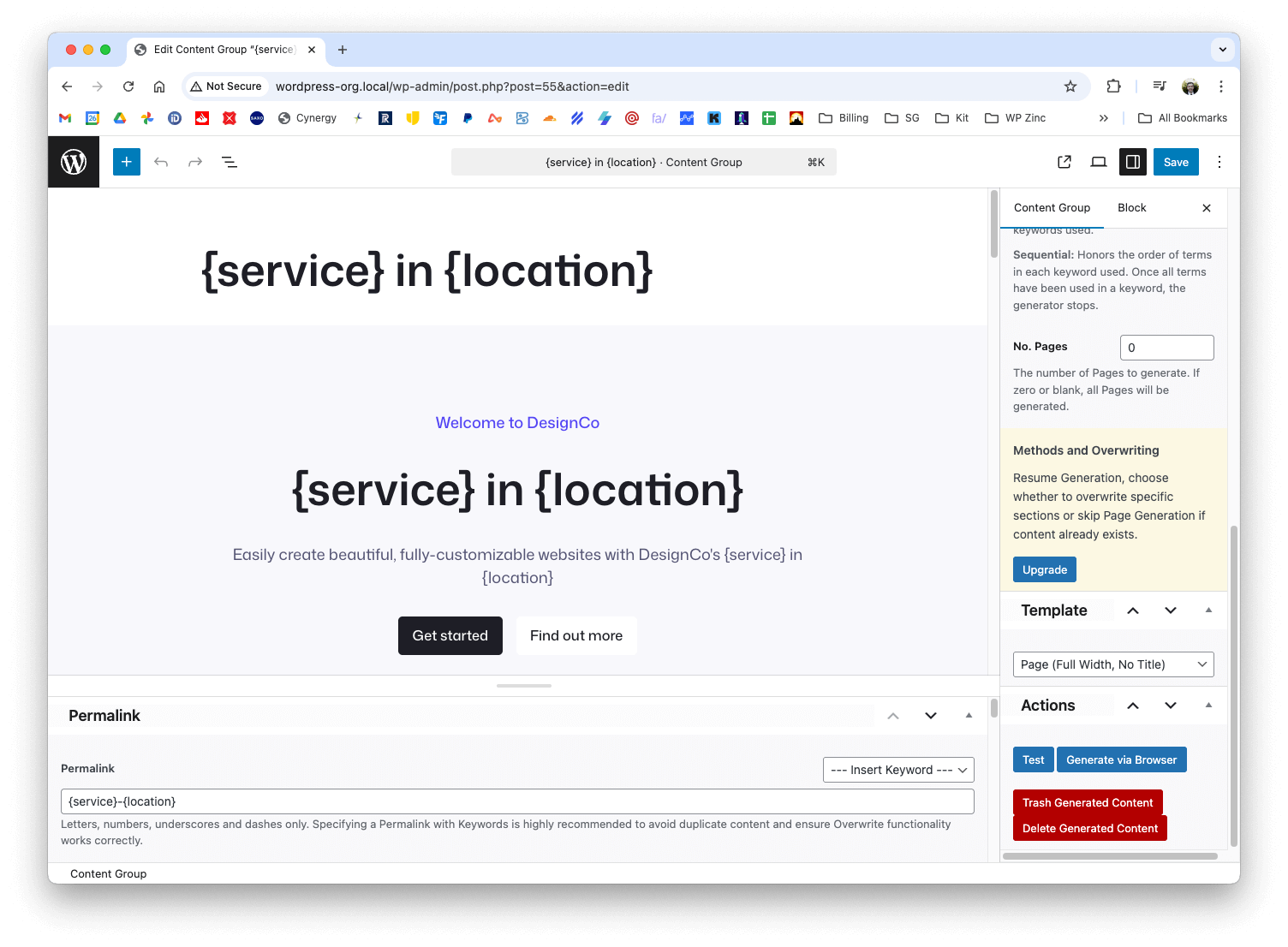
Edit Template: Create your content layout using placeholders like {service}, {location}, and more.
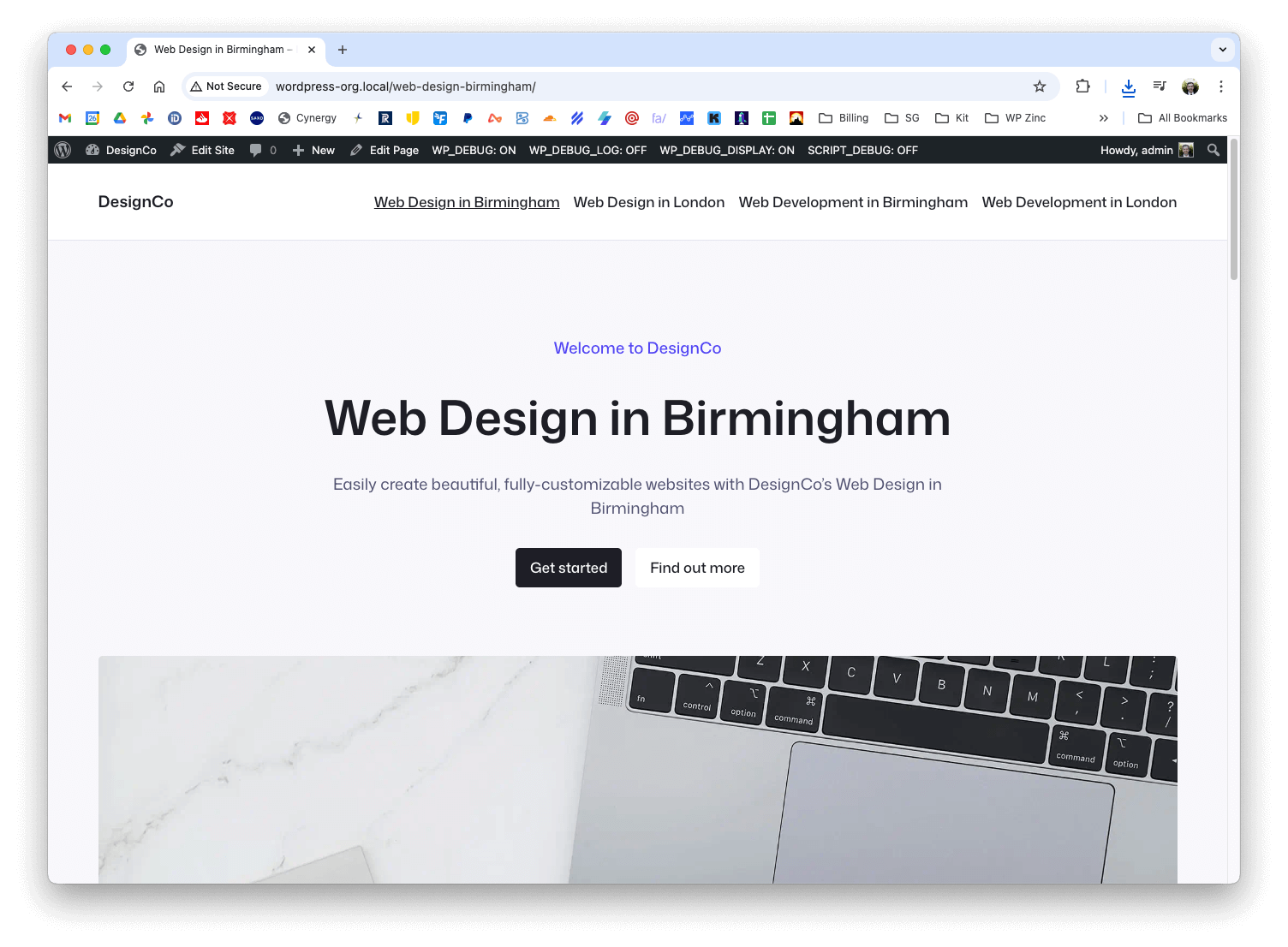
Bulk Generate Pages: Click generate and let the Bulk Page Generator handle mass content creation across your WordPress site.
Whether you’re an agency scaling content for clients, or a business owner building local landing pages, Page Generator is the smartest Mass Page Builder available for WordPress.
Perfect for:
Creating service and location-based pages for Local SEO
Automating structured, templated content for Programmatic SEO
Saving hours of manual page creation using a flexible Bulk Page Generator
Demo:
Usage
Use Page Generator as your:
Mass Page Creator for building hundreds of Local SEO location-specific pages like “Plumber in Chicago” or “Dentist in Boston”
Bulk Page Generator to automate the creation of product pages, service variations, or testimonial layouts
Mass Page Builder for targeting multiple regions or categories without writing unique content manually
Programmatic SEO engine to build templated content at scale, driven by structured keyword inputs
Testing utility for generating placeholder content across various layout combinations in WordPress
With this level of flexibility, Page Generator supports virtually every Local SEO and Programmatic SEO use case.
Methods
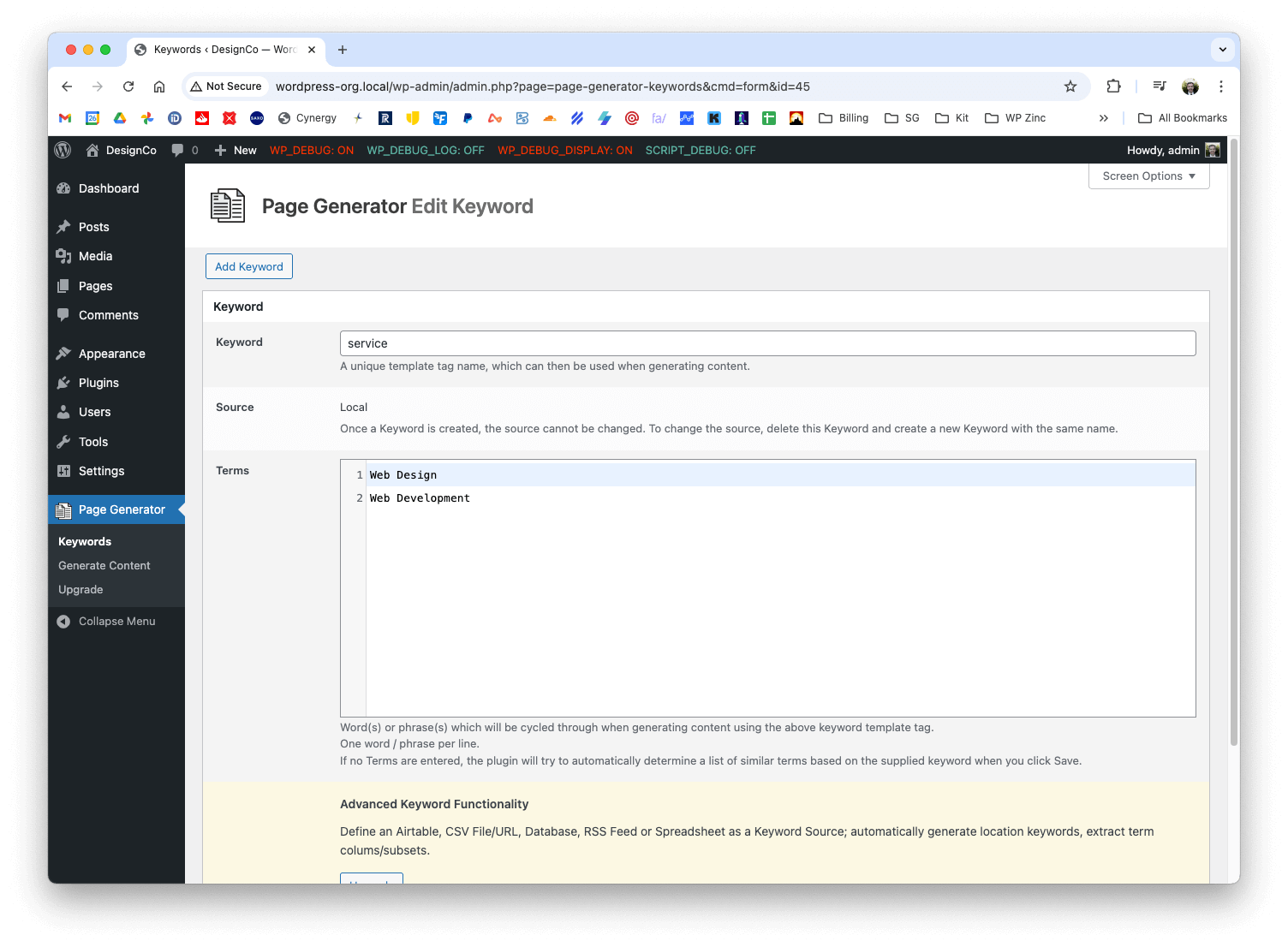
Each keyword group contains multiple values. The Bulk Page Generator combines these values according to the selected method:
All: Produces every possible combination of keyword values, ideal for large-scale Programmatic SEO deployments.
Sequential: Cycles through keyword values in order—useful when mapping 1-to-1 relationships between keywords.
These generation methods are essential for mass content strategies in both Local SEO and Programmatic SEO, and make Page Generator a powerful Mass Page Builder tool.
Need to revise your output? The Mass Page Creator gives you complete control over your content:
Instantly delete or trash previously generated content
Use Test Mode to preview a single page before executing a full run
Define limits on the number of pages generated
Build content using blocks, HTML, shortcodes, or any layout you want
From content creation to content cleanup, Page Generator is a fully-featured Mass Page Builder, ideal for any Bulk Page Generator workflow tied to Local SEO or Programmatic SEO goals.
Whether you’re building 10 or 10,000 pages, Page Generator ensures your Mass Page Creator strategy is fast, scalable, and SEO-friendly.
Generate Posts and Custom Post Types Create as many Generation Groups as you wish, each with different settings, for any Post Type.
Generate Nearby Cities, Counties, ZIP Codes and Phone Area Codes Enter a city name, country and radius to automatically build a keyword containing all nearby cities, counties, ZIP codes and/or Phone Area Codes.
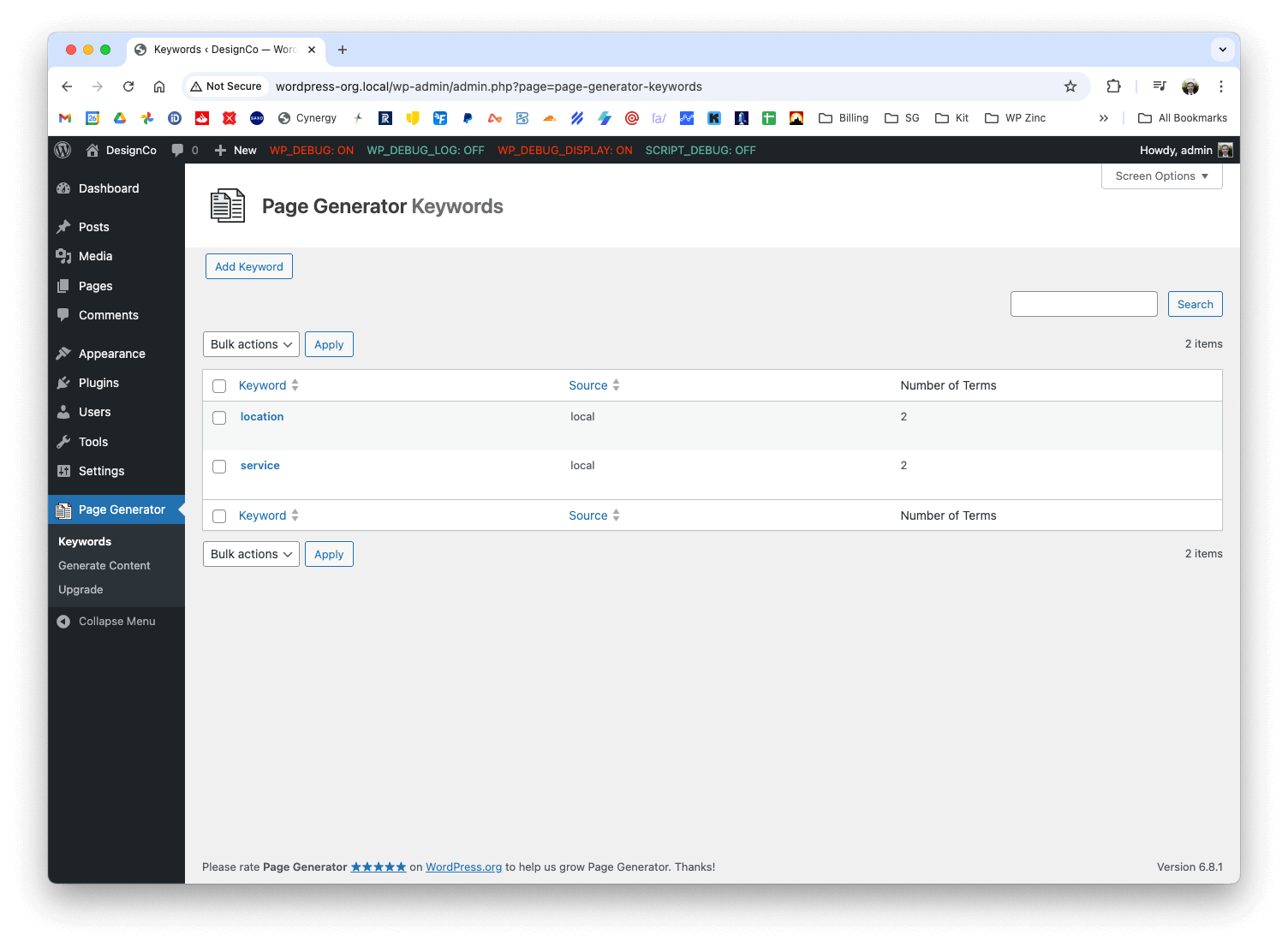
Import Keyword Lists Import your text file and CSV keyword lists, or link to remote data
Build Interlinked Directory Sites Full support for hierarchical content generation and interlinking, such as Region > County > City > ZIP Code > Service.
Full Content Control Use WordPress’ native interface to edit the Title, Permalink, Content, Excerpt, Custom Fields and more.
Page Builder Support Works with Ark, Avada, Avia, Beaver Builder, BeTheme, Bold, Divi, Elementor, Enfold, Flatsome, Fusion Builder, Fresh Builder, Live Composer, Muffin, Pro, SiteOrigin, Thrive Architect, Visual Composer and X.
Advanced Scheduling Functionality Publish content in the past, now or schedule for the future for your campaigns.
Powerful Content Generation Generate content in-browser, using WP-Cron or WP-CLI.
Overwrite or Skip Existing Generated Content Refresh existing content, correct mistakes in previously generated Pages or choose to skip already generated content to avoid duplication.
Embed Dynamic Images, Maps, Wikipedia and Yelp Content Dynamic shortcodes can be inserted into your content to output Google Maps, Media Library Images, OpenStreetMap, Pexels / Pixabay Images, Related Links, Wikipedia Content, Yelp! Business Listings and YouTube Videos.
Page and Post Attribute Support Define the Page Parent for your generated Pages.
Full Taxonomy Support Choose taxonomy terms to assign to your generated content, or have Page Generator Pro create new taxonomy terms. For more dynamic content, keyword support in taxonomies is provided.
Page Generator is a mass page generator (sometimes known as a mass page creator or bulk page generator) for your landing pages, personalised pages, individual specific pages and placeholder content testing.
Does Page Generator support Page Builders?
For best compatibility, we recommend the Pro version, which includes Page Builder support for Ark, Avada, Avia, Beaver Builder, BeTheme, Bold, Divi, Elementor, Enfold, Flatsome, Fusion Builder, Fresh Builder, Live Composer, Muffin, Pro, SiteOrigin, Thrive Architect, Visual Composer and X.
Are there any limitations on the number of Pages?
There are no limits on the number of Pages that can be generated with our mass page creator. We’d recommend checking with your web host how many pages your WordPress installation will support.
Fix: Generate: Content: Classic Editor: Autocomplete: Ensure autocomplete suggestions box height does not exceed 120px and is scrollable
Fix: Generate: Content: Strip HTML tags from Keyword Term Log Output, to avoid browser memory errors
Fix: bbPress: Settings: Forums: Forum Root: Fatal error
1.5.6
Added: Keywords: Add/Edit: Don’t wrap a single Term onto multiple lines
Fix: Keywords: Add/Edit: Validation: Improved error messages when validating field values
Fix: Keywords: Add/Edit: Use for field names for accessibility
Fix: Keywords: Edit: Form field values wouldn’t display immediately after correcting a validation error and successfully saving
Fix: Keywords: Typo on table when no Keywords exist
Added: Generate: Content: Trash and Delete Generated Content will Trash / Delete in batches to avoid timeouts
Fix: Generate: Content: Gutenberg: Don’t remove Permalink field on non-Content Group Post Types
Fix: Generate: Content: Set Author as current logged in WordPress User if none is specified
Fix: Generate: Content: Ensure Author or Random Author specified prior to Generation. See Docs: https://www.wpzinc.com/documentation/page-generator-pro/generate-content/#fields–author
1.5.5
Added: Generate: Content: Publish draft Content Group immediately before Test, Generate or Generate via Browser to ensure generation works in Gutenberg
Added: Generate: Content: Prevent Preview of Content Group. Use Test functionality to test output
Added: Keywords: Screen Options to define Keywords per Page
Fix: Keywords: Retain Search, Order and Order By parameters when using Pagination
1.5.4
Added: Generate: Content: Developer Actions. See Docs: https://www.wpzinc.com/documentation/page-generator-pro/developers/
Added: Forms: Accessibility: Replaced Titles with elements that focus the given input element on click
Added: Performance: Only load required Plugin classes depending on the request type
Fix: Generate: Don’t attempt to replace Keywords that don’t exist
Fix: CSS: Renamed option class to wpzinc-option to avoid CSS conflicts with third party Plugins
Fix: Generate: Improved Performance by ~80% when using ~10,000+ Keyword Terms and/or Keyword Transformations, Columns and nth Terms.
Fix: Activation: Prevent DB character set / collation errors on table creation by using WordPress’ native get_charset_collate()
Fix: Generate: Content: Keyword Dropdown: Ensure width does not exceed meta box
Fix: Generate: Content: Keyword Dropdown: Ensure height does not exceed 120px and is scrollable
Fix: Keywords: Could not Save Keyword when defining several columns that would exceed 200 characters in total length
1.5.3
Added: Keywords: Keyword Names can include any language
Fix: Keywords: Terms: Remove empty newlines
Fix: Keywords: Database error: Field ‘columns doesn’t have a default value
1.5.2
Added: Generate: Content: Verbose logging on Generation
Added: Generate: Content: Metaboxes are no longer filtered out or removed, ensuring better third party Theme / Plugin compatibility (e.g. SEO Plugins)
Added: Generate: Content: Autocomplete Keyword Suggestions displayed when typing in Title and Permalink fields
Fix: Generate: Content: Author field search failing
Fix: Minified all CSS and JS for performance
1.5.0
Fix: Fatal error on Plugin Activation
1.4.9
Added: Success and Error Notices can be dismissed
Fix: Generate: Honor Page Template Setting
Fix: Keywords: Ensure that Sorting Keywords in the table doesn’t re-trigger a duplicate or delete event
Fix: Activation: Don’t specify ENGINE on CREATE TABLE syntax
Fix: Multisite: Network Activation: Ensure database tables are automatically created on all existing sites
Fix: Multisite: Network Activation: Ensure database tables are automatically created on new sites created after Network Activation of Plugin
Fix: Multisite: Site Activation: Ensure database tables are created
Fix: UI Enhancements for mobile compatibility
Fix: ACF and Divi compatibility
Fix: Generate: Action Buttons CSS to ensure buttons aren’t cut off
Fix: Removed all select2 references, as select2 is no longer used
Fix: Keywords: Allow Keywords to be sorted ascending and descending when clicking Keywords column in table
1.4.8
Added: Generate Content: Test, Generate and Delete Generated Content Actions in Sidebar for Gutenberg Editor
Added: Generate Content: Gutenberg Compatibility
Added: Keywords: Use native wpdb class insert(), update() and delete() functions when creating, updating and deleting Keywords
Added: Generate: Content: Yoast SEO: Prevent Yoast SEO stripping curly braces from Canonical URL
Added: Generate: Output: Display Keywords + Term Replacements used in each Page Generation
Fix: Generate Content: Gutenberg: Save all Settings
Fix: Generate Content: Initialize array in a PHP 5+ compatible manner
Fix: Generate Content: Ignore _wp_page_template if supplied in Post Meta; this ensures the Content Group’s Page Template is always honored.
Fix: Generate Content: Improved error message in Test and Generate mode when the total number of possible keyword term combinations exceeds PHP’s floating point limit.
Fix: Generate Content: Confirmation Dialogs localized for translation
Fix: Generate Content: Correctly replace keywords when using PHP versions older than 5.5.x (please upgrade to PHP 7 – PHP 5.x is end of life January 1st 2019: http://php.net/supported-versions.php)
Fix: Generate Content: Author field now uses selectize asynchronous search for better performance on sites with a large number of WordPress Users
Fix: Exclude Content Groups from Yoast SEO Sitemaps, regardless of Yoast settings
1.4.7
Fix: Call wp_enqueue_media() on Plugin screens, because Plugins which register Meta Boxes and Yoast SEO wrongly assume that there is always a Visual Editor and Featured Image on a Post Type
1.4.6
Added: Don’t initialize plugin if the Pro version is installed; prevents 500 internal server errors when users wrongly attempt to run both Free + Pro versions at the same time
Added: show_in_rest = false for Content Groups, until we’re happy that the Gutenberg editor is stable in WordPress
Added: Generate: Output: Display Keywords + Term Replacements used in each Page and Post Generation
Fix: Generate: Use date_i18n() instead of date() to ensure that published Posts honor WordPress’ locale
Fix: Generate: Attributes: Only display Template option if the Post Type has registered templates available
Fix: Generate: Prevent Preview / View of Group on frontend, which results in errors (use ‘Test’ method instead)
Fix: Keywords: Prevent spaces in Keywords
Fix: Generate: Prevent spaces in Permalink
Fix: Code formatting
1.4.5
Fix: Generate: Fatal error when using certain Themes
1.4.4
Added: Post Type Template Support (WordPress 4.7+)
Added: Generate: Support for large keyword term combinations in All mode (e.g. 100 million+ pages). Requires PHP 5.5+
Fix: Keywords: Prevent spaces in Keywords
Fix: Generate: Prevent spaces in Permalink
Fix: Code formatting
Fix: Generate: Use date_i18n() instead of date() to ensure that published Posts honor WordPress’ locale
Fix: 404 errors on generated Pages when Page Parent was previous set and then removed
1.4.3
Added: Improved UI
Fix: Uncaught TypeError: Illegal constructor in admin-min.js for clipboard.js functionality
1.4.2
Fix: Generate: Blank screen for some users
1.4.1
Fix: Undefined variable errors
1.4.0
Fix: Only display Review Helper for Super Admin and Admin
1.3.9
Added: Review Helper to check if the user needs help
Updated: Dashboard Submodule
1.3.8
Added: Version bump to match Pro version, using same core codebase and UI for basic features. Fixes several oustanding bugs
Added: Post Type: Use variable for Post Type Name for better abstraction
Fix: Generate: Don’t attempt to test for permitted meta boxes if none exist
Fix: Generate: Check Custom Fields are set before running checks on them
Fix: Use Plugin Name variable for better abstraction
Fix: Improved Installation and Upgrade routines
1.0.6
Fix: Changed branding from WP Cube to WP Zinc
1.0.5
Fix: Display keywords in keyword table
1.0.4
Tested with WordPress 4.3
Fix: plugin_dir_path() and plugin_dir_url() used for Multisite / symlink support