

A lightweight plugin that logs visits from common AI/LLM crawler user-agents and shows a simple report in wp-admin.
| Author: | OtterFixer (profile at wordpress.org) |
| WordPress version required: | 6.0 |
| WordPress version tested: | 6.9.12 |
| Plugin version: | 1.0.5 |
| Added to WordPress repository: | 03-02-2026 |
| Last updated: | 17-02-2026 |
| Rating, %: | 0 |
| Rated by: | 0 |
| Plugin URI: | https://otterfixer.com/free-wordpress-plugins... |
| Total downloads: | 579 |
 Click to start download |
|
OtterFixer AI Bot Tracker logs front-end requests that match common AI/LLM crawler user-agents such as:
– GPTBot
– ChatGPT-User
– ClaudeBot
– PerplexityBot
– Google-Extended
It is designed to be simple and honest:
– No ads
– No bloat
– No tracking of real visitors
Important: The plugin only logs requests that match known bot user-agent patterns. If a real visitor spoofs a bot user-agent, they could be logged as well.
What is stored:
– UTC time
– Bot name
– Page path
– Anonymised IP (IPv4 last octet is zeroed, IPv6 is shortened)
– Full user-agent string
Nothing is sent anywhere. Data stays in your WordPress database.
Where to find it:
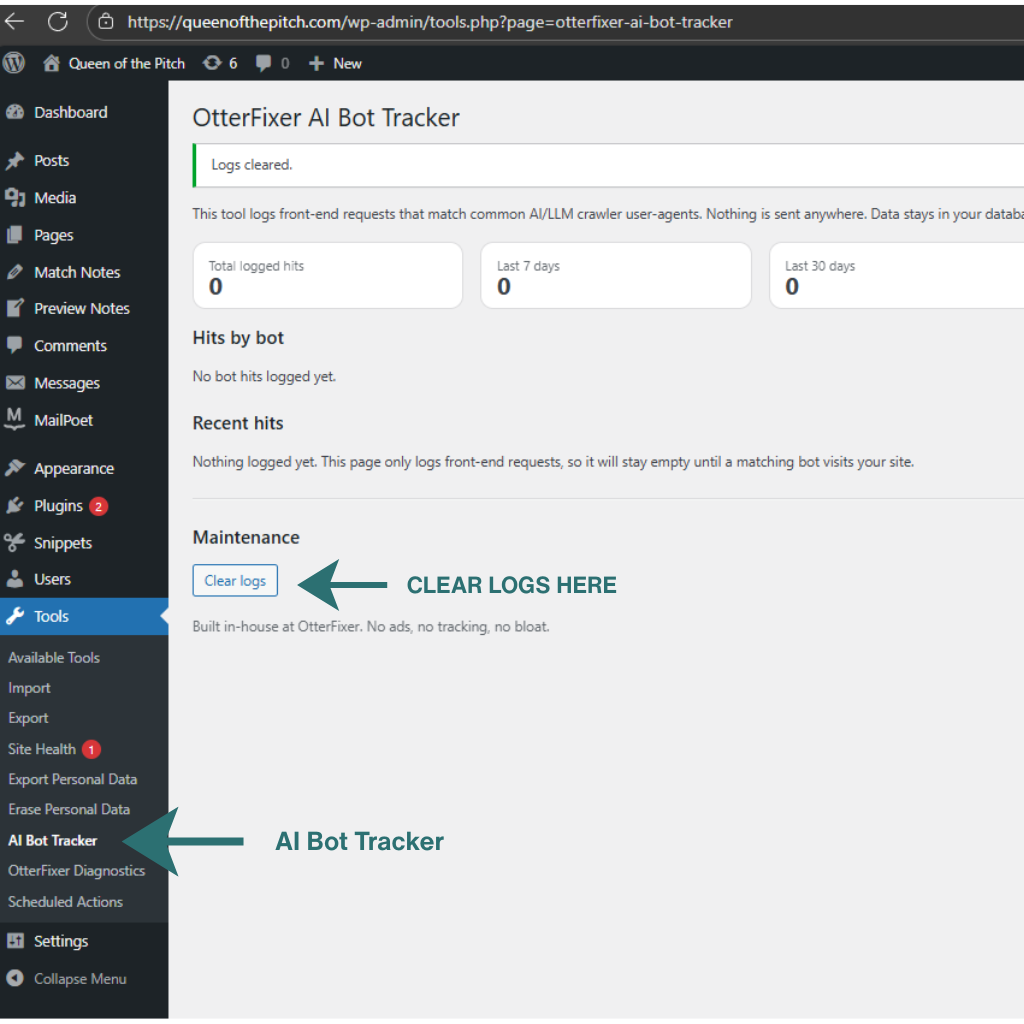
Tools OtterFixer AI Bot Tracker
Usage
- Visit Tools AI Bot Tracker.
- Leave it running and check back whenever you want.
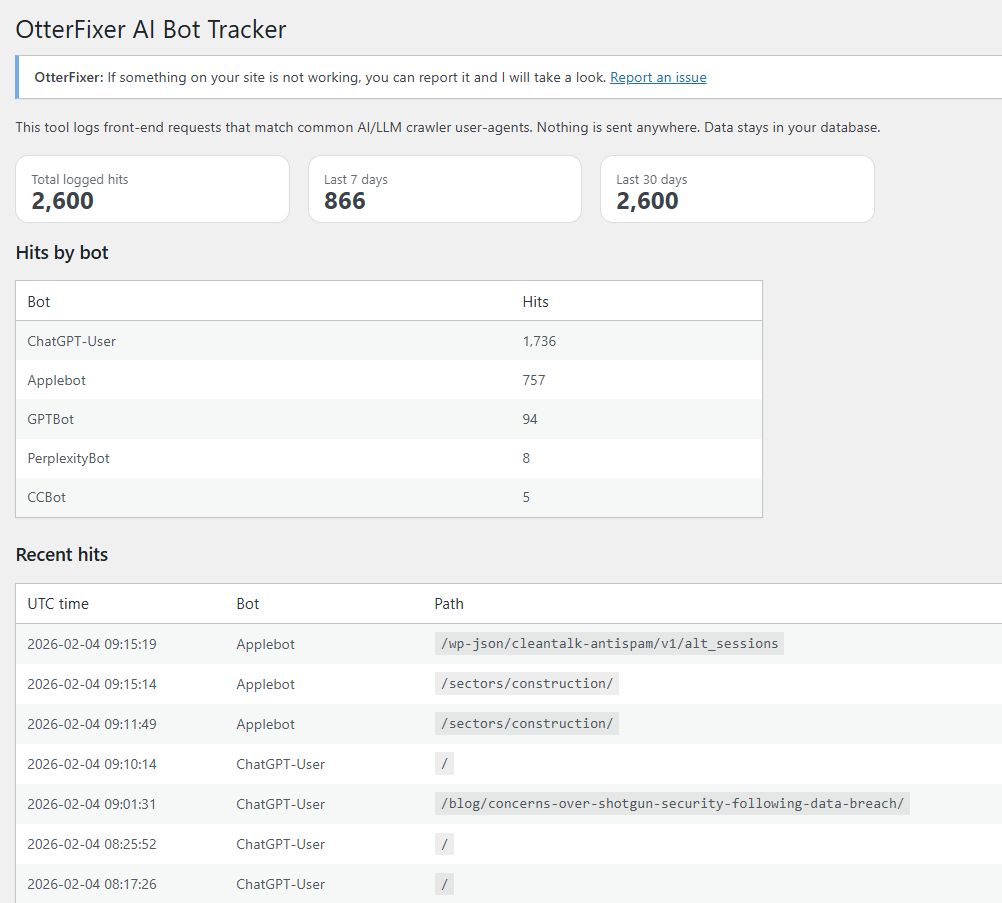
- When AI bots visit your site, you will see totals, a breakdown by bot, and the most recent hits.
Tip: If you have zero hits, it usually just means no matching crawler has visited yet.
How can I test it?
You can simulate a bot hit by loading any front-end URL with a matching user-agent.
Example (replace YOUR-SITE-URL with your home page URL):
curl -A “GPTBot” “YOUR-SITE-URL”
Screenshots
FAQ
ChangeLog