The official plugin for integrating Open Web Analytics with WordPress based web sites and applications.
| Author: | padams (profile at wordpress.org) |
| WordPress version required: | 5.2 |
| WordPress version tested: | 7.1.4 |
| Plugin version: | 2.4.1 |
| Added to WordPress repository: | 10-08-2008 |
| Last updated: | 06-12-2022
Warning! This plugin has not been updated in over 2 years. It may no longer be maintained or supported and may have compatibility issues when used with more recent versions of WordPress.
|
| Rating, %: | 0 |
| Rated by: | 0 |
| Plugin URI: | http://www.openwebanalytics.com |
| Total downloads: | 6 004 |
| Active installs: | 100+ |

Click to start download
|
Open Web Analytics is an open source alternative to commercial tools such as Google Analytics. Stay in control of the data you collect about the users of your website or app. This plugin does NOT install an instance of OWA server. It requires that you have admin access to a running instance of OWA.
FEATURES
- Integrates your OWA instance with WordPress
- Track page views, visits actions etc.
- Automatically inserts tracking code on all published web pages (posts, pages, attachments, taxonomies, archives, etc.)
- Track WordPress admin interface pages
- Track internal WordPress actions (New Post, Page Edit, Comment, etc.)
- Automatically sets page title
- Automatically sets page type
- Automatically sets user name of logged in users
Development
This plugin is actively developed on Github. Please file any bugs, feature, or support requests on Github!
Donate!
Open Web analytics is free. However, we ask that you make a donation if you require support or find this plugin useful!
Screenshots

Settings for OWA 1.x.
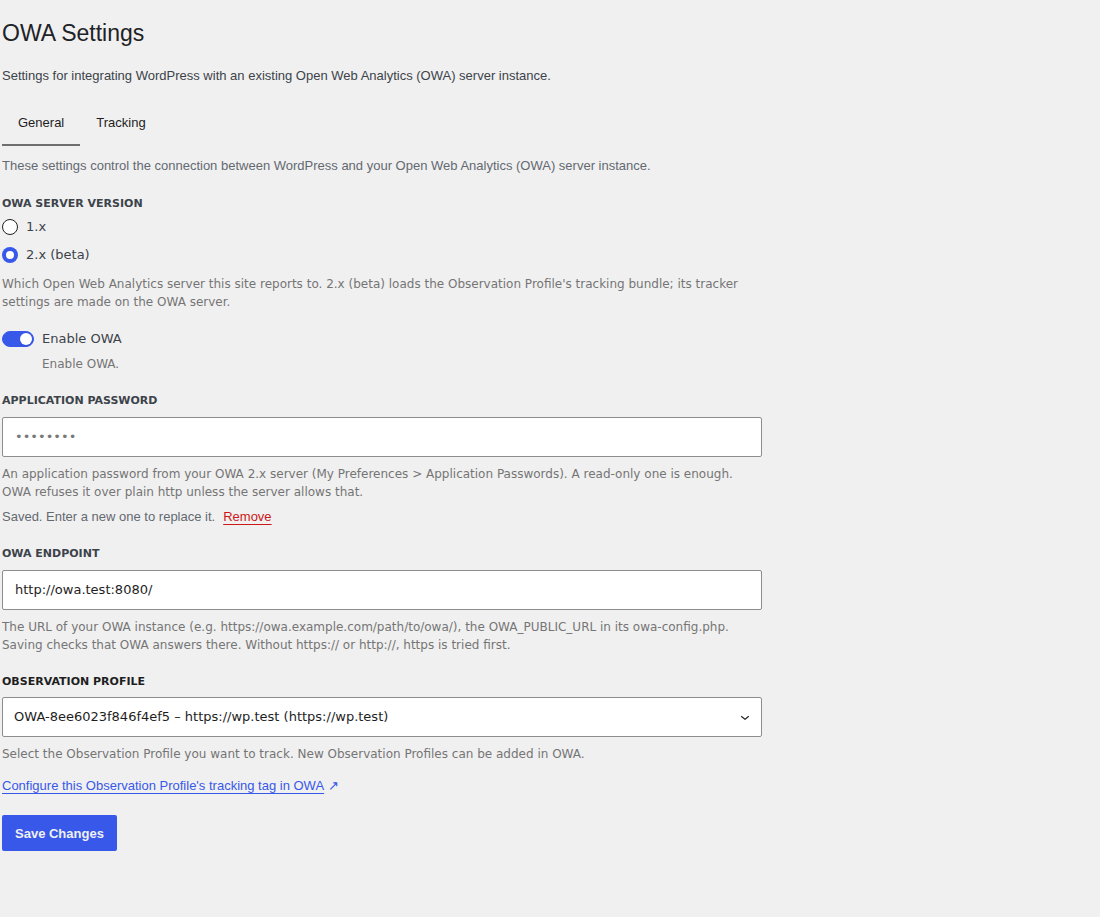
Settings for OWA 2.x.
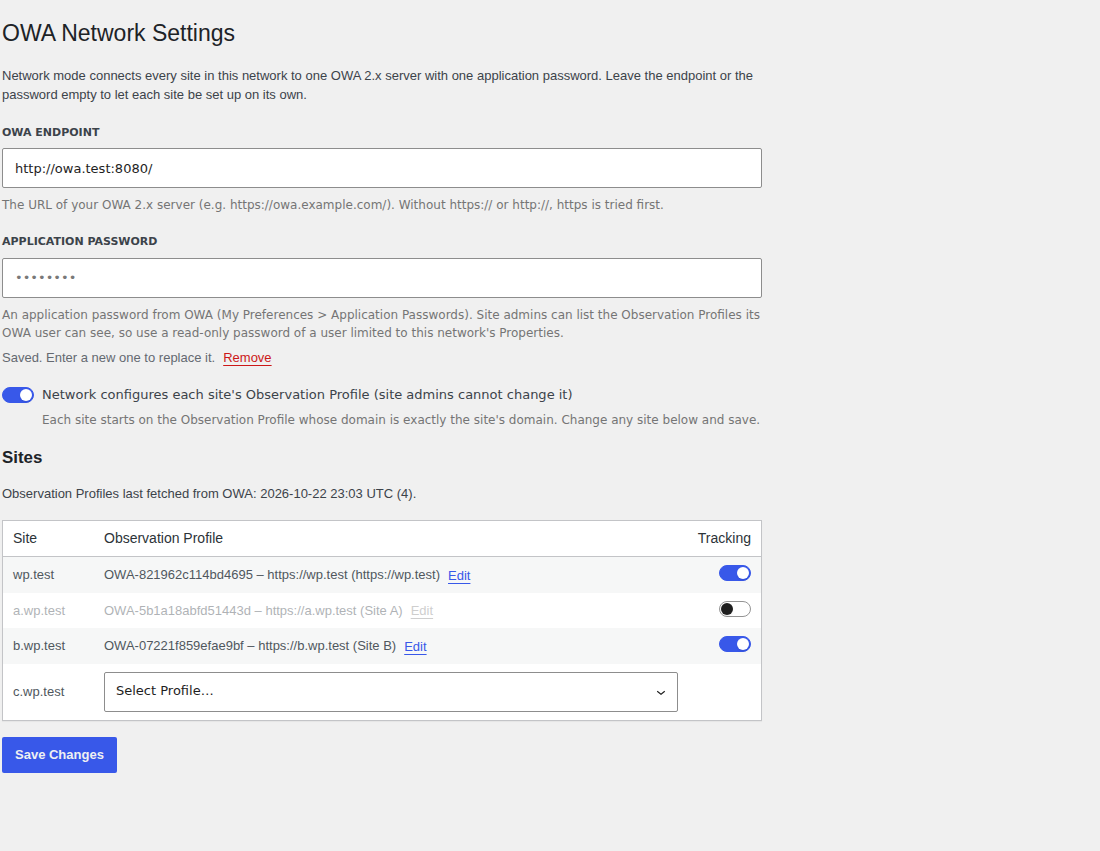
Network Admin > OWA: each site's Observation Profile and tracking switch.
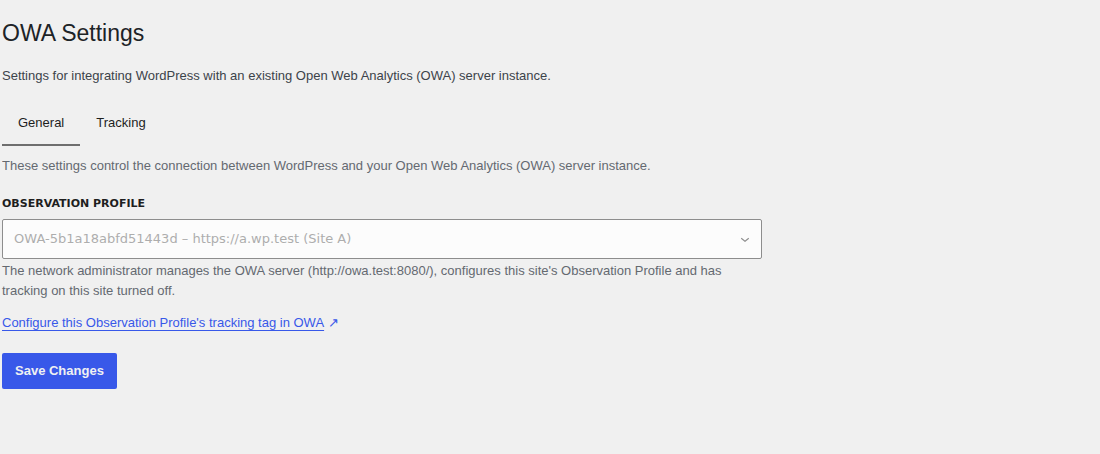
A site whose Observation Profile the network sets.
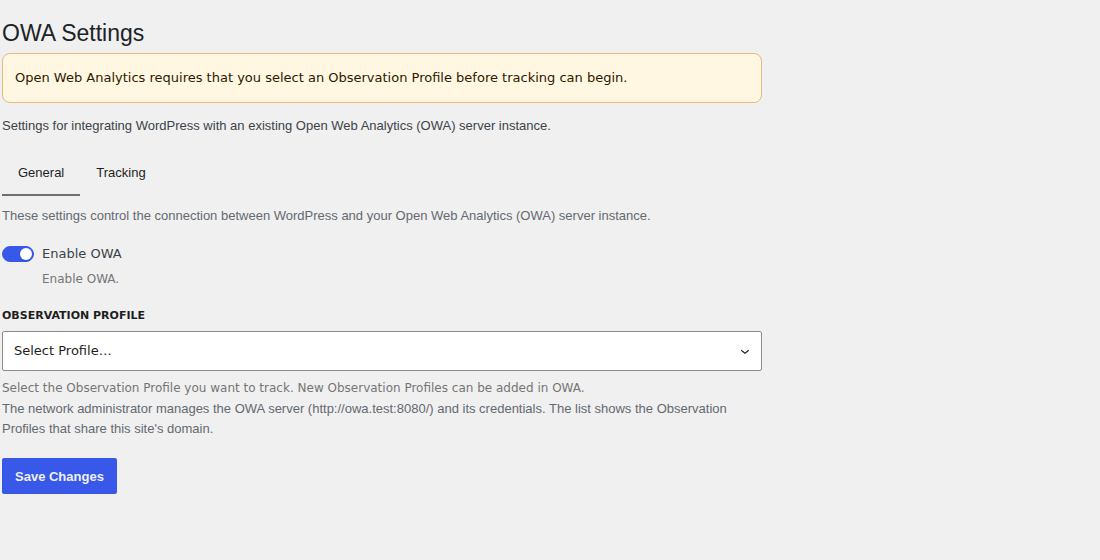
A site choosing from the Observation Profiles that share its domain.
No tracking tag appears
The tag is added once Enable OWA is on and the OWA Endpoint and Observation Profile are saved. Your theme must call wp_head().
The Observation Profiles do not load over http
Application passwords are sent only over https. To use an http OWA server, turn off Application Passwords Need HTTPS on the OWA server, and set allow_insecure_app_password through the plugin’s owa_wp_sdk_config filter:
add_filter( 'owa_wp_sdk_config', fn( $config ) => [ 'allow_insecure_app_password' => true ] + $config );
ChangeLog
2.4.1
- Don’t Track Logged-in Users: a logged-in user now gets the tracker paused instead of no tracker, so OWA’s heatmap and Domstream player open on the site. Nothing is sent to OWA for them, but their browser still loads the tracker from the OWA server. Admin pages still get no tracker.
2.4.0
- Don’t Track Logged-in Users is on by default. A site that never saved this setting (last saved before 2.3.0) stops tracking logged-in users; turn the setting off to track them again.
- The OWA Endpoint is checked with OWA when it changes: the plugin stores the URL OWA’s tracker loads from, after any redirect, with a trailing slash. Without
https:// or http://, https is tried first, then http. If OWA does not answer, nothing is saved.
- The Observation Profile list shows once OWA accepts the credentials. If OWA refuses them, the settings page shows OWA’s error instead.
- Network Admin > OWA: the Sites table shows once OWA has listed the Observation Profiles for the network’s endpoint and application password. Saving a new endpoint or password fetches them again.
2.3.1
- Settings link on the Plugins screen. When the plugin is network-activated, the Network Admin > Plugins link goes to the network settings.
- Observation Profiles are listed as “site ID – domain (name)” on the network page and in each site’s picker, with the name left off when the Profile has none.
2.3.0
- OWA 2.x support (beta), chosen with the new OWA Server Version setting. 1.x stays the default.
- Authenticates with an OWA application password.
- Loads the Observation Profile’s tracking bundle. Tracker options are set on the OWA server; the settings page links to them.
- Tags public pages only.
- Multisite network mode (2.x): one OWA server and application password for the network. Each site chooses an Observation Profile that shares its domain, or the network sets each site’s Observation Profile and tracking switch.
- Fires
owa_wp_tag_changed when a site’s tag changes. Proxy Cache Purge purges the site on it.
- New setting: Don’t Track Logged-in Users.
- Settings pages rebuilt with WordPress components. Keys and passwords are never sent back to the browser. An invalid entry is reported under its field and nothing is saved.
2.2.3
- No tracking tag until the OWA Endpoint and Website ID are both set. Before, activating the plugin added a tag with an empty endpoint to every page, so each page view also requested a tracker URL that resolved against the page itself and returned a 404.
2.2.2
- Requires OWA PHP SDK 1.1.1, which no longer installs its tests and development files.
2.2.1
- The plugin package no longer includes the OWA SDK’s development files (its tests, test fixtures and CI configuration). 2.2.0 shipped them under vendor/open-web-analytics/owa-php-sdk/, including a test server script that echoes requests back.
2.2.0
- Requires PHP 8.2 and OWA 1.14 or later.
- Updated the OWA PHP SDK to 1.1.0, which no longer bundles Guzzle. Fixes conflicts with other plugins that ship their own copy, and the fatal error when OWA cannot be reached.
- The tracking tag loads the tracker from OWA 1.14’s path (public/base/dist/owa.tracker.js) instead of relying on a redirect.
- The Website ID list reads the site list OWA has returned since 1.10.1. When the list cannot be loaded, the reason is shown under the field and the saved Website ID is kept.
- Removed tracking of WordPress admin actions (logins, posts, comments, etc.) and feed tracking (feed requests and tracking parameters on feed links), with their settings.
- Tracking commands are JSON encoded; page titles are sent as plain text, and an empty title no longer overwrites the page’s own.
- User names are sent only for logged-in users.
- Fixed the endpoint URL scheme check, a fatal error on an invalid On/Off value, and PHP 8 deprecation notices.
