Choose right WordPress plugin from thousands others in a moment
Notifier To Slack
WP Notifier To Slack is a WordPress plugin that allows users to receive instant notifications of their plugin activity, review and support requests di …
Activity Guard is a powerful all-in-one WordPress Activity Log, WooCommerce Events, and Security Plugin designed to track every activity happening on your WordPress website.
It monitors user behavior, admin changes, WooCommerce events and analytics, forum activities, and system-level changes in real time. Whenever a critical change occurs, it instantly sends notifications via the Admin Dashboard, Slack, Telegram, and Email.
This top-rated Activity Log and Security Plugin helps you track user activity in WordPress efficiently. From user login and logout, role changes, plugin activation or deactivation, to tracking and blocking suspicious IP addresses- everything can be managed easily through Activity Guard. As a result, your user log and email log always remain clean, organized, and accessible.
The plugin’s detailed logging system clearly records where the change originated from (IP or source address), who made the change (user or admin), and when it occurred. This makes it a powerful Activity Log plugin with built-in IP address tracking.
It is one of the best WordPress plugins for tracking all changes and plays a vital role in keeping your website secure. Whether you are a site owner, developer, WooCommerce store manager, or an agency, Activity Guard helps you detect threats early, monitor changes accurately, and take immediate action.
Trusted by administrators and security professionals, Activity Guard offers real-time user monitoring, a comprehensive audit log, and advanced WordPress security features. With the built-in User Session Management, you can instantly log off any suspicious user, ensuring maximum protection for your website.
???? All Features at a Glance
???? Website Security & Advanced Protection
Proactively protect your site against unauthorized access, attacks, and suspicious behavior with layered security controls.
???? Complete Activity Log System
Log every meaningful event across WordPress core, users, content, plugins, themes, and WooCommerce all in one place.
???? User Tracking & System Logs
Monitor user sessions, role changes, login history, system actions, cron jobs, and background processes.
????️ Multi-Channel Notifier System
Receive real-time alerts via Slack, Telegram, Email, and Admin Notifications for critical events and security incidents.
???? WooCommerce Monitoring & Analytics
Includes a full WooCommerce activity log, sales analytics, customer insights, and order behavior tracking.
???? Plugin Vulnerability Scanner
Detect vulnerable, outdated, abandoned, or risky plugins before they become a threat.
???? WordPress Forum Monitoring
Track forum activities, topic changes, replies, moderation actions, and user interactions.
???? Firewall with Emergency Shutdown
Instantly block malicious traffic and force-logout active sessions during emergencies.
⏱ Cron Job & Downtime Monitoring
Monitor scheduled tasks, detect failures, and get alerts when your site goes down.
????️ Perfect for
Enhancing Website Security
Instantly detect suspicious activity on WordPress, block threats, and remotely trigger emergency shutdowns.
Admin & Team Management
Learn how to monitor user activity on a WordPress site with detailed audit logs, role tracking, and accountability.
Developers & Agencies
Track plugin/theme updates, configuration changes, fatal errors, and debug logs across multiple client sites.
Real-Time Activity Logging Track who changed a WordPress page or post, including edits, deletions, status changes, and metadata updates.
WooCommerce Store Owners
Receive alerts for orders, payments, refunds, coupons, stock changes, shipping updates, and customer actions.
Custom HTTP security headers & WordPress version hiding
Core file integrity scanner
Bot detection and automatic blocking
Disable or restrict XML-RPC
File Integrity Monitoring (core, plugins, themes)
404 error tracking
Block vulnerability scanners
Block TOR network access
Admin dashboard visitor tracking
Login rate limiting (login log protection)
Suspicious HTTP request alerts
Cron job and downtime monitoring
???? Plugin Security Scanner
Automatically scan plugins, themes, and core files for known vulnerabilities
Detect outdated or insecure plugins
Flag abandoned or poorly rated plugins
Confirm compatibility with current WordPress version
Cross-check issues against multiple vulnerability databases
???? Updates and Notifier System
???? Real-time alerts for Core File Changes via Slack, Telegram, and Email
???? Plugin and theme update alerts with updater name
???? WooCommerce sales and coupon usage notifications
???? Incomplete order follow-ups to recover lost sales
✏️ Product edits, stock changes, and shipping updates
???? Billing and shipping address modifications
???? Daily review and ???? support notifications
???? Weekly plugin download summaries
???? Page, post, taxonomy updates and deletions (Helps Track who changed a page or post)
???? Track logins, registrations, user role changes (Comprehensive login log)
???? Admin settings updates and form submission alerts
???????? Admin & Developer Tools
???? Maintenance mode toggle
???? Menu and widget activity tracking
???? Plugin/theme activation and deactivation logs
???? Script modification detection
???? Log all HTTP security header changes
???? Debug logs and fatal error detection
???? Email delivery tracking through detailed email log
???? Form integration alerts (Contact Form 7, Simple Form, more)
???? Why Choose Activity Guard Over Other Activity Log Plugins?
Activity Guard is your comprehensive solution for Real-time user monitoring WP. With robust Security features, WooCommerce integrations, and Real-time alerts for critical changes, it offers unparalleled functionality compared to other plugins.
✅ Rich, intuitive Activity Log with advanced filtering
???? Visual charts and graphs for clear audit log summaries (Easily Generate activity log reports for WordPress)
⚡ Real-time Slack and email notifier alerts
???? Smart automation and developer-friendly tools
???? Military-grade security features with minimal bloat
???? Tailored support for WooCommerce events (A must-have WooCommerce activity log)
???? Built-in email log and User Tracking
???? Clean, modern interface anyone can use
Final Thoughts
Activity Guard is the Best WordPress plugin to track all changes, acting as your all-in-one activity log, notifier, user log, email log, and security plugin designed to keep your WordPress site safe, efficient, and well-monitored.
With real-time alerts, detailed logs, and robust features, you’ll never miss a thing from How to monitor user activity on a WordPress site to site vulnerabilities.
Try Activity Guard today and bring total visibility and WordPress Security to your WordPress site.
Don’t just take our word for it – try Activity Guard yourself and experience the difference!
Secure your WordPress site and stay informed with Activity Guard – your all-in-one solution for Real-time user monitoring WP and WordPress activity log plugin.
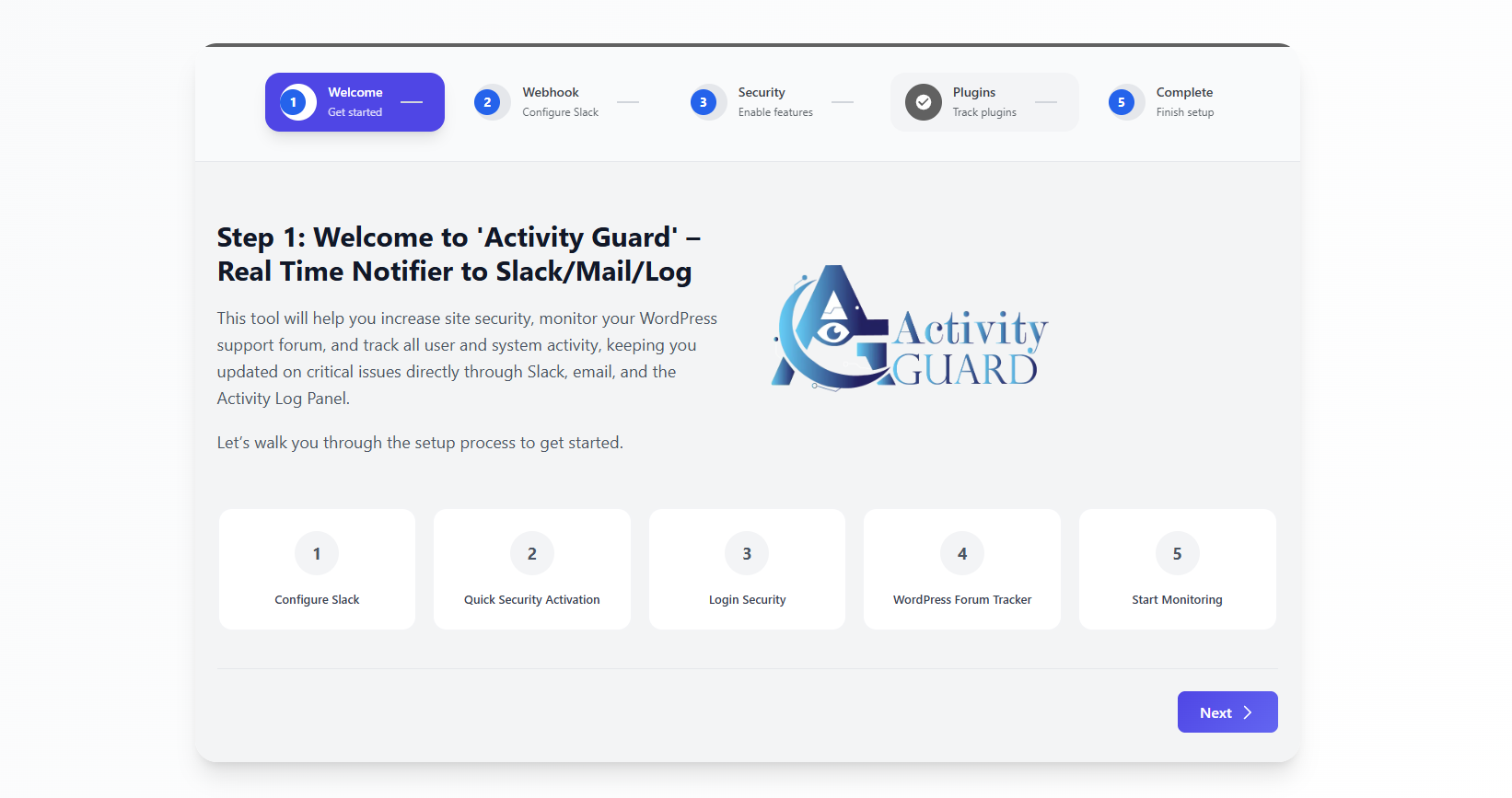
Activity Guard allows you to send notifications of all active actions directly to your Slack workspace using Slack webhooks. This feature enables real-time monitoring of plugin activities.
???? Webhook Configuration
The plugin uses the Slack incoming webhook URL you provide to send notifications to your Slack channel.
To set up an incoming webhook for your Slack workspace:
Copy the webhook URL and paste it into the plugin settings
Cloudflare Turnstile
Activity Guard also uses Cloudflare Turnstile to enhance security and prevent spam. For more details, please refer to Cloudflare’s privacy policy.
Plugin Security Scanner
This component checks for known vulnerabilities in installed WordPress plugins by analyzing various public and private data sources. It runs a series of automated security checks and provides recommendations.
Features
Detects outdated plugins
Flags abandoned plugins (not updated in over a year)
Checks WordPress version compatibility
Warns about low install counts
Analyzes plugin ratings
Checks against multiple vulnerability databases
Data Sources
WordPress.org Plugin API
Used to retrieve plugin metadata such as latest version, last updated date, rating, active installs, etc.
???? Privacy Policy
WPAzleen API (/wp-json/wpx/v1/plugin-vulnerabilities)
Custom API endpoint to fetch known vulnerabilities for specific plugins and versions.
???? No sensitive data is transmitted. Private API complies with plugin author’s data policy.Privacy Policy
WPVulnerability.net
Public API used to retrieve CVE-based vulnerability data for WordPress plugins.
???? Privacy Policy
National Vulnerability Database (NVD)
Checks against known CVEs using official NVD data.
???? Privacy Policy
Activity Guard does not collect, store, or transmit any sensitive or personal information to performed the scan. All scans and checks are performed locally using public plugin metadata and vulnerability sources.
Freemius
Activity Guard an renamed version of Notifier to Slack utilizes the Freemius SDK to collect limited telemetry data, only upon the user’s explicit confirmation. This data helps us troubleshoot issues efficiently and improve our product for a better user experience.
???? Key Points:
No Data Collected by Default
The Freemius SDK does not collect any data by default. Data collection only begins when the user consents via the admin notice displayed in the plugin interface.
User Confirmation Required
Integration of the Freemius SDK does not automatically enable data collection. Data is only gathered after users confirm their consent.
Purpose of Data Collection
The collected data is used solely to enhance the user experience, resolve issues more effectively, and improve the plugin’s functionality.
For more details about Freemius and its data practices, please visit their FAQ page.
Additionally, you can review WPAzleen’s privacy policy for further information.
Activity Guard is a free WordPress plugin that combines four tools in one: a complete activity log, an IP security firewall, a plugin vulnerability scanner, and WooCommerce analytics with abandoned cart tracking. It also sends real-time alerts to Slack, Telegram, and email. No other free plugin on WordPress.org covers all four.
How is Activity Guard different from WP Activity Log, Simple History, or Stream?
WP Activity Log, Simple History, and Stream are solid logging tools. Activity Guard adds what they don’t include for free: real-time Slack and Telegram alerts, an IP firewall with emergency session shutdown, CVE vulnerability scanning, and WooCommerce abandoned cart analytics. You get all of this without a paid upgrade.
Is Activity Guard a good free alternative to Activity Log Pro?
Yes, if you want Slack alerts without upgrading. Activity Log Pro’s free version adds useful security-adjacent extras like Login Flood Guard, but Slack and webhook routing require its Premium “Log Channels” feature. Activity Guard includes Slack, Telegram, an IP firewall, vulnerability scanning, and WooCommerce analytics all in the free version.
How does Activity Guard compare to Aryo’s Activity Log plugin?
Aryo’s Activity Log is a lightweight, beginner-friendly logger with email-only notifications and basic WooCommerce tracking. Activity Guard covers the same core logging plus real-time Slack and Telegram alerts, an IP firewall, a CVE vulnerability scanner, and WooCommerce abandoned cart analytics with recovery tracking.
Is Activity Guard similar to Logtivity?
Both send activity alerts to Slack, but Logtivity works by connecting each site to its hosted service with an API key, which suits agencies centralizing logs across many client sites. Activity Guard runs standalone with no external account required, and adds an IP firewall, vulnerability scanner, and WooCommerce analytics that Logtivity does not include.
Can I use Activity Guard alongside a malware scanner like Security by CleanTalk?
Yes. Security Plugin, Firewall & Malware Scanner (Security by CleanTalk) is a malware scanner and web application firewall, not an activity log: it does not track content edits, role changes, or WooCommerce events. It runs fine alongside Activity Guard, which handles the activity logging, Slack and Telegram alerts, and WooCommerce analytics side of things.
Does Activity Guard replace a plugin like Error Log Viewer?
Not directly. Error Log Viewer by BestWebSoft reads PHP and WordPress error logs for debugging, which is a different job from user activity tracking. Activity Guard’s Debug log and fatal error detection covers basic error visibility, but a dedicated error log viewer is still useful for deep PHP debugging.
What is the best free WordPress activity log plugin with Slack alerts?
Activity Guard is one of the few WordPress activity log plugins with native Slack and Telegram alerts built into the free version. Most alternatives, including WP Activity Log and Activity Log Pro, put Slack notifications behind a premium upgrade.
Is Activity Guard free?
Yes. The activity log, IP firewall, Slack and Telegram notifications, plugin vulnerability scanner, and WooCommerce analytics are all free. A Pro version is available at wpazleen.com for premium features and direct support.
Does Activity Guard send Slack notifications for free?
Yes. Slack webhook integration is fully included in the free version. Go to Activity Guard > Integrations, enter your Slack webhook URL, and choose which events to alert on. You can also @mention specific Slack users or groups in alert messages.
Is there a Telegram integration?
Yes. Go to Activity Guard > Integrations, enter your Telegram bot token and chat ID, and you will receive real-time alerts in your Telegram chat. Both Slack and Telegram are free with no paid tier required.
How does the plugin vulnerability scanner work?
Activity Guard scans every installed plugin and theme against three databases: the National Vulnerability Database (NVD), WPVulnerability.net, and the WPAzleen private API. It flags plugins with known CVEs, outdated versions, plugins abandoned for over a year, low install counts, and poor ratings. Scans run locally and no personal data leaves your site.
Does Activity Guard include WooCommerce abandoned cart tracking?
Yes. Activity Guard tracks incomplete WooCommerce checkouts and shows analytics including checkout drop-off rates, recovery potential, and cart recovery rate. This is included free. No other free activity log plugin on WordPress.org provides abandoned cart analytics with recovery metrics.
Can I block suspicious IP addresses?
Yes. Activity Guard includes a manual IP blocker, a CIDR range blocker, and a conditional rule-based blocker. You can block individual IPs, entire ranges, or set rules based on behavior. You can also trigger Emergency Shutdown to immediately force-logout every active session on your site.
What is Emergency Shutdown?
Emergency Shutdown is a one-click feature that force-logs out every active user session on your WordPress site at once. It is useful when you detect a breach or suspicious session activity and need to immediately cut off all access.
How do I set up Slack notifications?
Go to Activity Guard > Integrations in your dashboard, enter your Slack webhook URL, and choose which events to send. Alerts include the event type, username, IP address, and change details. You can also tag specific Slack users or groups using @mentions.
Does Activity Guard slow down my site?
No. Frontend and backend scripts load independently and are built to avoid adding overhead to page load times. The activity log data is stored in a dedicated custom database table to minimize impact on your site’s performance.
Does Activity Guard work on WordPress multisite?
Activity Guard is compatible with standard WordPress installations. For network-wide logging across multisite subsites from a single dashboard, see the documentation at wpazleen.com/docs/.
What events trigger notifications?
Alerts can be sent for core file changes, plugin and theme updates (including the username that made the change), WooCommerce orders, payments, coupon usage, incomplete order follow-ups, product edits, stock changes, login and registration events, page and post changes, form submissions, and admin settings changes. A daily digest and weekly plugin download summary are also available.
Is Activity Guard GDPR compliant?
Activity Guard does not collect personal data from visitors by default. The Freemius SDK is included for optional telemetry no data is collected unless you explicitly opt in via the admin notice. The vulnerability scanner transmits no personal data. See the External Services section for a full list of third-party connections.
What data does Activity Guard send to external servers?
The plugin connects to Cloudflare (if Turnstile is enabled), Slack (if Slack alerts are configured), Telegram (if Telegram alerts are configured), WordPress.org Plugin API for plugin metadata, WPVulnerability.net and NVD for CVE data, and the WPAzleen API for vulnerability lookups and Pro modal settings. No personal visitor data is transmitted in any of these connections. See the External Services section for full details.
Does Activity Guard work with Contact Form 7?
Yes. Activity Guard logs form submissions from Contact Form 7 and SimpleForm, and can send notifications when a form is submitted.
Where can I get support?
Free support is available at wordpress.org/support/plugin/notifier-to-slack/. Priority direct support is at wpazleen.com/support/.
Is there a Pro version?
Yes. Visit wpazleen.com/notifier-to-slack/ for information on premium features and support options.
How do I report a bug or security issue?
For general bugs, use the WordPress.org support forum at wordpress.org/support/plugin/notifier-to-slack/. For security vulnerabilities, contact the team via wpazleen.com/support/.
🐛 Fix: Plugin author Review and Unresolved Support notifications send each review/topic once instead of every interval, then notify on new replies (who replied, excerpt, link). Existing items are not re-sent after updating.
⚡ Performance: Live activity toasts poll every 60s only in visible tabs (was every 12s on every admin tab), admins only.
⚡ Performance: Cron jobs use their own schedule with a 5-minute minimum; each task keeps its own interval.
⚡ Performance: No remote requests on public page loads; security patterns and TOR list refresh from daily cron with failure caching.
⚡ Performance: Visitor and cart tracking throttled; no third-party IP lookups from the browser.
⚡ Performance: Admin screens poll less often and pause in hidden tabs; activity log and debug log responses are capped.
⚡ Performance: Database tables created once per version; new indexes; daily batched log retention instead of full truncation.
🔒 Security: Admin-only AJAX endpoints now require administrator capability.
🐛 Fix: Scheduled tasks are cleared on deactivation and uninstall.
🌟 New: 7-Day Rolling Analytics with real-time authentication monitoring, tracking Today’s Logins, Today’s Failed Attempts, Today’s Logouts, and Today’s Success Rate alongside 7-day cumulative totals and interactive area charts.
🌟 New: Transformed Login Activity Widget with instant toggle between 7-Day Trend Timeline (AreaChart) and Top Active Users (BarChart), plus deep-dive fullscreen breakdown modal.
🌟 New: Redesigned Integration Directory featuring category filter pills, modern card layout, and dedicated configuration modals for webhooks, custom channels, user mentions, and trigger subscriptions.
🌟 New: Interactive In-Plugin Documentation & FAQ Center at #/doc with 21 categorized, searchable accordions for quick troubleshooting and setup guidance.
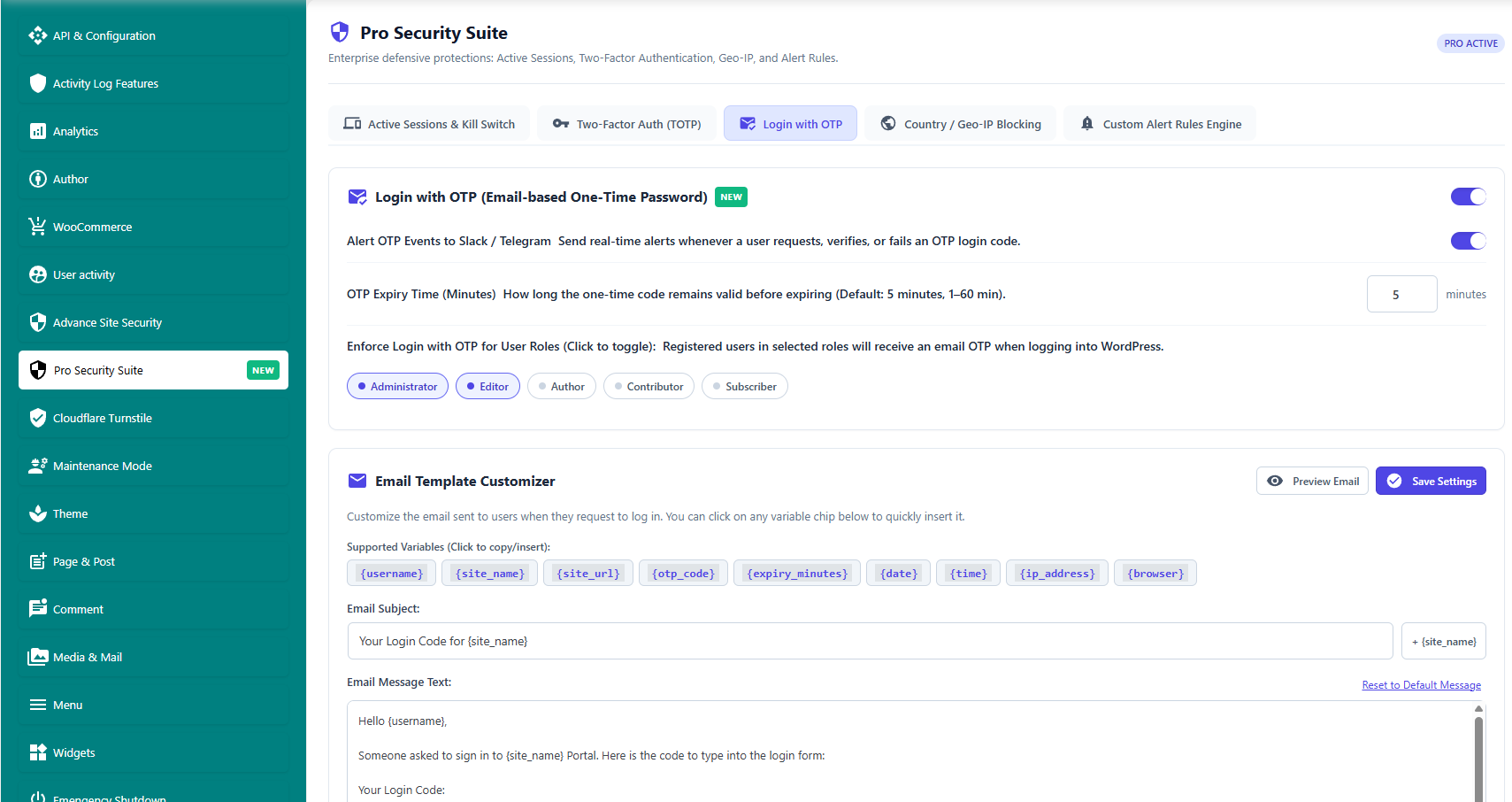
🛡️ Security Hardening: Fail-Once Login Shield that disguises password errors on the first failed login attempt with a generic message, mitigating automated credential probing and brute-force attacks.
🛡️ Security Hardening: WordPress Version & Generator Scrubber stripping WordPress version numbers from generator meta tags, HTTP response headers, script query strings (?ver=), styles, and RSS feeds.
🛡️ Security Hardening: Current Session Device Viewer enriching the Active User Session Manager with detected client device types (Desktop, Mobile, Tablet), operating system, browser engine, and remote IP addresses.
🛡️ Security Hardening (Pro): Web Application Firewall (WAF) & 6G/7G Rules protecting against SQL injection (SQLi), Cross-Site Scripting (XSS), Local File Inclusion (LFI), and malicious bot user agents at the HTTP layer.
🛡️ Security Hardening (Pro): Automated Cryptographic Salts & Secret Keys Rotator for scheduled and on-demand rotation of WordPress authentication keys in wp-config.php without site downtime.
🛡️ Security Hardening (Pro): Database Security Suite with table prefix renamer and automated scheduled database backups with retention cleanup and Slack alerts.
🧩 Integrations (Pro): Forms Sensor auditing submissions, creation, and field changes across Simple Form, Gravity Forms, WPForms, and Formidable Forms.
🧩 Integrations (Pro): Advanced Custom Fields (ACF) Sensor auditing field groups, schema changes, and custom field post meta updates in real time.
🧩 Integrations (Pro): SEO Sensor monitoring title, meta description, canonical URL, robots directives, and schema modifications in Yoast SEO and Rank Math.
🧩 Integrations (Pro): bbPress Community Forum Sensor auditing forum creation, topic publications, replies, and community role escalations.
🐛 Fix: Universal Slack Channel & User Mentions Router fixed across all 11 notification panels, ensuring custom channels and user/group @mentions (<@U...>, <!subteam^...>) are preserved without tag stripping.
🐛 Fix: Resolved 0-day rolling analytics bug by replacing 24-hour option purges with 30-day retention and partitioning daily login records by user and date.