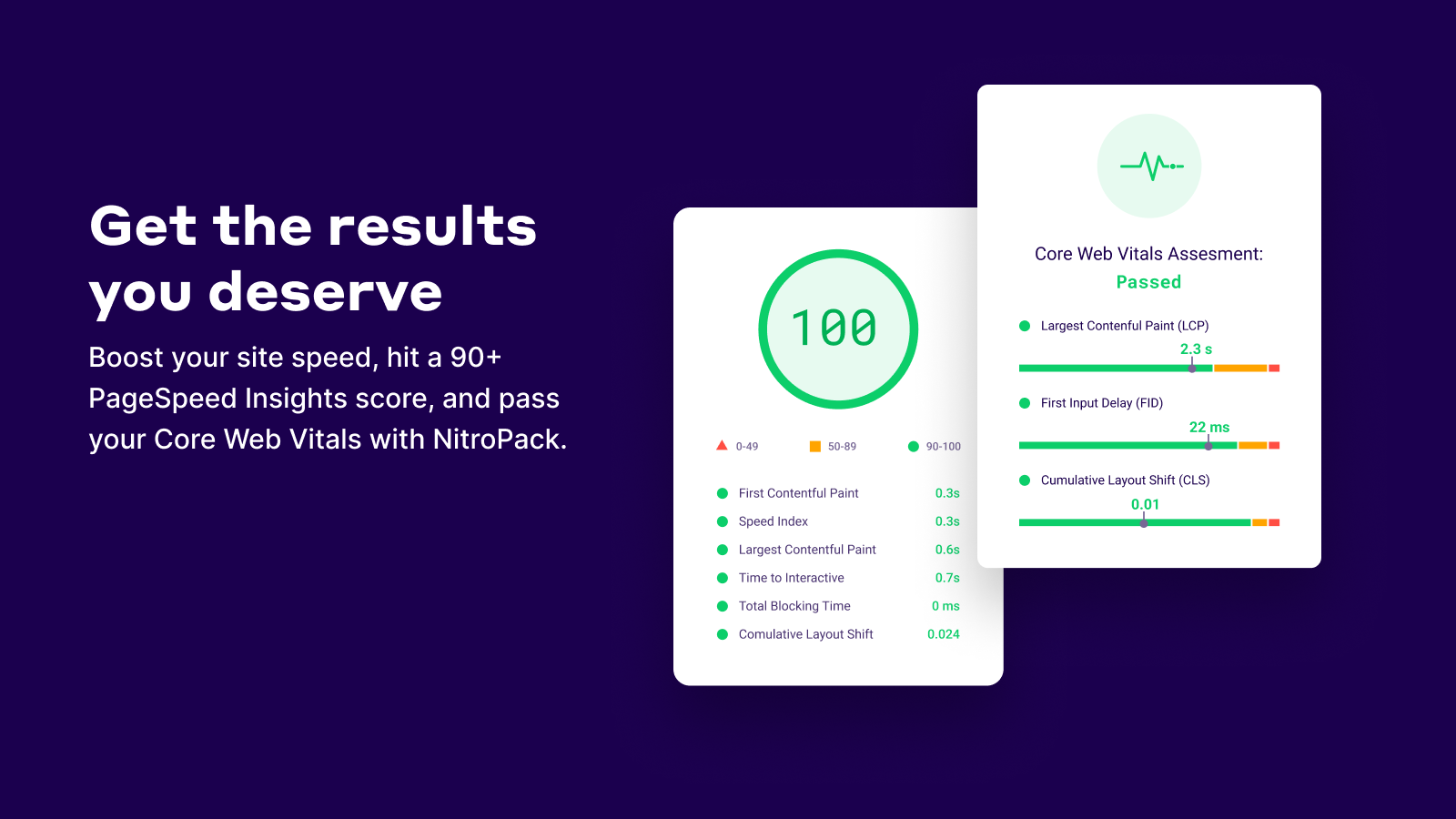
Speed up your WordPress site, achieve a 90+ Performance score on PageSpeed Insights, and pass your Core Web Vitals with NitroPack.
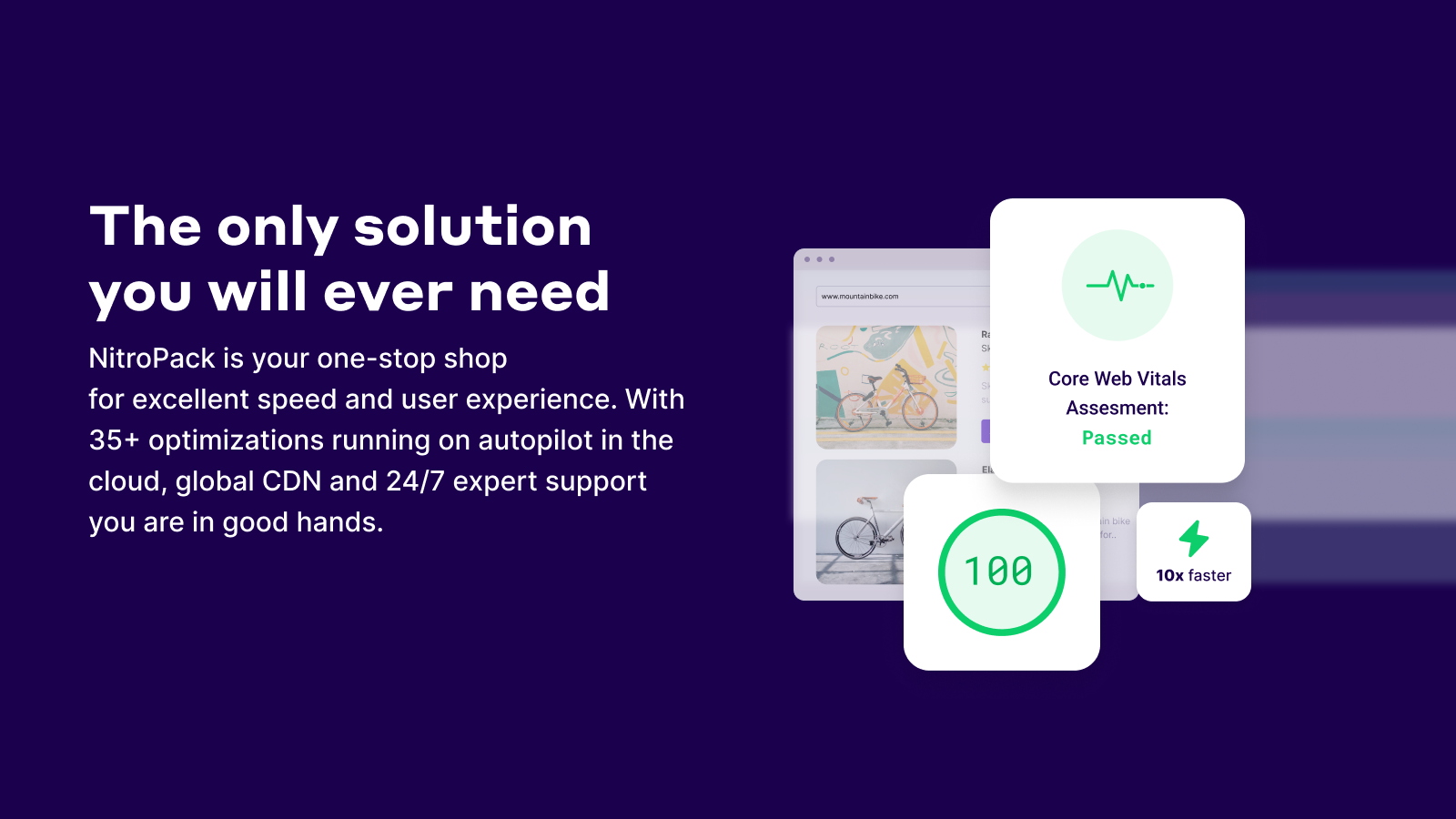
Boost your website’s speed effortlessly with NitroPack, the ultimate solution trusted by hundreds of thousands worldwide to climb Google rankings, boost conversions, and expand businesses. NitroPack stands above traditional caching with its cloud-based infrastructure and advanced optimizations, delivering top scores on Core Web Vitals and Lighthouse tests. This ensures a seamless, fast experience for your visitors.
Experience unmatched performance with features like cutting-edge caching, full image optimization, code optimization, an integrated global CDN, and lazy loading. NitroPack is your all-in-one tool for a lightning-fast website that captivates visitors and drives conversions.
Why choose NitroPack?
Instant Performance Boost Without Coding:
NitroPack delivers a significant website speed and performance boost instantly, eliminating the need for complex coding or technical expertise. Enjoy faster page load speed, improved page speed scores, and better user experience effortlessly.
Automated Optimization for Core Web Vitals:
NitroPack automates the optimization of Core Web Vitals, ensuring your website consistently meets and exceeds the page experience metrics that impact user experience, SEO, and search engine rankings. Learn more about how we can help you boost your Core Web Vitals scores with our latest webinars with Google.
Optimizations with Zero Impact on Your Hosting’s CPU and RAM:
NitroPack handles all resource-intensive performance optimization tasks, including caching, image optimization, and file minification, on its own servers. This preserves your hosting resources while improving website speed and page performance without putting strain on your server’s CPU or RAM.
An additional customer-centric approach safeguards your site’s performance and stability by working on copies of your files, meaning your original content stays unchanged. With NitroPack, you can optimize page speed and user experience confidently, knowing your website’s integrity is protected.
NitroPack’s Free plan* is recommended for small websites and testing website speed optimization. Install it on up to 1 website (no CC required) and experience the powerful performance and cache optimizations we offer firsthand before committing to our paid subscriptions, starting at $7/mo.
With up to 1,000 pageviews and 1GB of CDN bandwidth included monthly, you can leverage over 35 of NitroPack’s speed optimization features across Caching, Image and Media, JavaScript, HTML and CSS, and Fonts.
Within seconds of installation, NitroPack applies the following features automatically to boost page speed, improve site speed, and fix common WordPress performance issues:
HTML and CSS: Keep HTML comments, HTML normalization, Generate critical CSS, Custom CSS, Combine CSS, CSS Minification, Advanced CSS Management, Advanced Resource Loader, HTML Minification, Page prefetching and prerendering
Fonts: Override Font Rendering Behavior
CDN: Static Content Caching, GZIP and Brotli Compression, HTTP/3 Compatibility.
For questions and technical assistance, customers on the free plan can rely on our 24/7 ticketing support system.
What makes NitroPack the ultimate speed optimizer?
???? ADVANCED CACHING:
Thanks to its advanced features and smart caching system, NitroPack ensures fast and stable website performance, even during traffic spikes.
Automatic Cache Warmup: Preloads cached pages to ensure fast delivery from the first visit
Device- and Cookie-Aware Caching: Delivers optimized cache versions for different devices and users for a tailored and fast user experience.
Browser Cache: Improves load speed for returning visitors by leveraging the built-in browser cache
????️ IMAGE OPTIMIZATION:
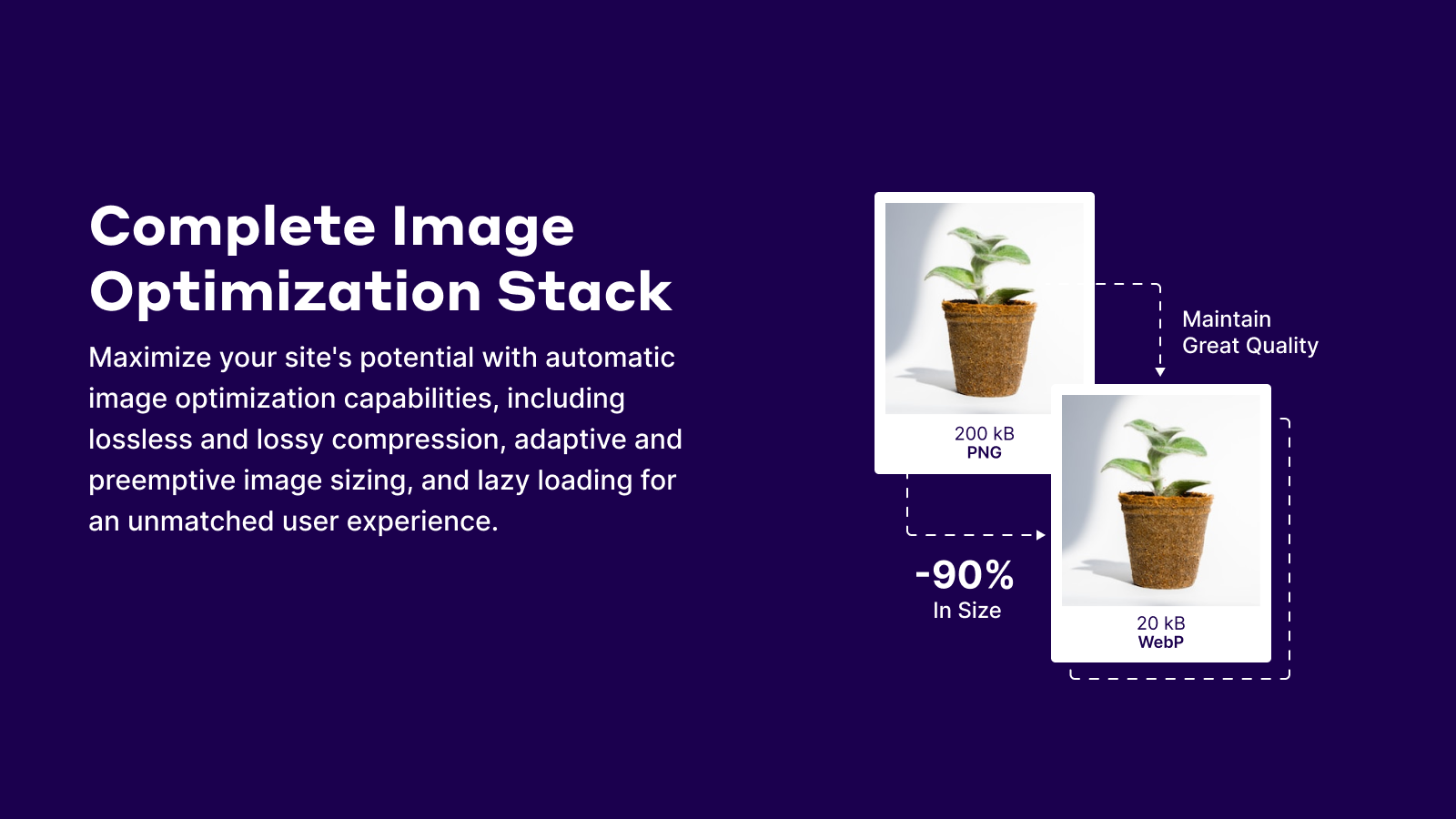
NitroPack eliminates manual image optimization by automatically reducing image size by up to 7x while preserving quality, dramatically improving page speed and user experience.
Automatic Image Optimization: Dynamically resizes images, converts them to WebP format, and applies the best compression technique to reduce file sizes without sacrificing quality
Adaptive Image Sizing: Optimizes images to perfectly fit their display containers across devices for an enhanced user experience
Advanced Lazy Loading: Improves page load speed by loading offscreen images and videos (including GIFs, YouTube, Vimeo, and Wistia) only when needed
???? BUILT-IN GLOBAL CDN:
NitroPack includes a global Content Delivery Network (CDN) powered by Cloudflare, delivering content from hundreds of servers across 120+ countries.
Ultra-fast CDN delivery for static and dynamic content, regardless of your users’ location
GZIP & Brotli compression for faster data transfer
HTTP/3 support for modern, high-performance connections
????️ CODE OPTIMIZATION:
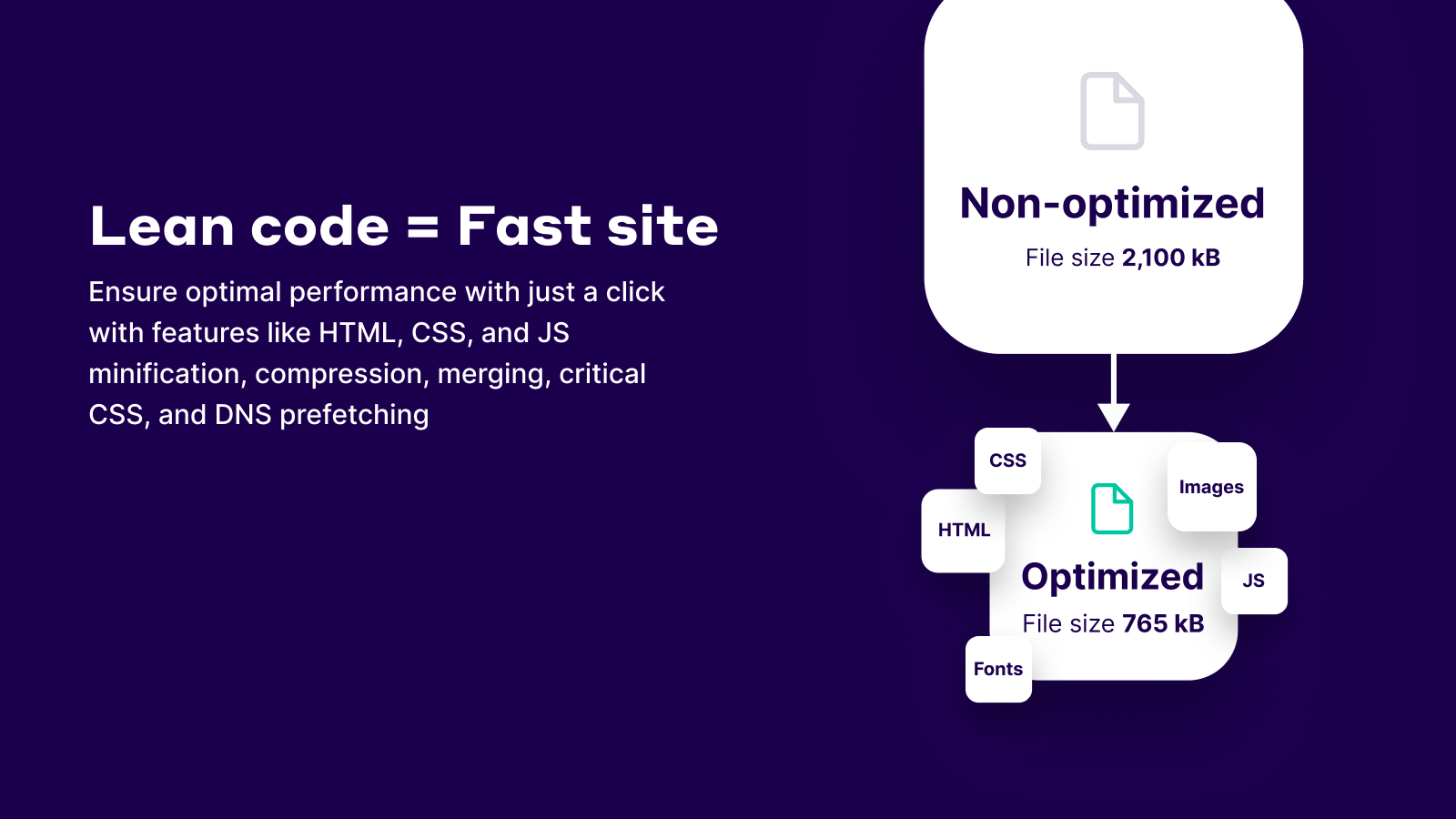
NitroPack’s code optimization engine improves page speed and performance by optimizing HTML, CSS, and JavaScript automatically.
Advanced Resource Loader for intelligent management of resource loading without the need for technical intervention
Critical CSS optimization that prioritizes above-the-fold CSS for rapid page rendering, making your site appear faster to users
Deferred JavaScript loading for improved page responsiveness
CSS & JS combining and minification for improved loading efficiency, reduced HTTP requests, and faster overall site speed.
HTML compression and DNS preconnects reduce the time it takes to fetch external resources
✏️ FONT OPTIMIZATION:
Improve website speed by optimizing web fonts by over 60%, including Google Fonts, without sacrificing design.
All NitroPack customers receive expert live chat support and access to an extensive knowledge base for site speed, performance, and cache-related issues.
???? SECURITY AND COMPLIANCE:
Your safety is our priority. NitroPack is SOC2 Type 2 compliant and ISO 27001 certified, internationally recognized standards for managing information security. We have a devoted team of security specialists working around the clock to uphold the highest level of security and compliance. By implementing industry-leading practices, we ensure your data remains secure and your peace of mind intact, while optimizing website performance.
???? COMPATIBILITIES:
NitroPack integrates seamlessly with the most popular WordPress plugins and themes to provide a smooth user experience:
A fast site is crucial for several reasons. When a website loads quickly, visitors are more likely to stay engaged, explore more pages, and convert into customers. Additionally, site speed is a key factor in search engine rankings, influencing your website’s visibility on platforms like Google. Faster-loading sites not only satisfy users but also contribute to improved SEO, making it essential for overall online success.
Why is NitroPack better than other caching solutions?
NitroPack differentiates itself from traditional caching solutions with its advanced optimization capabilities and cloud-based infrastructure, which extends beyond the limitations of WordPress hosting servers. It is recognized for achieving the highest pass rates in Core Web Vitals technology report, alongside top Lighthouse scores. This performance underscores NitroPack’s effectiveness in enhancing user experience and website speed, establishing its leadership in the optimization space.
Can NitroPack replace all caching, code and image optimization and speed plugins?
Yes! NitroPack is an all-in-one solution for optimizing websites. It implements dozens of speed optimization techniques, from simple minification to JS delay and critical CSS generation for frontend optimization and built-in CDN for backend optimization. However, it’s important to note that while NitroPack is effective in replacing many page caching related solutions, it may not cover aspects like Object caching solutions. There is no need to run another plugin alongside NitroPack to enjoy the benefits of effective site speed optimization.
Is NitroPack suitable for all WordPress sites?
From service websites to blogs to advanced ecommerce platforms – NitroPack provides optimal speed and performance optimization for any and all WordPress and WooCommerce websites.
Is WooCommerce supported?
Yes, NitroPack is fully compatible with WooCommerce. It intelligently caches and optimizes eCommerce websites without disrupting their functionality. WooCommerce site owners can also leverage special features like the Cart Cache, which ensures page optimization persists even when items are added to the cart.
Does NitroPack optimize mobile pages also?
Absolutely, NitroPack optimizes both desktop and mobile pages, ensuring a fast, smooth experience across all devices. Not only that, but NitroPack actually tailors its optimizations based on the device type in order to achieve maximum performance.
How long does it take to see the results after installing NitroPack?
You’ll see immediate improvements in website speed after installing NitroPack. Test your site with tools like Google PageSpeed Insights, Pingdom, and GTmetrix to witness the positive impact.
While many optimizations show instant results, please note that the Core Web Vitals report may take up to 28 days to fully reflect your scores. This is because Core Web Vitals rely on real user data for accurate measurement taken in the last 28 days.
Can NitroPack help me boost and pass Core Web Vitals?
Absolutely. NitroPack is designed to improve all Core Web Vitals metrics: Largest Contentful Paint, First Input Delay, Cumulative Layout Shift and Interaction to Next Paint. By addressing these key factors, NitroPack ensures a substantial improvement in your Performance score in PageSpeed Insights, providing a significant boost to your website’s overall performance.
How does NitroPack handle updates and compatibility with new WordPress versions?
NitroPack is regularly updated to ensure compatibility with the latest WordPress versions. Updates are provided to enhance features, security, and overall performance. Review the latest one here.
Can I test NitroPack before committing to a plan?
Absolutely! Start with our free plan to experience NitroPack’s speed and performance optimizations in action before making a commitment.
What types of caching does NitroPack use?
NitroPack employs both server-side caching and client-side caching. Server-side caching involves storing pre-generated HTML files to reduce server load and response times. On the client side, NitroPack leverages browser caching to store static assets locally on a user’s device, minimizing the need for repeated downloads and further optimizing page load times.
How does NitroPack handle dynamic content caching?
NitroPack intelligently manages dynamic content caching by utilizing sophisticated algorithms to identify which parts of a page can be cached without compromising real-time updates. This ensures that dynamic elements on your website, such as recent posts or user-specific information, remain current while still benefiting from caching optimizations.
I have more questions. Can you help me?
Yes, our dedicated support team is available to assist you with any questions that you may have. They can also lend a hand in the setup of your NitroPack account, ensuring a hassle-free, time-saving experience.
Does the plugin have any third-party resources?
Yes, the plugin uses the Intercom Chat Widget, which serves as a third-party tool for support. If you have any questions or need assistance, feel free to reach out to our support team conveniently through the Intercom Chat Widget available on our plugin’s dashboard. Additionally, you can contact us via the NitroPack site.
Improvement: Added a constant NITROPACK_SERVE_CACHE_WHEN_API_DOWN. When set and our API is down, the local cache will remain intact and only updated posts (and their related) will have their cache purged
Compatibility: Theme Divi – move inline css to head as a setting option.
Improvement: A better way to detect the popular Cookie Notice plugin
Improvement: Compatibility with WP Engine’s Smart Plugin Updater
Bug fix: Resolve an issue when running on PHP 5.6
1.5.7
New Feature: Compatibility with Vimexx
Improvement: Make some of NitroPack’s requests even lighter weight
Bug fix: Resolve an issue which was preventing some admin actions from functioning correctly
1.5.6
Disable the compatibility with LiteSpeed servers as purging its cache with variation cookies isn’t working per spec
1.5.5
New Feature: Compatibility with Fastly
New Feature: Compatibility with Closte
New Feature: Compatibility with Beaver Builder’s cache purge
New Feature: Compatibility with the Cookie Notice plugin
New Feature: Add generic compatibility with LiteSpeed servers
Improvement: Better efficiency in the API calls leading to less overhead in admin operations
Improvement: Vastly better support for popular cache proxies, making a much better use of existing infrastructure
Improvement: Better compatibility with WP Engine
Improvement: Better compatibility with Kinsta
Improvement: Better compatibility with SiteGround
Improvement: Better compatibility with Pagely
Improvement: Better compatibility with Cloudways
Improvement: Better compatibility with Flywheel
Improvement: Clear existing proxy cache when NitroPack is activated or deactivated
Improvement: Show more helper messages to guide the administrator in resolving detected issues
Improvement: Prevent duplicate connections which were previously causing the cache to get out of sync
Improvement: More granular and accurate detection of inventory updates in WooCommerce
Improvement: The safe mode prompt is now on the deactivate step
Improvement: Handle a specific case of Cloudflare’s Flexible SSL coupled with a redirect
Bug fix: Resolve an issue with the WooCommerce PayPal Checkout Payment Gateway plugin
Bug fix: Various form submission issues have been resolved
Many bug fixes and stability improvements
1.5.4
Change: Bump up the tested-up-to version for WP 5.7
Bug fix: Resolve a constant already defined error
Bug fix: Resolve an issue with the positioning of the status dot in the admin bar
1.5.3
New Feature: Safe Mode toggle within the plugin’s dashboard
Improvement: Add support for an upcoming improvement in the compatibility with reverse proxies like Cloudflare and Sucuri
Improvement: Add a filter to allow the list of cacheable post types to be extended – nitropack_cacheable_post_types
Improvement: Better handling of WooCommerce price updates
Bug fix: Cache warmup was not being triggerd when posting a new article. This is resolved now.
1.5.2
Improvement: Faster cache purge via the webhook
Improvement: Purging/Invalidating cache via WP-CLI is now direct and provides better feedback of the result
Bug fix: Any cache purge was triggering full cache purge on the local server. This is now resolved.
1.5.1
Bug fix: Resolve an issue causing a fatal error related to undefined class name
1.5.0
New Feature: Compatibility with Cloudflare APO
Improvement: Better resilience to network related issues
Improvement: Faster cache purge
Improvement: Overall stability improvements
Deprecation: Removed the Invalidate All Cache option. The invalidate action is much better suited for single page invalidations.
1.4.1
Improvement: Performance improvements in content updates
Improvement: Better compatibility with Download Monitor
1.4.0
New feature: Extended WP-CLI compatibility with ability to purge/invalidate by URL or tag
New feature: Add a method for dynamically preventing automated purge/invalidate
Improvement: Compatibility with jQuery 3
Improvement: Better compatibility with SiteGround’s dynamic cache layer
Improvement: Overall stability improvements
Bug fix: Resolve an issue with undefined HTTP_HOST key
1.3.20
Bug fix: Resolve an issue with reverse proxy cache purge through the webhook
1.3.19
Improvement: Stability improvements
1.3.18
New Feature: Pagely compatibility
Improvement: Even better compatibility with WooCommerce’s Geolocate option
Improvement: More accurate sync with Avada’s date based containers
Improvement: Better compatibility with reverse proxies
Improvement: Stability improvements
1.3.17
New Feature: Much simpler and easier connect method
New Feature: Support a new “nitropack_meta_box” capability which allows you to grant access to cache purge on different user roles
Improvement: Better status notices
Improvement: Stability improvements
1.3.16
Improvement: Better compatibility with ShortPixel Adaptive Images 2.x
Improvement: Overall stability and performance improvements
1.3.15
Improvement: Handling of stock quantity changes in WooCommerce via the REST API
Improvement: Overall stability and performance improvements
1.3.14
Improvement: Better handling of stock quantity changes in WooCommerce
Improvement: Better handling of updates to non-public post types
Improvement: More efficient use of our API
Bug fix: Fix an issue with slow cache propagation after full purge
1.3.13
New feature: Add admin bar entry with quick links to useful actions like purge cache
New feature: Add WP-CLI methods for invalidating/purging cache
New feature: Add WP-CLI method for running cache warmup
Improvement: Automatically detect outdated cache files restored from a backup and do not serve them to clients
Improvement: Automatically detect connection issues and suggest steps to resolve these
Improvement: Automatically start optimizing after the plugin is connected successfully
Improvement: Performance improvements
1.3.12
Bug fix: Resolve a fatal error in the SDK on certain PHP versions
1.3.11
Improvement: Workaround for issue with communicating to our servers in LiteSpeed environments
1.3.10
Bug fix: Resolve an issue with domains starting with “www.” which was introduced in v1.3.9
1.3.9
New feature: Ability to connect/disconnect using WP-CLI
Improvement: Recognize updates to WooCommerce Cart Reports post types to reduce cache purges
Improvement: Better Ezoic compatibility
Bug fix: Resolve an issue with saving the compression status when configured manually
Overall stability improvements
1.3.8
New feature: Add support for local AJAX caching
Improvement: Better SiteGround compatibility
Improvement: Ezoic compatibility
Improvement: NGINX Helper compatibility
Bug fix: Resolve an issue which caused problems in WP CLI
Improvements in the automated cache purge
Overall stability improvements
1.3.7
Bug fix: Resolve an issue causing insufficient permissions error
1.3.6
Bug fix: Resolve an issue with nonces in REST requests
1.3.5
Improvement: Show instructions for configuring recommended hosting settings if needed
Improvement: Better detection of taxonomies and archive pages
Improvement: Better compatibility with ShortPixel
Improvement: Better WP Engine compatibility
Improvement: Updated nonce handling
Bug fix: Category pages were not being optimized if archive optimization was disabled. This is now fixed.
Bug fix: Fix an issue with custom cache expiration for The Events Calendar
1.3.4
Improvement: Better compatibility with Kinsta
Improvement: Improved handling of post status transiotions
Improvement: Allow optimizations for archive pages
1.3.3
Improvement: Optimize all post/page types by default ot avoid confusion why a certain URL is not optimized.
Improvement: Automatically refresh cache based on comment actions (posting, approving, unapproving, etc.)
1.3.2
Improvement: Workaround for an issue in the WP Engine environment which causes timeouts in certain network communication scenarios. This resolves slow post/page updates in the admin area.
1.3.1
Improvement: Nicer cache purge reason messages
Bug fix: Resolve an issue where the home page was not always updated after publishing new posts/pages
1.3
New feature: Option select which post types and taxonomies get optimized
New feature: Option to enable/disable the automated cache purges
New feature: Automatically warmup new posts/pages
New feature: Add meta box to allow cache purge/invalidate from the post/page edit screens
New feature: New and improved way of tracking relationships between pages allowing for smarter automated cache purges, which affect less cache files
Resolve layout issues in the admin panel on mobile
Add compatibility with GoDaddy’s managed WordPress hosting
1.2.3
Stability improvements
1.2.2
Synchronize the nonce and page cache life times
Improve cache synchronization when updating menu entries
Improve cache synchronization when making appearance customizations
Fix false “plugin conflict” error with WP Optimize
Stability improvements
1.2.1
Added support for Fusion Builder’s container expiration
Added compatibility with the Post Expirator plugin
Added compatibility with the Portfolio Sorting plugin
Stability improvements
1.2
Stability improvements
1.1.5
Improved cache management for scheduled posts
Fix cache expiration for posts scheduled for dates in the past
Better update handling
1.1.4
Stability improvements
1.1.3
Prevent crashes originating from missing functions.php file
1.1.2
Better handling of automated updates
1.1.1
Automatically update the advanced-cache.php file after plugin update