A/B testing and heatmaps for WordPress and WooCommerce — no coding required.
Discover which changes work better for your visitors. Nelio A/B Testing lets you create experiments, measure conversions, and analyze visitor behavior directly from your WordPress dashboard.
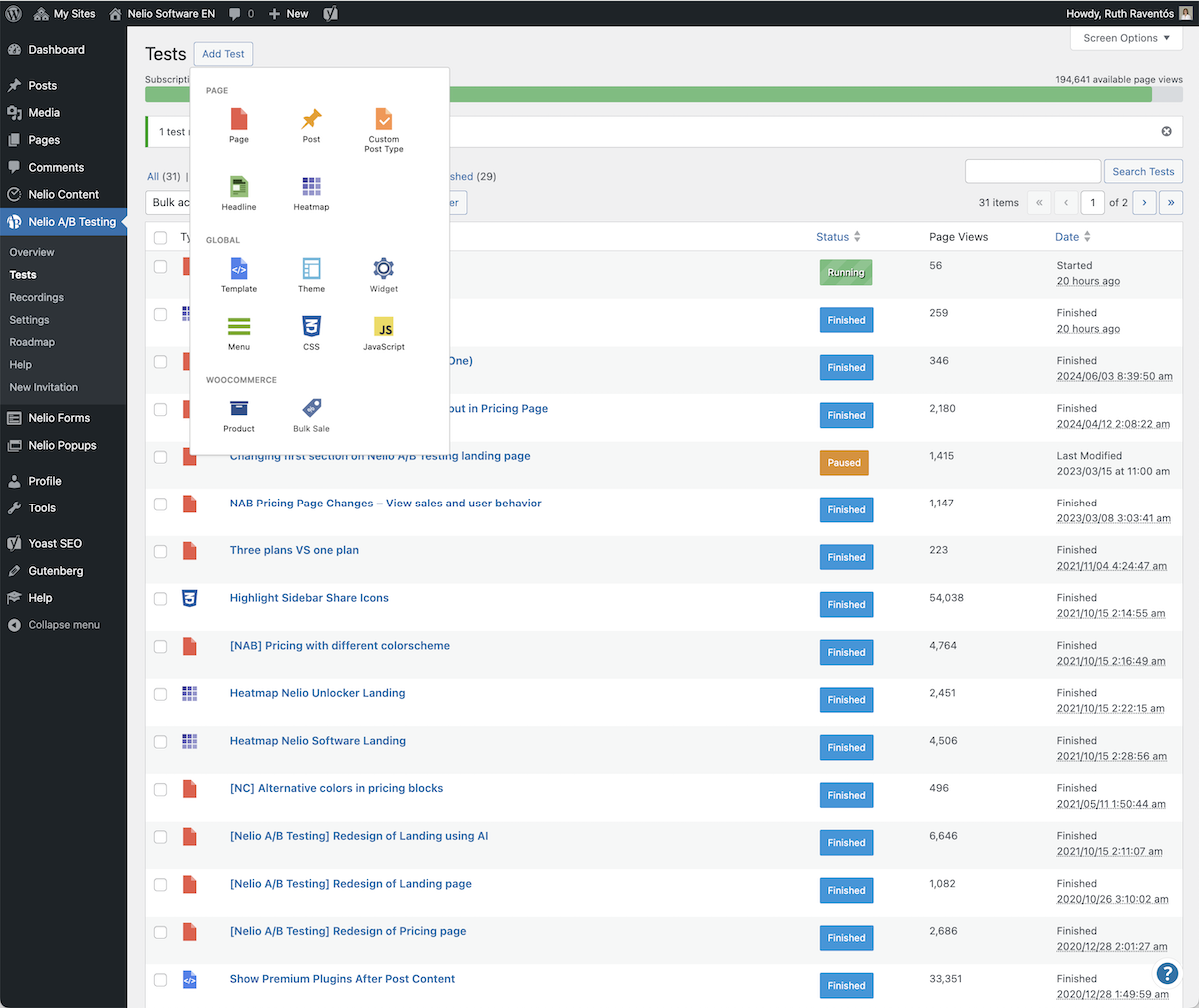
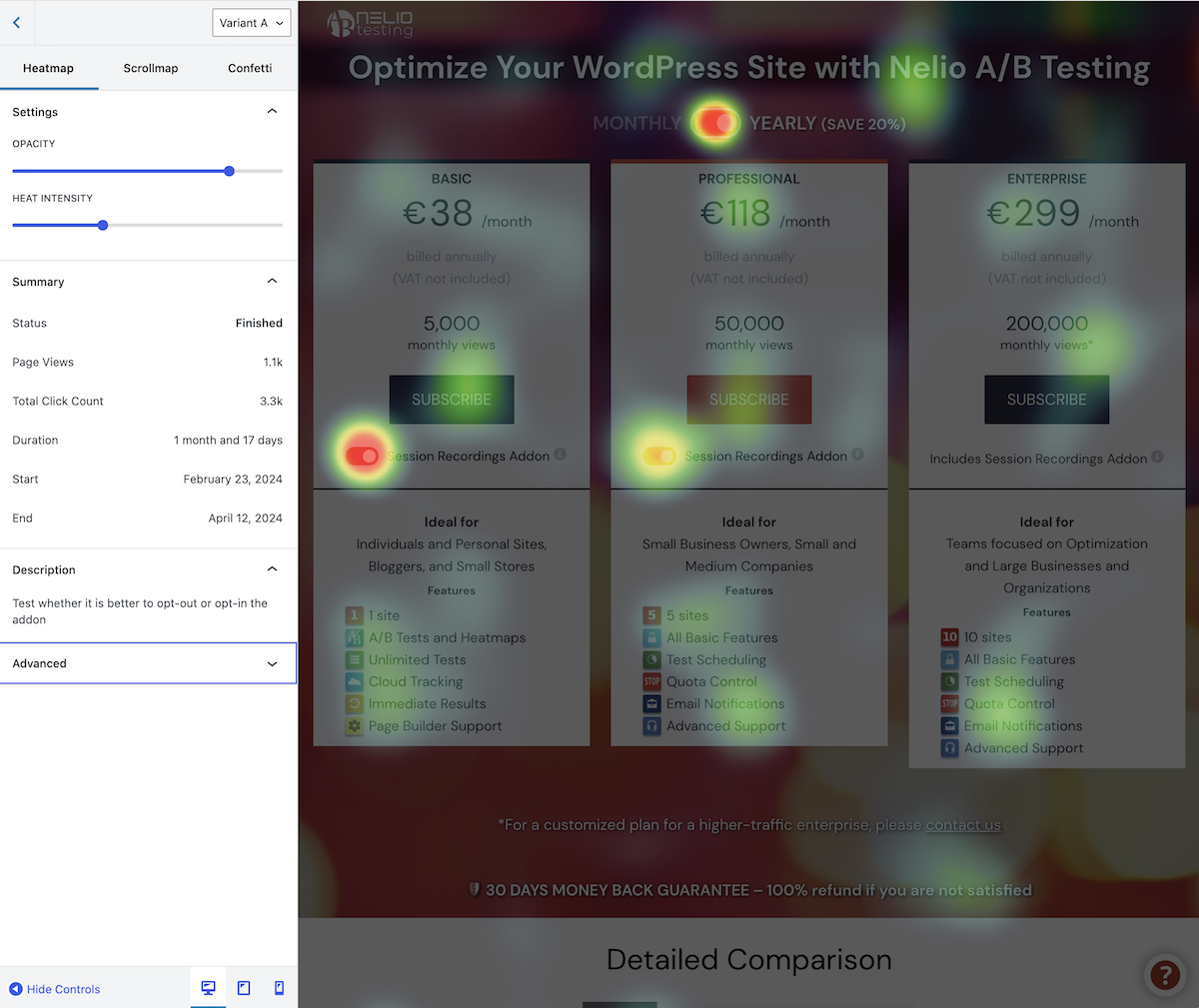
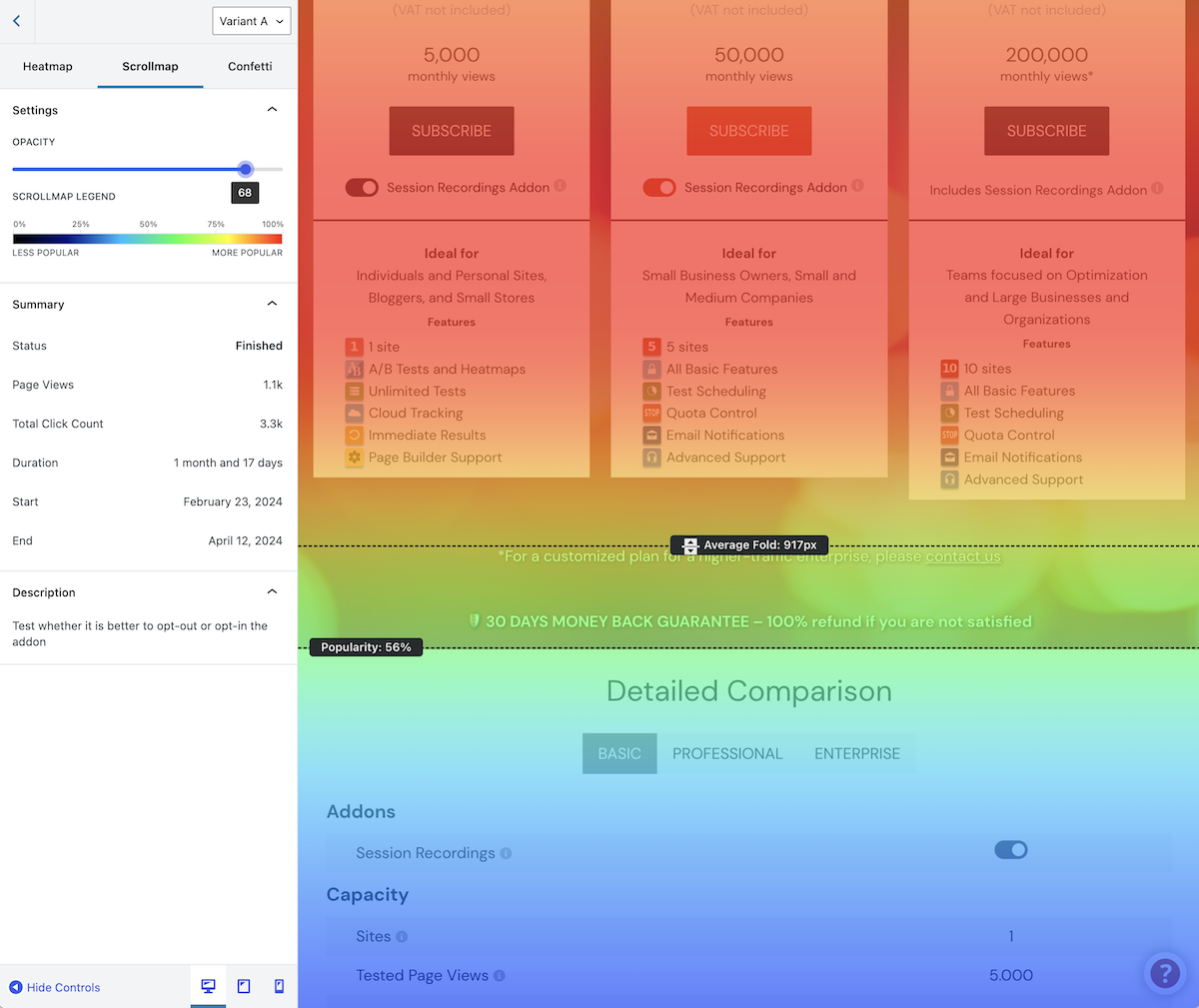
Test pages, posts, headlines, WooCommerce products and pricing, menus, themes, CSS, and more. Use heatmaps, clickmaps, and scrollmaps to understand how people interact with your content and make better-informed decisions.
Start for free with 500 tested page views per month. If your site needs more testing traffic or advanced features, explore our premium plans.
“Nelio A/B Testing has been a game changer for our web strategy. It empowered us to make decisions based on data, not instinct. The simplicity, affordability, and impact have been exceptional.” Quentin Molinié, Co-founder of Darwin Nutrition | Case Studies
Why Choose Nelio A/B Testing?
– Made for WordPress. Create and manage experiments in your WordPress dashboard without needing to implement a separate testing interface.
– Test more than landing pages. Compare content, design changes, product information, and other elements that matter to your site.
– Measure real goals. Analyze conversion rates, confidence levels, and visitor data instead of relying on guesses.
– See visitor behavior. Use heatmaps and scrollmaps alongside your experiments to discover potential improvements.
– Save time. Apply winning alternatives automatically when appropriate.
– Supported and maintained. Get documentation, updates, and help from the Nelio team.
Features at a Glance
A/B and Multivariate Testing. Compare page designs, content alternatives, and individual changes.
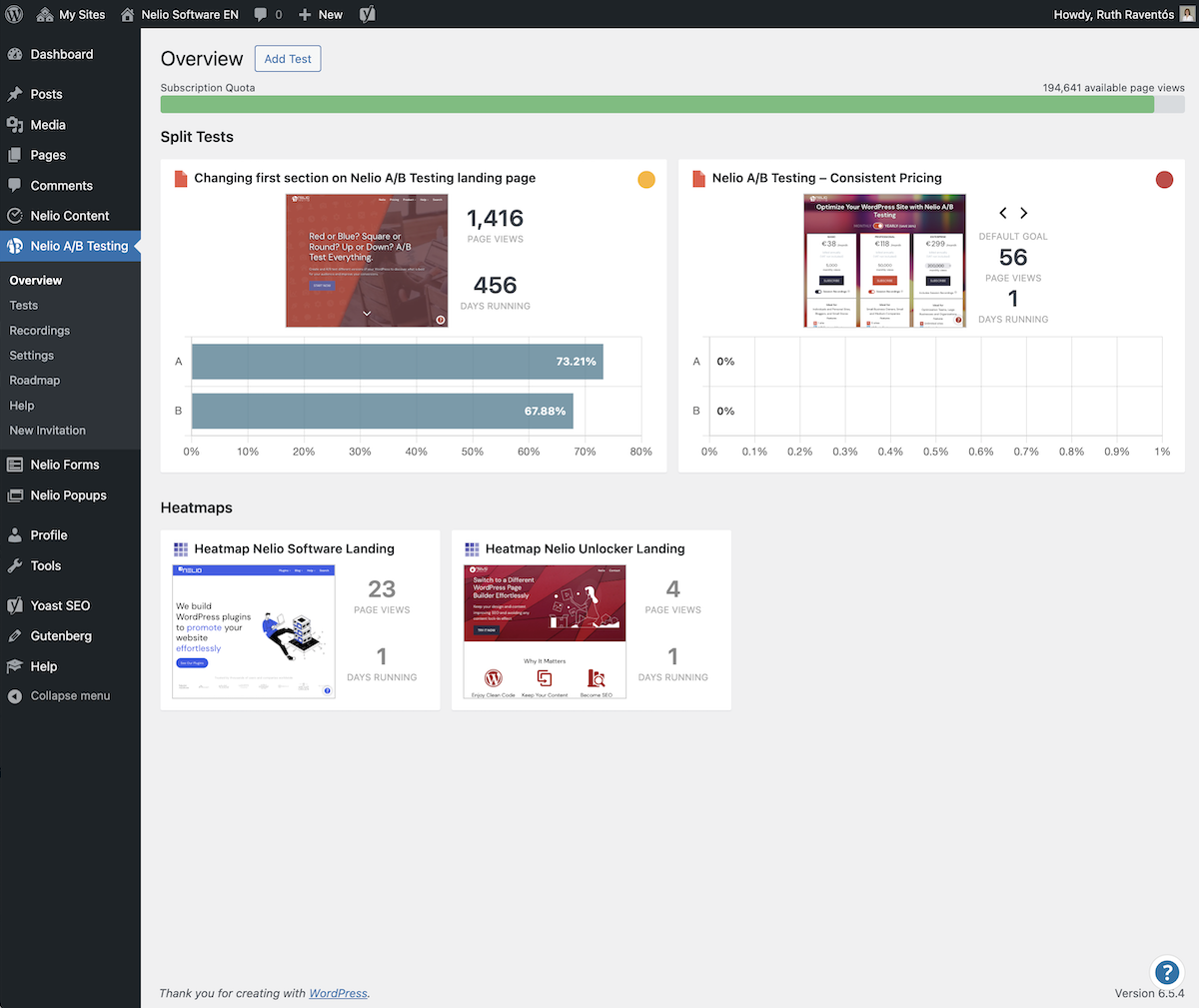
Conversion Tracking and Reports. Review conversion rates, confidence levels, and visitor statistics.
Heatmaps, Clickmaps, and Scrollmaps. Understand how visitors interact with your pages.
WooCommerce Experiments. Test product titles, descriptions, images, pricing, and product-related changes.
Automatic Winner Deployment. Apply the winning alternative without manually rebuilding it.
Segmentation and Targeting. Run experiments for specific devices, referrers, locations, or visitor behavior.
WordPress Editor and Page Builder Compatibility. Work with Gutenberg, Elementor, and other popular editors.
Custom CSS and JavaScript Experiments. Test changes beyond ordinary page content.
Multisite and Localization Support. Use Nelio across WordPress multisite installations and available translations.
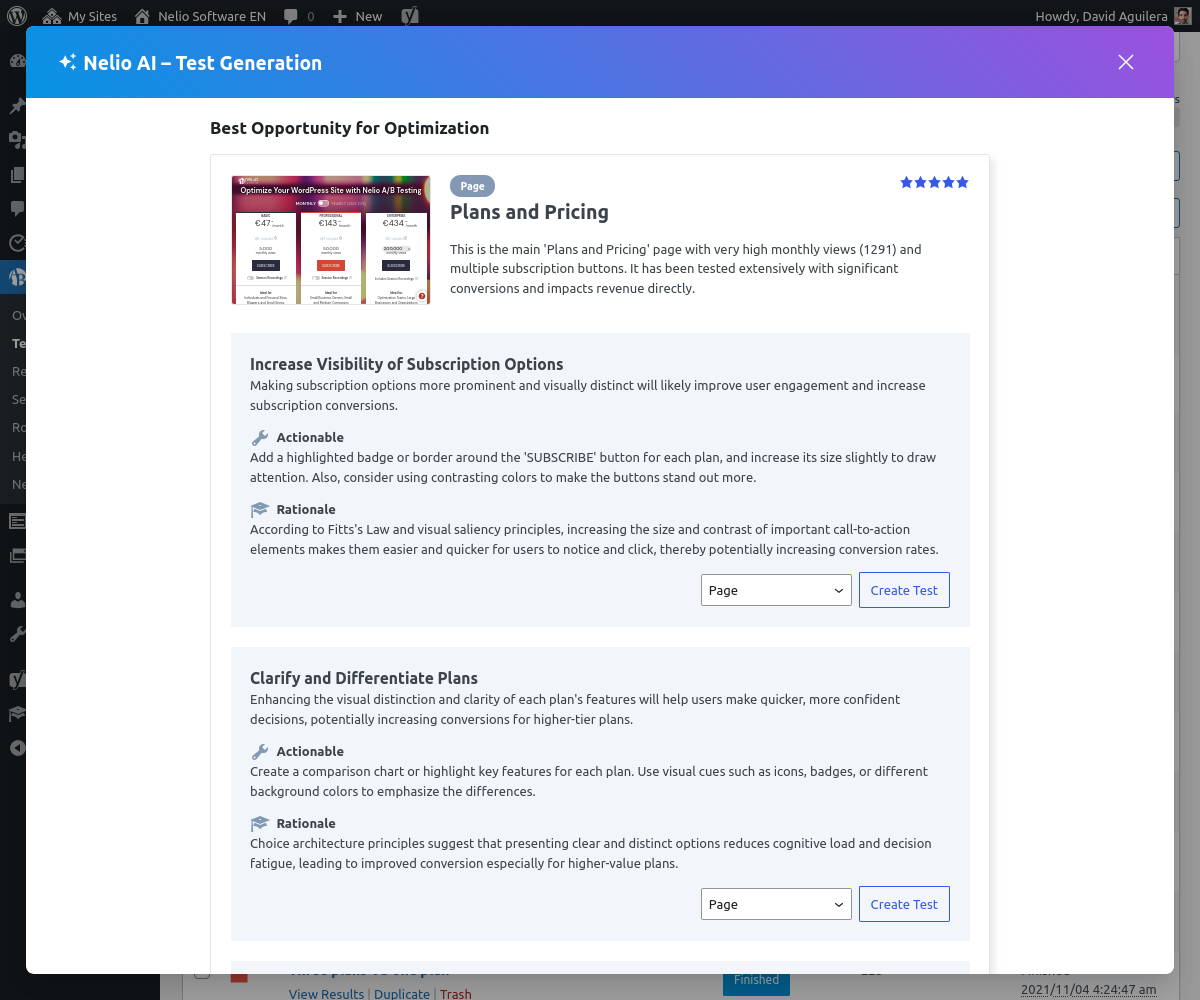
AI-Assisted Test Suggestions. Explore suggested experiment ideas where this feature is available.
Privacy-Conscious Design. Experiment tracking does not store sensitive or personal visitor data.
Caching-Aware Integration. Designed to work with WordPress caching and optimization setups; configuration may vary by site.
A/B Testing for WooCommerce
Find out which product presentation works best for your store. Nelio A/B Testing supports WooCommerce product experiments, including alternative product titles, descriptions, images, and prices. Use conversion goals and experiment reports to compare the outcomes of your changes.
You can also experiment with the pages and other content that lead customers toward a purchase. This makes Nelio useful for testing both product information and the wider shopping experience.
What You Can Test
– Pages and Posts
– Headlines
– Content Templates
– WordPress Synced Patterns
– Menus and Widgets
– WooCommerce Products and Pricing
– Custom JavaScript and CSS Snippets
– Entire Site Designs
– Custom Post Types
– Popups
– PHP Hooks (for devs)
GDPR and Privacy
We take privacy seriously. Nelio A/B Testing is designed to run experiments without storing sensitive or personal visitor data as part of experiment tracking. As with any analytics tool, review your site’s privacy obligations and configuration before using it.
External Service
Nelio A/B Testing relies on Nelio’s cloud services to provide its A/B testing functionality. The plugin communicates with Nelio’s servers to manage tests, process and store test results, and provide other features of the service. Nelio may also collect usage and activity information about how you interact with the plugin, as described in our Privacy Policy.
Before using Nelio A/B Testing, you are required to accept our Terms and Conditions and Privacy Policy. These documents explain the service, the information we collect and process, and how that information is used.
Free vs Premium
Free: Create experiments and explore heatmaps on smaller sites, with up to 500 tested page views per month. The limit applies to tested page views, not necessarily all visits to your website.
Premium: Choose a plan with higher testing traffic limits, additional advanced features, and priority support. See the current plans and pricing for exact limits and included features.
You can create multiple tests on the free plan, but the shared monthly page-view quota means it may be more practical to focus on one experiment at a time.
Nelio A/B Testing — WordPress A/B testing, WooCommerce experiments, and heatmaps in one plugin.
Yes. You can create WooCommerce product tests to compare alternative product information, including titles, descriptions, images, and prices. Use conversion goals to measure the results. If your store uses subscriptions or other complex pricing extensions, check compatibility with your specific setup before relying on tests for recurring charges.
Does Nelio A/B Testing work with caching plugins?
Nelio is designed to work with popular WordPress caching solutions. However, caching, script optimization, and CDN settings differ between sites and may require adjustments. Test your configuration, especially if you cache full pages or combine and delay JavaScript.
Can AI agents work with Nelio A/B Testing?
Yes. Compatible AI agents can use the plugin’s MCP abilities to discover content, configure tests, and read results. A compatible WordPress MCP integration and AI client are required, and actions follow the current user’s WordPress permissions.
Does Nelio A/B Testing slow down my site?
Most test processing and reporting takes place on Nelio’s cloud services. As with any testing tool that loads alternative content and tracks visitor activity, actual performance depends on your site’s configuration, caching, and the tests you run.
Can I use it with page builders like Elementor or Gutenberg?
Yes. Nelio A/B Testing supports the WordPress block editor (Gutenberg), Elementor, and other popular page-building workflows.
How many tests can I run on the free plan?
You can create multiple tests, but the free plan includes up to 500 tested page views per month, shared across your tests. For sites with higher traffic or more simultaneous tests, consider a premium plan.
What happens when I reach the free plan’s page-view limit?
Your available monthly testing quota is limited to 500 tested page views. To continue testing beyond the included quota, review the premium plans. For details of how quota is counted, see What is a tested page view?.
Do I need Google Analytics to run A/B tests?
No. Nelio A/B Testing includes its own test results and conversion reports. Google Analytics integration is available when you also want to track relevant activity in your analytics setup.
Is my data safe?
Nelio A/B Testing does not store sensitive or personal visitor data as part of test tracking. The plugin does communicate with Nelio’s cloud services to provide its functionality, and usage and activity information may be collected as described in our Privacy Policy.
How often do you release updates?
We release new features and bug fixes regularly. If you have specific needs or feature requests, we’d love to hear from you.
Where do I report security bugs found in this plugin?
Please report security bugs found in the source code of the Nelio AB Testing plugin through the Patchstack Vulnerability Disclosure Program. The Patchstack team will assist you with verification, CVE assignment, and notify the developers of this plugin.