Ads Management helps you create Ads on front-end with many options like Text Widgets, Sidebar,…
| Author: | Pixeltoweb (profile at wordpress.org) |
| WordPress version required: | 3.0.1 |
| WordPress version tested: | 4.9.6 |
| Plugin version: | 1.0.0 |
| Added to WordPress repository: | 24-12-2017 |
| Last updated: | 03-07-2018
Warning! This plugin has not been updated in over 2 years. It may no longer be maintained or supported and may have compatibility issues when used with more recent versions of WordPress.
|
| Rating, %: | 0 |
| Rated by: | 0 |
| Plugin URI: | http://pixeltoweb.com |
| Total downloads: | 1 856 |
| Active installs: | 10+ |

Click to start download
|
Screenshots
Manage Ads Display

Ads_ManageAdsListing

Ads_CustomWidget_Backend

Ads_Customwidget_Frontend

Ads_Textwidget_Backend

Ads_textwidget_Frontend

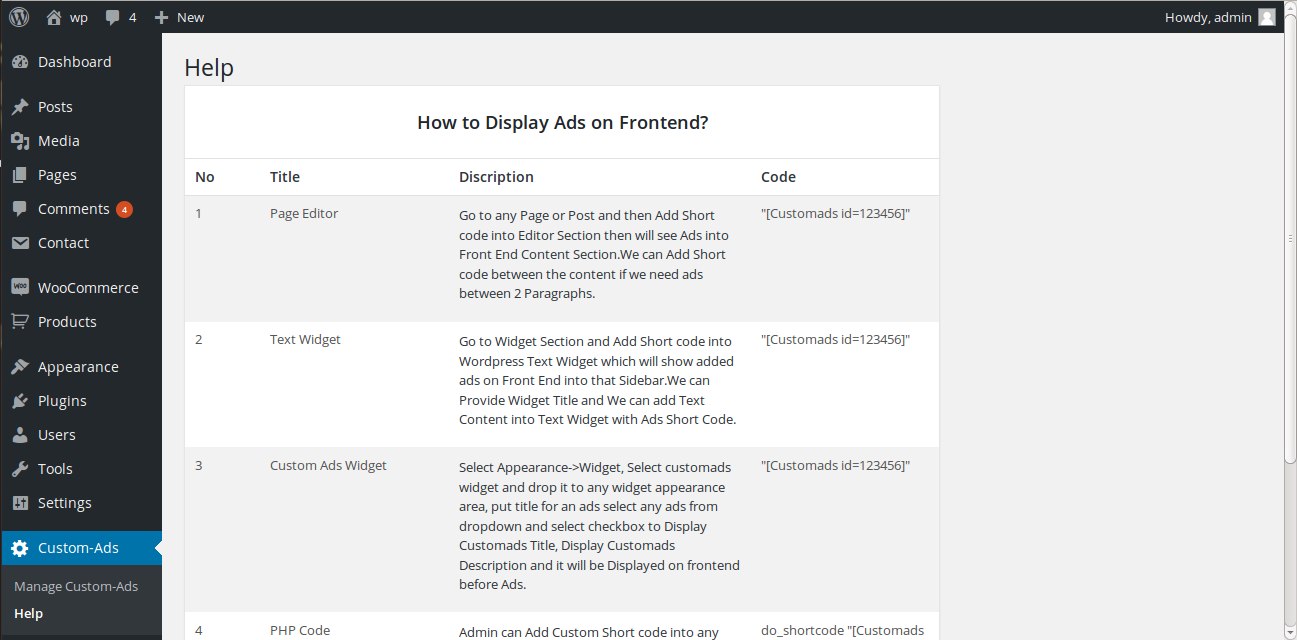
Ads_Help
Installation Instructions
- Upload Custom Ads Plugin Folder to the
/wp-content/plugins/ directory
- Activate the plugin through the ‘Plugins’ menu in WordPress
- Create New Custom Ads from Admin Panel
- System will show Ads on Front End by Text Widget, Custom Ads Widget, Short Code into Page / Post Text Editor and PHP Short code in any Theme File.
How to Add Custom Ads on Front End Sidebar
- Go to Widgets Section, Add New Text Widget, Paste your Short code there and Save the Widget.
- Go to Widgets Section, Add New Custom Ads Widget, Select Ads from Drop Down then Save the Widget.
How to Add Custom Ads in Theme File
- Add “startphptag echo do_shortcode(‘[Customads id=123456]’);endphptag” in any theme file to with replacing our custom short code to show ads on front end.
How to Show Ads between Page Content
- Go to Page Editor Paste Short Code in Between Content then Click the Publish / Update Button.
Is this Plugin work in all version of WordPress
- Yes, it will work in all the version of wordpress.
