
A simple plugin to count frontend visitors based on their session and IP address.
| Author: | MrStar (profile at wordpress.org) |
| WordPress version required: | 5.3 |
| WordPress version tested: | 7.1.2 |
| Plugin version: | 1.0.9 |
| Added to WordPress repository: | 06-05-2025 |
| Last updated: | 23-09-2026 |
| Rating, %: | 90 |
| Rated by: | 2 |
| Plugin URI: | |
| Total downloads: | 4 030 |
| Active installs: | 400+ |

Click to start download
|
Visitor Count by MrStar is a simple plugin that counts the number of visitors to your website based on their IP address. The plugin tracks visitors without requiring complex configurations and provides an easy-to-use solution for counting and monitoring traffic.
Note: Easily enable frontend visitor count statistics with a simple checkbox in the plugin settings page.
Features
-
Live Visitor Tracking
Monitor your website traffic in real-time, with accurate counting based on user IP addresses.
-
Intuitive Dashboard
Access a clean and easy-to-navigate dashboard that displays key visitor data at a glance.
-
Detailed Traffic Insights
Gain in-depth analytics, including total visits, unique users, and visit trends to better understand your audience.
-
Easy Shortcode Support
Display visitor statistics anywhere on your site using simple shortcodes—no coding required.
Available Shortcode
Use shortcode “[mrstar-visitor-count]” in any post, page, or widget to display your traffic statistics.
Who Is This For?
- Bloggers aiming to monitor reader engagement
- E-commerce store owners wanting insights into customer behavior
- Website administrators needing quick traffic analysis
Screenshots
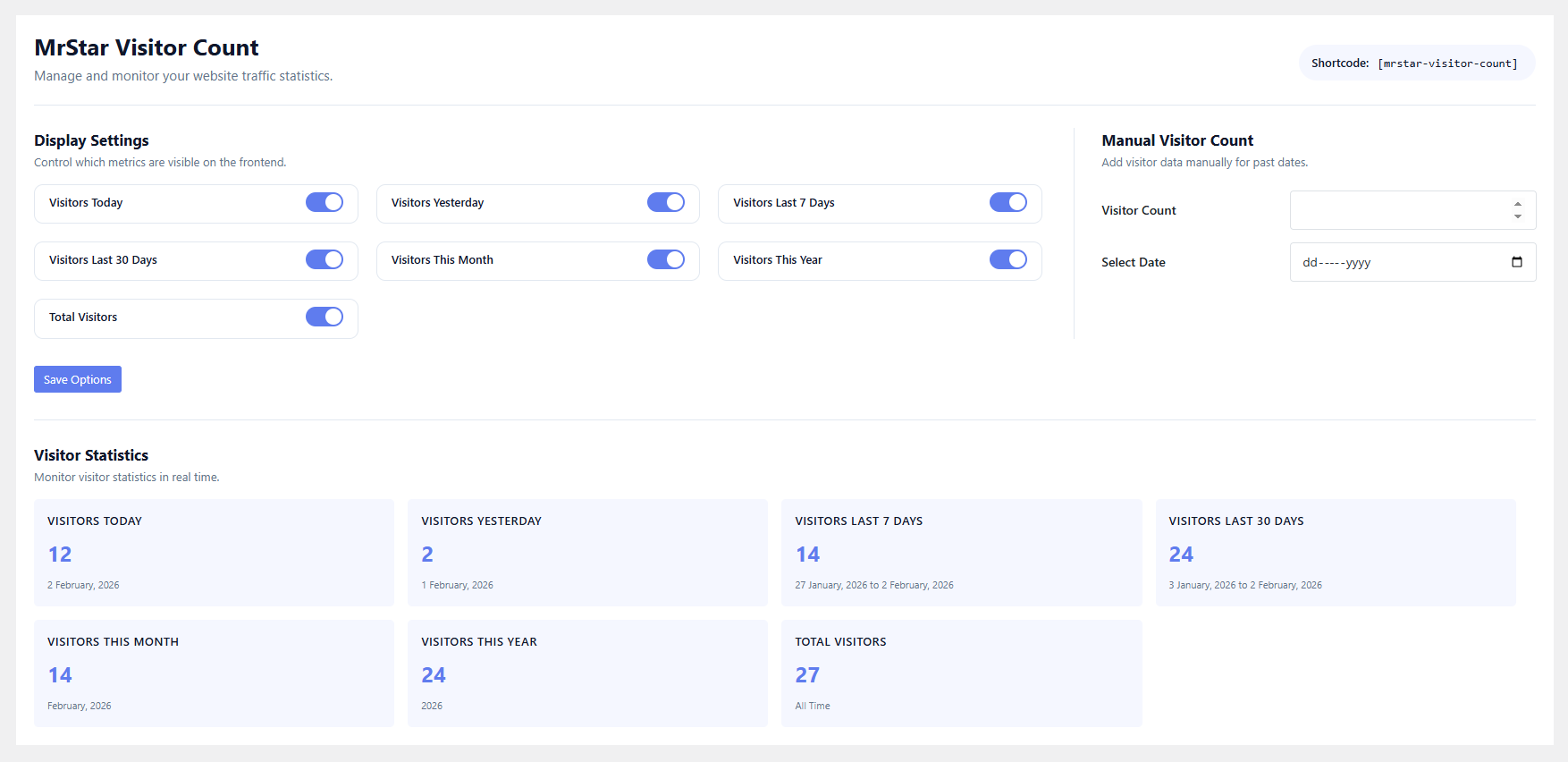
Backend: Shortcode setting and visitor summery
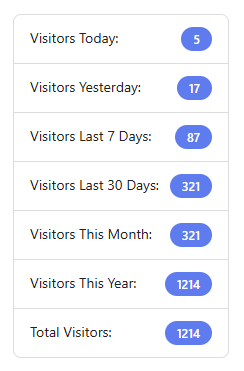
Frontend: Visitor summery via shortcode
How does the plugin track visitors?
The plugin tracks each visitor based on their IP address to provide an accurate count of unique visitors.
Is this plugin compatible with caching plugins?
Yes, the plugin works well with caching solutions that are compatible with dynamic content.
How can I manually add visitor counts?
You can now use the new admin form to select any past date and manually enter the visitor count.
ChangeLog
1.0.9
- Tested with WordPress 7.1.2
- Minor compatibility improvements.
1.0.7
- Tested with WordPress 7.0
- Minor compatibility improvements.
1.0.6
- Fixed undefined variable warning for $table in visitor tracking function.
- Replaced incorrect table variable usage with properly defined $wpdb->prefix table name.
- Improved database query consistency in visitor logging logic.
- Removed unused and unsafe variable assignment to prevent PHP warnings.
1.0.5
- Database improvement: Created a new individual table
mrstar_visitor_count to store date-wise visitor counts. The plugin now automatically creates this table on activation and migrates existing data from mrstar_visitor_data in wp_options.
- New feature: Added a new admin form to manually add visitor counts by selecting a date and entering the count.
- UI update: Updated the backend admin page for better usability and cleaner layout.
⚠️ IMPORTANT: Please take a full database backup before updating to this version, as it involves database table changes.
1.0.2
*Removed PHP session management to improve handling of temporary, user-specific data using IP-based identification only.
1.0.1
*Improved PHP session management for better stability.
1.0.0
- Initial release of the plugin.
