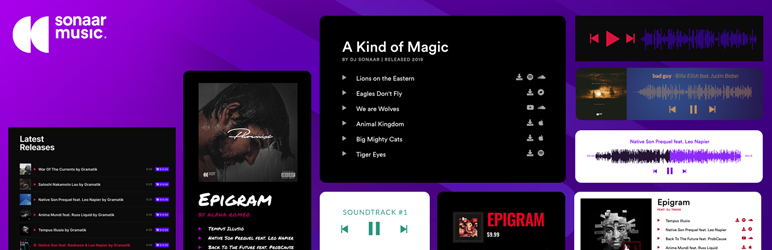
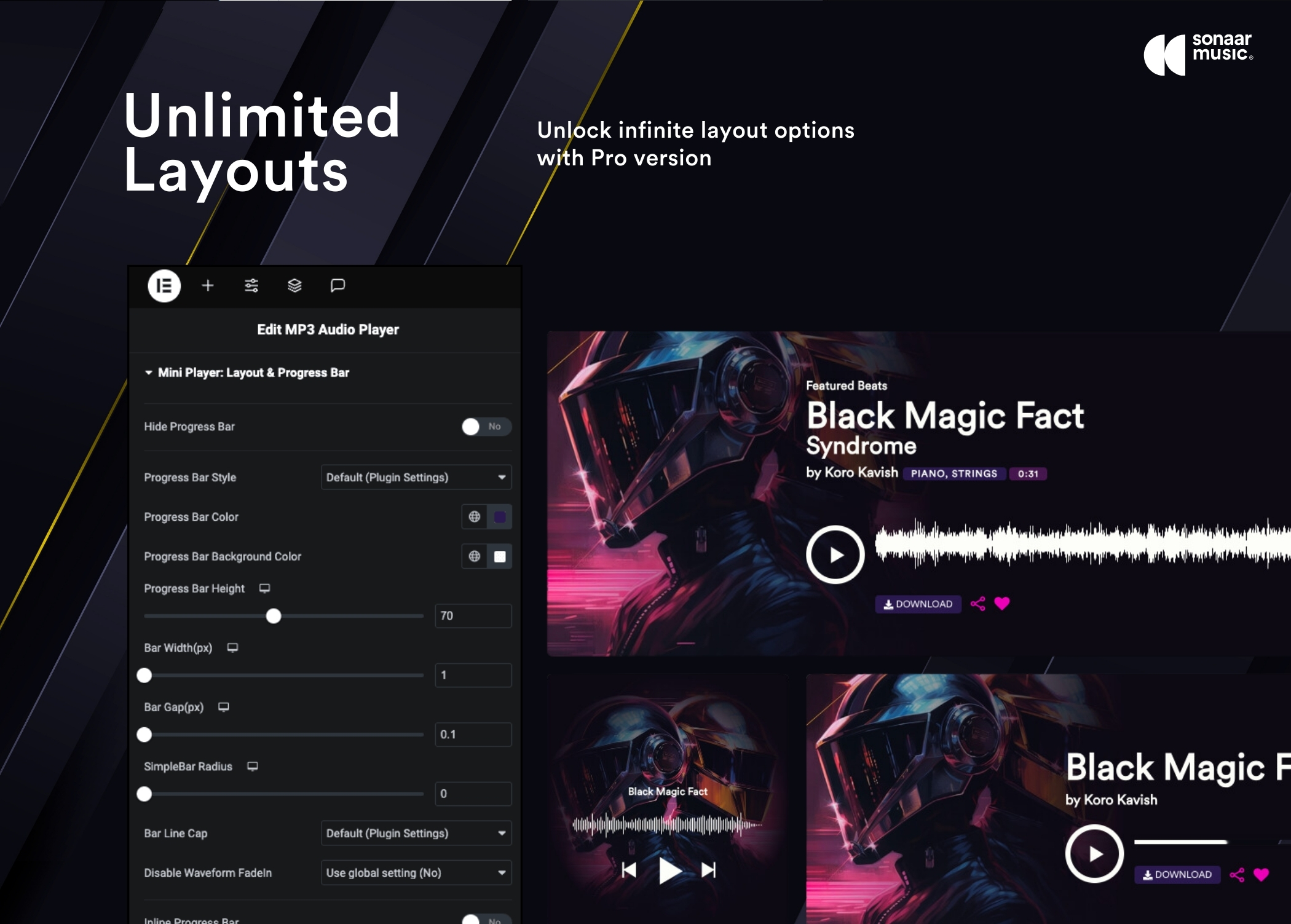
MP3 Audio Player is a very easy Audio Player for WordPress built for Music, Beat Makers and Podcasters. Add unlimited playlists, albums and podcasts to any post, WooCommerce products, or custom posts using our Elementor Music Player, Gutenberg editor, or our new Shortcode Player Builder. It’s flexible and easy to use. It’s the perfect companion for your WooCommerce store if you plan to sell beats and music on your website and the new #1 plugin for Podcasting with WordPress.
You can display an optional stunning waveform bar under any of your audio players. Our Audio Player is super easy to use, includes tons of features and the design and UX are very professional. You can choose between a super-nice-looking waveform and a very simple progress bar design or display your audio in coverflow mode or slider mode.
Upload your MP3 file from your page, post, WC product, custom post, or directly in Elementor!
There are 5 different ways to use the audio player.
1) Elementor: Add the MP3 Player Elementor Widget.
2) Gutenberg: Add the MP3 Player block in the Gutenberg Block Editor.
3) Shortcode: Add a player shortcode on any page using our Shortcode Player Builder.
4) Javascript API: Use our solid javascript API for advanced actions!
5) Bulk-Import: If you use the Pro version, select multiple MP3 files and it will create posts, products and custom post in 1-click!
★★★★★
“If you need an mp3 player for your website, just use MP3 Music Player by Sonaar. You aren’t going to find anything better…” – Intarwebsdeveloper
★★★★★
“This is hands down the best Audio Player plugin I have found for WP … for anyone who is attempting to build a large music catalogue. Thanks guys!!” – Nebsounds
★★★★★
“This plugin is really AMAZING. Thanks for build this!!” – Walterk7
For Music and Beat Makers
Our MP3 player is the best plugin for WordPress to add music, loops and drumkits, to your website.
✔ Create professional & highly customizable music players
✔ Add download, lyrics and call-to-action buttons
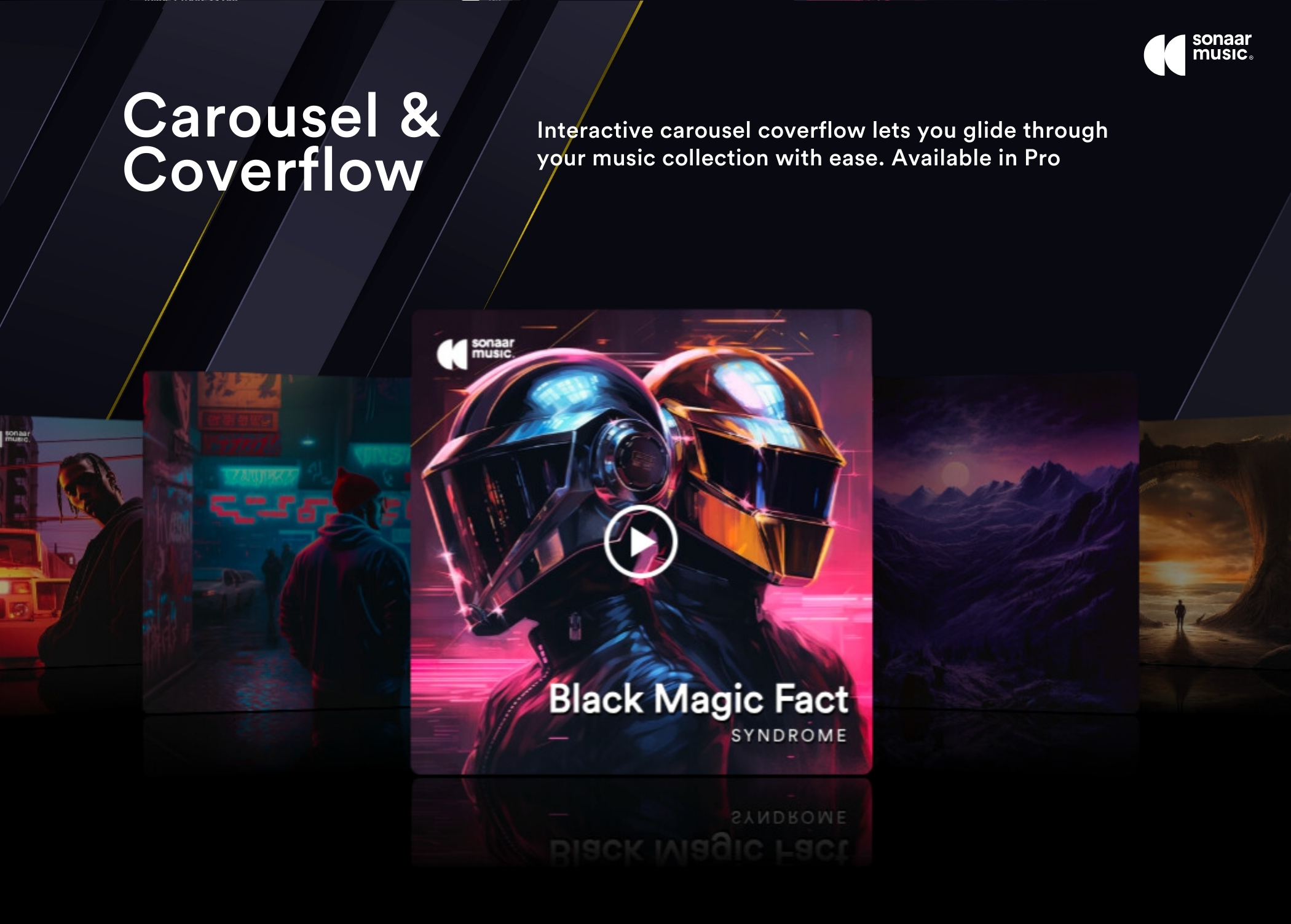
✔ Create slick Coverflow sliders with Pro
✔ Sticky Player & Animated Audio Spectrum is also available with Pro
✔ Sell Music file, beats and sample packs on your website with Pro
For Podcasters
Don’t look further Podcasters! This is the ultimate podcast plugin for WordPress ever created. It has all the features required to design the next-level Podcast Website.
✔ Use RSS Feed to create unlimited, highly customizable podcast players
✔ Import any podcasts from all major podcast distributors in 1-click
✔ Subscribe Buttons, Show Notes, Automatic RSS Feed Update, Continuous Sticky Player & Animated Audio Spectrum available with Pro
✔ Support Multiple Podcasts Feeds
For Any Audio Enthusiasts!
Whether you are a voice-over artist, audiobook creator, meditation trainer, or managing a religious blog, this audio player has everything you need.
✔ Create audio players on the fly with audio URL! You will be live in the next few minute
✔ Create different playlist per each category or topics
✔ Sell audio books with WooCommerce available with our Pro version
✔ Optimized for SEO
For Streaming and Online Radio
Want to broadcast your Icecast stream on your website? No problem! Users can easily access live or recorded streams and view important information such as the current track title, radio station info, and album image cover of the current playing track.
✔ Use any Icecast Feed and create your own audio player
✔ Support Continuous Audio Playback when visitor switch to other pages of your website
✔ See what’s currently playing and album artwork
✔ Support multiple stream feeds
No XML, JSON or FTP is required to use this HTML5 audio player! Just upload your MP3, M4A or FLAC tracks within WordPress, and add the playlist anywhere on your site using Gutenburg, shortcode or by using Elementor! This free plugin will automatically fetch metadata from your files to autocomplete the album titles & track names.
It’s a fully responsive MP3 player and it works on desktop, tablets, and other mobile devices!
AWESOME DESIGN
This professional audio player has been designed by our design experts. With over 15 years of experience as UI/UX Design and WP Development, we have come up one of the best, easy-to-use, feature-rich plugin to play audio file on your website. It’s a pixel-perfect Music Player for WordPress with awesome waveform.( Waveform is also known as audio spectrum visualizer, soundwave, visual equalizer, wavesurfer or audio sound graphic).
TONS OF FEATURES
FREE MP3 PLAYER – FEATURES
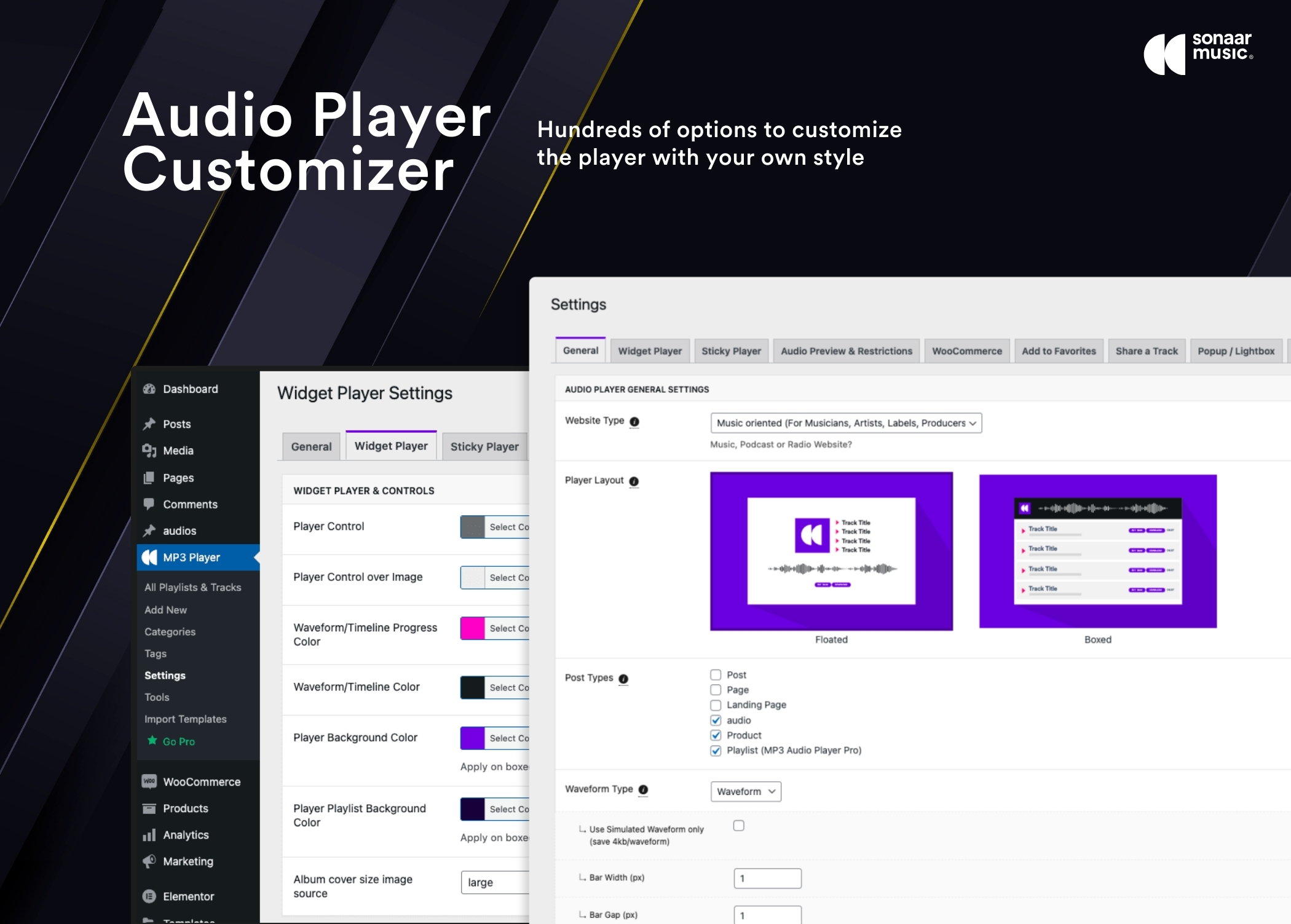
Choose between a Floated or Boxed Player Layout
Quickly add podcast player to any pages
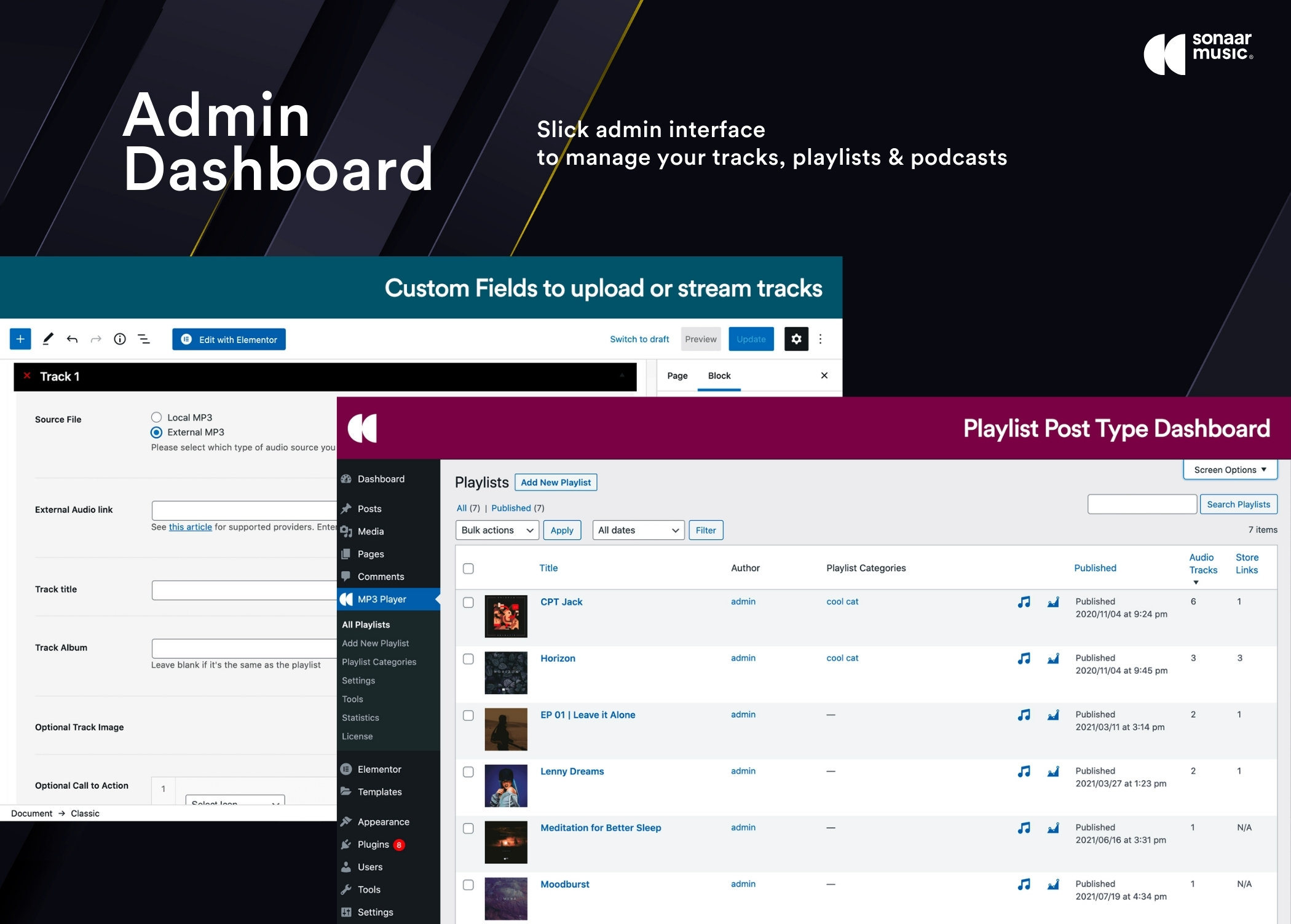
Create unlimited audio albums & playlists
Upload unlimited MP3/M4A files
Support MP3, Audio streaming, Radio streaming, RSS Feed, CSV File, and all major podcast distributors
Upload audio tracks from any posts, custom posts or pages
Import Podcast Episodes and Podcast Show from any podcast distributor in 1-click and presto player is there… you are ready to go! (NEW!). You can also simply input your RSS Feed into the player and we will display all your episodes.
Add subscribe buttons for your podcast
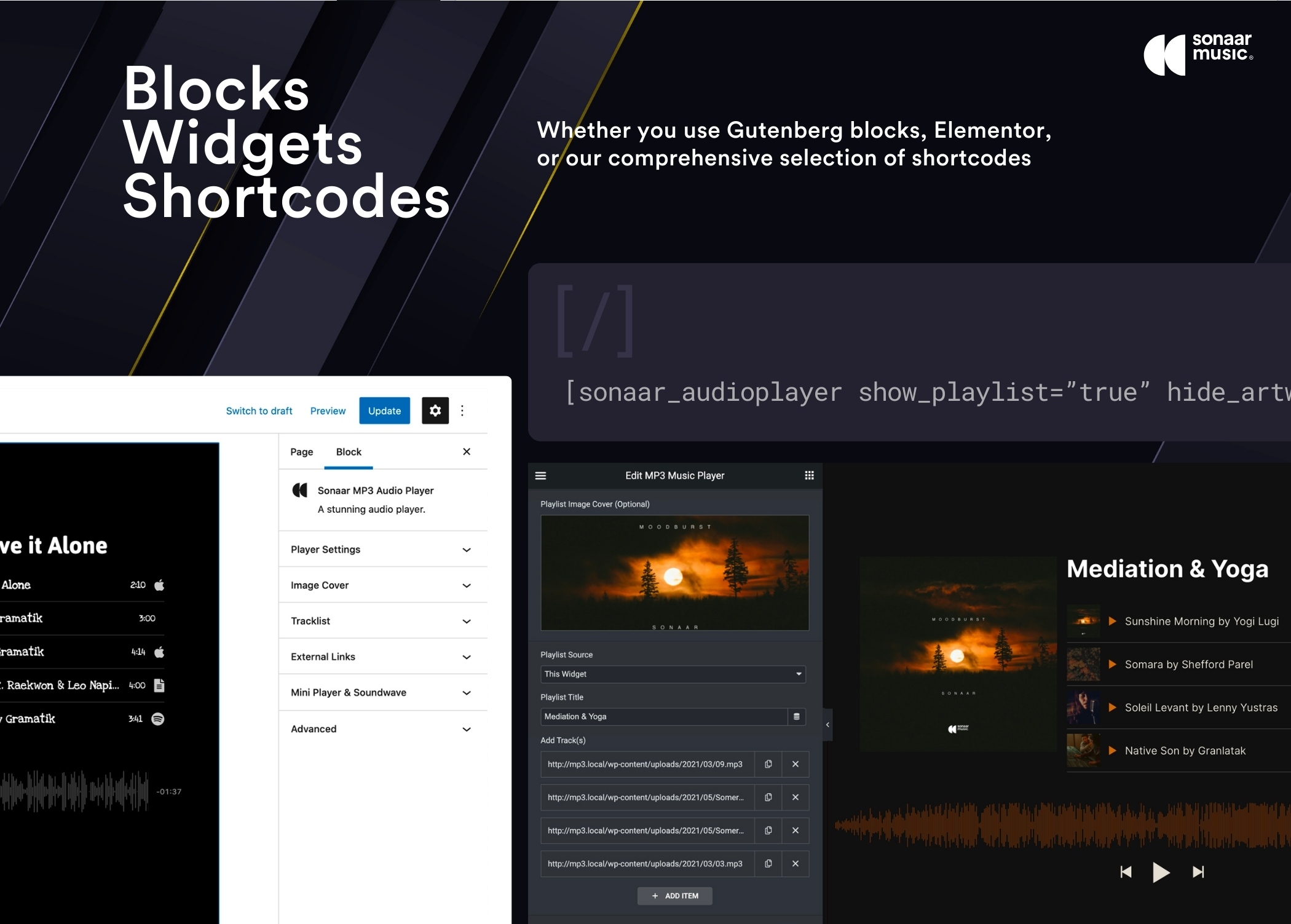
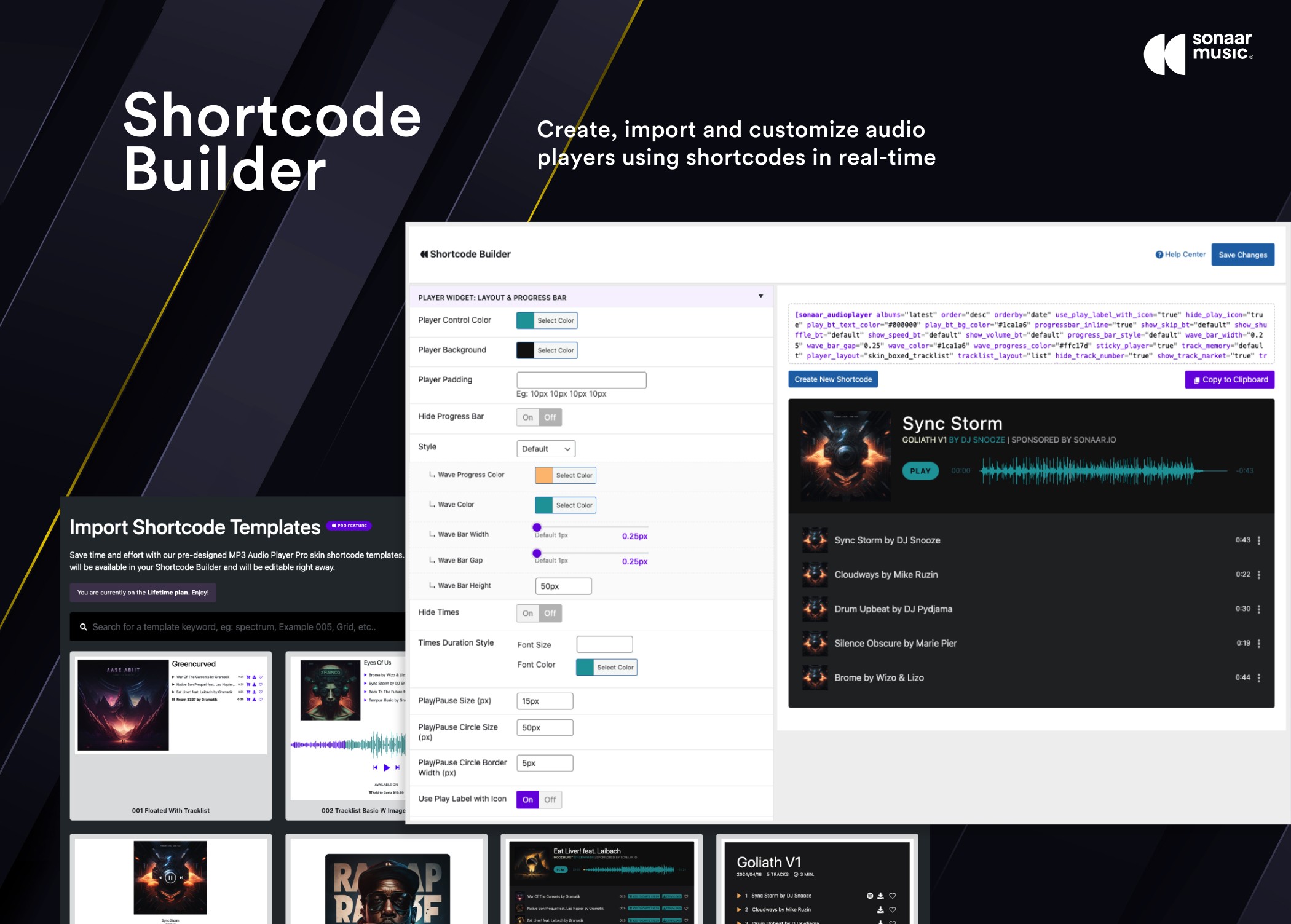
Embed audio players using shortcodes with our Shortcode Player Builder
Embed audio players using our Elementor Widget
Embed audio players using our Gutenberg Block Editor
Support for Elementor Page Builder
Add Download Now buttons for each track & album
Real-time Dynamic Soundwave Waveform FX
Unlimited color for your MP3 widget
Order and organize your tracks with drag and drop
Support WooCommerce & Easy Digital Downloads
Support for Google Fonts
Automatically fetchs ID3 Tags from your MP3 files and show an optional MP3 waveform chart.
No XML, Json or FTP is required. Upload and setup everything through WordPress.
Show/Hide tracklist of your MP3 audio player
Cover album beside the audio widget is optional
Add social icons for each of your tracks such as “Download”, “Buy tracks”, “SoundCloud”, etc.
Add call-to-action buttons for each of your album such as “Listen on Spotify, SoundCloud, BandCamp”, etc.”
HTML5 Player so it’s fully responsive, mobile-friendly and play across all plateforms.
[NEW!] Advanced Triggers. Engage listeners with playback actions and download buttons, including previews, watermarks, ads, popups, redirects, scrolling, and role-based interactive enhancements.
[NEW!] Option to display audio Waveform for each tracks in the tracklist.
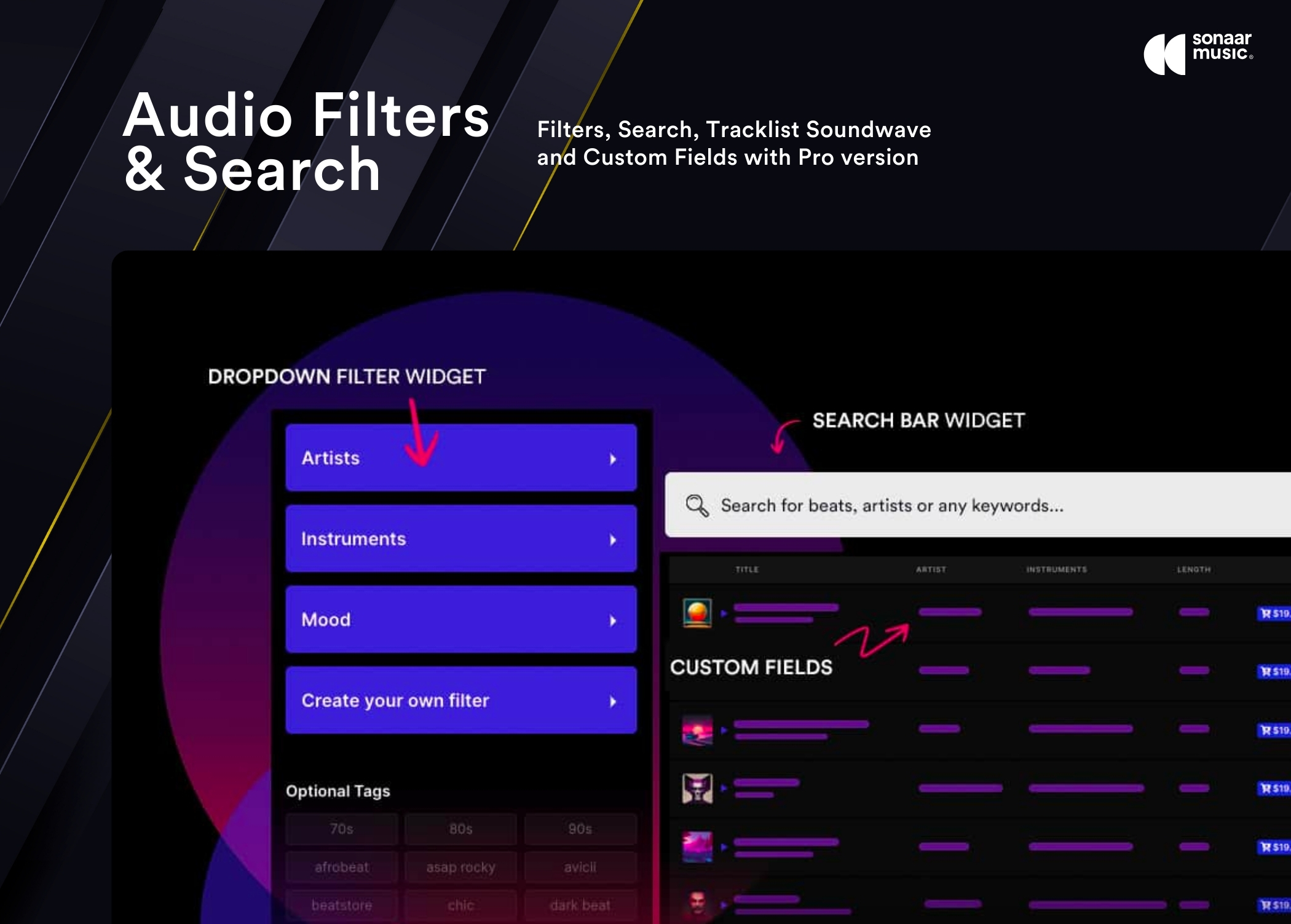
[NEW!] Search bar within your tracklist.
[NEW!] Filter Dropdowns & Tag Buttons.
[NEW!] Audio Preview (eg: 30 seconds clips) automatically generated from your full audio track.
[NEW!] Ability to add audio watermark automatically generated from your full audio track.
[NEW!] Ability to add audio advertising (known as pre-roll or post-roll ads) before or after your audio track.
[NEW!] Create Sliders & Coverflow Slides in 1-click.
[NEW!] Share Tracks Feature: Share your track on Facebook, Twitter, WhatsApp, SMS, Emails! You have the option to add a share button to share specific tracks from your tracklist.
[NEW!] Add to Favorite Playlist. Visitor and logged-in users can add tracks to their favorites. You can create a page with a player that will contains a list of the user’s favorites. Check the settings in WP-Admin > MP3 Player > Settings > Add to Favorites.
[NEW!] User Recently Player Track feed type. This feature offers a personalized experience for your site visitors by displaying a player with their most recently played tracks.
[NEW!] Remember Track Progress. Enable this feature on your player widget to have tracks resume from where the user last stopped listening. Useful for Audio Books, Podcasts and eLearning.
[NEW!] Ask for Email to Access Download. Turn your download buttons into a powerful lead generation tool.
[NEW!] Make an Offer / Negotiate Button. Give your audience the flexibility to negotiate the price with WooCommerce.
Music Licenses & Contracts for WooCommerce similar to Beatstars, Audiio, Trackclub, Epidemic Sound, Premium beat, Soundee and Airbit, etc.
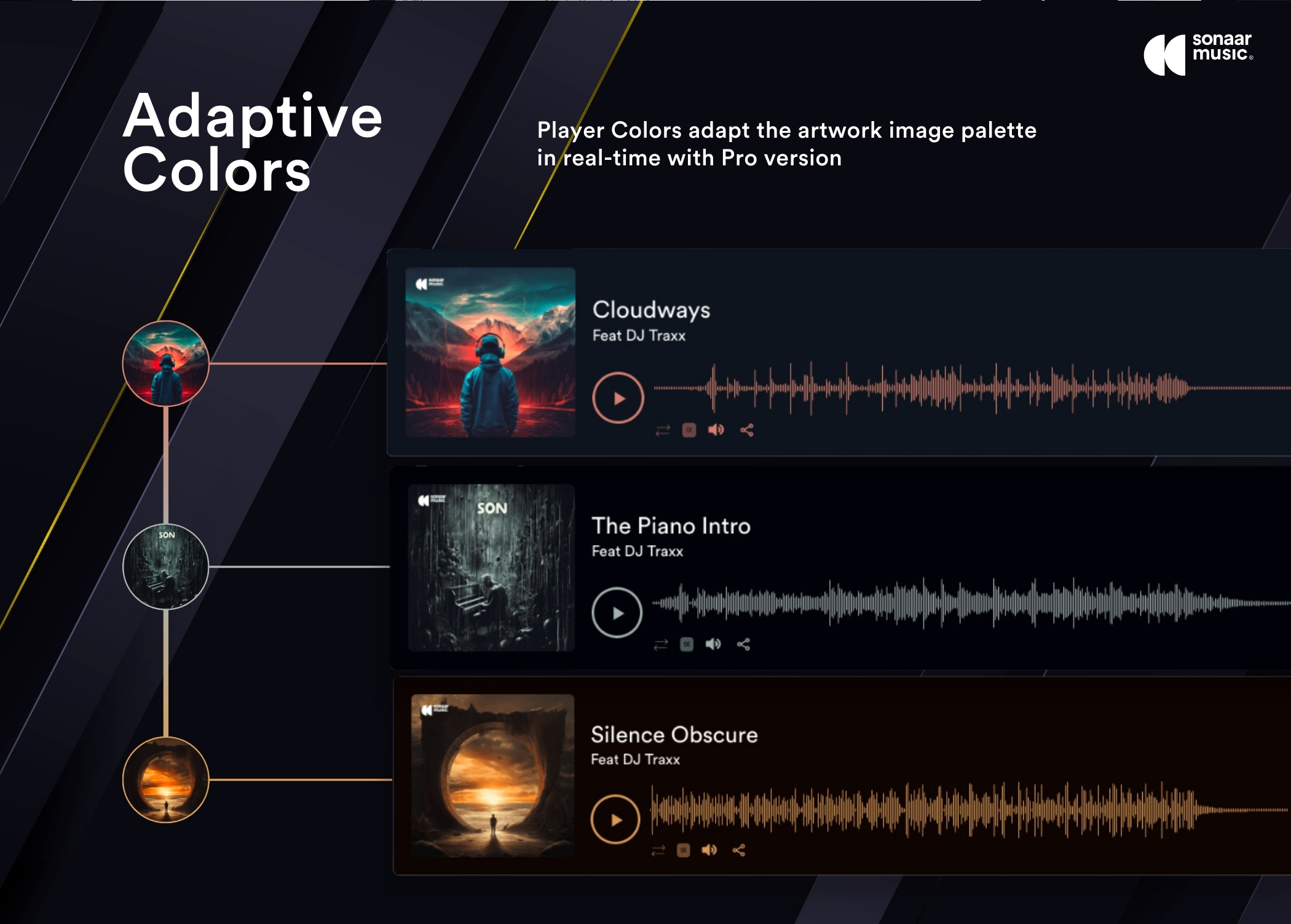
Adaptive Colors: Match the skin of the audio player with your image artwork in real-time. Thanks to our AI algorithms!
Keep your RSS Feed and Podcast Show synched with your current Podcast distributor to get new episodes automatically
Customize the look and feel of the player directly within Gutenberg Block Editor! No custom CSS is required! Over 70 styling options are available.
Elementor Widget with 70+ Styling Options and dynamic fields!
Full Lyrics and Karaoke Support. Create Karaoke Player or audio lyrics to your site by using Timed Text Markup Language (TTML).
Use CSV File to create playlists.
Support ACF, JetEngine, Metabox, etc. for Dynamic Custom Fields
Dynamic Visibility: Set visibility rules for the Downloads, Favorites, and Share buttons based on user roles, like administrators or subscribers, or non-logged users. A use case would be to to show the download button exclusively to logged-in users, while directing non-logged users to a sign-up page.
Add popup lightbox option for call-to-action buttons beside your tracks. Embed anything from lyrics, videos, html or shortcodes in the Lightbox.
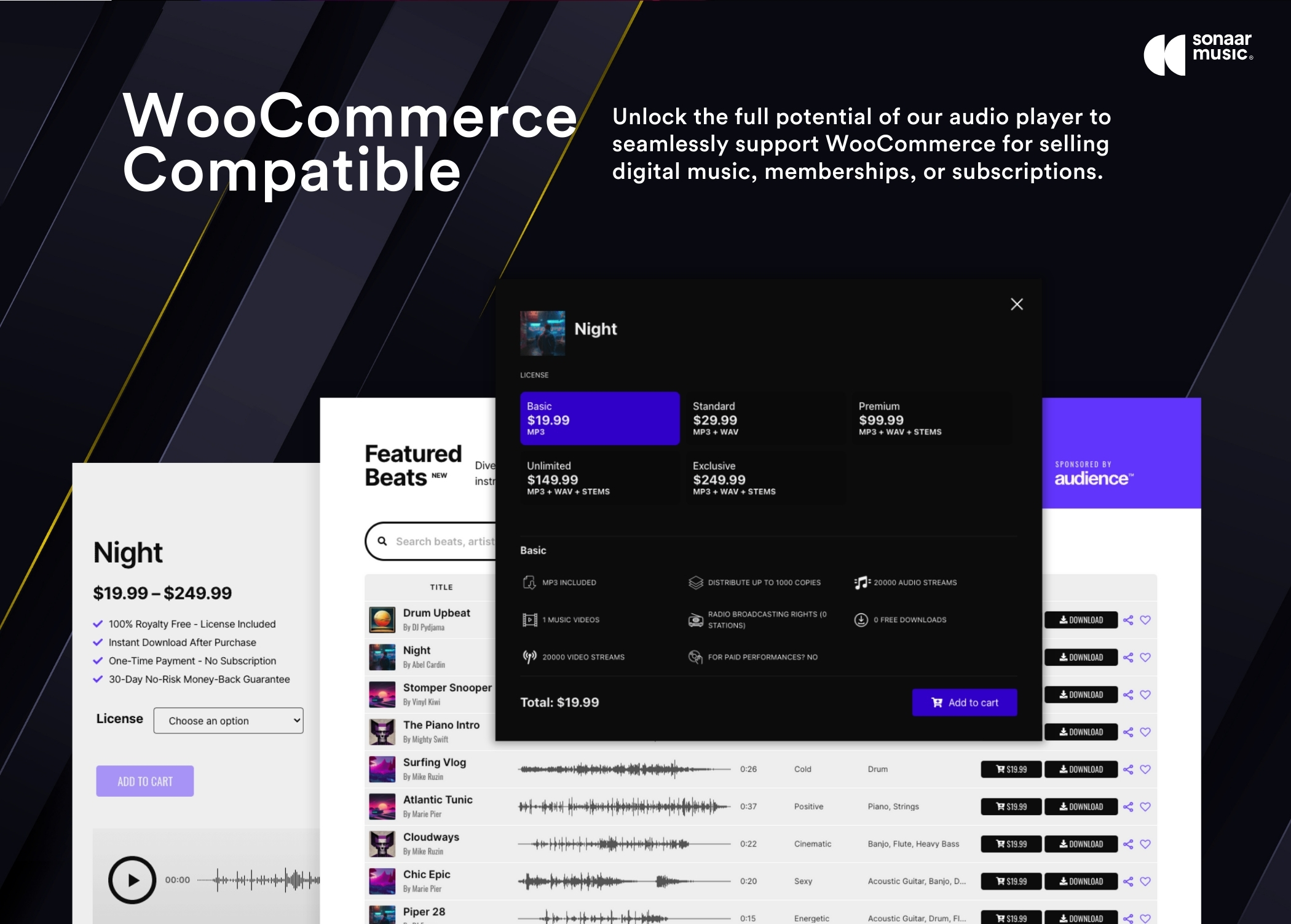
Add Audio Player for WooCommerce in product image, shop page and single product template automatically!. Add Buy Now, Add to Cart button with price for your WC products
Scrollbar option to scroll within your tracklist
Pagination option to paginate your tracklist
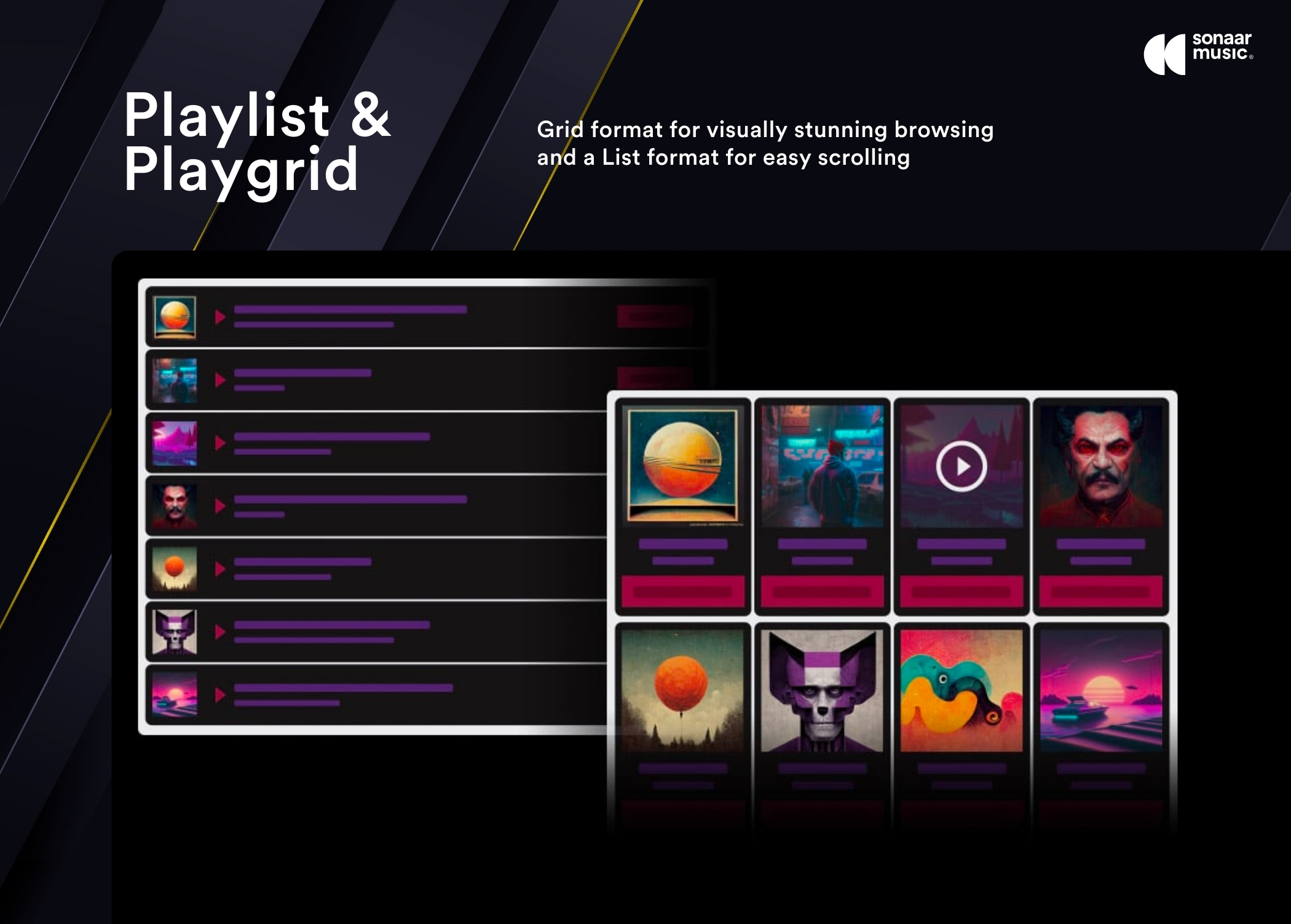
Display thumbnail images beside each of your tracks in the playlist
Display playlist from specific categories instead of adding them one by one.
Create easy & quick chapter list or table of content using our shortcode. Jump directly to specific time stamps.
Music player for WooCommerce
15 seconds / 30 seconds episode skip button
Volume Control
Shuffle Tracks
Playback Speed and Speed Rate control
Show track description for each track
Show Podcast Notes for each episode
Show published dates for each posts and tracks
Show number of tracks for each playlist
Show total time duration for each playlist
Tracklist View with the Sticky Player
Option to automatically stop player when track is complete
Option to set an overall sticky player that will load on all your pages as well as the latest playlist available
Option to change slug name for single playlist and categories
Tool to create posts in bulk only by selecting the audio files
Importation tool from MP3 files.
Statistic Reports
View listen counts on every tracks, playlists and audio player within WordPress
View tracks downloads statistic
Top Played Tracks/ & MP3player charts
Filter charts by days, weeks and months
Get insights reports directly in your dashboard for all of your audio players.
12 months of priority support through our live chat!
Anyone who can benefit from adding audio on their website can benefit from using this audio player!
PREMIUM SUPPORT
The Sonaar Team does not always provide active support for the FREE MP3 Player plugin on the WordPress.org forums, as we prioritize our dedicated helpdesk support. Priority support is available to people who bought MP3 Audio Player PRO only.
ABOUT SONAAR MUSIC
Sonaar also offers Sonaar Cloud, a separate hosted platform for creating and embedding stunning audio players on WordPress and other websites. This WordPress plugin works independently and does not require a Sonaar Cloud account.
This free WordPress MP3 Player plugin has been developed by Sonaar Music. Our award-winning Music WordPress Themes & Plugins empower thousands of artists around the world.We provide stunning WordPress themes crafted for DJs, Artists, Podcasters, Music Bands and Record Labels. By offering beautiful and unique themes and plugins to the music industry and providing outstanding friendly customer support, we help our backers to build a strong brand awareness so they can engage more fans and followers. Our design templates for WordPress can be adapted to any style of music from Hip-hop, Jazz, DJ, Techno, Electro, R&B, Rap and EDM Music.
To install the free version of player, follow the steps below:
From your WordPress dashboard -> Go to Plugins -> Click on ‘Add new’-> In the Search field, enter Sonaar and choose MP3 Audio Player by Sonaar.
Press install -> After installation, click Activate.
Can I use the MP3 Audio Player for commercial purposes?
Yes, you can use the Audio Player for both personal and commercial purposes. It’s perfect for musician, music producers, podcasters, and anyone who wants to showcase audio content on their website.
Can I add call-to-action buttons, such as download or platform links, to my audio tracks?
Sure! You can add unlimited call-to-action buttons to any of your tracks, allowing you not only to offer download options but also to link to your favorite platforms like Spotify, SoundCloud, Bandcamp, and include “Buy Now” buttons, among others.
Is the player compatible with Elementor, Gutenberg, Divi, Bricks, WPBakery, Visual Composer and other page builders?
Certainly! The MP3 Audio Player is compatible with all page builders. It includes custom widgets for Elementor and Gutenberg, as well as a visual Shortcode Builder to create stunning audio player with shortcodes, making it simple to integrate audio players into your pages and posts using any page builder.
Can I upload audio tracks directly from my posts or pages?
Yes, you can upload audio tracks from any post, page, or custom post type directly within the WordPress editor, making it convenient to manage your audio content.
Can I add unlimited audio players to my website with the free version?
You can add unlimited audio players to your website, allowing you to showcase multiple playlists, albums, or podcasts throughout your site.
Can I import podcasts from any podcast hosting?
Yes, you can import podcasts from all major podcast distributors in just one click, making it easy to manage your podcast content.
Does the player support multiple podcast feeds?
Yes, we support multiple podcast feeds, making it easy to manage and display different podcast series on your website, or create any kind of podcast network.
Does the player support live streaming audio, such as Icecast?
Yes, We fully support Icecast and any streaming audio server as long as they provide a public audio stream. If you are using Icecast, we display the album cover and what’s currently playing.
Can I sell my music or audio files through the player?
Yes, with the Pro version (Business Plan), you can sell music files, beats, and sample packs directly from your website, integrating seamlessly with WooCommerce.
Is the MP3 Audio Player responsive and mobile-friendly?
Yes, the Music Player is fully responsive and mobile-friendly, ensuring a seamless listening experience for your audience across all devices.
Is the MP3 Audio Player SEO optimized?
Yes, the MP3 Audio Player is optimized for SEO, ensuring that your audio content is easily discoverable by search engines and contributes to your website’s overall SEO performance.
What types of sticky players does the MP3 Audio Player offer?
The Pro version offers three types of sticky players: Full Width Sticky, Mini Sticky, and Float Sticky Player, each with volume control, playlist overview, slick controls, and CTA buttons along a nice progress bar.
Does the MP3 Audio Player support continuous/persistent playback?
Yes, with the Pro Version, you can listen to your audio continuously while navigating your website. The sticky player resumes when loading a new page.
Are there any advanced features like audio previews, watermarks, or audio protection?
With the Pro Version (Business Plan or higher), you can provide audio previews, output pre-roll or post-roll advertising, or watermark to the audio.
Can I add tracks to my favorites and share them?
Yes, with the pro version, you can click on the ‘Add to Favorite’ icon to store tracks for future listens, and use the Share a Track feature to share your tracks across various platforms, including social media, email, and SMS.
Fix: MiniPlayer not loading with pagination ON, shuffle ON, and lazy load OFF
Fix: Sticky Icecast metadata not updating when widget player is not selected
Fix: Filter init when search and field columns are disabled
Fix: Lyrics | Karaoke Mode issue
Tweak: Icecast support for Airtime Pro JSON
5.11
Fix: Waveform width issue caused by css from third party themes or plugins
Fix: PHP error with RSS feed as source in some condition
Fix: Add to cart button on mobile
Fix: Tracklist Note button issue when reverse tracklist option is enable from post option
Fix: Icecasts – Convert the feed to json format. Some feed was received as string
Fix: PHP error with the license pdf generator
Fix: Bulk importer – Set the audio file(s) as the purchased file(s) option to prevent manual work
Tweak: License Contract – Removed unused LICENSE_TYPE variable type
Fix: Resolved a security vulnerability
5.10
New: WooCommerce – Added option to set separate Preview and Purchased audio files. After buying a track, customers can instantly download and listen to their purchased version on the frontend, and the Add to Cart button can automatically adjust based on purchase status. All new settings are available under MP3 Player > Settings > WooCommerce
New: WooCommerce – Create a player widget which contains all tracks purchased by the user
New: Semantic accessibility: add role “button” to control buttons
Fix: special characters issue with the sticky player
Fix: Streaming: Album artwork was often the wrong one. We have improved the fetch
Fix: Streaming – Update for Public Radio Co
Fix: Filters – Lazyload filters now match exact values (e.g. Male is treated separately from Female).
Fix: Filters – Filter condition OR parameter with no lazyload
Fix: Elementor editor – Conditon issue with tracklist play button options
Fix: Shortcode builder – Add responsive carousel slide per view options and meta title group styling
Fix: Issue with Lazy load applied through the gutenberg extra parameter option
Fix: Show Control On Hover condition now working
Fix: CPT Categories created with JetEngine is now supported
Fix: Gutenberg – Scrollbar option issue
Fix: Image size in the email-capture popu
Fix: Shuffle order after filtering when sticky is disabled
Fix: Pagination issue in rare condition
Fix: Mobile Popup CTA
Fix: RSS Feed – Reverse tracklist parameter now working
Fix: Plugin conflict with other CMB2 plugins in some case
Fix: Now display whats currently playing for Citrus Streams
Fix: PHP warning regarding sonaar_license when WC is not activated
Fix: PHP Warning with WC 3.0+
Fix: PHP 8.2 notice with html2pdf library
Tweak: Load Elementor Categories the right way. Fix conflict with other plugins in some case
Tweak: Show track not found warning from search or specific player only
Tweak: WooCommerce – Display correct WC price if using geolocation
Tweak: Make sure plugin review admin notice is not shown if not admin
Tweak: Shortcode Builder – Add visual helper when no track found
5.9.5
New: Add “Order” option to the playlist/episode post type to allow manual ordering
Fix: Icecast: Force Optional Image when no image is provided by the json
Fix: Carousel “view detail” and “favorite” issue when source is “Post”
Fix: Allow dash character (#) in the feed_title shortcode attribute
Fix: Playlist padding not working in Elementor Editor in some case
Fix: Lyrics Karaoke not working when sticky player loaded on page load
Fix: Search and tag filter not working in some case
Fix: Compatibility issue with JetMenu plugin
Fix: Translation of License and contract default value.
Fix: Tracklist Grid: Fix play button over image when “Link to the post page” is enable
Fix: PDF Licence creation not working with Cyrillic
Fix: Issue with special characters in the product attribute name
Fix: Chip widget: Fix Clear All Button
Update: Moment JS library 2.30.1
Update: Swiper JS Library 11.2.3
Tweak: Speed Optimization of the frontend. Removed unnecessary query
Tweak: Renamed Icecast Stream for Live Stream in the admin area
Tweak: Add ALT text on sticky player thumbnail
Fix: Resolved a security vulnerability with broken access control
5.9.4
Fix: Caroussel Slider with Favorites
Fix: PHP warning in the classic Widget interface in some case
Fix: Special characters issue with post title when using ACF as source
Fix: Sticky player float layout progress bar visibility
Fix: Three dots clicking issue on the CTAs
Fix: Resolved a security vulnerability
5.9.3
Fix: Compatiblity issue with Elementor 3.26. Elementor new update caused the plugin not loading/crash on Elementor pages. https://github.com/elementor/elementor/issues/29425
New: Fetch playlist based on authors names https://drops.sonaar.io/i/8F4UB1
New: Added ‘srmp3_disable_wc_player’ filter hook to disable player on the WC product thumbnails
Fix: Anchor RSS feed importation issue
Fix: CSV Import issue when CSV uses commas as delimiter
Fix: Mobile issue with the Download & Buy buttons in some case
Fix: Improved admin UI to make sure the user can click only 1 time on Activate my License
Fix: Admin column order for Music Licenses CPT
Fix: Broken Access Control vulnerability
Tweak: Allow to list tracks based on tags, not only on categories
Tweak: Advanced Triggers – Audio was muted when using advanced rules in some case
Tweak: Track Memory. Add a status “completed” in the json storage when the track has been completed
Tweak: Improved UI of the Import Template Admin Area
Tweak: Optimized the speed of the backend
5.9.2
Skipped version to match free/pro version numbers.
5.9.1
Hotfix: Carousel Slider not working since last update
Hotfix: Artist Names not displaying in the tracklist since last update
5.9
New: Introducing Advanced Triggers. Engage listeners with playback actions and download buttons, including previews, watermarks, ads, popups, redirects, scrolling, and role-based interactive enhancements. Learn More
New: Add PHP filters for developers to filter track title, album title, artist name and album covers with their own custom fields
Tweak: Improved the loading speed in both frontend and backend
Tweak: Updated the Twitter icon to the new X logo
Tweak: The previous button now resets the track to the beginning if over 2 seconds have played, or skips to the previous track
Tweak: The single template shortcode in the settings is now effective for the taxonomy template as well
Tweak: Merged v5.8 Collected Emails to its own CPT
Tweak: Sticky Player Metabox now display only on public CPT
Fix: Excluded Categories now working with Post Categories
Fix: issue when using barbaJS and the share/favorite buttons
Fix: Issue with Search Widget and WooCommerce Archive when using a block theme
Fix: Remember Track Progress option now working from global settings
Fix: Display Artist Name below Track Title option since last Elementor update
Fix: User Recently Played Track when we start track from the player widget
Fix: Audio Preview not working in some special cases
Fix: Multiplayer Soundwaves issue
Fix: Minor Admin Tweaks and JS optimization
Fix: Resolved a security vulnerability
5.8
New: Introducing Ask for Email to Access Download for Business Plan users. Turn your download buttons into a powerful lead generation tool. By enabling dynamic visibility on your download button, you can easily configure it to prompt users for their email, after which the file will be delivered automatically. Learn More
New: Introducing Make an Offer / Negotiate Button for Business Plan users. You can give your audience the flexibility to negotiate the price. Say goodbye to rigid pricing structures and hello to customer-driven sales. Learn More
New: Option to display Next/Previous/Tracklist button directly in the mobile sticky bar
New: Option to support artwork background image with the shortcode builder
New: Collected Emails tab in the plugin settings to export emails collected from the Ask For Email feature
New: Option to display the track artwork as a blurred background image in the lightbox (Product Variations, Ask For Emails, Make an Offer)
Tweak: Ability to play the related audio file from the popup modal
Tweak: Moved Download Button settings into its own tab in the plugin settings
Tweak: You can now add a next/previous button on the boxed layout
Tweak: When disabling the continuous player, it was still displaying on the frontend until cookies were cleared
Fix: Audio Previews generating a Content-Length header not set in some case
Fix: Prevent JS error with the sticky CTA when playing another player widget
Fix: Matomo Plugin not collecting player statistic since their last update
Fix: Display issues with some themes that use the .content class
Fix: Sticky Player not showing in some conditions caused by jQuery
Fix: PHP notice with the Elementor Editor in some conditions
Fix: Track Ordering when ordered by total sales
Fix: Excluding continuous player on the product pages with custom slugs is now working
5.7.1
New: Setup Wizard to get started when you activate the plugin a first time
Tweak: Improved translation strings so they can be much easier to translate
Tweak: Display notice to admin user when max_input_vars is not enough
Fix: Issue when removing Favorites if you are not using the sticky player
Fix: Issue with Most Recent Played Track in some conditions
Fix: Issue with pagination if you are not using the sticky player
Fix: Issue with Preview Generation when using .dev domain
Fix: PHP 8.2 Warning – Creation of dynamic property is deprecated
Fix: Security Patch
5.7.0.1
Fix: Audio Preview not generating with WooCommerce or Classic Editor Post
New: Audio Previews, Audio Watermarks, Audio Ads, Fade-in and Fade-out audio generation in 1-click are now available for ALL our Business Plan (or higher) users without the needs to have FFMPEG installed! All audio processing is done off-site via our external API server, ensuring your audio files remain hosted on your own server while leveraging our external processing capabilities.
New: Option to set an info icon button on the mini player widget to display the track description
Tweak: You can now set an external URL for the audio preview
Tweak: Unified the Repeat Icon size with the other control buttons
Fix: JS error related to srp_var in edit post area
Fix: Prevent PHP error with third party plugins using CMB2 conditionals
Fix: Shuffle button not highlighted if Enable Shuffle is set on the player widget
Fix: Avoid scrolling to top when using pagination. Add the class srp-scrolltotracklisttop-disable to the player to disable the auto scroll
Removed sonaar_events table creation on plugin activation. Built-in stats are officially deprecated
Code Optimization
5.6
New: Add Repeat Control Buttons in the widget players. You can enable it site-wide from WP-Admin > MP3 Player > Widget/Sticky Player > Display Repeat Button. Additionally, you can enable it for individual widget instances.
New: Azuracast radio support to display whats currently playing
Tweak: Shuffle Icon design
Tweak: Added title attribute for player controls. You can translate them in MP3 Player > Settings > Widget Player
Tweak: New action hook srmp3_pre_get_playlist for get_playlist function
Fix: Issue with Elementor DB Update cause a fatal error in some case
Fix: Track color titles in shortcode builder in darkmode.
Fix: Duplicate search value with single quote, with the Right Single Quotation Mark Hexo code. Eg : Search for “O’Brien” and “O’Brien”
Fix: Compatibility issue with Icecast Player Plugin.
Fix: Sticky Player download button: redirection issue when condition is not Met
Fix: Security patch related with XSS in some case
5.5
New: Dark mode for the admin settings and shortcode builder
New: Shortcode Builder. Add option to set a preview background color in the builder
New: Option to set filename as tracktitle in the main admin page
Tweak: Optimized admin speed and prevent useless API Check
Tweak: Shortcode Builder UI. No admin notice + Use scrollbars in the builder for better UI
Tweak: Admin CSS now use SCSS
Fix: When using audio spectrum, the browser memory pilled up even if the track was not playing
Fix: PHP error when “this widget” is selected as source and no artwork is set
Fix: Set the carousel to Track when current post is used in the player source
Fix: Shortcode Builder. The category multicheck was always visible when no category is available
5.4.0.2
Fix: Shortcode builder not loading under certain conditions
Fix: Elementor Updater causing error under certain conditions
Fix: Playlists not showing up in admin under very specific conditions
5.4.0.1
HotFix: Remove shortcode Output on frontend for Elementor Users.
5.4
New: Introducing our new visual Shortcode Player Builder that allows you to create and customize audio players using shortcodes in real-time. The old shortcode generator has been removed. Screenshot
New: Introducing a Shortcode Template library where you can import pre-designed shortcodes (Pro version)
New: Remember Track Progress. Enable this feature on your player widget to have tracks resume from where the user last stopped listening. Useful for Audio Books, Podcasts and eLearning.
New: User Recently Player Track feed type. This feature offers a personalized experience for your site visitors by displaying a player with their most recently played tracks. Documentation
Tweak: Improved the loading speed in the admin area
Tweak: Admin UI
Fix: Call to action in the mobile sticky were not displayed under certain conditions.
Fix: Icecast player that has a cover set in the json will now display
Fix: Issue with Waveform peak generation in admin area not working
Fix: Prevent sticky player to start if the page has access restriction with WC Membership plugin
Fix: Allow target=”_blank” into track description
Fix: PHP Warning displayed with specific condition
Code Optimization
5.3
New: UI redesign of the admin settings
New: Support for the new Text to Speech AI Plugin for MP3 Audio Player by Sonaar which is currently under review.
New: The filter widget and tracklist columns now support all post and custom post type (CPT) taxonomies. Previously, only the sr_playlist CPT and the Product CPT were compatible.
New: Added an option to hide album title in the sticky player.
New: Added the ability to display track description in the mini player metas
Tweak: Mobile Sticky Player extender panel when no artwork is set. The sticky player extender panel was full height.
Tweak: Ability to remove our custom post type (eg: All Tracks & Playlists) from the admin menu
Tweak: Set default settings when installing the plugin for the first time
Tweak: Improved the admin hooks
Fix: Pause button bug in the elementor editor when lazyload is enable
Fix: Issue with player not working when track title was only a number.
Fix: Prevent displaying ‘Track 1’ on the frontend if no MP3 set.
Fix: Sticky player tracklist background color no appearing with specific condition
Fix: Offset alignment with track title and an empty artist title
Fix: PHP warning if player has a taxonomy term set but user removes the taxonomy term.
5.2
New: Option to enable search bar in the filter dropdowns
New: Tool to Export Playlist & Epsiodes created with the Sonaar Theme into MP3 Audio Player
New: Allow to import a CSV file and create multiple posts for each audio
Fix: iOS Lock Screen : audio stop when using Audio Spectrum
Fix: iOS Lock Screen : next track wont start in some conditions
Fix: Issue with tracks indexation tools in admin not working since last update
Fix: When using RSS feed, track title was not displaying in player widget
Fix: Tracklist waves width issue when we navigate through pagination (without lazyload enabled)
Fix: Popover Background Color in Elementor Editor
Fix: Soundwaves did not appear on players coming from tabs, accordions, and other hidden elements in some conditions
Tweak: Set default BG for sticky player as it fix an issue when sticky option no saved a first time
Tweak: Lyrics not appearing in some conditions
Tweak: Replace json_encore and unlink php functions by their native WP functions
5.1.1
New: Add Clear All button on the chip filter
Add support to use player inside archive tags template
Tweak: FFMPEG was not detected on some Linux server
Tweak: display full width bar with inline option + flexwrap on CTA
Fix: i icon button not appearing with grid tracklist and waveform
Fix: JS notice in some condition when using Icecast
Fix: track store in mobile sticky player to be formatted like the other CTA
Fix: JS error in edit page when sticky is set to load on all pages
Fix: Waveform is resized on scrolling on mobile caused by address bar
Fix: Vulnerabiity with Broken Access Control
Fix: Vulnerability with Cross Site Scripting
5.1
New: Option to set custom titles & metas in the mini player widget. Users can now include any fields, including custom ones, in the player widget, enhancing both design versatility and functional capabilities. Screenshot
New: Option to display track artwork image as player background. This option enables the track’s artwork image to serve as the background for the player, adding a visual element that enhances the user experience. Screenshot
New: Add support for playlist and product categories when importing CSV files
New: Support live streams from radio.co. We also display what is currently playing and album artwork.
Tweak: Display the track title instead of the album title by default in the boxed player widget. Prior this update, only the album/playlist title was displayed
Tweak: Waveform resize correctly when resizing the browser window
Tweak: Add player radius control in Elementor
Tweak: Renamed WP Menu : All Tracks is now called All Playlists & Tracks
Tweak: Add option to set an expirationto the continuous player
Tweak: Add support for author tags when importing podcasts RSS feed
Tweak: If using our Sonaar theme, we now display a deprecated notice in the menu to prevent confusion
Tweak: Create filter hook to get empty terms in the term dropdown of Elementor.
Tweak: Issues with radio stations and broken image artwork in some condition
Tweak: Mobile sticky player: remove three dots when not required
Tweak: Slider filter: Set the initial range values when its filter chip is reset
Fix: Prevent sticky player to update when using icecast in an inactive player in the same page.
Fix: Set default tracklist title width when cf columns is enabled
Fix: The track download button not appearing in the sticky player in some condition
Fix: Prevent fatal error when using CSV file with columns missmatch=
Fix: Issue where tracks were not displaying as expected when using Lazyload with specific categories
Fix: Dates in the tracklist were not displayed according to the language sets in WordPress
Fix: Tag filters button needed 2 clicks to activate in some condition
Fix: Issue with “Do not skip tracklist” option when shuffle is enable in some condition
Fix: Suppress PHP warning regarding file_exists and the ffmpeg path
Fix: Issue with sticky player and WeGlot plugin
Fix: PHP 8.2 warning in some condition
5.0.3
Fix: Audio not playing since last version in some case
Fix: Plugin could not be activated in some case when using PHP 7.3 or earlier
Fix: Since WordPress 6.4.3, pro plugin could not be installed
Fix: Dates in the tracklist were not displayed according to the language sets in WordPress.
5.0.2
Tweak: Add Watermark Loop Control to set how often watermark will be looped
Fix: Player not displaying (when using Adaptive Color)
Fix: PHP Notice in PHP 8.1+
Fix: Skip Backward Button in sticky player not visible
Fix: Responsive sticky player Extend panel background color
Fix: Compatiblity issue with PHP 7.3 or earlier
Fix: Firefox with URL containing a # cause the player not start
5.0.1
Fix: Empty column gap when using Custom Fields Columns
Fix: Mobile Sticky Player Gap in the extender when using Sonaar Theme
5.0
New! Our latest update introduces authentic soundwave and waveform displays for your audio, moving away from the fake (‘synthetic’) waveform. The previous “Dynamic Waveform” option, which relied on Wavesurfer.js, has been phased out due to its impact on website performance and plugin size. We’ve optimized the waveform rendering by generating compact but very slick peaks, ensuring that both your audio and its visual representation load with exceptional speed. This improvement eliminates the need for Wavesurfer.js, streamlining the overall user experience. we’ve introduced an efficient server-side peak generation for audio tracks, with each peak file being a mere 4KB in size. This feature enhances the audio visualization while maintaining a minimal footprint. However, we understand the importance of flexibility, so we’ve included an option to opt-out of peak generation. Users preferring the previous version’s placeholder soundwave can easily continue using it. Additionally, soundwaves are now dynamically generated upon the initial play of each track by a user. For bulk processing, users can generate peaks for all their tracks conveniently through the WP-Admin panel by navigating to MP3 Player > Tools > WAVEFORM & PEAKS GENERATION
New! [Pro Feature]: Option to add soundwaves for each track in your tracklist
New! [Pro Feature]: We’ve undertaken a full-scale redesign of our mobile sticky player, focusing on enhancing both its aesthetic appeal and functionality. This revamp addresses user experience on mobile devices, ensuring that the player is not only more visually appealing but also more intuitive and responsive
New! [Pro Feature]: Option to add Icons for the column values
New! Add option to disable adaptive colors in the sticky
Tweak: Option to disable sticky player is now working when using our Sonaar Theme
Tweak: New Share Icon to be more actual
Tweak: Allow Shortcodes in track description
Tweak: Uniformize AJAX Calls/Nonce
Tweak: Add ‘alt’ attribute on the img tags in the tracklist
Tweak: We now hide the license key in the admin
Fix: “Do not skip tracklist” not working when shuffle is enable and sticky disabled
Fix: Pro Version could not be automatically updated in some case
Fix: “Select Playlist IDs to play in Sticky Player when site loads” issue when Shuffle is enable
Fix: Issue with a data variable to conflict with other plugins
Fix: Keep speedrate when changing track
Fix: Issue with Wordfence scan which failed in some case
Fix: The carousel option was not visbible with the starter plan
Fix: Issue with multi-currency websites. Apply the correct price currency in the tracklist
Fix: The download file name was always “true” (the download attribute value) since v4.10
Fix: PHP warning with this->shortcodeParams[‘orderby’] in some case
Security Fix: Remove download script file from old commit. Not being used
Code Optimization for faster loading
4.10.1
Fix Security issue with AJAX request by Implementing Nonce Verification
Add support for Matomo Analytics
Add option for mousewheel control in the carousel
Fix minor issue with reverse tracklist option when used with Lazyload in some case
4.10
New! [Pro Feature]: Audio Preview! This feature is engineered not only to provide users with a sneak peek of the audio content (eg: 30 seconds clips), but also to manipulate the audio by outputting pre-roll or post-roll advertising or watermark to the audio. Whether you run an online music stores on WooCommerce, podcast platforms, or any audio-centric website, the Audio Preview protect and enhances content presentation and user interaction. Learn More
New! [Pro Feature]: Option to change order of the tracks in the tracklist
New! Gutenberg/block: Add a Shortcode parameters field to extend our gutenberg player with extra shortcode parameters
New! Option to exclude post IDs and term IDs in the player
Fix: Filter Widgets now working inside an Elementor Popup
Fix: Issue with list js pagination when we are going back on the first page
Fix: Mini Player with Lazy load mode
Fix: No Loop Tracklist option when sticky is enable
Fix: Filter Widget issue with sticky: some special character as “+ or :” breaks parameters in the json file url
Tweak: Rename MP3 Player > Playlists for MP3 Player > Tracks in the admin
Tweak: Merged the admin JS files into one single file.
Code Optimization for faster loading
4.9
New! [Pro Feature]: Lazyload Playlist (Beta). Designed specifically for website who manage extensive tracks in their audio player playlists. Learn More
New! [Pro Feature]: Range Slider option in the Filter Widget. You can use a range selector type to filters min/max BPM, Duration or Number type custom fields. Available only when using Lazyload pagination.
New! [Pro Feature]: Option to display a Show More button below the tags filter to gain more space. Usefull if you have many tags to filter.
New! [Pro Feature]: Add Download Button Support when using the feed parameter in the shortcode.
New! [Pro Feature]: Add option for the dropdown filter to display the filter always open. It acts as a Filtering “list” option.
…