Customisable widget and shortcode to display tag cloud with option to show tag count anywhere you want.
| Author: | Sauce Code (profile at wordpress.org) |
| WordPress version required: | 4.6 |
| WordPress version tested: | 4.9 |
| Plugin version: | 1.0 |
| Added to WordPress repository: | 11-03-2017 |
| Last updated: | 12-11-2017
Warning! This plugin has not been updated in over 2 years. It may no longer be maintained or supported and may have compatibility issues when used with more recent versions of WordPress.
|
| Rating, %: | 100 |
| Rated by: | 1 |
| Plugin URI: | http://www.saucecode.com.sg/ |
| Total downloads: | 2 379 |
| Active installs: | 10+ |

Click to start download
|
Screenshots

Widget configuration.
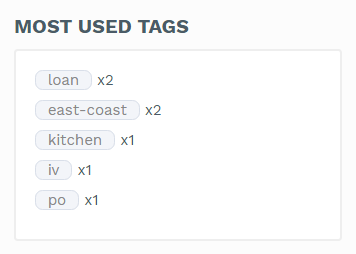
Example of tag cloud generated with list format + tag count.

Example of tag cloud generated with list format + without tag count.
Installation Instructions
-
Upload ‘minimalist-tag-cloud’ folder to the ‘/wp-content/plugins/’ directory of your WordPress installation.
-
Activate the plugin through the ‘Plugins’ menu in WordPress.
-
The Minimalist Tag Cloud widget can now be configured and used from the Appearance -> Widgets menu
-
If you want to embed a tag cloud in your posts or pages, use the [scmintagcloud] shortcode.
Example: [scmintagcloud taxonomy=”category” smallest=”12″ largest=”12″ unit=”px” format=”list” showcount=”yes”]
All attributes and possible values for selected attributes:
- tagcount
- taxonomy
- include
- exclude
- smallest
- largest
- unit
- showcount: yes, no
- format: flat, list
- separator
- orderby: count, name
- order: asc, desc, rand
ChangeLog
