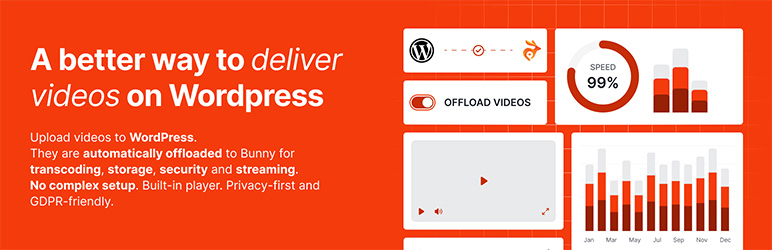
Media Stream seamlessly integrates your WordPress Media Library with BunnyCDN.
Whenever you upload a video to WordPress, the plugin automatically syncs it to Bunny.net Stream and rewrites the video attachment URL to serve from Bunny.net’s global CDN. This ensures faster playback, reduced server load, and a smooth viewing experience for your visitors.
Key Features:
* Automatic video sync from WordPress Media Library to Bunny.net Stream
* Replace WordPress video URLs with Bunny.net Stream CDN links
* Faster and optimized video delivery through Bunny.net’s global network
* Reduce storage and bandwidth usage on your server
* Works transparently with the WordPress Media Library
External services
This plugin relies on Bunny.net Stream, a third-party video streaming and CDN service provided by BunnyCDN. A valid Bunny.net account and API key are required. Uploaded videos are stored and played directly from Bunny.net’s infrastructure. The plugin also using the bunny net APIs to upload and remove videos on bunny stream.
Yes, you need a Bunny.net account where you can get the API key to insert in the plugin in a very simple way and start using it.
Why do I need this plugin?
The plugin is designed to enhance website performance and prevent crashes caused by embedded videos, as demonstrated in the linked video. By utilizing HLS technology for video streaming instead of standard MP4 files, the plugin significantly improves the overall page speed, security and video playback performance. For more info about HLS check this video.
Will my existing videos be synced?
The existing video must be re-encoded using the plugin. This process will offload the video to Bunny by simply clicking a button.
Does this plugin support files that are not videos?
This plugin is intended solely for video streaming. For offloading images, please utilize alternative, dedicated plugins that are compatible with bunny.net or similar services.
Is it possible to delete the local video file and rely solely on the offloaded copy?
You can safely delete the local video files while retaining the versions offloaded to Bunny. These offloaded videos will continue to function on your website.
How does this plugin differ from other offloading plugins?
The plugin is free and offers full integration with the WordPress Media Library, allowing users to leverage core WordPress functionalities for adding videos instead of relying on separate widgets. While Bunny offers an official plugin for video embedding, it lacks the same level of media system integration. However, Bunny’s plugin does excel with its highly effective image offloading feature.
Is Media Stream Plugin with Bunny.net GDPR compliant?
Yes, Media Stream with Bunny.net Stream can be GDPR-compliant.
Bunny.net Stream privacy-focused, avoiding permanent storage identifiable personal data. Streaming logs performance data anonymized, used only for optimization. Technical CDN requests handled anonymously, not tracking individuals.
Bunny.net offers GDPR features like EU-only routing, IP anonymization, secure SSL/TLS. Data Processing Agreement (DPA) available, fulfilling 28 requirements.
For standard video, processing usually relies on legitimate interest, often negating the need for user consent. This should be documented in your privacy policy. Bunny.net provides guides for GDPR-friendly integration.
Fixed “Offload all videos” stopping before it reached the end of the library
Fixed memory errors on sites with large videos
New Diagnostics tab: run a connection test and copy a report for support
New tool to find videos that never actually reached Bunny, and offload them again
Optional debug logging to help track down problems
Restoring a local video is faster and no longer times out
Videos still encoding are greyed out in the media library again
Tested up to WordPress 7.1
1.2.7
Minor fixes
Ui refinements
1.2.6
Enabled additional features for free
1.2.5
Resolved classic editor video tag issue
Optimized
1.2.4
Fixed image disappearing issues
Bug fixes
1.2.3
Security Fixes and optimizations
1.2.2
Bug fixes
1.2.1
Refined Video Autoplay Triggeres
Optimized Library Creation Process
Bug fixes
1.2.0
Major Release: Advanced Media Control & Full Offload System
New Features
Automatic video offloading to Bunny.net Stream on upload
Option to automatically delete local video files after offload
Option to retain original local files for backup or fallback
Domain-based access control (Allowed & Blocked domains)
Media CAGE support for secure video delivery
Protection against direct file access via local URLs
Agency Mode for streamlined multi-site or client usage
Support for MP4 format as a selectable media delivery option
Bulk & Management Tools
Offload all existing videos in one click
Refresh media URLs across posts, pages, and media library
Re-encode all videos for optimized streaming
Delete all local copies in bulk
Improvements
Enhanced performance for large media libraries
Improved reliability of video syncing and processing
Better compatibility with themes and page builders
Optimized CDN delivery for smoother playback
1.1.6
Imporved Performance and experience
1.1.5
Minor Fixes
Improved User Experience
1.1.4
Improved app strucutre
1.1.3
Improved IOS compatibility
1.1.2
Improved Gutenberg Video Loader
1.1.1
Improved compatibility
1.1.0
diagnostic Update Fixes
Performance Fixes
1.0.9
Feature to remove local media
Improved media handling
1.0.8
Optimized loading time
Fixed missing video
1.0.7
Optimized loading inside builders
Fixed loading issues
1.0.6
Fixed Javascript warnings
Improved Response Issues
1.0.5
Added ability to update static links after offloading the media
Improved Performance
1.0.4
Added feature to re-encode video.
Improved and optimized performance.
1.0.3
User interface improvements.
1.0.2
Performance improvements.
1.0.0
Initial release.
Automatic sync of uploaded videos to Bunny.net Stream.